Streamlining the WordPress Admin: A Comprehensive Guide to Removing Yoast SEO Upsells

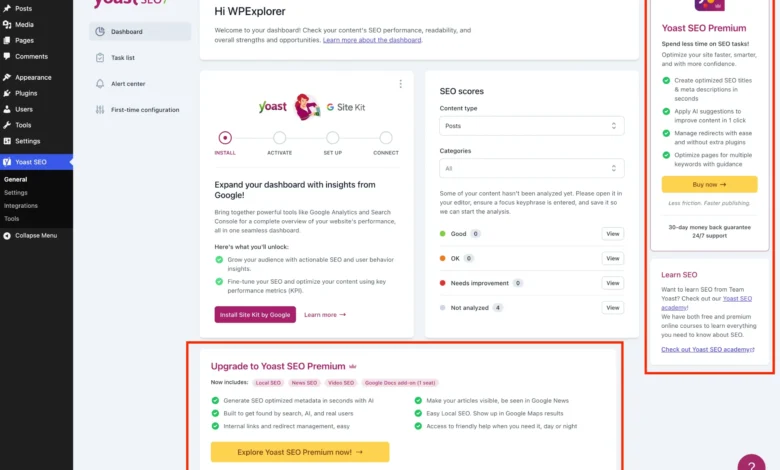
The ubiquitous presence of Yoast SEO, one of the most widely adopted WordPress plugins globally, underscores its vital role in website optimization. While its free version offers an impressive suite of features for content optimization, sitemap management, and search appearance enhancement, its interface has increasingly become a subject of discussion due to a proliferation of premium upsells. For WordPress developers, agencies managing client sites, or any user prioritizing a streamlined administrative experience, these persistent banners, extra menu pages, dashboard widgets, and sidebar advertisements can introduce significant distraction and inefficiency. This article delves into the technical methodologies to systematically eliminate this "upsell noise," thereby restoring a clean and focused WordPress backend without compromising the core SEO functionalities provided by the free Yoast SEO plugin.
The Rise of Yoast SEO and the Freemium Imperative
Yoast SEO’s journey from a niche plugin to an industry standard is a testament to its effectiveness in democratizing search engine optimization for millions of WordPress users. Launched over a decade ago, it quickly became an indispensable tool, offering crucial features such as meta title and description editing, XML sitemap generation, and content analysis. Its market penetration is staggering, with estimates placing its active installations well into the tens of millions, making it a cornerstone of the WordPress ecosystem.
This widespread adoption is largely attributed to its "freemium" business model. The freemium strategy allows developers to offer a robust, functional version of their product for free, attracting a massive user base. This accessibility fosters brand loyalty and provides a broad funnel for converting a percentage of free users into paying customers for a "Premium" version, which unlocks advanced features. For Yoast, these premium offerings include AI-generated titles and descriptions, a redirect manager, multiple focus keywords, and enhanced support. This model is economically viable, allowing continuous development and innovation, but it inherently relies on exposing free users to upgrade prompts to drive revenue.
However, this commercial necessity often clashes with the user experience preferences of a significant segment of the WordPress community. Developers, in particular, who manage numerous client websites, often find the constant premium nudges counterproductive. Their primary goal is to deliver a clean, efficient, and professional administrative interface to their clients, free from extraneous marketing elements. The perceived clutter, therefore, isn’t merely an aesthetic issue but a practical impediment to workflow efficiency and client satisfaction.
The Impact of Admin Clutter on Productivity and User Experience
The cumulative effect of premium upgrade banners, superfluous menu items, and promotional widgets within the WordPress admin dashboard is more profound than it might initially appear. For professional developers and agencies, a clean administrative interface is paramount. Each additional click, each moment spent discerning useful options from sales pitches, contributes to cognitive load and reduces overall productivity. When managing dozens or even hundreds of client sites, these micro-inefficiencies scale into significant time drains. Moreover, presenting a client with a dashboard littered with upgrade prompts can undermine the perception of a professionally delivered website, potentially causing confusion or implying that essential features are missing or incomplete.
Beyond the direct visual clutter, some upsell components carry subtle performance implications. The Yoast SEO dashboard widget, for instance, makes an uncached HTTP request to yoast.com/feed/widget/ upon every dashboard load. This not only adds unnecessary overhead to the server response time but also transmits sensitive server environment data, such as WordPress and PHP versions, as query string parameters. While individually minor, such constant background activity can contribute to a marginally slower backend experience, particularly on resource-constrained hosting environments.
The demand for a customizable and controlled WordPress environment is deeply embedded in the platform’s ethos. Users and developers expect the flexibility to tailor the experience to their specific needs. The ability to prune marketing elements, while not impacting core functionality, aligns perfectly with this philosophy, empowering users to optimize their admin area for maximum focus and efficiency.

A Developer’s Approach: Customizing the Yoast SEO Experience
Recognizing the need for a decluttered admin, this guide outlines a series of technical steps to remove these premium upsells from the free version of Yoast SEO. It’s important to note that the simplest way to remove all upsells is by purchasing Yoast SEO Premium, which offers a host of advanced features that justify its cost for many users. However, for those who primarily benefit from the free features and seek a cleaner interface without the additional investment, the following methods provide a robust solution.
The approach primarily leverages WordPress’s action and filter hook system, combined with targeted CSS, to modify the plugin’s output and appearance within the admin area. To ensure maintainability and prevent code conflicts, all modifications are encapsulated within a single PHP class. This code should ideally be placed in a child theme’s functions.php file, integrated via a code snippets plugin, or established as a custom Must-Use (MU) plugin. The latter two options offer superior portability and independence from theme changes.
Setting the Technical Foundation: The PHP Class Structure
The foundation of this comprehensive solution is a self-contained PHP class, WPEX_Remove_Yoast_SEO_Upsells. This class ensures that all related functionalities are logically grouped and prevents potential naming conflicts with other plugins or themes. The constructor includes essential conditional checks: ! defined( 'WPSEO_VERSION' ) verifies that Yoast SEO is actively installed, preventing the code from executing unnecessarily, while defined( 'WPSEO_PREMIUM_VERSION' ) ensures the code only runs for the free version, automatically exiting if the premium plugin is detected, as the upsells would naturally be absent.
if ( ! class_exists( 'WPEX_Remove_Yoast_SEO_Upsells' ) )
    class WPEX_Remove_Yoast_SEO_Upsells
        public function __construct()
        // All methods for removing upsells will be defined here

    new WPEX_Remove_Yoast_SEO_Upsells;
This structured approach guarantees that the modifications are applied only when relevant and do not interfere with other parts of the WordPress installation.
Eliminating Premium-Only Admin Pages
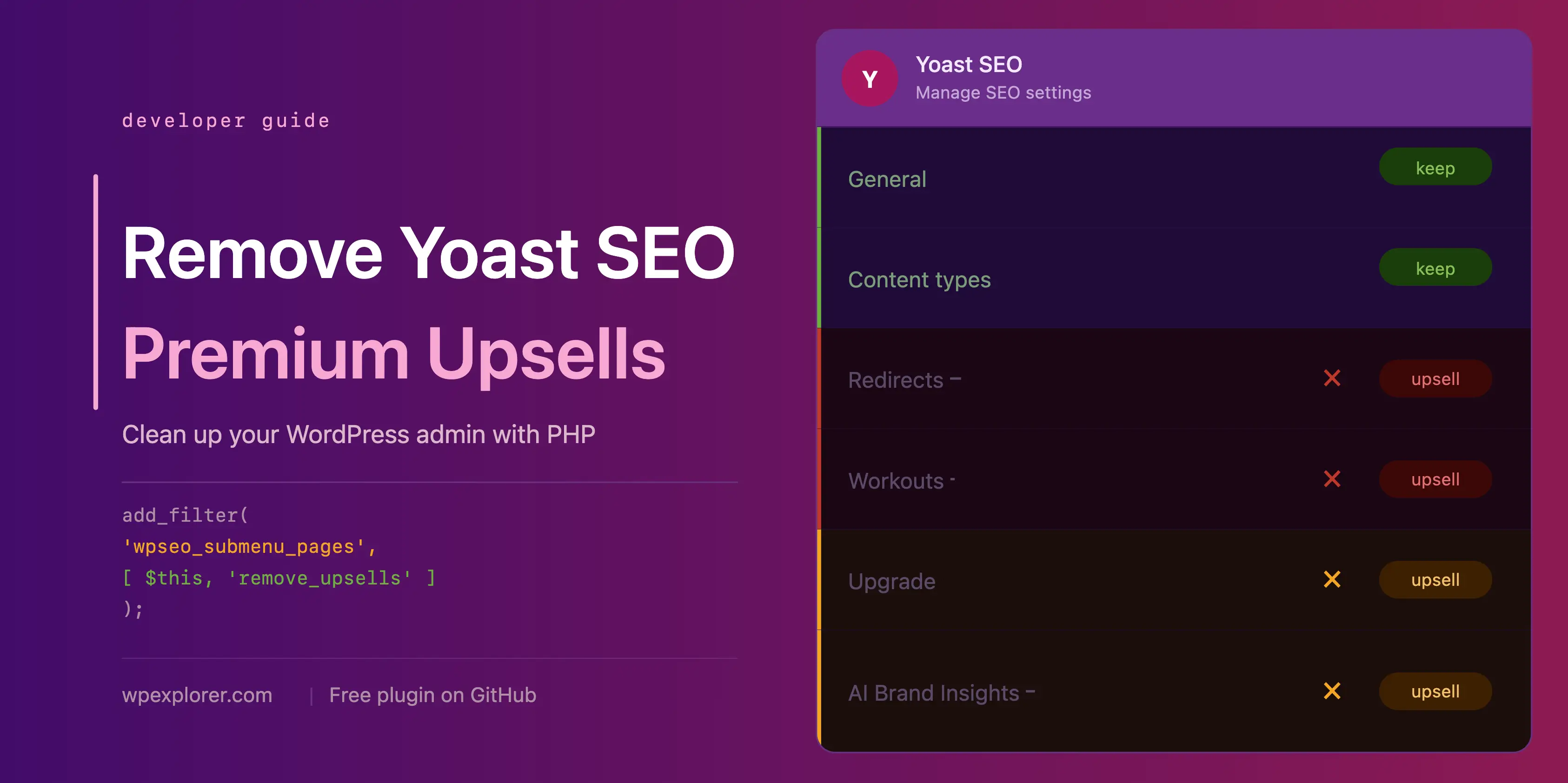
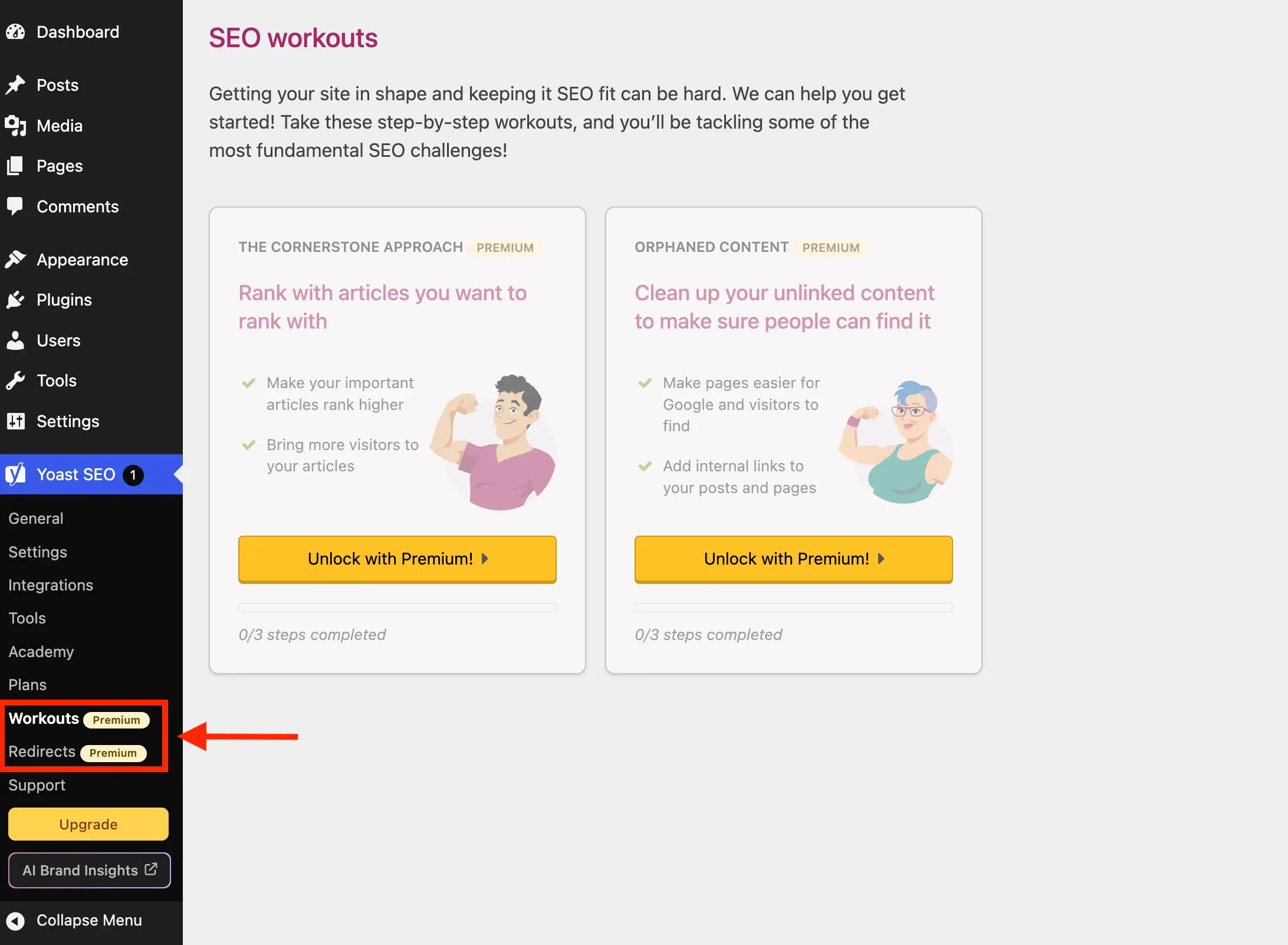
Yoast SEO registers several menu pages that are exclusively functional in the premium version. Pages such as "Redirects" and "Workouts" offer no utility to free users, serving only as pathways to an upgrade screen. To remove these, the wpseo_submenu_pages and wpseo_network_submenu_pages filters are utilized. By hooking into these filters with a high priority (PHP_INT_MAX), the code ensures it runs after Yoast has registered all its pages.
The primary method dynamically identifies premium pages by detecting the yoast-premium-badge HTML string injected into their menu titles. This adaptive approach reduces the need for manual updates if Yoast introduces new premium pages. An alternative, more explicit method involves listing specific page slugs (wpseo_redirects, wpseo_workouts) for removal, though this requires manual updating if page slugs change or new ones are added.
Streamlining the Core Admin Menu: Removing Non-Essential Pages
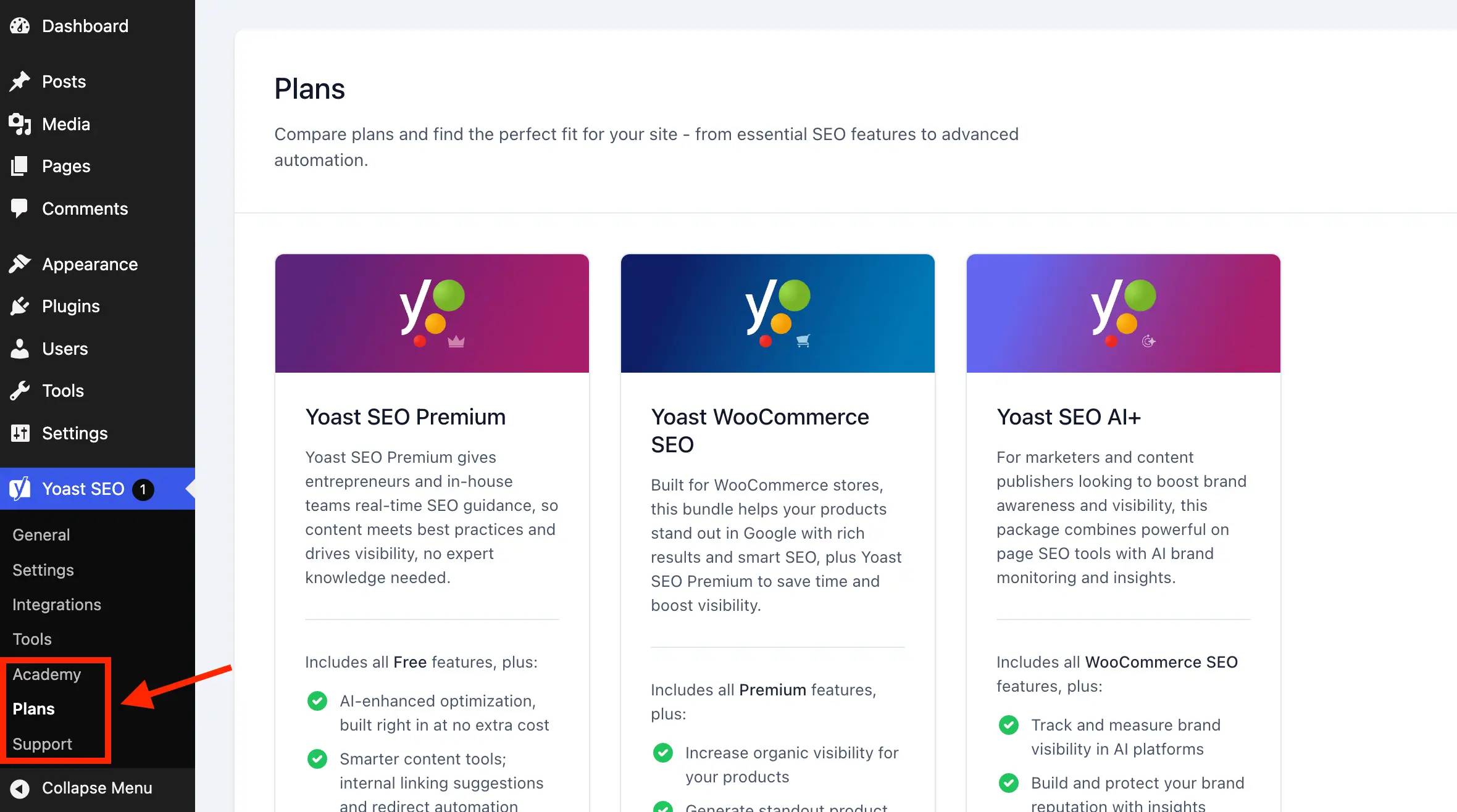
Beyond the explicitly premium-locked pages, Yoast SEO includes several administrative pages in its free version that, while not requiring an immediate upgrade, offer minimal day-to-day utility and contribute to menu clutter. These include:
- Plans: A dedicated page for comparing and purchasing Yoast’s premium plans and add-ons. Primarily a sales page, it offers little functional value for free users.
- Academy: Links to Yoast’s external online learning platform. While some free courses exist, they require a separate Yoast account and open in external tabs, diminishing their integration with the WordPress dashboard experience.
- Support: A collection of external links to Yoast.com/help, WordPress support forums, and bug report pages. These resources can be easily bookmarked, making a dedicated menu item largely redundant.
These pages can be removed by extending the remove_premium_admin_pages method to include their respective slugs (wpseo_licenses, wpseo_page_academy, wpseo_page_support). This further refines the admin menu, leaving only the essential configuration and optimization tools accessible.
Addressing Ubiquitous Upsells: Admin Toolbar and Sidebar Buttons
Yoast SEO also embeds prominent "Upgrade" and "AI Brand Insights" buttons in two highly visible locations: the main sidebar navigation and the admin toolbar at the top of the screen. These buttons are purely promotional and hold no functional value for free users.
The "Upgrade" button, being registered via the wpseo_submenu_pages filter, can be removed by adding its slug (wpseo_upgrade_sidebar) to the existing remove_premium_admin_pages method. The "AI Brand Insights" button, however, presents a unique challenge due to its high registration priority (PHP_INT_MAX), making it difficult to intercept with the standard filter. Instead, it requires direct removal using WordPress’s remove_submenu_page function, hooked into admin_menu with maximum priority.
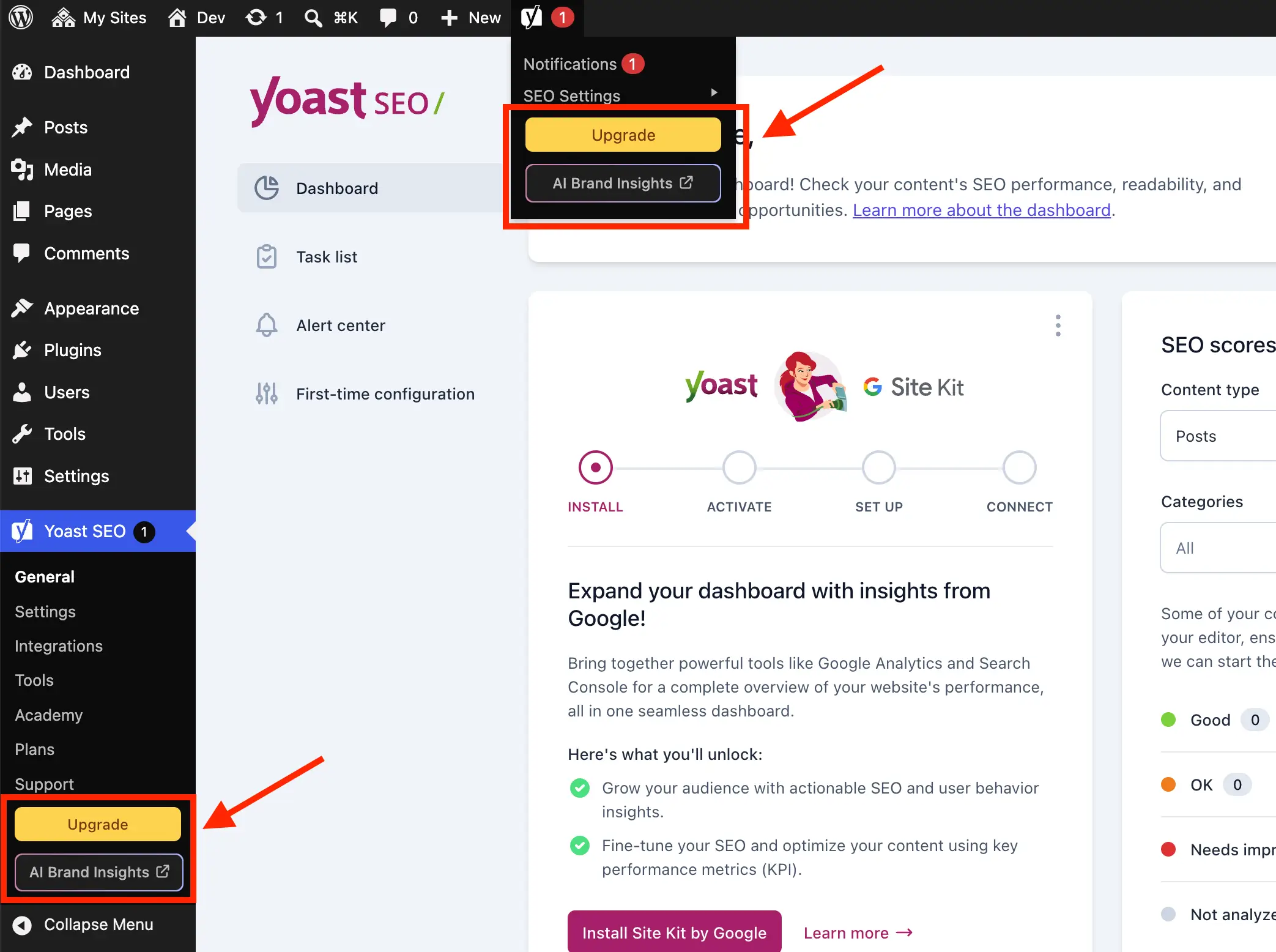
For the admin toolbar buttons, a separate method hooking into admin_bar_menu is necessary. This method uses WP_Admin_Bar->remove_node() to target and remove the wpseo-get-premium and wpseo_brand_insights nodes, ensuring a clean top navigation bar.
Reclaiming the Dashboard: Disabling the Yoast SEO Widget
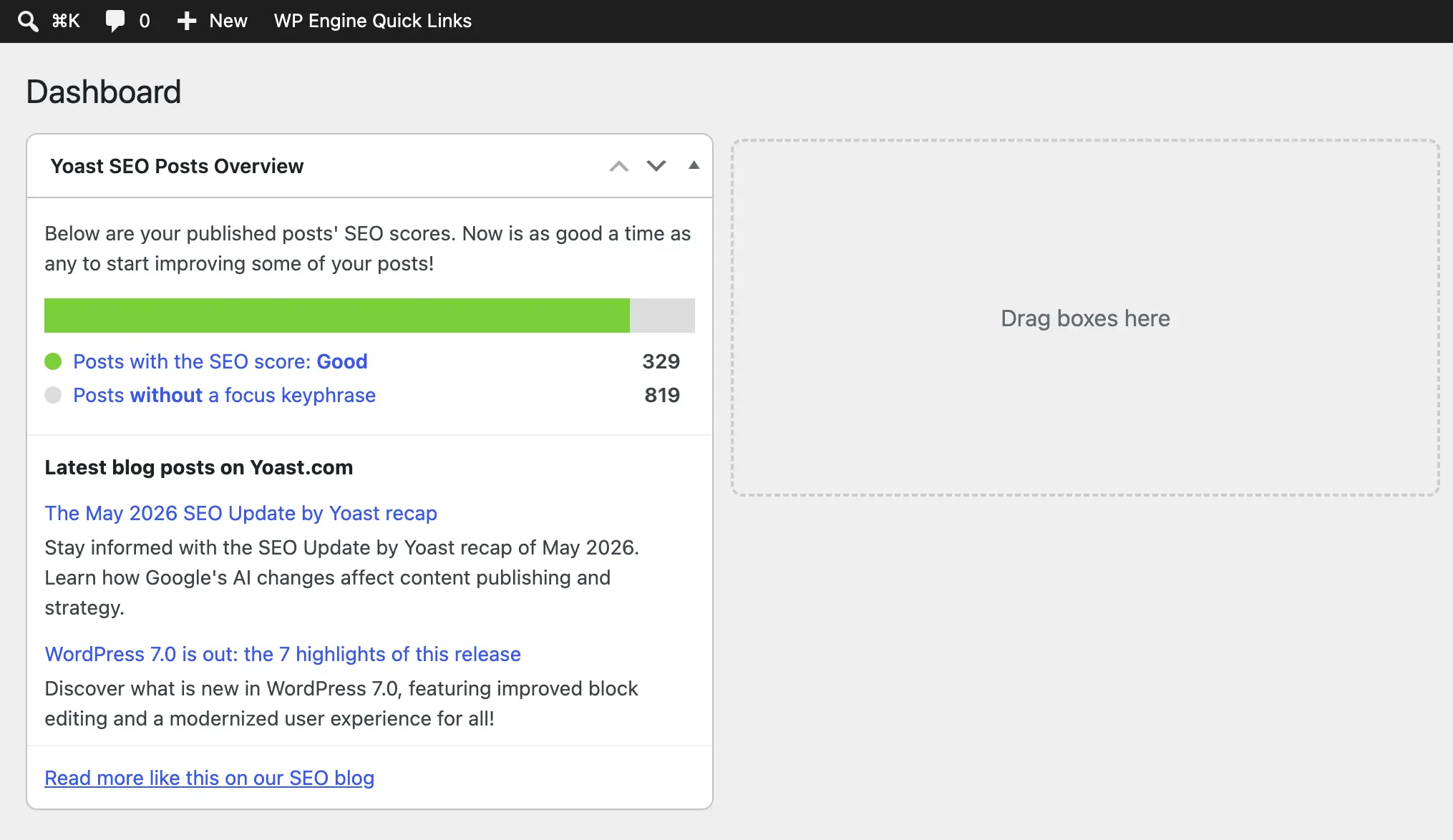
The Yoast SEO dashboard widget, which displays an overview of site SEO scores and recent blog posts from Yoast.com, is another element targeted for removal. As previously noted, its uncached HTTP requests and transmission of server environment data raise both performance and privacy considerations.
To remove this widget, the remove_meta_box function is employed, hooked into wp_dashboard_setup. Furthermore, its associated JavaScript and CSS assets (yoast-seo-dashboard-widget, yoast-seo-wp-dashboard, yoast-seo-monorepo) are dequeued using wp_dequeue_script and wp_dequeue_style within the admin_enqueue_scripts hook, specifically targeting the dashboard screen. This not only removes the visual element but also eliminates the background requests and resource loading, contributing to a lighter dashboard experience.
Concealing Promotional Banners and Locked Fields (CSS-based approach)
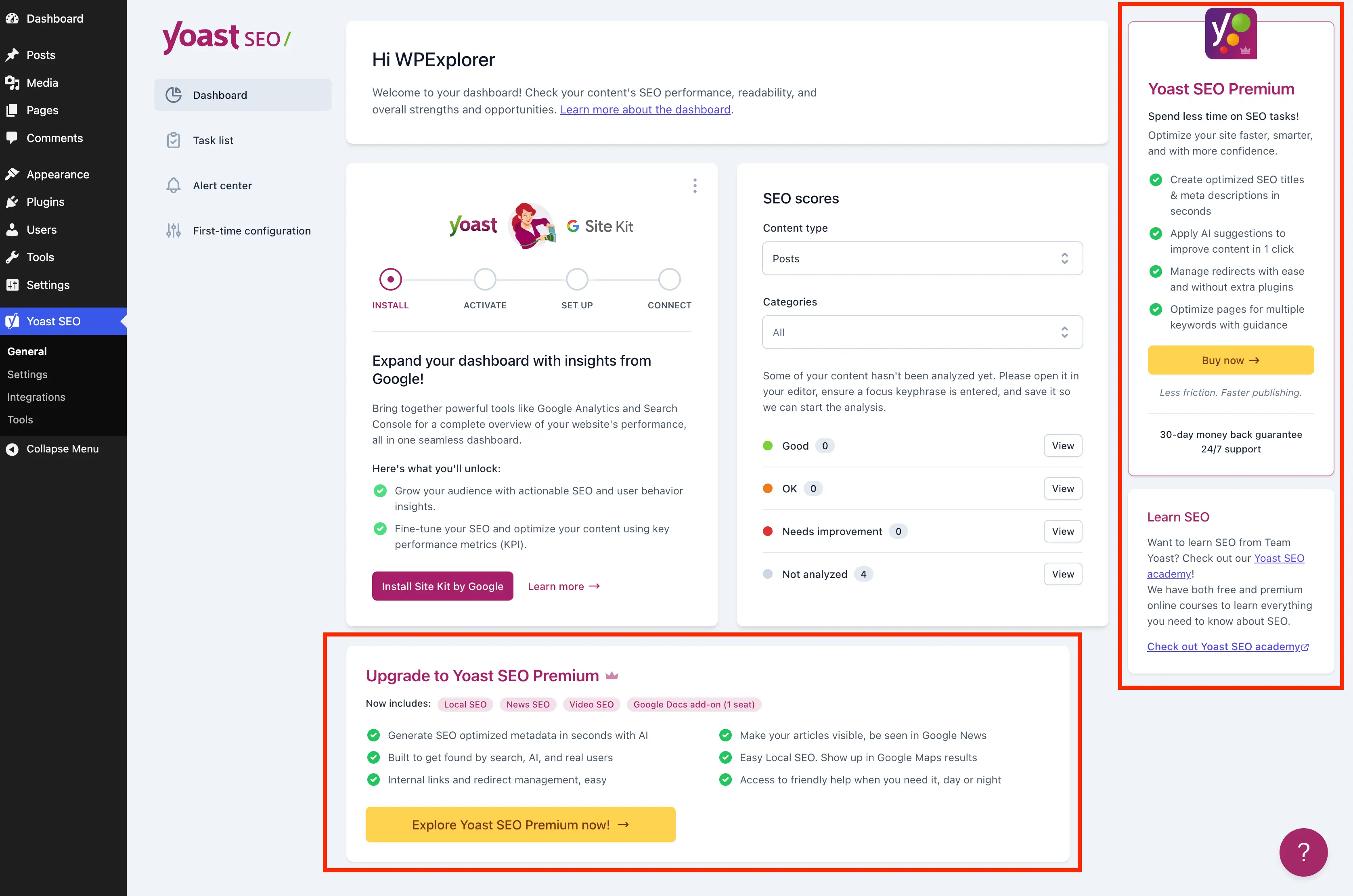
Many of Yoast SEO’s premium banners, sticky sidebars, and locked setting fields are rendered as JavaScript components, making direct PHP-based removal difficult. In these instances, targeted CSS, injected inline, becomes the most viable solution. This approach relies on specific selectors to hide these elements, requiring careful construction due to the lack of unique IDs or stable class names for all components.
The remove_upsells_from_admin_pages method enqueues an inline CSS block, targeting various promotional elements on Yoast’s settings pages. This includes:
- Bottom-page upgrade advertisements.
- Sticky sidebars with upgrade prompts and "Learn SEO" widgets.
- Individual locked fields with
yst-button--upsellclasses. - Entire sections locked behind an upgrade overlay, identified by
yst-feature-upsell.
While effective, this CSS-based approach is inherently more fragile. Yoast SEO’s administrative page layout and class naming conventions are subject to change in future updates, potentially necessitating revisions to these CSS selectors. Therefore, thorough testing after any Yoast SEO update is strongly recommended to ensure continued effectiveness and prevent unintended hiding of functional elements.
Refining Integrations and Metaboxes: Targeted CSS Interventions
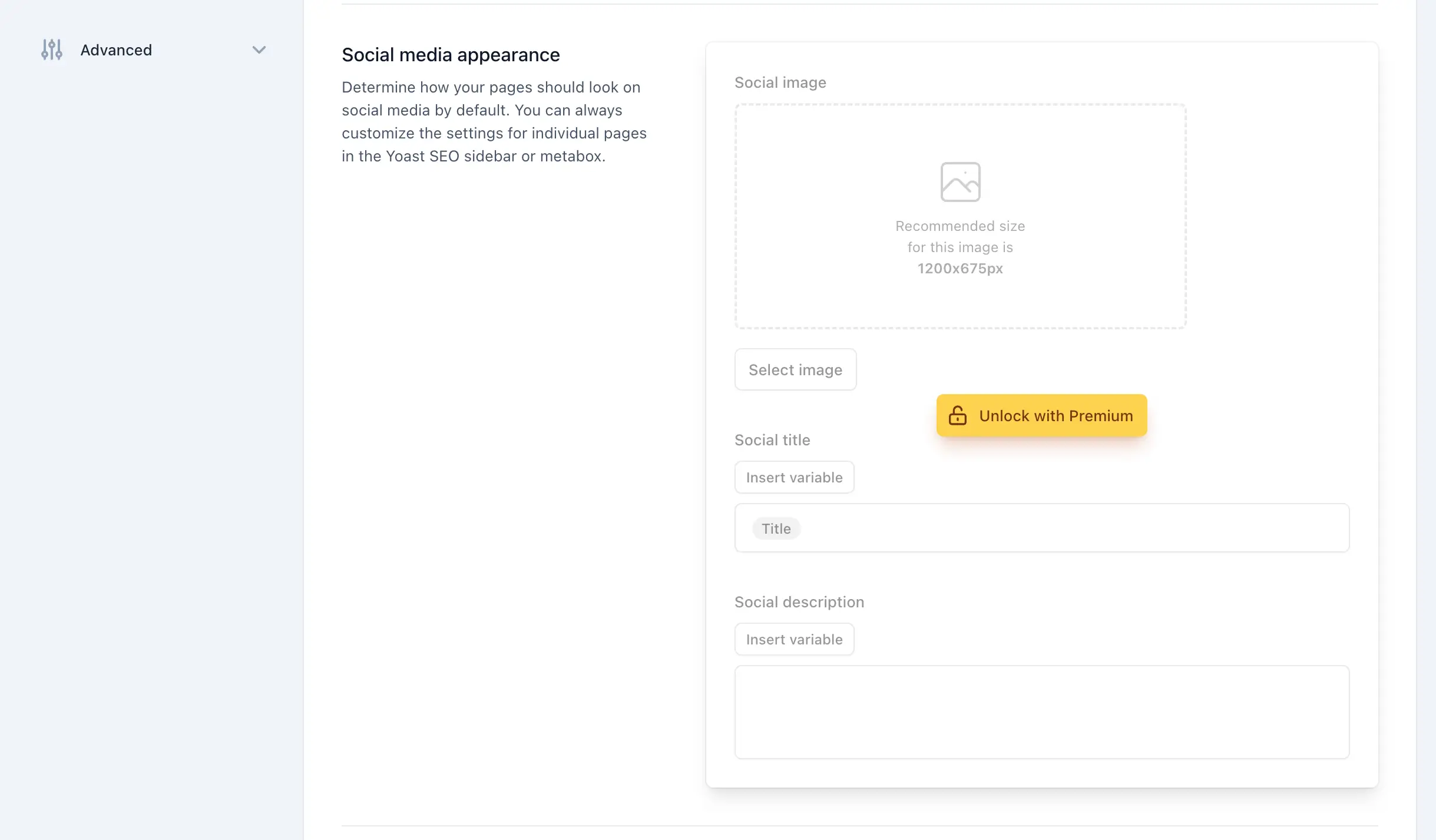
The integrations page and the Yoast SEO metaboxes within the post/page editor are additional areas where premium upsells are prominently displayed. The integrations page often features "Unlock with Premium" cards for certain third-party connections. By adding a precise CSS selector (#wpseo-integrations .yst-root section > .yst-grid > div:has([data-action=load-nfd-ctb])) to the remove_upsells_from_admin_pages method, these specific promotional cards can be hidden without affecting free integration listings.
The Yoast SEO metaboxes, located at the bottom of the classic editor and within the Gutenberg sidebar, are particularly intrusive due to their constant presence during content creation. These areas often contain sections exclusively available in the premium version, such as "Prominent words" or "AI Fixes." A dedicated remove_upsells_from_metaboxes method, hooking into admin_enqueue_scripts and applying only to post and term editing screens, injects CSS to hide these specific premium upsell fields and buttons. This significantly streamlines the content editing interface, allowing creators to focus on their work without distraction.
The Holistic Solution: A Unified Approach
By integrating all the aforementioned PHP and CSS snippets into the WPEX_Remove_Yoast_SEO_Upsells class, a comprehensive and robust solution is achieved. This unified class can be implemented in a child theme’s functions.php file, via a dedicated code snippets plugin, or as a custom MU plugin, offering flexibility based on project requirements and developer preference.
For users preferring a ready-made solution, a free companion plugin, wpex-remove-upsells-for-yoast-seo, is available on GitHub. This plugin encapsulates all the code, simplifying installation. However, it’s crucial to note that as a GitHub-hosted plugin, it does not receive automatic updates via the WordPress dashboard. Users must periodically check the GitHub repository for new releases, especially after major Yoast SEO updates, to ensure compatibility and continued functionality.
Broader Considerations and Future Outlook
The ongoing dynamic between free and premium features in the WordPress plugin ecosystem is a delicate balance. While developers like Yoast SEO strive to monetize their extensive work, users and agencies prioritize efficiency and a clean interface. Solutions like the one outlined here empower users to tailor their experience, reflecting WordPress’s core principle of flexibility and control.
However, the nature of these modifications, particularly the CSS-based ones, means that they are somewhat dependent on Yoast SEO’s internal design and structural choices. Future updates to the plugin might alter class names, IDs, or page layouts, potentially breaking the effectiveness of some selectors. Vigilance and periodic review of the implemented code are essential for long-term maintainability.
Ultimately, the choice to embrace the free version of Yoast SEO and implement these cleanup measures, or to invest in the premium version for its advanced features and inherently upsell-free experience, rests with the individual user or agency. For those dedicated to maintaining a lean, focused, and client-friendly WordPress administration area, these technical strategies offer a powerful means to achieve that objective. For those considering a broader shift, exploring alternative SEO plugins that may align more closely with specific administrative preferences also remains a viable option.
Related posts: