De-cluttering WordPress: A Comprehensive Guide to Removing Yoast SEO Upsells for a Streamlined Admin Experience

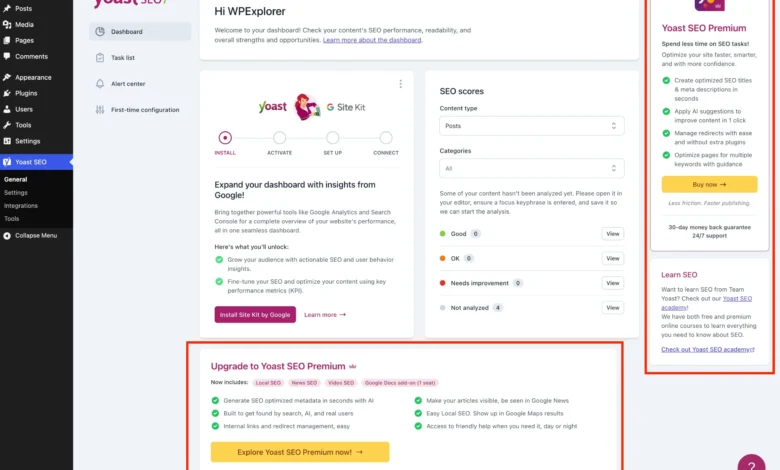
The pervasive presence of upsell notifications, banners, and premium feature prompts within the free version of Yoast SEO, one of WordPress’s most widely adopted plugins, has prompted a significant movement among developers and site administrators seeking a cleaner, more focused administrative interface. Published on May 24, 2026, this detailed analysis and technical guide addresses the systematic removal of these intrusive elements, offering a practical pathway to optimize the WordPress backend experience.
The Rise of Freemium and Administrative Clutter
Yoast SEO stands as a cornerstone in the WordPress ecosystem, boasting over five million active installations and a dominant market share in the realm of search engine optimization plugins. Its free version provides invaluable functionalities, including content optimization tools, sitemap management, and enhanced search result appearance. However, its success has also led to an aggressive freemium monetization strategy, manifesting as persistent calls to upgrade to its premium counterpart. This strategy, while understandable from a business perspective – funding continuous development and innovation – frequently clashes with the user desire for an uncluttered and efficient workflow, particularly for agencies managing multiple client sites or individual users prioritizing simplicity.
The WordPress dashboard, intended as a control hub, can quickly become a marketing battleground for plugin developers. Yoast SEO, like many popular freemium plugins, strategically places premium upgrade banners, additional administrative menu pages, dashboard widgets, and sidebar advertisements. This "noise" can distract users, slow down navigation, and, in some cases, even introduce minor performance overhead due to uncached HTTP requests and additional script loading. For developers, maintaining a pristine client environment is paramount, making these integrated upsells a point of contention.
Understanding the Yoast SEO Business Model

The freemium model adopted by Yoast SEO is a common and effective strategy in the software industry, especially within open-source platforms like WordPress. By offering a robust free version, Yoast attracts a massive user base, establishing brand loyalty and demonstrating core value. The premium version then unlocks advanced features such as AI-generated titles and descriptions, a redirect manager, and support for multiple focus keywords, catering to power users and businesses with more complex SEO needs. The upsells serve as a constant reminder of these enhanced capabilities, aiming to convert free users into paying customers. This delicate balance between providing free utility and driving premium sales is a continuous challenge for plugin developers, often leading to designs that prioritize visibility of premium offerings over a minimalist user experience.
A Systematic Approach to De-cluttering
For those committed to the free version but unwilling to tolerate the marketing distractions, a methodical approach involving custom PHP snippets and targeted CSS is necessary. The core strategy revolves around creating a dedicated PHP class to encapsulate all modifications, ensuring maintainability and preventing conflicts. This class is designed to execute only if Yoast SEO is active and, crucially, to bypass execution if Yoast SEO Premium is already installed, preventing redundant operations.
Initial Setup: The PHP Class Foundation
The foundation of this cleanup operation begins with a well-structured PHP class. This class, typically added to a child theme’s functions.php file, a code snippets plugin, or an MU plugin, acts as a container for all the hooks and filters necessary to modify Yoast SEO’s behavior. A critical initial check within the class constructor ensures that the code only runs when Yoast SEO (free version) is active, safeguarding against errors and unnecessary processing.
if ( ! class_exists( 'WPEX_Remove_Yoast_SEO_Upsells' ) )
    class WPEX_Remove_Yoast_SEO_Upsells
        public function __construct()
            if ( ! defined( 'WPSEO_VERSION' )

    new WPEX_Remove_Yoast_SEO_Upsells;
This structural integrity is vital for long-term site stability and ease of future updates.

Eliminating Premium and Unnecessary Admin Pages
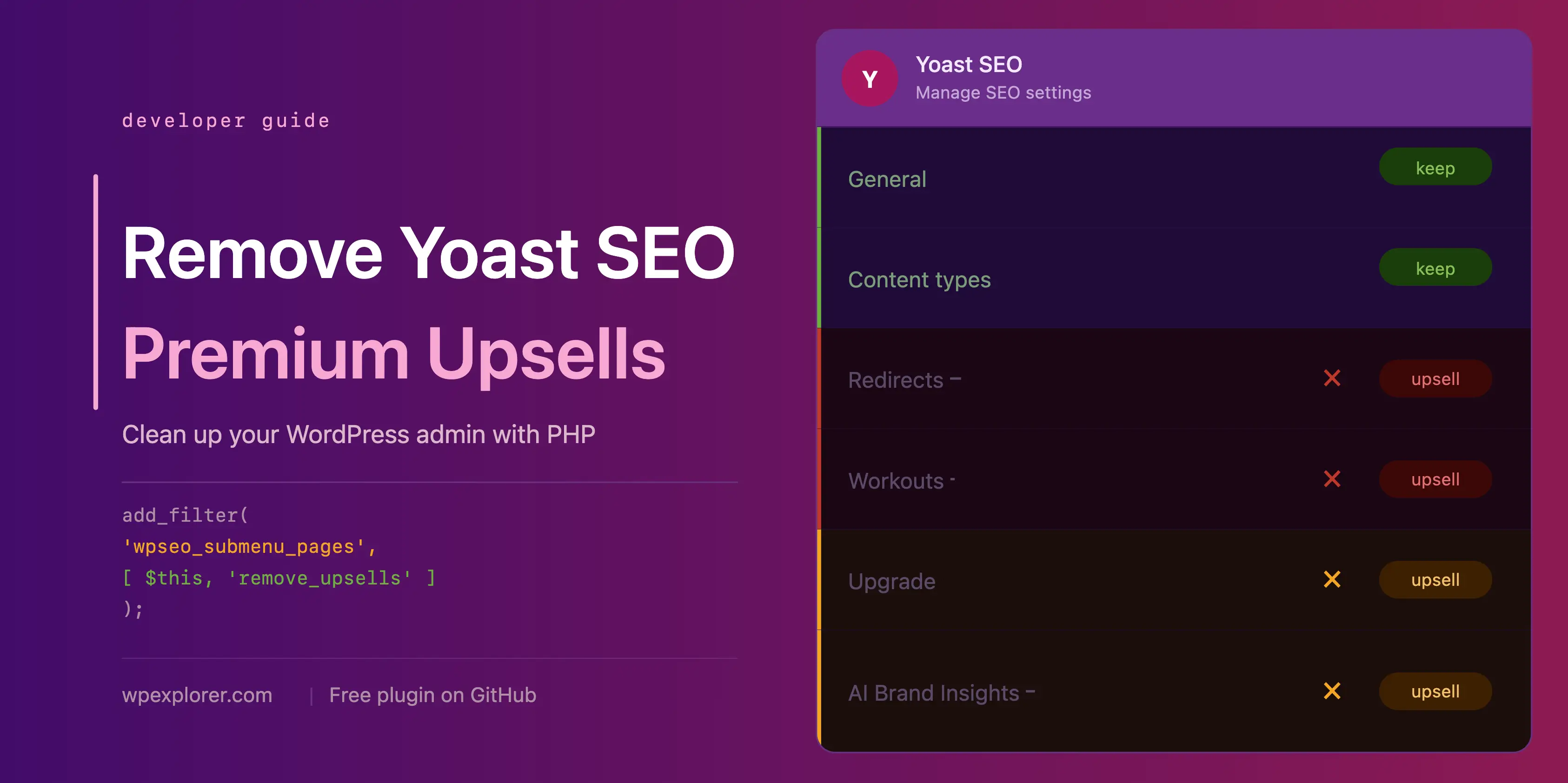
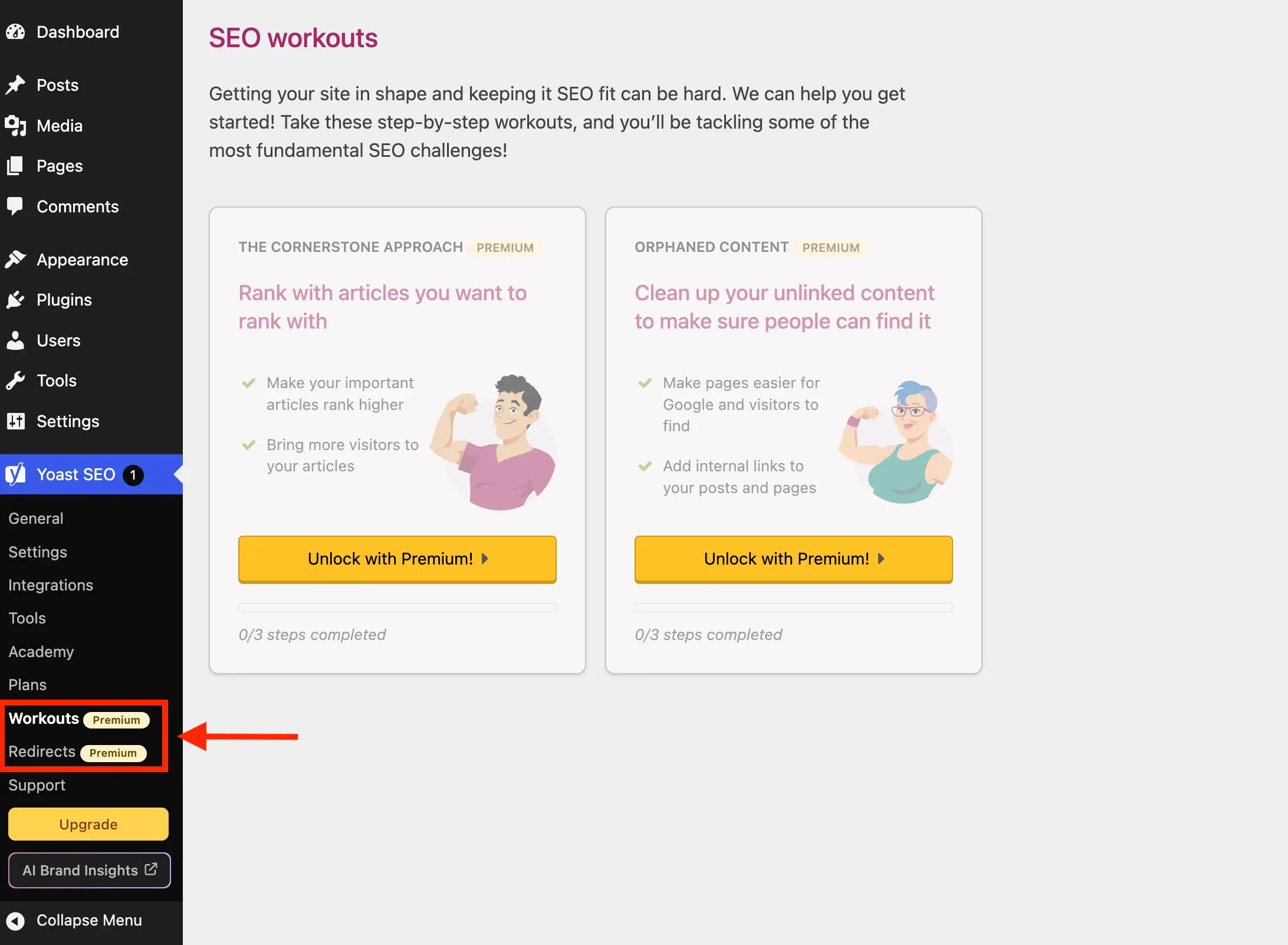
One of the most immediate visual distractions comes from Yoast SEO’s submenu pages. Pages like "Redirects" and "Workouts" are purely premium features, leading to an upgrade prompt when clicked. Leveraging the wpseo_submenu_pages and wpseo_network_submenu_pages filters, these pages can be programmatically removed. A clever detection method involves checking for the ‘yoast-premium-badge’ HTML injected into the menu title, allowing for dynamic removal even if Yoast introduces new premium pages. Alternatively, a more explicit approach targets specific page slugs like wpseo_redirects and wpseo_workouts.
Beyond strictly premium pages, Yoast also includes "unnecessary" pages that, while not locked, serve primarily as sales funnels or external links. The "Plans" page, dedicated to comparing and purchasing Yoast’s offerings, the "Academy" page linking to external learning platforms, and the "Support" page, essentially a collection of external help links, often contribute to menu bloat without adding daily operational value. By extending the remove_premium_admin_pages method to include slugs like wpseo_upgrade_sidebar, wpseo_licenses, wpseo_page_academy, and wpseo_page_support, the admin menu can be significantly streamlined.

Confronting Upsell Buttons in the Sidebar and Admin Toolbar
Yoast SEO strategically places "Upgrade" and "AI Brand Insights" buttons in both the sidebar navigation and the top admin toolbar. These are prominent visual cues for premium features. The "Upgrade" button, being part of the submenu pages, can be removed via the same wpseo_submenu_pages filter. However, the "AI Brand Insights" button presents a unique challenge: it’s registered with a high priority (PHP_INT_MAX), making it difficult to override with a filter running at a lower priority. The solution involves directly using WordPress’s remove_submenu_page function on the admin_menu hook, ensuring its removal after all pages have been registered. For the admin toolbar, the admin_bar_menu hook allows for the removal of specific nodes like wpseo-get-premium and wpseo_brand_insights.
Disabling the Yoast SEO Dashboard Widget: Performance and Privacy

The Yoast SEO dashboard widget, which displays site SEO scores and recent blog posts from Yoast.com, is more than just a visual element. It performs an uncached HTTP request to yoast.com/feed/widget/ every time the dashboard loads. This action introduces unnecessary overhead and, more critically, transmits server environment details (WordPress and PHP versions) to Yoast with each request. While not inherently malicious, it raises privacy considerations for some administrators. Removing this widget entirely, along with its associated scripts and styles, can improve dashboard load times and enhance privacy. This is achieved by hooking into wp_dashboard_setup to remove the wpseo-dashboard-overview meta box and using admin_enqueue_scripts to dequeue yoast-seo-dashboard-widget, yoast-seo-wp-dashboard, and yoast-seo-monorepo when on the dashboard screen.
Tackling Admin Page Banners and Locked Premium Fields
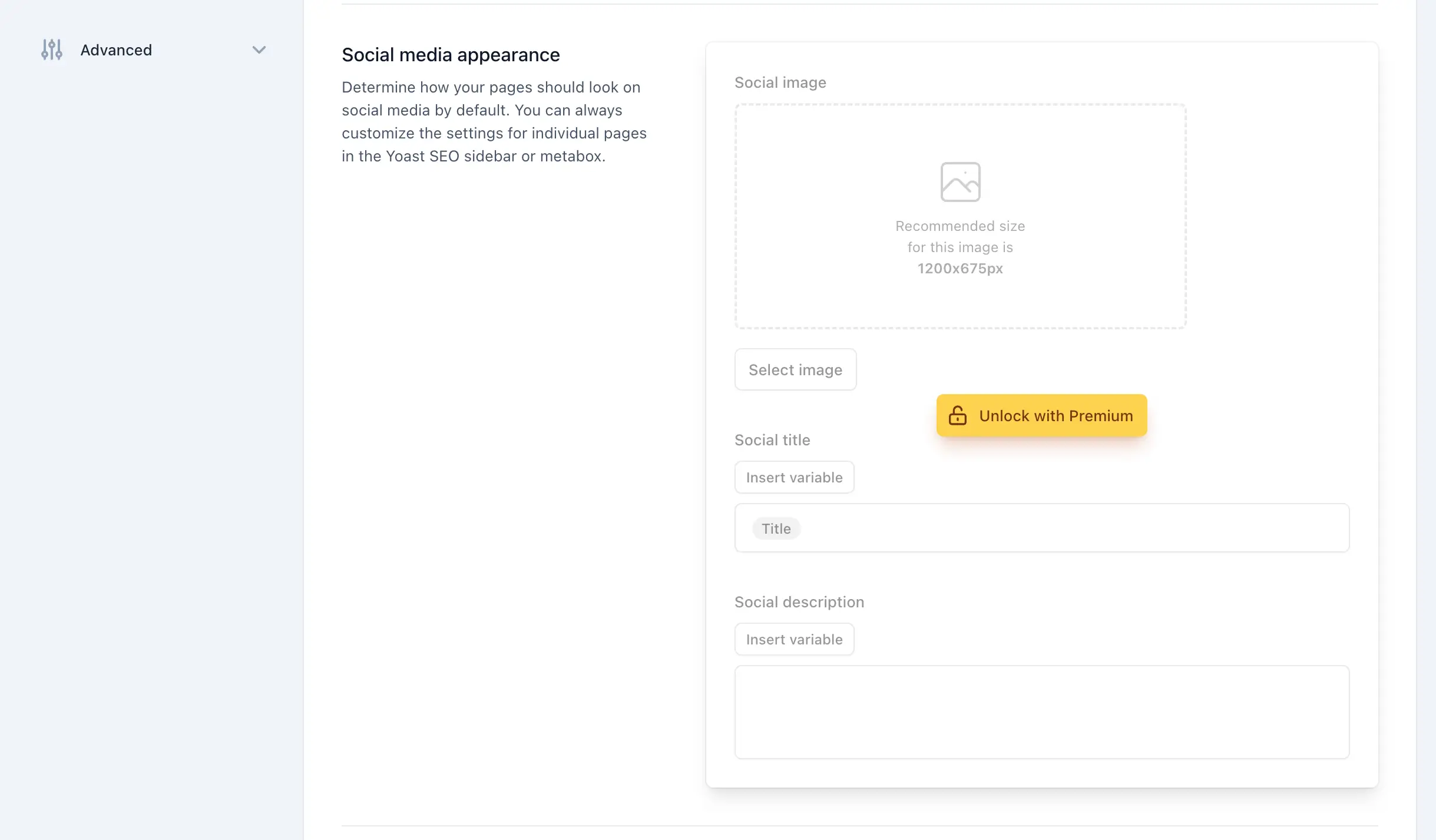
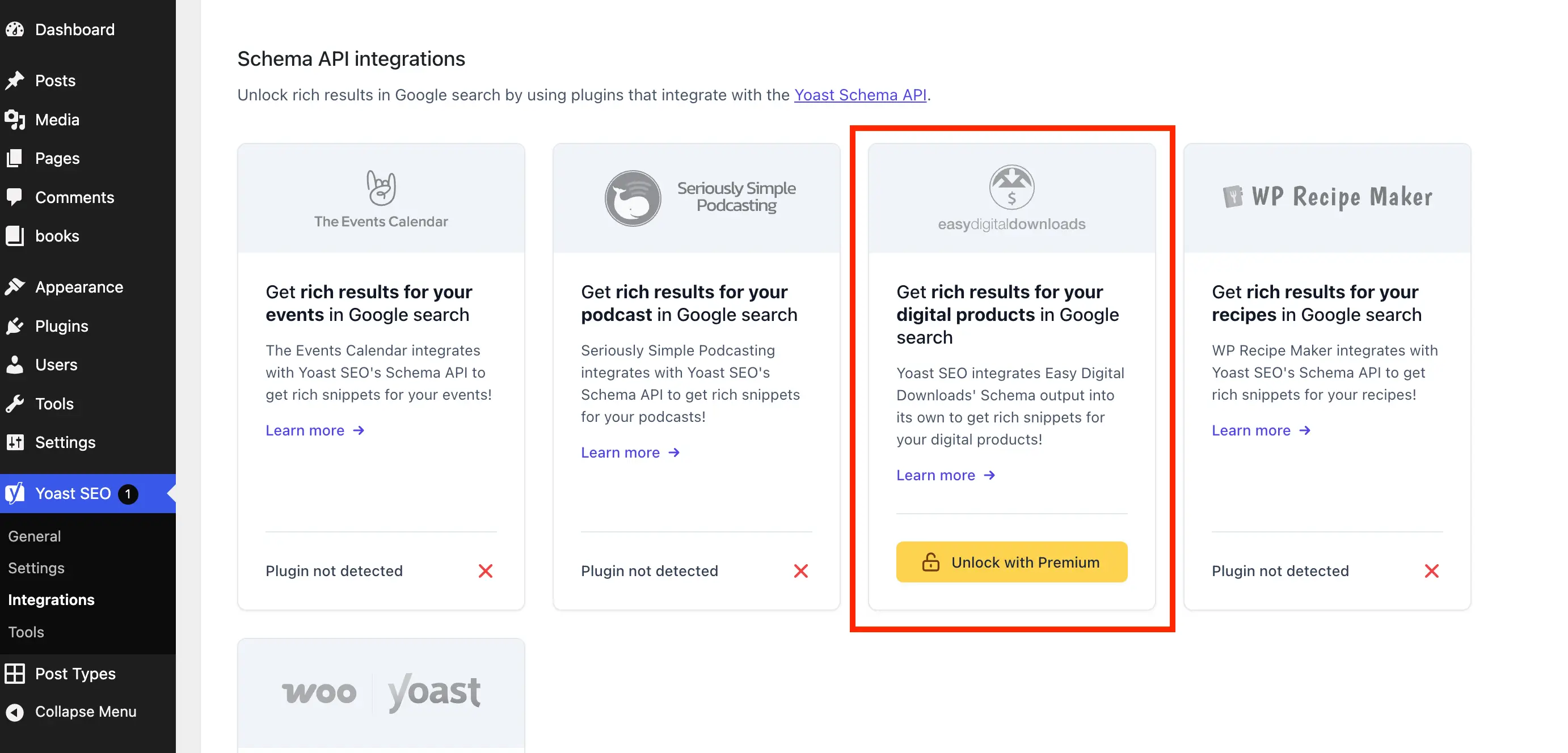
Yoast SEO’s admin settings pages are frequently adorned with promotional banners and "locked" fields that require a premium upgrade. These elements are often rendered as JavaScript components, making their removal through PHP hooks challenging. Instead, a robust CSS approach is employed. By injecting inline CSS via the admin_enqueue_scripts hook, these elements can be hidden. The CSS targets specific classes like yst-button--upsell for individual locked fields and yst-feature-upsell for entire sections. While this method is effective, it relies on Yoast’s internal class naming and page structure, meaning future plugin updates might necessitate adjustments to the CSS selectors. This highlights the ongoing maintenance aspect of such customizations. The CSS also extends to hiding upsell cards on the "Integrations" page, which prompt users to "Unlock with Premium."

Streamlining the Post Editor Experience: Metabox Upsells
Perhaps the most intrusive upsells appear within the WordPress editor itself—both in the classic metabox and the Gutenberg sidebar. These areas, where content creators spend significant time, feature sections exclusively available in the premium version. Similar to the admin page banners, these are JS components, requiring CSS for removal. The injected CSS targets specific elements within wpseo-metabox-content and #yoast-seo:seo-sidebar to hide badges, prominent word features, AI-related buttons, and premium analysis ads. Limiting these styles to post and term editor screens ensures efficiency.
Implications and Broader Impact
The effort to remove Yoast SEO upsells reflects a broader tension in the WordPress ecosystem: the struggle for control over the user interface and the balance between developer monetization and user experience.
- User Experience (UX): A cleaner admin interface reduces cognitive load, improves navigation, and fosters a more professional environment, especially crucial for agencies and client-facing dashboards.
- Performance: Removing unnecessary scripts, styles, and HTTP requests (like the dashboard widget’s feed) contributes to a snappier backend, benefiting overall productivity.
- Developer Workflow: For developers, these modifications are about establishing a consistent, predictable environment for clients, minimizing distractions that could lead to support queries or confusion.
- Sustainability of Freemium: While these removal techniques address immediate user needs, they also underscore the ongoing debate about how freemium models are implemented. Aggressive upsells can alienate a segment of the user base, potentially driving them to alternative solutions. Data from various plugin surveys consistently show that "plugin bloat" and "excessive advertising" are top reasons users seek alternatives or resort to custom code.
Alternative Solutions and Future Considerations
While the manual code-based approach offers maximum control, it demands technical proficiency and ongoing maintenance. For those less inclined to dive into code, a pre-packaged plugin, such as "wpex-remove-upsells-for-yoast-seo" available on GitHub, offers a convenient, albeit non-automatically updating, solution.
Ultimately, the simplest way to remove all upsells is to purchase Yoast SEO Premium. This not only cleans the interface but also unlocks powerful features that might genuinely enhance a site’s SEO strategy. However, for users whose needs are fully met by the free version, these removal methods provide a viable alternative.
The dynamic nature of WordPress and its plugins means that these removal techniques may require periodic updates. Yoast SEO, like any actively developed software, frequently updates its interface and underlying code. Administrators employing these methods must remain vigilant, testing their setups after major Yoast SEO updates and being prepared to adjust their PHP or CSS snippets as needed. This ongoing commitment ensures that the WordPress admin remains a clean, efficient workspace, free from unwanted marketing distractions.