Migrating WordPress Sites to Pressable: A Comprehensive Overview of Managed Hosting Benefits and Seamless Transitions

Published on January 9, 2026
The digital landscape, increasingly reliant on robust and scalable online presences, continues to drive demand for specialized web hosting solutions. In this context, managed WordPress hosting has emerged as a critical service for businesses, developers, and content creators seeking optimal performance, security, and reduced operational overhead. Pressable, a managed WordPress hosting provider, offers a streamlined approach to website management, underscored by its user-centric migration process. This report delves into the strategic advantages of choosing a platform like Pressable, the mechanics of transitioning a WordPress site, and the broader implications for digital infrastructure.
The Evolving Landscape of WordPress Hosting
For years, WordPress users faced a dichotomy: the flexibility of self-hosting on a virtual private server (VPS) or dedicated hardware, or the simplicity of shared hosting with its inherent limitations. The former demanded significant technical expertise for server setup, maintenance, security patching, and performance tuning, often diverting valuable resources from core business activities. The latter, while affordable, frequently suffered from poor performance, inadequate security, and inconsistent support, leading to frustrating user experiences and potential business disruption.
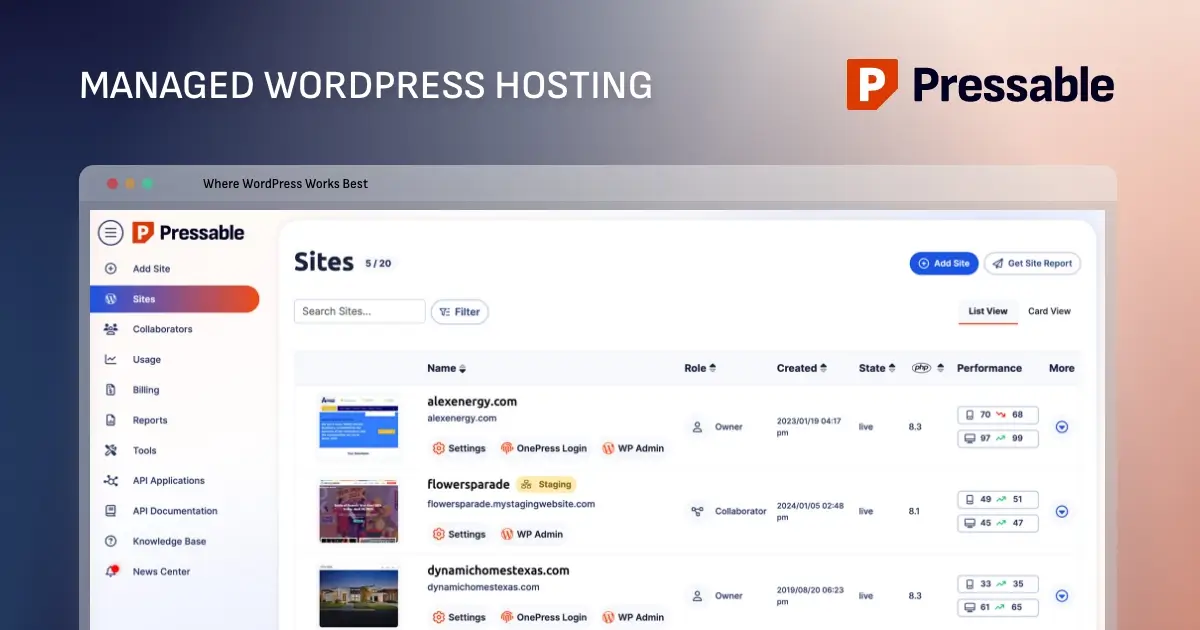
This void paved the way for managed WordPress hosting solutions, which combine the performance benefits of dedicated environments with the ease of use typically associated with shared hosting. Companies like Pressable specialize exclusively in WordPress, optimizing their infrastructure, support, and feature sets to meet the unique demands of the world’s most popular content management system. This specialization translates into environments meticulously tuned for WordPress, ensuring faster load times, enhanced security protocols, and expert support from individuals deeply familiar with the platform.

Identifying the Ideal User Profile
Pressable’s managed infrastructure is particularly well-suited for small to medium-sized websites, including corporate business sites, e-commerce platforms, and high-traffic blogs. Its automated approach to updates, backups, security, and performance optimization allows site owners and developers to channel their efforts into content creation, design refinement, and strategic growth, rather than the complexities of server administration. This makes it an especially appealing proposition for non-technical bloggers, who may lack the expertise for server management, as well as agencies and freelance developers tasked with overseeing multiple client sites.
However, managed hosting solutions are not universally appropriate. Projects requiring highly customized server configurations, email hosting, or dedicated server resources for exceptionally large-scale or resource-intensive applications may find the inherent limitations of managed platforms restrictive. Pressable, for instance, does not support low-level server customizations such as ionCube, bespoke firewall rules, or direct editing of NGINX configurations, which are often prerogatives of dedicated server environments. Furthermore, its plans include defined visitor and storage limits, necessitating upgrades as a site’s traffic or content volume expands.
Streamlining the Migration Process: A Detailed Overview
The transition of an existing WordPress site to a new hosting provider is often perceived as a daunting technical undertaking. Pressable, however, has engineered its migration pathway to be remarkably user-friendly, offering both a complimentary "White Glove Migrations" service and a guided self-service option. For those opting for the latter, the process is structured into several methodical steps, designed to minimize downtime and ensure data integrity.
Pre-Migration Safeguards: The foundational step in any site migration involves a comprehensive preparation of the live site. This mandates ensuring all components – WordPress core, themes, and plugins – are fully updated to their latest versions. This proactive measure mitigates potential compatibility conflicts with the new hosting environment’s PHP version and other server configurations, thereby reducing the risk of a broken site post-migration. Concurrently, a complete backup of the entire WordPress installation, encompassing all site files and the database, is imperative. This backup serves as a critical safety net, providing a restore point in the unlikely event of migration anomalies. Various tools, from integrated hosting backups to specialized WordPress plugins like UpdraftPlus or Duplicator, facilitate this crucial step, with the downloaded backup stored securely off-site.
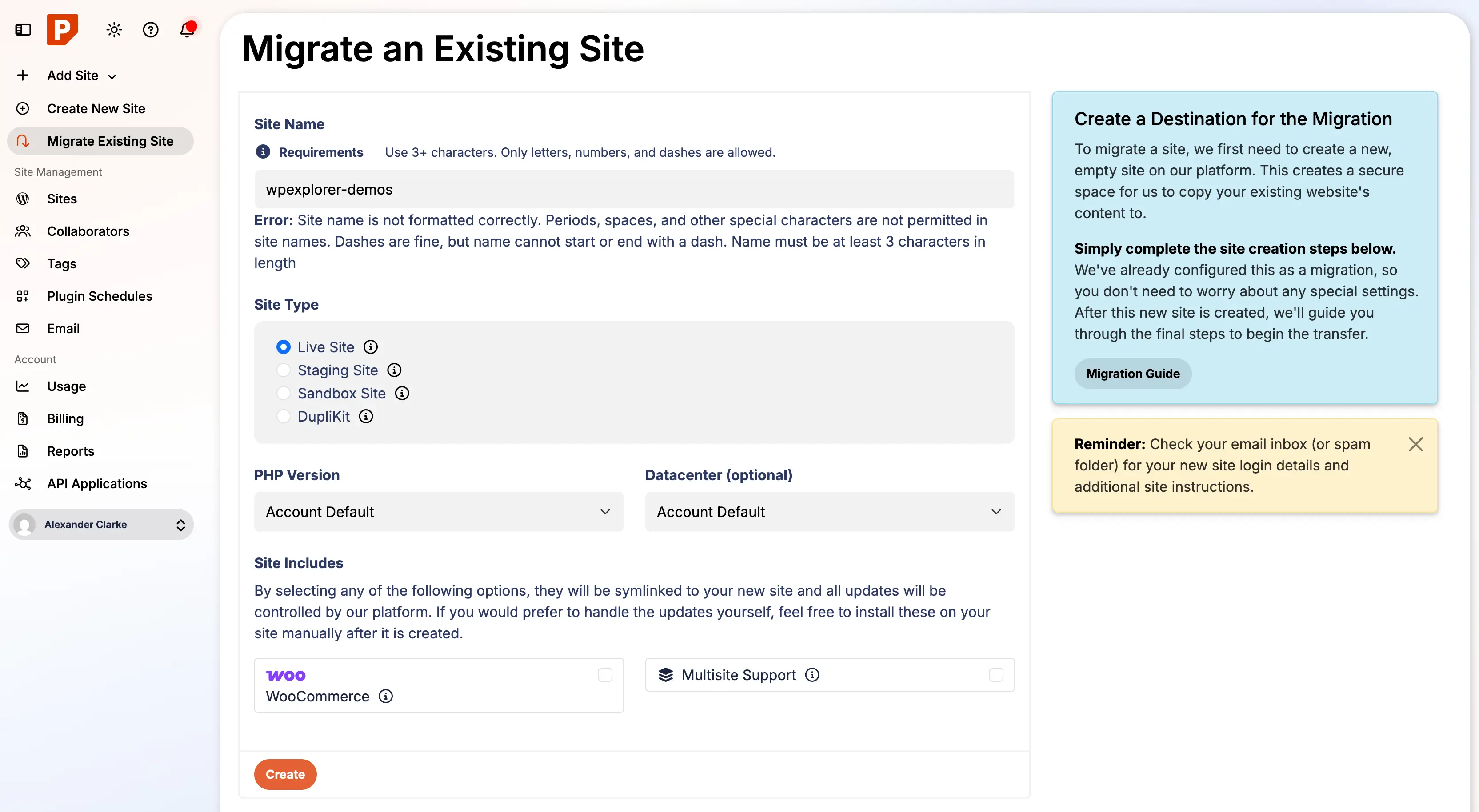
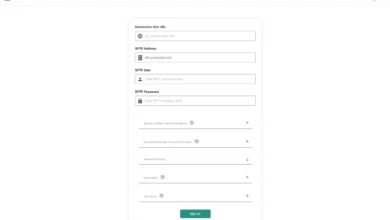
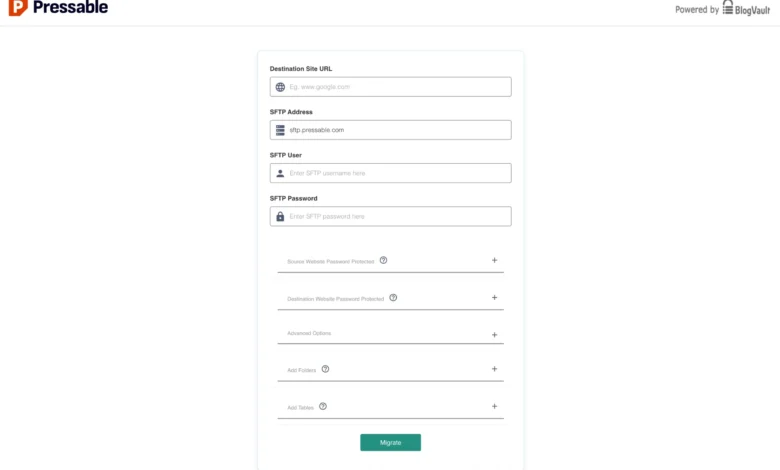
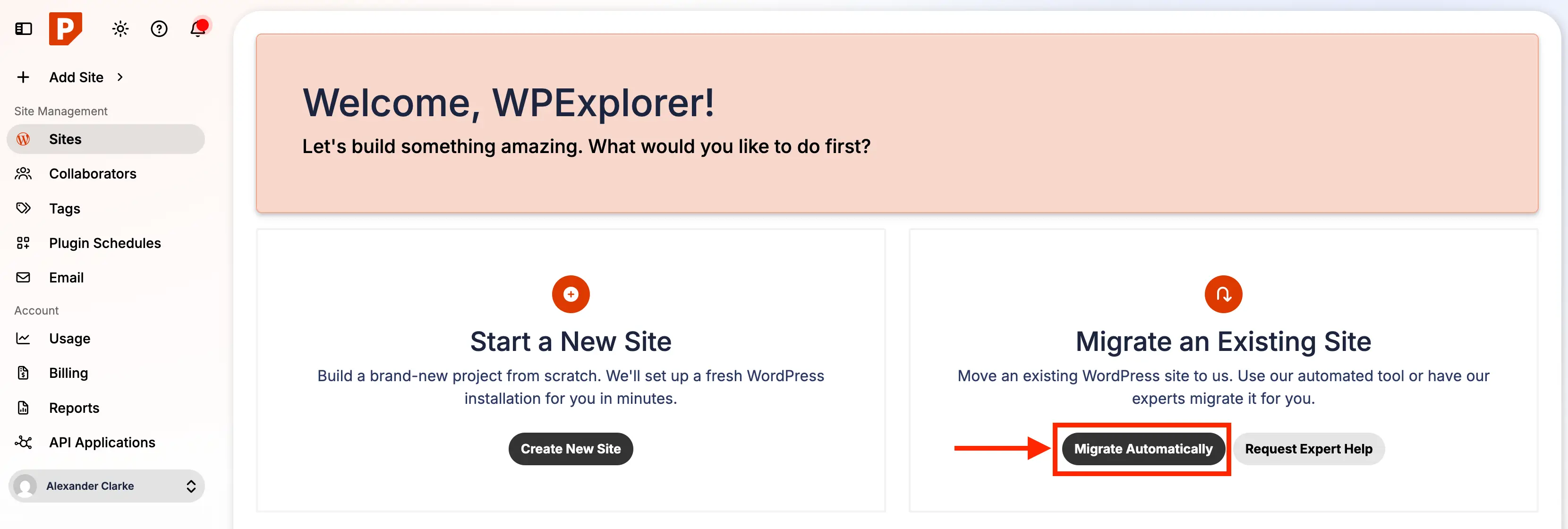
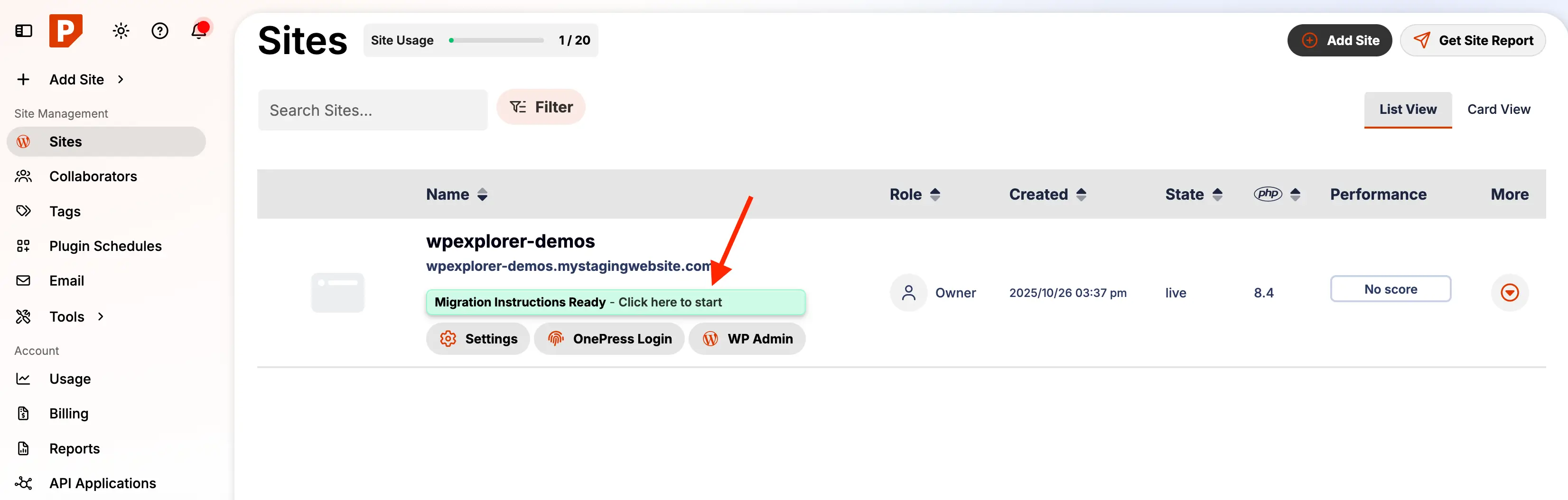
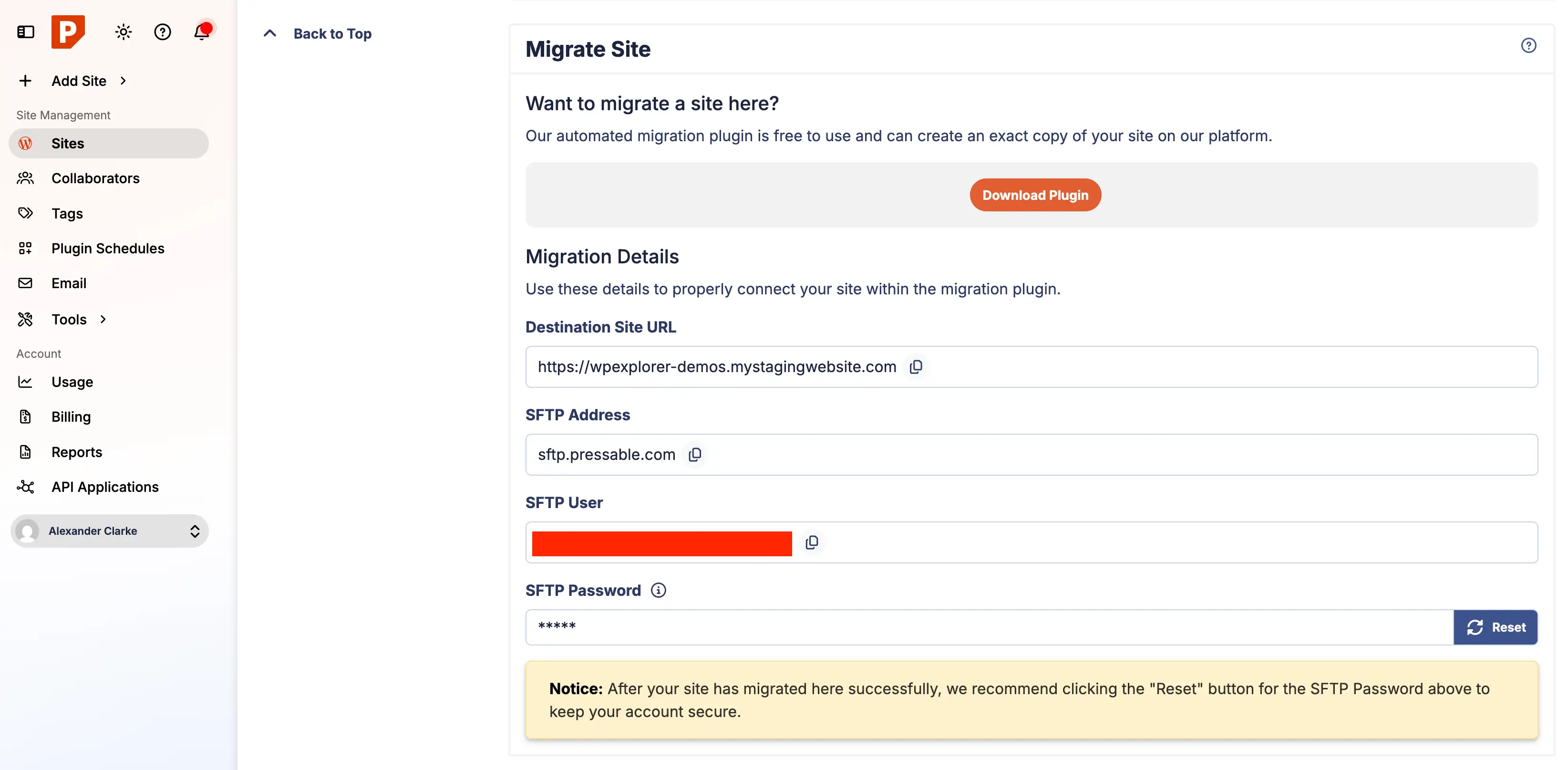
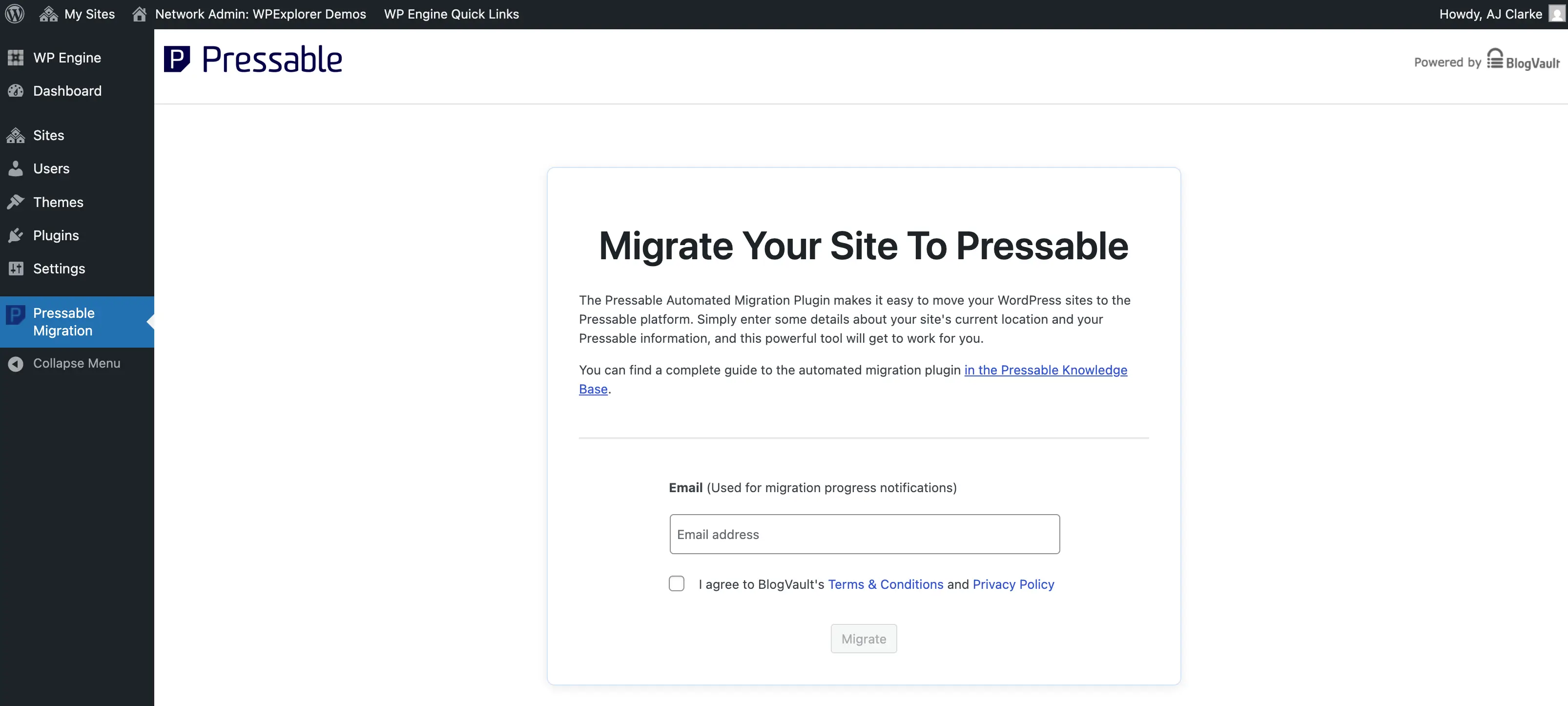
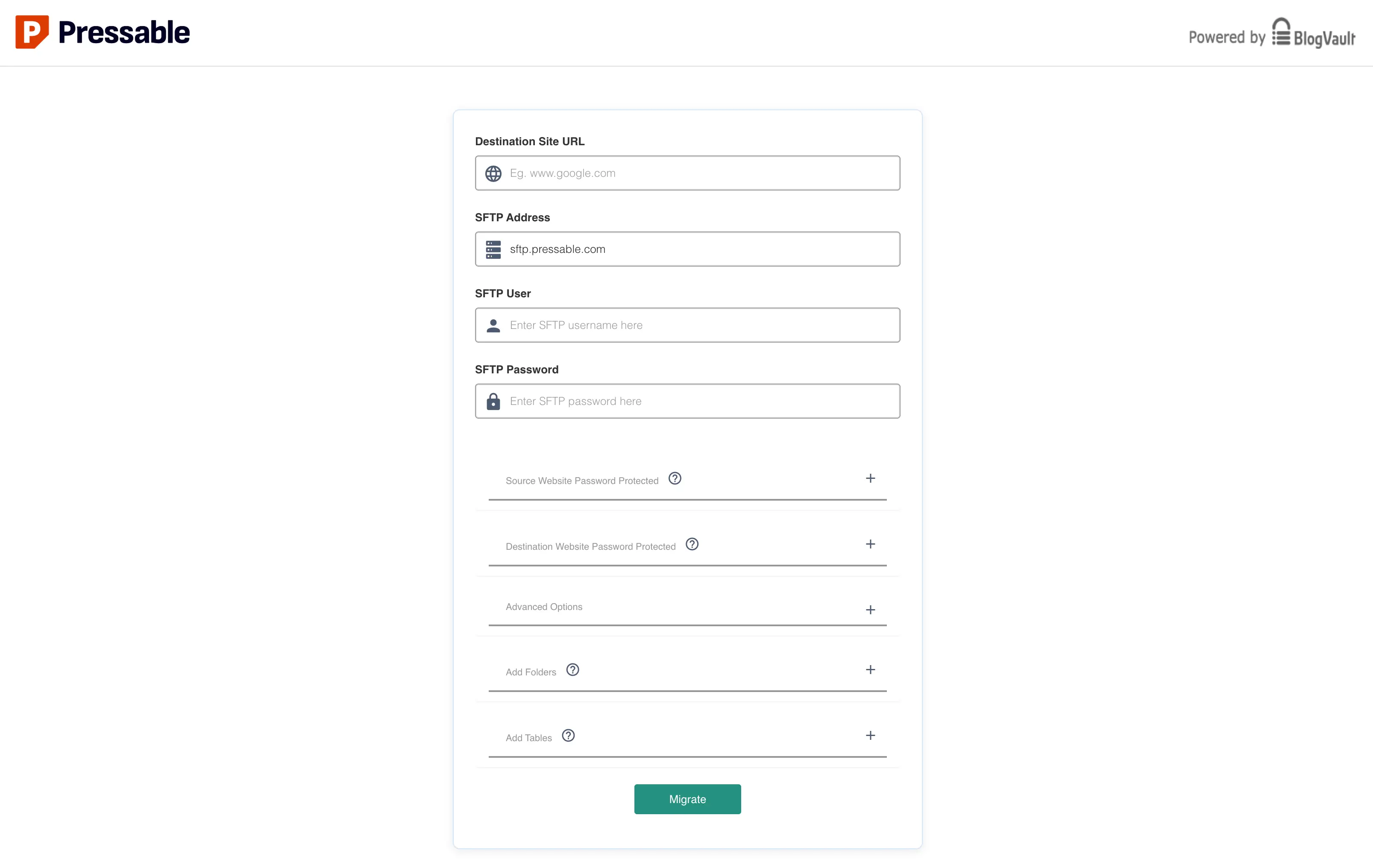
Automated Transfer Mechanisms: Once preparatory measures are complete, the migration initiates within the Pressable dashboard. Users select the "Migrate Automatic" option, which guides them through configuring the new site on Pressable. This involves specifying the site’s intended domain, the target environment (live or staging), and the region for hosting. Pressable’s system then provisions a new instance, providing a unique temporary URL and critical migration credentials, including SFTP login details. The core of the self-service migration is facilitated by the "Pressable Automated Migration" plugin, installed and activated on the source WordPress site. This plugin acts as a conduit, requesting the SFTP hostname, username, and a newly generated SFTP password from the Pressable dashboard. Upon inputting these details, the plugin initiates the transfer, routing the process through a secure third-party service, BlogVault. While the use of an external domain for the migration process (migrate.blogvault.net) might raise initial security questions for some users, it underscores a strategic partnership for specialized migration infrastructure. The process, monitored via a progress page and email notifications, can vary in duration based on site size and complexity, with large multi-site installations potentially requiring several hours.
Post-Migration Validation and Optimization: Following a successful migration, a critical phase of validation ensues. Pressable’s system provides a list of any files not migrated, which typically includes host-specific files from the previous provider (e.g., WPEngine-specific mu-plugins). These are generally safe to disregard or manually remove from the new Pressable environment. A thorough review of the migrated site on its Pressable staging domain is essential. This includes verifying all content, permalinks, forms, images, plugins, themes, and custom code function correctly. Key checks involve scrutinizing frontend and backend functionality, testing forms, reviewing image display, confirming plugin operations, ensuring theme responsiveness, and examining database integrity. The aim is to ensure the migrated site is a perfect replica of the original, fully functional on the new host, before the public domain is pointed to Pressable.
Further optimization involves cleaning up remnants from the previous hosting environment, such as old cron jobs or admin accounts with elevated privileges that are no longer needed. Resetting the SFTP migration user password on Pressable is also a recommended security practice.
Strategic Considerations for Hosting Selection
Choosing the appropriate Pressable plan is crucial, with primary factors being the number of WordPress installations, anticipated monthly visitors, and required storage space. Plans range from "Signature 1," supporting a single site and up to 30,000 visitors, to "Signature 8," accommodating up to 100 sites and 2 million visitors, all offering a consistent feature set. For "mission-critical" sites demanding superior resources, Pressable offers "Premium Site Plans," which include higher CPU allocations, vertical scaling capabilities, and custom storage options for sites with millions of visitors.
Understanding Pressable’s Feature Set: While the original article’s bulleted list of features was empty, typical managed WordPress hosting platforms like Pressable are known to offer:
- Automatic Daily Backups: Regular, secure backups with easy restore options.
- Built-in Caching: Server-level caching for accelerated page load times.
- Global CDN (Content Delivery Network) Integration: Distribution of static assets closer to users worldwide for improved performance.
- Robust Security: Web Application Firewalls (WAF), malware scanning, DDoS protection, and brute-force attack prevention.
- Automatic WordPress Updates: Ensuring the core, themes, and plugins are always current.
- Staging Environments: One-click creation of development environments for testing changes before live deployment.
- Expert WordPress Support: Dedicated support teams specializing in WordPress-related issues.
- SFTP Access: Secure file transfer protocol for direct file management.
- Free SSL Certificates: Integration with Let’s Encrypt or similar providers for HTTPS encryption.
Domain Management and DNS Integration: After validating the migrated site, the final step involves pointing the live domain to Pressable. This is accomplished either through a manual DNS update, where users modify A records at their domain registrar to point to Pressable’s IP address, or via Pressable’s DNS Wizard, which automates the configuration of necessary DNS records. It is imperative to remove any existing DNS records that point to the previous hosting provider to prevent conflicts. DNS propagation, the process by which these changes are updated across global DNS servers, can take anywhere from minutes to 48 hours. Pressable’s dashboard provides a "Health" indicator in the Domains section, allowing users to monitor the status of their DNS connection.
Enhancing Site Security and Performance Post-Migration
Beyond the initial migration, several post-launch optimizations are crucial for maintaining a secure and high-performing website on Pressable.
Implementing Critical Security Headers: Pressable’s NGINX-based architecture means that traditional .htaccess files, common in Apache environments, have no effect. Custom server-side rules, such as redirects or security headers, must be managed through specific Pressable mechanisms, primarily the custom-redirects.php file. This file allows for the implementation of recommended security headers that significantly enhance a site’s resilience against common web vulnerabilities. Pressable advises including headers such as X-XSS-Protection, X-Content-Type-Options, X-Frame-Options, and Referrer-Policy. These headers prevent cross-site scripting (XSS) attacks, MIME type sniffing, clickjacking, and control referrer information leakage, respectively, providing an essential layer of protection not enabled by default.
Leveraging Bundled Security Tools: A notable advantage of Pressable’s offering is the inclusion of Jetpack with a complimentary Jetpack Security subscription across all plans. This integration provides valuable features such as malware scanning, brute-force attack protection, and downtime monitoring. While Jetpack is a comprehensive plugin that can feel "bloated" due to its extensive feature set, it is strongly recommended to install and activate it on Pressable. Users can then strategically disable non-essential modules, retaining core security functions like VaultPress backups (for enhanced redundancy), brute-force protection, and malware scanning, thereby optimizing performance while maximizing security benefits. Activating the free Jetpack license for migrated sites typically requires a manual step within the Pressable dashboard.
Broader Implications for Digital Presence
The shift to managed WordPress hosting, epitomized by platforms like Pressable, carries significant implications for business continuity and operational efficiency. By offloading the complexities of server management, businesses can ensure higher uptime, faster loading speeds, and a more resilient digital presence, all of which directly impact user experience, SEO rankings, and ultimately, conversion rates. For agencies and freelancers, this translates into increased productivity, allowing them to focus on client-facing design and development tasks rather than infrastructure maintenance.
Industry analysts suggest that the trend towards specialized, managed hosting will continue, driven by the ever-increasing sophistication of cyber threats and the growing demand for optimized performance in a competitive online environment. Stakeholders in the WordPress ecosystem emphasize that reliable and secure hosting is no longer a luxury but a fundamental requirement for any successful online venture.
In conclusion, migrating a WordPress site to a managed platform like Pressable represents a strategic decision that prioritizes performance, security, and administrative ease. The streamlined migration process, coupled with robust managed infrastructure and dedicated WordPress expertise, makes Pressable an excellent option for a wide array of small to medium-sized digital projects. For those currently contending with the limitations of non-managed or underperforming hosts, the transition to a specialized managed WordPress platform offers a compelling pathway to enhanced reliability, reduced operational burden, and ultimately, a more secure and efficient online presence.