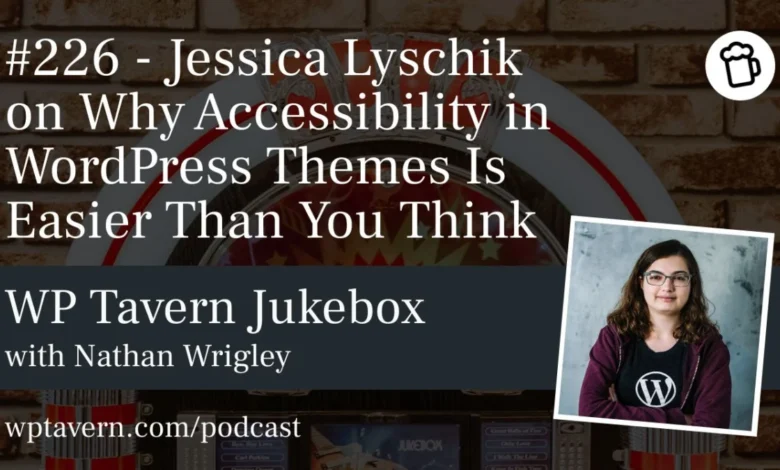
During a compelling presentation at WordCamp Europe 2026, Jessica Lyschik, a prominent figure in the WordPress community and a dedicated advocate for web accessibility, challenged long-held assumptions about the complexity of creating accessible WordPress themes. Her session, titled "Accessibility in Themes: Easier Than You Think," aimed to demystify the process, offering practical insights and demonstrating that achieving an "accessibility-ready" status is often more straightforward than developers anticipate. This discussion was further elaborated in an exclusive interview on the Jukebox Podcast from WP Tavern, hosted by Nathan Wrigley, providing deeper context to the growing imperative of digital inclusion.
Lyschik, who has been deeply involved in the WordPress ecosystem since 2015, brought years of experience as a developer, theme reviewer, and community participant to her talk. Her journey into accessibility, she revealed, was a gradual and profoundly moral one, rooted in a growing awareness of the challenges faced by individuals with disabilities when interacting with the digital world. This personal commitment underscores a broader industry shift towards recognizing accessibility not merely as a compliance checklist, but as a fundamental aspect of ethical web development.
The Moral and Business Imperative of Digital Inclusion
The conversation highlighted the stark contrast between physical accessibility, where barriers like a step into a building are immediately visible and recognized as unjust, and digital accessibility, where equivalent barriers often remain unseen by the able-bodied. Lyschik emphasized that while physical limitations are often evident, the struggles of a blind person navigating a poorly structured website, or someone with a motor impairment attempting to use a mouse-only interface, are largely invisible to the majority. This invisibility, she argued, contributes significantly to the neglect of accessibility in web development.
However, the imperative for accessibility extends beyond moral considerations. Lyschik pointed to tangible business benefits, citing an example where a company saw increased sales after making its website more accessible. This demonstrates that digital inclusion broadens market reach, allowing a larger segment of the population – estimated at over one billion people worldwide living with some form of disability, representing significant spending power – to engage with online services and products. In the European Union alone, the European Accessibility Act (EAA), which came into force in 2019 with staggered compliance deadlines, mandates that various digital products and services must be accessible by mid-2025. Non-compliance can lead to substantial fines and reputational damage, making accessibility a critical legal and financial consideration for businesses operating in the region. Similar legislation, such as the Americans with Disabilities Act (ADA) in the United States, further underscores this global trend towards mandatory digital accessibility.
Demystifying Accessibility: Low-Hanging Fruit for Developers
A central theme of Lyschik’s presentation was the existence of "low-hanging fruit" – practical, manageable steps that can significantly improve a theme’s accessibility without requiring extensive re-engineering. She identified common misconceptions about the difficulty of meeting accessibility requirements, often stemming from the dense and technical language of guidelines like the Web Content Accessibility Guidelines (WCAG). WCAG, developed by the World Wide Web Consortium (W3C), provides internationally recognized recommendations for making web content more accessible to people with disabilities. While comprehensive, their detailed specifications can intimidate developers new to the field.
Lyschik’s approach is to bridge this gap by translating abstract guidelines into concrete, actionable development practices. Key examples of quick wins she outlined include:
- Correct HTML Tag Usage: Employing semantic HTML5 tags such as
<header>,<footer>,<main>,<section>, and<aside>ensures that assistive technologies, like screen readers, can accurately interpret the structure and hierarchy of a webpage. This foundational practice provides a navigable roadmap for users who cannot visually scan a page. - Alternative Text for Images (Alt Text): This remains one of the most fundamental and impactful accessibility measures. Providing descriptive alt text for all meaningful images allows screen readers to convey visual information to visually impaired users. WordPress’s media library and block editor inherently support this, making it a simple yet crucial step that is often overlooked.
- Skip to Content Links: These provide a mechanism for keyboard and screen reader users to bypass repetitive navigation elements (like headers and main menus) and jump directly to the primary content of a page. Lyschik highlighted how modern WordPress block themes can automate this with minimal configuration, simply by assigning the
<main>HTML tag to a content group. - Underlining Links: A simple CSS rule to underline links within body text improves visual distinction for users with certain cognitive disabilities or low vision, helping them identify clickable elements easily.
Lyschik emphasized that integrating these practices from the outset of a project saves considerable time and effort compared to retrofitting accessibility later. This "build it in, don’t bolt it on" philosophy aligns with best practices in software development, where addressing quality concerns early in the lifecycle is always more efficient.
Block Themes: A Leap Forward for Accessibility
The advent of block themes in WordPress represents a significant shift in theme development and, according to Lyschik, offers distinct advantages for accessibility. Unlike classic themes, which often require manual coding for many accessibility features, block themes leverage WordPress Core’s inherent capabilities to handle much of the technical heavy lifting.
In block themes, foundational elements like headers, footers, and main content areas can be defined using template parts that automatically generate the correct semantic HTML. For instance, form fields in block themes, such as comment forms or search forms, are largely managed by Core, ensuring they are accessible by default, including correct labels and associated ARIA attributes. This contrasts sharply with classic themes, where developers often had to implement these features manually, increasing the potential for errors.
Lyschik noted that while developers still need to understand which blocks to use and how to structure them correctly (meta-knowledge), the underlying accessibility implementation is often taken care of by WordPress itself. This reduces the burden on individual theme developers and promotes a more consistently accessible ecosystem. The ability to save and reuse accessible block patterns and templates further streamlines the development process, making it easier to maintain accessibility across multiple pages or projects.
WordPress.org Theme Repository and the "Accessibility-Ready" Tag
The WordPress.org theme repository offers an "accessibility-ready" tag for themes that meet a specific set of guidelines. Lyschik detailed that these guidelines, recently updated, comprise 18 requirements. These include not only technical specifications but also considerations like ensuring that recommended or required plugins are themselves accessible, and the inclusion of an accessibility.txt file within the theme. This file serves as a declaration of accessibility efforts, outlining implemented features and any specific CSS classes available for screen reader optimizations.
Despite these clear guidelines, Lyschik presented a striking statistic: out of over 14,700 themes in the repository, only approximately 270 currently bear the "accessibility-ready" tag. This translates to a mere 1.5% of all available themes. This low adoption rate suggests that while the WordPress project provides the framework, significant educational and motivational hurdles remain.
Lyschik, however, advocated for a gradual approach rather than immediate mandatory enforcement. She acknowledged the community’s resistance to being forced into compliance without adequate understanding and support. Her belief is that improved documentation, providing clear "how-to" guides rather than just "what-to" requirements, is crucial. This enhancement would empower developers to understand and implement accessibility features more easily, naturally increasing the number of accessible themes. The WordPress theme review team updated its accessibility requirements in the last month, the first significant update since 2012 or 2014, indicating a renewed focus on this area. While the core technical requirements are stable, evolving discussions around aspects like plugin recommendations suggest ongoing refinement.
AI Agents: The Unexpected Catalyst for Accessibility
Perhaps the most intriguing and forward-looking aspect of Lyschik’s discussion was the emerging role of Artificial Intelligence (AI) agents as a powerful, albeit indirect, catalyst for web accessibility. She drew a parallel between AI agents and screen readers, explaining that both rely on a website’s underlying technical structure rather than its visual presentation.
Lyschik cited Google’s recent announcement to focus on accessibility for AI agents, signaling a pivotal shift. As AI agents become more sophisticated and are increasingly tasked with performing actions on behalf of users – such as booking flights, managing finances, or making online purchases – their ability to understand and interact with websites will hinge on robust accessibility. If a website is not built with correct semantic HTML, ARIA attributes, and logical structure, an AI agent will struggle to interpret its content and perform tasks effectively, much like a screen reader user.
This perspective introduces a compelling business case for accessibility that transcends traditional legal or ethical arguments. In an increasingly AI-driven digital economy, an inaccessible website risks becoming invisible or unusable to these powerful new digital intermediaries. This could lead to a significant competitive disadvantage, as AI agents, when prompted, will favor websites that are technically sound and machine-readable. Lyschik posited that this "AI factor" could accelerate the adoption of accessibility practices more rapidly than any legislative mandate, by making the business consequences of inaccessibility more immediate and tangible.
The Path Forward: Education and Collaboration
Lyschik underscored that accessibility is not solely the domain of developers. It requires an interdisciplinary approach involving content creators, designers, and SEO specialists. Content teams need to understand the importance of logical heading structures (H1, H2, H3), descriptive link text, and alternative text for images. Designers must consider color contrast ratios, focus indicators, and consistent navigation. SEO professionals, often already focused on semantic structure and content quality for search engine ranking, will find significant overlap with accessibility best practices, particularly as AI agents increasingly mimic search engine crawlers.
The current challenge lies in the availability of clear, actionable documentation. While WCAG provides the authoritative standards, translating them into practical development steps, especially within the WordPress context, remains an area for improvement. Lyschik expressed her commitment to contributing to better documentation, making it easier for new developers to grasp the technical implementation of accessibility. She also recommended following key figures in the accessibility space, both within and outside the WordPress community, such as Joe Dolson, Rian Rietveld, Amber Hinds from Equalize Digital, and Sara Soueidan, who effectively bridge the gap between complex guidelines and practical application.
In conclusion, Jessica Lyschik’s insights from WordCamp Europe 2026 and her subsequent discussion illuminated a critical juncture for web accessibility. While challenges remain, particularly in documentation and widespread adoption, the landscape is evolving rapidly. The combined force of legal mandates, ethical imperatives, and the burgeoning influence of AI agents is pushing accessibility from a niche concern to a mainstream requirement. By embracing straightforward practices and fostering a collaborative, informed approach, the WordPress community and the broader web development industry can collectively build a more inclusive and functional digital future for everyone.