The Ultimate WordPress Must-Use Plugins Collection for Enhanced Performance, Security, and Administration

For nearly two decades, WordPress developers have maintained personal repositories of custom code snippets, routinely deployed across fresh project installations to address redundant administrative frictions. These routine operational adjustments—ranging from minor header output sanitization and default security hardening to the disabling of underutilized native utilities—traditionally found their home within a theme’s functions.php file. However, this conventional approach introduces systemic vulnerabilities, chief among them the risk of catastrophic data loss during subsequent theme transitions, structural updates, or client-side modifications.
To mitigate these architectural pitfalls, industry professionals increasingly advocate for the strategic utilization of must-use plugins, colloquially known as mu-plugins. Operating independently from standard plugin activation protocols and theme dependencies, these foundational PHP files execute automatically upon every server request, offering a resilient, deployment-agnostic framework for enterprise-grade site optimization.
Defining Must-Use Plugins and Their Execution Architecture
Must-use plugins occupy a unique tier within the WordPress directory structure, residing specifically within the wp-content/mu-plugins/ folder. Unlike standard extensions managed through the WordPress administrative dashboard, mu-plugins bypass the plugins database table entirely. They cannot be deactivated by clients or junior administrators through the graphical user interface, rendering them an indispensable tool for enforcing baseline security and performance standards across multi-author or client-managed environments.
Historically inherited from the legacy WordPress Multi-User (WPMU) platform—which later evolved into WordPress Multisite—the term "must-use" is technically a misnomer in modern single-site installations. These files are not inherently mandatory for WordPress to function; rather, the designation reflects their forced execution order. When a page request is initiated, WordPress evaluates the mu-plugins directory before loading active themes or standard plugins. This execution priority grants developers low-level control over hooks, filters, and global constants, allowing for the preemptive interception of unnecessary system processes before resource-intensive database queries are triggered.
Performance Optimization and Asset Minimization
Modern web performance metrics prioritize the reduction of payload sizes, HTTP request overhead, and extraneous background processing. Out of the box, WordPress injects a considerable volume of legacy markup and metadata into the Document Object Head (DOM) of every page. While individually negligible, these redundant elements degrade page load efficiencies at scale and expose structural vulnerabilities to automated threat actors.
Stripping Redundant Header Output
The default WordPress head tag frequently contains antiquated discovery links, including Really Simple Discovery (RSD) endpoints—a protocol designed for remote blogging clients that fell out of widespread adoption over a decade ago. Additional legacy assets include Windows Live Writer manifests, relational shortlinks, oEmbed discovery links, and the explicit WordPress generator version tag.
Exposing the exact software version via the generator tag provides automated vulnerability scanners with a direct shortcut to target known core exploits. Implementing a dedicated cleanup snippet strips these unnecessary elements entirely, conserving bandwidth on high-traffic networks.
<?php
/**
 * Plugin Name: Clean Head
 * Description: Removes unnecessary WordPress head output.
 * Author: WPExplorer
 * Version: 1.0.0
 */

defined( 'ABSPATH' ) || exit;

// Remove RSD link.
remove_action( 'wp_head', 'rsd_link' );

// Remove WordPress generator tag.
remove_action( 'wp_head', 'wp_generator' );

// Remove RSS feed links.
remove_action( 'wp_head', 'feed_links', 2 );
remove_action( 'wp_head', 'feed_links_extra', 3 );

// Remove Windows Live Writer manifest.
remove_action( 'wp_head', 'wlwmanifest_link' );

// Remove adjacent post links.
remove_action( 'wp_head', 'adjacent_posts_rel_link', 10 );
remove_action( 'wp_head', 'adjacent_posts_rel_link_wp_head', 10 );

// Remove shortlinks.
remove_action( 'wp_head', 'wp_shortlink_wp_head', 10 );
remove_action( 'template_redirect', 'wp_shortlink_header', 11 );

// Remove emoji assets.
remove_action( 'wp_head', 'print_emoji_detection_script', 7 );
remove_action( 'wp_print_styles', 'print_emoji_styles' );

// Remove REST API discovery link.
remove_action( 'wp_head', 'rest_output_link_wp_head' );

// Remove oEmbed discovery links.
remove_action( 'wp_head', 'wp_oembed_add_discovery_links' );
remove_action( 'wp_head', 'wp_oembed_add_host_js' );

// Remove generator version from feeds.
add_filter( 'the_generator', '__return_empty_string' );
Eradicating Native Emoji Overhead
Introduced in WordPress 4.2 to ensure cross-platform emoji rendering consistency, the core emoji script enqueues a dedicated JavaScript file, an auxiliary stylesheet, and a DNS prefetch resource hint pointing to s.w.org on every single page load. Given that modern desktop and mobile operating systems natively support universal emoji sets, this runtime processing is largely obsolete.
<?php
/**
 * Plugin Name: Disable WP Emoji Support
 * Description: Disables WordPress's custom emoji support.
 * Author: WPExplorer
 * Version: 1.0.0
 */

defined( 'ABSPATH' ) || exit;

add_action( 'init', function()
    remove_action( 'wp_head', 'print_emoji_detection_script', 7 );
    remove_action( 'admin_print_scripts', 'print_emoji_detection_script' );
    remove_action( 'wp_print_styles', 'print_emoji_styles' );
    remove_action( 'admin_print_styles', 'print_emoji_styles' );
    remove_filter( 'the_content_feed', 'wp_staticize_emoji' );
    remove_filter( 'comment_text_rss', 'wp_staticize_emoji' );
    remove_filter( 'wp_mail', 'wp_staticize_emoji_for_email' );

    add_filter( 'tiny_mce_plugins', function( $plugins )
        if ( is_array( $plugins ) )
            return array_diff( $plugins, [ 'wpemoji' ] );


        return [];
     );

    // Strip out any URLs referencing the WordPress.org emoji location
    add_filter( 'wp_resource_hints', function( $urls, $relation_type )
        if ( 'dns-prefetch' == $relation_type )
            $emoji_svg_url_bit = 'https://s.w.org/images/core/emoji/';
            foreach ( $urls as $key => $url )
                if ( strpos( $url, $emoji_svg_url_bit ) !== false )
                    unset( $urls[$key] );


        return $urls;
    , 10, 2 );
 );

add_filter( 'emoji_svg_url', '__return_false' );
Managing Attachment Pages and Intermediate Image Generation
Every media asset uploaded to the WordPress media library automatically generates a dedicated attachment landing page, resulting in thousands of thin-content URLs on media-heavy portfolios or e-commerce sites. These pages offer little to no SEO value and complicate search engine crawl budgets. Deploying a targeted redirect forces incoming requests back to the parent post or homepage.
<?php
/**
 * Plugin Name: Disable Attachment Pages
 * Description: Redirects attachment pages to their parent post or page, or to the homepage when no parent exists.
 * Author: WPExplorer
 * Version: 1.0.0
 */

defined( 'ABSPATH' ) || exit;

add_action(
    'template_redirect',
    function()
        if ( ! is_attachment() )
            return;


        $parent_id = wp_get_post_parent_id( get_queried_object_id() );

        $url = $parent_id
            ? get_permalink( $parent_id )
            : home_url( '/' );

        wp_safe_redirect( $url, 301 );
        exit;

);
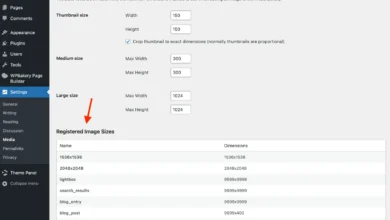
Simultaneously, default intermediate image size generation can exhaust server storage quotas during bulk media uploads. While disabling intermediate sizes requires alternative solutions—such as cloud-based image CDNs—it provides absolute control over server disk utilization.
<?php
/**
 * Plugin Name: Disable Image Sizes
 * Description: Disables WordPress from generating intermediate image sizes.
 * Author: WPExplorer
 * Version: 1.0.0
 */

defined( 'ABSPATH' ) || exit;

/**
 * Disable the big image size threshold.
 */
add_filter( 'big_image_size_threshold', '__return_false' );

/**
 * Disable generated intermediate image sizes.
 */
add_filter( 'intermediate_image_sizes_advanced', '__return_empty_array' );
Privacy, Third-Party Telemetry, and AI Compliance
As global privacy regulations such as GDPR and CCPA enforce rigorous data governance standards, minimizing external telemetry requests has shifted from a performance preference to a legal necessity.
Mitigating Unsolicited Third-Party Requests
Standard WordPress installations natively ping external services, ranging from Gravatar avatar fetches for every comment thread to automated dashboard telemetry widgets reporting server versions to third-party developers.
<?php
/**
 * Plugin Name: Disable Avatars
 * Description: Turns off avatars so no requests are made to Gravatar.
 * Author: WPExplorer
 * Version: 1.0.0
 */

defined( 'ABSPATH' ) || exit;

/**
 * Disable avatars regardless of the stored setting.
 */
add_filter( 'option_show_avatars', '__return_false' );

/**
 * Hide the avatar settings from Settings > Discussion.
 */
add_action( 'admin_init', function ()
    global $wp_settings_fields;
    unset( $wp_settings_fields['discussion']['avatars'] );
 );
Furthermore, modern core iterations integrate native artificial intelligence scaffolding via the wp_supports_ai() function. Enterprise clients operating under strict non-disclosure agreements (NDAs) or regulatory compliance frameworks frequently prohibit transmitting site content to third-party machine learning endpoints without explicit authorization. Disabling these integrations globally prevents unauthorized data sharing.
<?php
/**
 * Plugin Name: Disable AI
 * Description: Disables AI features in WordPress and supported plugins.
 * Author: WPExplorer
 * Version: 1.0.0
 */

defined( 'ABSPATH' ) || exit;

/**
 * Disable WordPress AI support.
 */
add_filter( 'wp_supports_ai', '__return_false', 99 );

/**
 * Jetpack.
 */
add_filter( 'jetpack_ai_enabled', '__return_false', 99 );

/**
 * Elementor.
 */
add_filter( 'get_user_option_elementor_enable_ai', '__return_zero' );
Security Hardening and Threat Mitigation
While firewalls and strong credential management remain foundational to web security, eliminating dormant attack vectors significantly reduces systemic exposure.
Preventing User Enumeration
WordPress core exposes valid user accounts across multiple vectors, including author archives, XML-RPC responses, REST API endpoints, and sitemap providers. Malicious actors leverage these endpoints to execute brute-force credential stuffing attacks against specific administrative usernames.
<?php
/**
 * Plugin Name: Disable User Enumeration
 * Description: Prevents WordPress from exposing usernames via sitemaps, the REST API, author archives and login errors.
 * Author: WPExplorer
 * Version: 1.0.0
 */

defined( 'ABSPATH' ) || exit;

/**
 * Remove the user sitemap provider.
 */
add_filter( 'wp_sitemaps_add_provider', function ( $provider, $name )
    if ( 'users' === $name )
        return false;

    return $provider;
, 10, 2 );

/**
 * Remove the REST API user endpoints for logged out requests.
 */
add_filter( 'rest_endpoints', function ( $endpoints )
    if ( is_user_logged_in() )
        return $endpoints;


    unset(
        $endpoints['/wp/v2/users'],
        $endpoints['/wp/v2/users/(?P<id>[d]+)']
    );

    return $endpoints;
 );

/**
 * Return a 404 for author archives.
 *
 * Runs before redirect_canonical() so that ?author=1 requests 404 rather than
 * being redirected to /author/username/, which would leak the name in the
 * Location header.
 */
add_action( 'template_redirect', function ()
    if ( ! is_author() )
        return;


    global $wp_query;

    $wp_query->set_404();
    status_header( 404 );
    nocache_headers();
, 0 );

/**
 * Return a generic login error.
 *
 * Stops the login screen from confirming whether a username exists.
 */
add_filter( 'login_errors', function ()
    return __( 'Login failed. Please check your credentials and try again.' );
 );
Disabling XML-RPC and File Editors
The legacy XML-RPC interface (xmlrpc.php) remains a primary target for distributed denial-of-service (DDoS) amplification attacks and multi-credential brute-force exploits via the system.multicall method. Disabling authentication methods alongside pingback handling effectively neutralizes this vector.
<?php
/**
 * Plugin Name: Disable XML-RPC
 * Description: Disables the XML-RPC interface, the pingback methods and the pingback advertising header.
 * Author: WPExplorer
 * Version: 1.0.0
 */

defined( 'ABSPATH' ) || exit;

/**
 * Disable XML-RPC methods that require authentication.
 */
add_filter( 'xmlrpc_enabled', '__return_false' );

/**
 * Remove the pingback methods.
 *
 * These stay available even when xmlrpc_enabled is false because they do not
 * require authentication.
 */
add_filter( 'xmlrpc_methods', function ( $methods )
    unset(
        $methods['pingback.ping'],
        $methods['pingback.extensions.getPingbacks']
    );
    return $methods;
 );

/**
 * Remove the X-Pingback header.
 */
add_filter( 'wp_headers', function ( $headers )
    unset( $headers['X-Pingback'] );
    return $headers;
 );

/**
 * Remove the pingback URL from bloginfo() output.
 */
add_filter( 'bloginfo_url', function ( $output, $show )
    if ( 'pingback_url' === $show )
        return '';

    return $output;
, 10, 2 );
Additionally, securing the production environment by disabling the built-in theme and plugin file editors prevents unauthorized code execution should an administrative account become compromised.
<?php
/**
 * Plugin Name: Disable File Editor
 * Description: Disables the built-in WordPress plugin and theme file editors.
 * Author: WPExplorer
 * Version: 1.0.0
 */

defined( 'ABSPATH' ) || exit;

// Disable plugin and theme file editors.
if ( ! defined( 'DISALLOW_FILE_EDIT' ) )
    define( 'DISALLOW_FILE_EDIT', true );
 else
    add_filter( 'file_mod_allowed', function( $allowed, $context )
        if ( in_array( $context, array( 'capability_edit_themes', 'capability_edit_plugins' ), true ) )
            return false;


        return $allowed;
    , 10, 2 );
Streamlining the Administrative Experience
Client retention and user satisfaction depend heavily on maintaining an intuitive, uncluttered administrative interface. Default WordPress dashboards frequently suffer from administrative fatigue caused by stacked plugin notification banners, promotional update prompts, and distracting news widgets.
Targeted hooks allow developers to clean the administrative workspace for non-administrative roles, ensuring that content editors interact with a streamlined, professional backend.
<?php
/**
 * Plugin Name: Hide Admin Notices
 * Description: Hides admin notices from users who cannot manage options.
 * Author: WPExplorer
 * Version: 1.0.0
 */

defined( 'ABSPATH' ) || exit;

add_action( 'admin_head', function ()
    if ( current_user_can( 'manage_options' ) )
        return;


    remove_all_actions( 'admin_notices' );
    remove_all_actions( 'all_admin_notices' );
    remove_all_actions( 'network_admin_notices' );
    remove_all_actions( 'user_admin_notices' );
, 1 );
Staging and Development Environment Safety
Managing staging clones and local testing environments requires specialized fail-safes to prevent accidental communication with external entities. Configuring outgoing mail filters ensures that transactional alerts, password resets, and test orders do not leak to live customer databases during development cycles.
<?php
/**
 * Plugin Name: Disable Emails
 * Description: Disables all outgoing emails.
 * Author: WPExplorer
 * Version: 1.0.0
 */

defined( 'ABSPATH' ) || exit;

/**
 * Prevent all outgoing emails.
 */
add_filter( 'pre_wp_mail', '__return_false' );
Conclusion and Repository Access
The modular application of must-use plugins provides WordPress developers with a scalable, maintainable architecture that transcends theme-level limitations. By decoupling foundational performance fixes, privacy enhancements, and security hardening routines from standard plugin and theme logic, development teams can ensure consistent operational standards across diverse project portfolios.
Complete, production-ready collections of these modular files are openly maintained for community contribution and audit via the official MU Plugins GitHub Repository. Developers are encouraged to review individual file implementations and selectively deploy assets tailored to specific production or staging requirements.