The Strategic Migration to Managed WordPress Hosting: A Comprehensive Guide to Moving Your Site to Pressable

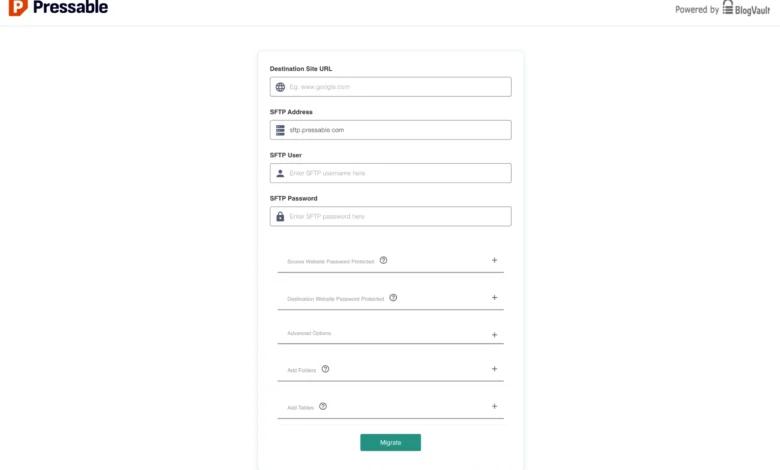
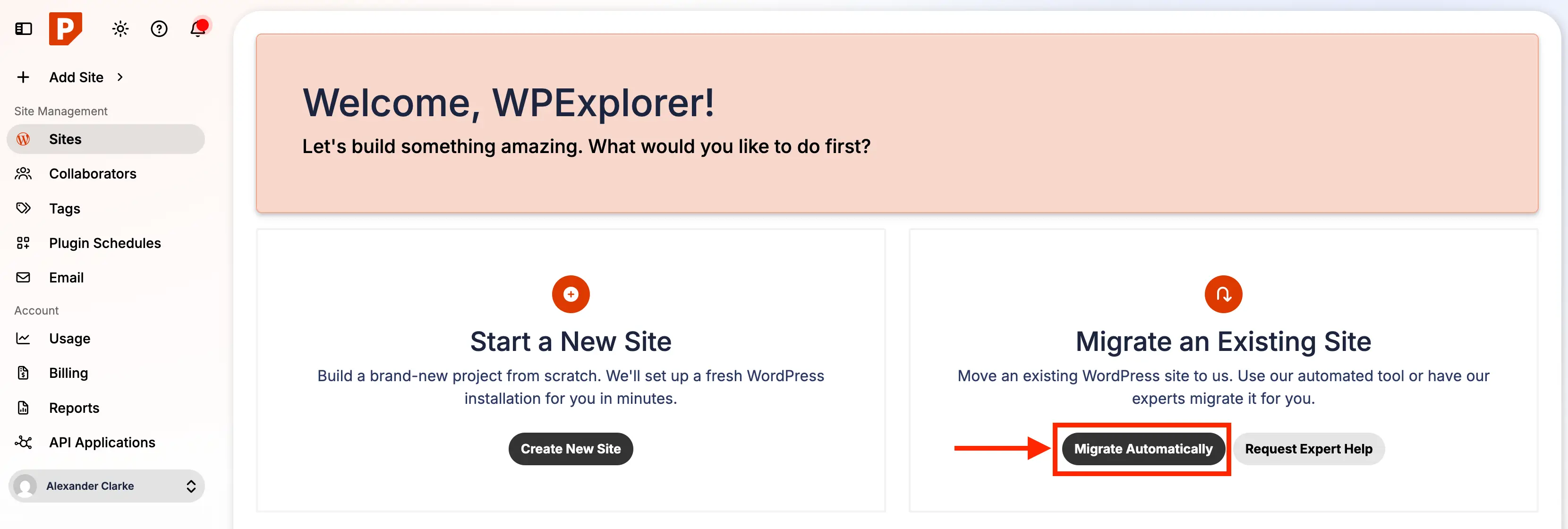
In an increasingly competitive digital landscape, businesses and individual creators relying on WordPress for their online presence are consistently seeking solutions that optimize performance, enhance security, and minimize operational overhead. Managed WordPress hosting has emerged as a critical service, allowing site owners to offload the complexities of server maintenance and technical issues. For those currently operating on non-managed or underperforming hosting environments, the transition to a specialized provider like Pressable represents a strategic move towards greater efficiency and reliability. This guide delves into the compelling reasons to consider Pressable, a robust managed WordPress hosting option, and outlines a detailed, step-by-step migration process based on practical experience, ensuring a smooth transition even for those new to website migration.

The Evolving Landscape of WordPress Hosting and the Rise of Managed Solutions
WordPress, powering over 43% of all websites globally, continues to be the dominant content management system. Its ubiquity, however, comes with inherent responsibilities for site owners, particularly concerning server management, security protocols, and performance optimization. Traditional shared or self-managed hosting environments often place the onus of these critical tasks squarely on the user, demanding significant technical expertise and ongoing time investment. This often distracts from core business activities such as content creation, marketing, and customer engagement.
The growth of managed WordPress hosting solutions directly addresses these challenges. These specialized platforms are engineered exclusively for WordPress, providing optimized server architectures, proactive security measures, automatic updates, daily backups, and dedicated expert support. This approach liberates users from the intricacies of server administration, offering a streamlined, "hands-off" experience. Market analysis indicates a steady upward trend in the adoption of managed hosting, driven by small to medium-sized enterprises (SMEs), digital agencies, and professional bloggers who prioritize stability, speed, and peace of mind. Pressable, an entity within the Automattic family – the same company behind WordPress.com and Jetpack – stands as a testament to this specialized approach, offering an infrastructure built from the ground up for WordPress performance.
Why Pressable: A Deep Dive into its Value Proposition
Pressable positions itself as a premium managed WordPress hosting provider, exclusively catering to self-hosted WordPress sites. Its core value proposition revolves around delivering reliable performance and dedicated support without the user needing to manage server infrastructure. While technically proficient users might achieve comparable or superior performance at a lower cost by managing their own servers, such an undertaking requires considerable technical knowledge and continuous maintenance – a commitment most businesses and individuals prefer to avoid.
Pressable’s comprehensive feature set, as highlighted by the provider, aims to provide a "dream" hosting environment: fast, secure, and reliable, all offered at a competitive price point. Pressable representatives frequently emphasize their commitment to freeing users from technical burdens, allowing them to channel their resources and creativity towards content development and business expansion. Key features include:
- High-Performance Architecture: Optimized for WordPress, ensuring fast loading times crucial for user experience and search engine optimization (SEO).
- Robust Security: Proactive monitoring, malware scanning, and firewall protection to safeguard against threats, a critical concern given the increasing sophistication of cyberattacks.
- Automatic Updates & Backups: Ensuring the site’s software is current and data is consistently protected, minimizing downtime risks associated with manual updates or data loss.
- Staging Environments: Allowing for safe testing of changes before deploying them to the live site, preventing potential conflicts or errors from impacting site visitors.