In the modern digital workspace, website administrators are increasingly expected to maintain operational readiness regardless of their physical location. Whether confronting a critical plugin
vulnerability while traveling, noticing a glaring typographical error on a live landing page during a commute, or needing to deploy an urgent content update away from a primary workstation, the traditional tether to a desktop computer has historically presented significant bottlenecks. Historically, mobile site management has relied on native applications or responsive web interfaces. However, interacting with complex content management systems on constrained screens often proves cumbersome, particularly when executing administrative configurations, plugin updates, or structural page edits.
To bridge this operational divide, the integration of generative artificial intelligence with content management infrastructure has emerged as a transformative solution. By establishing a secure connection between conversational AI assistants such as Claude or ChatGPT and a self-hosted WordPress installation, administrators can now execute complex backend commands using natural, plain-language prompts directly from a mobile device. This comprehensive report examines the methodology, technical requirements, capabilities, and safety protocols involved in managing a WordPress website remotely using AI-driven integrations.
The evolution of mobile WordPress administration began over a decade ago with the release of native iOS and Android applications designed primarily for basic content creation and comment moderation. Over subsequent years, platform ecosystems fractured slightly, leading to specialized tools such as the Jetpack mobile app for statistics and notifications, alongside mobile browser interfaces designed to access the full WordPress dashboard (wp-admin).
Despite these advancements, critical administrative duties—such as updating core files, troubleshooting plugin conflicts, managing database settings, and modifying page layouts built with complex visual page builders—remained exceptionally difficult on smaller displays. The introduction of Model Context Protocol (MCP) servers and dedicated bridging plugins has fundamentally shifted this paradigm. Tools like WPVibe act as secure intermediaries, translating natural language instructions processed by advanced language models into actionable API commands executed safely within the WordPress environment.
What You Can and Cannot Do From Your Mobile Device
Understanding the operational boundaries of mobile site management is essential to maintaining workflow efficiency and avoiding administrative errors. While AI integration vastly expands mobile capabilities, certain tasks remain ill-suited for smartphone execution.
Management Method
Primary Utility
Cost Structure
Claude App + WPVibe Plugin
Comprehensive site updates, configuration settings, minor page edits, health diagnostics
Free tier available; Pro tiers begin at $99 annually
Official WordPress App
Drafting and publishing text posts, managing and replying to comments
Completely Free
Mobile Browser (wp-admin)
Full dashboard access, legacy configurations, deep troubleshooting
Completely Free
Industry experts emphasize that none of these mobile configurations entirely replace a desktop computer or laptop when building a complex website design, custom theme architecture, or intricate multi-column layouts from scratch. However, for day-to-day maintenance, emergency triage, and content deployment, mobile AI integration bridges a critical gap.
Methodical Implementation: Connecting Claude and WPVibe
The primary method for achieving comprehensive mobile WordPress administration involves pairing the Claude mobile application with the free WPVibe plugin. This architecture functions on self-hosted WordPress installations (.org) as well as paid WordPress.com plans that permit third-party plugin installations. Free-tier WordPress.com hosting environments, which restrict plugin installations, must rely on the native WordPress mobile application instead.
Step 1: Installing and Authorizing the WPVibe Plugin
The configuration process begins within the mobile web browser accessing the WordPress dashboard rather than a standalone app.
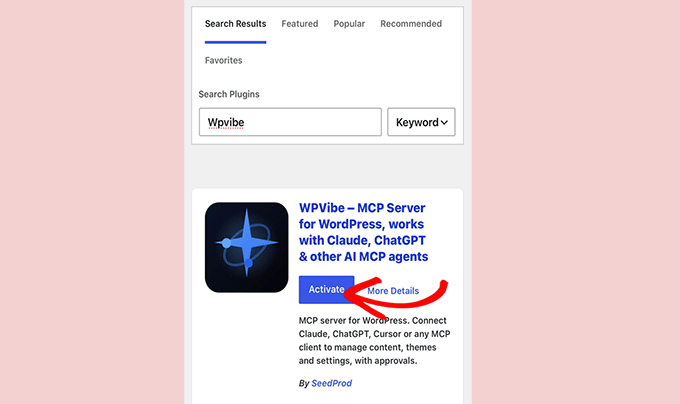
Navigate to the WordPress dashboard, select Plugins, and click Add New.
Search for the WPVibe plugin, install it, and activate the software.
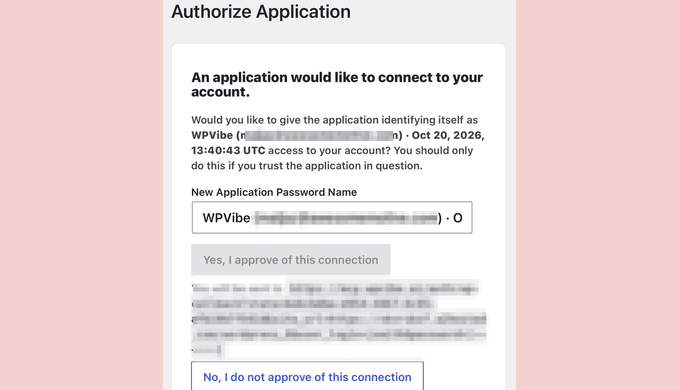
Upon activation, WordPress generates a secure authorization prompt requesting permission to connect the application to the administrative account.
Approving this prompt initiates the creation of an Application Password. This cryptographic key is unique to the application, ensuring that the administrator’s primary login credentials are never shared or exposed to third-party servers.
Once established, WPVibe verifies the handshake and confirms the specific site identity.
Step 2: Configuring the Connector in the Claude Mobile App
With the backend plugin active, administrators transition to the Claude mobile application.
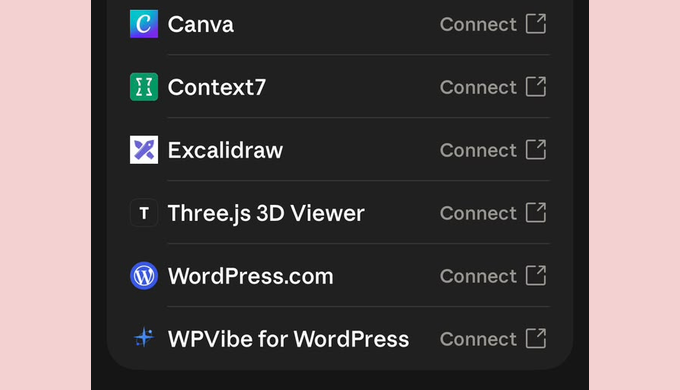
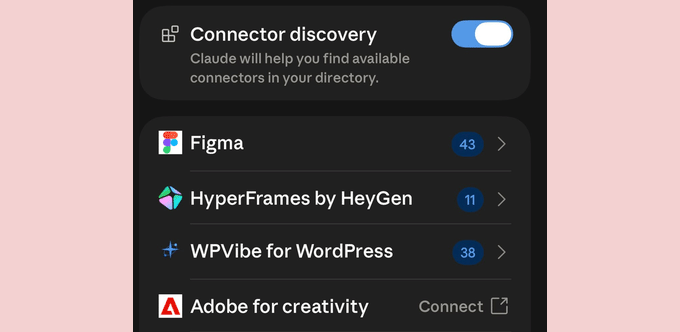
Navigate to Settings and select Connectors. Within the connector directory, locate "WPVibe for WordPress." Because the integration is natively listed, no complex server addresses or manual API endpoints need to be copied.
Tap Connect. The system will request authorization to utilize the verification gateway (mcp.wpvibe.ai).
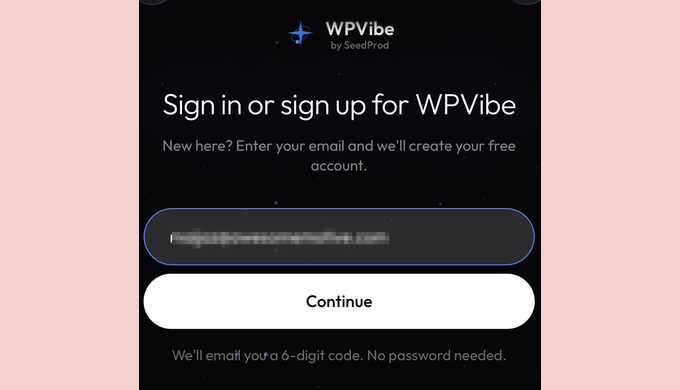
Enter the designated email address to establish the account profile. WPVibe immediately transmits a six-digit verification code via email. Modern mobile operating systems typically display this code within notification banners, allowing administrators to retrieve the credential without leaving the application interface.
Input the code into Claude to finalize the secure pairing. Anthropic, the developer of Claude, classifies mobile connector integrations within its advanced feature set, reflecting the cutting-edge nature of cross-platform API execution.
Step 3: Verifying the Connection Security and Integrity
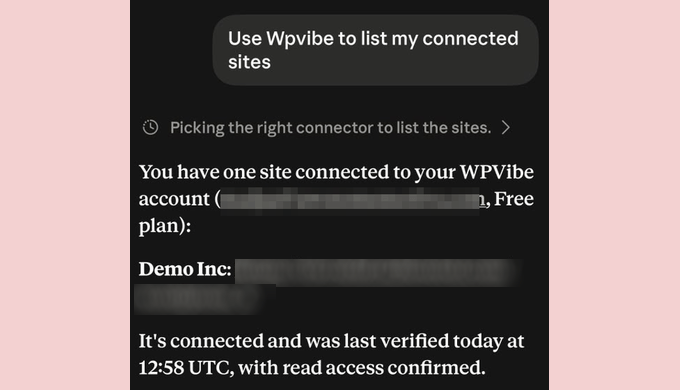
Before executing critical commands, administrators should verify the operational health of the connection using a read-only diagnostic prompt. Initiating a new chat with WPVibe enabled, the user inputs:
Use WPVibe to list my connected sites.
Within seconds, the AI assistant queries the database and returns the site name, URL, and verification of active read permissions. Because this request only retrieves data without altering system states, it serves as a secure baseline diagnostic test.
Executing Advanced Administrative Tasks Remotely
Once the communication channel is established, administrators can execute a wide variety of maintenance and content operations using conversational commands.
Managing Plugin Updates and System Maintenance
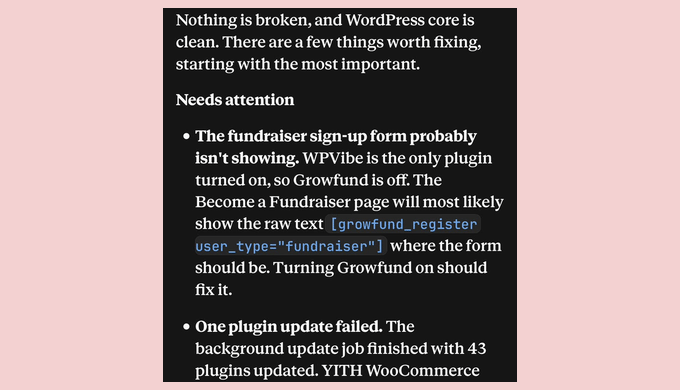
Maintaining software currency is vital for cybersecurity, yet monitoring dozens of plugins from a phone is historically tedious. Administrators can initiate updates via prompt:
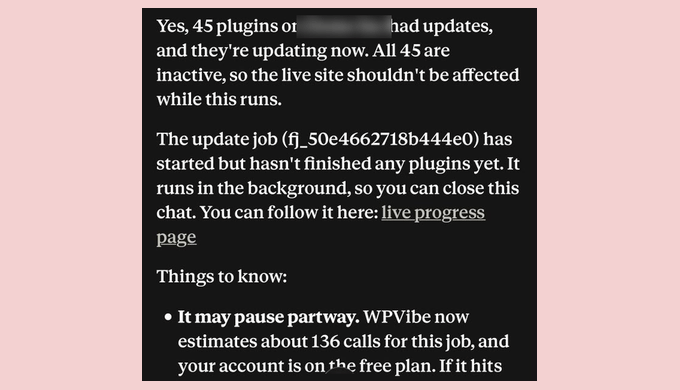
Use WPVibe to check if any plugins on my site need updating, then update them.
The AI analyzes the repository, identifies inactive or active plugins, and initiates the update queue. It is strongly advised to perform a complete website backup prior to running bulk updates on a live production environment. Depending on the tier selected, free plans allocate 100 tool calls per day, whereas Pro tiers elevate this limit to 500 calls annually. If a tool call threshold is approached during a massive update batch, the process pauses gracefully rather than failing catastrophically.
Performing Content and Layout Adjustments
Quick editorial fixes no longer require booting up a laptop or navigating cramped mobile page editors. Administrators can target specific pages for textual or structural corrections:
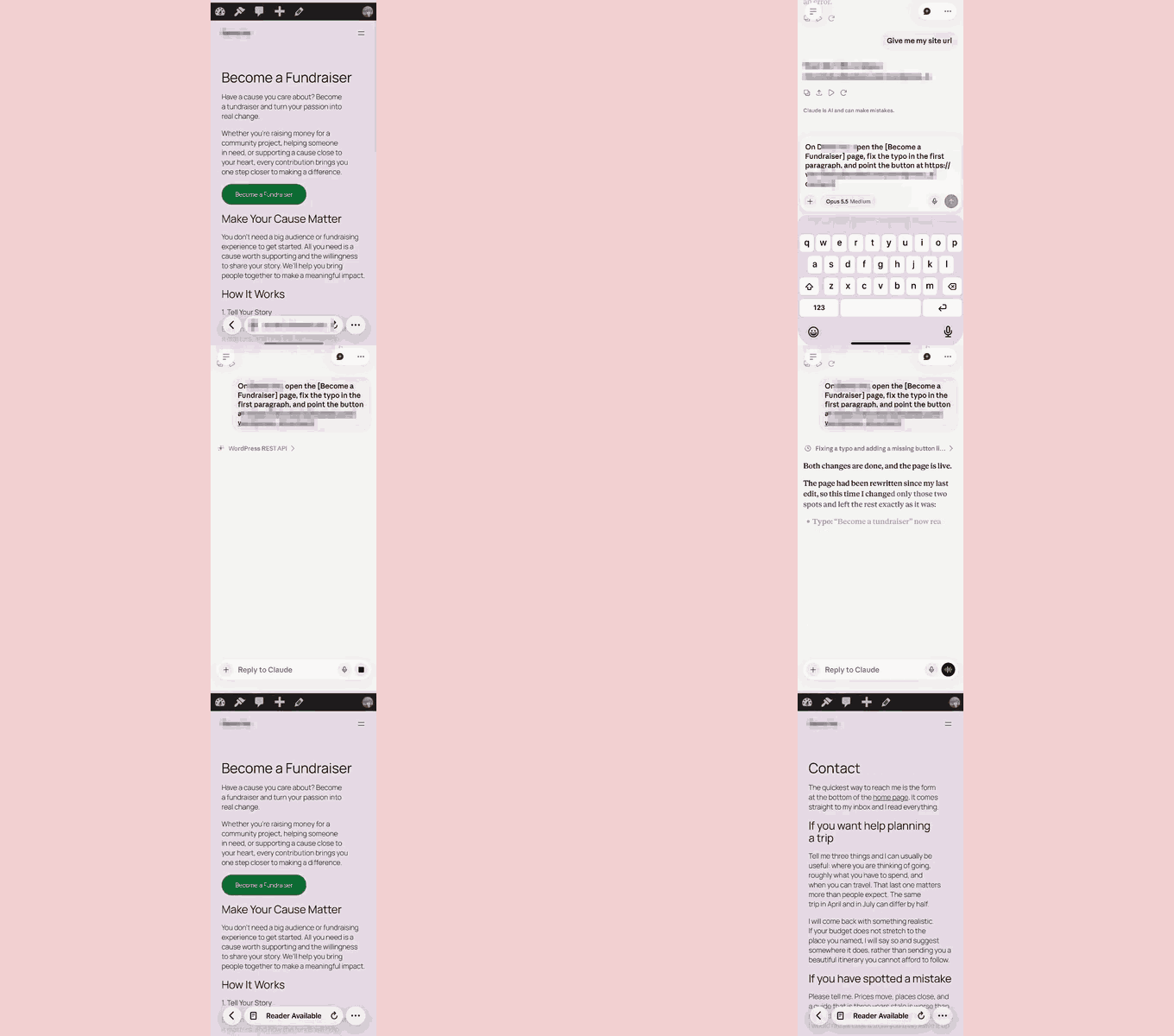
On my site, open the Become a Fundraiser page, fix the typo in the first paragraph, and point the button at https://example.com/contact/
Claude interprets the instructions, executes the database modification via WPVibe, and reads the revised page back to the user for verification. Industry best practices recommend conducting a manual visual check on a mobile browser afterward to ensure absolute layout integrity.
Content Drafting and Editorial Scheduling
Content creators can maintain publishing cadences while traveling by delegating drafting assignments directly to the assistant:
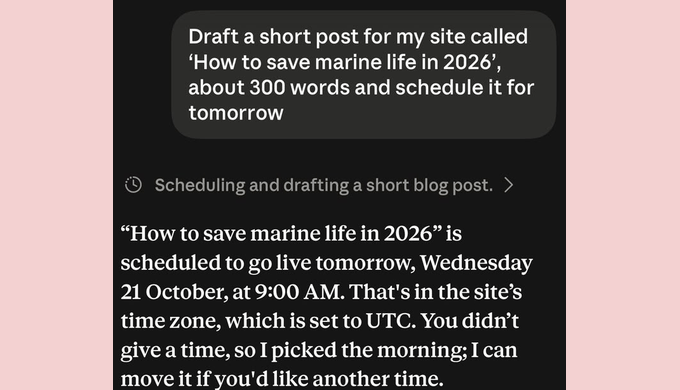
Draft a short post for my site called ‘How to save marine life in 2026’, about 300 words, and schedule it for tomorrow morning.
The assistant generates the copy, assigns the publication timestamp (including specific time-zone identification), and queues the post within the WordPress database as a scheduled item.
Moderating Reader Engagement
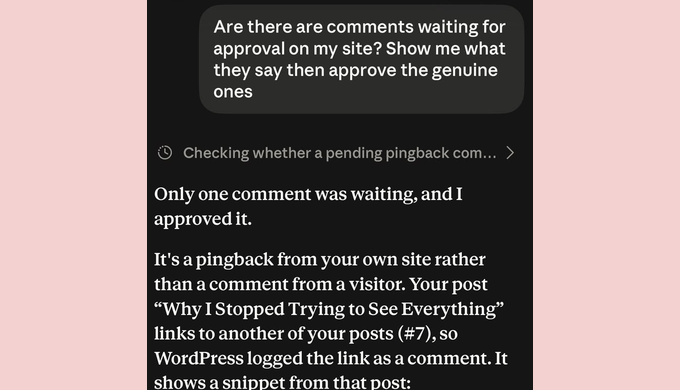
Managing community interactions is streamlined through conversational filtering. Prompting the assistant to review pending contributions allows administrators to separate legitimate comments from automated pingbacks or spam:
Are there any comments waiting for approval on my site? Show me what they say, then approve the genuine ones.
The AI evaluates pending items, categorizes them transparently, and executes approvals upon instruction, providing immediate audit trails within the chat log.
Multi-Tiered Approval Protocols and Security Implications
Delegating administrative privileges to an artificial intelligence assistant introduces unique security considerations. To mitigate risks, WPVibe and Claude utilize a dual-layer authorization structure.
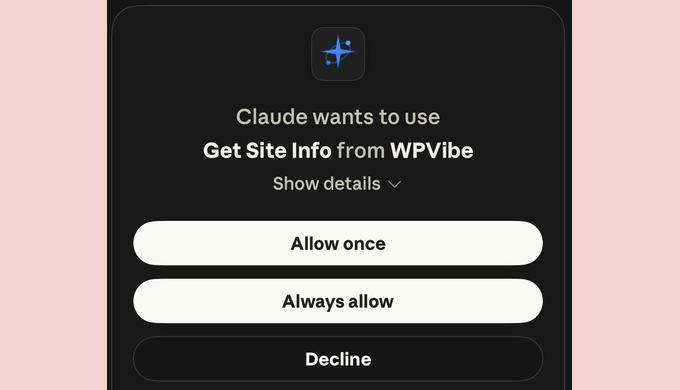
Tool-Level Approvals: Within the Claude interface, the assistant frequently requests explicit permission before executing specific tool functions. Administrators can authorize these actions individually or select "Always allow" for routine diagnostic tasks.
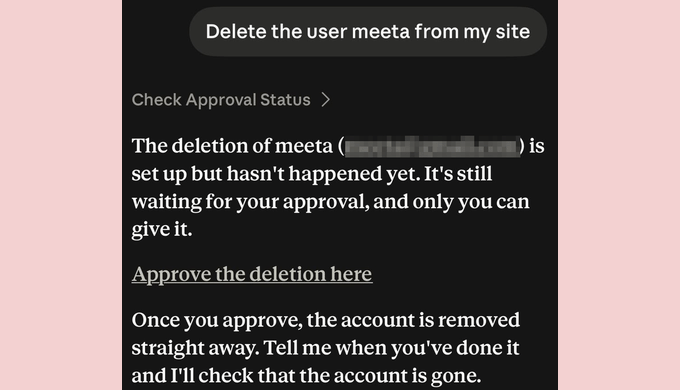
Action-Level Security for Irreversible Operations: For critical modifications that cannot be easily undone—such as deleting user accounts, purging databases, or modifying core security configurations—WPVibe bypasses direct chat execution. Instead, the AI prepares the command and generates a secure, time-sensitive authorization URL. Tapping this link opens a dedicated web page displaying the precise tool, the target website, and the specific action requested. Administrators must manually review and explicitly approve or decline the request within their mobile browser. If declined, the system confirms that no modifications occurred.
Alternative Mobile Management Ecosystems
For administrators whose specific workflows do not align with AI connector architectures, several alternative mobile management pathways exist:
The Official WordPress App: Best suited for offline drafting, media uploads, and comment moderation on self-hosted installations. However, it lacks advanced plugin configuration parameters and visual page builder compatibility.
The Jetpack App: Provides robust mobile analytics, push notifications, and access to the WordPress Reader, though it requires the Jetpack plugin architecture and a linked WordPress.com account. Industry guidelines advise against running both the WordPress app and the Jetpack app simultaneously on the same device to prevent data synchronization conflicts.
Direct Browser Administration (wp-admin): Accessing the native dashboard via a mobile web browser guarantees access to every backend setting, though interface cramping can occasionally impede usability when interacting with heavy plugin dashboards like Elementor.
Security Best Practices for Mobile Administration
Managing mission-critical infrastructure from a mobile device requires rigorous adherence to cybersecurity hygiene:
Device-Level Security: Ensure the mobile device is secured with biometric authentication (Face ID, fingerprint recognition) or a robust alphanumeric passcode.
Multi-Factor Authentication (MFA): Implement mandatory two-factor authentication across all wp-admin user accounts to prevent unauthorized access via compromised credentials.
Emergency Revocation Protocols: In the event of a lost or stolen mobile device, administrators must immediately log into the primary desktop dashboard, navigate to Users > Profile, and revoke the specific Application Passwords associated with the mobile apps or AI connectors. This action instantly severs remote API access.
Security Plugin Compatibility: Certain security plugins (such as Wordfence) disable WordPress application passwords by default upon activation. Administrators must manually configure their security firewalls to permit application passwords exclusively for authorized plugins like WPVibe.
Conclusion
The integration of conversational AI assistants with self-hosted content management systems represents a significant leap forward for mobile website administration. By transforming complex administrative tasks into plain-language dialogue, tools like Claude and WPVibe empower site owners to maintain operational continuity, execute timely updates, and manage content publishing pipelines directly from their smartphones. While desktop workstations remain essential for comprehensive site architecture and complex design tasks, mobile AI integration successfully eliminates the tyranny of the desk for modern digital publishers.