Accessibility in WordPress Themes: Simpler Than Perceived, Crucial for an Inclusive Digital Future

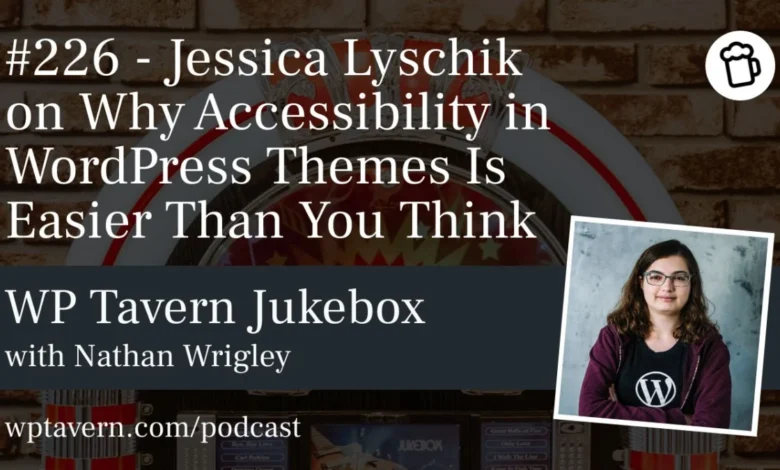
The perceived complexity of achieving web accessibility in WordPress themes often deters developers, but according to Jessica Lyschik, a seasoned WordPress community member and accessibility advocate, the process is far more straightforward than commonly believed. Lyschik, who has been immersed in the WordPress ecosystem since 2015, recently shared her insights at WordCamp Europe 2026 during a presentation titled "Accessibility in Themes: Easier Than You Think." Her discussion, later expanded upon in an interview with Nathan Wrigley for the Jukebox Podcast from WP Tavern, aimed to demystify accessibility requirements, highlight practical implementation strategies, and underscore the growing importance of inclusive web design in an increasingly digital world.
The Accessibility Imperative: Moral, Legal, and Economic
The push for web accessibility stems from a confluence of moral, legal, and increasingly, economic imperatives. Morally, ensuring digital platforms are usable by everyone, regardless of ability, aligns with principles of equity and inclusion. As Nathan Wrigley observed, "In the real world when you see somebody… trying to get into a post office and there’s a step that they can’t get over, there’s no bit of you which doesn’t see that as unjust." The digital equivalent of this "step" often remains invisible to abled users, yet it creates significant barriers for individuals with disabilities who rely on the web for essential services like banking, healthcare, and communication. The World Health Organization (WHO) estimates that over 1.3 billion people, or approximately 16% of the global population, experience a significant disability, highlighting the vast segment of users impacted by inaccessible design.
Beyond ethical considerations, a robust legal framework is emerging to mandate accessibility. In Europe, the European Accessibility Act (EAA), set to be fully implemented by 2025, will require a wide range of digital products and services, including websites and mobile applications, to be accessible. Similar legislation exists or is being developed in other regions, making compliance a critical concern for businesses and organizations. Failure to comply can result in legal penalties and reputational damage.
Economically, accessibility is proving to be a smart business strategy. Jessica Lyschik cited an example shared by Anne-Mieke Bovelett, another accessibility expert, where a company saw increased sales after making its website more accessible. This demonstrates that by reaching a wider audience and providing a superior user experience, businesses can unlock new market opportunities. The "disability market" holds significant purchasing power, and inclusive design directly translates to broader customer reach and loyalty.
Demystifying Accessibility: Practical Steps for WordPress Themes
A central theme of Lyschik’s presentation was that many developers are intimidated by the "accessibility ready" requirements for themes in the wordpress.org repository, often finding the guidelines cryptic. However, she asserts that with proper guidance, these requirements become manageable. The core challenge lies in the current documentation, which often states what needs to be achieved without detailing how to implement it technically. Lyschik expressed her intention to contribute to improving this documentation, bridging the gap between abstract requirements and practical code.
-
Core Principles: Semantic HTML and User Experience
At its heart, web accessibility often boils down to using correct, semantic HTML and considering the user experience for assistive technologies. Correct HTML tags (e.g.,<header>,<footer>,<main>,<section>,<aside>) provide a structural backbone that screen readers and other assistive devices can interpret effectively. This foundational element ensures content is presented logically, allowing users to navigate and understand information without relying solely on visual cues. -
Quick Wins: Actionable Steps for Developers
Lyschik identified several "low-hanging fruit" that can significantly improve a theme’s accessibility with minimal effort:- Alternative Text for Images: Adding descriptive
alttext to images is perhaps the most well-known and simplest step. WordPress’s media library and block editor already provide dedicated fields for this, making it a matter of simply utilizing them rather than ignoring them. This allows screen readers to convey visual information to visually impaired users. - Underlining Links: Visually distinguishing links by underlining them (e.g., using
text-decoration: underline;in CSS) is crucial for users with color blindness or cognitive disabilities who might not perceive color changes as an indication of interactivity. - Correct Heading Structure: Maintaining a logical hierarchy of headings (H1, H2, H3, etc.) ensures that content is structured for easy navigation by screen reader users. The H1 should be the primary title, followed by H2s for major sections, and H3s for subsections, without skipping levels.
- Skip-to-Content Links: These links, typically hidden until a user tabs to them, allow keyboard and screen reader users to bypass repetitive navigation elements (like headers and main menus) and jump directly to the main content area. Lyschik highlighted that in block themes, this can be as simple as grouping content and assigning the
mainHTML tag, with WordPress handling the rest. - ARIA Labels for Icon-Only Buttons: For buttons that rely solely on icons without visible text, adding an
aria-labelprovides a descriptive name for screen readers. This ensures users understand the button’s purpose (e.g., a phone icon button needing anaria-label="Call Us"). Lyschik shared a recent work example where adding ARIA labels to 24 icon-only buttons was initially met with exasperation by a colleague, but she emphasized that building this in from the start saves immense retrospective effort.
- Alternative Text for Images: Adding descriptive
The Evolving WordPress Landscape: Block Themes and Core Support
The advent of block themes in WordPress represents a significant shift that inherently simplifies many accessibility challenges compared to classic themes.
-
Classic vs. Block Themes: A Shift Towards Simplicity
In classic themes, developers often had to manually ensure semantic HTML, implement skip links, and manage form accessibility. This required a deeper technical understanding and more hands-on coding. Block themes, conversely, leverage the WordPress Core’s inherent accessibility features. -
Leveraging Core for Enhanced Accessibility
Lyschik enthusiastically noted that "accessibility just got a tad bit easier if you use block themes." Core WordPress now handles much of the heavy lifting:- Form Fields: Default forms, such as comment forms and search forms, are automatically accessible in block themes. Developers simply need to place the blocks, and Core ensures appropriate labels and structures are in place.
- Semantic Template Parts: By using designated template parts for headers and footers, block themes automatically apply the correct
<header>and<footer>HTML tags, eliminating manual implementation errors. - Structural Integrity: When blocks are used correctly, especially within parent-child relationships (like a "Group" block containing "Content"), the underlying HTML structure tends to be more semantic and accessible by default. This significantly reduces the cognitive load on theme developers. The ease of copying and adapting existing accessible templates in block themes further streamlines the process.
The "Accessibility Ready" Tag: Current State and Future Outlook
Despite the clearer path offered by block themes and the availability of guidelines, the adoption of accessibility best practices within the WordPress theme repository remains low. Out of over 14,700 themes in the wordpress.org repository, only approximately 270 (about 1.5%) currently carry the "accessibility ready" tag.
-
WordPress Repository: A Snapshot of Accessibility Adoption
To earn the "accessibility ready" tag, a theme must meet 18 specific requirements, which were recently updated in the last month prior to Lyschik’s talk (the previous update was reportedly between 2012-2014). These requirements, while based on the globally recognized Web Content Accessibility Guidelines (WCAG), are a subset tailored for WordPress themes. Examples include ensuring plugins recommended or required by the theme are also accessible, and including anaccessibility.txtfile detailing accessibility features and utility CSS classes.Lyschik acknowledged the challenge of enforcing universal accessibility standards given the vast number of themes and the open-source nature of WordPress. She suggested a gradual approach through education and improved documentation, rather than immediate mandatory compliance, as people are less likely to adopt changes they don’t understand or feel forced into.
-
Documentation and Education: Paving the Way Forward
A key barrier identified is the often "cryptic" nature of existing accessibility documentation, including WCAG itself, which can be as dense as reading an HTML5 specification. Lyschik emphasized the need for documentation that clearly bridges the gap between requirements and technical implementation, explaining "what the requirement says with what is actually meant by that." Making learning resources more engaging and practical, perhaps through videos, courses, and simplified guides, could significantly boost adoption.
The AI Factor: A Catalyst for Universal Web Design
Perhaps the most compelling and forward-looking argument for immediate accessibility adoption comes from the rise of Artificial Intelligence (AI) agents. Lyschik introduced a concept that fundamentally shifts the perception of accessibility’s importance: AI agents interact with websites in a manner akin to screen readers.
-
Artificial Intelligence and the Future of Web Accessibility
"AI agents, they do not see a website as we do visually," Lyschik explained. "They rely on that the website is technically built correctly." Google’s recent announcement to prioritize accessibility for its AI agents underscores this. If a website lacks proper semantic structure, descriptivealttext, or correctly labeled interactive elements, an AI agent will struggle to understand and process its content.This has profound implications for future web interactions. Imagine an AI agent tasked with purchasing a specific item online. If the e-commerce site is accessible, the agent can navigate, select products, add them to a cart, and complete transactions autonomously. Conversely, an inaccessible site would render such tasks impossible for the AI. This means that future digital success, particularly in areas like e-commerce, automated personal assistance, and information retrieval, will increasingly hinge on a website’s inherent accessibility. This emerging technological imperative could accelerate accessibility adoption more rapidly than legal mandates or moral arguments alone, as businesses realize their digital presence must be "machine-readable" to remain competitive and relevant.
Interdisciplinary Collaboration and Continuous Learning
Achieving comprehensive web accessibility is not solely the responsibility of developers; it requires an interdisciplinary approach.
-
A Collaborative Endeavor: Beyond the Developer
Content creators must understand the importance of correct heading structures and descriptive link text. Designers need to consider color contrast, font legibility, and logical layout. SEO specialists can benefit from accessibility knowledge, as many accessibility best practices (like semantic HTML and clear content structure) also contribute to better search engine optimization. "Everyone who works on a website needs to know about it," Lyschik stated, emphasizing that it’s a collective effort that ultimately leads to a better, more usable web for all. -
Key Voices and Resources for Learning
For those looking to deepen their knowledge, Lyschik recommended following prominent figures in the WordPress accessibility space, including Joe Dolson, Rian Rietveld, and Amber Hinds from Equalize Digital. Outside of WordPress, she highlighted Sara Soueidan as a notable developer doing excellent work in accessibility. These individuals and organizations provide valuable resources that translate complex WCAG guidelines into actionable insights, making the learning journey more engaging and less daunting.
In conclusion, Jessica Lyschik’s insights from WordCamp Europe 2026 paint a clear picture: web accessibility in WordPress themes is not an insurmountable task, especially with the advancements in block themes and WordPress Core. While challenges remain in documentation and widespread adoption, the moral imperative, evolving legal landscape, clear economic benefits, and the transformative impact of AI agents are rapidly converging to make accessibility a non-negotiable aspect of modern web development. By embracing practical steps and fostering interdisciplinary collaboration, the WordPress community can collectively build a more inclusive and functional digital future.