Elevating WordPress Performance: A Comprehensive Guide to Migrating Your Site to Pressable Managed Hosting

The dynamic landscape of web presence demands robust, secure, and high-performing platforms, particularly for websites powered by WordPress, which currently accounts for over 43% of all websites on the internet. For site owners and developers navigating the complexities of server management, a specialized managed WordPress hosting solution like Pressable offers a compelling alternative to traditional, often resource-intensive, unmanaged environments. This shift towards managed hosting streamlines operations, enhances security, and optimizes performance, addressing critical pain points for small to medium-sized enterprises, professional blogs, and client projects.
The Evolution of WordPress Hosting and the Rise of Managed Solutions
WordPress, since its inception in 2003, has grown from a simple blogging platform into a versatile content management system (CMS) powering everything from personal portfolios to e-commerce giants. This ubiquity, however, comes with inherent responsibilities, primarily concerning performance, security, and maintenance. Initially, most WordPress sites resided on shared or virtual private servers (VPS), requiring users to possess significant technical expertise to manage server configurations, security patches, and performance optimizations.
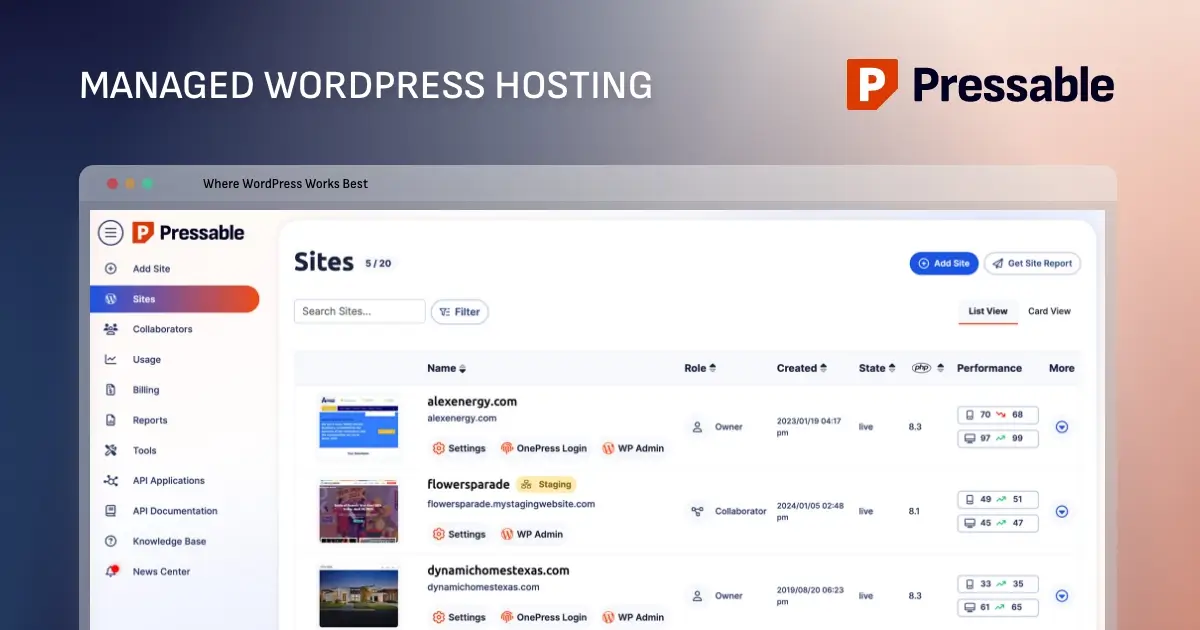
The advent of managed WordPress hosting, pioneered by companies specializing exclusively in the CMS, marked a significant turning point. These platforms abstract away the underlying server complexities, offering dedicated environments pre-configured for optimal WordPress performance, proactive security measures, and expert support. Pressable, an Automattic-owned entity (the company behind WordPress.com and WooCommerce), stands as a prominent player in this specialized segment, leveraging its deep understanding of the WordPress ecosystem to deliver tailored hosting solutions. This strategic positioning allows Pressable to offer features and support specifically designed for WordPress, differentiating it from general-purpose hosting providers.
Why Managed WordPress Hosting Matters: Beyond Basic Uptime
The decision to opt for managed WordPress hosting extends beyond mere server uptime. It encompasses a holistic approach to website management that directly impacts business continuity, user experience, and search engine optimization (SEO).

- Optimized Performance: Managed hosts like Pressable configure their servers specifically for WordPress, utilizing technologies such as NGINX, PHP-FPM, and integrated caching layers. This bespoke optimization leads to faster page load times, which is crucial for user retention and SEO rankings. Studies consistently show that even a one-second delay in page load time can lead to significant drops in conversions and page views.
- Enhanced Security: WordPress, being open-source and widely used, is a frequent target for cyber threats. Managed hosts implement multi-layered security protocols, including real-time malware scanning, brute-force protection, Web Application Firewalls (WAFs), and proactive vulnerability patching. Pressable, for instance, integrates a complimentary Jetpack Security subscription, offering malware scanning and downtime monitoring, significantly bolstering a site’s defenses against evolving threats.
- Proactive Maintenance and Updates: Server maintenance, core WordPress updates, theme updates, and plugin compatibility checks are automatically handled or closely monitored by the hosting provider. This frees up valuable time for site owners and developers, allowing them to focus on content creation, marketing, and business growth rather than technical troubleshooting.
- Expert Support: Access to WordPress-specific support teams is a hallmark of managed hosting. These teams possess specialized knowledge, enabling them to diagnose and resolve issues more efficiently than general hosting support staff. This dedicated expertise can be invaluable during critical incidents or complex migrations.
Pressable’s Value Proposition: Features and Target Audience
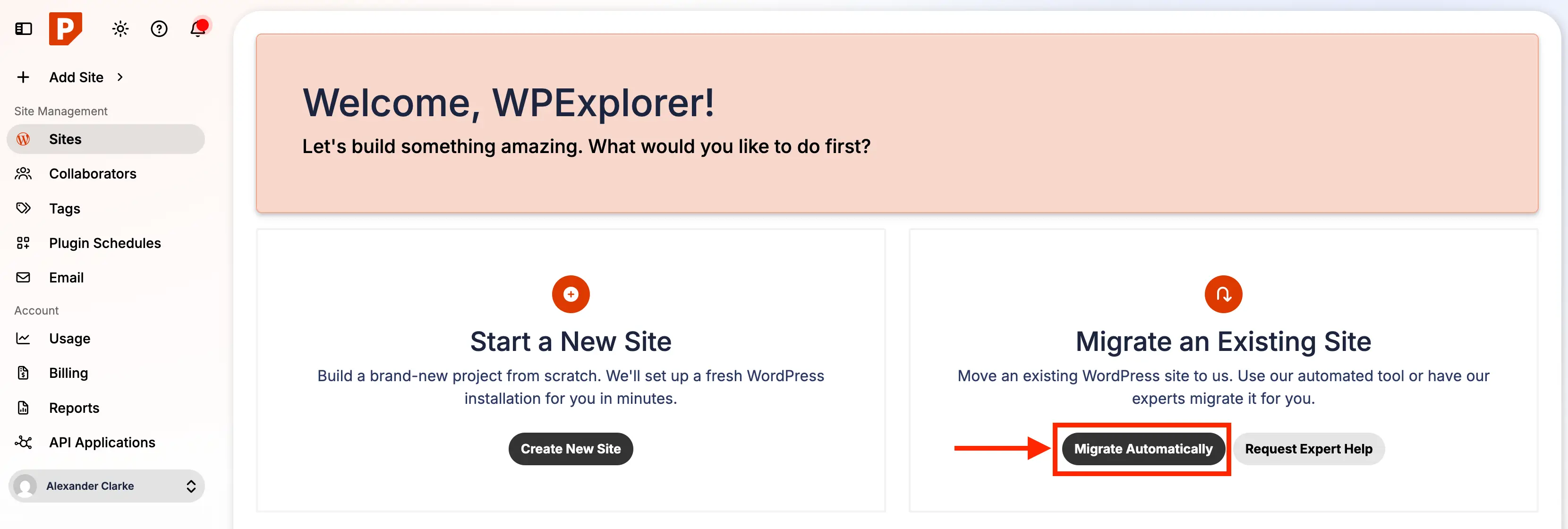
Pressable’s offering is meticulously crafted for the WordPress user. It exclusively supports self-hosted WordPress sites, aligning its infrastructure and support entirely with the CMS’s requirements. While running a self-managed server might offer cost savings for highly technical users, Pressable targets those who prioritize reliability, dedicated support, and hassle-free management.
Key features highlighted by Pressable include:
- Scalable architecture designed to handle traffic spikes.
- Daily backups and one-click restore points.
- Global CDN for faster content delivery.
- Staging environments for safe development and testing.
- Built-in caching for accelerated performance.
- Free SSL certificates for enhanced security and SEO.
- 24/7 expert WordPress support.
Pressable is particularly well-suited for small to medium-sized websites, including business websites, e-commerce platforms, and blogs. Its managed infrastructure, which handles updates, backups, security, and performance optimization, allows site owners and developers to concentrate on content, design, and growth. This makes it an ideal solution for non-technical bloggers seeking a robust yet simple hosting solution, as well as agencies and freelancers managing multiple client sites who benefit from centralized management and reliable performance.
However, Pressable does have specific limitations. It does not offer email hosting, custom server configurations, or dedicated servers, which might be necessary for extremely large, resource-intensive, or highly specialized sites. Plans come with visitor and storage limits, necessitating upgrades as a site expands. Furthermore, it does not support low-level server customizations like ionCube, custom firewall rules, or direct NGINX configuration edits, which advanced users or specific applications might require.
Choosing the Right Pressable Plan
Prospective users evaluating Pressable’s services should consider several factors when selecting a plan: the number of WordPress installations required, anticipated monthly visitor traffic, and necessary storage space. Plans range from "Signature 1," supporting a single site with up to 30,000 visitors, to "Signature 8," accommodating up to 100 sites and 2 million visitors. All Signature plans share the same core features, differing primarily in capacity. For "mission-critical sites" demanding superior resources, Pressable offers "Premium Site Plans" with higher CPU allocations, vertical scaling, and custom storage options, priced on a per-site basis. Pressable’s support team is available to assist with plan selection, and scalability ensures users can upgrade as their needs evolve.
A significant advantage for new Pressable customers is their free "Seamless White Glove Migrations" service. This means users can simply sign up and let Pressable’s expert team handle the entire migration process, eliminating the technical burden for those less comfortable with manual transfers.
The Migration Process: A Step-by-Step Chronology
For those who prefer a hands-on approach, migrating a WordPress site to Pressable is a structured process designed for clarity and safety. This guide outlines the key chronological steps based on practical experience.
1. Pre-Migration Preparation: Updating the Live Site
Before initiating any migration, it is imperative to ensure the source WordPress site is fully updated. This includes the WordPress core, all themes, and all plugins. An outdated site can lead to compatibility issues with Pressable’s optimized environment, potentially causing a broken site post-migration. Updating first ensures a stable foundation for the transfer.
2. Comprehensive Backup of the WordPress Site
Creating a complete backup is the most critical preparatory step. This ensures data integrity and provides a fallback in case any unforeseen issues arise during migration. A full backup should include all site files (via SFTP/cPanel File Manager) and the database (via phpMyAdmin or a plugin). Reliable backup solutions like BlogVault, UpdraftPlus, or Duplicator can facilitate this. The backup should be stored securely off-site, on a local computer or cloud storage.
3. Initiating Migration within Pressable Dashboard
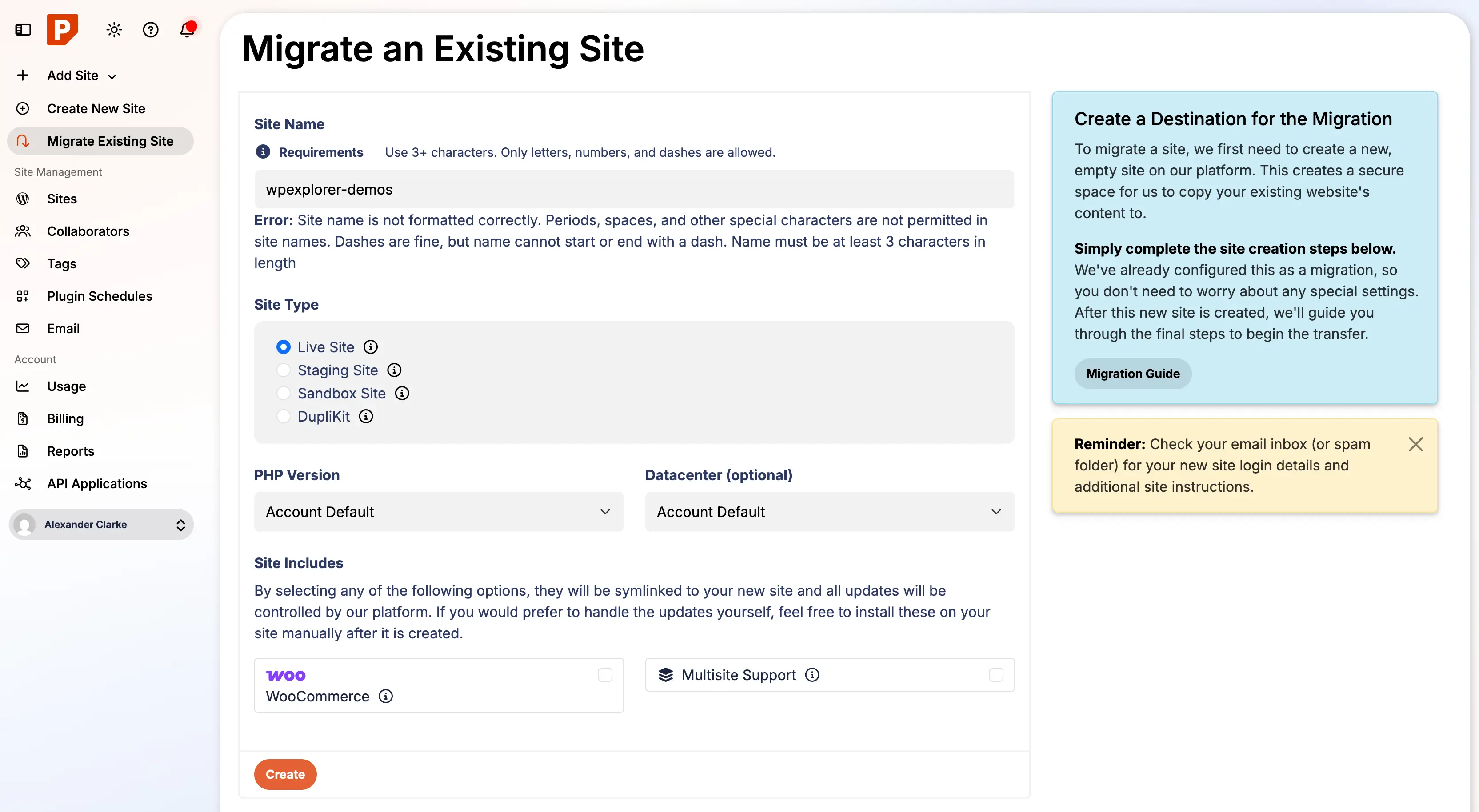
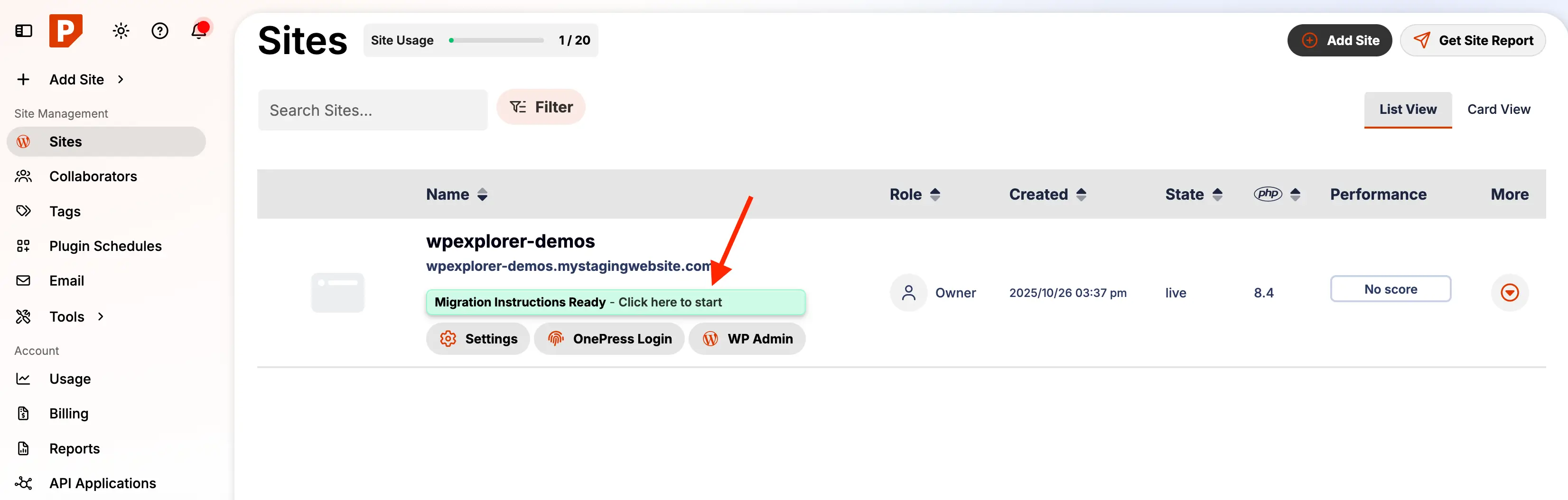
Once the backup is secured, log into the Pressable account. The dashboard typically features a "Migrate Automatically" button. Clicking this leads to a setup page where key migration parameters are configured:
- Site Type: "Migrate an Existing Site."
- Temporary URL: A unique identifier for the staging site (e.g.,
yoursite.pressable.site). - Datacenter Location: Choosing a datacenter geographically closer to the target audience for optimal performance.
- Site Name: A descriptive name for internal Pressable management.
- WordPress Version: Typically, the latest stable version is recommended.
- Multisite Configuration: Specify if the migration involves a WordPress Multisite network.
4. Executing the Transfer with the Automated Migration Plugin
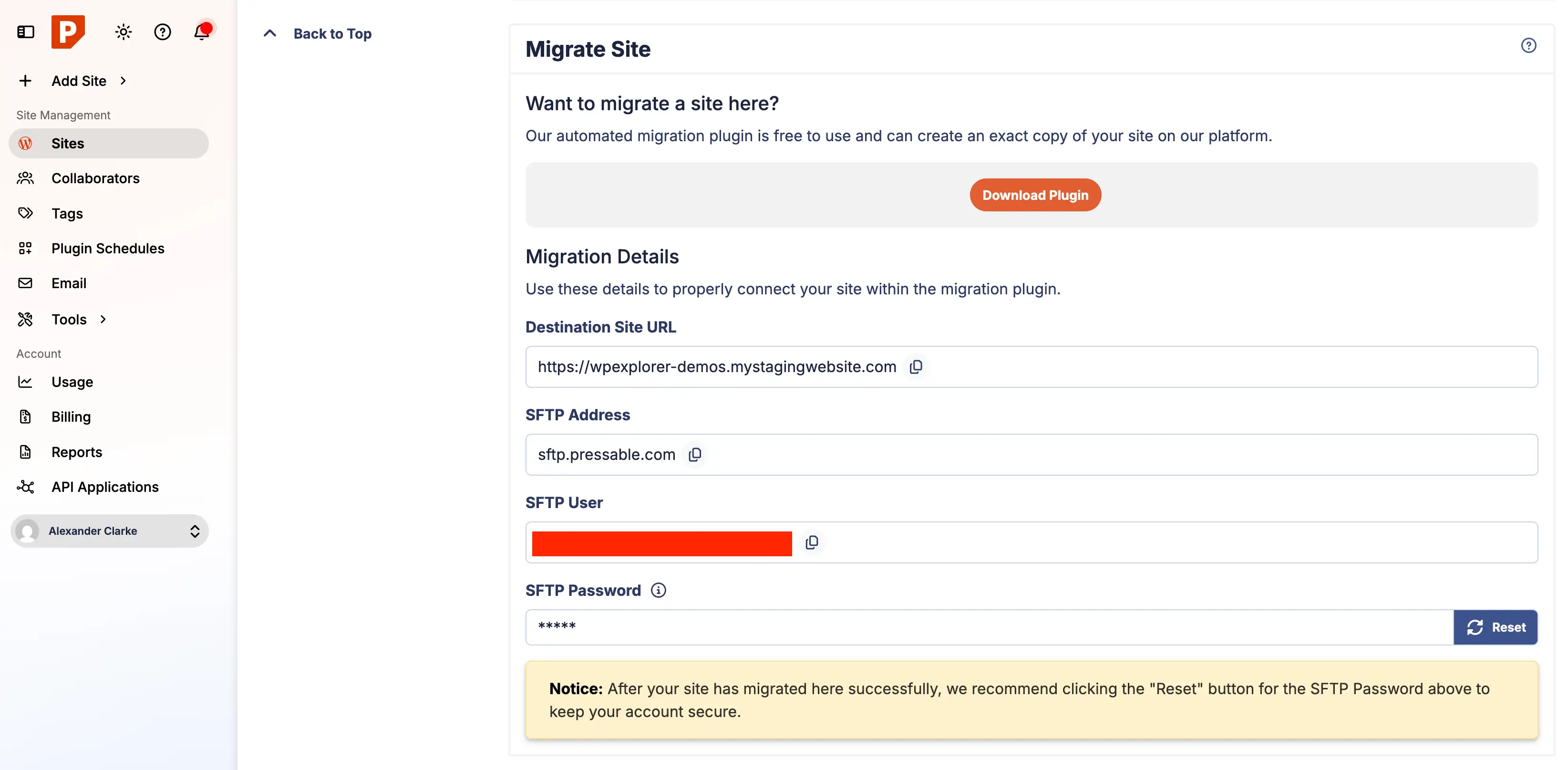
After initial configuration, Pressable provides "Migration Instructions Ready" notification. This directs users to the site’s dashboard within Pressable, where migration details are presented.
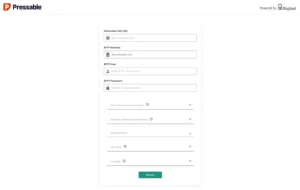
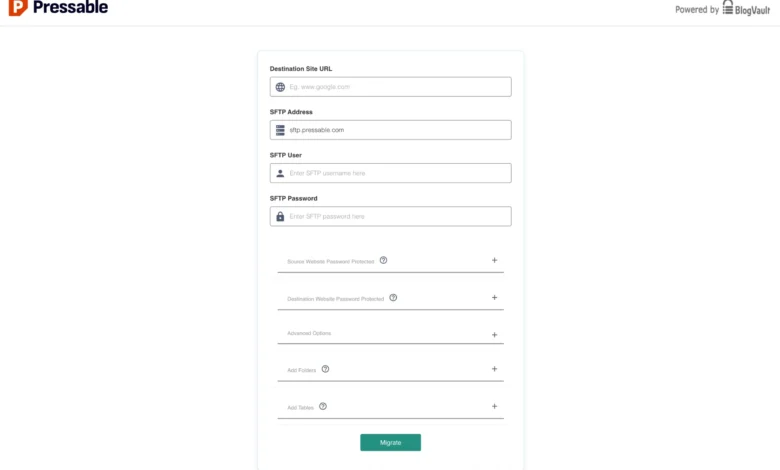
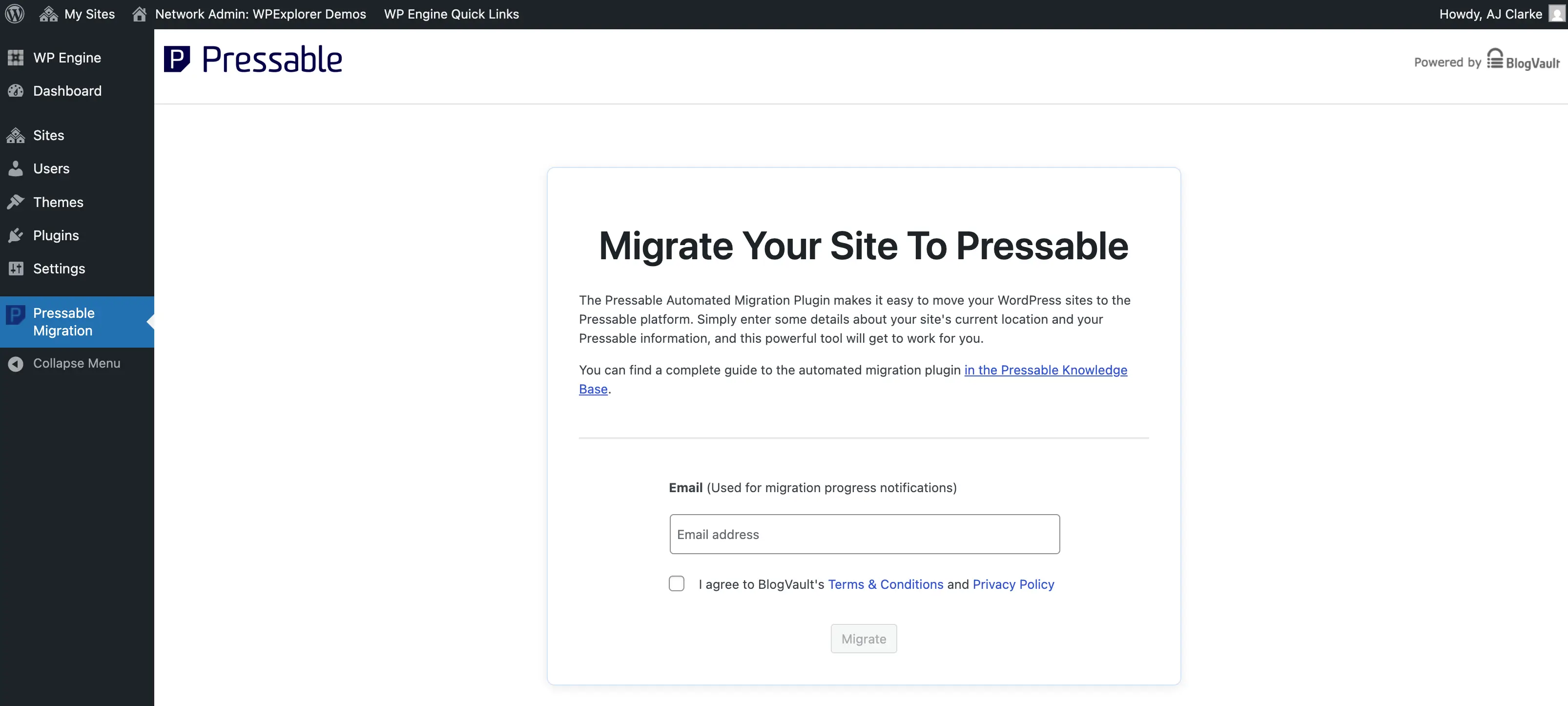
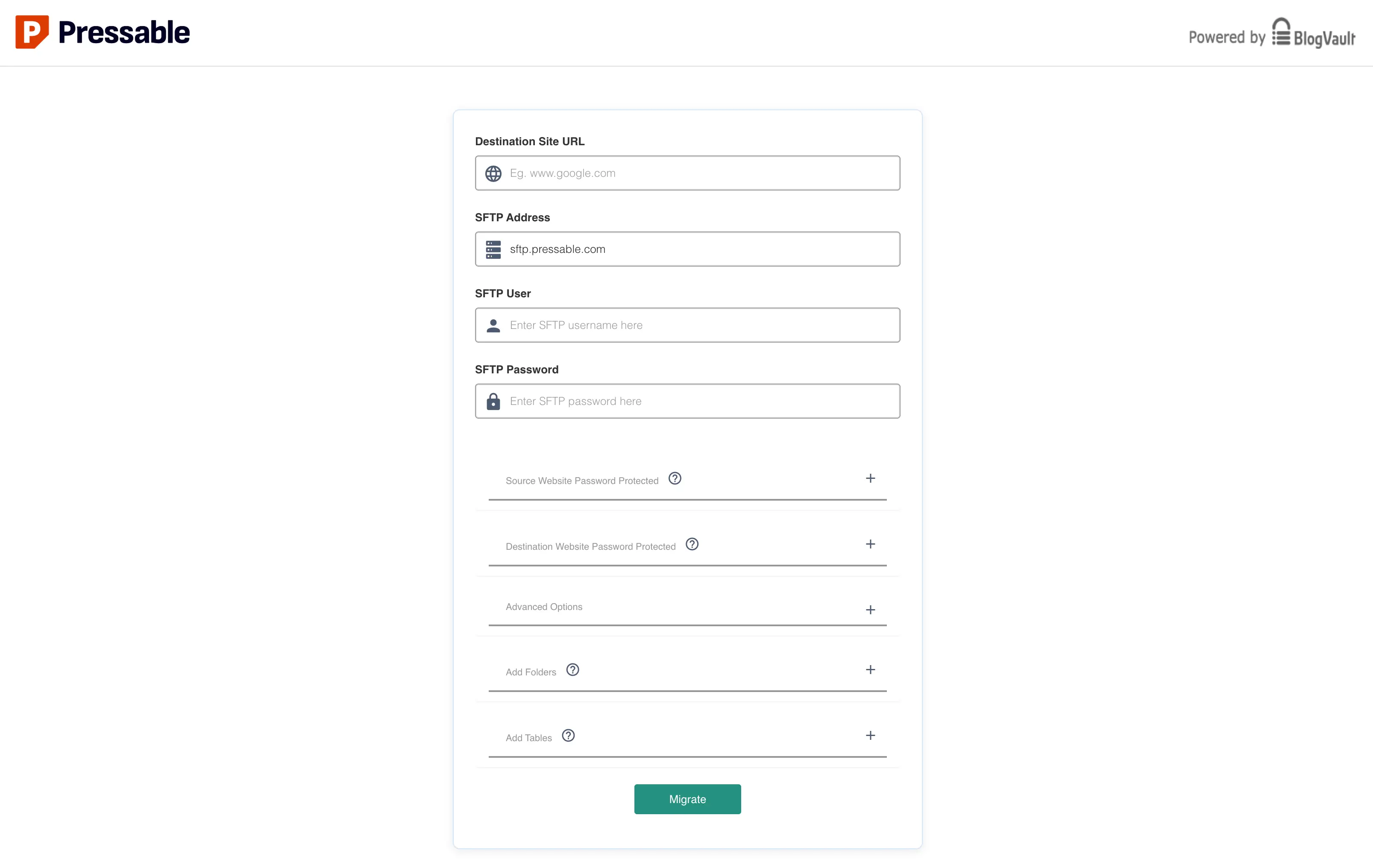
The core of the migration is handled by the Pressable Automated Migration plugin. This plugin needs to be installed and activated on the source WordPress site. After activation, it prompts for an email address for notifications and then for specific migration details, including the SFTP Host, Username, and Password, which are copied directly from the Pressable dashboard. For security, a new SFTP password often needs to be generated within Pressable at this stage.
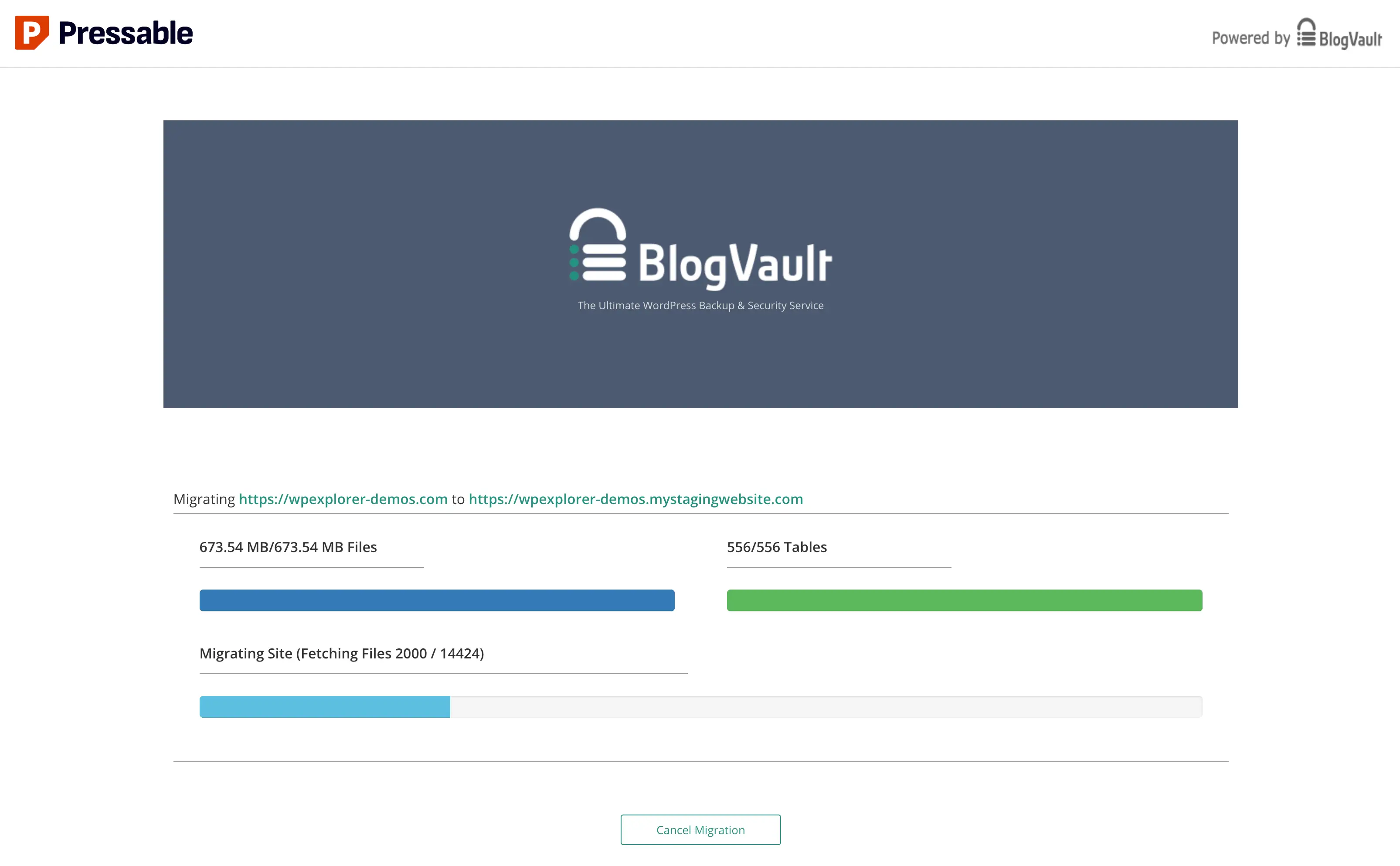
Upon entering these credentials and clicking "Migrate," the process initiates. The migration typically occurs via migrate.blogvault.net, a trusted third-party service integrated by Pressable. While this off-domain processing might initially raise questions about security, BlogVault is a reputable backup and migration service widely used in the WordPress ecosystem. Large sites, especially multisite installations, may take considerable time (up to an hour or more), and progress bars might appear to freeze; patience is key here.
5. Post-Migration Validation and Cleanup
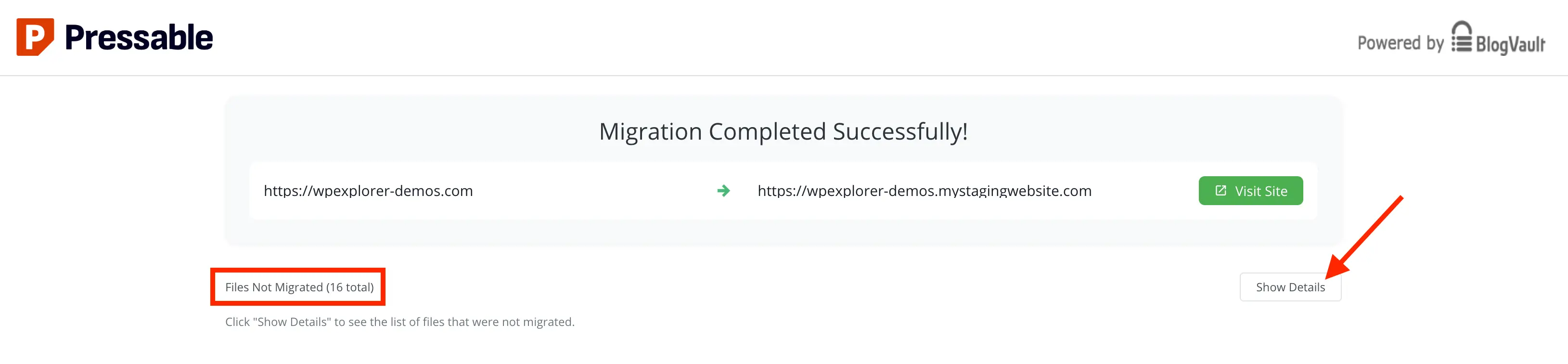
Upon successful completion, a "Migration Complete" screen appears, potentially listing "Files Not Migrated." It is crucial to review these details. Often, these are host-specific files (e.g., WPEngine’s mu-plugins folder) that are not required on the new Pressable environment and can be safely ignored or manually removed if present.
A critical post-migration step involves cleaning up leftover elements from the previous host. This includes:
- Removing unnecessary files: Deleting host-specific files or folders (e.g., old caching configurations, specific
mu-pluginsfrom previous managed hosts) via SFTP. - Moving or deleting old cron jobs: Custom cron jobs set up on the old server for tasks like backups or caching may conflict or become redundant. These should be reviewed and removed or reconfigured on Pressable if necessary. Plugins like "Cron Jobs" can assist in managing WordPress-specific cron tasks.
- Deleting old hosting admin users: Reviewing and removing any administrative or system-level accounts created by the previous host ensures a cleaner and more secure environment.
Finally, for security best practices, resetting the SFTP migration user password in the Pressable dashboard immediately after migration is highly recommended.
6. Migrating Custom Web Rules and Security Headers
Unlike Apache-based hosting, Pressable utilizes NGINX, rendering .htaccess files ineffective. Any custom redirects or server-side web rules (e.g., 301 redirects, security headers) from the old host must be manually transferred and configured for NGINX. Pressable provides documentation on how to manage these via a custom-redirects.php file.
It is strongly advised to implement recommended security headers within this file. Pressable suggests headers such as X-XSS-Protection, X-Content-Type-Options, X-Frame-Options, and Referrer-Policy. These headers offer an additional layer of defense against common web vulnerabilities like Cross-Site Scripting (XSS), MIME type sniffing, clickjacking, and referrer leakage, significantly enhancing the site’s overall security posture.
7. Comprehensive Site Review on Staging Domain
Before pointing the live domain, a thorough review of the migrated site on Pressable’s temporary staging domain is essential. This validation checklist includes:
- Front-end functionality: Checking all pages, posts, images, and media files.
- Back-end functionality: Verifying WordPress admin access, plugin functionality, and theme settings.
- Forms and E-commerce: Testing all forms, checkout processes, and payment gateways.
- Internal and External Links: Ensuring all links function correctly.
- Responsiveness: Checking site appearance across various devices.
- Performance: Observing page load times and overall responsiveness.
- Error Logs: Reviewing Pressable’s error logs for any issues.
8. Pointing the Domain to Pressable
Once the staging site is fully validated, the final step is to update DNS records to point the live domain to Pressable. Pressable offers two methods:
- Manual DNS Update: This involves logging into the domain registrar and updating
Arecords to Pressable’s IP address andCNAMErecords as needed. It also requires removing any oldArecords pointing to the previous host. - DNS Wizard: Pressable’s wizard simplifies this by guiding users through the process and automatically configuring necessary
Arecords. Users still need to access their domain registrar to remove old records.
9. Clearing Cache and Monitoring DNS Propagation
After updating DNS, it’s crucial to clear browser cache completely. DNS propagation can take minutes to up to 48 hours globally. During this period, the site may intermittently load from the old or new host. Pressable’s dashboard provides a "Health" indicator in the Domains section (green for connected, yellow for pending issues) to monitor propagation status.
10. Bonus: Setting Up and Optimizing Jetpack
Pressable bundles a complimentary Jetpack Security subscription with all plans. While Jetpack is a powerful plugin, it can feel bloated if all modules are enabled. It is recommended to install and activate Jetpack, then review its settings and disable non-essential modules. Prioritize core security features like VaultPress backups, brute-force protection, and malware scanning. For migrated sites, manually activating the included Jetpack Security license may be required via Pressable’s documentation.
Conclusion: The Strategic Advantage of Managed Hosting
Migrating a WordPress site to a managed hosting provider like Pressable represents a strategic investment in reliability, performance, and security. The streamlined process, coupled with Pressable’s specialized infrastructure and expert support, makes it an excellent choice for a wide array of WordPress projects, from personal blogs to professional client sites. By offloading the complexities of server management, site owners and developers can reallocate resources towards content development, user engagement, and business growth, ultimately enhancing their digital presence. The industry trend clearly indicates a growing reliance on specialized, managed solutions to meet the evolving demands of the modern web.