Migrating Your WordPress Site to Pressable: A Comprehensive Guide to Managed Hosting

In an increasingly digital landscape where website performance, security, and reliability are paramount, the shift towards managed WordPress hosting solutions has become a strategic imperative for many site owners and developers. This article explores the compelling reasons behind choosing Pressable, a managed WordPress hosting provider, and offers a detailed, chronological guide to migrating an existing WordPress site to its infrastructure, enriching the discussion with broader industry context and implications.
The Evolving Landscape of WordPress Hosting
WordPress, powering over 43% of all websites on the internet, continues to be the platform of choice for blogs, business sites, and e-commerce ventures. However, managing a WordPress site involves more than just content creation; it demands constant attention to server maintenance, security updates, performance optimization, and technical troubleshooting. For many, particularly those without dedicated IT staff or extensive technical expertise, these tasks can be time-consuming and stressful, diverting focus from core business objectives. This challenge has fueled the rapid growth of managed WordPress hosting, a specialized service designed to offload these technical burdens.
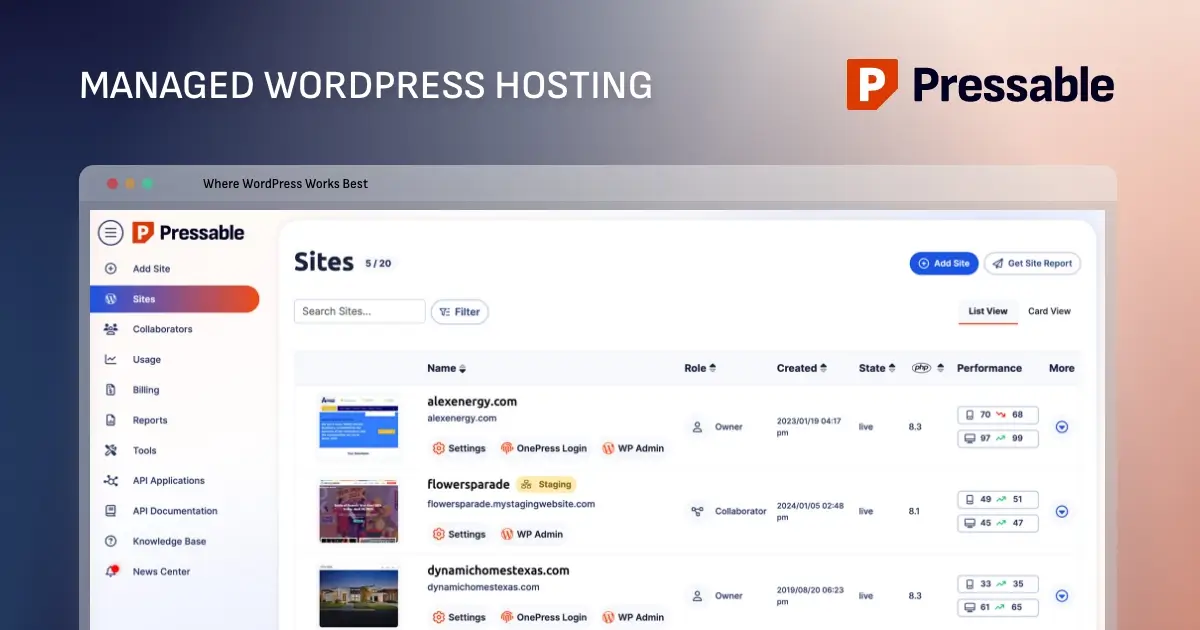
Managed hosting providers like Pressable, an Automattic company, differentiate themselves by offering environments specifically optimized for WordPress. This specialization translates into superior performance, enhanced security protocols, proactive maintenance, and dedicated support, often at a predictable monthly cost. The global managed hosting market size was valued at USD 61.6 billion in 2023 and is projected to grow significantly, underscoring the increasing demand for specialized, hands-off infrastructure solutions. For sites currently residing on non-managed or underperforming shared hosting platforms, the transition to a managed environment represents a significant upgrade in operational efficiency and site resilience.
Pressable: A Strategic Choice for WordPress Deployments
Pressable’s proposition centers on delivering a robust, secure, and high-performance hosting experience exclusively for WordPress sites. While running a self-managed server can theoretically offer equivalent or superior performance at a lower cost, this path requires substantial technical acumen and continuous oversight. Pressable targets users who prioritize reliable performance and expert support without the operational overhead of server administration.
Key features highlighted by Pressable include:

- Scalability: Designed to accommodate growth, from small blogs to demanding business sites.
- Security: Proactive threat detection, firewalls, and regular vulnerability scanning are standard.
- Performance: Optimized server architecture, caching, and Content Delivery Network (CDN) integration for rapid load times.
- Expert Support: Specialized WordPress support available 24/7.
- Automated Backups: Daily backups ensure data integrity and quick recovery options.
- Staging Environments: Facilitate safe testing of updates and new features without impacting the live site.
A spokesperson for Pressable frequently emphasizes the company’s commitment to "empowering WordPress users by handling the complexities of hosting, allowing them to focus entirely on their content and business growth." This philosophy resonates particularly with small to medium-sized websites, including business portals, blogs, and portfolios. Its managed infrastructure, which meticulously handles updates, backups, security, and performance optimization, frees site owners, developers, and agencies from server maintenance chores. This makes Pressable an attractive option for non-technical bloggers, as well as agencies and freelancers managing diverse client portfolios.
However, Pressable is not universally suited for all WordPress projects. It exclusively hosts WordPress sites and does not provide email hosting, custom server configurations, or dedicated servers — features that larger, resource-intensive enterprises might require. Plans are structured with visitor and storage limits, necessitating potential upgrades as a site expands. Furthermore, Pressable’s managed nature restricts low-level server customizations such as ionCube, bespoke firewall rules, or direct editing of NGINX configurations, which could be a consideration for highly specialized applications. For instance, sites requiring highly customized server stacks or unusual PHP extensions might find these limitations restrictive.
Selecting the Optimal Pressable Plan
Before initiating a migration, prospective users must evaluate Pressable’s diverse range of plans to align with their specific needs. The primary determinants for plan selection include the number of WordPress installations required, anticipated monthly visitor traffic, and necessary storage space. Pressable’s "Signature" plans begin with "Signature 1," accommodating a single site with up to 30,000 visitors, and scale up to "Signature 8," supporting 100 sites and 2 million visitors. All Signature plans share a consistent feature set, with differentiation based solely on these three core metrics.
For "mission-critical" sites demanding enhanced resources and performance, Pressable offers "Premium Site Plans." These plans, while pricier, provide higher CPU allocations, vertical scaling capabilities, and custom storage options tailored for sites with millions of visitors. While details regarding the per-site signup mechanism for Premium plans may require direct consultation with Pressable’s support, the tiered offering ensures that a suitable solution exists across a spectrum of operational demands. Pressable’s support team is readily available to guide users through the selection process, and the flexibility to scale plans upwards allows for initial conservative choices.
Crucially, Pressable offers a complimentary "Seamless White Glove Migrations" service. This means that for users who prefer to avoid the technical intricacies of migration, Pressable’s support team can manage the entire process free of charge upon signup, underscoring their commitment to user convenience and a smooth onboarding experience.
The Migration Journey: A Step-by-Step Chronology
For those opting for a self-managed migration, the process, while requiring careful attention to detail, is designed to be straightforward.
1. Pre-Migration Essentials: Preparing Your Live Site
The foundational step involves ensuring the source WordPress site is fully updated. This includes the core WordPress software, the active theme, and all installed plugins. Migrating an outdated site introduces unnecessary risks, such as compatibility conflicts with Pressable’s PHP environment, potentially leading to a broken site post-migration. A thorough update regimen minimizes these risks, ensuring a cleaner transfer.
2. Comprehensive Site Backup: The Safety Net
Before any migration, creating a complete backup of the WordPress site is non-negotiable. This serves as a critical safety net, offering peace of mind and a restore point should any unforeseen issues arise. A full backup should encompass all site files (including themes, plugins, and uploads) and the entire database. Storage options include local hard drives or secure cloud services like Dropbox or Google Drive. Common backup solutions include:
- WordPress Backup Plugins: Tools like UpdraftPlus, Duplicator, or BlogVault (which Pressable uses for its automated migration) offer user-friendly interfaces for comprehensive backups.
- Manual Backup via cPanel/Hosting Control Panel: For users with access to their host’s control panel, manual backups of files via File Manager and databases via phpMyAdmin provide full control.
- SFTP and Database Export: Advanced users can leverage SFTP clients (like FileZilla) to download all site files and export the database via a tool like phpMyAdmin.
Once the backup is created, downloading and storing it securely offline is crucial.
3. Initiating the Transfer within Pressable
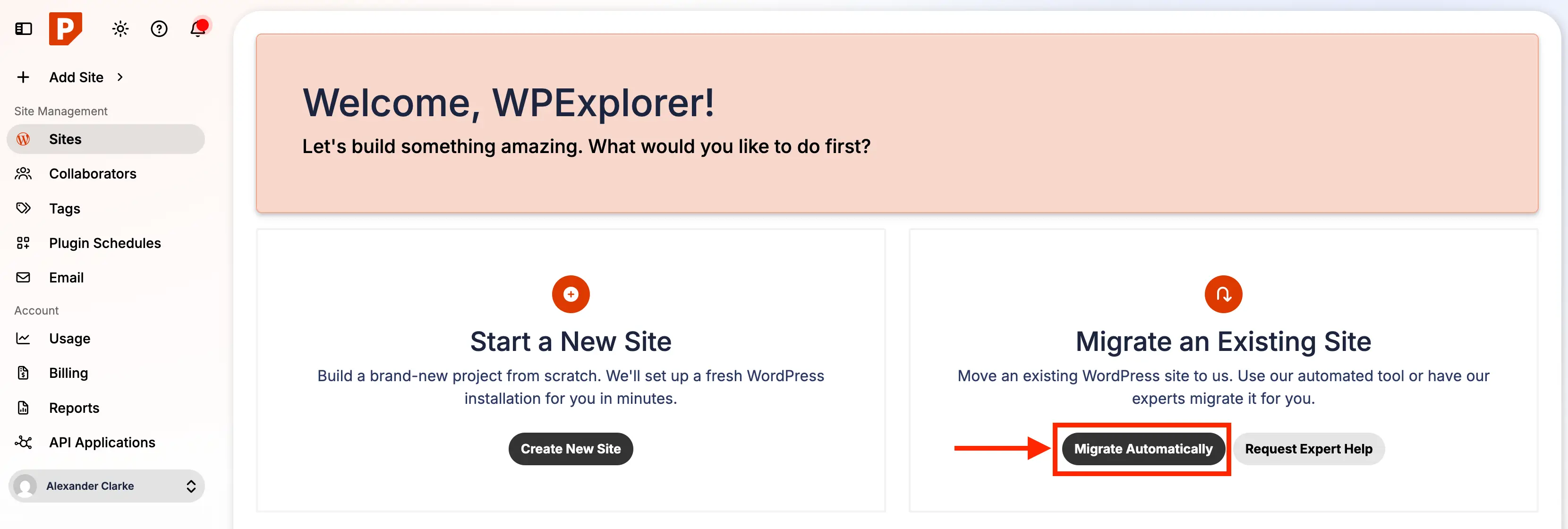
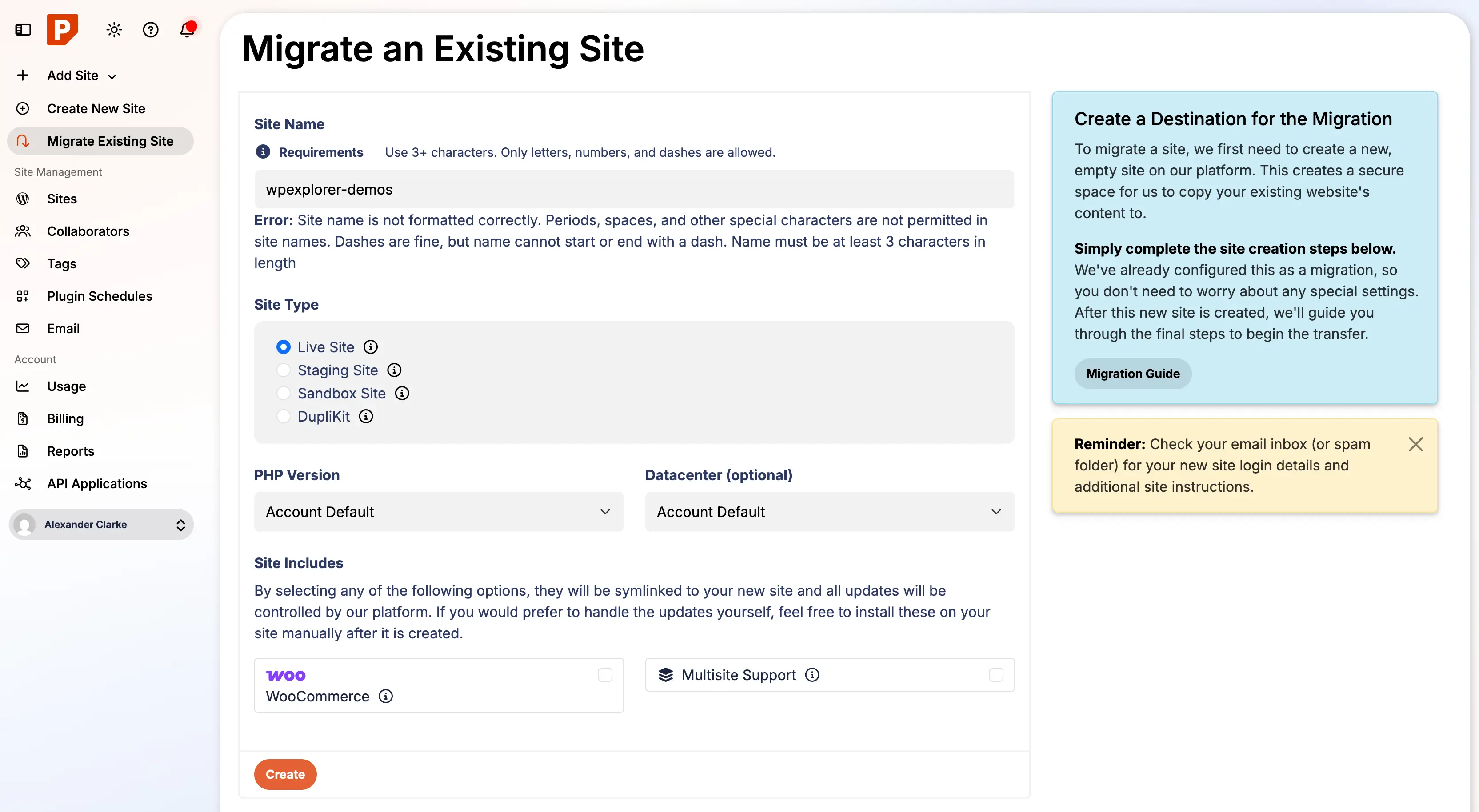
With the source site prepared and backed up, the migration process begins within the Pressable dashboard. Users will navigate to the "Migrate Automatic" button, which initiates the setup for the new site. This involves configuring several key options:
- Site Nickname: A memorable internal name for the site.
- Data Center Location: Selection of the server location (e.g., US, Europe) for optimal latency for the target audience.
- Existing Domain: The live domain of the site being migrated.
- Staging Site: The option to create a staging environment, which is highly recommended for testing.
- WordPress Type: Specify if it’s a standard or multisite installation.
This initial configuration establishes the new environment on Pressable’s infrastructure, preparing it to receive the migrated content.
4. Executing the Automated Migration via Plugin
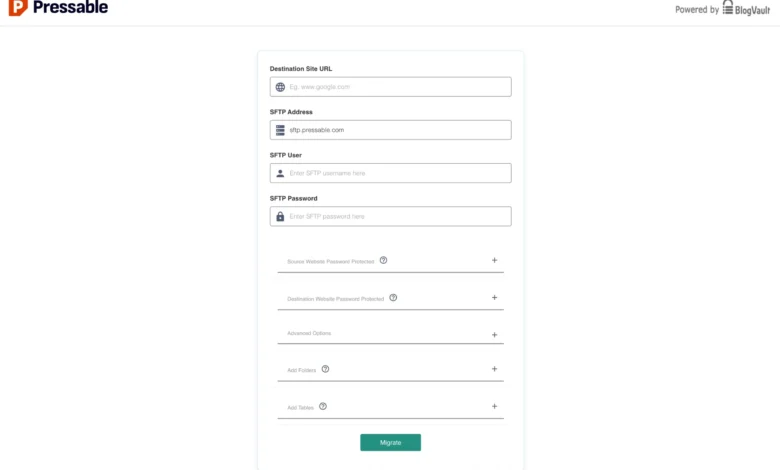
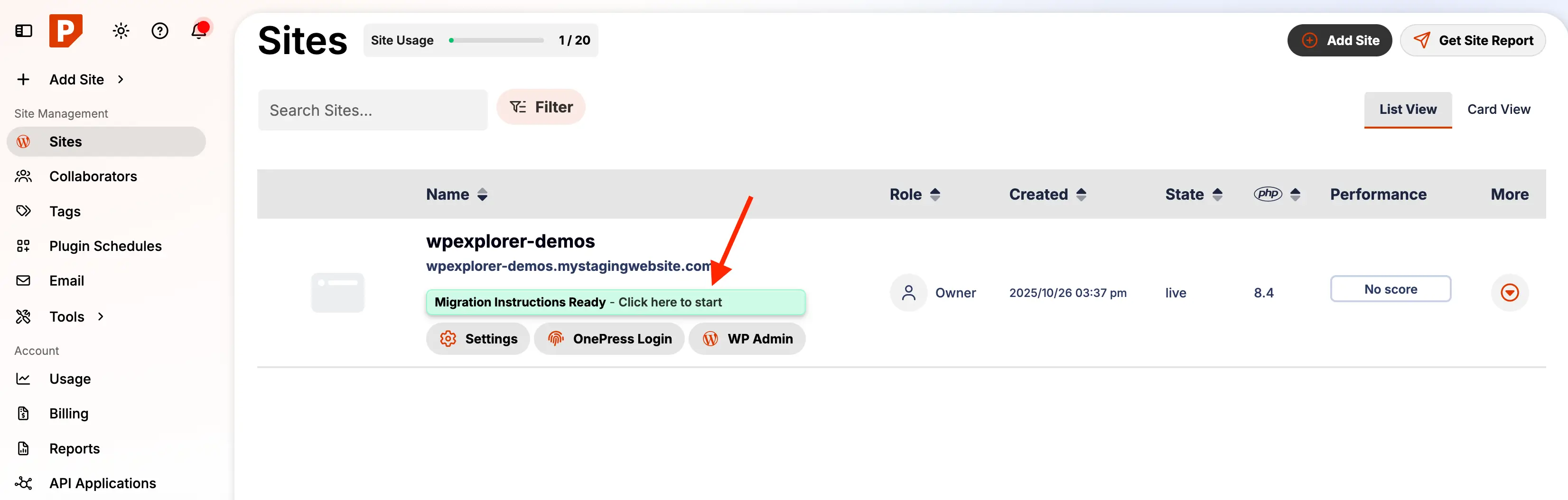
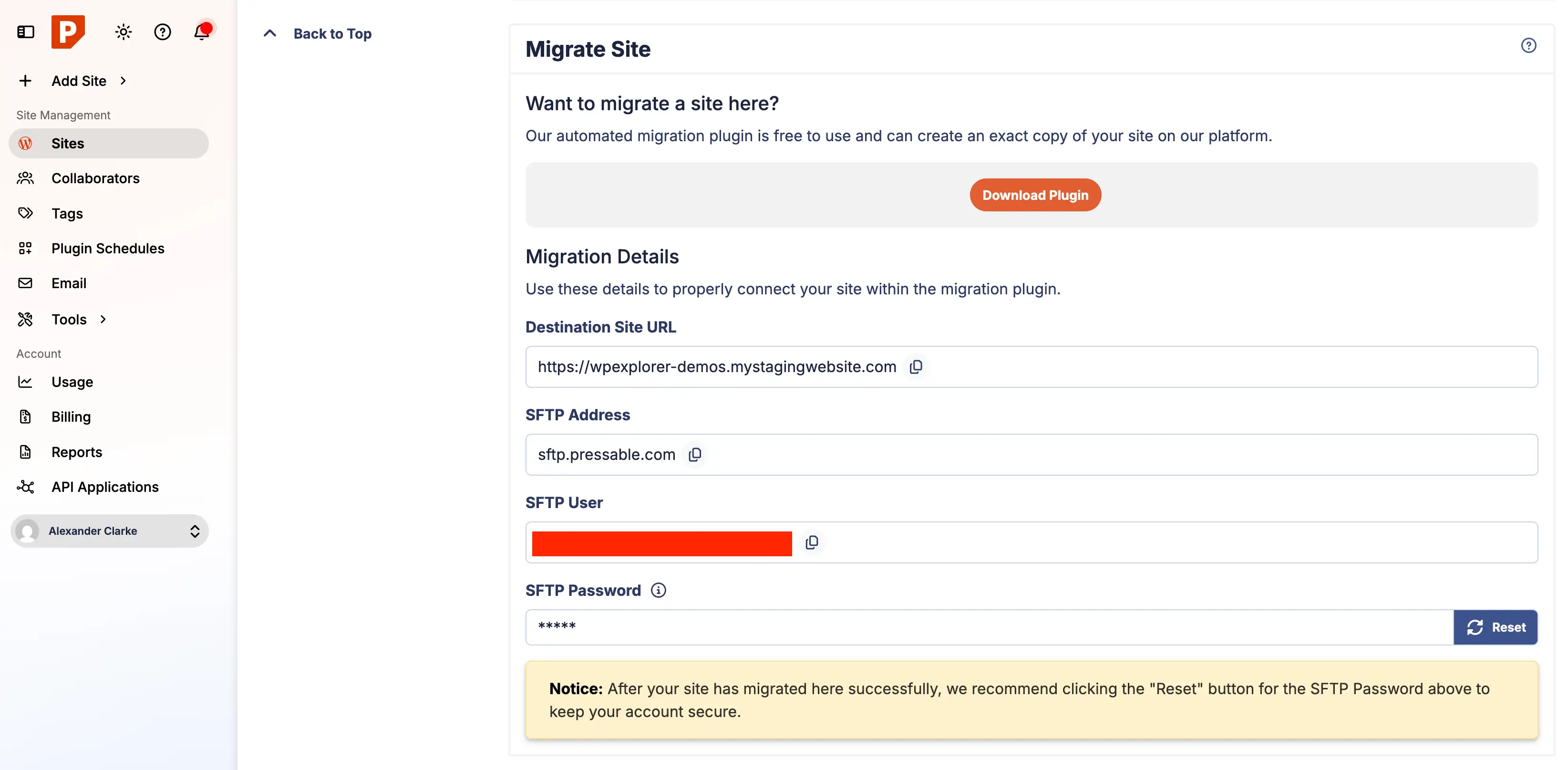
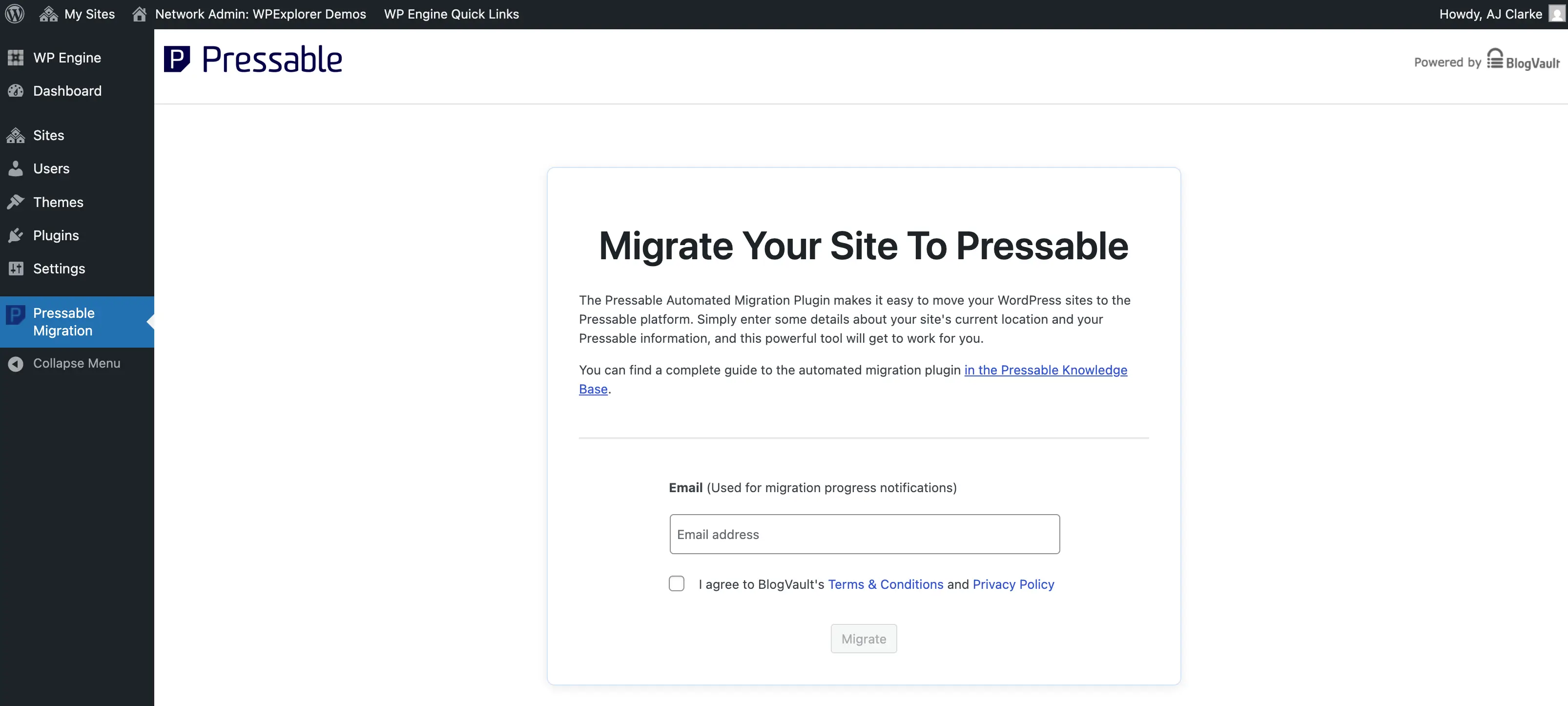
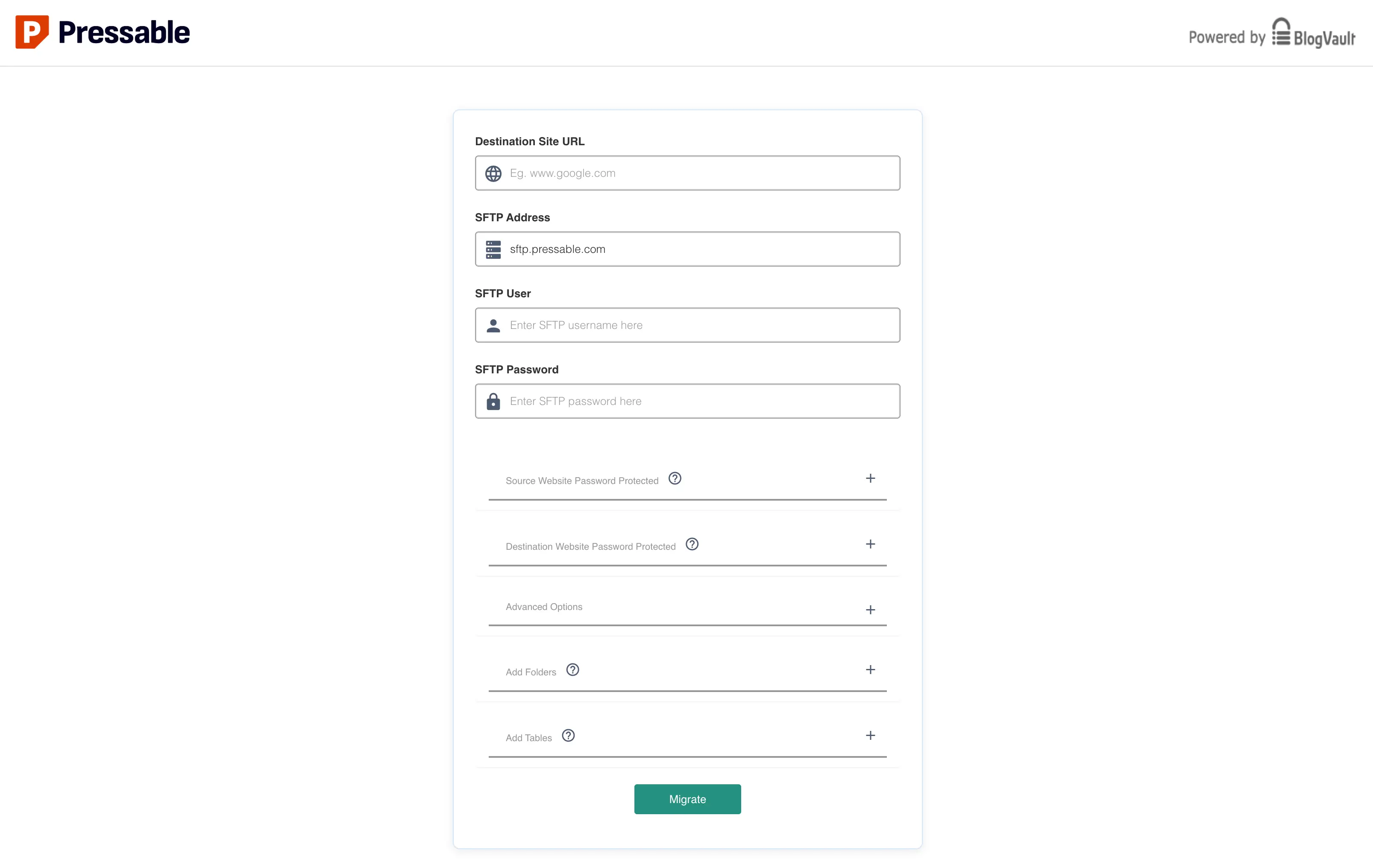
Following the site setup, Pressable provides "Migration Instructions Ready" in the dashboard. While a download link for the migration plugin exists, a more direct approach is to install the "Pressable Automated Migration" plugin from the WordPress.org plugin repository on the source site. After activation, the plugin guides the user through entering an email for status notifications and then prompts for migration details, which are copied directly from the Pressable dashboard. Critically, the SFTP password for the new Pressable site must be reset within the Pressable dashboard to generate a new, secure password for the migration.
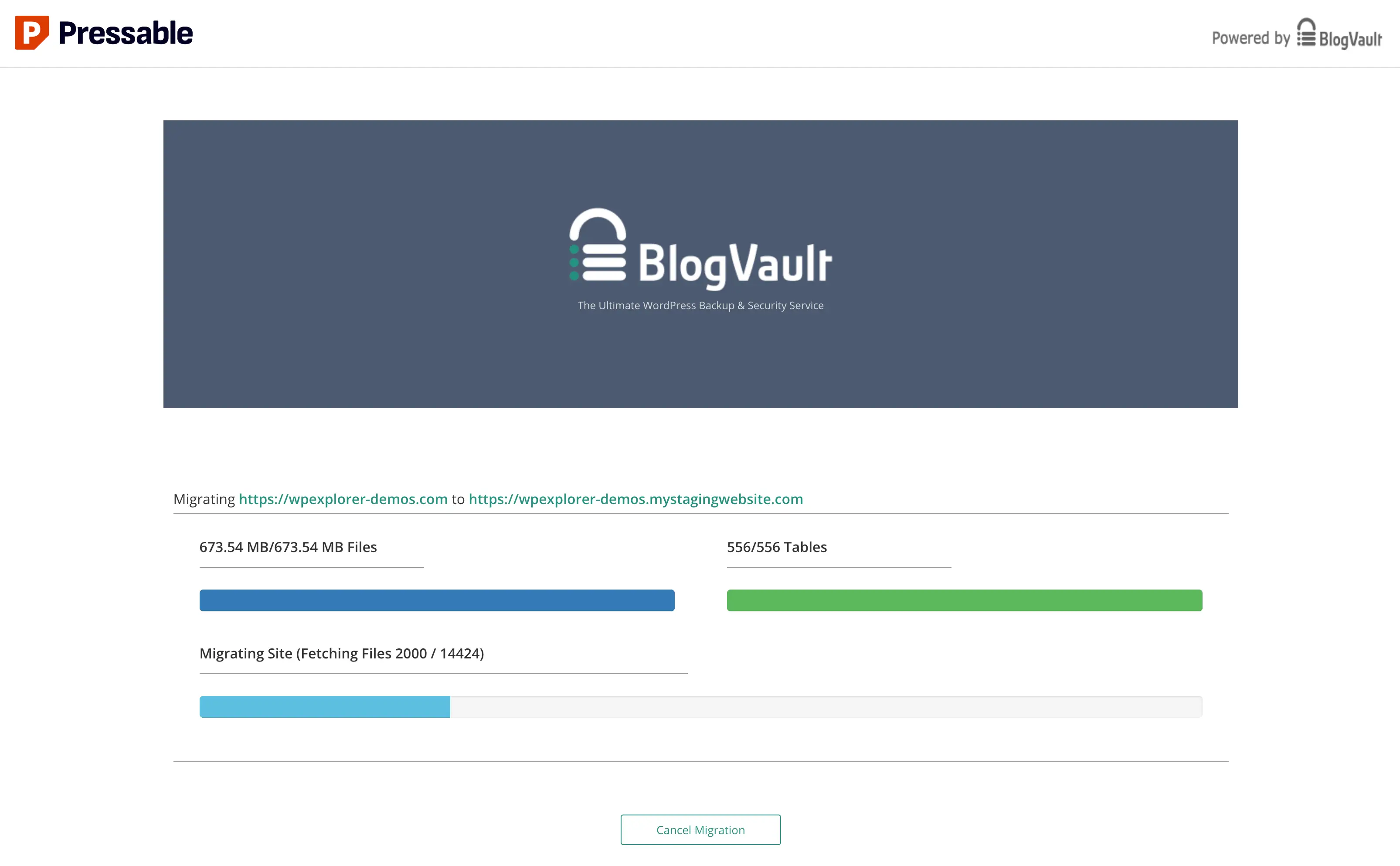
Upon entering these credentials and initiating the migration, the process typically redirects to migrate.blogvault.net, where a progress bar monitors the transfer. This reliance on a third-party domain for the migration process, while secure due to BlogVault’s established reputation, has been noted by some users as a point where Pressable could enhance its branding and user experience by hosting the progress tracking on its own domain. Large sites, especially multisite installations, can take a significant amount of time (up to an hour or more), and progress bars may occasionally appear to freeze; patience is key during this phase. An email notification confirms the commencement of the migration.
5. Post-Migration Validation and Optimization
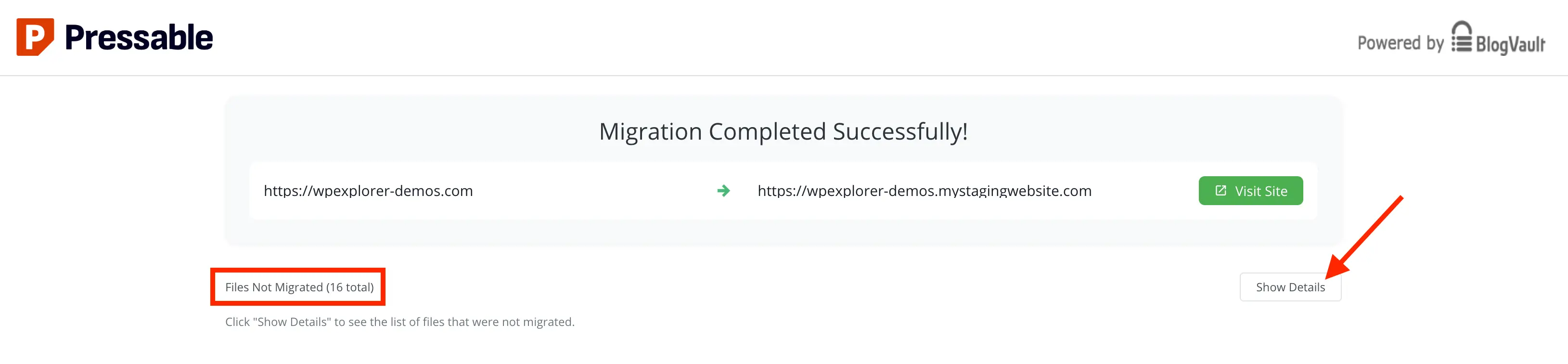
Once the migration completes, a success screen appears, potentially listing "Files Not Migrated." It is imperative to review these details, as some files may require manual transfer via SFTP. In many cases, these skipped files are remnants of the previous hosting environment (e.g., WPEngine-specific mu-plugins) and are not essential for the Pressable environment.
Cleaning Up Legacy Hosting Artifacts: Post-migration, a critical cleanup phase involves removing any unnecessary files, custom cron jobs, or administrative accounts inherited from the previous host. This ensures a lean, secure, and organized site on Pressable. This includes:
- Removing Unnecessary Files: Deleting host-specific files or folders from the root and
wp-contentdirectories. - Managing Cron Jobs: Reviewing and potentially disabling or reconfiguring custom cron jobs that may conflict or become redundant. A plugin like "Cron Jobs" can assist in safely managing WordPress cron jobs.
- Deleting Old Hosting Admin Users: Removing any administrative or system accounts created by the previous host to minimize potential security vulnerabilities.
Resetting SFTP Password: As a security best practice, resetting the SFTP migration user password in the Pressable dashboard immediately after migration is strongly recommended.
Migrating Custom Web Rules: Any custom redirects or server-side web rules configured on the old host (e.g., via the admin dashboard on WPEngine) will not automatically transfer. These must be manually reconfigured on Pressable. Given Pressable’s NGINX and PHP-FPM architecture, .htaccess files are not utilized, necessitating the use of custom-redirects.php for implementing rules. This file is also crucial for adding recommended security headers (e.g., X-XSS-Protection, X-Content-Type-Options, X-Frame-Options, Referrer-Policy), which significantly enhance site security by mitigating common web vulnerabilities.
Ensuring Site Integrity and Performance
Before redirecting the live domain, thorough validation of the migrated site on Pressable’s staging domain is essential. This prevents pointing the domain to a potentially broken site. A comprehensive checklist should include:
- Front-end Review: Verify all pages, posts, images, and embedded media load correctly.
- Functionality Testing: Test forms, search, navigation, e-commerce checkout, and any custom scripts.
- Admin Panel Access: Confirm full access to the WordPress admin area.
- Plugin/Theme Functionality: Ensure all plugins and themes operate as expected.
- Broken Links: Use tools to scan for broken internal and external links.
- SEO Elements: Check meta titles, descriptions, and canonical tags.
- Mobile Responsiveness: Verify the site renders correctly across various devices.
- Security Scans: Run a security scan on the migrated site.
Pointing Your Domain to Pressable
Once the migrated site is fully validated, the final step is to update the domain’s DNS records to point to Pressable. This can be achieved through two primary methods:
1. Manual DNS Update:
- Obtain Pressable’s A record IP address from the site’s "Domains" section.
- Log into the domain registrar or DNS provider (e.g., GoDaddy, Cloudflare).
- Locate the DNS management section.
- Update the A record for the root domain and the CNAME record for
wwwto Pressable’s IP address. - Save changes and allow for DNS propagation.
2. DNS Wizard:
Pressable offers a DNS Wizard to simplify this process, automatically configuring the necessary A records. However, users will still need to manually remove any existing A or CNAME records pointing to the old hosting provider from their domain registrar.
After updating DNS, it’s crucial to clear local browser caches and patiently await DNS propagation, which can take anywhere from a few minutes to 48 hours. The Pressable dashboard’s "Domains" section features a Health indicator (green for connected, yellow for pending issues) to monitor the status.
Bonus: Leveraging Jetpack for Enhanced Security
Pressable includes a Jetpack Security subscription with all plans at no additional cost. Jetpack, another Automattic product, offers valuable features such as malware scanning, brute-force attack protection, and downtime monitoring. While not mandatory, activating Jetpack on Pressable is highly recommended to capitalize on these included security enhancements.
To optimize Jetpack, users should install and activate the plugin, then access the "Modules" link within the Jetpack dashboard to selectively enable or disable features. Given that many of Jetpack’s functionalities can be redundant or replaced by specialized plugins, it is advisable to disable non-essential modules, retaining primarily VaultPress backups and core security features like brute-force protection and malware scanning. Activating the free Jetpack license, particularly for migrated sites, may require a manual step as outlined in Pressable’s official documentation.
Implications for Website Owners and Developers
The transition to a managed WordPress host like Pressable carries significant implications for various stakeholders:
- For Business Owners: It translates into reduced operational risk, improved site uptime, faster page load speeds (positively impacting SEO and conversion rates), and a predictable cost structure. The ability to focus on business development rather than server maintenance represents a substantial gain in productivity.
- For Bloggers: Managed hosting provides a worry-free environment, ensuring their content is always accessible and secure, fostering audience growth and engagement.
- For Agencies and Freelancers: It streamlines client management, offers a consistent, high-performance platform for client projects, and reduces the support burden associated with diverse hosting environments. This allows them to scale their services more effectively.
- Security Posture: With the ever-present threat of cyberattacks (WordPress sites are frequent targets, with thousands of attacks daily), managed hosting’s proactive security measures are a critical defense, safeguarding data and reputation.
- Performance Advantage: In an era where Google prioritizes Core Web Vitals, the performance optimizations inherent in managed hosting directly contribute to better search engine rankings and a superior user experience.
While the cost of managed hosting is generally higher than shared hosting, the return on investment in terms of time saved, reduced stress, improved performance, and enhanced security often far outweighs the premium.
Conclusion
Migrating a WordPress site, particularly to a specialized managed host like Pressable, is a strategic move that can profoundly impact a website’s long-term success. By offering a fully managed infrastructure, robust performance, integrated security, and expert WordPress-focused support, Pressable presents an excellent option for a broad spectrum of small to medium-sized sites, blogs, and client projects. The process, whether self-managed or utilizing Pressable’s complimentary white-glove service, is designed for efficiency and minimal disruption. For any site currently grappling with the limitations of non-managed or underperforming hosting, transitioning to a platform like Pressable can unlock significant benefits, ensuring optimal reliability, performance, and peace of mind in the competitive digital arena.