Exploring AI’s Transformative Impact on WordPress Agencies: Strategies, Risks, and Future Outlook

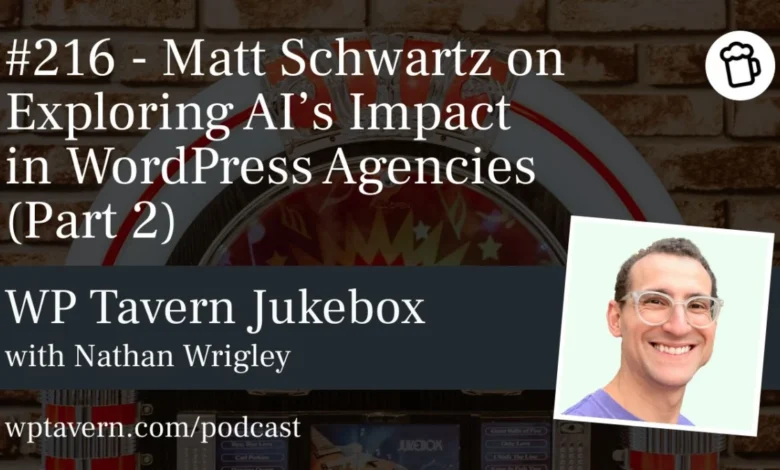
The rapid evolution of Artificial Intelligence (AI) is reshaping industries globally, and the WordPress ecosystem is no exception. A recent discussion on the Jukebox podcast from WP Tavern, featuring host Nathan Wrigley and WordPress agency veteran Matt Schwartz, delved into the multifaceted impact of AI on agencies operating within this popular content management system. This two-part series, culminating in an in-depth second episode, provided a comprehensive analysis of practical strategies for AI integration, potential pitfalls, and the future landscape for WordPress professionals. The conversation underscored the necessity for agencies to adopt AI thoughtfully and securely, balancing innovation with robust risk management.
Contextualizing the AI Revolution in WordPress
The advent of powerful large language models (LLMs) like OpenAI’s ChatGPT and Anthropic’s Claude has dramatically lowered the barrier to entry for AI application across various business functions. For WordPress agencies, this presents both immense opportunities for efficiency and innovation, as well as significant challenges concerning data security, vendor dependence, and the very nature of development and community collaboration. Matt Schwartz, with over a decade of experience running an Atlanta-based WordPress agency and developing products like CheckView for form and checkout QA, emphasized a "smart and cautious" approach to AI adoption. His insights, shared during the podcast, provide a roadmap for agencies looking to leverage AI for tangible wins while navigating its inherent complexities.
Key Strategies for AI Integration in Agencies
Schwartz outlined several practical strategies for integrating AI into agency operations, moving beyond mere experimentation to strategic implementation.
Leveraging Internal Knowledge Bases: Giving AI Access to Your Agency’s Brain
One of the most immediate and low-friction applications of AI for agencies involves connecting AI chatbots to existing internal knowledge bases. This strategy, highlighted by Schwartz, allows AI to "confirm" information by referencing an agency’s project management tools (e.g., ClickUp, Asana) or internal wikis. Instead of AI generating potentially inaccurate or "hallucinated" responses, it can retrieve and process the most current and accurate internal data.
This approach significantly enhances internal knowledge sharing, improves consistency in responses, and can accelerate onboarding for new team members by providing instant access to documented procedures and client information. For example, an AI agent could quickly answer questions about a client’s specific requirements, an agency’s standard operating procedures (SOPs), or even past project details, all by referencing the agency’s structured data. Nathan Wrigley further elaborated on this, noting how AI can effectively "grind up" a corpus of information and deliver coherent, footnoted answers, linking back to original documentation. This capability is particularly advantageous for WordPress, given its open-source nature and extensive public documentation, which AI models can readily access and process.
The Rise of Model Context Protocols (MCPs) and Guardrails
A more advanced, yet increasingly relevant, strategy involves implementing Model Context Protocols (MCPs). Schwartz explained MCPs as an open-source method for securely connecting AI chatbots or agents to external systems, offering a more structured and "friendlier" alternative to direct API integrations. Unlike raw APIs, which require deep understanding of a system’s interface, MCPs provide a pre-built framework that gives AI agents the necessary context and permissions to interact with various internal systems (e.g., help desks, CRM, WordPress sites).
Wrigley likened an MCP to a "perfect gatekeeper" in a supermarket, guiding users directly to what they need without wasted effort. This centralized "bridge" allows agencies to manage all system connections through a single point, eliminating the need for every employee to handle individual API keys. This not only streamlines operations but also significantly enhances security by centralizing access control and allowing for robust guardrails. For instance, an agency’s MCP could grant an AI agent permission to create help desk tickets but explicitly deny it the ability to delete client websites hosted on a server. Schwartz cautioned that while MCPs are cutting-edge, their implementation requires technical expertise and careful consideration of guardrails to prevent catastrophic errors, such as an AI deleting an entire server’s worth of client sites with a simple prompt. The commoditization of MCP creation through SaaS offerings is already emerging, suggesting this technology will become a standard for secure AI integration.
Developing Internal AI-Powered Tools: Vibe-Coded Agency Solutions
AI also empowers agencies to develop "vibe-coded" internal tools, offering customized solutions for specific operational needs. Schwartz distinguished between low-risk internal tools and high-risk public-facing applications. For internal use, AI can be invaluable for creating reporting tools and dashboards that synthesize data from disparate sources like QuickBooks, time-tracking software (e.g., Everhour, Harvest), and WooCommerce subscriptions. These tools can provide deeper insights into financial performance, project profitability, and resource allocation, areas that might otherwise remain unanalyzed due to time constraints. The risk here is relatively low; if the AI-generated report is imperfect, human review can catch discrepancies without public exposure.
However, Schwartz strongly advised caution against using AI to build mission-critical or public-facing tools, such as replacements for established website management dashboards (e.g., ManageWP, WP Remote) or custom QA tools. The ease of AI code generation can lead to a false sense of security, as these tools often lack the rigorous testing, error handling, and security reviews inherent in professionally developed SaaS products. Replacing a robust SaaS product merely to save a small monthly fee often results in higher long-term maintenance costs and increased risk. Wrigley mused about the potential rise of "disposable, one-time apps" for specific, short-term internal tasks, which aligns with the low-risk internal tool concept, but emphasized that anything requiring reliability or public interaction demands thorough human oversight.
Automating Quality Assurance and Checklists
AI’s ability to automate repeatable processes extends significantly to quality assurance (QA) and testing. Schwartz highlighted how AI can assist in building and executing checklists based on an agency’s SOPs, especially for routine tasks like client onboarding or site launches. Tools like "Claude Skills" allow users to teach AI specific workflows, enabling it to automate low-risk items while flagging critical steps for human review. For instance, an AI could automatically check numerous site configurations, but a human would still confirm crucial settings like the "no index" tag – a common and potentially disastrous oversight if left unchecked.
This approach optimizes human effort, allowing skilled personnel to focus on complex problem-solving and critical validation, while AI handles the monotonous, time-consuming checks. It not only speeds up processes and potentially improves profit margins but also leads to more comprehensive testing than agencies might achieve manually due to time limitations. While some basic binary checks might eventually be fully trusted to AI, critical items still warrant human verification.
Navigating the Evolving WordPress Ecosystem
The widespread adoption of AI is poised to significantly impact the broader WordPress ecosystem, particularly its plugin market and the traditional boundaries of agency specialization.
Impact on the WordPress Plugin Market
Schwartz observed a noticeable drop in sales for smaller, utility-focused WordPress plugins, a direct consequence of agencies and individual users leveraging AI to generate custom code snippets or one-off solutions. This trend forces plugin developers to "raise the bar," shifting focus from simple, single-purpose tools to more complex, platform-like offerings that AI cannot easily replicate or that require a level of trust and robust engineering beyond a quick AI prompt.
Nathan Wrigley expressed a deeper concern regarding the potential "haemorrhaging" of the WordPress community. Many smaller plugin developers are often entry points for new contributors, fostering engagement and innovation within the open-source spirit. If these developers find their niche eroded by AI-generated alternatives, it could lead to a less diverse ecosystem dominated by larger companies, potentially diminishing the collaborative essence that has defined WordPress for years. This shift could impact event attendance, community forum engagement, and the overall vibrancy of the ecosystem.
Experimenting Beyond WordPress with AI
AI’s ability to rapidly process and understand unfamiliar codebases also empowers agencies to "experiment beyond WordPress." Schwartz noted that agencies are exploring other platforms and tech stacks, as AI can quickly provide guidance on unfamiliar environments, making it easier to diversify service offerings. For simple brochure sites, some agencies are even considering moving away from a full CMS infrastructure to static or HTML-based sites, leveraging AI for generation and maintenance, thereby reducing concerns about security updates or complex hosting.
While this diversification is possible, Schwartz highlighted that WordPress’s open-source nature and API-centric development position it well for AI integration. Its extensive documentation and flexible framework make it an ideal candidate for AI agents to interact with, ensuring its continued relevance even as agencies explore alternative solutions for niche projects.
Mitigating Risks and Cautions in AI Adoption
Despite the immense opportunities, both Schwartz and Wrigley emphasized the critical importance of approaching AI with "eyes wide open" to its inherent risks.
Data Security and Privacy Concerns
A paramount concern is the security of sensitive client data. Agencies frequently input confidential information, API keys, and proprietary business processes into AI chatbots. Schwartz warned that anything submitted to these chat interfaces could potentially be considered "public record" by some AI providers, or at least stored and processed in ways that could expose sensitive data. Legal arguments from companies like OpenAI have underscored this. Agencies must implement secure practices, such as using enterprise-grade AI solutions with strict data privacy agreements or anonymizing data where possible, to prevent inadvertent data leaks or breaches.
The Challenge of Error Handling and Validation
The ease of "vibe-coding" tools with AI often leads to a lack of robust error handling. AI, being pattern-based, makes assumptions and may not account for all edge cases, leading to unexpected failures. Schwartz stressed that unlike human developers who apply logic and anticipate problems, AI-generated code can break down in unforeseen circumstances. This necessitates diligent manual code reviews, comprehensive logging, and rigorous testing for any AI-powered tool, especially those intended for critical agency functions or client use. The low friction of AI interaction can create a false sense of infallibility, making agencies complacent about validation.
Overdependence on AI Vendors and Cost Implications
Agencies risk becoming overly dependent on a handful of AI vendors, which can lead to significant financial and operational vulnerabilities. Schwartz cited the example of Claude potentially moving its "Claude Code" feature to a more expensive tier, which could drastically increase costs for agencies that have deeply integrated it into their workflows. As AI companies seek to recoup their massive venture capital investments, price hikes are inevitable. Agencies must design their AI integration strategies to be adaptable, ensuring core operations can function even if specific AI tools become prohibitively expensive or undergo significant changes. This might involve building processes that can reduce AI reliance or budgeting for increased costs.
The Inevitability of AI Mistakes
Finally, a fundamental caution is acknowledging that AI makes mistakes, or "hallucinates," frequently. While AI coding has improved dramatically, it’s not 100% reliable and lacks true contextual understanding. Relying blindly on AI for critical tasks without human oversight is a recipe for disaster. Human review, validation, and a clear understanding of AI’s limitations are essential to prevent errors from impacting clients or business operations.
Future Outlook and Strategic Positioning for Agencies
Looking ahead, Schwartz shared several predictions for how AI will reshape the agency landscape.
Shifting Hiring Paradigms
AI is already influencing hiring decisions within agencies. The ability to automate repetitive or non-specialist tasks means agencies may require fewer junior employees or contractors for execution-focused roles. The "floor is raising," meaning the demand will shift towards more strategic, value-driven roles where human expertise in problem-solving, client relations, and high-level strategy remains indispensable. However, Schwartz also posited that if AI tool costs escalate significantly, agencies might revert to hiring more human talent for execution, creating a dynamic equilibrium.
The Productization of Services
AI facilitates a greater degree of productization for agency services. By leveraging automation, agencies can package their processes into more nuanced and specialized offerings. For example, an agency specializing in websites for plumbers can use AI to refine and automate specific aspects of their service delivery, making it highly tailored and efficient for that niche. This allows agencies to scale specialized solutions more effectively, moving beyond generic offerings to highly customized, productized services.
Evolution of Agency Tools and Roles
The nature of tools and roles within agencies will evolve. The focus will shift from the manual "execution of tools" to the "automation" of processes. Humans will increasingly become "managers of AI," overseeing automated workflows, monitoring their performance, and ensuring accuracy. This will likely lead to a greater investment in advanced QA and monitoring tools designed to supervise AI-driven automations and ensure websites perform as intended. The human element will pivot towards strategic oversight, critical decision-making, and specialized problem-solving, leaving routine management to AI.
In conclusion, the conversation between Nathan Wrigley and Matt Schwartz provided invaluable guidance for WordPress agencies grappling with the AI revolution. The message is clear: AI presents unprecedented opportunities for efficiency, innovation, and strategic growth, but its adoption demands a cautious, informed, and well-documented approach. Agencies that embrace AI thoughtfully, with robust security measures, clear guardrails, and a willingness to adapt their operational models, are best positioned to thrive in this rapidly evolving digital landscape. As Schwartz aptly summarized, the key is to "dabble, but don’t be reckless."
Related posts: