How to Clean Up the Yoast SEO Interface by Removing Free Version Upsells and Promotional Banners

As content management systems evolve to support increasingly complex digital publishing environments, the monetization strategies of foundational plugins have also shifted. Yoast SEO, recognized globally as one of the most widely deployed search engine optimization plugins for the WordPress ecosystem, provides essential utilities for millions of websites. From foundational XML sitemap generation to granular meta-tag optimization, its free version forms the baseline of technical SEO infrastructure for countless blogs, corporate portals, and e-commerce platforms. However, the economic model of freemium software frequently introduces a persistent trade-off for administrators: balancing free functionality with promotional interface elements designed to encourage upgrades.
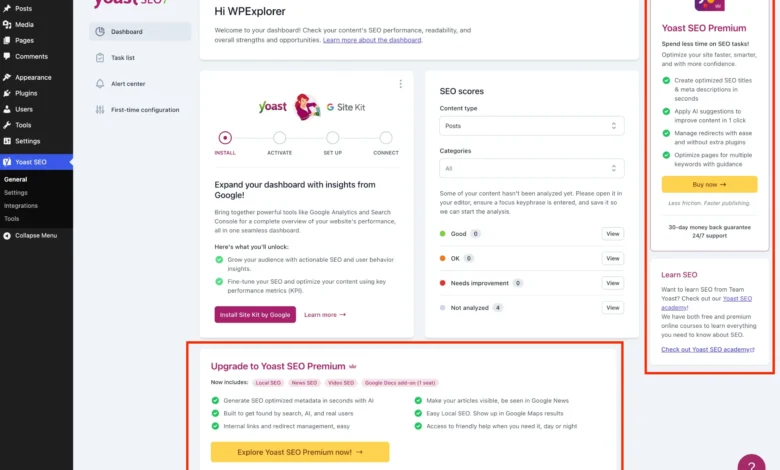
For developers, system administrators, and digital agencies managing multi-site client portfolios, the administrative dashboard of a WordPress installation serves as a critical workspace. In these professional environments, visual clarity, functional efficiency, and the absence of extraneous distractions are paramount. Over recent iterations, the free distribution of Yoast SEO has incorporated a substantial volume of promotional touchpoints—commonly referred to as upsell noise. These interface elements include premium upgrade banners, secondary navigation pages dedicated entirely to pricing tiers, dashboard widgets that initiate external HTTP requests, and sidebar modules designed to promote artificial intelligence features, educational academies, and commercial add-ons.
While the developers behind Yoast SEO maintain that these promotional displays are necessary to sustain ongoing research, security patching, and core feature development, they can prove counterproductive for users who have deliberately chosen the free tier or who manage sites where administrative minimalism is preferred. For organizations operating under strict internal UI guidelines or those seeking to streamline the client experience, mitigating this visual clutter requires targeted technical intervention.
Understanding the Administrative Footprint of Promotional Elements
The presence of monetization prompts within open-source plugins is an industry-standard practice, yet its implementation varies widely across the WordPress repository. In the case of Yoast SEO, promotional injections span multiple layers of the WordPress dashboard architecture. These include the primary plugin submenus, the WordPress admin bar at the top of the viewport, the default dashboard overview widgets, and the Gutenberg block editor sidebar panels utilized during content creation.

From a technical perspective, these promotional additions are generated through a combination of PHP-based menu registrations, dynamic JavaScript components, and customized cascading style sheets injected directly into the document head. Because the free tier shares a common codebase with its commercial counterpart, Yoast SEO pre-loads administrative interfaces with hooks and wrappers for features such as redirection managers, workout assistants, and advanced artificial intelligence tools. When these modules are accessed on an installation running only the free version, they invariably redirect the user to a checkout or feature-preview screen.
Industry analysts note that while freemium conversion strategies are vital for software-as-a-service (SaaS) revenue models, their integration into content management systems requires careful UX balancing. Excessive administrative prompts can lead to cognitive fatigue among content creators, prompting administrators to seek programmatic remedies. Rather than abandoning a robust SEO utility, a growing segment of the developer community relies on custom PHP architectures and scoped styling rules to reclaim interface real estate.
Architecting a Programmatic Solution via Custom PHP Classes
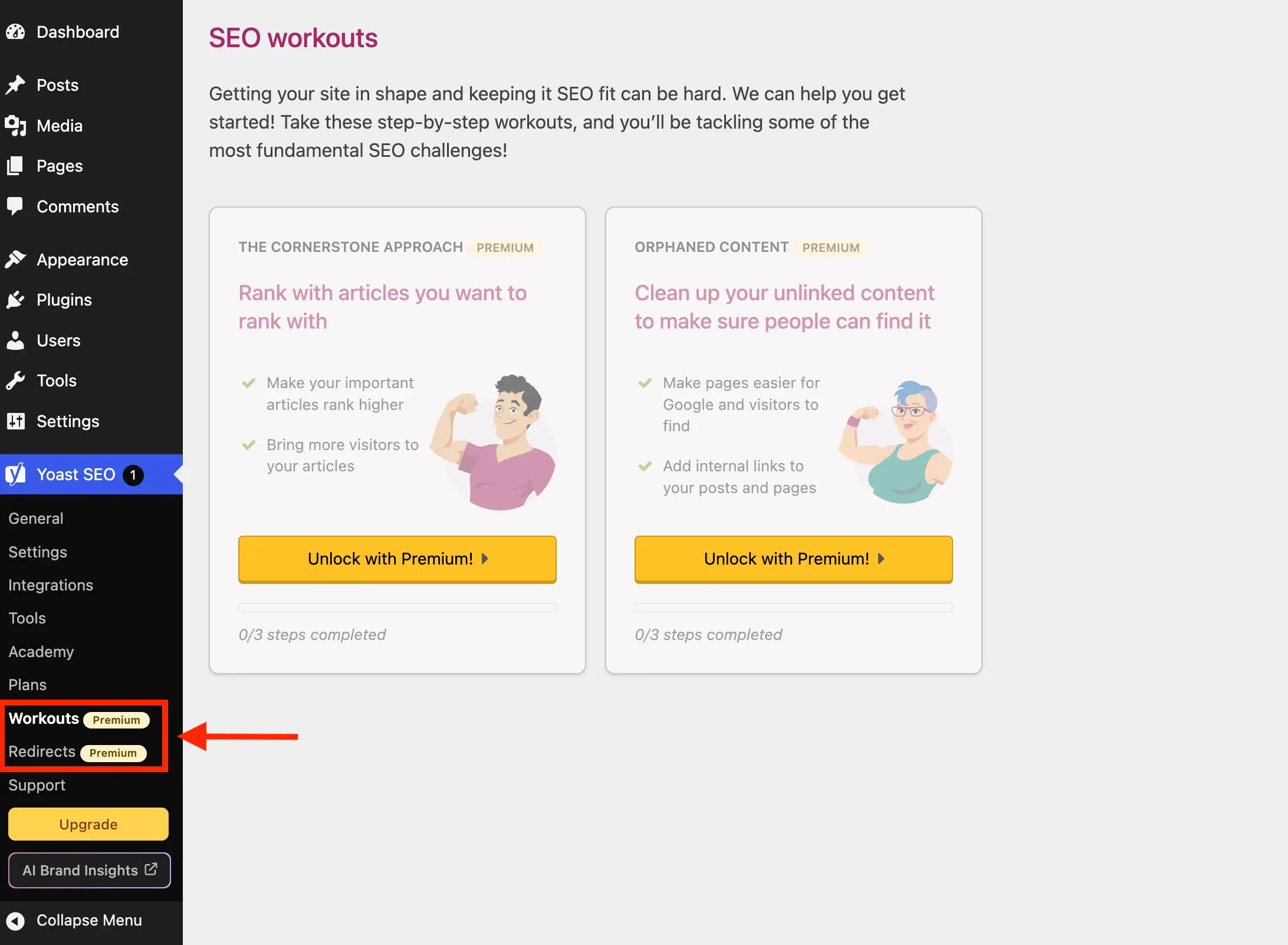
To systematically suppress unwanted administrative notifications, promotional banners, and redundant submenus without destabilizing the core functionality of the SEO plugin, developers utilize targeted programmatic overrides. By implementing a dedicated PHP class within a child theme’s functions file, a bespoke code snippet plugin, or a Must-Use (MU) plugin, administrators can intercept WordPress hooks and filter out specific elements before the dashboard is rendered.
The foundational architecture of this cleanup process begins with rigorous environment validation. Before any filtering functions execute, the code must verify whether the target plugin is actively deployed and whether the commercial variant is absent. If Yoast SEO Premium is already installed, the administrative upsells are naturally absent, rendering any auxiliary cleanup scripts redundant.
if ( ! class_exists( 'WPEX_Remove_Yoast_SEO_Upsells' ) )

    class WPEX_Remove_Yoast_SEO_Upsells

        public function __construct()
            if ( ! defined( 'WPSEO_VERSION' )


    new WPEX_Remove_Yoast_SEO_Upsells;
This conditional initialization prevents fatal errors, namespace collisions, and redundant computational overhead. Once the class environment is established, administrators can systematically target individual vectors of promotional content across the WordPress admin dashboard.

Neutralizing Redundant Submenu Pages and Navigation Banners
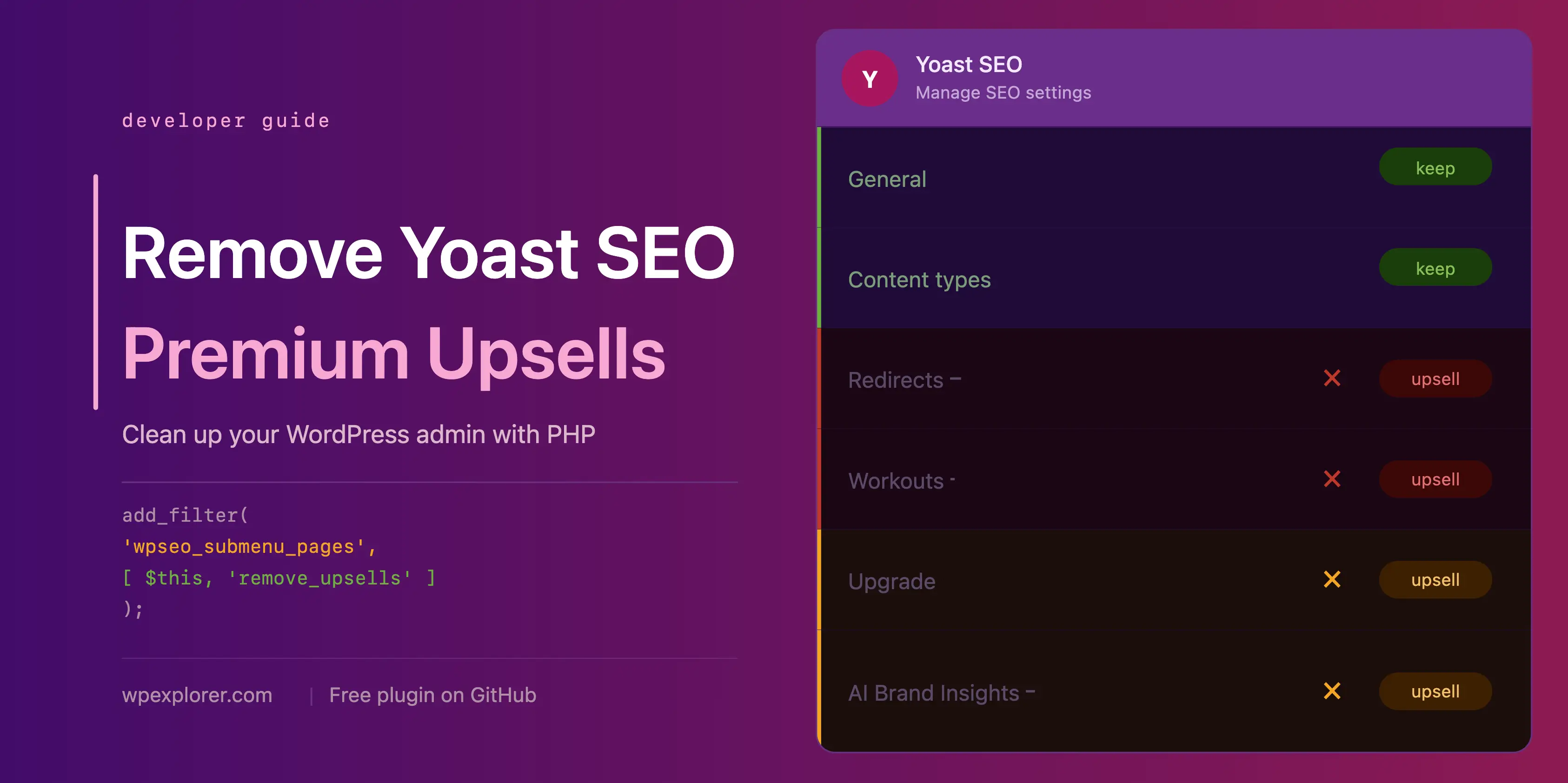
The sidebar navigation menu generated by Yoast SEO frequently includes entries that serve little operational purpose for operators of the free version. Submenu pages such as plugin configuration assistants, licensing portals, educational academies, and support hubs often function primarily as sales funnels rather than utilitarian tools. Furthermore, premium-exclusive features like redirection modules and structural site workouts are visible in the free tier, acting solely as conversion gateways.
By hooking into the wpseo_submenu_pages and wpseo_network_submenu_pages filters at maximum integer priority (PHP_INT_MAX), developers can intercept the array of registered submenu items. The script evaluates each item, checking for specific string patterns—such as the HTML markers associated with premium badges—or matching designated page slugs against an exclusion array.

public function remove_premium_admin_pages( array $pages ): array
    $pages_to_remove = [
        'wpseo_upgrade_sidebar',
        'wpseo_licenses',
        'wpseo_page_academy',
        'wpseo_page_support',
        'wpseo_redirects',
        'wpseo_workouts',
    ];
    return array_filter( $pages, function( $page ) use ( $pages_to_remove )
        if ( isset( $page[2] ) && str_contains( $page[2], 'yoast-premium-badge' ) )
            return false;

        if ( isset( $page[4] ) && in_array( $page[4], $pages_to_remove, true ) )
            return false;

        return true;
     );
This filtering mechanism ensures that non-essential administrative pages are stripped from both single-site dashboards and multi-site network administration panels, leaving behind a streamlined menu containing only essential configuration utilities like readability analysis, schema settings, and general site representation tools.
Suppressing Admin Bar Shortcuts and Dashboard Widgets
Beyond the primary sidebar navigation, promotional elements frequently appear in high-visibility areas such as the top admin toolbar and the primary WordPress dashboard landing page. The admin toolbar, designed for rapid navigation across a site, often houses persistent upgrade prompts and brand intelligence buttons. Similarly, the default dashboard widget provided by Yoast SEO aggregates site SEO metrics alongside an external RSS feed from the developer’s corporate blog.

Security and performance audits of WordPress installations frequently scrutinize widgets that initiate un-cached external HTTP requests upon every dashboard load. The standard Yoast dashboard widget transmits server telemetry—including environment versions—to external endpoints during routine administrative logins. Removing this widget not only improves dashboard rendering speeds but also enhances operational privacy.
public function remove_dashboard_widget(): void
    remove_meta_box( 'wpseo-dashboard-overview', 'dashboard', 'normal' );


public function remove_dashboard_widget_assets(): void
    $current_screen = get_current_screen();
    if ( ! ( $current_screen instanceof WP_Screen && $current_screen->id === 'dashboard' ) )
        return;

    wp_dequeue_script( 'yoast-seo-dashboard-widget' );
    wp_dequeue_style( 'yoast-seo-wp-dashboard' );
    wp_dequeue_style( 'yoast-seo-monorepo' );
Concurrently, shortcuts located within the top administration bar can be systematically deregistered using core WordPress admin bar node manipulation methods, ensuring that top-level viewport navigation remains entirely functional and free from commercial prompts.
Mitigating JavaScript-Driven UI Elements via Scoped CSS Injection

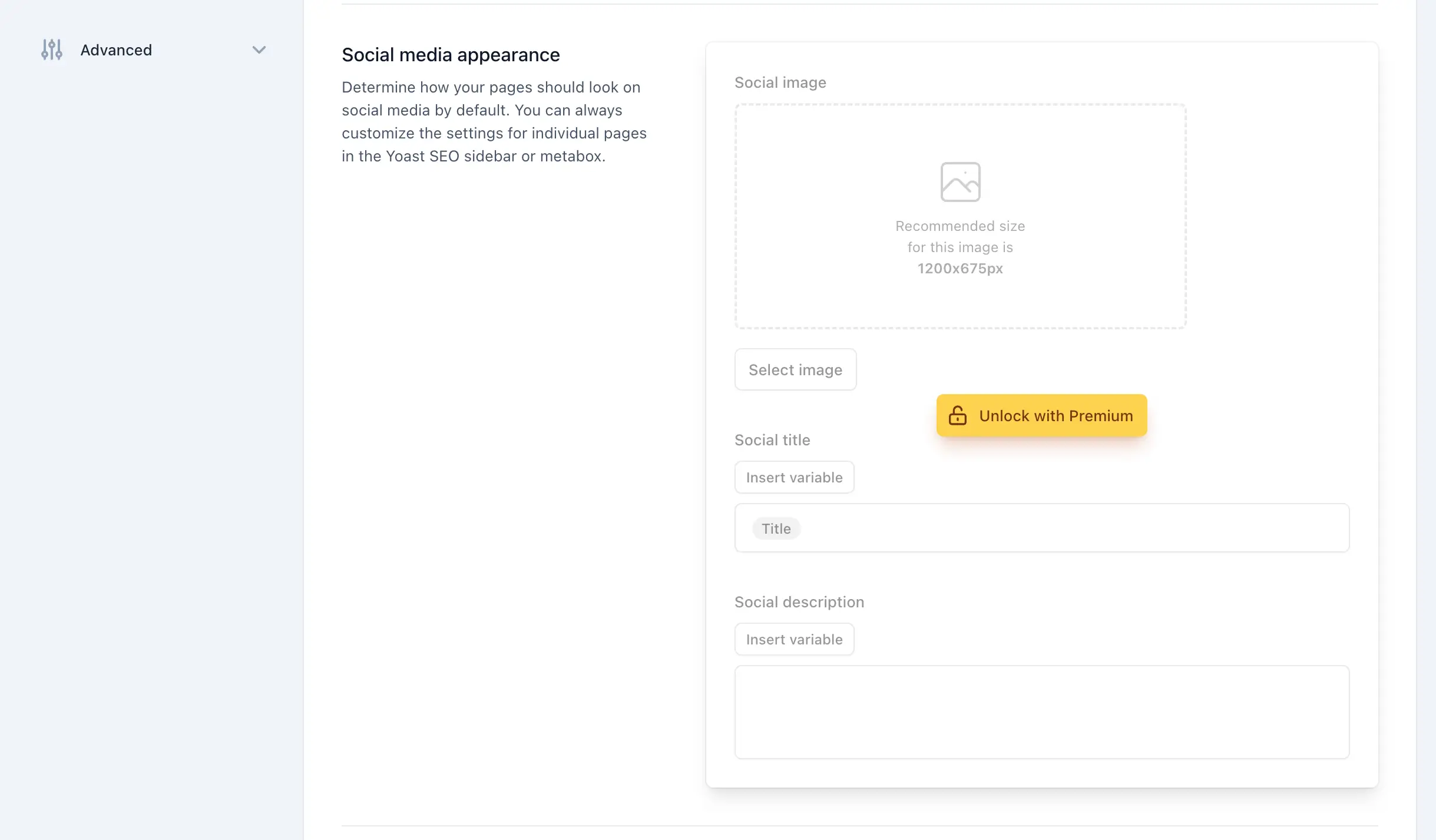
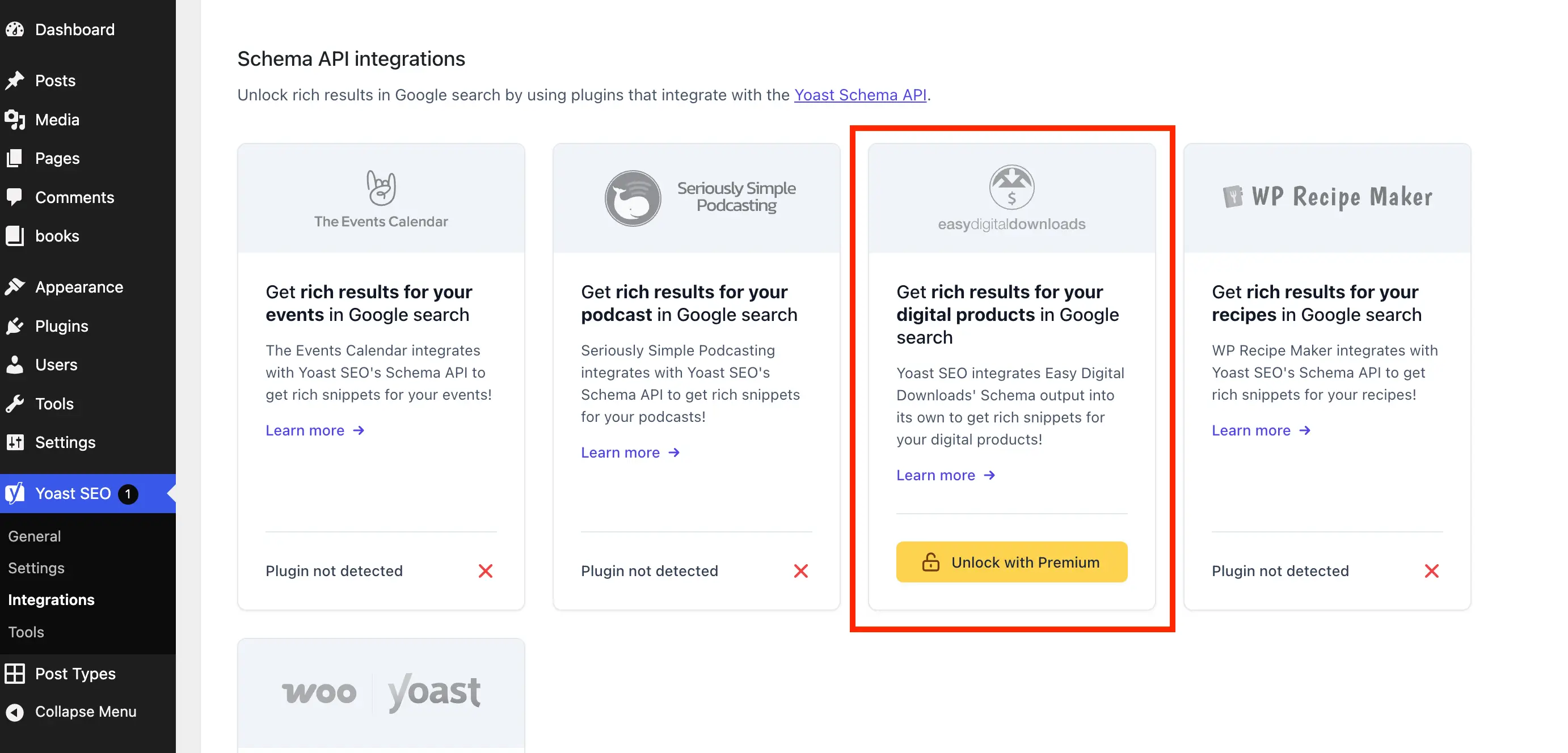
A technical challenge inherent in modern WordPress plugin development is the heavy reliance on dynamic JavaScript components for administrative interfaces. Many promotional banners, upgrade prompts, and locked settings fieldsets within Yoast SEO are rendered client-side via JavaScript frameworks rather than server-side HTML generation. Consequently, traditional PHP action hooks and filters are insufficient for eradicating these elements entirely.
To address this structural limitation, developers deploy targeted cascading style sheets injected exclusively into designated plugin screens and post-editor environments. By utilizing precise structural selectors and attribute matching rules, administrators can visually suppress upgrade cards, integration upsells, and locked metabox fields without disrupting underlying form inputs or functional settings.
public function remove_upsells_from_admin_pages(): void
    $current_screen = get_current_screen();
    if ( ! ( $current_screen instanceof WP_Screen && str_contains( $current_screen->id, 'wpseo_' ) ) )
        return;

    $css = '
        #yoast-seo-general .yst-@container > div:last-child:has([data-action=load-nfd-ctb]),
        #yoast-seo-general .yst-min-w-[16rem]:has(>.yst-sticky),
        #yoast-seo-settings main + div:has([data-action=load-nfd-ctb]),
        #yoast-seo-settings .yst-root div[class*=yst-fixed],
        #yoast-seo-settings main section .yst-feature-upsell,
        #wpseo-integrations .yst-root section > .yst-grid > div:has([data-action=load-nfd-ctb]),
        .yst-root .yst-table-row:has(.yst-button--upsell),
        .seo_page_wpseo_tools .wpseo_content_cell .yoast_premium_upsell  display: none !important;
    ';
    wp_register_style( 'wpex-remove-yoast-upsells', false );
    wp_enqueue_style( 'wpex-remove-yoast-upsells' );
    wp_add_inline_style( 'wpex-remove-yoast-upsells', $css );
By restricting these styles strictly to screens containing the wpseo_ identifier and post-editing interfaces (post and term bases), the performance impact of the inline stylesheet remains negligible while successfully enforcing a uniform visual standard across the publishing workflow.
Implications and Maintenance Considerations for Enterprise WordPress Deployments
The implementation of custom administrative interface modifications carries broader implications for site maintenance and software lifecycle management. Third-party plugins like Yoast SEO undergo frequent updates, ranging from minor security patches to major user interface overhauls. When underlying DOM structures or class naming conventions are modified by upstream developers, custom CSS selectors may require periodic calibration to maintain their efficacy.
For digital agencies and enterprise IT teams, deploying such modifications via a centralized custom plugin—rather than scattering snippets across various theme files—simplifies version control and deployment pipelines. Open-source repositories hosting modular cleanup packages provide community-driven maintenance channels where developers can submit pull requests and updates in response to upstream plugin releases.
Ultimately, while purchasing commercial licenses remains the most officially supported method for unlocking advanced features and removing promotional barriers, programmatic interface cleanup offers a viable, cost-effective alternative for organizations utilizing the free ecosystem. By carefully balancing hook-based filtering with scoped CSS rules, administrators can construct a pristine, highly efficient publishing environment tailored to the precise operational requirements of their projects.