WordPress 7.0 Introduces Native AI Integration, Revolutionizing Plugin Development and Content Creation


The release of WordPress 7.0 marks a significant paradigm shift for the world’s most popular content management system, ushering in native artificial intelligence (AI) capabilities that fundamentally redefine how plugins interact with AI providers and how site administrators manage these integrations. This pivotal update moves beyond the previously fragmented landscape, where plugins independently sought and managed API keys, to a centralized and standardized architecture. This new framework promises substantial benefits for both the expansive developer community and millions of WordPress site owners, streamlining workflows, enhancing security, and significantly reducing technical debt.
The Fragmented Past: A Pre-7.0 Challenge
Before the advent of WordPress 7.0, the integration of AI features into the platform was a cumbersome and inefficient process. Each plugin seeking to leverage AI capabilities was required to independently handle the complexities of API key management and communication with external AI providers. This meant bundling heavy, often proprietary, Software Development Kits (SDKs) from providers like OpenAI or Anthropic directly into plugin code. Developers had to write custom, provider-specific cURL requests, manage authentication, and handle various network logics for each AI service.

This approach led to several critical drawbacks:
- Increased Code Weight: Plugins became bloated with redundant SDK libraries, leading to larger file sizes and potentially slower loading times.
- Maintenance Burden: Developers faced a continuous challenge of monitoring and updating multiple SDK versions, resolving compatibility issues, and adapting to changes in various AI providers’ APIs. This significantly increased technical debt.
- Security Concerns: Storing and managing API keys within individual plugins, often through custom settings pages or even hardcoded methods, presented inherent security vulnerabilities. A single poorly coded or untrustworthy plugin could expose sensitive credentials.
- Fragmented User Experience: Site administrators had to navigate disparate settings pages within each AI-powered plugin to configure API keys, monitor usage, or switch providers, leading to a confusing and inefficient management experience.
This fragmented scenario was a clear barrier to widespread, robust AI adoption within the WordPress ecosystem, hindering innovation and adding unnecessary complexity for both creators and consumers of AI-powered tools.
WordPress 7.0: A Unified AI Architecture Emerges
The landscape has been entirely transformed with the native AI integration introduced in WordPress 7.0. The core development team has delivered a centralized interface for configuring credentials for various AI providers, complemented by a powerful new PHP API. This architectural overhaul allows plugins to send commands, instructions, media files, and complex data structures seamlessly, with the WordPress Core now handling the intricate request management. This abstraction layer simplifies development, enhances security, and provides a consistent user experience.
Immediate Benefits for Site Administrators
For site administrators, WordPress 7.0 ushers in an era of unprecedented simplicity in managing AI integrations. The days of configuring AI settings across numerous plugins are over. Now, the process is consolidated:
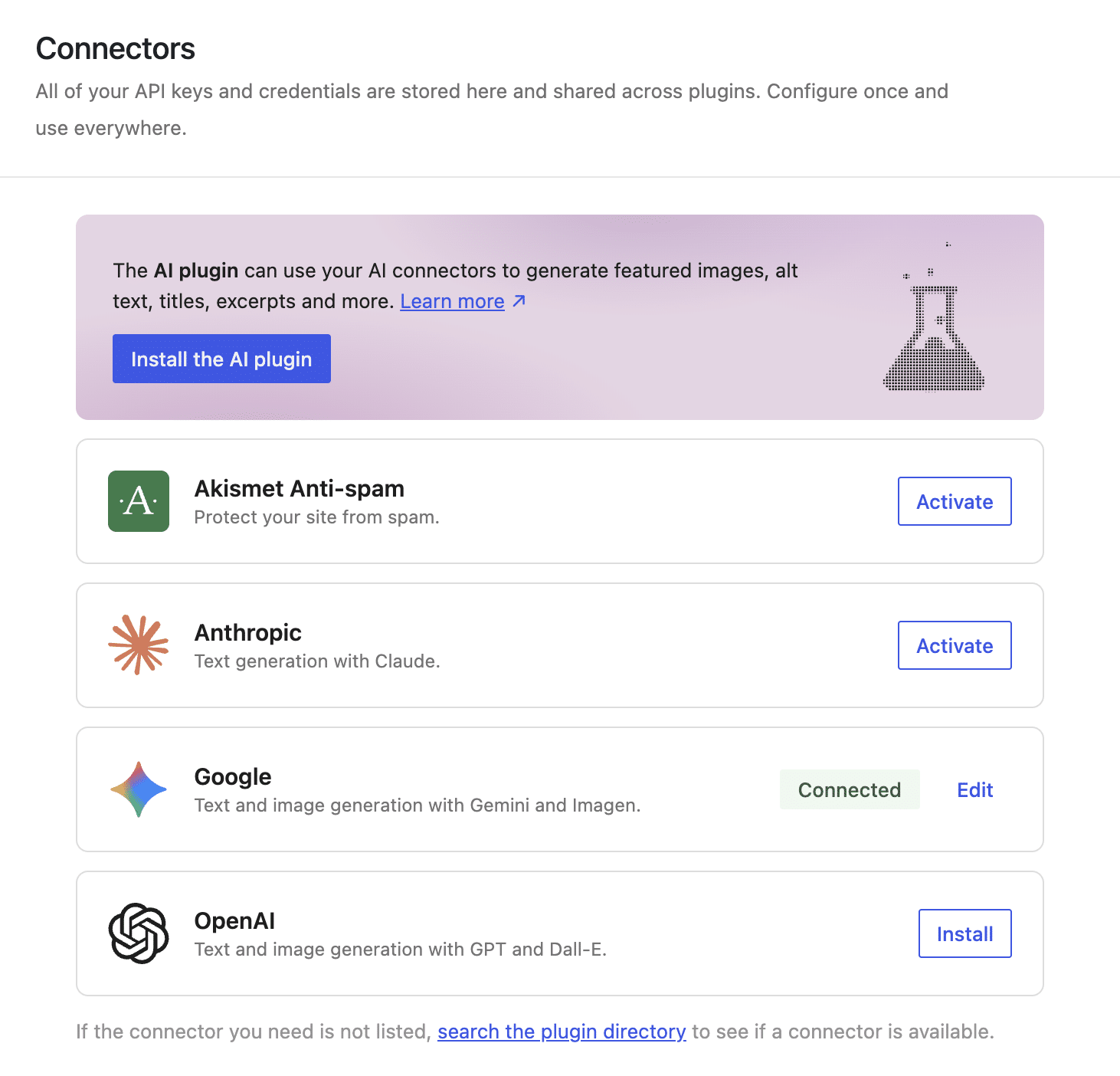
- Centralized Credential Management: Administrators simply install and enable their AI plugin connectors, then input their API keys into a unified "Connectors" interface within the WordPress dashboard. These credentials instantly become available to all AI-powered plugins on the site.
- Simplified Monitoring and Control: The centralized interface allows for easy monitoring of AI usage, switching between preferred models, or revoking a provider’s access for all plugins with a single click. This level of granular control was previously unattainable without extensive manual intervention.
- Enhanced Security: By centralizing API key storage and management, WordPress Core can implement robust security measures, mitigating the risk of sensitive data exposure through individual plugins. This reduces the attack surface and builds greater trust in AI integrations.
Profound Advantages for Plugin Developers
The benefits for plugin developers are even more substantial, addressing long-standing challenges and opening new avenues for innovation:
- Drastic Reduction in Technical Debt: Developers are no longer required to bundle heavy, proprietary SDK libraries or write vendor-specific network logic. The WordPress Core handles the complexities of communicating with AI providers, freeing developers to focus on core plugin functionality. This translates to lighter plugin codebases, fewer dependencies, and significantly reduced maintenance overhead.
- Superior Code Portability: The new architecture decouples authentication and provider-specific logic from a plugin’s core functionality. This means a plugin can continue to operate seamlessly even if a site administrator switches AI providers, without requiring a single line of code change. This future-proofs plugins and allows for greater flexibility.
- Enhanced Data Security: Centralized credential management within the WordPress Core improves overall site security. Developers no longer bear the sole responsibility for securing sensitive API keys, as the core provides a robust and standardized approach.
- Faster Development Cycles: With much of the boilerplate and complex integration work handled by the core, developers can build AI-powered features more rapidly, accelerating innovation and time-to-market for new plugins.
The Three Pillars of the WordPress AI Architecture
The native AI capabilities in WordPress 7.0 are structured across three distinct layers, working in concert to provide a robust and flexible foundation:
-
AI Connector: This layer acts as the central hub for managing AI service providers. Prior to 7.0, each AI plugin had its own system for storing API keys, often through custom settings or even hardcoding, posing significant security and management challenges. The AI Connector provides a unified interface in the WordPress admin dashboard (as depicted in the "Connectors screen" image in the original article) where administrators can configure all their AI service providers in one central location.
- Security: This centralization significantly improves security by mitigating the risk of exposing sensitive data through potentially poorly coded or untrustworthy third-party plugins. Credentials are managed securely by the core.
- Management: Administrators only need to set up providers once. If API keys need updating, it’s a single point of change, not a per-plugin chore.
- Portability: The AI Connector decouples authentication from plugin logic. Plugins don’t need to know which AI provider is used, enabling seamless switching between providers without code modification. Critically, it allows for configuring multiple connectors simultaneously, with WordPress intelligently selecting the most suitable AI provider and model based on plugin configuration and model capabilities.
-
AI Client: While the AI Connector provides the configuration UI, the AI Client is the operational tool developers use to communicate with AI models. It’s a native software interface that standardizes interaction via the global
wp_ai_client_prompt()function and a unified set of PHP methods.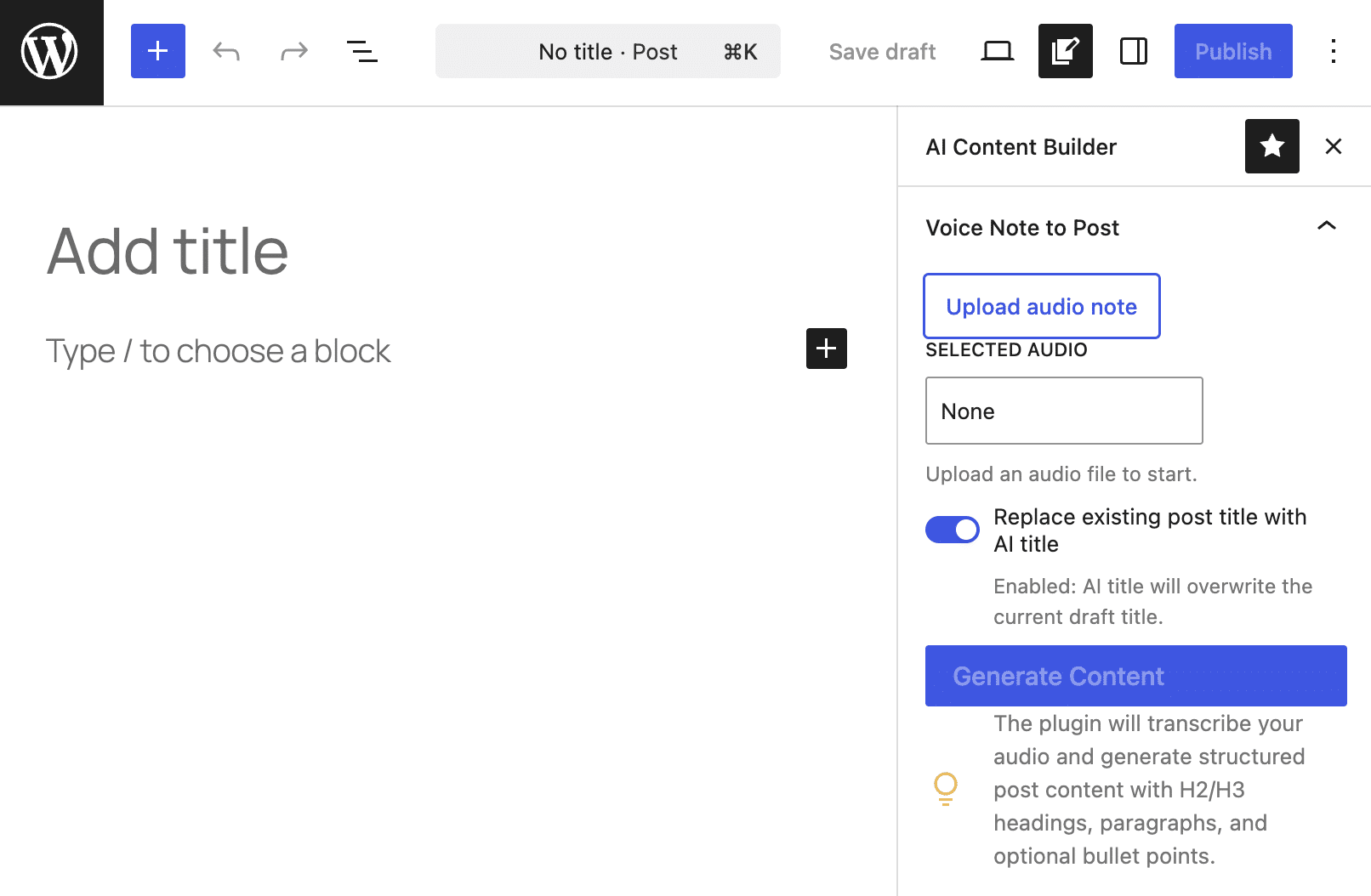
- Reduced Technical Debt: This is a major win. Developers no longer need to bundle heavy, proprietary SDKs or write extensive network logic. The AI Client abstracts away these complexities, transferring the "heavy lifting" to the WordPress core. A plugin’s code becomes provider-agnostic.
- Intelligent Model Selection: The AI Client’s Fluent Interface, accessed via
wp_ai_client_prompt(), includes methods likeusing_model_preference(). This allows developers to declare an ordered list of preferred models for specific tasks. WordPress then intelligently checks active connectors and available models, selecting the best fit. If preferred models aren’t available, it gracefully falls back to the first compatible model configured on the site, ensuring plugin functionality.
-
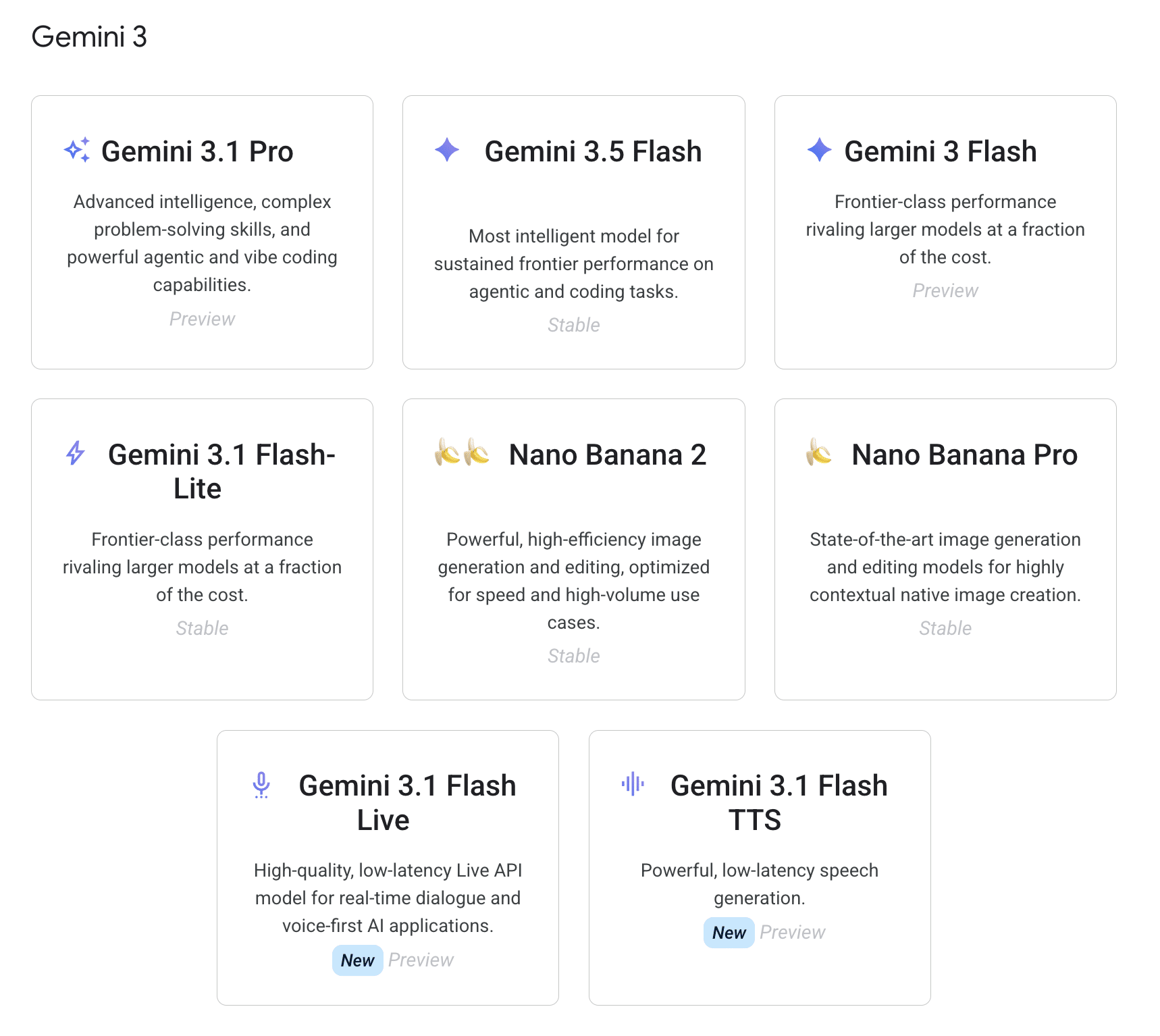
AI Provider: This refers to the companies that own, train, and host the Large Language Models (LLMs) that power AI applications. OpenAI, Google Gemini, and Anthropic are common examples supported via dedicated connectors in WordPress 7.0, with extensibility for developers to register custom providers.
- Diversity of Models: Providers offer a wide range of models (text-only, multimodal, specialized for tasks like image generation or speech-to-text), each with varying capabilities, speeds, and costs.
- Decoupled Choice: The models available to a WordPress site depend entirely on the AI providers configured by the user in the Connectors screen, reinforcing the principle that plugins do not dictate the specific provider, offering ultimate flexibility to the site owner.
A Deep Dive into wp_ai_client_prompt()
The wp_ai_client_prompt() function is the cornerstone of the new AI Client, providing a standardized and elegant way for plugins to communicate with AI models. It eliminates the need for external libraries, provider-specific configurations, or manual HTTP requests. Instead, it returns an instance of the WP_AI_Client_Prompt_Builder class, which offers a fluent interface of chainable methods for customizing AI prompts.
This fluent interface enhances code readability and ease of writing. For example, methods like with_file(), using_temperature(), using_system_instruction(), as_json_response(), and generate_text() allow developers to construct complex AI requests intuitively. Error handling is also integrated, ensuring that failures are managed gracefully through WP_Error objects without breaking the fluent chain. This abstraction means developers write their instructions once, and WordPress translates them into the "dialect" required by the chosen AI model.
Real-World Application: Audio-to-Gutenberg Content Generation
To illustrate the power and simplicity of the new AI architecture, consider an AI-powered plugin designed to generate a well-crafted post draft directly from an audio file, converting spoken notes into structured, Gutenberg-ready content. This functionality has vast use cases, from transforming voice memos into blog posts to transcribing and structuring interviews.
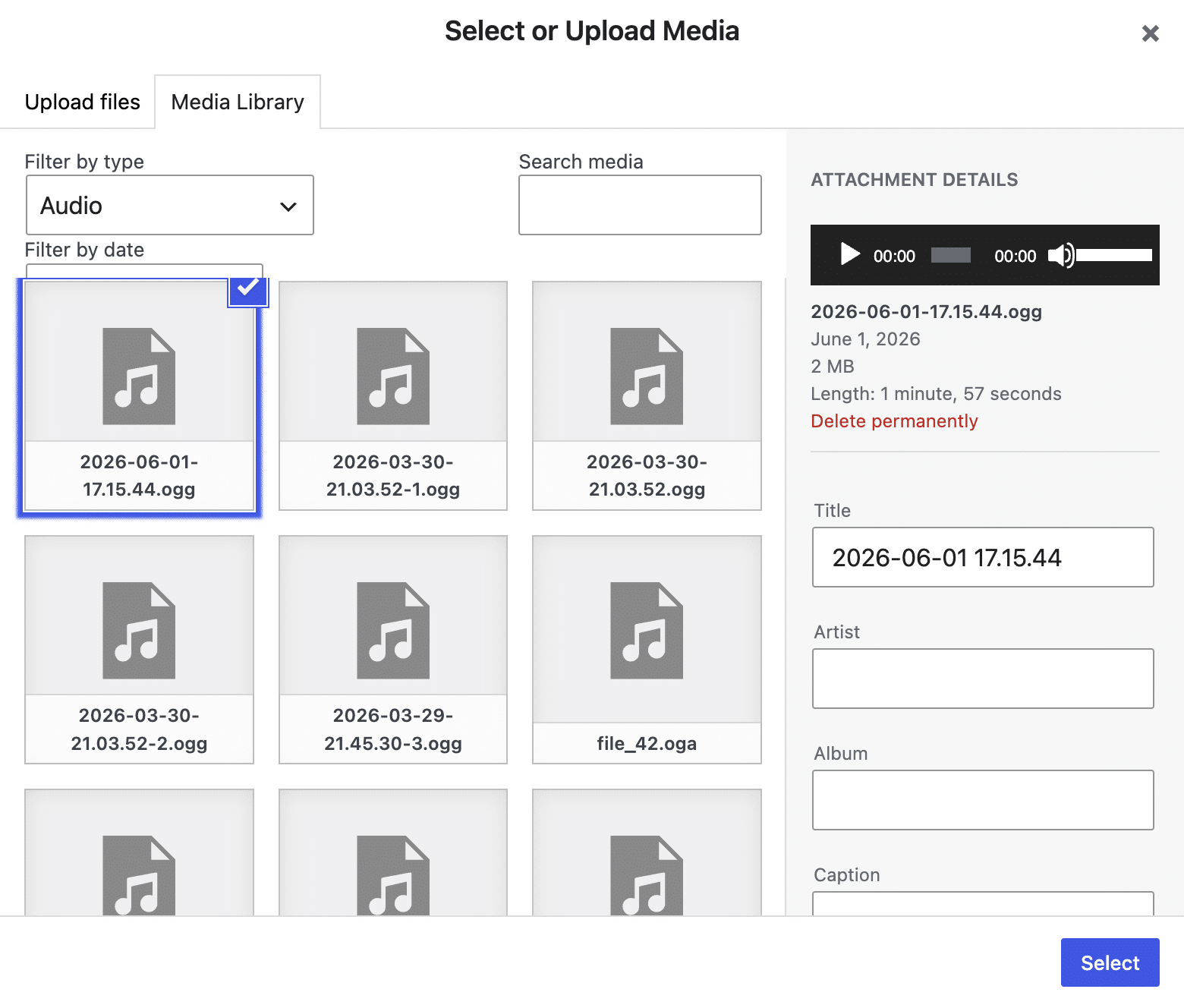
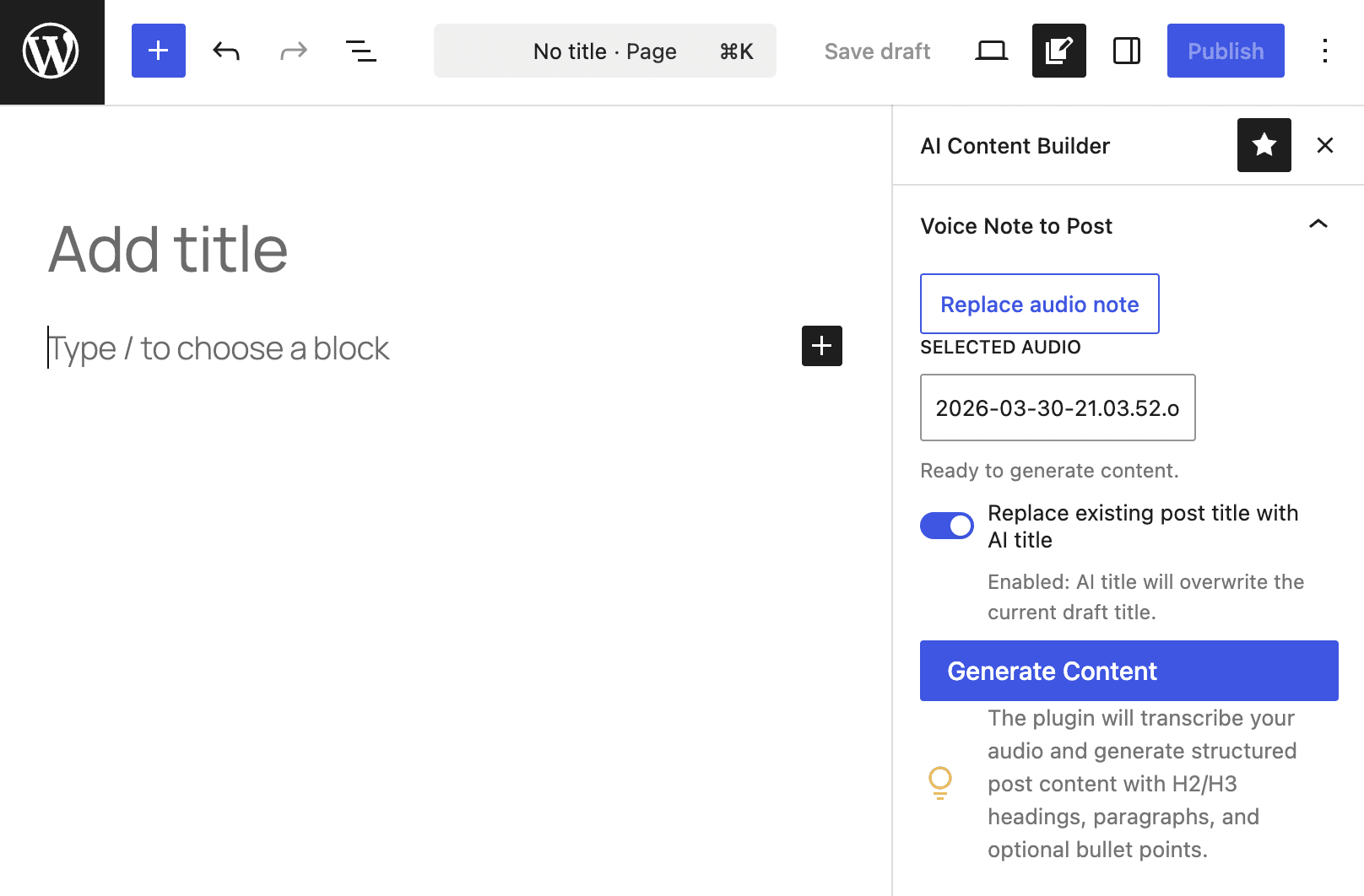
The example plugin, "AI Content Builder" (available on GitHub), demonstrates this process. After installation and activation on a WordPress 7.0+ site, it adds a custom settings sidebar to the Block Editor. This sidebar allows users to upload an audio file and initiate content generation. The AI then processes the audio, transcribes it, structures it, and populates the editor with native Gutenberg blocks (paragraphs, headings, lists).
The plugin’s core logic unfolds in four key phases:
-
Register a Custom API Endpoint: Since AI processing can take several seconds or minutes, asynchronous requests are crucial to prevent the UI from freezing. The plugin registers a custom REST API endpoint (
ai-content-builder/v1/generate) to handle these requests securely. Theadd_action('rest_api_init')hook ensures the endpoint is only registered when needed, optimizing performance. Thewp_localize_script()function then passes the endpoint path and a nonce to the client-side JavaScript for secure communication. -
First AI Pass: Speech-to-Text Transcription: The
handle_generate_request()method, triggered by the REST endpoint, first verifies that the AI Client is available and enabled. It then retrieves the audio file’s ID, validates its existence and type, reads its contents, and base64-encodes it for transmission. Thewp_ai_client_prompt()function is then invoked with a prompt like "Transcribe this voice note accurately…" and thewith_file()method, along with a lowusing_temperature()to ensure a deterministic transcription. Theis_supported_for_text_generation()method confirms an active AI model can process the request beforegenerate_text()is called. -
Second AI Pass: Content Structuring: With the raw transcript in hand, the plugin makes a second call to the AI provider to structure the content. This involves defining a JSON schema that dictates the desired output format (e.g.,
title,sectionswithheading,level,paragraphs,bullet_points). Thewp_ai_client_prompt()function is again used, this time with a more elaborate prompt guiding the AI to convert the transcript into a blog-ready draft. Crucially,using_system_instruction()sets the AI’s persona (e.g., "professional WordPress content editor"), andas_json_response($schema)ensures the output adheres to the defined structure. The returned JSON is then decoded and normalized. -
Generating Gutenberg-Ready Output: The final stage occurs on the client-side, handled by
editor.js. Upon receiving the structured JSON response from the server, the JavaScript normalizes the data further. AbuildBlocksFromSections()function then iterates through the structured content, using WordPress’s nativecreateBlock()function to generate core Gutenberg blocks (e.g.,core/heading,core/paragraph,core/list) that are then injected into the post editor. This ensures the AI-generated content is fully compatible with WordPress’s block-based editing experience.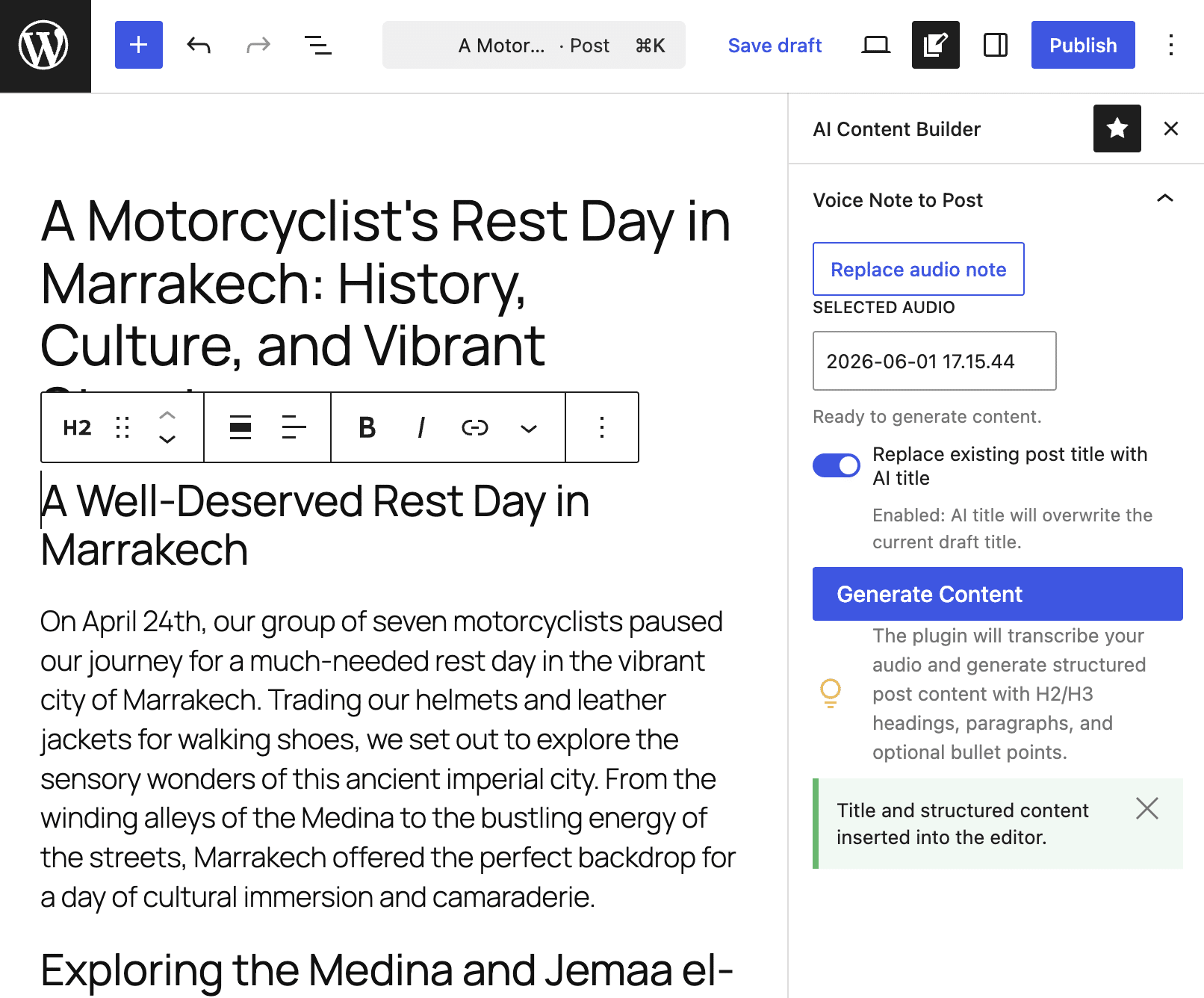
Broader Implications and Future Outlook
The introduction of native AI integration in WordPress 7.0 is more than just a feature update; it’s a foundational shift. It democratizes AI access for millions of users and developers, lowering the barrier to entry for building sophisticated AI-powered tools.
- Accelerated Innovation: Plugin developers can now rapidly build new categories of AI tools, from automated content generation and translation to advanced SEO optimization, image manipulation, and personalized user experiences, all with significantly reduced development overhead.
- Enhanced Content Workflows: For content creators, this means unprecedented efficiency. Tasks that once required hours can now be automated or augmented by AI, allowing them to focus on creativity and strategy. This will empower small businesses, bloggers, and large publishing houses alike.
- Strengthening WordPress’s Position: By embracing AI natively, WordPress maintains its competitive edge in a rapidly evolving digital landscape. It positions the platform as a leader in adaptable, future-proof web development.
- Community-Driven AI Evolution: The standardized architecture encourages a vibrant ecosystem of AI plugins and fosters collaboration within the WordPress community, driving further innovation and feature development.
While WordPress 7.0 lays a robust foundation, this is merely the beginning of the AI journey. Future iterations could see deeper core integrations, support for more diverse multimodal AI models, and even AI-driven assistance within the WordPress interface itself. The potential for innovation is truly endless, and WordPress 7.0 has decisively set the stage for a new era of intelligent web development.