Streamlining Content Collaboration: A Comprehensive Guide to In-Editor Feedback Notes in WordPress

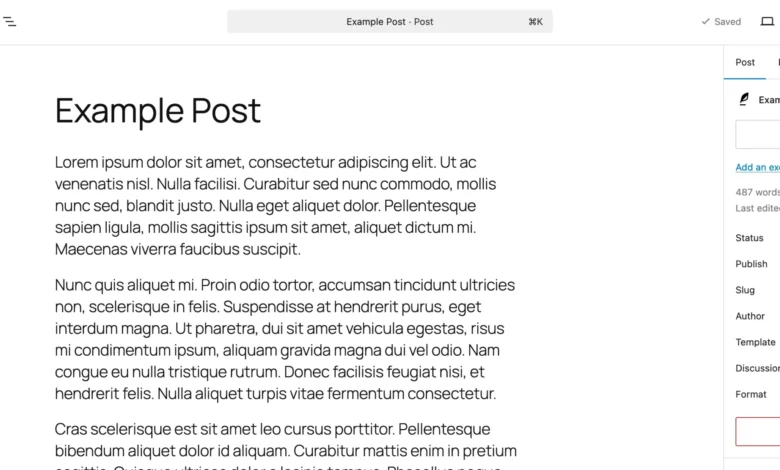
Content creation and website management have historically relied on a fragmented ecosystem of external tools. For years, publishing teams, marketing departments, and independent site owners have managed the review lifecycle through a disjointed combination of Google Docs, Figma mockups, and lengthy email threads. While functional, this multi-step workflow introduced significant friction. Contributors frequently found themselves juggling multiple browser tabs, copying and pasting raw text back and forth, and losing crucial context as feedback became buried in endless notification chains.
To address these longstanding inefficiencies, WordPress has introduced a native, in-editor feedback mechanism known simply as Notes. This architectural addition integrates contextual collaboration directly into the Gutenberg block editor, shifting the review process from third-party applications to the actual publishing environment. By anchoring comments directly to specific content blocks, the feature aims to modernize how digital teams review, refine, and finalize web pages before they go live.

The Evolution of WordPress Collaboration
The introduction of the Notes feature represents a major milestone in the evolution of the WordPress content management system. Since the rollout of the Gutenberg block editor, the core development team has steadily prioritized features that bridge the gap between traditional document processors and advanced web design platforms.
Historically, WordPress users relied on external staging environments, third-party plugin extensions, or manual copy-pasting to capture stakeholder feedback. Agencies working with enterprise clients often faced considerable overhead managing disparate feedback loops, where a design critique left in a PDF annotation tool had to be manually translated into a Gutenberg block modification.

By bringing collaboration natively into the editor, WordPress minimizes context switching. Stakeholders no longer need to interpret static screenshots or decipher ambiguous email instructions pointing to a vague section of a webpage. Instead, editors can pin precise remarks to individual paragraphs, images, headers, or custom layout components.
Anatomy and Functionality of WordPress Notes
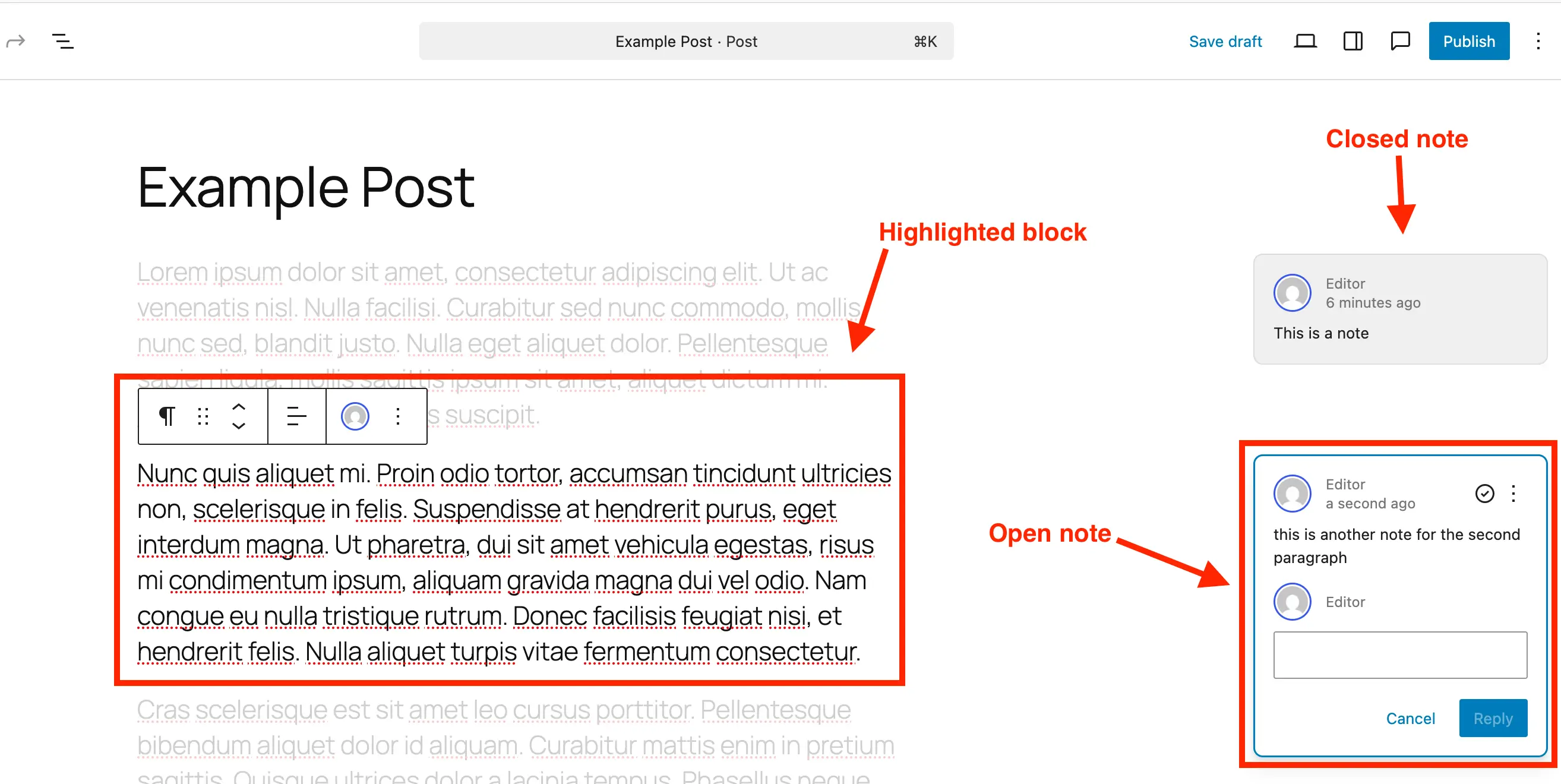
At its core, the WordPress Notes feature functions similarly to comment threads found in modern collaborative document editors. When a user adds a note to a specific block, a visual indicator appears within the interface. Clicking this indicator opens a dedicated sidebar on the right-hand side of the screen, displaying the author’s identity, a timestamp, and an interactive thread for replies.
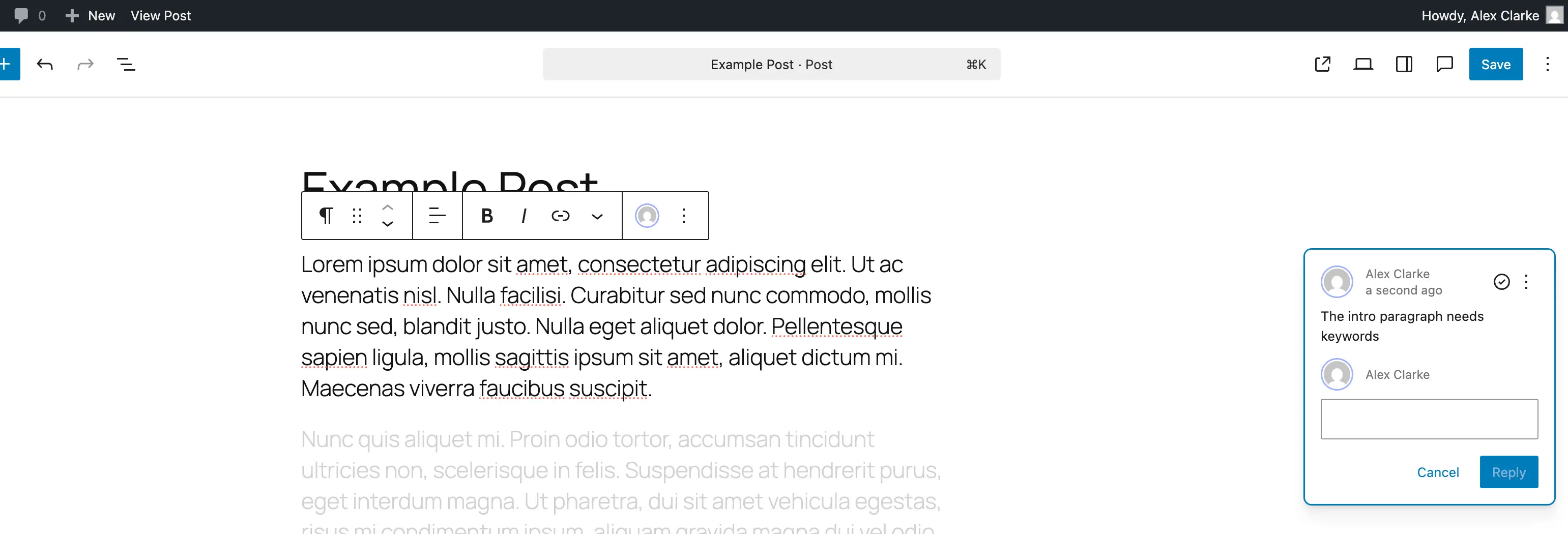
A key usability feature of the Notes interface is contextual focus. When a reviewer selects a note in the sidebar, the WordPress editor automatically highlights the corresponding block while subtly fading out the remainder of the page content. This visual isolation ensures that editors can concentrate exclusively on the target element without being distracted by surrounding copy or layout structures.
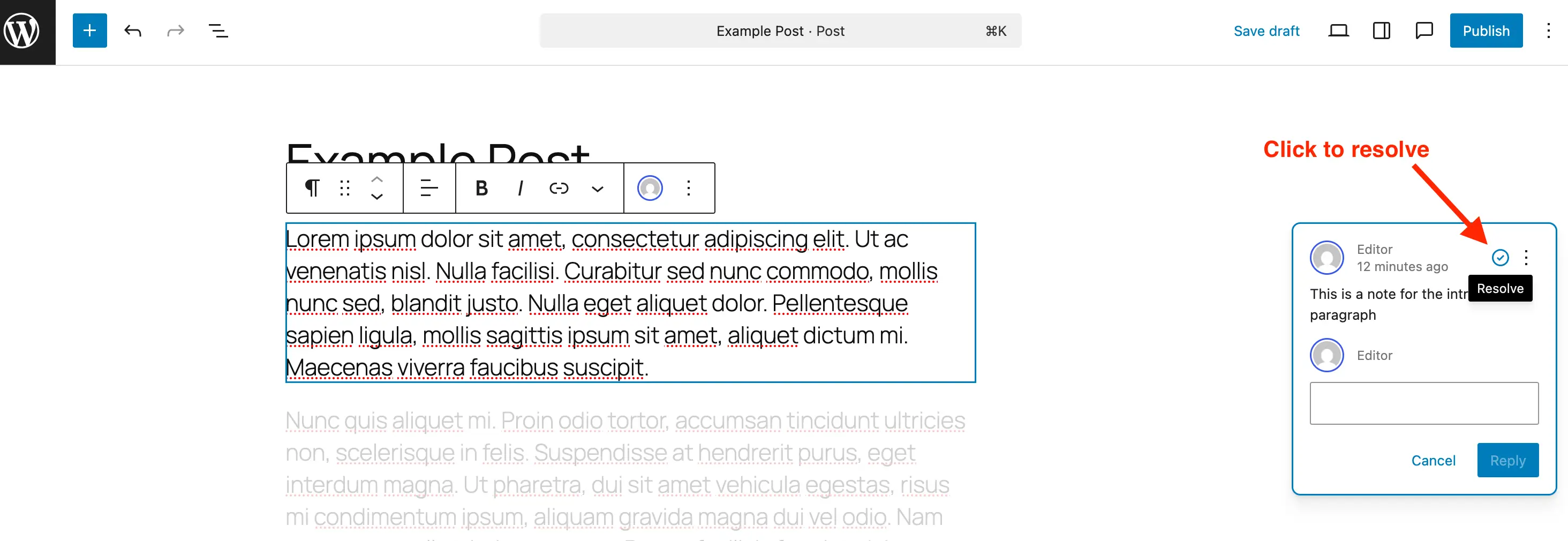
Once feedback is addressed, users can mark the note as resolved using an integrated check icon. Resolved notes are archived within the sidebar panel, preserving an audit trail of the revision history while removing visual clutter from the active editing space. Administrators also retain the ability to reopen resolved threads if subsequent revisions require further discussion, or to delete completed notes entirely to maintain a lean database structure.
Step-by-Step Implementation Guide
Implementing and managing notes within the standard WordPress workflow is designed to be intuitive for both novice users and experienced developers.
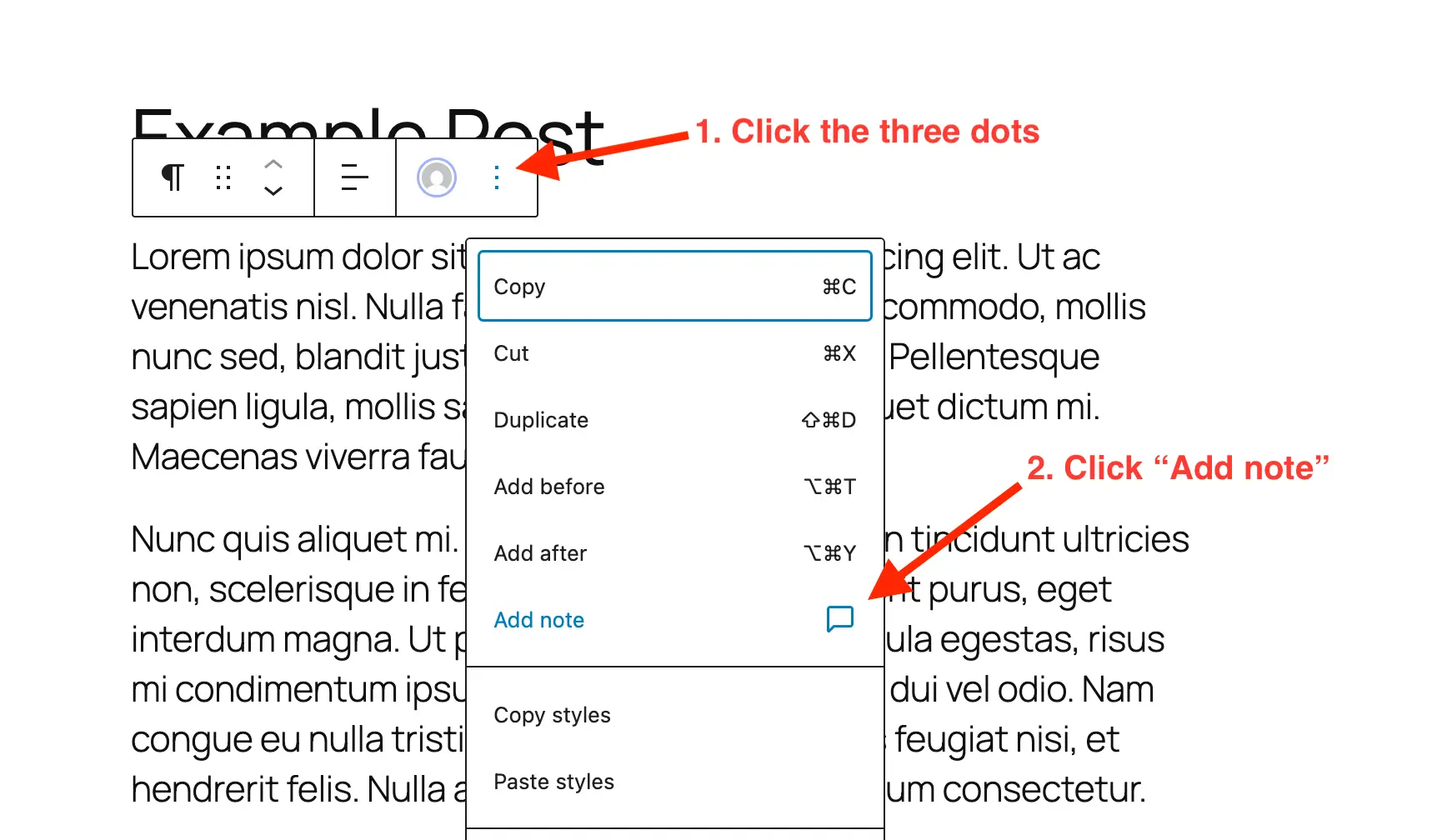
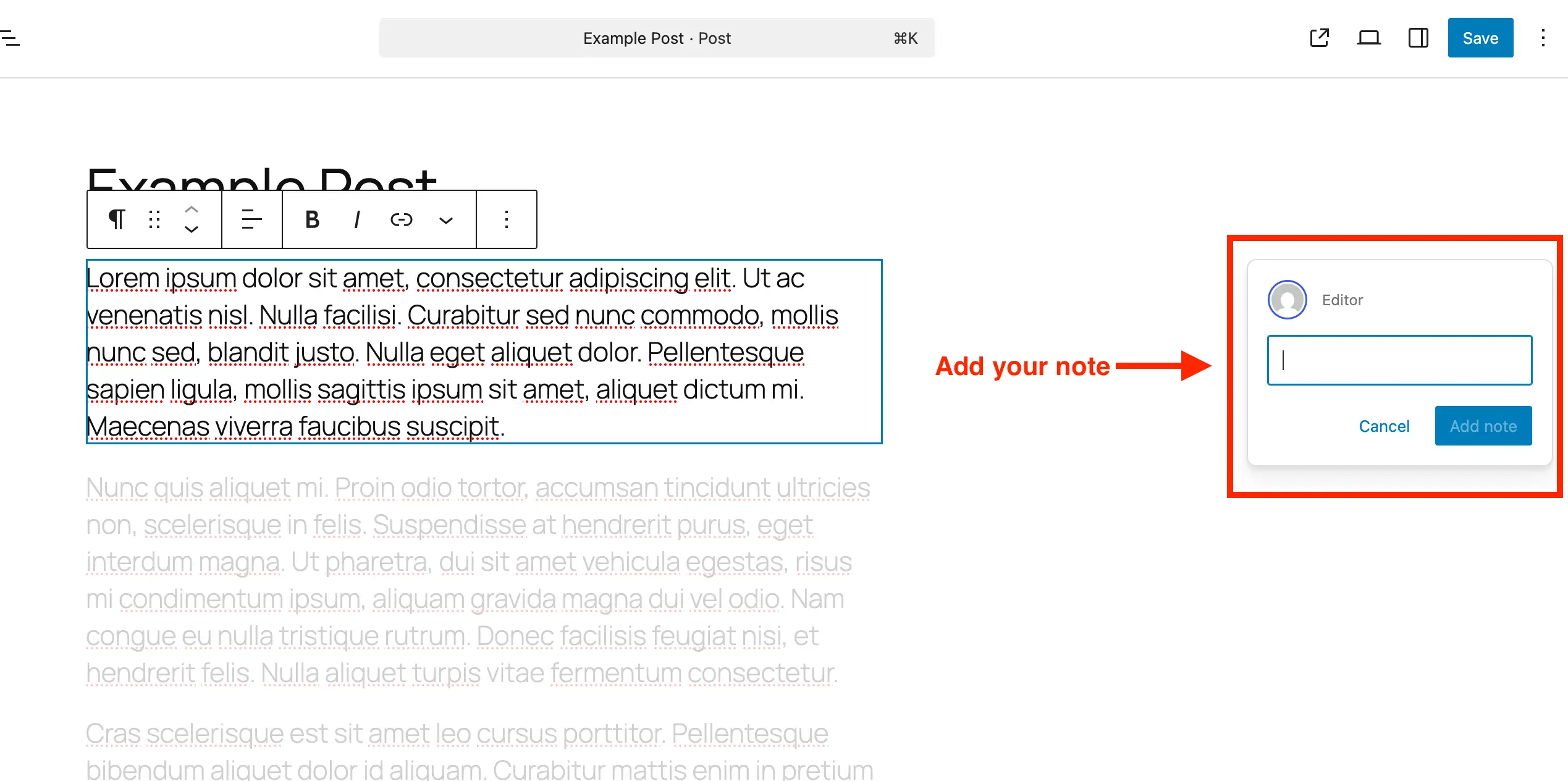
To create a new note on any standard post or page, users navigate to the Gutenberg editor, select the specific block requiring attention—such as a heading, paragraph, or media element—and open the block options via the three-dot menu. Selecting the "Add Note" option opens an input field on the right-hand side of the interface. As the user types, the input box automatically expands to accommodate longer passages and supports line breaks via the Enter key.
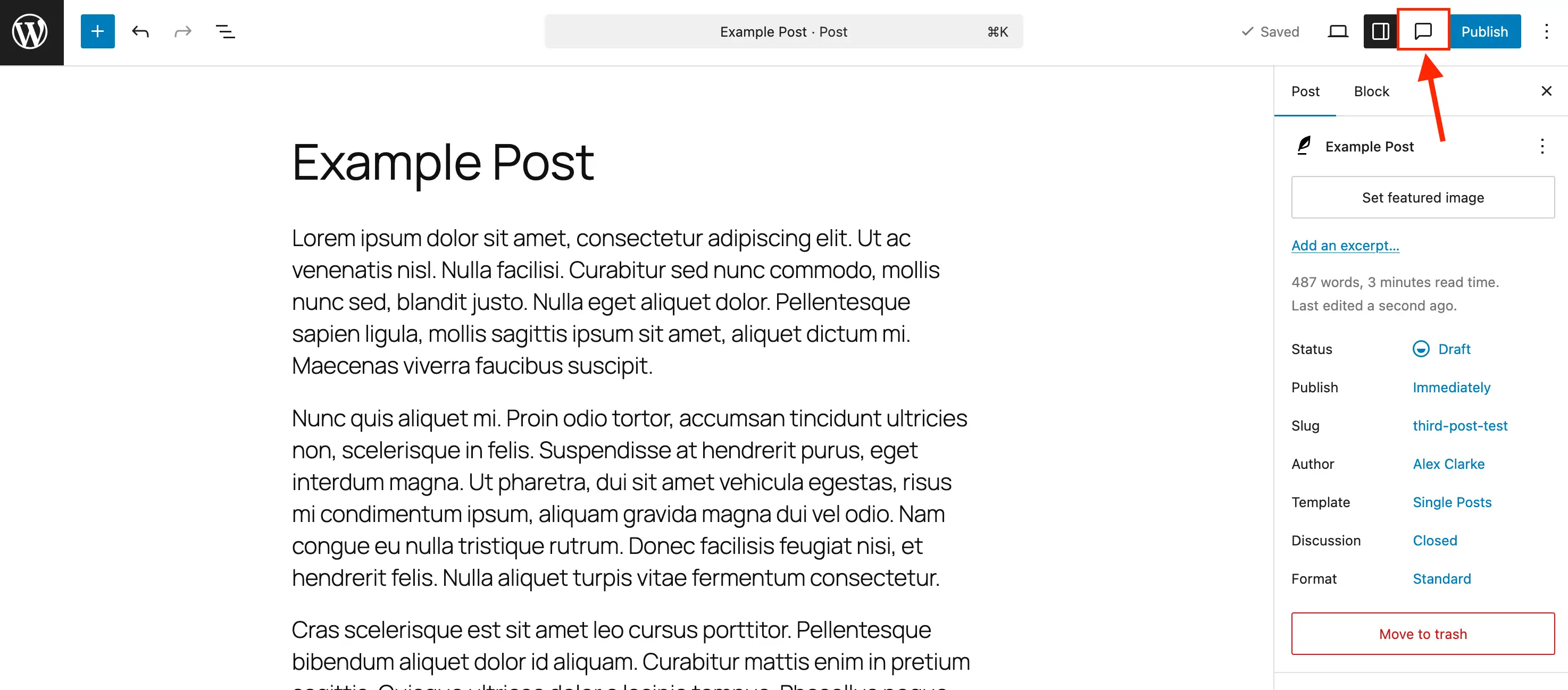
Reviewing existing feedback requires toggling the Notes panel. While default WordPress behaviors open the standard settings sidebar, clicking the comment bubble icon in the upper toolbar activates the Notes sidebar. This view aggregates all active feedback items at the top of the interface, providing a centralized dashboard for editorial review.
Developers and site administrators can also tailor where this feature appears. While WordPress enables Notes by default for standard posts and pages, custom post types require explicit declaration within the block editor support parameters.
For sites utilizing custom post type management plugins, enabling this functionality typically involves checking a designated support box. For custom implementations using code, developers must integrate parameters directly into the post type registration array:
register_post_type( 'book', [
    'label' => 'Books',
    'public' => true,
    'show_in_rest' => true,
    'supports' => [
        'title',
        'editor' => [ 'notes' => true ],
        'author',
    ],
] );
For pre-existing custom post types, administrators can merge the notes argument into current editor supports using a custom initialization hook:
add_action( 'init', function()
    $post_types = [ 'MY_POST_TYPE_1', 'MY_POST_TYPE_2' ];
    foreach ( $post_types as $post_type )
        $supports = get_all_post_type_supports( $post_type );
        $editor_supports = array( 'notes' => true );
        if ( is_array( $supports['editor'] ) && isset( $supports['editor'][0] ) && is_array( $supports['editor'][0] ) )
            $editor_supports = array_merge( $editor_supports, $supports['editor'][0] );

        add_post_type_support( $post_type, 'editor', $editor_supports );

 );
Conversely, organizations seeking to reduce interface clutter on specific content types can disable the feature using a targeted filter on the post type registration arguments:
add_filter( 'register_post_type_args', function( $args, $post_type )
    $post_types = [ 'post', 'page' ];
    if ( in_array( $post_type, $post_types, true ) && isset( $args['supports']['editor']['notes'] ) )
        unset( $args['supports']['editor']['notes'] );

    return $args;
, 10, 2 );
Industry Implications and Workflow Efficiency
The integration of native in-editor notes carries significant implications for digital agencies, corporate publishing houses, and enterprise development teams. By consolidating the review cycle into a single application layer, organizations can expect measurable reductions in production bottlenecks.
Industry analysts note that reducing reliance on third-party documentation tools directly correlates with enhanced data security and streamlined compliance. When sensitive pre-published content remains exclusively within the encrypted boundaries of a restricted WordPress installation—rather than being copied into external cloud documents or shared via unencrypted email attachments—the overall attack surface for potential data leaks diminishes.
Furthermore, centralized revision tracking helps prevent common administrative errors, such as conflicting edits made simultaneously across different platforms. Writers and designers can engage in real-time or asynchronous dialogue directly over the digital asset they are constructing, ensuring that structural design adjustments and copywriting refinements are evaluated concurrently.
Broader Impact on Content Publishing
As the digital publishing landscape grows increasingly competitive, speed-to-market and editorial accuracy remain paramount. Features like WordPress Notes reflect a broader industry trend toward all-in-one content management systems that minimize tool fatigue for digital creators.
By eliminating the administrative friction of traditional review cycles, native commenting empowers teams to publish higher-quality material with fewer operational delays. As adoption of the Gutenberg block editor continues to mature across millions of active installations worldwide, tools that foster seamless collaboration will undoubtedly play a foundational role in shaping the future of web development and digital content strategy.