A Comprehensive Guide to Migrating Your WordPress Website to Pressable Managed Hosting

The landscape of web hosting has evolved significantly over the past decade, shifting away from generic shared servers toward specialized, managed environments tailored for specific content management systems. For organizations and independent publishers relying on WordPress—which currently powers over 40 percent of all websites on the internet—server maintenance, security patching, and performance optimization have traditionally demanded continuous technical oversight. To alleviate these operational burdens, managed WordPress hosting providers have emerged as a primary solution, handling backend infrastructure so that site owners can focus entirely on content creation and audience growth. Among these providers, Pressable, an Automattic-backed managed WordPress hosting company, has established a prominent presence for small to medium-sized enterprises, agencies, and independent bloggers.
Understanding the Managed Hosting Landscape
Managed WordPress hosting differs fundamentally from traditional shared or unmanaged virtual private servers (VPS). In a managed ecosystem, the server environment is strictly optimized to run WordPress exclusively. This specialization allows hosting providers to implement robust caching mechanisms, automated security protocols, and rapid-response technical support systems designed explicitly around the architecture of WordPress.
Industry data indicates that website performance directly correlates with user retention and conversion rates. Slow loading times and unexpected downtime can lead to substantial financial losses for e-commerce platforms and business websites alike. Consequently, transitioning from a legacy host to a specialized managed platform has become a strategic priority for many digital project managers. Pressable positions itself within this market by offering a streamlined infrastructure backed by the same corporate ecosystem responsible for WordPress.com and WooCommerce.
Evaluating Pressable: Target Audience and Plan Structure

Choosing the appropriate hosting tier requires careful evaluation of a website’s resource consumption, monthly traffic volume, and database size. Pressable structures its standard offerings—known as Signature plans—around three primary metrics: the number of active WordPress installs, monthly visitor limits, and required storage space. These plans scale from single-site configurations designed for individual blogs up to enterprise-level packages supporting dozens of installs and millions of monthly visitors.
For mission-critical applications requiring dedicated computing power, high CPU allocations, and vertical scaling, Pressable offers specialized Premium Site Plans. However, industry analysts note that managed hosting inherently involves certain trade-offs. Because these environments are strictly optimized for WordPress, they typically exclude low-level server customizations such as custom NGINX configurations, ionCube support, or traditional email hosting. Organizations requiring bespoke server environments or extensive command-line access often find unmanaged or custom-configured dedicated servers more suitable for their operational needs.
Preparation and Pre-Migration Protocols
Executing a successful website migration requires meticulous preparation to prevent data loss, broken links, or prolonged downtime. Prior to initiating any transfer, technical best practices dictate that the live website must be fully updated. This includes applying the latest version releases for the WordPress core, active themes, and all installed plugins. Failing to update software components prior to a migration can introduce compatibility issues with the new server’s PHP environment, potentially resulting in site crashes or database errors.
Once software updates are complete, creating a comprehensive backup of the entire website—including all root files, media uploads, and the MySQL database—is an essential precautionary measure. Industry-standard backup solutions, whether executed via robust caching and backup plugins or through legacy hosting control panels, provide a failsafe mechanism should unexpected complications arise during the transfer process. Storing these backup archives securely on local hardware or a trusted cloud storage provider ensures that administrators can quickly restore the site to its original state if necessary.
Executing the Migration Process: Automated vs. White-Glove Services
Website owners migrating to Pressable can choose between two primary pathways: utilizing the platform’s complimentary white-glove migration service managed by their support team, or executing the transfer independently using automated tools. For non-technical users or those managing complex multi-site networks, delegating the migration to the hosting provider’s technical staff minimizes operational risk.
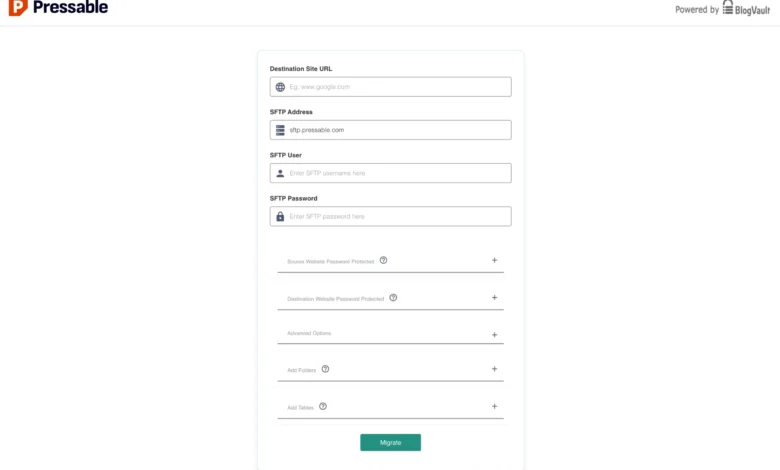
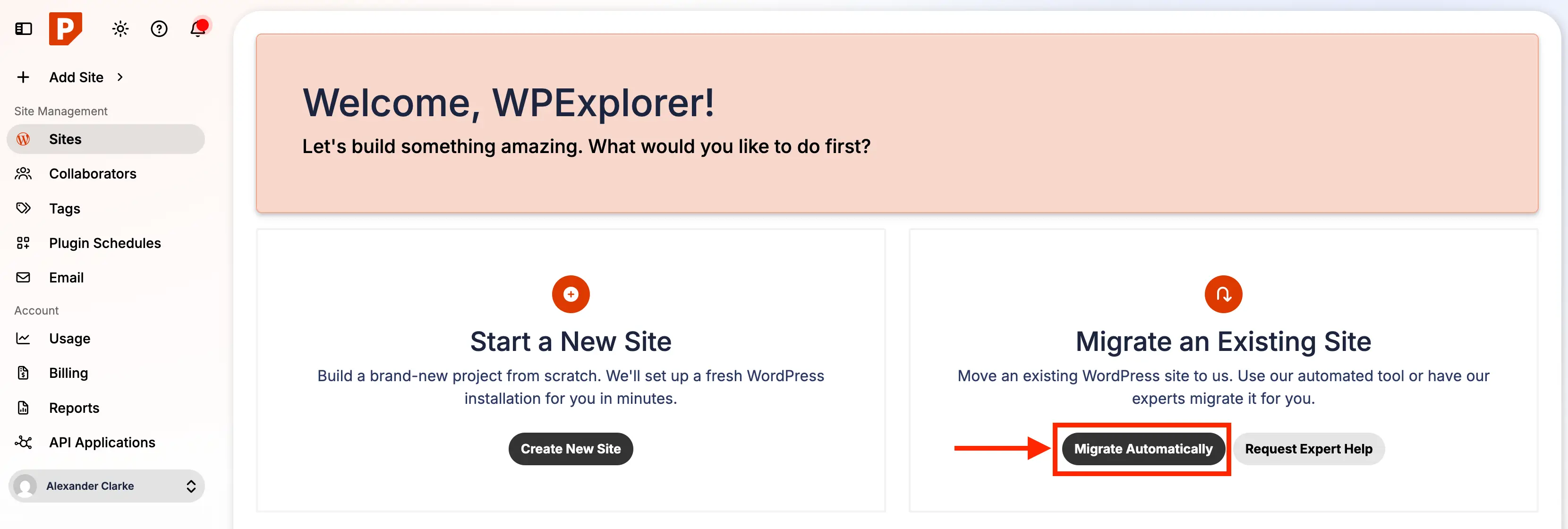
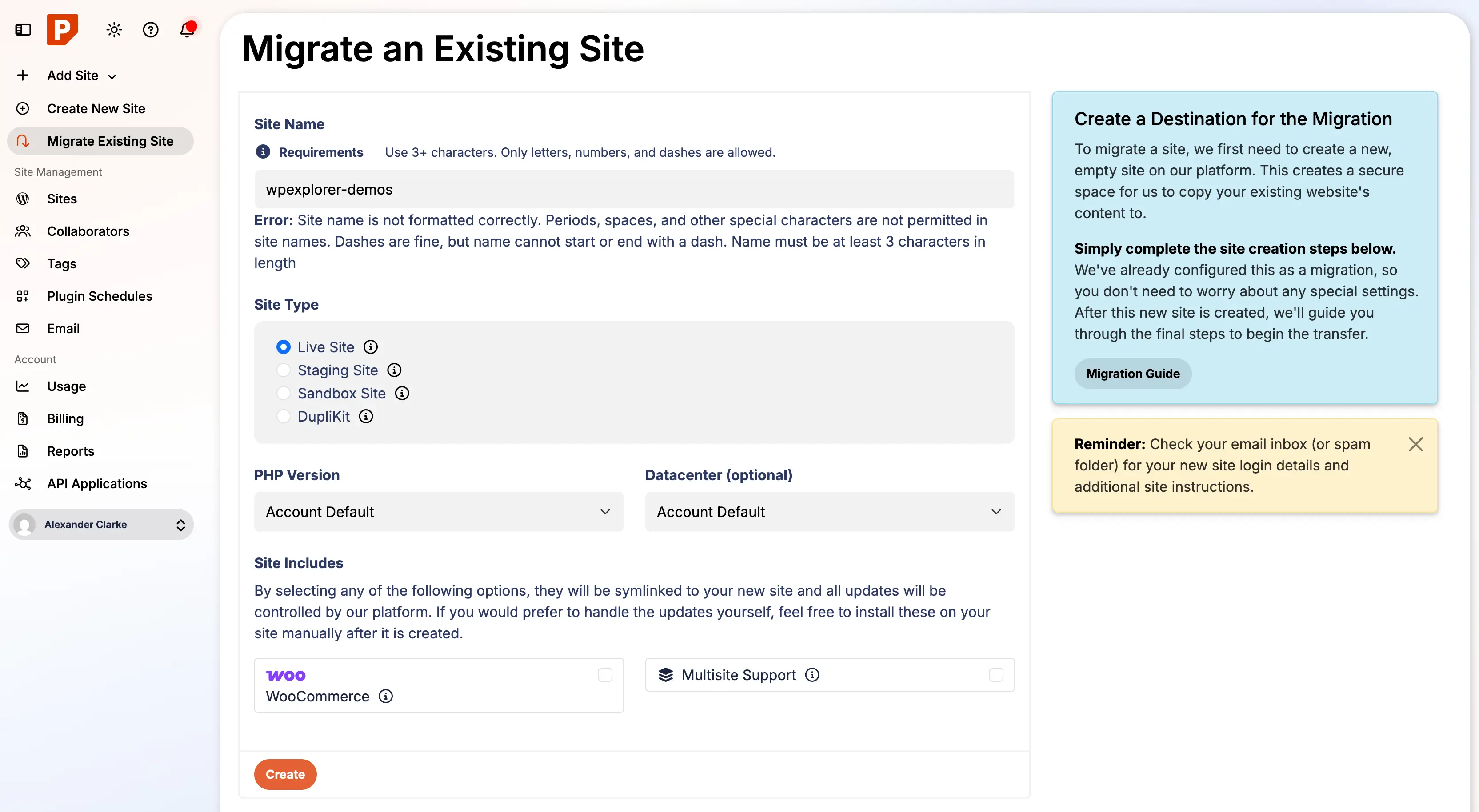
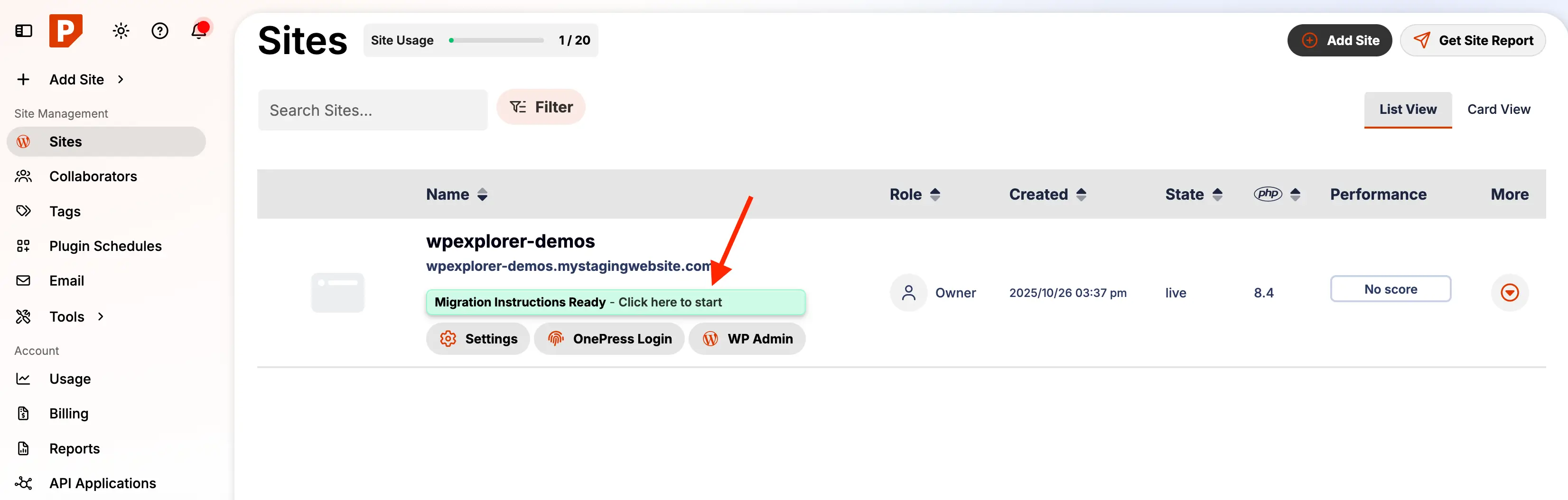
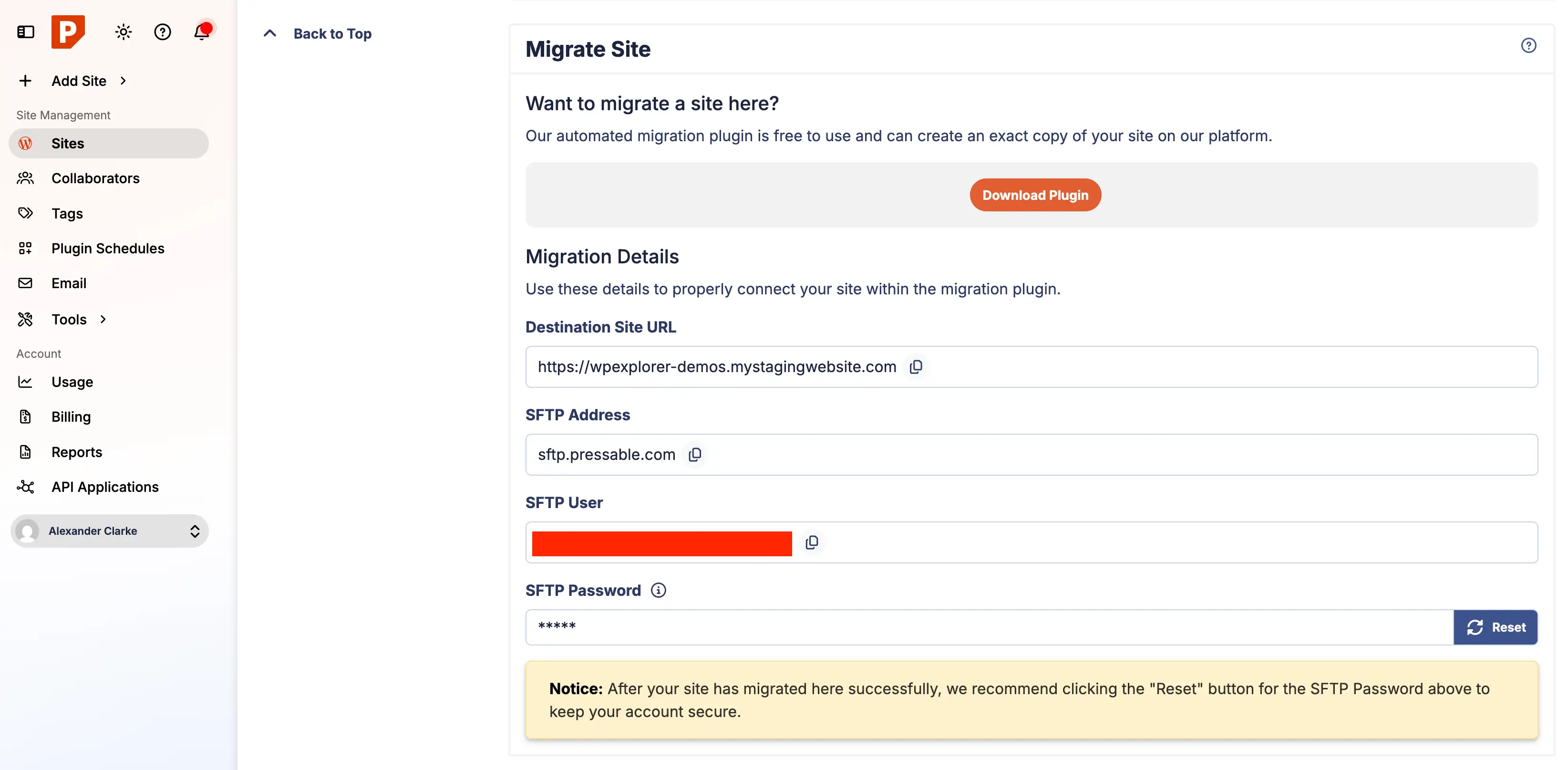
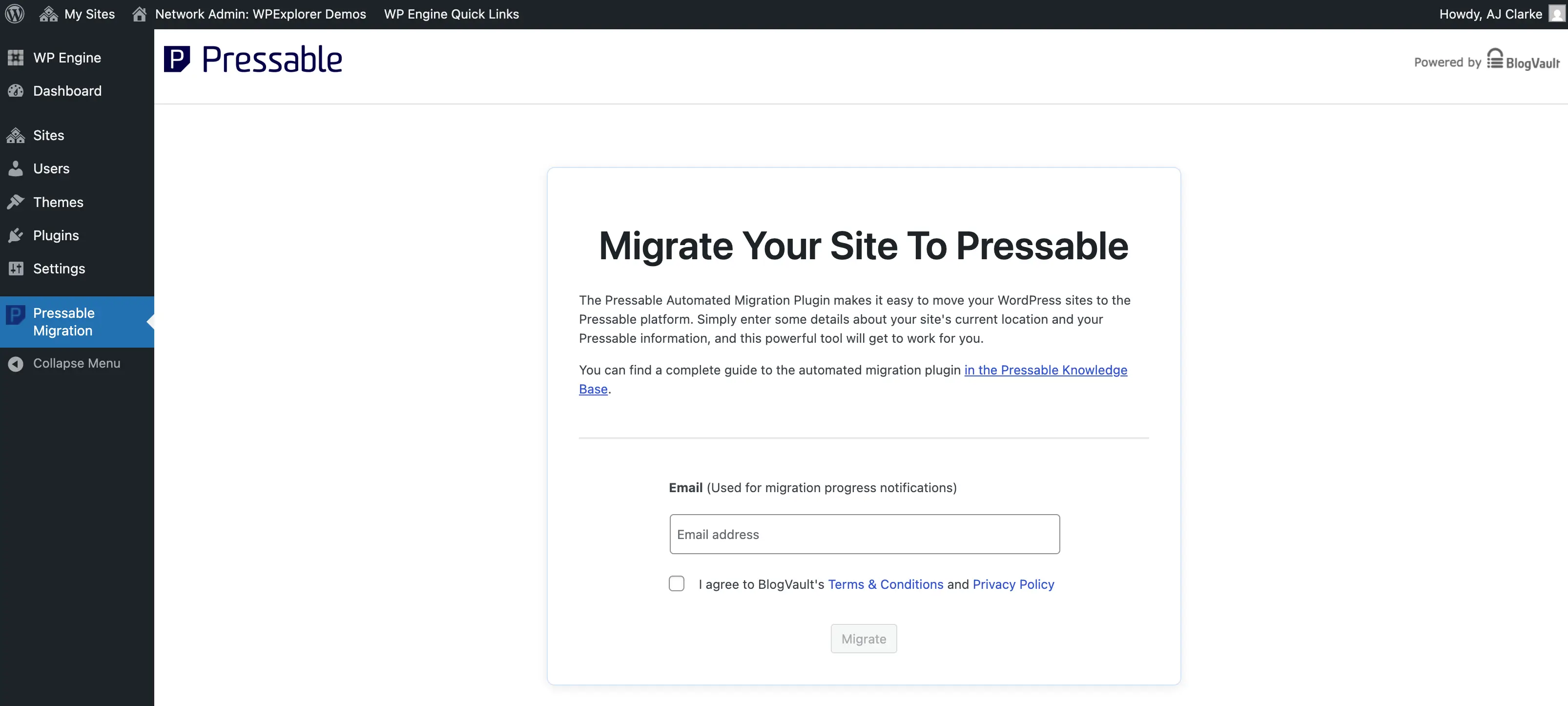
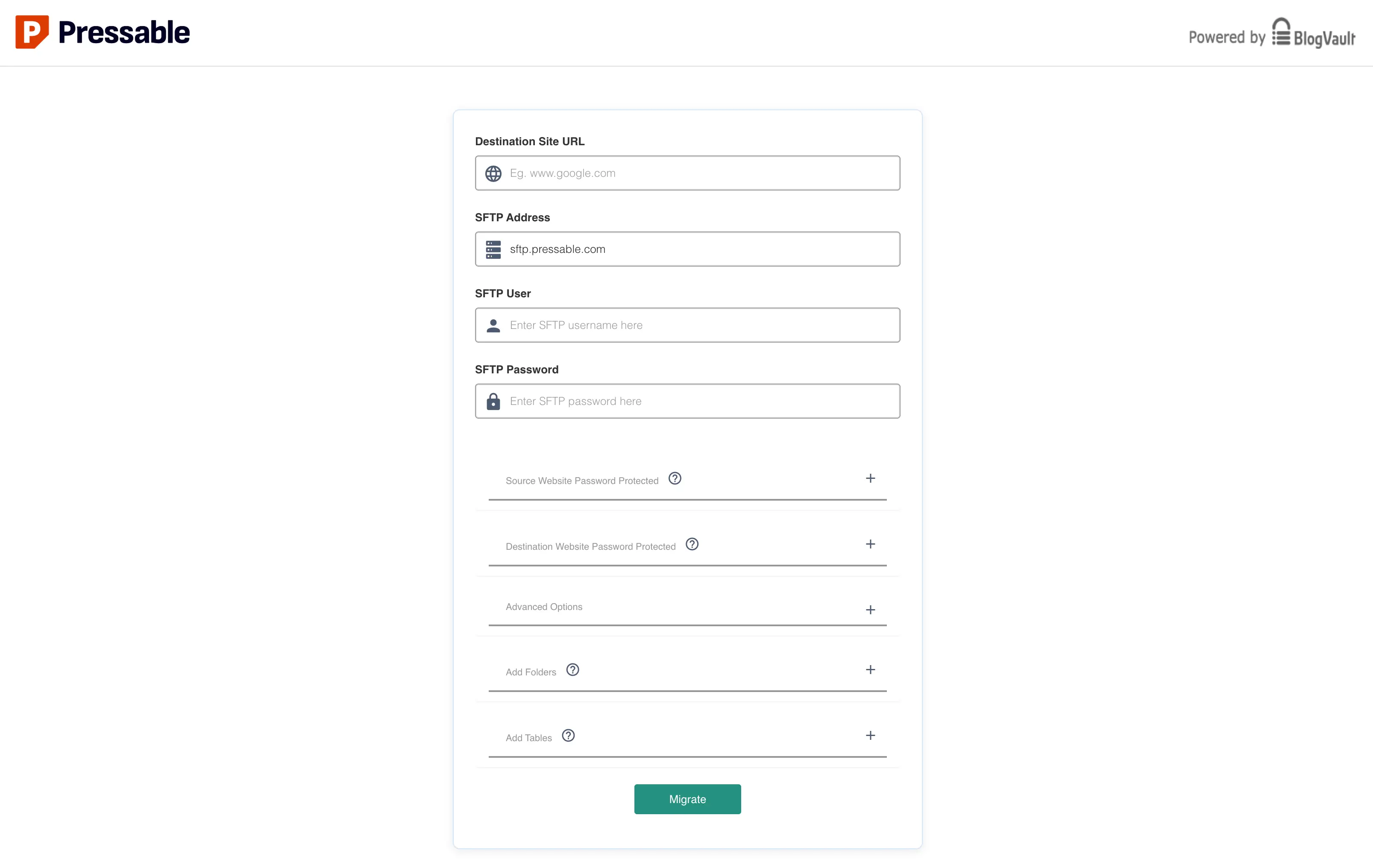
For administrators opting for a self-directed migration, Pressable provides a streamlined automated workflow. The process begins within the Pressable user dashboard by initializing a new site configuration and generating migration credentials, including Secure File Transfer Protocol (SFTP) parameters. Subsequently, administrators install the dedicated migration plugin—powered by reliable migration infrastructure such as BlogVault—on their existing live WordPress installation.
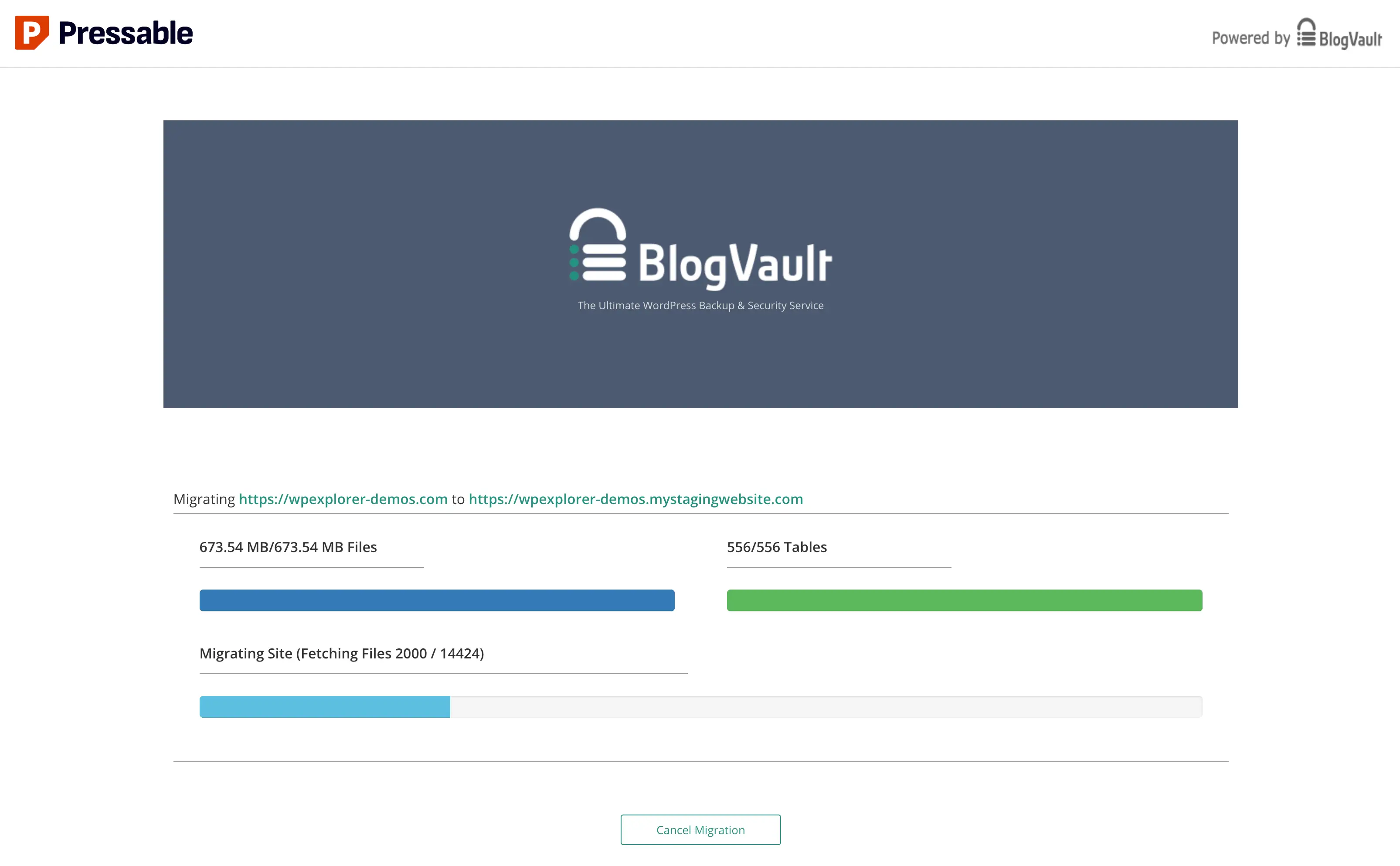
Entering the required SFTP and dashboard credentials into the migration plugin initiates the secure transfer of files and databases to the new environment. During this phase, maintaining an uninterrupted network connection and preventing the source computer from entering sleep mode ensures the data transfer proceeds without interruption. Large databases or media-heavy repositories may require extended processing windows, during which progress indicators may occasionally appear static.
Post-Migration Validation and Cleanup
The completion of the data transfer marks the beginning of the verification phase. Before redirecting domain name system (DNS) records to the new server, administrators must thoroughly review the migrated site on Pressable’s temporary staging domain. This evaluation checklist includes verifying that all internal links resolve correctly, media files display without error, SSL certificates are active, and all dynamic functionalities—such as contact forms, user registration, and e-commerce checkout systems—operate as expected.
Furthermore, post-migration hygiene is critical for maintaining security and organizational efficiency. Administrators must remove leftover files, cron jobs, and administrative user accounts associated with their previous hosting provider. For instance, sites migrating from platforms like WPEngine often retain host-specific must-use (mu-) plugins or custom directory structures that serve no functional purpose within the Pressable architecture and should be safely purged.
Configuring Server Rules and Security Headers
Because Pressable utilizes an NGINX and PHP-FPM server architecture rather than traditional Apache environments, legacy .htaccess configuration files are rendered inactive. Consequently, any custom URL redirects, rewrite rules, or security directives previously housed within .htaccess must be manually translated and integrated into the new hosting environment via PHP-based configuration files, such as custom-redirects.php.
Implementing modern security headers is an essential component of this configuration phase. Pressable explicitly recommends incorporating specific HTTP response headers to fortify site security against common attack vectors:
- X-XSS-Protection: Activates browser-based cross-site scripting filters to mitigate injection attacks.
- X-Content-Type-Options: Prevents browsers from MIME-sniffing a response away from the declared content type.
- X-Frame-Options: Restricts how the site can be embedded within frames, protecting against clickjacking vulnerabilities.
- Referrer-Policy: Controls how sensitive referrer information is transmitted across external links.
Integrating these headers manually adds an essential layer of defense for websites operating within a managed ecosystem.
Domain Propagation and DNS Management
Once the staging site passes all functionality checks, the final technical step involves updating the domain name system (DNS) records at the domain registrar to point toward the new Pressable server. This transition can be executed either manually by configuring precise A records and CNAME entries or by utilizing Pressable’s automated DNS Wizard, which simplifies record management for less experienced users.
Following DNS updates, global propagation typically requires anywhere from a few minutes up to 48 hours, depending on network routing and Time-To-Live (TTL) configurations. During this propagation window, traffic may intermittently reach either the old or new server. Monitoring the domain health indicator within the Pressable dashboard provides real-time verification of successful connection status.
Optimizing Integrated Security Tools
As part of its infrastructure offering, Pressable bundles Jetpack Security subscriptions with all hosting plans at no additional cost. This inclusion provides automated malware scanning, real-time activity logging, brute-force attack mitigation, and cloud-based backups via VaultPress. While Jetpack offers comprehensive utility, its extensive feature set can occasionally introduce administrative bloat if left unoptimized.
Site administrators are generally advised to activate the included Jetpack license, navigate to the plugin’s module management settings, and selectively disable non-essential features while retaining core security and backup functionalities. This targeted approach ensures maximum server performance while leveraging enterprise-grade security protections.
Implications and Industry Outlook
The continuous growth of managed WordPress hosting reflects a broader industry trend toward specialization and operational efficiency. By outsourcing server architecture, security monitoring, and performance tuning to specialized providers like Pressable, organizations can reallocate valuable technical resources toward core business objectives. As web security threats become increasingly sophisticated and user expectations for page loading speeds rise, the adoption of managed hosting solutions is expected to remain a dominant strategy for professional website operators, agencies, and enterprises worldwide.
Related posts: