The Ultimate Developer Guide to Cleaning and Optimizing the Free Elementor WordPress Dashboard

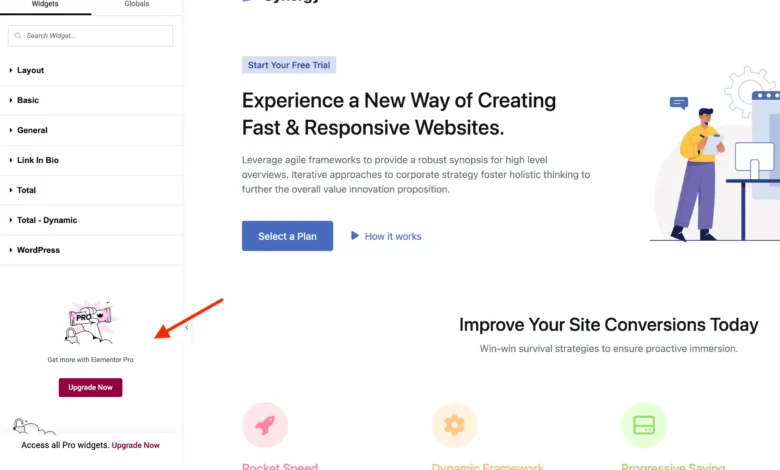
The Elementor page builder has solidified its position as a cornerstone of the WordPress ecosystem, powering millions of websites worldwide with its robust visual design architecture. However, as the platform has matured under its freemium business model, users of the free version frequently encounter a user interface heavily saturated with promotional banners, upsell prompts, and locked feature flags designed to encourage migration to Elementor Pro. For web professionals, agencies, and minimalist developers managing client sites where the free tier is strictly sufficient, these persistent notifications can introduce unnecessary visual clutter and degrade the administrative workflow.

To address these usability concerns, developers have increasingly turned to programmatic interface optimization. A comprehensive methodology has emerged utilizing custom PHP classes and targeted cascading style sheets (CSS) to suppress promotional elements safely, while preserving core functionality and ensuring a seamless fallback if the site eventually upgrades to a paid license.
Background and Ecosystem Context
The tension between monetization strategies in open-source software and user interface cleanliness is a well-documented phenomenon within the WordPress community. Elementor operates on a dual-tier model: a robust foundational plugin distributed freely under the General Public License (GPL) via the official WordPress repository, paired with a proprietary commercial extension known as Elementor Pro. This model allows millions of users to access high-level design tools at zero financial cost, while providing the developer, Elementor Ltd., with a sustainable revenue stream to fund ongoing maintenance, security updates, and feature expansion.
Nevertheless, the implementation of promotional touchpoints—spanning the WordPress administration menu, the top toolbar, the visual editor sidebar, and even the default WordPress dashboard widget—has sparked ongoing debate among developers. While proponents argue that upsell displays are standard industry practice for freemium software, critics contend that excessive administrative advertising can overwhelm non-technical clients and violate minimalist design principles.
Furthermore, discussions within the WordPress development community have occasionally highlighted compliance with official plugin guidelines regarding dashboard promotions and referral tracking. Although Elementor maintains transparent disclosure practices regarding its add-on marketplace and affiliate infrastructure, developers seeking absolute administrative pristine environments often prefer to strip away non-functional promotional panels entirely.
Chronology and Implementation Architecture
The structural approach to streamlining the Elementor interface relies on hooking into WordPress and Elementor-specific action hooks, utilizing conditional logic to detect environment states, and deploying precision-targeted CSS rules to hide promotional nodes without destabilizing the underlying DOM.
The foundational architecture centers on a specialized PHP class designed to execute structural modifications conditionally. By establishing an initialization check (did_action('elementor/loaded')), the script ensures that all execution routines wait until the Elementor core is fully active. Crucially, the class incorporates an early-bail mechanism checking for the existence of Elementor Pro (ElementorUtils::has_pro()). If a commercial license is detected, the script terminates immediately, ensuring that no custom modifications interfere with native Pro features or paid interfaces.
/**
 * Remove Elementor Upsells Architecture Starter.
 */
class WPEX_Remove_Elementor_Upsells

    public function __construct()
        if ( did_action( 'elementor/loaded' ) )
            $this->register_actions();
         else
            add_action( 'elementor/loaded', [ $this, 'register_actions' ] );


    public function register_actions(): void
        if ( is_callable( 'ElementorUtils::has_pro' ) && ElementorUtils::has_pro() )
            return;

        // Core functional hooks are registered here.


new WPEX_Remove_Elementor_Upsells;
Deconstructing Promotional Admin Panels and Submenu Pages
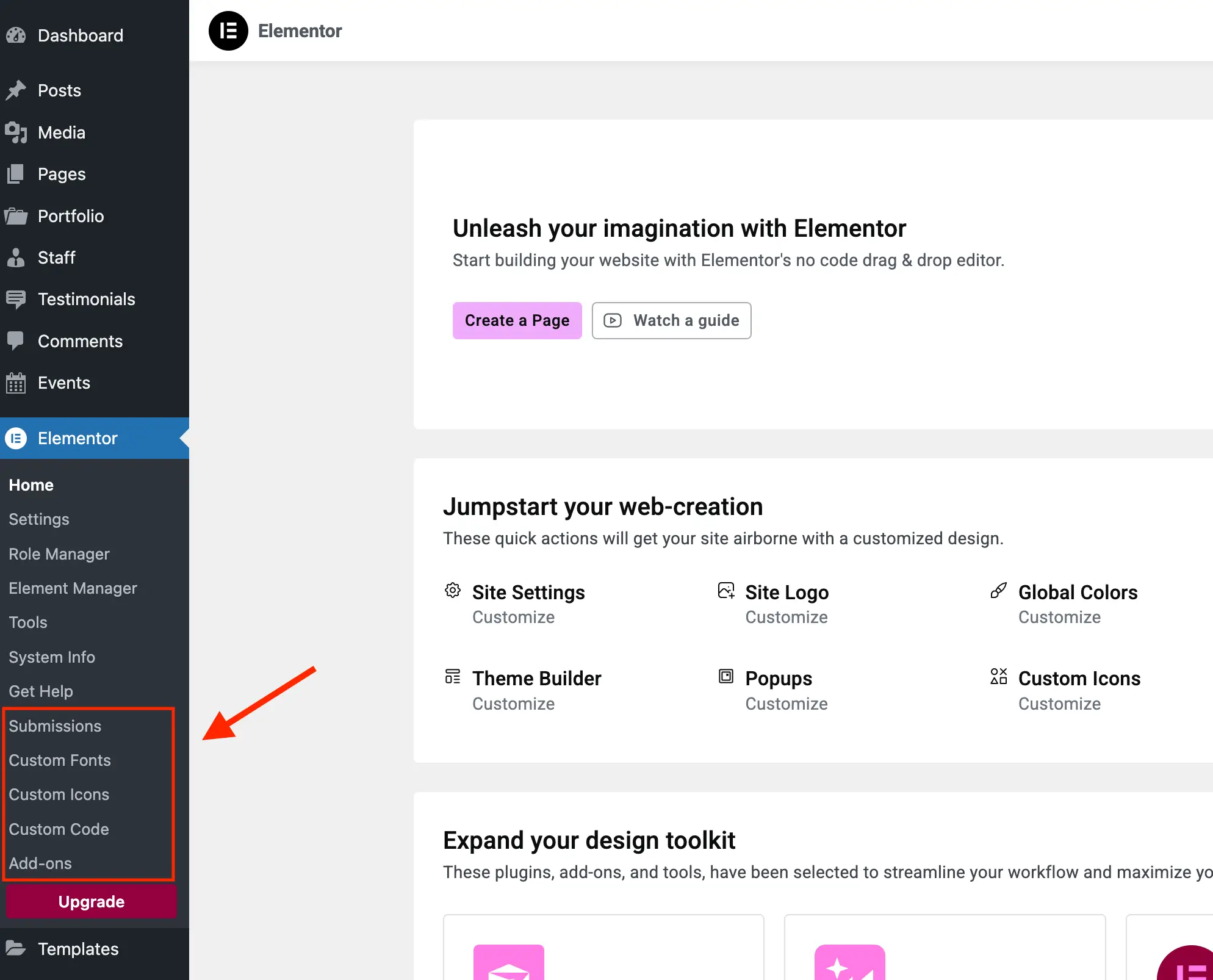
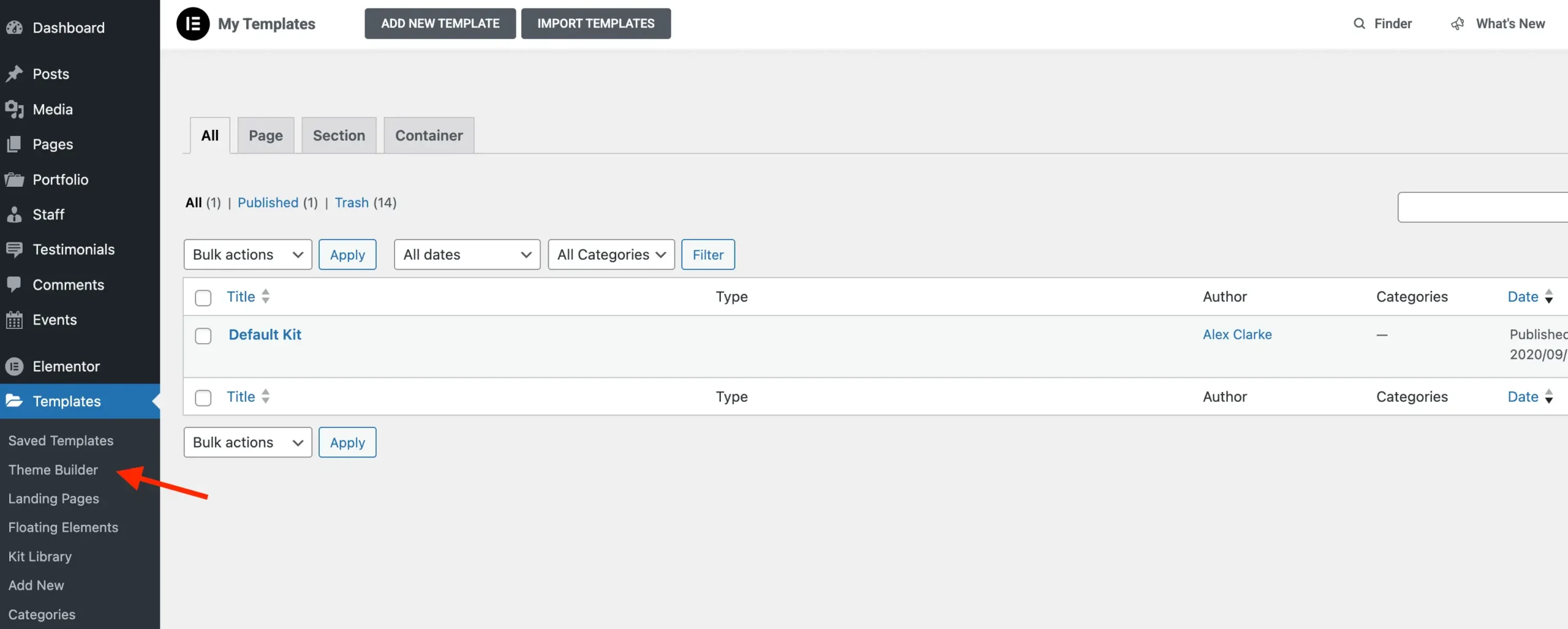
Elementor registers several administrative subpages whose primary function in the free edition is to serve landing pages for commercial upgrades. These include dedicated panels for promotional add-ons, template libraries, and direct upgrade triggers.
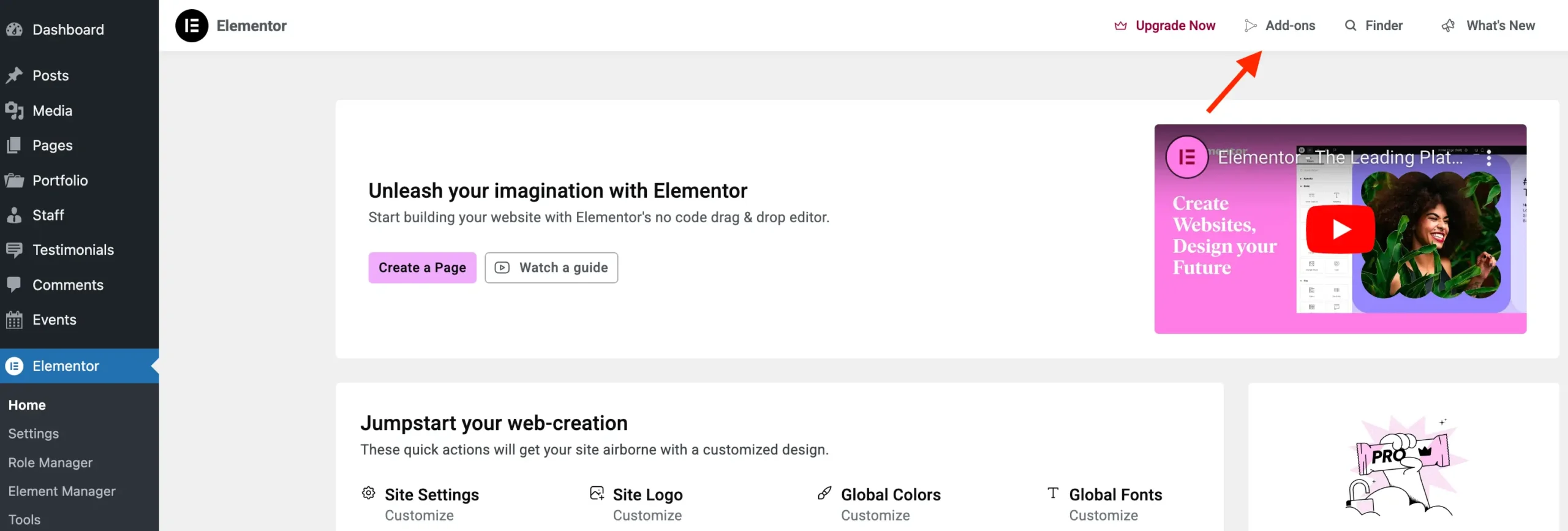
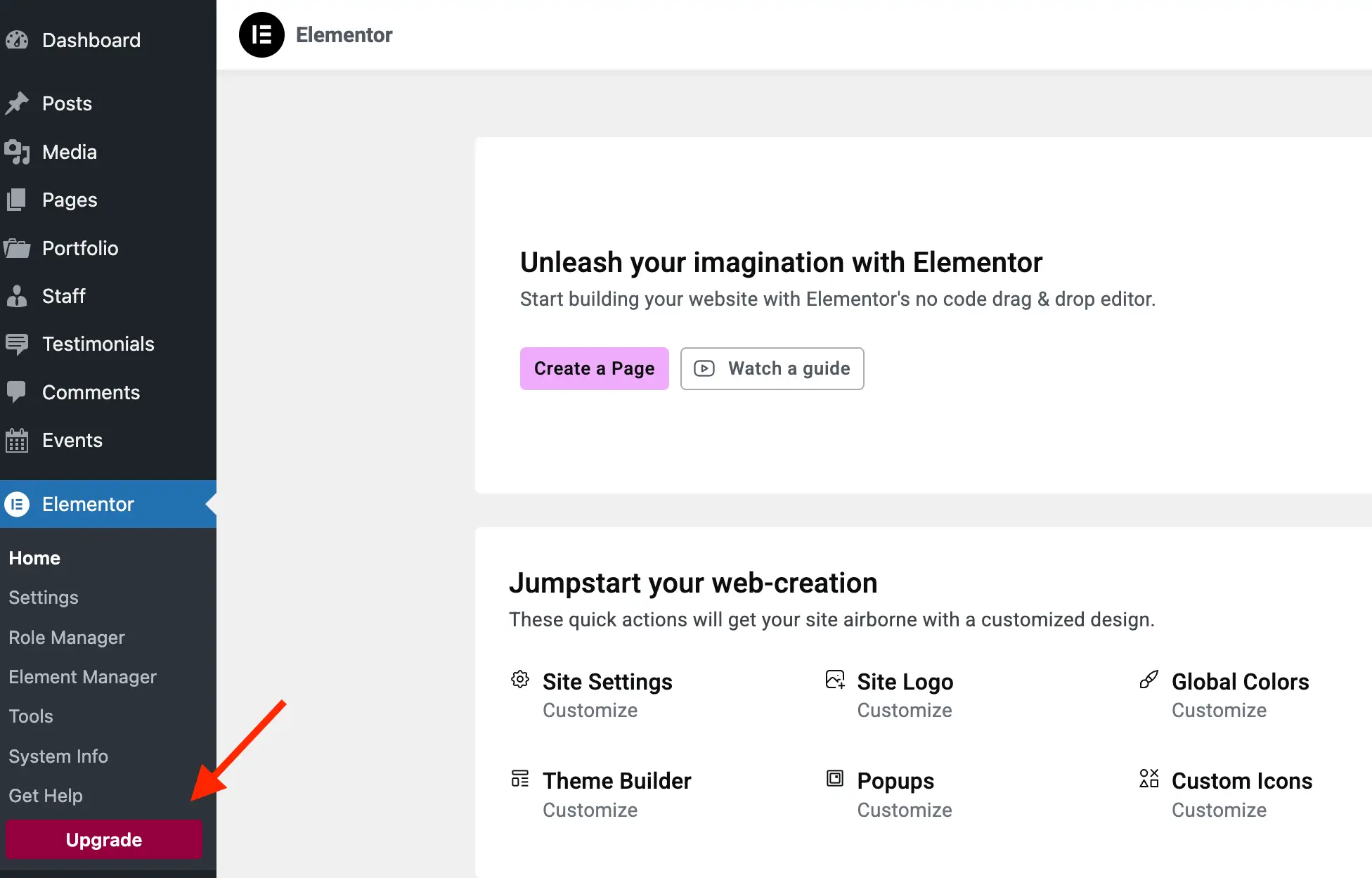
Utilizing the elementor/admin/menu/after_register hook, developers can dynamically parse registered menu items against Elementor’s promotion management classes (ElementorModulesPromotionsAdminMenuItemsBase_Promotion_Item and Base_Promotion_Template). By evaluating item slugs, administration scripts can cleanly execute remove_menu_page() and remove_submenu_page() functions to purge redundant links, such as the dedicated Add-ons page (elementor-apps), knowledge base redirects, and the prominent pink upgrade submenus.
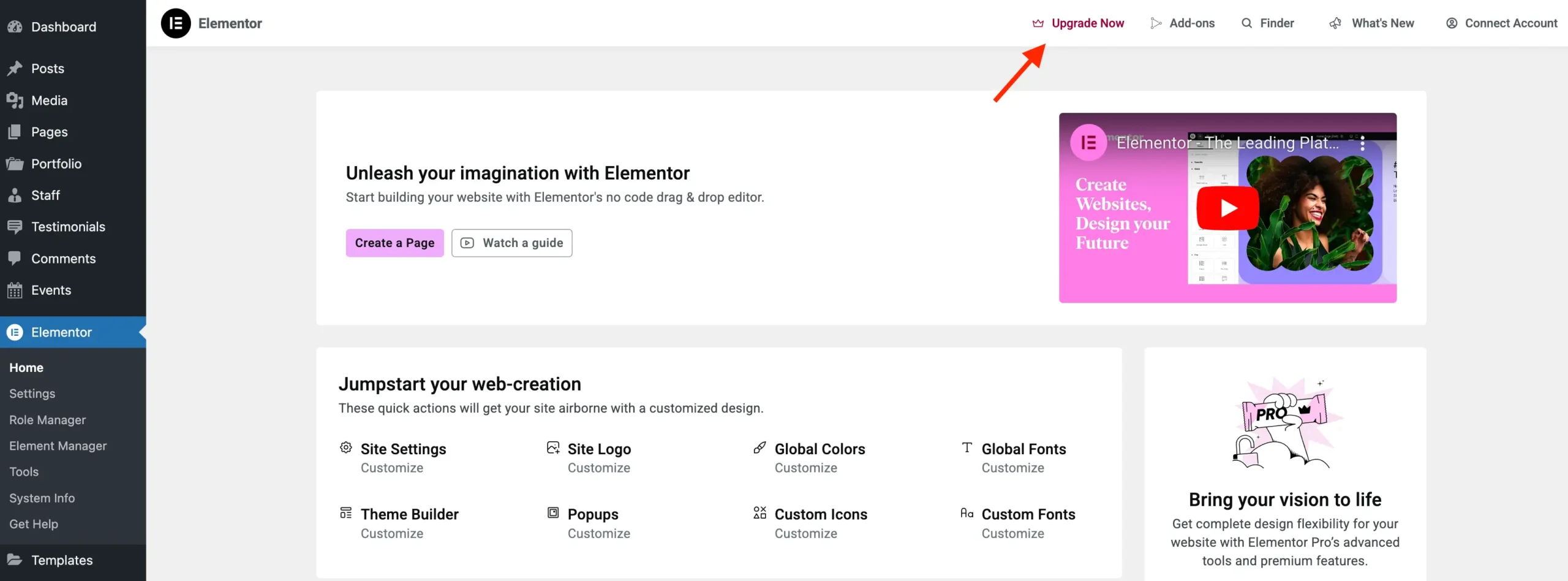
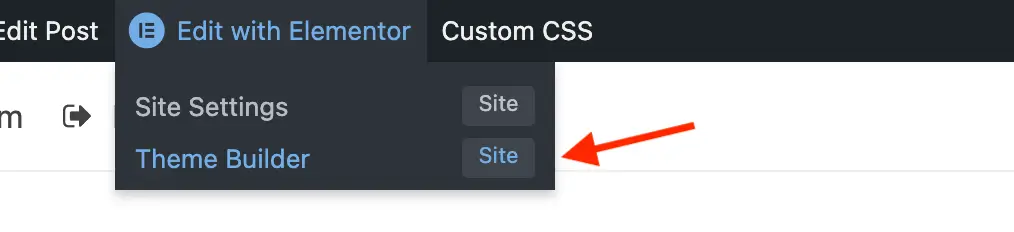
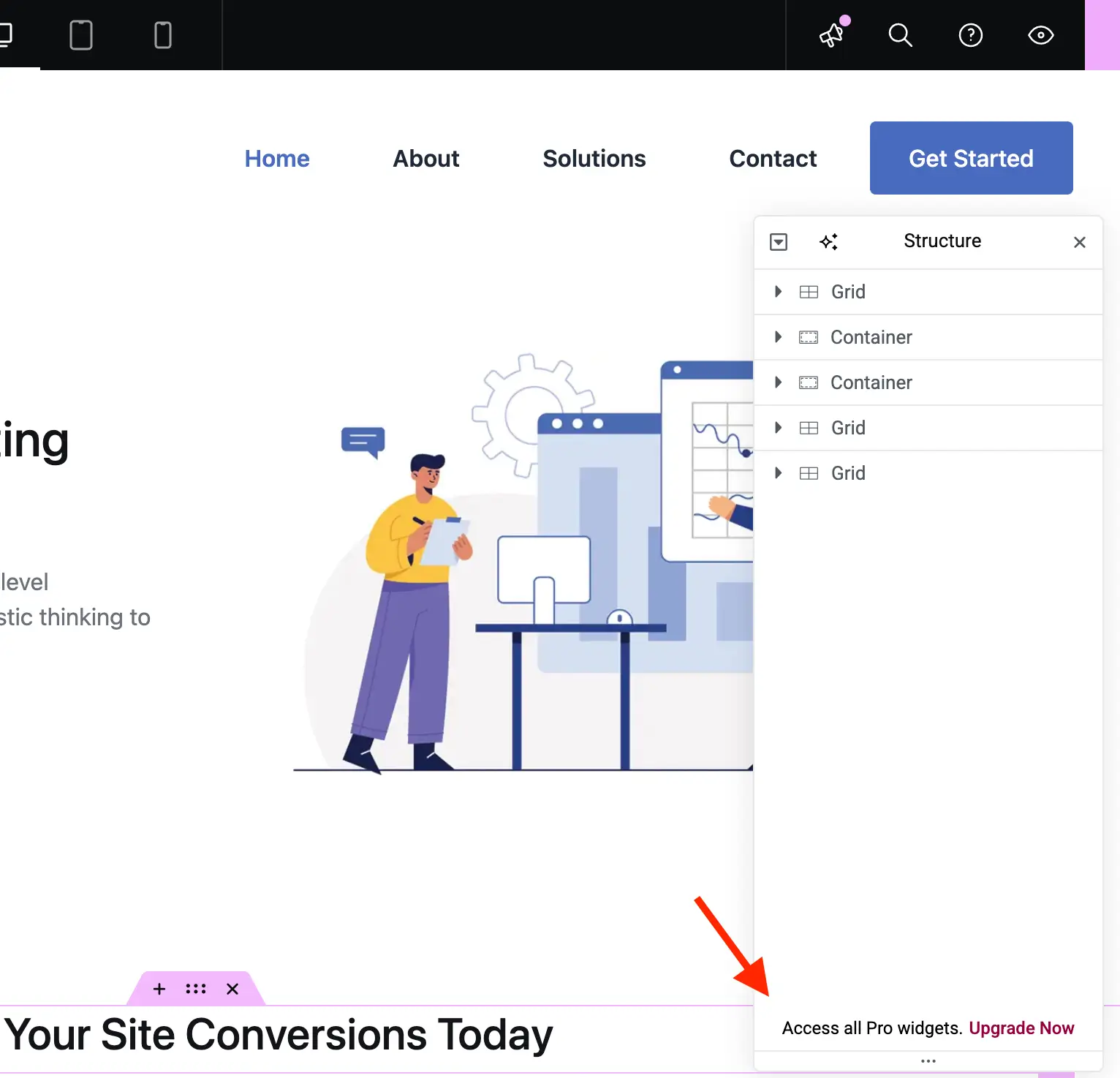
Additionally, top-level administrative navigation bars require targeted intervention. Because certain links—such as the integration and upgrade buttons—rely on distinct font icon classes (e.g., .eicon-integration and .eicon-upgrade-crown), developers can employ modern CSS :has() pseudo-selectors to suppress the corresponding wrapper buttons entirely without causing broken link errors or unauthorized access warnings.
public function admin_top_bar_css(): void
    $target_icon_classes = [
        '.eicon-integration',
        '.eicon-upgrade-crown',
    ];
    wp_add_inline_style(
        'elementor-admin-top-bar',
        '.e-admin-top-bar__bar-button:has(' . implode( ',', $target_icon_classes . ')display:none!important;'
    );
Streamlining the Visual Editor Sidebar
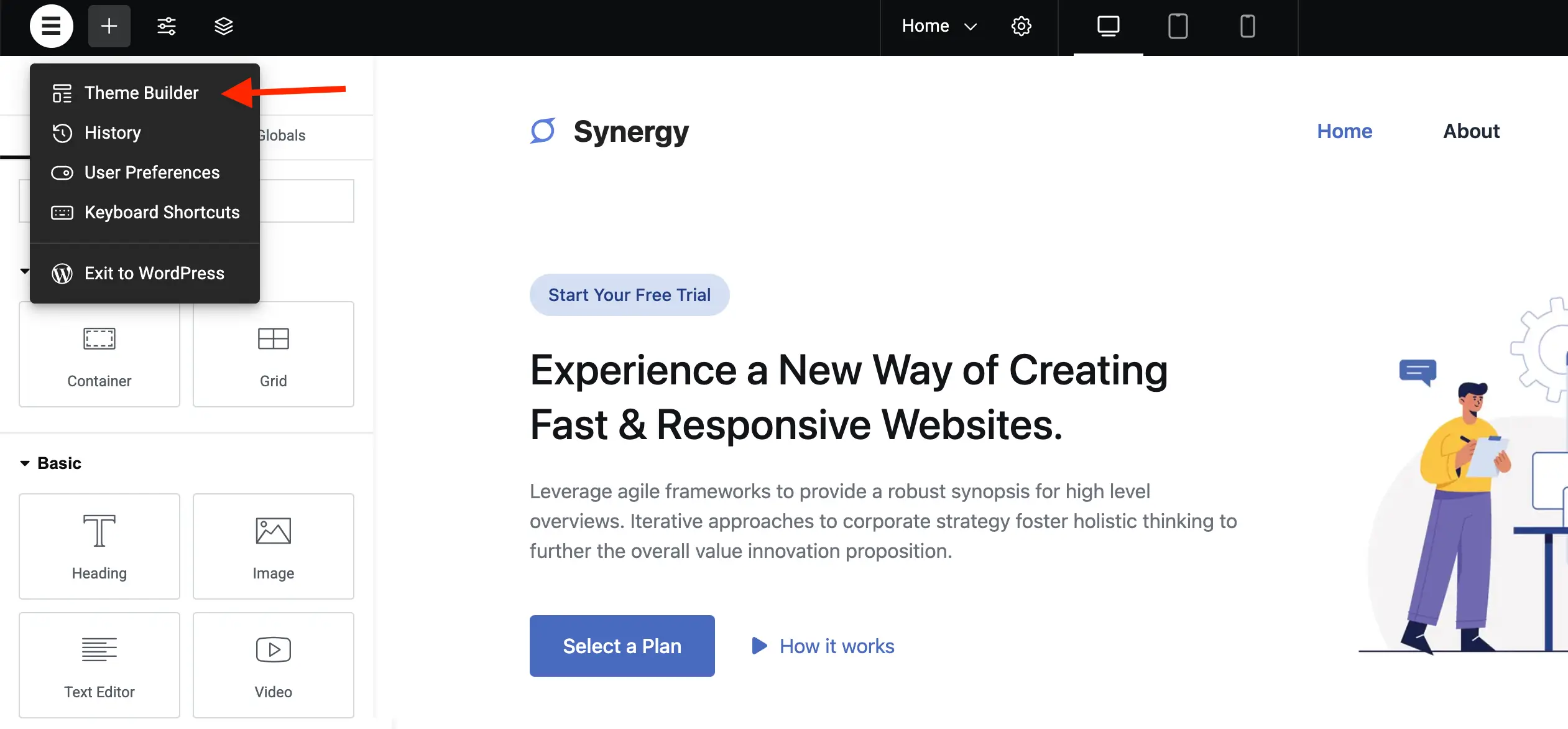
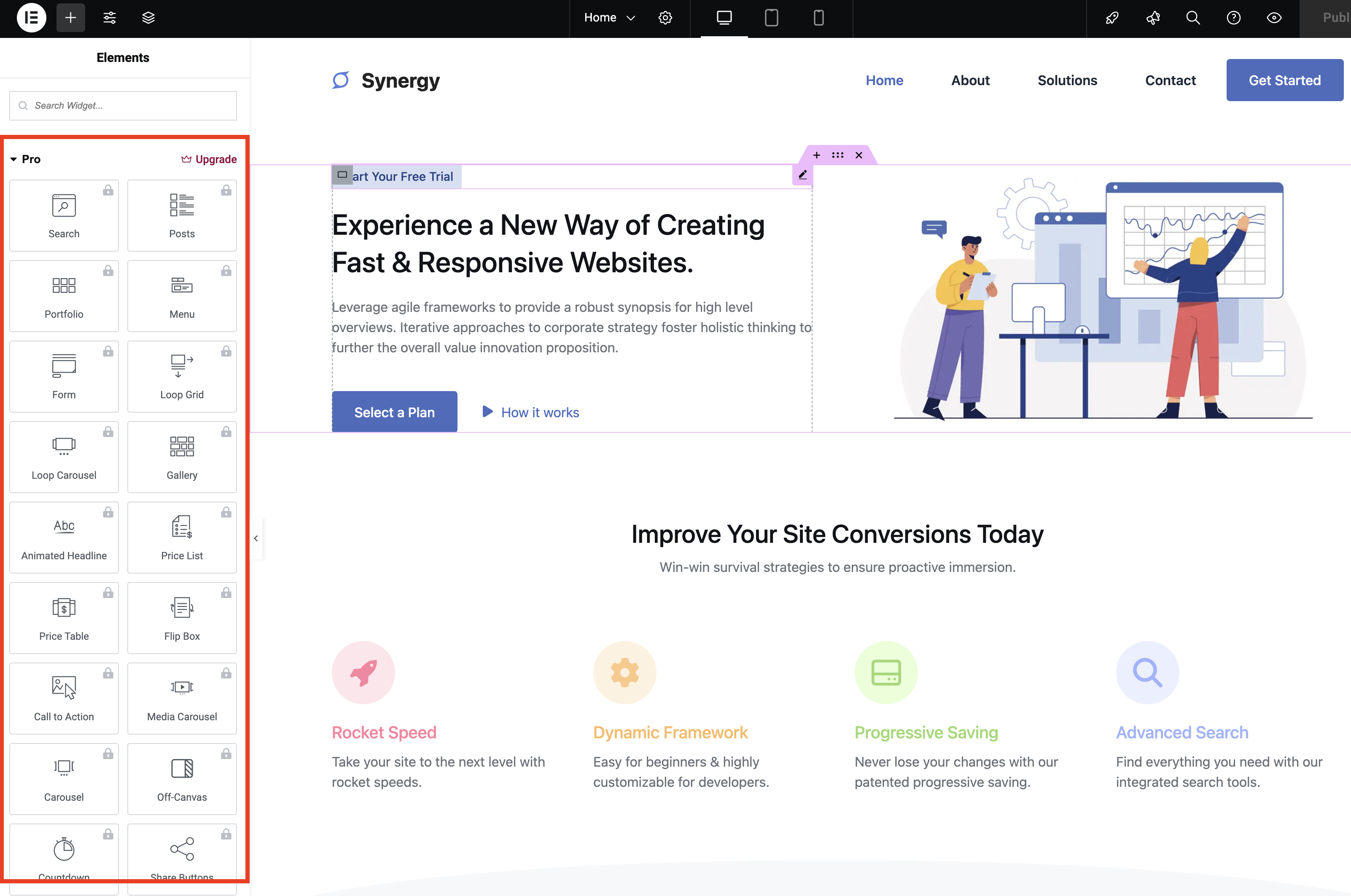
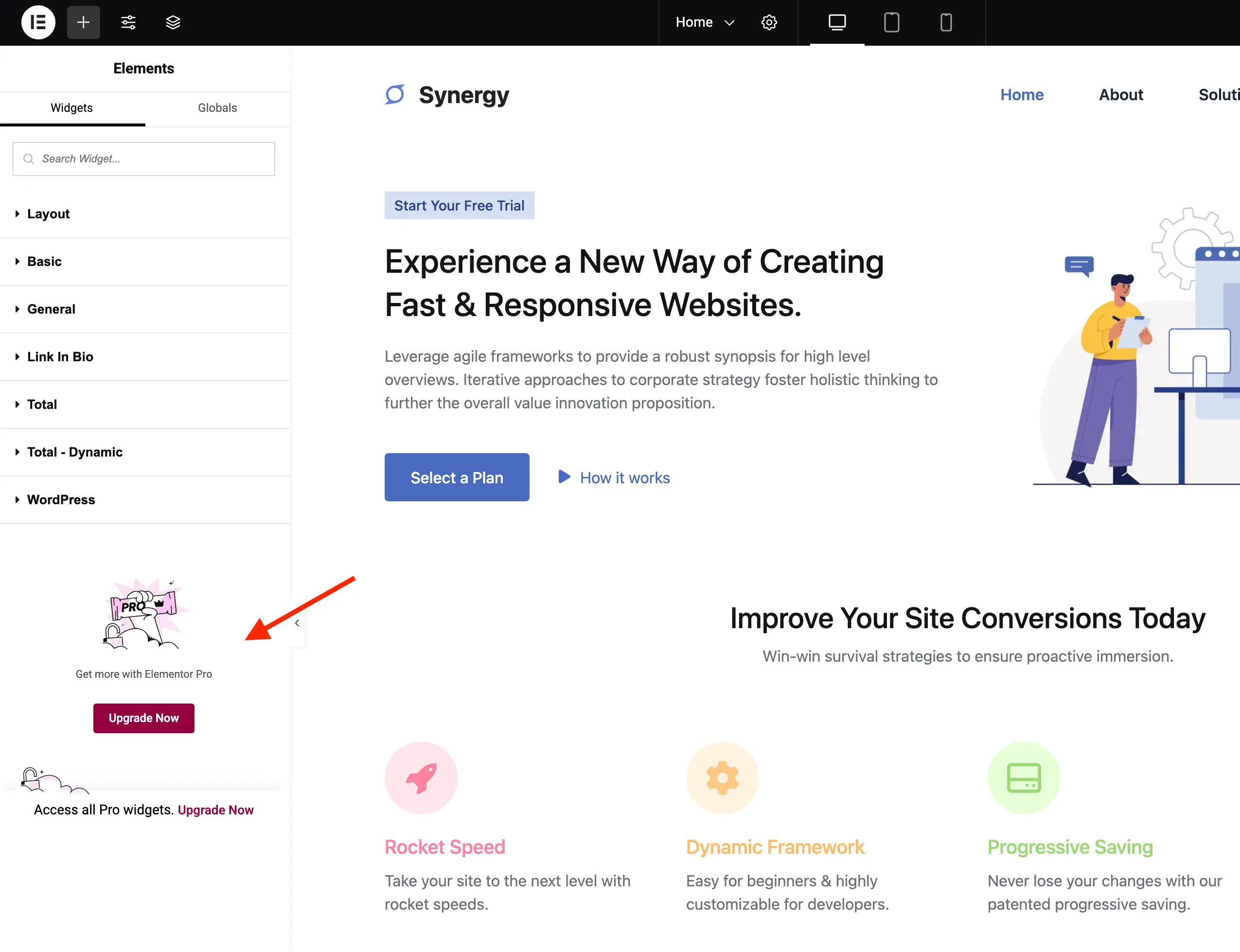
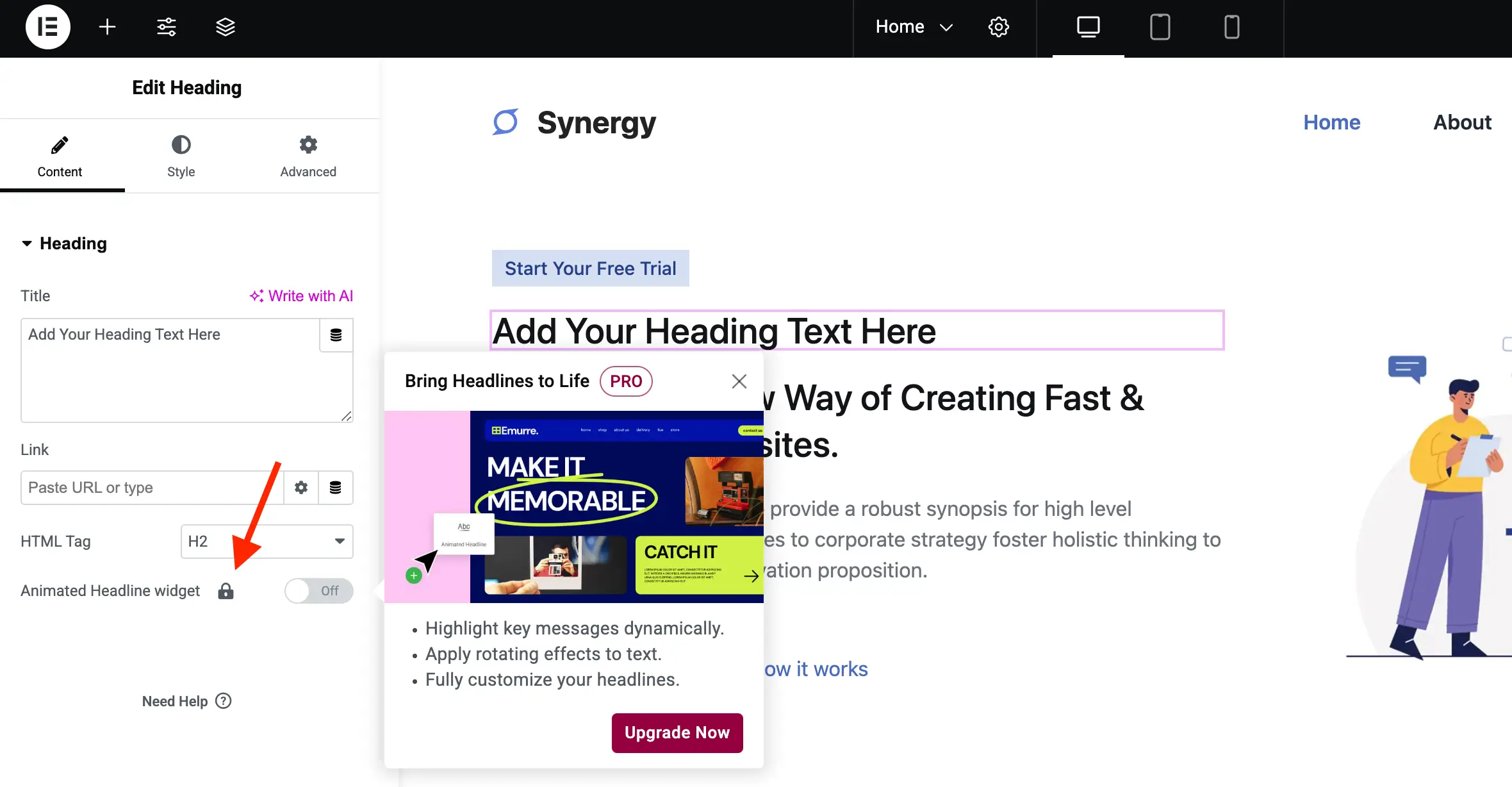
Within the visual layout editor itself, the inclusion of locked widgets, global styling tabs, and promotional category groupings can introduce friction during content creation. Free users are frequently presented with widgets for Theme Builders, WooCommerce extensions, and Pro elements that display distinct lock icons and initiate modal overlays upon interaction.
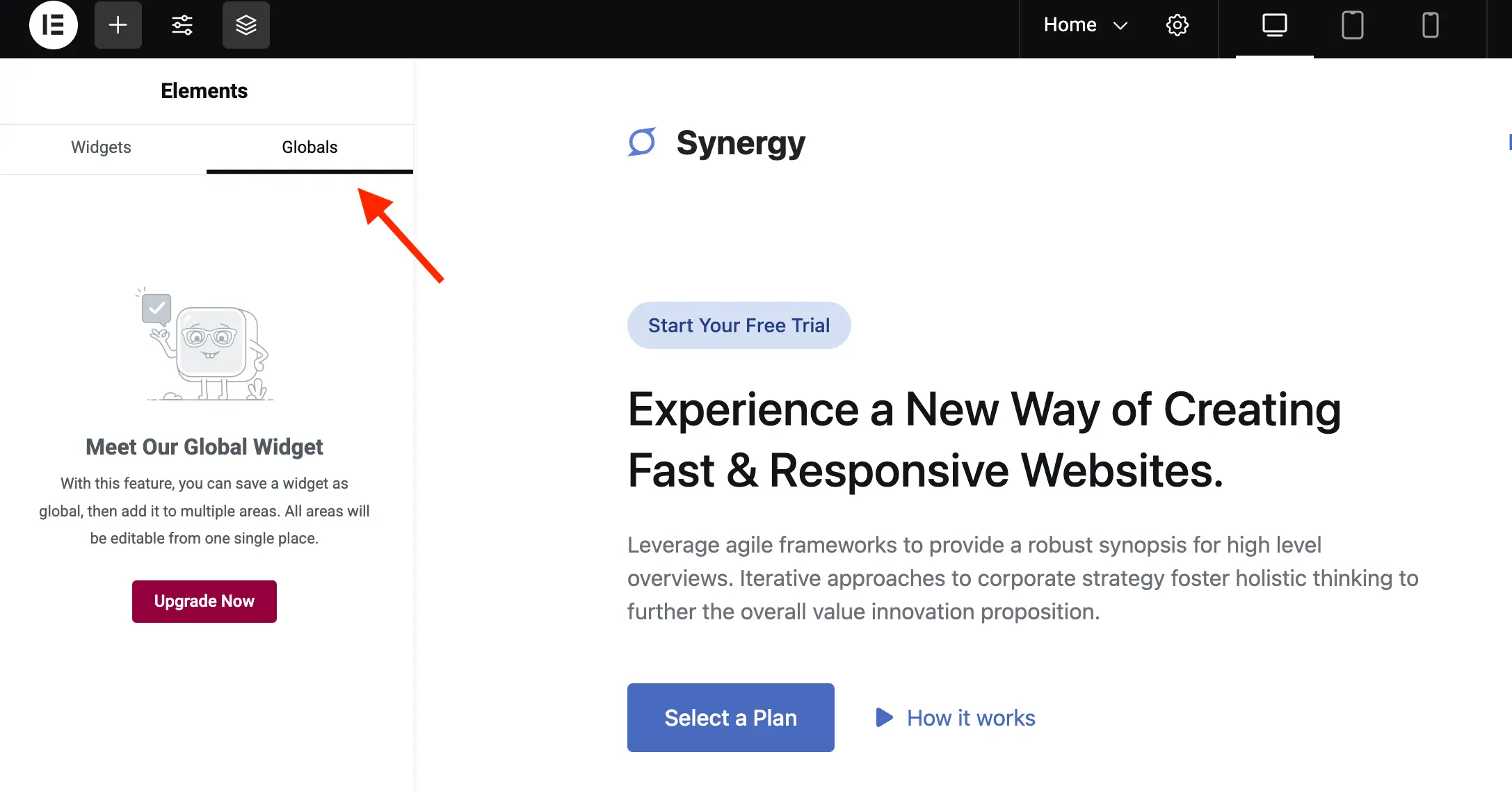
To optimize the sidebar canvas, developers inject customized administrative stylesheets via the elementor/editor/after_enqueue_styles action hook. By targeting specific DOM selectors—such as .elementor-element--promotion, #elementor-panel-category-pro-elements, and .elementor-panel-navigation-tab[data-tab=global]—the editor environment can be condensed to display exclusively functional, available tools.
public function editor_css(): void
    wp_add_inline_style(
        'elementor-editor',
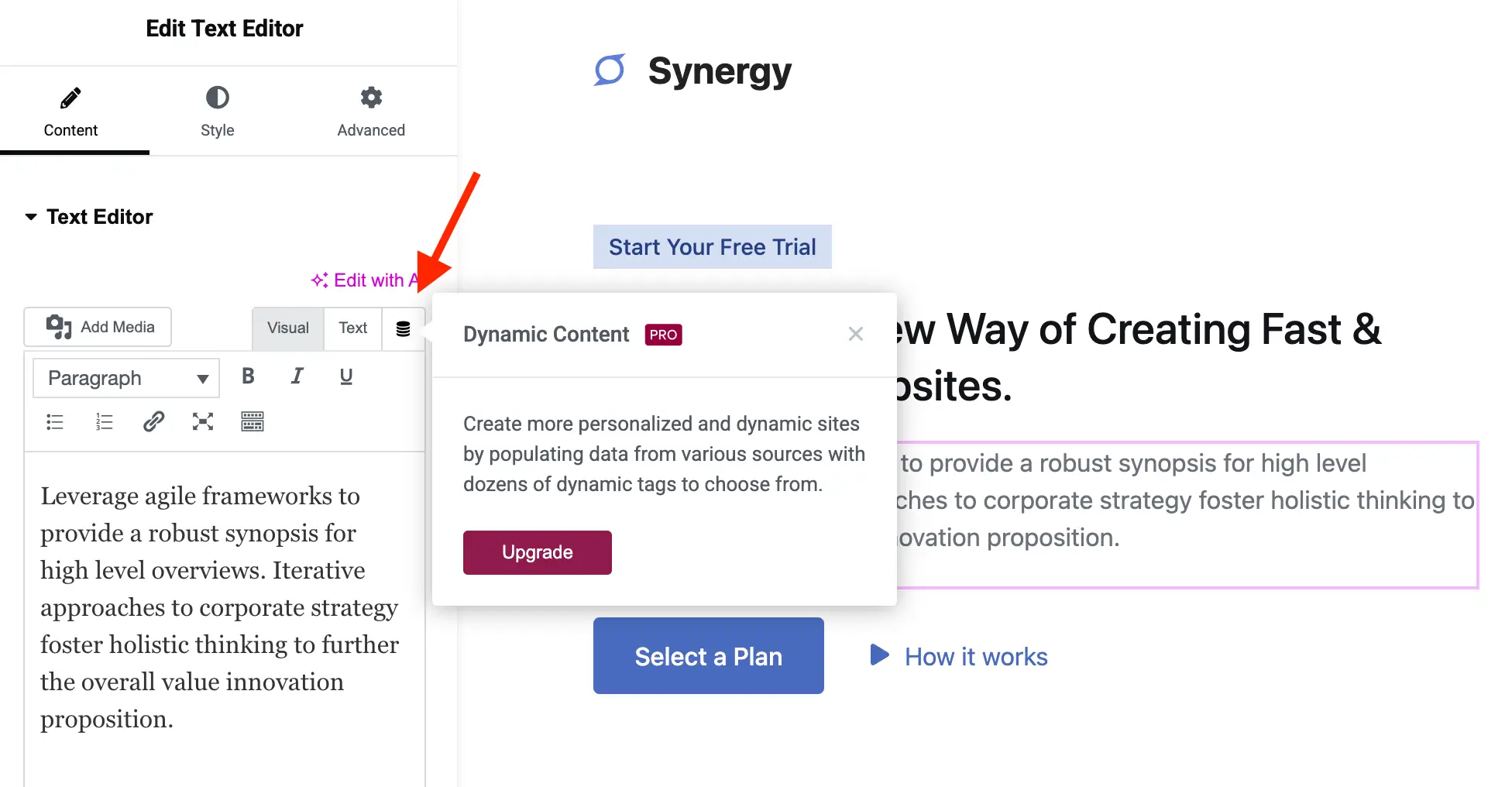
        '.elementor-element-wrapper.elementor-element--promotion,#elementor-panel-category-pro-elements,#elementor-panel-category-theme-elements,#elementor-panel-category-theme-elements-single,#elementor-panel-category-woocommerce-elements,#elementor-panel-get-pro-elements,#elementor-panel-get-pro-elements-sticky,.elementor-panel-navigation-tab[data-tab=global],#elementor-navigator__footer__promotion,.e-notice-bar,.elementor-control-dynamic-switcher,.elementor-control:has([class*="promotion__lock-wrapper"]),.elementor-control-section_custom_css_prodisplay:none!important;.elementor-control-type-wysiwyg .tmce-active .switch-htmlborder-inline-end:0;'
    );
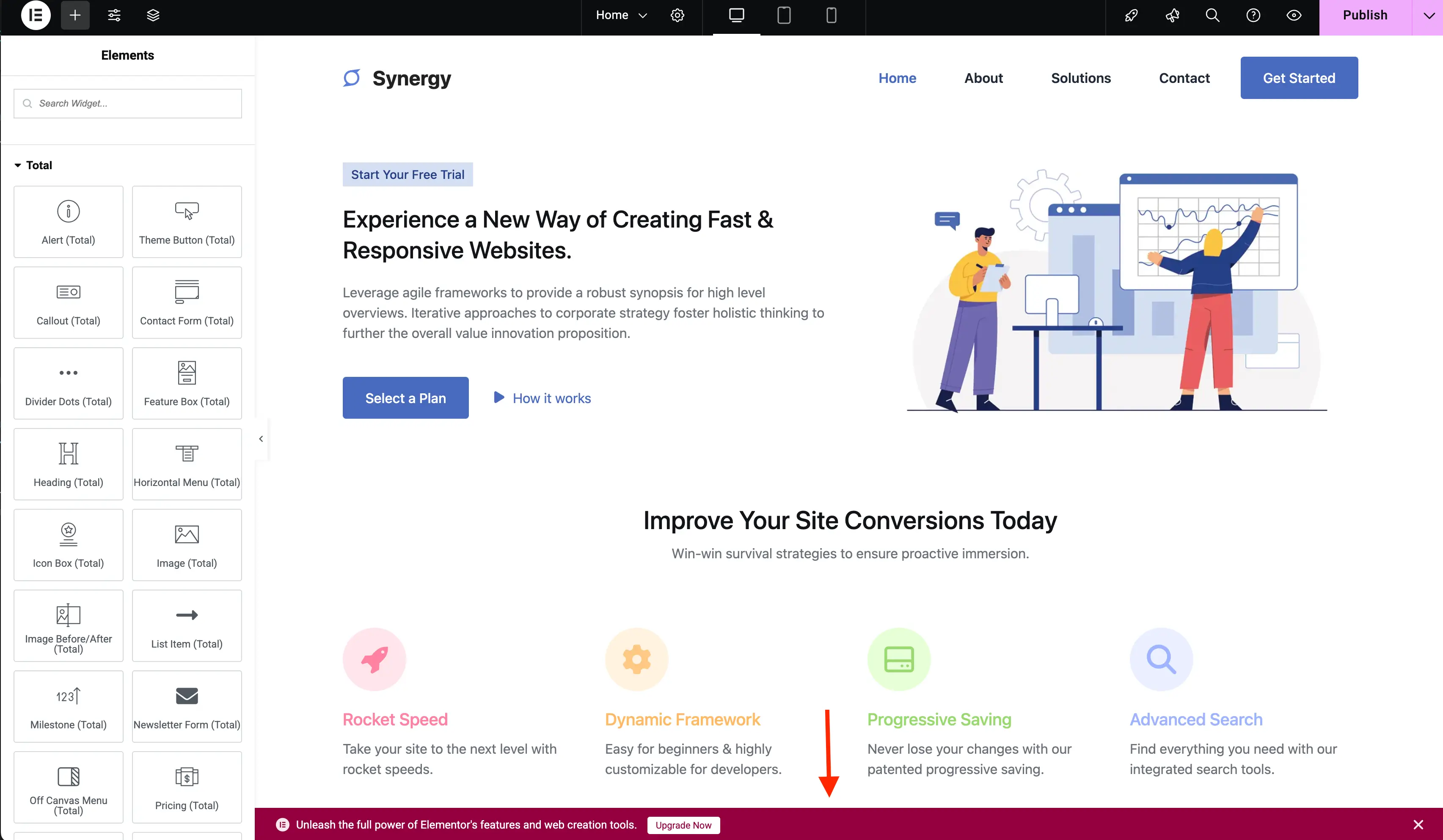
Furthermore, secondary UI elements such as the sticky editor notice bar at the base of the viewport, dynamic content tag switchers, and locked advanced attribute accordions can be systematically neutralized using equivalent CSS visibility rules.
Supporting Data and Administrative Implications
Statistical analysis of resource utilization in agency environments indicates that clean administrative interfaces significantly reduce client confusion and support ticket volume. When website owners log into their WordPress backends to manage routine publishing tasks, exposure to irrelevant promotional interfaces frequently generates inquiries regarding software licensing status or broken functional expectations.
By deploying automated cleanup routines—whether integrated into a custom site-specific plugin or bundled within a parent theme’s functions file—agencies report measurable improvements in administrative satisfaction. However, industry analysts and core developers emphasize several technical caveats:
- Maintenance Overhead: Because page builders undergo frequent updates, DOM selectors and internal class references can shift between minor and major releases, requiring periodic code audits.
- License Intent: Software developers consistently remind users that while interface customization is legally permitted under GPL licensing terms, financial support of commercial plugins ensures the long-term viability and security of the underlying open-source ecosystem.
- Compatibility Risks: Aggressive DOM manipulation via custom stylesheets must be carefully scoped to prevent accidental suppression of critical non-promotional interface components, particularly when third-party add-on plugins introduce custom panels into the Elementor ecosystem.
Complete Integration Code
For developers seeking a ready-to-deploy solution, the complete PHP class synthesizing menu management, toolbar styling, editor optimization, and dashboard widget removal is structured as follows:

/**
 * Remove Elementor Upsells Complete Implementation.
 */
class WPEX_Remove_Elementor_Upsells

    public function __construct()
        if ( did_action( 'elementor/loaded' ) )
            $this->register_actions();
         else
            add_action( 'elementor/loaded', [ $this, 'register_actions' ] );


    public function register_actions(): void
        if ( is_callable( 'ElementorUtils::has_pro' ) && ElementorUtils::has_pro() )
            return;


        add_action( 'elementor/admin/menu/after_register', [ $this, 'remove_admin_pages' ], PHP_INT_MAX, 2 );
        add_action( 'elementor/admin_top_bar/before_enqueue_scripts', [ $this, 'admin_top_bar_css' ] );
        add_filter( 'elementor/frontend/admin_bar/settings', [ $this, 'modify_admin_bar' ], PHP_INT_MAX );
        add_action( 'elementor/editor/after_enqueue_styles', [ $this, 'editor_css' ] );
        add_action( 'wp_dashboard_setup', [ $this, 'remove_dashboard_widget' ], PHP_INT_MAX );


    public function remove_admin_pages( $menu_manager, $hooks ): void

    public function admin_top_bar_css(): void
        $target_icon_classes = [
            '.eicon-integration',
            '.eicon-upgrade-crown',
        ];
        wp_add_inline_style(
            'elementor-admin-top-bar',
            '.e-admin-top-bar__bar-button:has(' . implode( ',', $target_icon_classes ) . ')display:none!important;'
        );


    public function modify_admin_bar( $admin_bar_config )
        if ( isset( $admin_bar_config['elementor_edit_page']['children'] )
            && is_array( $admin_bar_config['elementor_edit_page']['children'] )
        )
            foreach ( $admin_bar_config['elementor_edit_page']['children'] as $k => $item )
                if ( isset( $item['id'] ) && 'elementor_app_site_editor' === $item['id'] )
                    unset( $admin_bar_config['elementor_edit_page']['children'][ $k ] );
                    break;


        return $admin_bar_config;


    public function editor_css(): void
        wp_add_inline_style(
            'elementor-editor',
            '.elementor-element-wrapper.elementor-element--promotion,#elementor-panel-category-pro-elements,#elementor-panel-category-theme-elements,#elementor-panel-category-theme-elements-single,#elementor-panel-category-woocommerce-elements,#elementor-panel-get-pro-elements,#elementor-panel-get-pro-elements-sticky,.elementor-panel-navigation-tab[data-tab=global],#elementor-navigator__footer__promotion,.e-notice-bar,.elementor-control-dynamic-switcher,.elementor-control:has([class*="promotion__lock-wrapper"]),.elementor-control-section_custom_css_prodisplay:none!important;.elementor-control-type-wysiwyg .tmce-active .switch-htmlborder-inline-end:0;'
        );


    public function remove_dashboard_widget(): void
        remove_meta_box( 'e-dashboard-overview', 'dashboard', 'normal' );


new WPEX_Remove_Elementor_Upsells;
Conclusion and Future Outlook
Optimizing the WordPress administrative experience for freemium plugins represents a balance between developer customization and commercial software sustainability. While the mechanisms detailed in this guide provide a robust technical pathway for eliminating dashboard clutter, web professionals must continuously evaluate their deployment strategies against future software updates. As page builder architectures evolve toward increasingly modular, JavaScript-driven frameworks, maintaining clean administrative interfaces will require ongoing adaptation and rigorous compatibility testing across production environments.