What’s Coming in WordPress 7.2? Features, Screenshots, and What Site Owners Need to Know

WordPress 7.2 beta is officially available for testing, marking the final major software cycle for the world’s most popular Content Management System before the year’s end. Scheduled for its general release on December 8, 2026, this upcoming iteration focuses heavily on refining existing tools, accelerating administrative workflows, and reducing the reliance on custom code for everyday site management. Core developers and early testers evaluating the software on staging environments have highlighted notable enhancements, ranging from margin-based editorial notes and centralized form styling to performance upgrades that promise a noticeably faster backend.
Chronology and Development Roadmap
The development trajectory of WordPress 7.2 builds directly upon the groundwork laid by its predecessors, particularly WordPress 6.9 and 7.1. While major versions typically aim to introduce sweeping architectural shifts, the core team structured 7.2 as a refinement update. Beta testing kicked off following the stabilization of core block editing frameworks, allowing developers to channel resources into user experience improvements and deep responsiveness controls.
However, the road to the December 8 release has not been without adjustments. Several ambitious features initially slated for the 7.2 roadmap have been deferred to WordPress 7.3 to ensure higher stability. Notably, the much-anticipated Google Docs-style "Suggestion mode" for editorial notes and the long-delayed Table of Contents block have both been moved to the next development cycle. Real-time collaborative editing remains under heavy architectural review, meaning multi-author teams must continue relying on current ecosystem plugins for simultaneous live writing. Despite these omissions, the final feature set of version 7.2 delivers substantial utility for publishers, agencies, and independent site owners.
Editorial Workflow Enhancements: Margin Notes
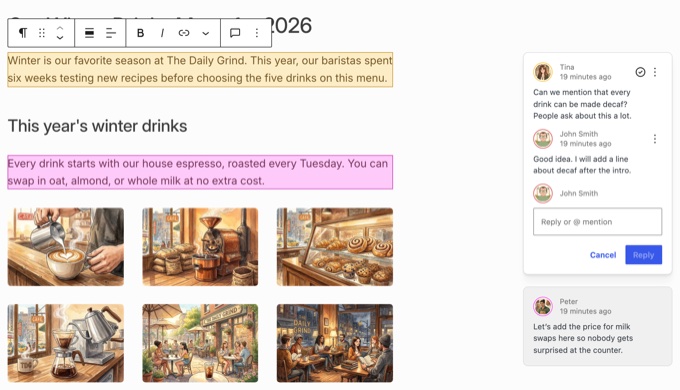
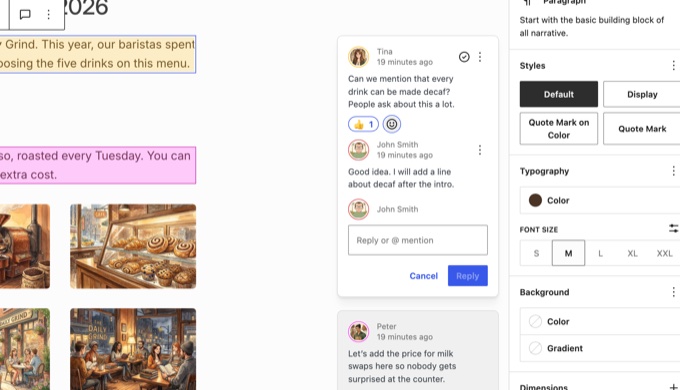
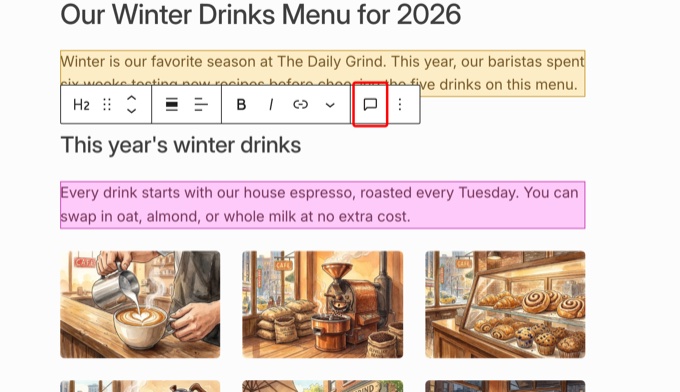
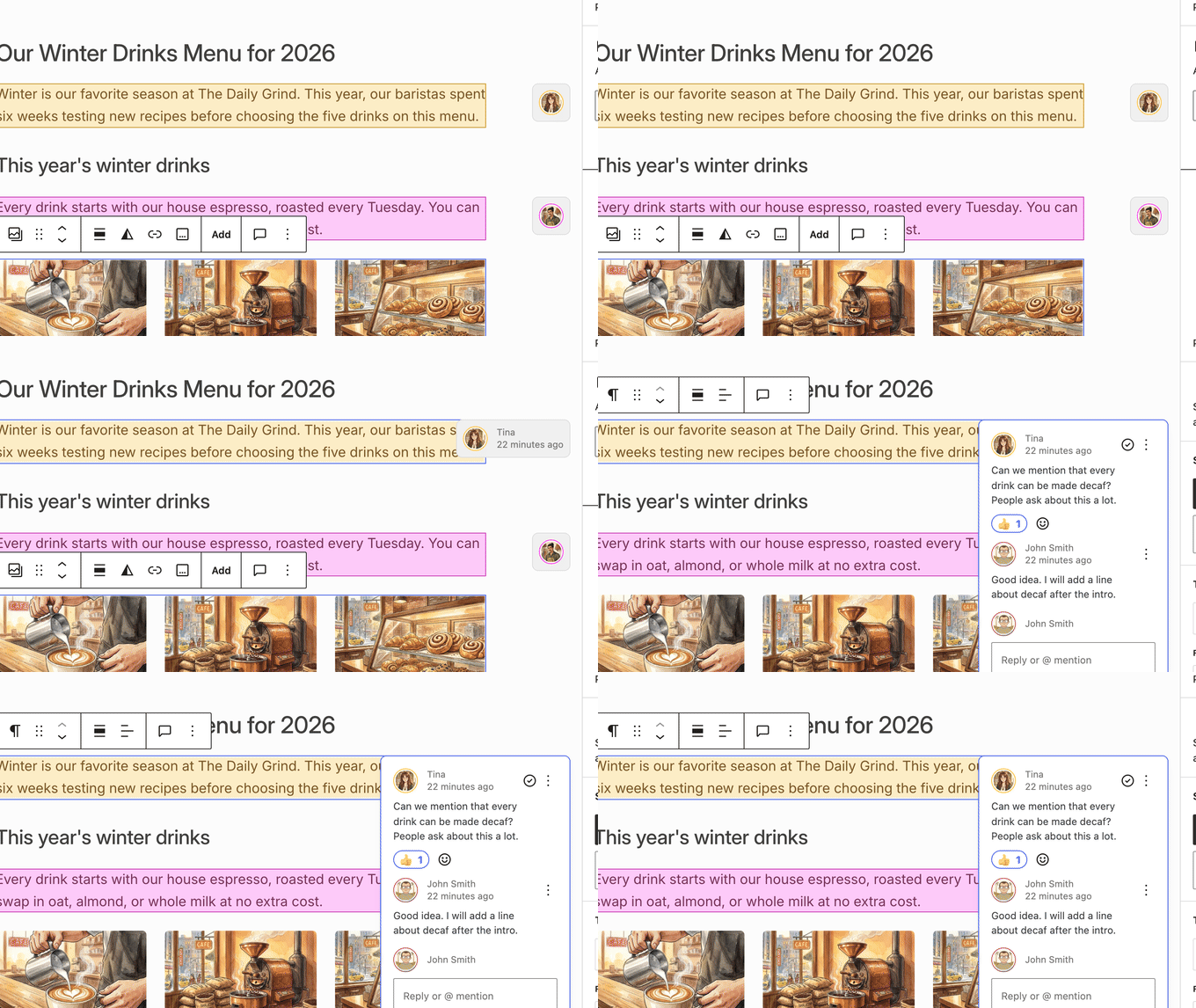
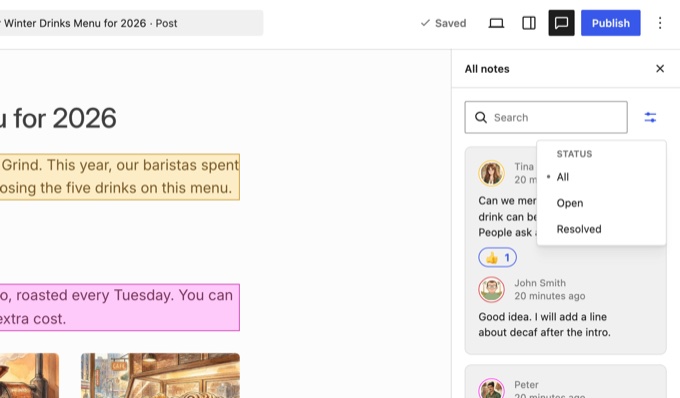
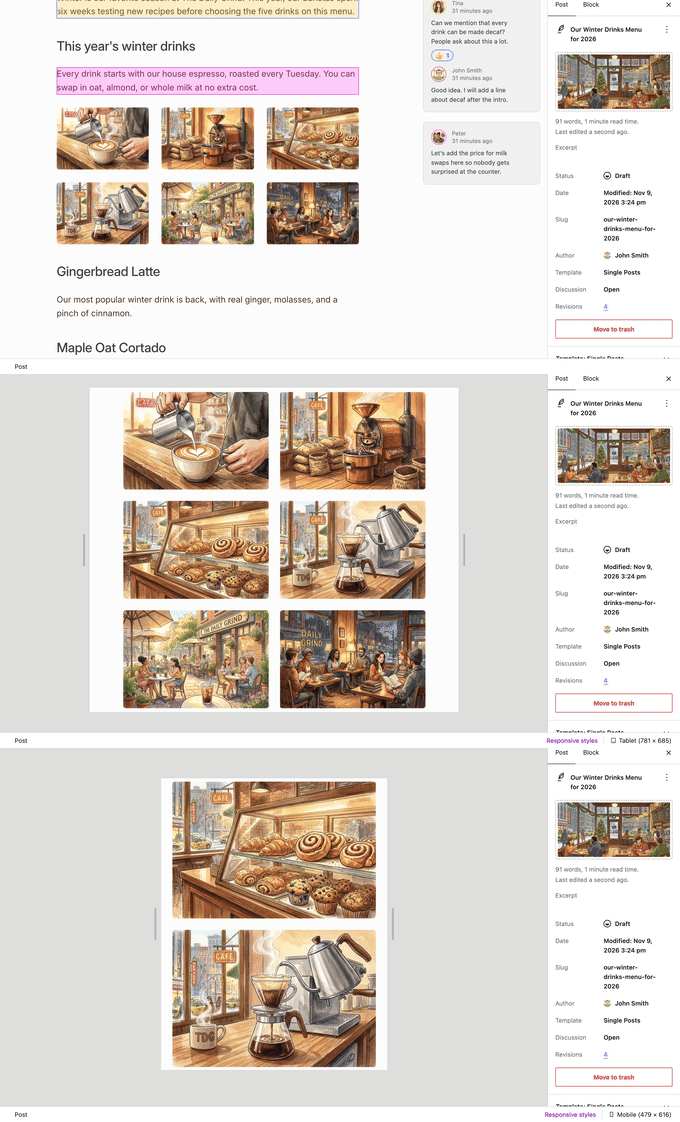
Collaboration on multi-author publications and agency-client handoffs receives a major upgrade in WordPress 7.2. Continuing the evolution of editorial notes introduced in earlier versions, notes have transitioned out of cramped sidebars and into the margin of the editor canvas, aligning directly beside the specific blocks they reference.
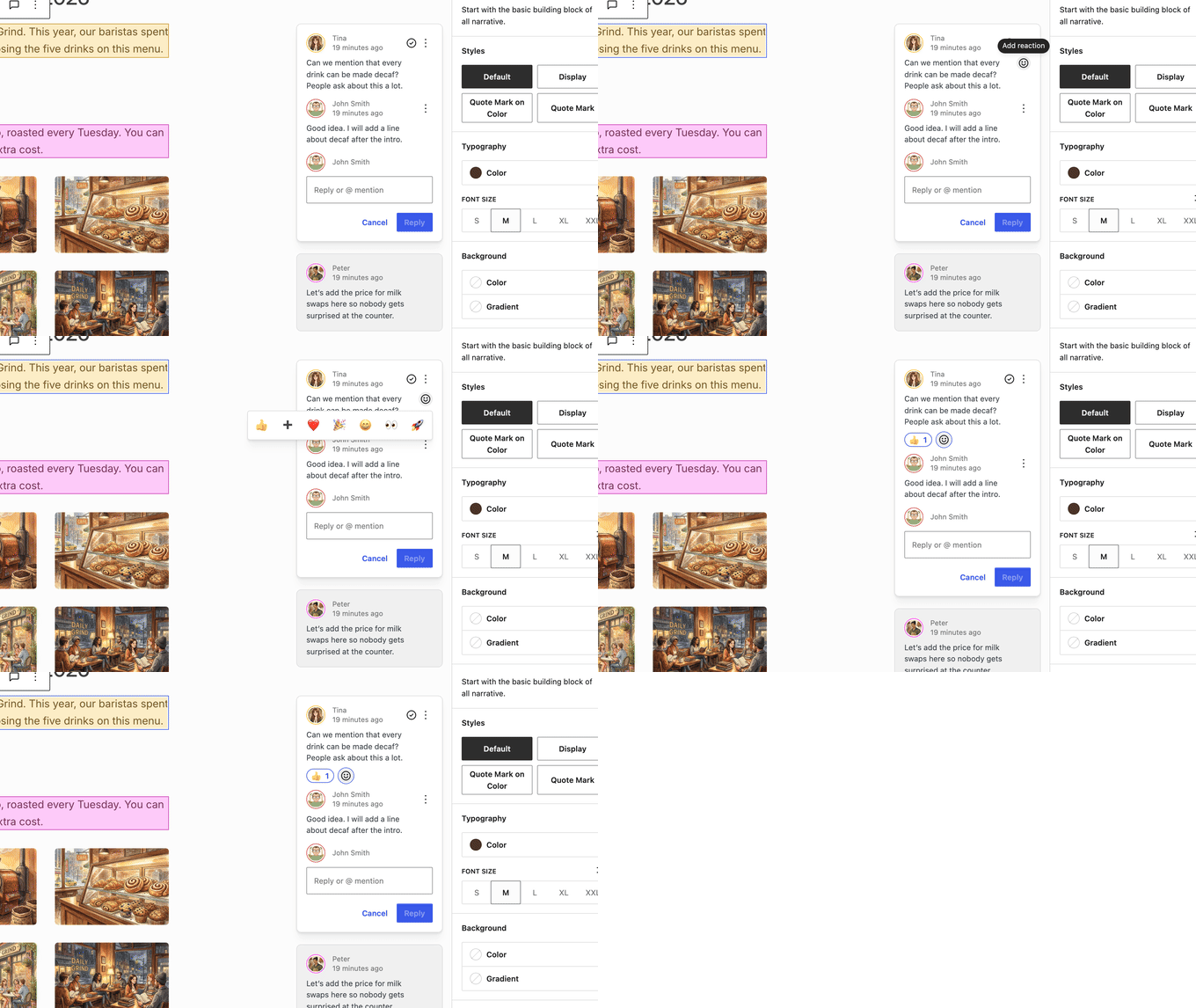
This design choice mirrors modern document-sharing platforms like Google Docs. Testers evaluating draft copy noted that blocks carrying feedback are highlighted in distinct author colors, providing instant visual clarity regarding pending revisions. Furthermore, because margin notes no longer occupy the primary sidebar real estate, users can keep both the block settings panel and the editorial notes open simultaneously. Additional improvements include emoji reactions for quick approvals, an integrated "Add Note" button within the block toolbar, minimization into interactive avatar bubbles, and an advanced filter panel allowing editors to sort through all, open, and resolved feedback items effortlessly.
Introduction of Ipsum, the New Default Theme
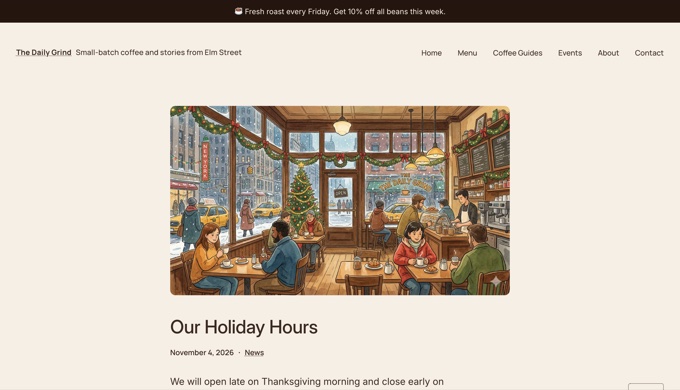
Breaking a 16-year naming convention established by the "Twenty Ten" release, WordPress 7.2 ships with a brand-new default block theme named Ipsum. Derived from the design placeholder term "lorem ipsum," Ipsum serves as an intentionally minimal, highly adaptable foundation designed primarily for modern bloggers and digital publishers.
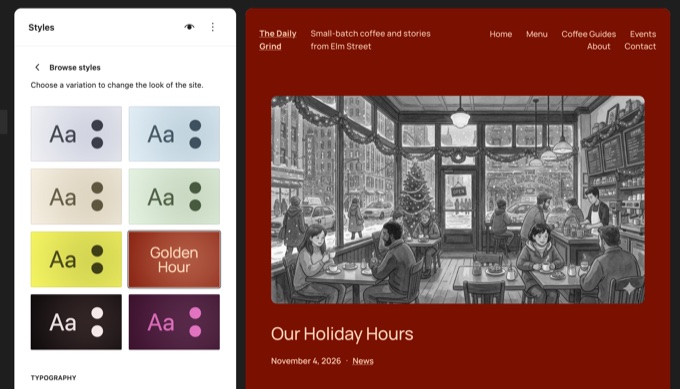
Out of the box, Ipsum ships with eight distinct color variations and six typography sets, accessible directly through the Site Editor interface. A single click can globally transform a website’s aesthetic, simultaneously adjusting typography, color palettes, and even image duotone treatments. Additionally, Ipsum is engineered for seamless integration with agentic AI tools such as WPVibe. Through natural language prompts connected via external AI assistants like Claude or ChatGPT, administrators can modify theme parameters, generate announcement bars, and adjust layouts within private staging previews before deploying changes live.
Advanced Responsive Styling and Global Form Controls
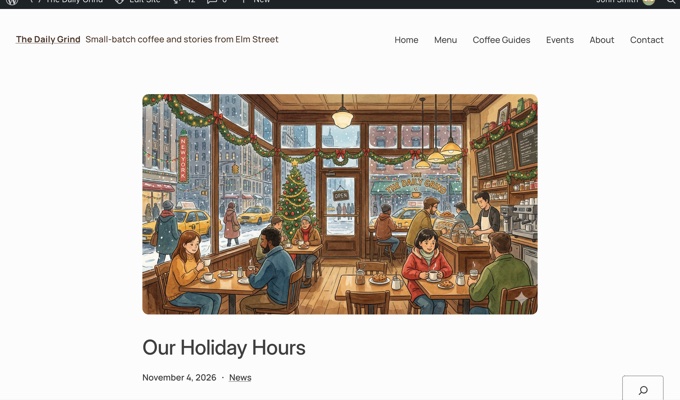
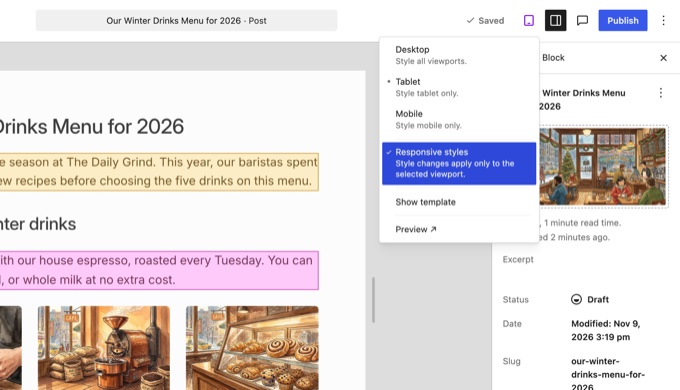
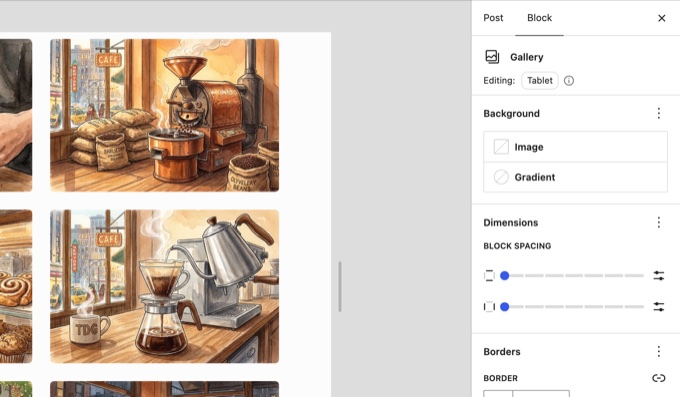
Addressing long-standing design bottlenecks, WordPress 7.2 expands responsive styling capabilities beyond basic layouts, granting precise control over individual blocks across different device viewports without the need for custom CSS. Users can now define distinct column counts, cropping parameters, and aspect ratios for the Gallery block depending on whether a site is viewed on a desktop, tablet, or mobile phone. Selecting a device preview icon in the top toolbar activates viewport-specific configuration panels, significantly reducing design friction for non-technical users.
Concurrently, the update introduces centralized form styling within Global Styles. Administrators can now manage typography, colors, backgrounds, borders, and shadows for standard form elements—such as input fields, select dropdowns, and buttons—under the "Blocks & Elements" menu. This ensures that native search boxes, comment sections, and core form controls match a site’s overarching design system natively, closing a persistent visual gap that previously required custom style sheets.
Media Performance and Under-the-Hood Optimizations
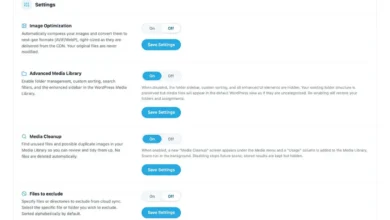
Media handling receives substantial performance optimizations in WordPress 7.2. Building on browser-side processing features introduced in version 7.1, the current update empowers Chromium-based browsers to resize, compress, and convert images locally before they ever reach the hosting server. This optimization significantly reduces server load and accelerates upload speeds, particularly on budget hosting environments with restricted resource allocations.
Furthermore, a legacy bug persisting for over a decade has finally been resolved: animated GIFs and animated WebPs generated via the media library will no longer flatten into static thumbnails, preserving animation across all derived image sizes.
Under the hood, WordPress 7.2 delivers broad performance gains across the administrative dashboard. Scripts and stylesheets are no longer bundled into monolithic files; instead, they are loaded individually to maximize browser caching efficiency. Combined with a new prefetching algorithm that anticipates administrative navigation paths, backend page transitions are noticeably faster. Modern SVG icons from the core icon library have also replaced aging Dashicons across the sidebar menu, creating a visually unified administrative experience.
Broader Impact and Industry Implications
The release of WordPress 7.2 underscores the project’s ongoing pivot toward a fully integrated, application-grade content management experience. By bridging the gap between native block capabilities and advanced design requirements, the core team continues to lower the barrier to entry for website creation while expanding developer hooks for complex custom builds.
As the software approaches its general availability date on December 8, 2026, web professionals are advised to test upcoming updates thoroughly via staging environments and the WordPress Beta Tester plugin. While features like the new /random/ post redirection utility and enhanced metadata locking offer immediate functional benefits, proper site auditing ensures a seamless transition toward the final production release.