Streamlining WordPress: Comprehensive Guide to Removing Yoast SEO Upsells for a Cleaner Admin Experience

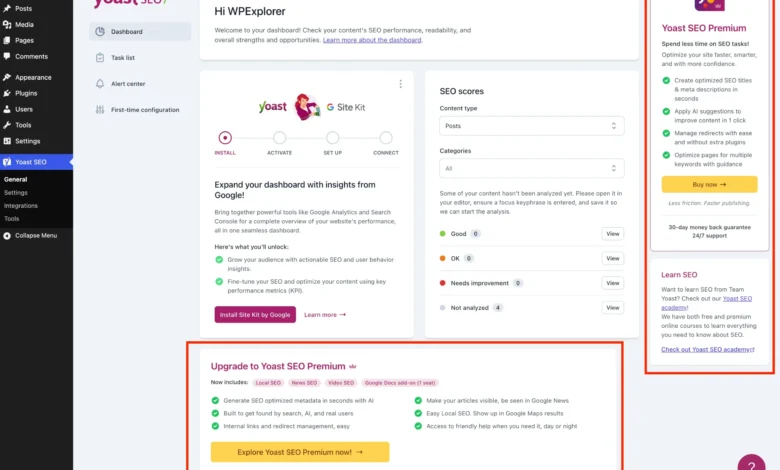
The pervasive presence of Yoast SEO upsells within the WordPress administrative interface has long been a point of contention for developers, agencies, and users seeking an uncluttered and efficient dashboard. While Yoast SEO remains an indispensable tool for search engine optimization, its aggressive promotion of premium features and add-ons can detract from the user experience, particularly for those committed to the free version. A detailed, class-based PHP solution, alongside targeted CSS, has emerged as a robust method to systematically eliminate these distractions, offering a pristine administrative environment.
The Ubiquity of Yoast SEO and the Freemium Dilemma
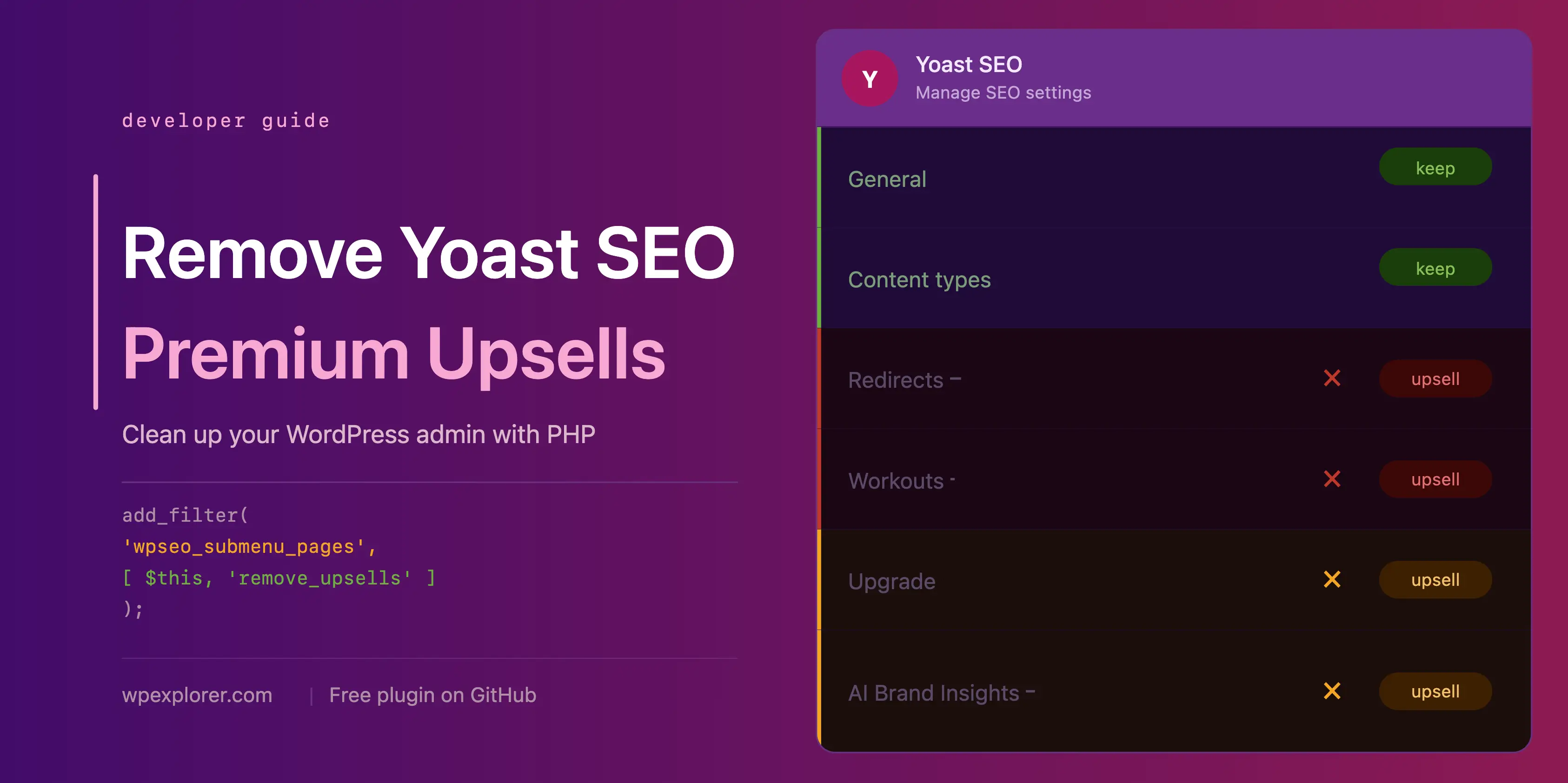
Yoast SEO, boasting over 5 million active installations, stands as one of the most popular and influential WordPress plugins globally. Its free iteration provides a formidable suite of features, including content optimization analysis, XML sitemap management, and enhanced search result appearance. This widespread adoption underscores its value to the vast WordPress ecosystem. However, like many successful software products, Yoast operates on a "freemium" business model, offering a free core product while incentivizing upgrades to a premium version or various add-ons. This model, while crucial for sustaining development and innovation, often introduces promotional elements into the user interface.
For individual site owners, these periodic reminders might be a minor annoyance. For professional WordPress developers and agencies managing dozens or hundreds of client websites, however, the constant stream of premium banners, dedicated upgrade pages, dashboard widgets, and locked settings can be genuinely problematic. It can lead to a cluttered workspace, increase client confusion, and require additional effort to explain why certain features are inaccessible or why promotional content appears on their site’s backend. The demand for a clean, distraction-free admin area for clients is paramount for many agencies, ensuring a professional presentation and reducing unnecessary support queries.
The Genesis of the Solution: Addressing "Admin Bloat"

The drive to declutter the WordPress admin is not new, but the specific, multi-faceted nature of Yoast SEO’s upsells has necessitated a comprehensive and adaptive solution. The methods outlined herein represent a culmination of community efforts to regain control over the administrative interface without abandoning the core SEO functionalities that Yoast provides. The challenge lies in performing these removals surgically, ensuring that essential free features remain fully operational while effectively suppressing premium-only elements. This approach leverages WordPress’s robust action and filter hook system, combined with precise CSS targeting, to achieve a near-premium-like cleanliness for the free version’s interface.
A Systematic Approach: Deconstructing the Upsells
The proposed solution centralizes all removal logic within a single PHP class, WPEX_Remove_Yoast_SEO_Upsells. This class is designed to activate only if Yoast SEO is present and the premium version is not installed, preventing conflicts and ensuring efficiency. Its constructor hooks into various WordPress actions and filters, strategically timing the execution of its removal methods. This modular design allows for clear identification and targeting of different upsell types.
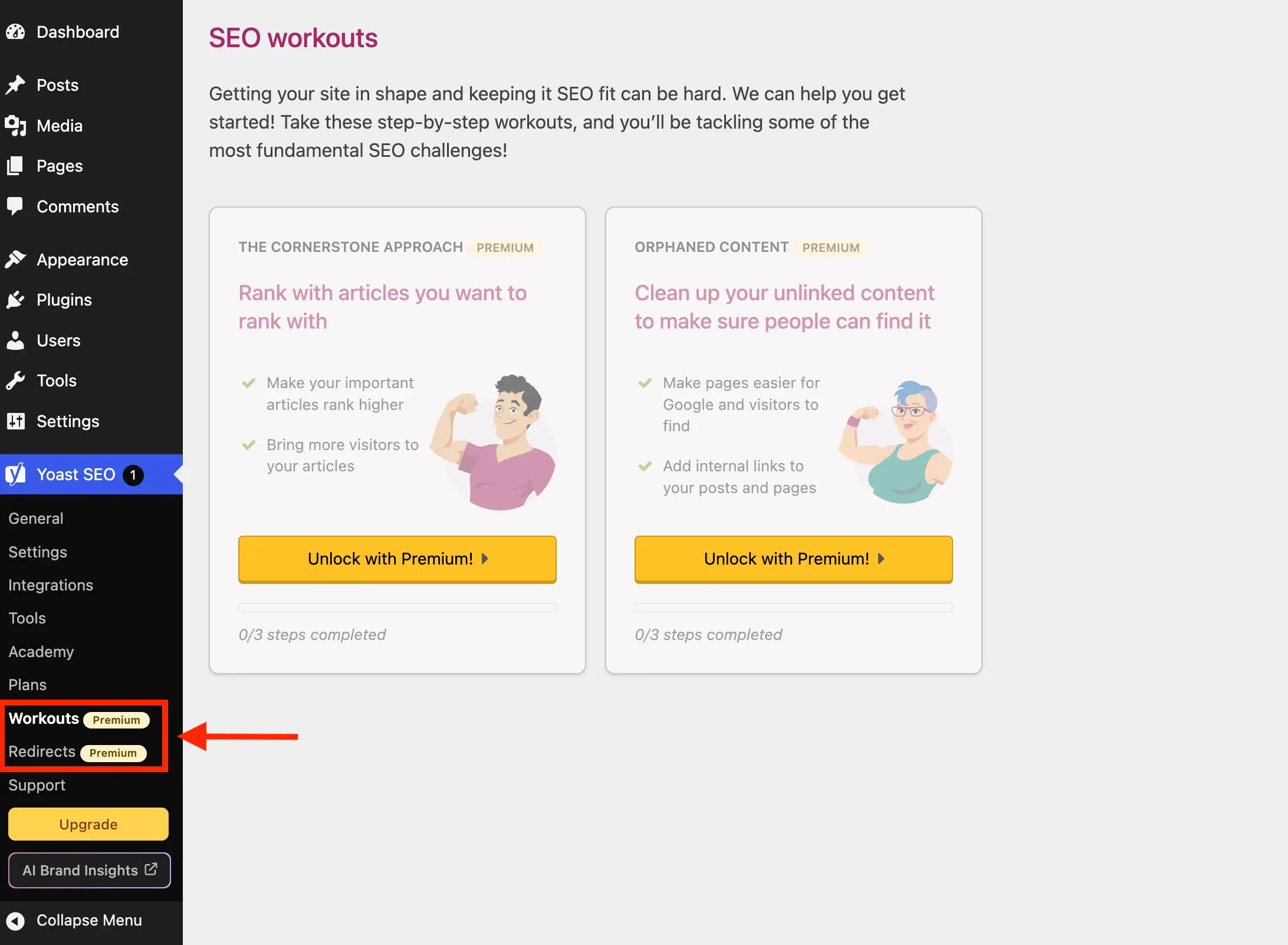
1. Eliminating Redundant Admin Pages:
Yoast SEO integrates several menu items that, for free users, merely serve as gateways to upgrade screens. Pages like "Redirects" and "Workouts" offer no functionality in the free version, while "Plans," "Academy," and "Support" primarily function as sales pages or external links.
The solution employs the wpseo_submenu_pages and wpseo_network_submenu_pages filters, executed with a PHP_INT_MAX priority to ensure they run after Yoast has registered all its pages. This method intelligently detects premium pages by looking for the yoast-premium-badge HTML within their menu titles, offering a future-proof approach unless Yoast significantly alters its badging mechanism. Additionally, specific page slugs such as wpseo_upgrade_sidebar, wpseo_licenses, wpseo_page_academy, and wpseo_page_support are explicitly targeted for removal, providing a comprehensive cleanup of the Yoast submenu.
- Impact: Reduces navigation clutter, prevents users from clicking on non-functional links, and removes direct sales pitches from the primary navigation.
2. Clearing the Admin Toolbar and Sidebar Buttons:
Beyond the main navigation, Yoast embeds "Upgrade" and "AI Brand Insights" buttons directly into the WordPress admin toolbar (at the top of the screen) and the sidebar navigation. These persistent prompts can be particularly intrusive.
The "Upgrade" button’s removal is handled via the same wpseo_submenu_pages filter used for admin pages. The "AI Brand Insights" button, however, presents a unique challenge due to its high registration priority. To counter this, the solution directly utilizes WordPress’s remove_submenu_page function, hooked into admin_menu with PHP_INT_MAX priority, ensuring its removal after all menu items are registered. For the admin toolbar, the admin_bar_menu action is used in conjunction with WP_Admin_Bar->remove_node to specifically target wpseo-get-premium and wpseo_brand_insights nodes.
- Impact: Removes prominent, ever-present upgrade prompts from critical interface elements, enhancing focus for content creators and administrators.
3. Silencing the Dashboard Widget:
The Yoast SEO dashboard widget, which displays site SEO scores and recent Yoast.com blog posts, has been a long-standing point of concern. Beyond occupying valuable dashboard real estate, it performs uncached HTTP requests to yoast.com/feed/widget/ on every dashboard load. This not only adds unnecessary overhead but also transmits sensitive data like WordPress and PHP versions to Yoast’s servers, raising potential privacy and performance considerations.
The solution addresses this by hooking into wp_dashboard_setup to remove the wpseo-dashboard-overview meta box entirely. Furthermore, to prevent residual assets from loading, the admin_enqueue_scripts action is used to dequeue the associated scripts and styles (yoast-seo-dashboard-widget, yoast-seo-wp-dashboard, yoast-seo-monorepo), ensuring a complete and clean removal.

- Impact: Improves dashboard load times, enhances user privacy by preventing unnecessary data transmission, and frees up valuable dashboard space.
4. Concealing In-Page Promotional Banners and Locked Fields:
Many Yoast SEO settings pages feature promotional banners rendered as JavaScript components, along with entire sections or individual fields locked behind a premium upgrade. These elements often lack unique identifiers, making direct PHP removal challenging.
The solution employs a strategic CSS approach, enqueued via admin_enqueue_scripts with inline styles, to hide these elements. While reliant on Yoast’s current DOM structure and class naming conventions (e.g., yst-feature-upsell, yst-button--upsell), the selectors are crafted to be as specific as possible to minimize the risk of unintentionally hiding legitimate settings. This method targets the upgrade banner at the bottom of pages, the sticky sidebar with upgrade prompts, and the visual overlays on locked premium fields. This approach requires ongoing vigilance, as future Yoast updates might necessitate adjustments to the CSS selectors.
- Impact: Cleans up individual settings pages, removing distracting advertisements and clearly delineating free vs. premium functionalities without presenting upgrade prompts.
5. Streamlining the Integrations Page:
The Yoast SEO integrations page, designed to showcase compatibility with third-party tools, also features "Unlock with Premium" cards for certain integrations.
This is handled by extending the existing CSS approach for admin pages. A specific CSS selector, #wpseo-integrations .yst-root section > .yst-grid > div:has([data-action=load-nfd-ctb]), is added to target these premium integration cards precisely. This maintains the clean aesthetic across all Yoast-specific admin screens.
- Impact: Presents a clearer view of available free integrations, removing prompts for features not accessible without an upgrade.
6. Purging Upsells from the Post Editor:
Perhaps the most intrusive upsells appear within the WordPress editor itself – both in the traditional metabox at the bottom and the custom Gutenberg sidebar. These include sections for AI-generated titles, descriptions, and advanced SEO analysis, all locked behind a premium paywall. Given that content creators spend significant time in this interface, these distractions can be particularly disruptive.
A dedicated CSS snippet, also enqueued via admin_enqueue_scripts and applied only on post and term editing screens, targets these editor-specific upsells. Selectors are designed to hide premium analysis sections, AI-related prompts, and other premium-locked features within the metabox and sidebar.

- Impact: Provides a focused and efficient content creation environment, free from persistent premium upgrade prompts during the writing and editing process.
Implementation and Accessibility for Users
The complete PHP class integrating all these snippets can be added to a WordPress installation in several ways:
- Child Theme’s
functions.phpfile: A common method for site-specific customizations. - Code Snippets Plugin: Plugins like "Code Snippets" allow for easy management of custom code without directly editing theme files.
- Must-Use (MU) Plugin: For developers managing multiple sites, an MU plugin ensures the code is active across all sites in a network and cannot be accidentally deactivated.
For users who prefer a plug-and-play solution, a free plugin named wpex-remove-upsells-for-yoast-seo is available on GitHub. This plugin encapsulates the entire code block, offering a convenient installation method. It’s important to note that, as a non-WordPress.org plugin, it requires manual updates from the GitHub repository to ensure compatibility with future Yoast SEO releases.

The Broader Discourse: Monetization vs. User Control
This comprehensive solution highlights an ongoing tension within the WordPress ecosystem: the delicate balance between plugin developers’ need to monetize their products and users’ desire for a clean, efficient, and controlled administrative environment. While freemium models are vital for sustaining development, the method and intensity of upsells can significantly impact user satisfaction and developer workflows. Solutions like the one presented empower users to tailor their experience, asserting greater control over their digital workspace. It reflects a growing trend where the WordPress community actively seeks ways to optimize performance, enhance privacy, and streamline interfaces, even when it means bypassing default plugin behaviors.
Future Considerations and Community Contribution

The dynamic nature of software development means that Yoast SEO’s administrative design and underlying code may evolve in future releases. Such changes could potentially render some of the CSS selectors or even PHP hooks ineffective. Therefore, community vigilance and ongoing maintenance of these solutions are crucial. Users and developers are encouraged to report any discrepancies or contribute updates to the GitHub repository, fostering a collaborative approach to maintaining a clean WordPress experience.
In conclusion, the systematic removal of Yoast SEO’s upsells offers a significant enhancement to the WordPress administrative interface for users of the free version. By providing a cleaner, more focused environment, it supports increased productivity for individual site owners and delivers a more professional and streamlined experience for clients managed by agencies. This initiative underscores the power of the WordPress community to adapt and refine its tools, ensuring that functionality and user experience remain at the forefront.
Related posts: