WP Tavern Podcast Dives Deep into AI’s Transformative Role in WordPress Agency Operations

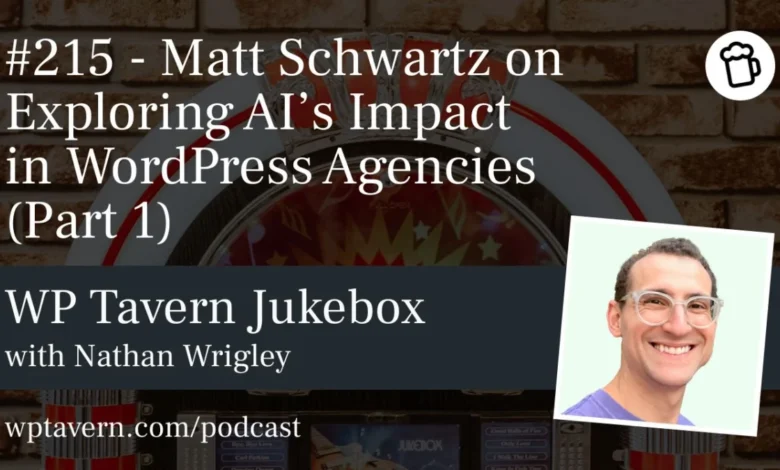
The digital landscape is undergoing a profound transformation, driven largely by the accelerating capabilities of artificial intelligence. Against a backdrop of widespread "AI fatigue," the Jukebox Podcast from WP Tavern recently hosted a critical discussion with Matt Schwartz, founder of Inspry, an Atlanta-based WordPress and WooCommerce agency, and creator of the WordPress testing product CheckView. The conversation, the first in a two-part series, delved into the strategic integration of AI within WordPress agencies, focusing less on direct website creation and more on enhancing internal processes, improving workflows, and delivering greater value to clients.
The Shifting Landscape of Web Development: "Execution as a Commodity"
Nathan Wrigley, host of the Jukebox Podcast, opened the discussion by acknowledging the pervasive nature of AI conversations and the growing public weariness surrounding the topic. However, he quickly underscored the unique perspective offered by Schwartz, who has been immersed in the WordPress ecosystem since 2013 and running Inspry since 2011. Schwartz’s insights move beyond the common narrative of AI generating websites or content, instead highlighting its potential to revolutionize the operational backbone of agencies.
Schwartz’s journey into web design, like many in the field, began organically, evolving from a childhood fascination with building websites to establishing a successful agency. This personal history underscores a critical aspect of agency life: the constant iteration and refinement of processes. Freelancers and agency owners often create their standard operating procedures (SOPs), pricing models, and communication templates from scratch, a continuous learning curve that AI is now poised to augment significantly.
A central tenet of Schwartz’s argument is that "execution is becoming a commodity" in the web agency space. In an era where drag-and-drop builders have democratized basic website creation, and AI tools are rapidly advancing to automate more complex tasks, the perceived value of merely building a site is diminishing. This observation resonates with broader industry trends; reports from organizations like Gartner and McKinsey consistently indicate that automation and AI are driving efficiency gains across various sectors, pushing businesses to differentiate through strategic insight and exceptional client experience rather than sheer production capacity. For WordPress agencies, this means a pivotal shift from being mere executors to becoming strategic partners who leverage technology to solve deeper business challenges for their clients.
Beyond Website Creation: AI in Agency Operations
The podcast emphasized that the true impact of AI for WordPress agencies lies not in front-end development, but in behind-the-scenes optimizations. Clients, Schwartz noted, often don’t discern the technical nuances between one website and another beyond its design and functionality. What they do perceive, and value immensely, are seamless workflows, clear communication, and efficient touchpoints. These operational aspects, often overlooked, constitute the actual "product" delivered to clients.
Schwartz highlighted the dramatic acceleration of AI development over the past three to four years, transforming what were once incremental technological improvements into seismic shifts. This rapid evolution means that the gap between agencies embracing AI and those not is widening. While caution is advised against indiscriminate adoption, Schwartz asserts that now is a critical time for agencies to at least explore AI’s potential, as competitors are undoubtedly doing so.
The AI Vision Document: Strategic Integration and Guardrails
A particularly innovative concept introduced by Schwartz is the "AI vision document." This strategic framework is designed to ensure a purposeful and methodical approach to AI integration, contrasting with reactive, ad-hoc experimentation. An AI vision document serves as a blueprint, outlining which agency processes are suitable for AI augmentation and which require unwavering human judgment.
The document helps define clear guardrails and guidelines, protecting the agency from potential risks and reputational damage associated with unbridled AI use. It encourages a thorough audit of all internal processes—from sales and project delivery to quality assurance and launch—to identify repetitive, time-consuming tasks that could benefit from AI. Conversely, it designates areas where human oversight is non-negotiable, particularly where nuance, empathy, or complex problem-solving are paramount.
Schwartz noted that AI itself can aid in the creation of this vision document. By connecting AI tools like Claude to time-tracking software such as Everhour, agencies can analyze historical data to identify patterns in task allocation, time expenditure, and workflow bottlenecks. AI’s proficiency in pattern recognition makes it an invaluable ally in pinpointing optimal areas for automation and optimization. This data-driven approach ensures that AI adoption is strategic, addressing genuine pain points and maximizing efficiency.
The creation of such a document mirrors the foundational process of establishing an agency’s mission statement and values. It provides a shared understanding for all employees and contractors, defining the boundaries and permissible uses of AI, which, while subject to evolution, establish a critical baseline.
New Service Offerings and Market Expansion
The podcast highlighted how agencies can transform their growing AI expertise into distinct new service offerings for clients. As tech-savvy individuals, agency owners are typically early adopters of new technologies. This inherent advantage can be leveraged to provide AI-powered solutions to clients who may lack the time, expertise, or inclination to explore these tools themselves.
Schwartz advised framing these new services not explicitly around "AI," but around the tangible benefits they deliver, such as "business workflow improvement" or "cost savings through automation." This approach resonates more effectively with clients, who are primarily interested in outcomes. Examples include building lightweight, custom internal web applications using AI—a solution that might have been prohibitively expensive in the past (e.g., a $50,000 app now costing $10,000). While caution regarding security and due diligence is paramount, this opens doors for agencies to provide bespoke solutions that were previously out of reach for small to medium-sized businesses.
Another promising avenue is the integration of automation platforms like n8n or Make. These tools allow agencies to create sophisticated automated workflows for clients, productizing SOPs and offering measurable value. This not only enhances client satisfaction but can also generate recurring revenue through hosting and maintenance of these automated systems. By shifting focus from subjective brochure site value to quantifiable improvements in client processes, agencies can solidify their role as indispensable partners. This diversification of services is particularly crucial as the demand for basic website creation continues to evolve.
Streamlining Internal Workflows: The Mundane Miracles of AI
For agencies new to AI, the internal operational applications offer significant "low-hanging fruit." Schwartz detailed several areas where AI can make immediate and substantial impacts:
- Meeting Summaries: The ability of AI bots to join virtual meetings (e.g., Zoom, Google Meet), transcribe conversations, summarize key points, and assign actionable tasks to participants has rapidly become commonplace. What once seemed like a futuristic capability is now a standard, albeit often unheralded, efficiency booster. For agencies, this means less time spent on manual note-taking and more on strategic engagement, with accurate, accessible records of discussions and commitments.
- Proposal and Statement of Work (SOW) Generation: AI can dramatically expedite the sales process. By ingesting meeting notes, analyzing client websites, and cross-referencing past successful proposals, AI can draft nuanced and tailored proposals or SOWs. While human review and editing remain essential, this capability drastically reduces the time investment in the initial drafting phase, allowing agencies to pursue more leads or dedicate more resources to high-value client interactions. This capacity for rapid, customized proposal generation can be a significant competitive advantage, especially for smaller agencies with limited resources.
These applications, though seemingly mundane, represent powerful efficiency gains that free up human talent for more complex and creative endeavors.
AI in Support and Debugging: A Balancing Act
The application of AI in client support workflows presents both immense potential and significant challenges. Schwartz described how some agencies are leveraging automation platforms to digest help tickets, access website data, project management software, error logs, and even server APIs. The goal is not full automation of customer responses, but rather to equip human support teams with comprehensive context and potential resolutions much faster than manual investigation would allow. This enables quicker, more informed responses to client issues.
However, Nathan Wrigley raised a critical point regarding "AI bot fatigue." Many clients, when facing an issue, desire direct human interaction and can become frustrated by endless loops of automated responses. The risk of alienating customers by misjudging their tolerance for AI-only support is high. Agencies must tread carefully, ensuring that AI enhances, rather than replaces, the human touch in moments of client frustration. This requires a delicate balance and a clear understanding of the client base’s preferences and accessibility needs.
A more universally accepted application is AI-assisted debugging and WordPress management. Schwartz explained that AI agents can connect directly to WordPress sites (with appropriate guardrails), leveraging the REST API, the Automattic Abilities API, and third-party solutions like Novamira for PHP code analysis. This capability dramatically improves debugging processes, allowing AI to analyze complex issues and suggest solutions in a fraction of the time a human would require. For one-off, intricate troubleshooting tasks, AI’s ability to "look at the whole picture" is invaluable.
Furthermore, WordPress itself is actively laying the groundwork for deeper AI integration. The Core AI team is developing capabilities that will allow AI agents to manage and edit WordPress sites more intuitively, potentially reducing the need for users to navigate the traditional admin interface for many tasks. This vision suggests a future where WordPress acts as a robust backend infrastructure, managed through conversational AI interfaces, profoundly altering how agencies interact with and maintain client sites. However, both Schwartz and Wrigley emphasized the critical importance of human review for any AI-generated edits or solutions, particularly given AI’s occasional tendency to "lie" or produce imperfect results. The human element, at the end of the day, remains the ultimate arbiter of quality and accuracy.
Ethical Considerations and the Human Element
Throughout the discussion, a recurring theme was the necessity of maintaining a "human in the loop." While AI offers unprecedented efficiencies, its current limitations—particularly in areas requiring ethical judgment, nuanced understanding, or creative problem-solving—make human oversight indispensable. Schwartz’s analogy of firing a human developer for lying, yet granting AI a "free pass" for inaccuracies, highlights the implicit trust disparity that agencies must manage.
The strategic integration of AI is not about replacing humans entirely but about augmenting human capabilities, allowing professionals to focus on higher-value tasks, client relationships, and strategic thinking. It demands a recalibration of skill sets within agencies, emphasizing critical thinking, prompt engineering, and the ability to effectively review and refine AI outputs.
The Future of WordPress Agencies in an AI-Driven World
The insights from Matt Schwartz paint a clear picture: the future of WordPress agencies is inextricably linked to their strategic adoption of AI. This isn’t merely about technological prowess but about redefining value propositions, optimizing operational efficiency, and expanding service offerings in a rapidly evolving market. Agencies that proactively develop an AI vision, integrate AI thoughtfully into their workflows, and leverage its capabilities to provide enhanced client value will be best positioned to thrive.
As the Jukebox Podcast prepares for part two of this insightful series, the initial discussion underscores a pivotal moment for the WordPress community. The challenge and opportunity lie in harnessing AI’s power to elevate the agency model, ensuring that technological advancement serves to deepen, rather than diminish, the human-centric value that lies at the heart of successful client relationships.