The landscape of website administration is undergoing a fundamental shift as artificial intelligence moves beyond simple text generation to direct system control. Recent developments in Model Context Protocol (MCP) technology have enabled mainstream AI assistants such as ChatGPT and Claude to interface natively with backend content management systems. Through specialized infrastructure plugins like WPVibe, site administrators can now execute complex operational commands, troubleshoot technical errors, and optimize search engine visibility entirely through conversational chat interfaces. This integration represents a departure from traditional copy-and-paste workflows or isolated site plugins, offering a unified command-line style experience for WordPress users ranging from independent bloggers to enterprise digital managers.
The Evolution of AI Integration in Content Management Systems
Historically, the incorporation of artificial intelligence into WordPress environments has been restricted to compartmentalized use cases. Early iterations relied on external browser windows where users drafted text and manually transferred it into the wp-admin editor. Subsequent developments introduced isolated generation buttons embedded within specific post-creation screens, which typically remained locked to singular writing tasks without the capability to install plugins, modify system templates, or manage e-commerce databases.
The introduction of Model Context Protocol (MCP) acts as a universal communication standard, functioning analogously to a standardized electrical plug that connects diverse digital devices to a single power source. By establishing a secure, authorized bridge via MCP, tools like Claude and ChatGPT gain contextual awareness of a website’s structural anatomy. Rather than functioning as external advisors, these AI agents operate as administrative extensions, capable of reading internal databases, evaluating file trees, and enacting authorized changes directly upon instruction.
Implementation and Technical Setup Procedures
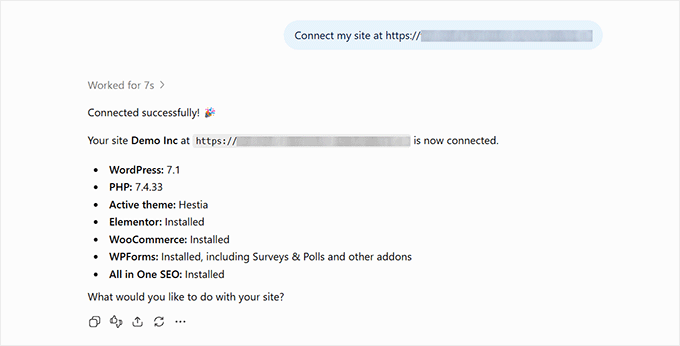
Deploying an MCP-enabled workflow requires establishing a secure connection between the WordPress hosting environment and the chosen artificial intelligence platform. The process centers on the WPVibe plugin, which functions as an authorized MCP server designed specifically for WordPress architectures.
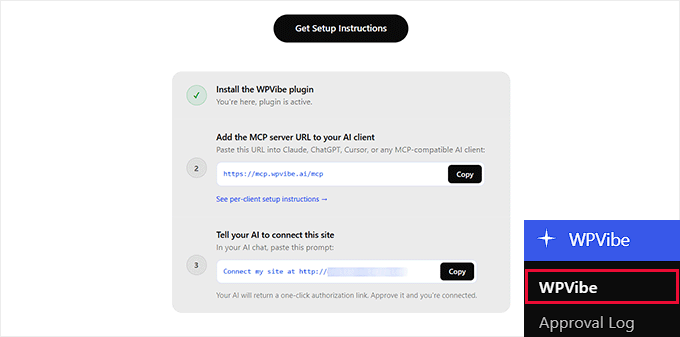
To initiate the configuration, administrators install and activate the plugin directly from the WordPress plugin repository. Activation generates a distinct server endpoint address and an authorization prompt within the dashboard’s administrative menu.
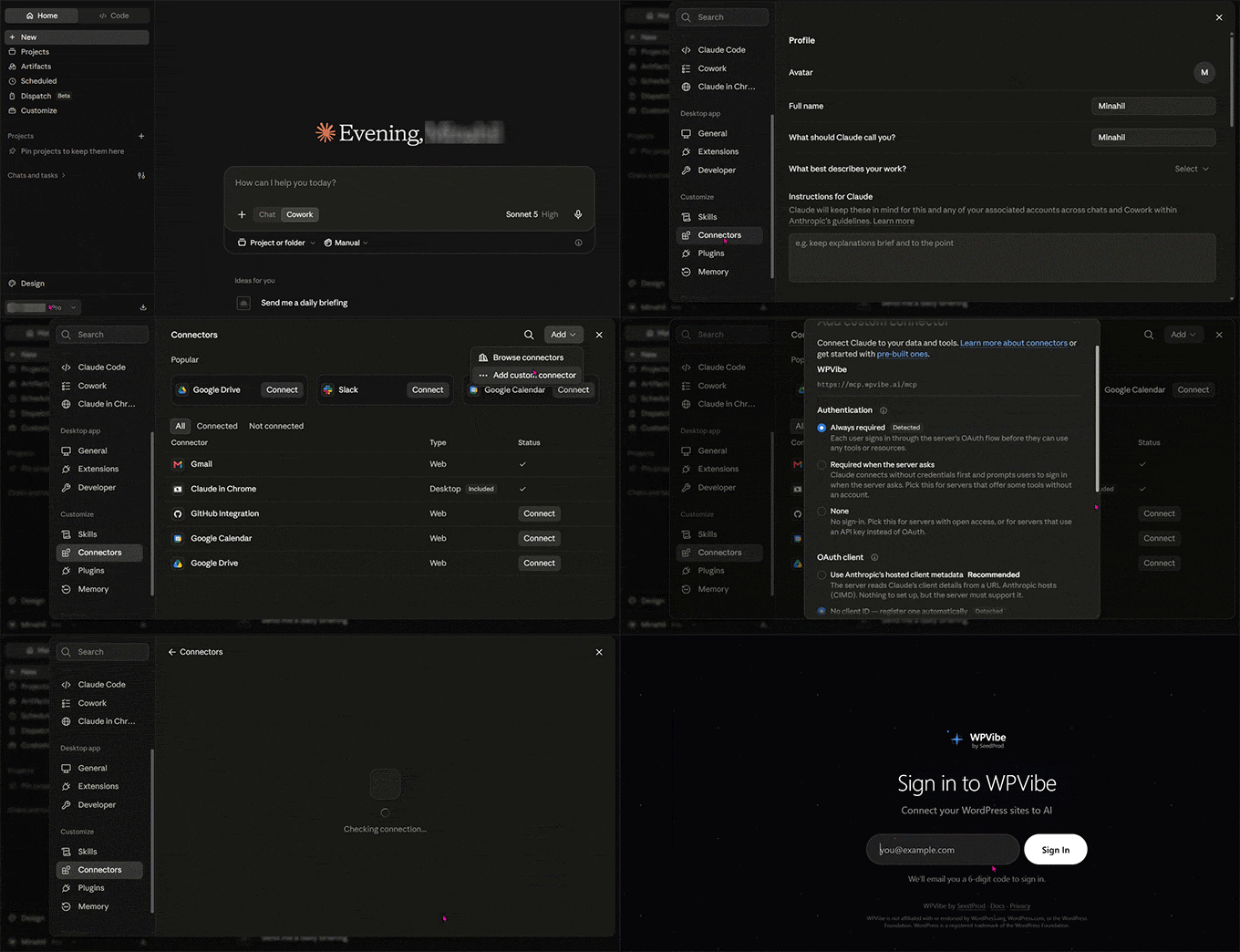
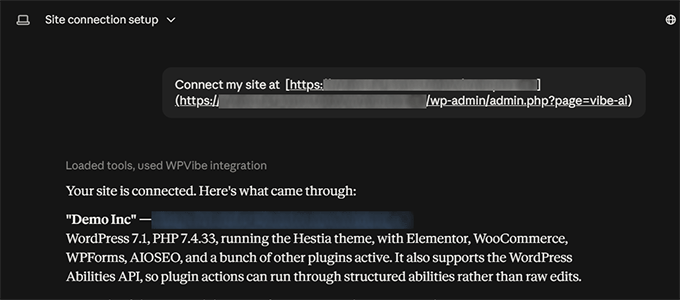
For users integrating Claude, the setup requires navigating to Settings, accessing the Connectors directory, and adding a custom connector using the remote MCP server URL provided by the plugin. Authentication is finalized by signing into the WPVibe authentication portal via a secure six-digit verification code, followed by executing the generated authorization prompt within a live chat window.
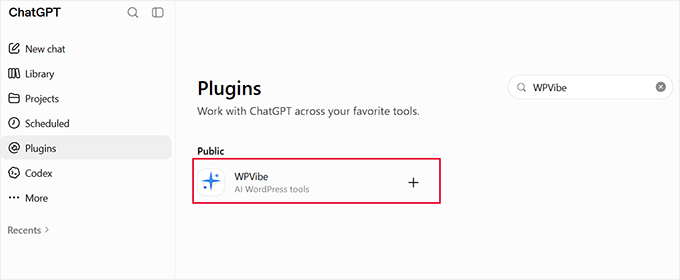
The configuration pathway for ChatGPT operates through its integrated tool directory. Administrators search for the WPVibe extension, authenticate via email verification, and input the designated authorization prompt. Because ChatGPT manages MCP connections on a per-conversation basis rather than establishing a permanent background link, users must manually attach the WPVibe tool to each new chat session to maintain direct access to the website database.
Practical Operational Workflows and Use Cases
Once the connection is established, the scope of automated administration expands across three primary operational pillars: content generation, routine maintenance, and search engine optimization.
Content Creation and Media Management
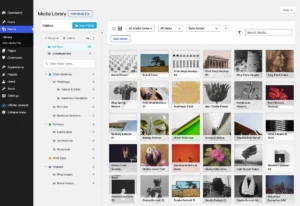
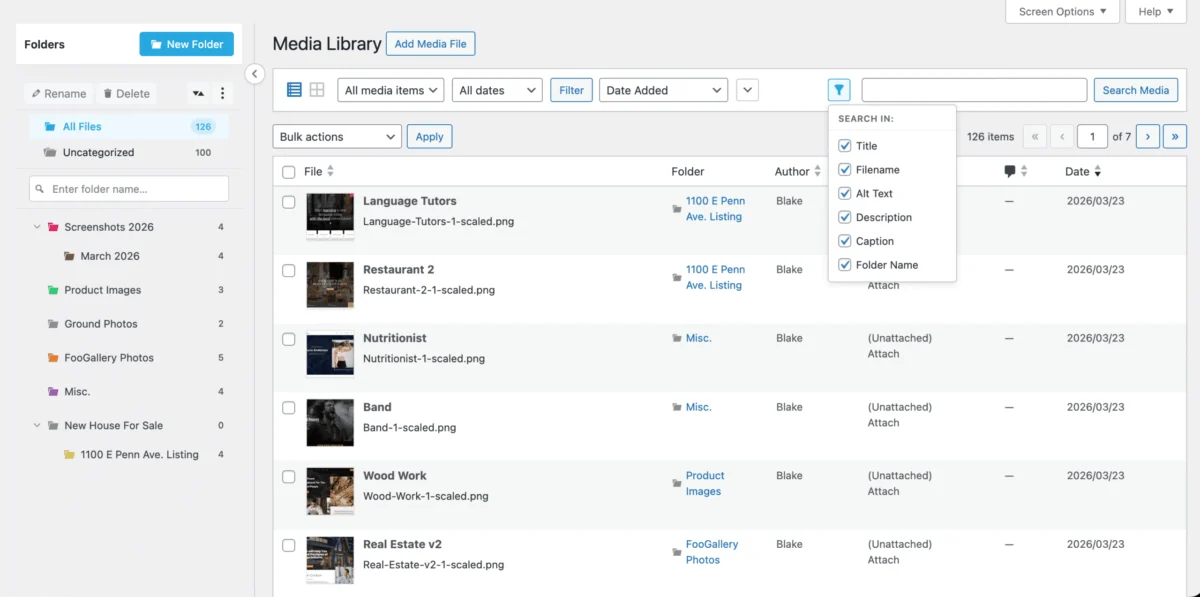
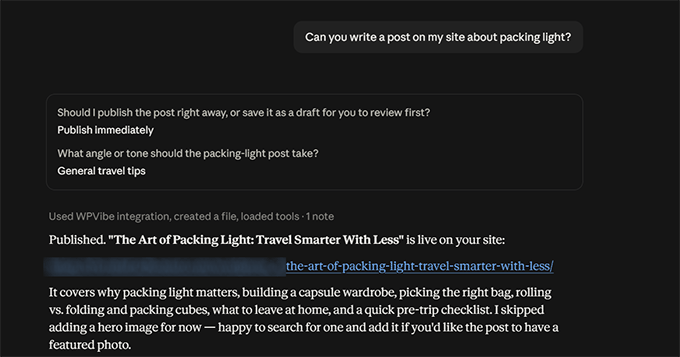
Managing voluminous content libraries traditionally requires significant manual input. Connected AI agents streamline this by drafting, formatting, and publishing posts directly to the live environment or staging directory. During testing phases, assistants successfully generated structured blog drafts complete with custom block formatting, category assignments, and media attachments. Furthermore, administrative agents can execute bulk media optimization tasks, such as programmatically analyzing and populating missing image alternative (alt) text across hundreds of media files within minutes rather than hours.
Site Maintenance and Diagnostic Audits
Website degradation often occurs through silent accumulation of broken hyperlinks, outdated plugin software, and misconfigured permalink structures. MCP-enabled assistants can perform comprehensive site-wide audits upon command. By evaluating published URLs against live server response codes, the AI identifies broken links and isolates exact locations where deleted pages cause redirect failures. Additionally, administrators can execute batch updates for core software, themes, and plugins, or conduct diagnostic checks to ensure that search engine indexing barriers are not inadvertently enabled.
Advanced Search Engine Optimization Integration
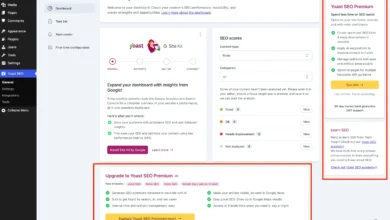
Search engine optimization at scale presents resource challenges for smaller publishing teams. When paired with advanced SEO suites such as All in One SEO (AIOSEO), the connected AI assistant gains access to granular site metrics and optimization controls. The agent can conduct automated audits of sitemap statuses, homepage rankings, and robots.txt directives.
For content gaps, the AI compiles lists of published articles lacking meta descriptions, focus keyphrases, or custom titles, subsequently populating these fields in bulk. For sites utilizing advanced analytics integrations such as Google Search Console, the assistant can retrieve performance data—including impressions, click-through rates, and average search positions—providing real-time analytical feedback within the chat interface.
Guardrails, Security Protocols, and Risk Mitigation
Granting artificial intelligence direct write access to a production web server introduces inherent operational risks. Industry experts emphasize that unmonitored AI agents can execute unintended modifications, potentially disrupting live user experiences or compromising database integrity.
To mitigate these risks, modern MCP architectures rely on strict authorization protocols. Critical actions—such as deleting database tables, deactivating core security plugins, or publishing unverified code—require explicit, manual confirmation from the human administrator before execution. Additionally, best practices dictate several foundational security measures:
- Deploying changes exclusively within staging environments before applying updates to live production sites.
- Maintaining comprehensive, automated daily backups utilizing reliable WordPress backup solutions.
- Restricting assistant permissions to strictly necessary operational scopes.
- Routinely auditing chat logs and system revision histories to track automated modifications.
Comparative Platform Compatibility and Cost Analysis
While Claude and ChatGPT represent the primary mainstream interfaces for MCP integration, the ecosystem extends to alternative developer-focused environments including Cursor, Windsurf, and Perplexity. Subscription tiers across these platforms vary; basic integrations are typically supported under free plugin tiers with predefined daily action limits (such as 100 tool calls per day), while high-volume enterprise operations often necessitate professional licenses to accommodate extensive bulk processing across hundreds of web pages.
Compatibility testing indicates that modern MCP connectors recognize complex page builder architectures—including Elementor, Divi, Bricks, and Beaver Builder—ensuring that automated content updates preserve custom layouts rather than overriding specialized design frameworks.
As artificial intelligence continues its integration into core web infrastructure, the ability to converse directly with a content management system transforms routine administration from a manual chore into a streamlined, conversational workflow. Proper implementation of security guardrails ensures that site integrity remains fully under human oversight while maximizing the efficiency gains offered by autonomous digital agents.
Related posts: