The Ultimate Guide to Migrating Your WordPress Site to Pressable Managed Hosting

The landscape of web hosting has evolved significantly over the past decade, moving away from generalized server environments toward highly specialized, managed solutions tailored for specific Content Management Systems. For organizations and individual developers relying on WordPress, which powers over 40 percent of all websites on the internet, managed hosting has become a critical tool for maintaining performance, security, and uptime without requiring dedicated system administration staff. Within this competitive sector, Pressable—an Automattic-backed managed WordPress hosting provider—has emerged as a prominent choice for small-to-medium-sized businesses, agencies, and independent creators seeking a balance between high-end performance and administrative ease.
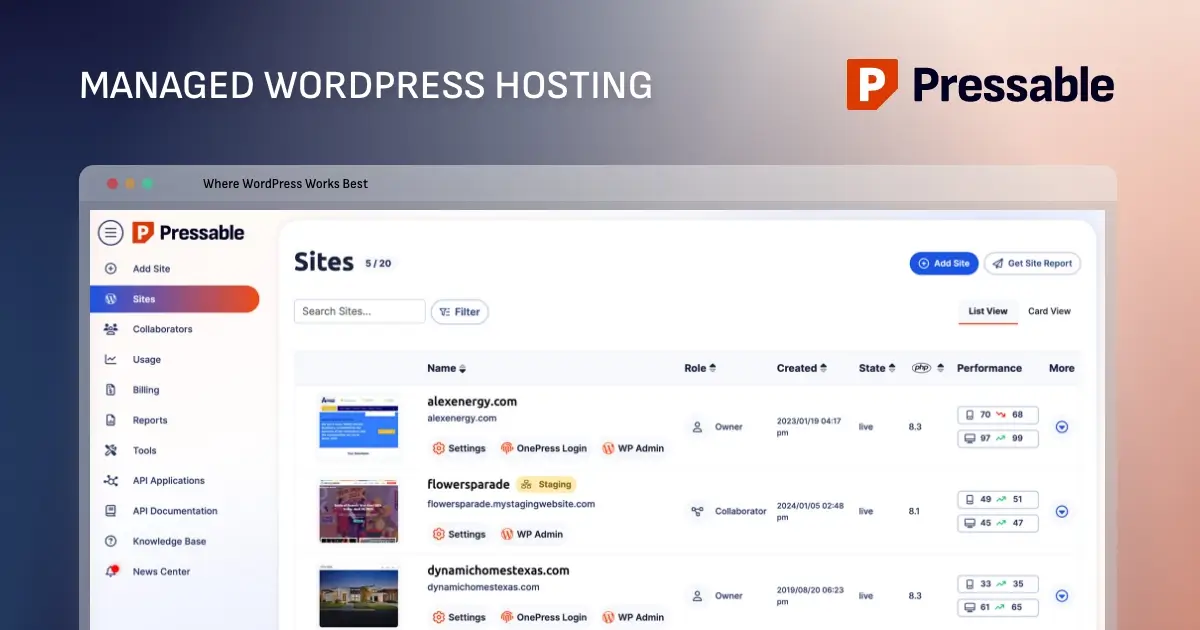
As digital infrastructure demands grow more complex, website owners frequently evaluate their hosting providers based on metrics such as server response times, automated update protocols, native security configurations, and technical support responsiveness. Transitioning an established website from a conventional or underperforming host to a specialized managed platform often presents perceived technical barriers, leading many site administrators to postpone necessary infrastructure upgrades. To address this friction, hosting providers have increasingly invested in automated migration tools and white-glove onboarding services designed to streamline the transition process, minimize downtime, and prevent data loss during site transfers.
Understanding the Managed WordPress Hosting Ecosystem

Managed WordPress hosting differs fundamentally from traditional shared or virtual private server (VPS) hosting by restricting the server environment strictly to applications running WordPress. By eliminating unnecessary modules, optimizing caching layers specifically for WordPress databases, and automating routine tasks such as core updates, security patches, and daily backups, managed hosts free developers and business owners to focus on content creation and audience growth.
Industry benchmarks indicate that websites migrating from unmanaged or overcrowded shared hosting environments to specialized managed platforms frequently experience improvements in Time to First Byte (TTFB) and overall Core Web Vitals scores. These technical enhancements directly influence search engine optimization (SEO) rankings and user retention rates, making hosting infrastructure a primary consideration for digital strategy. However, these performance gains often come with architectural trade-offs. Platforms like Pressable deliberately restrict low-level server access—such as custom NGINX configurations, ionCube support, or traditional Apache .htaccess file modifications—to maintain platform stability and security. Consequently, resource-intensive enterprises or websites requiring custom server-side binaries typically necessitate specialized dedicated or cloud server arrangements rather than standardized managed WordPress solutions.
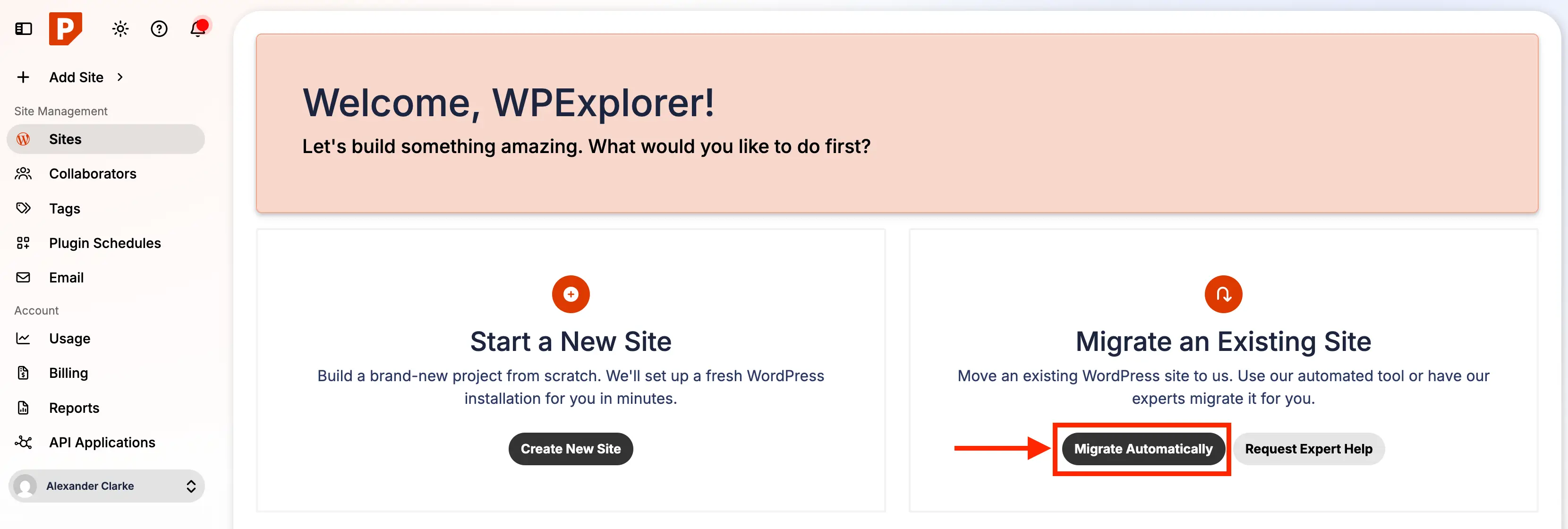
Evaluating Plan Structures and Resource Allocations
Selecting the appropriate hosting tier requires a careful assessment of three primary metrics: the number of distinct WordPress installations required, projected monthly visitor volumes, and total allocated storage space. Industry standards for managed WordPress tiers generally scale these parameters proportionally. Entry-level packages are typically optimized for single-site operators and low-traffic blogs, while multi-site packages cater to digital agencies and freelancers managing diverse portfolios of client properties.
For mission-critical applications experiencing traffic spikes or exceptionally high resource demands, premium site tiers offer vertical scaling, increased CPU allocations, and bespoke storage solutions. Unlike standard shared hosting, where resource consumption by neighboring sites can degrade performance, managed WordPress infrastructure isolates individual environments or utilizes elastic resource allocation to maintain consistent execution speeds under heavy load. Furthermore, the inclusion of complimentary migration services—often executed by dedicated support engineers as a white-glove onboarding measure—removes technical obstacles for organizations lacking internal IT resources.
Step-by-Step Chronology of a Manual Migration
While automated concierge migrations handled by support teams remain a popular choice, many developers prefer executing migrations manually to retain direct oversight of every file, database table, and server configuration. A successful migration follows a rigorous chronological sequence designed to safeguard data integrity and prevent operational disruptions.
Phase One: Pre-Migration Auditing and Maintenance
The initial phase requires a comprehensive audit of the live website. Administrators must update the WordPress core, active and inactive themes, and all installed plugins to their latest compatible versions. Performing updates prior to migration mitigates the risk of PHP version incompatibilities or security conflicts upon transferring the application to a modern, optimized server environment.
Phase Two: Comprehensive Data Backup
Following the maintenance phase, generating a complete, verified backup of both the site files and the MySQL database is mandatory. Utilizing established backup solutions or server-level export tools ensures that an uncorrupted restore point exists should any unforeseen errors occur during the data transfer process. Backups should be downloaded and securely stored in an off-site location, such as cloud storage or a local workstation.
Phase Three: Provisioning the Destination Environment
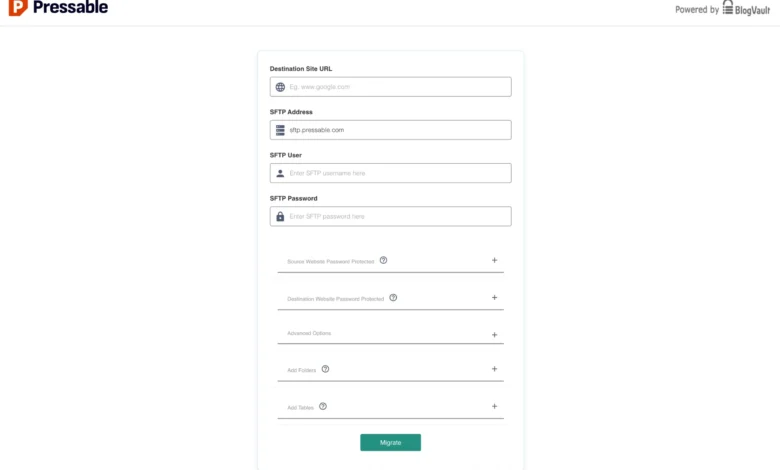
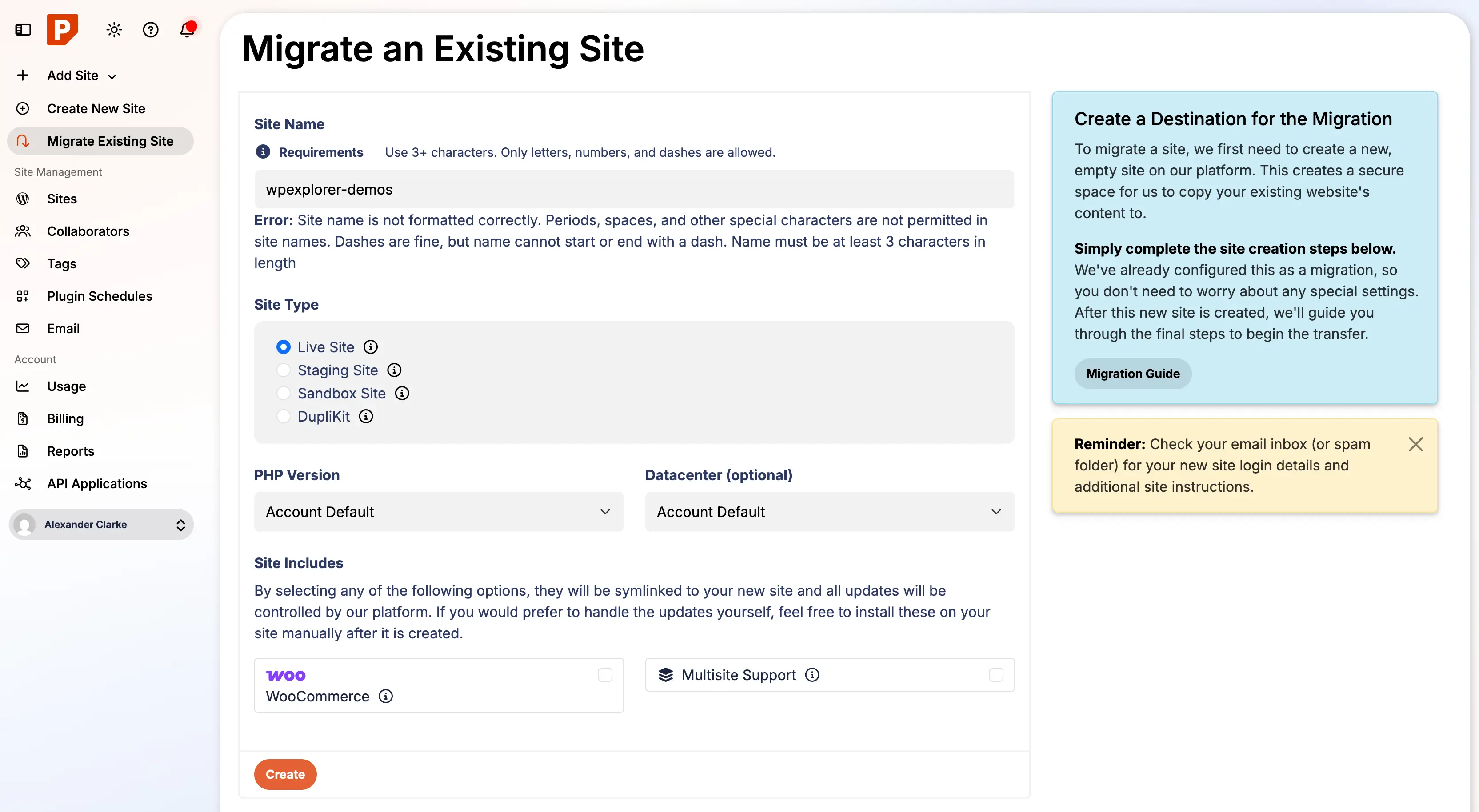
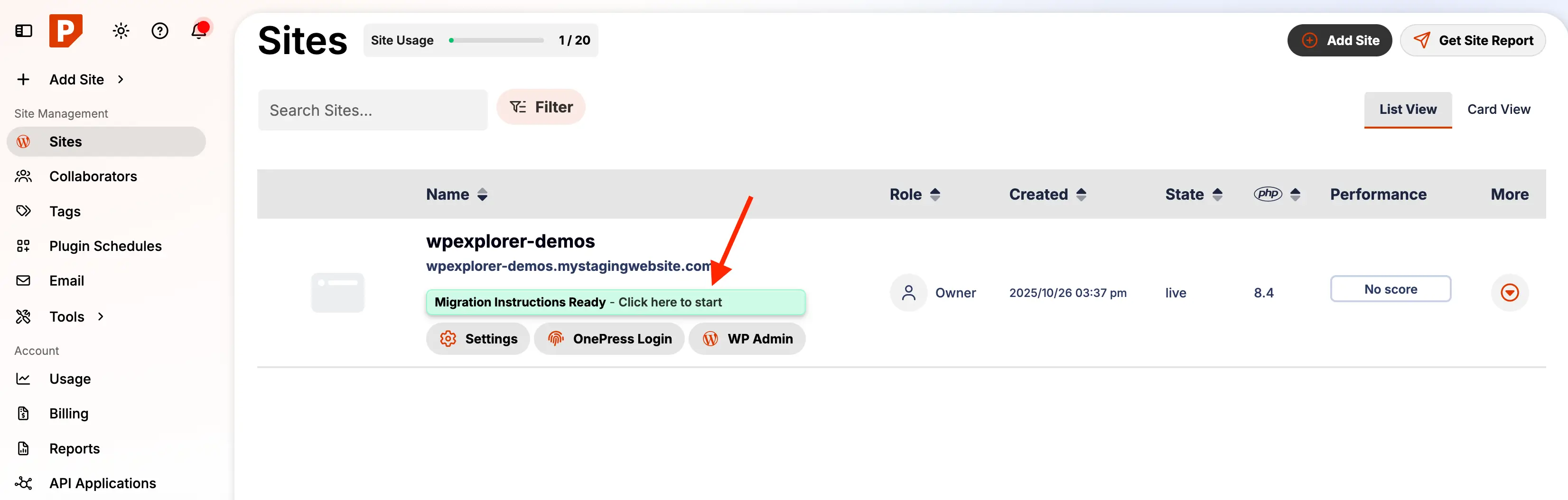
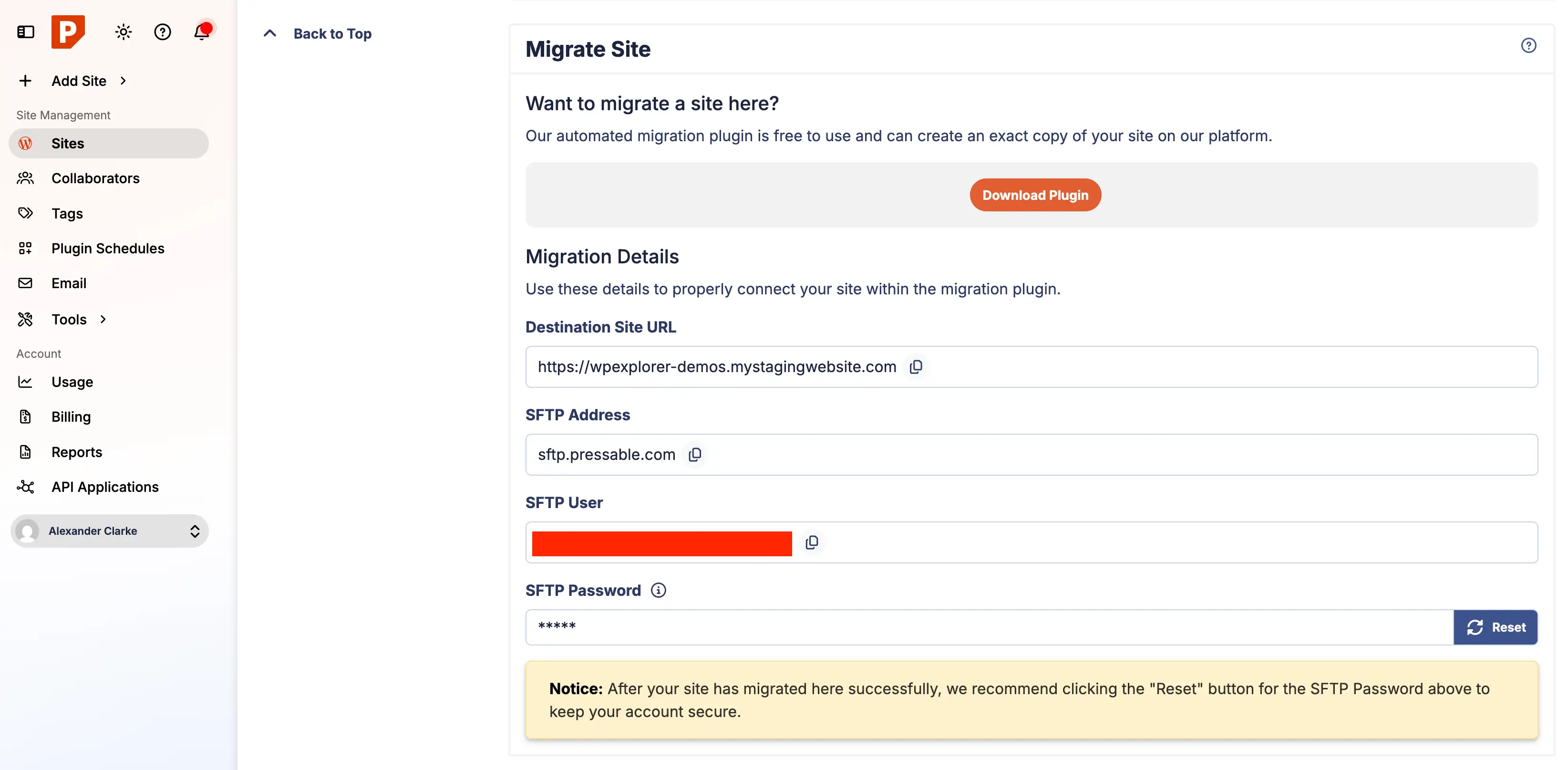
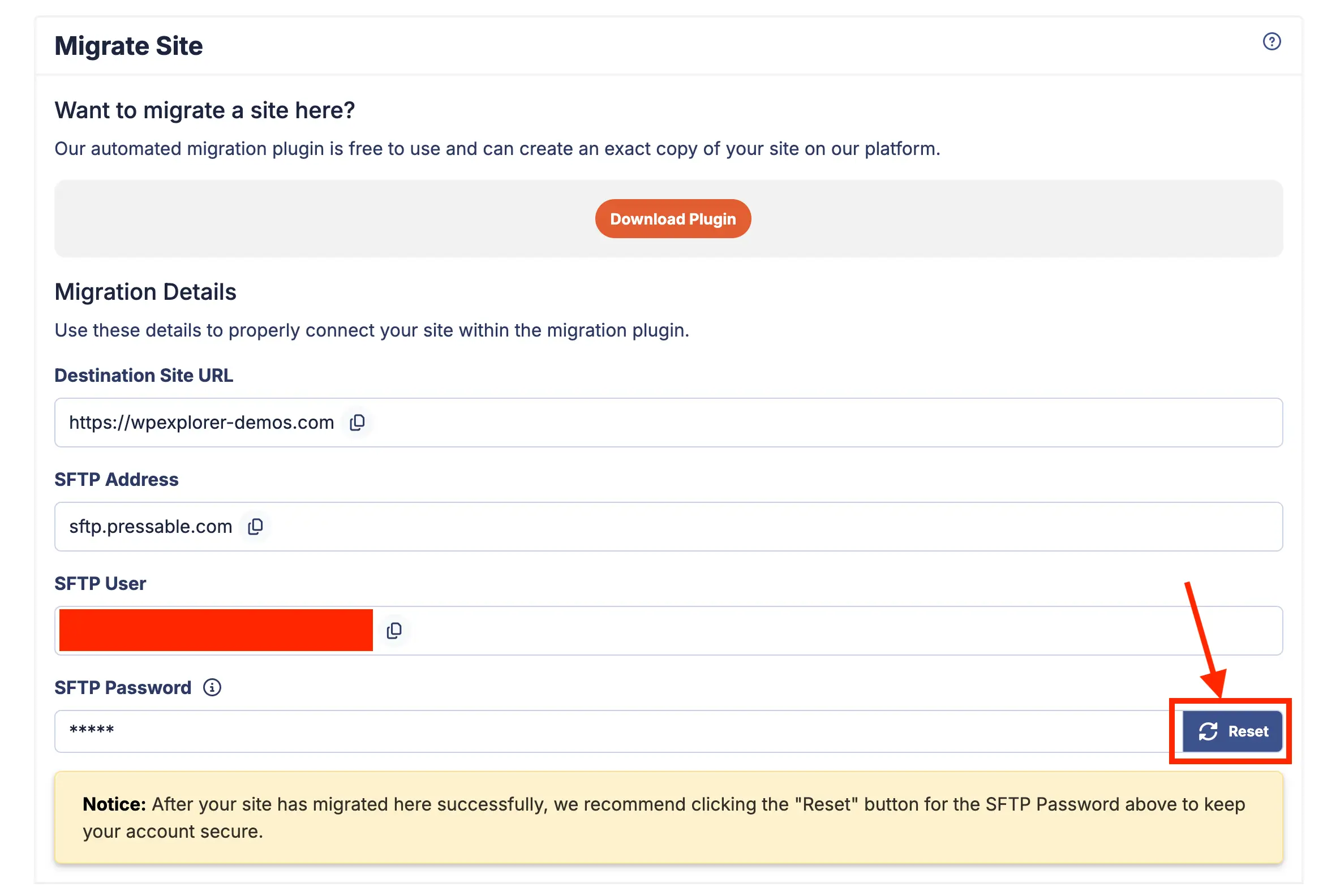
Administrators then initialize the new hosting account by creating a staging instance within the target platform’s dashboard. Configuring the preliminary domain settings and establishing secure file transfer protocol (SFTP) credentials prepares the destination server to receive the incoming data payload.
Phase Four: Executing the Automated Transfer Plugin
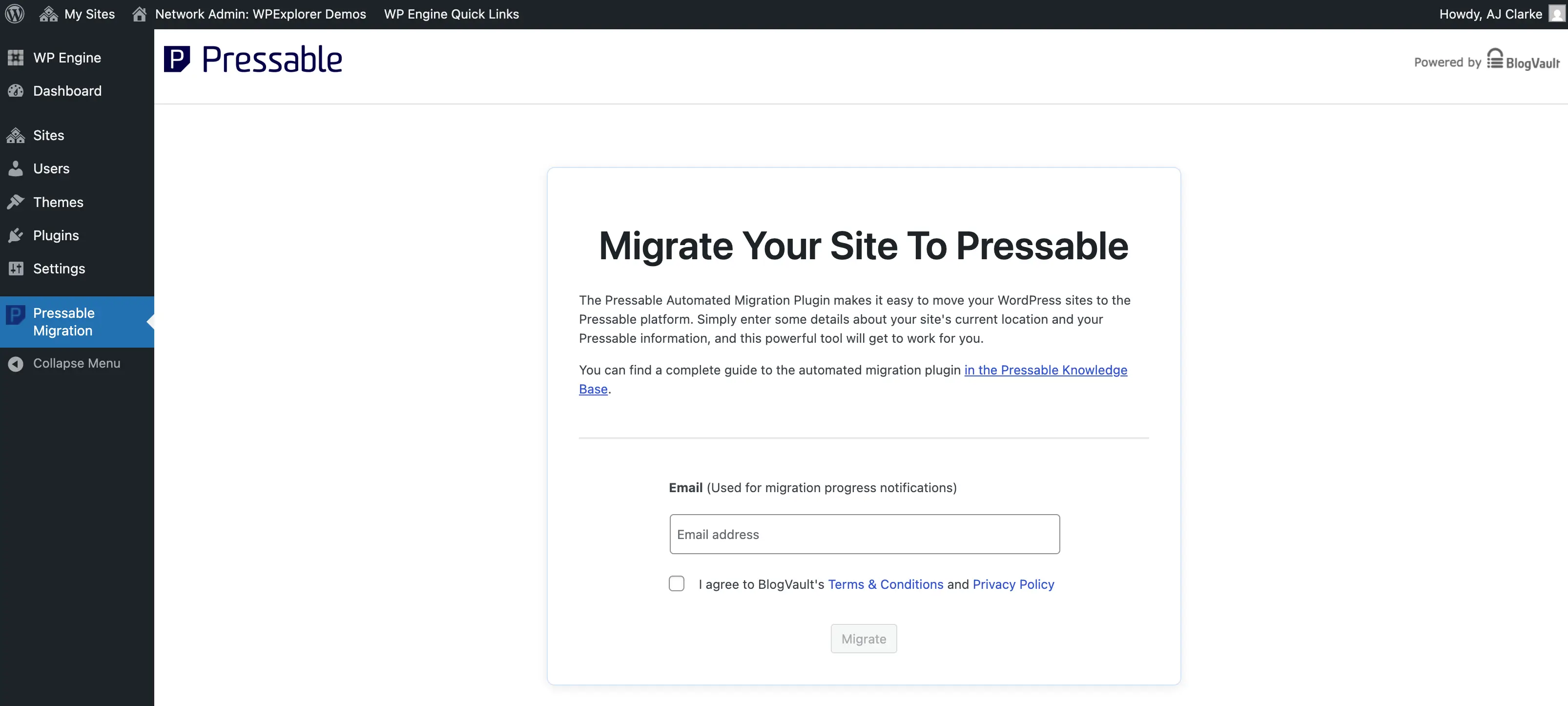
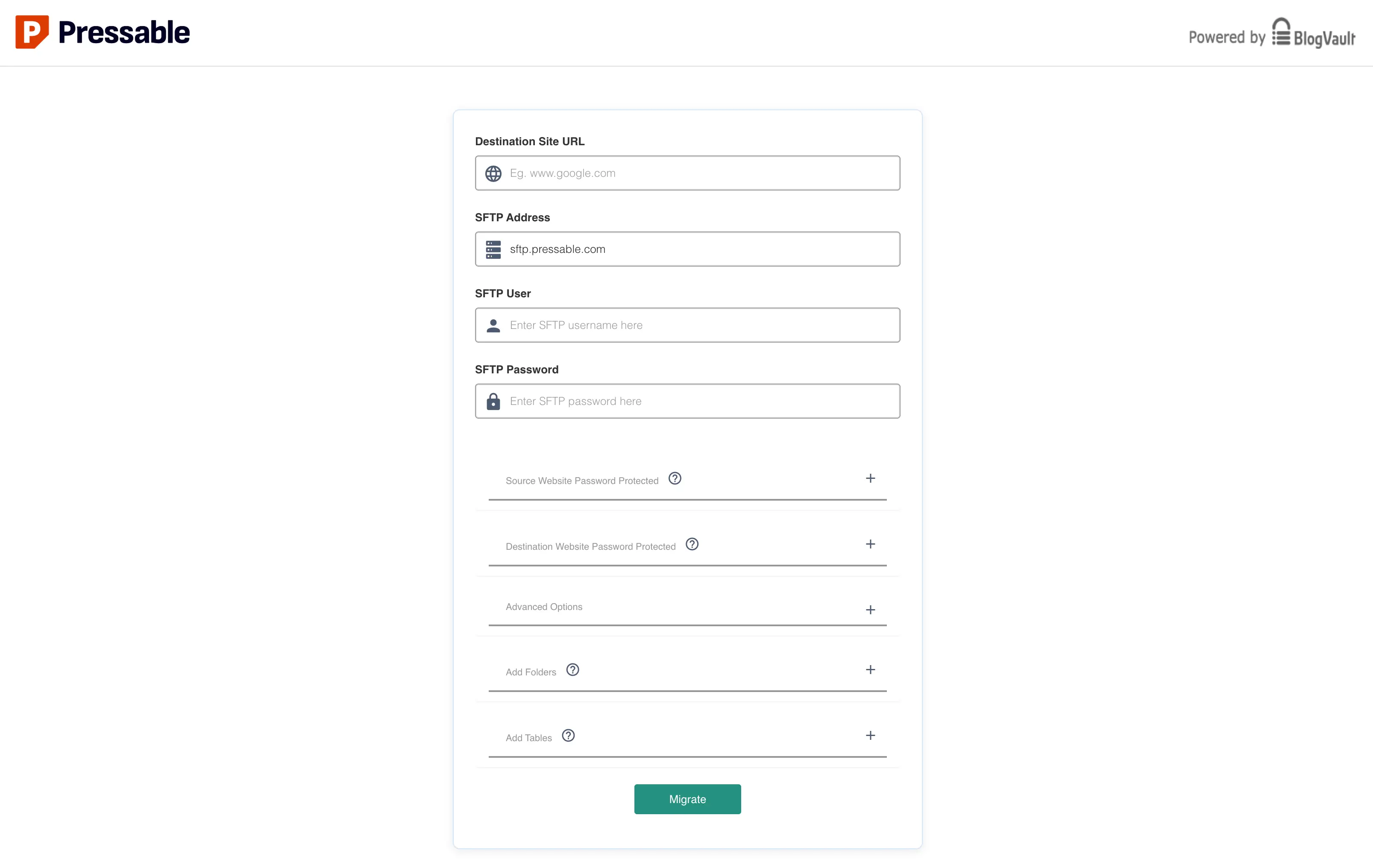
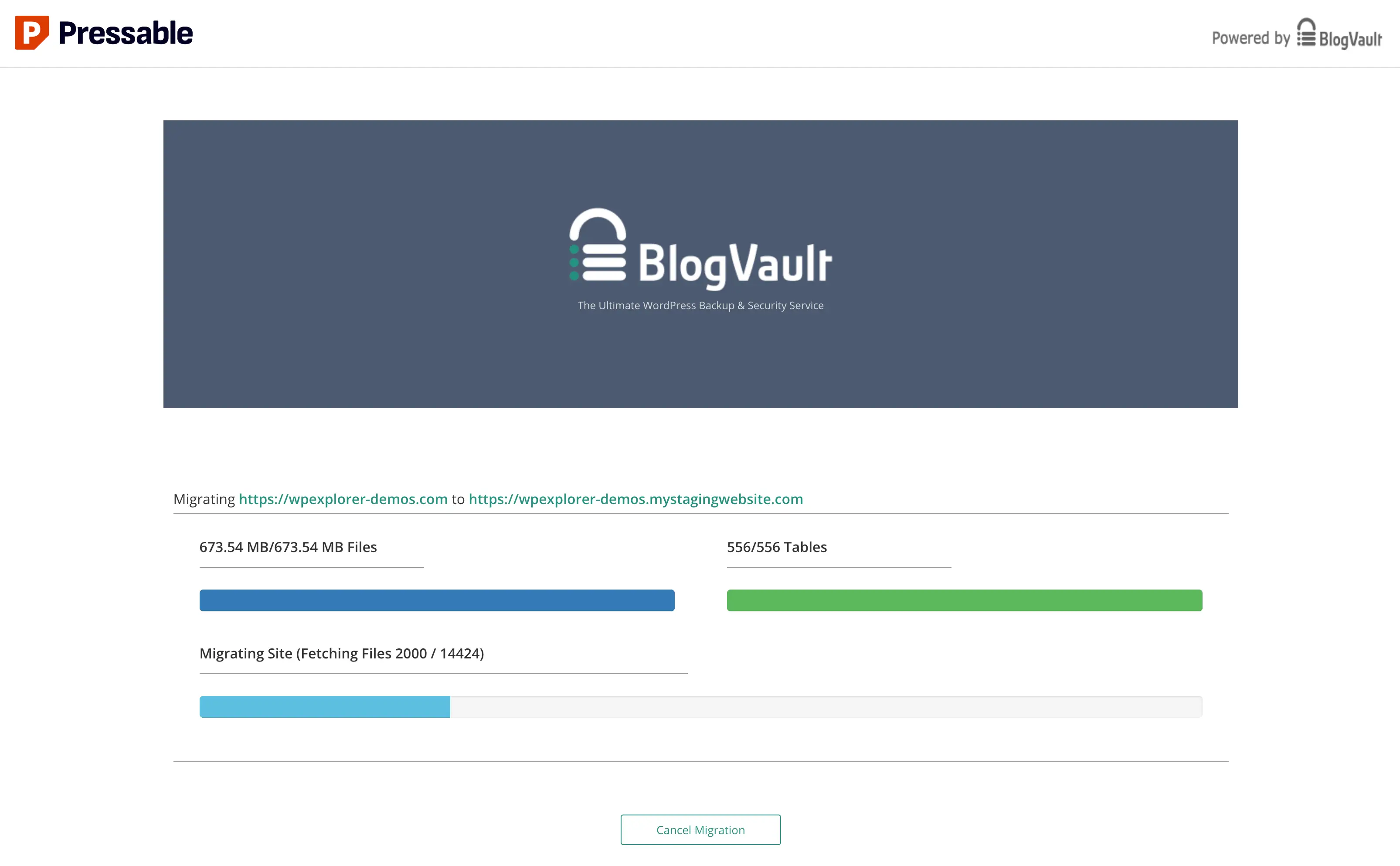
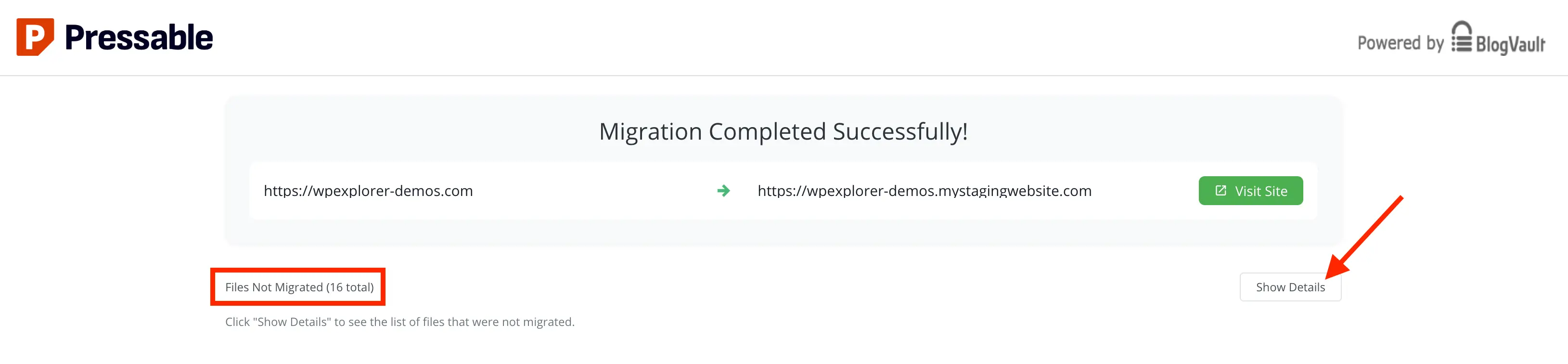
To bridge the legacy host and the new environment, specialized migration plugins—such as those integrated with automated transfer utilities—are deployed on the source website. Administrators input the SFTP credentials and server endpoints provided by the destination host. The transfer utility then initiates a secure transmission of database entries, media uploads, themes, and plugins to the new server architecture. Throughout this process, continuous monitoring ensures that network interruptions or timeouts do not compromise data packets.
Phase Five: Post-Migration File Sanitization and Cleanup
Once the core data transfer concludes, administrators must perform a rigorous cleanup of legacy files. Migration utilities or previous hosting environments often leave behind host-specific must-use (mu) plugins, cron jobs, and elevated administrator accounts. Removing these residual elements hardens the site against potential security vulnerabilities and prevents redundant background processes from consuming server resources. Additionally, server-side rules—such as redirects previously managed via Apache configuration files—must be translated into PHP-based redirection scripts compatible with NGINX server architectures.
Phase Six: Rigorous Functional Verification
Before redirecting public domain name system (DNS) records, the newly migrated site must be thoroughly tested via temporary staging URLs. Verification protocols should encompass checking internal links, validating contact form submissions, testing e-commerce checkout flows, and confirming that SSL certificates are functioning correctly. Identifying and resolving anomalies at this stage prevents public-facing errors once live traffic is routed to the new server.
Phase Seven: DNS Propagation and Domain Re-routing
The final operational step involves updating the domain registrar’s DNS settings to point A records and CNAME entries toward the new hosting provider’s IP addresses. Alternatively, managed DNS wizard tools can automate record updates. Because global DNS propagation can take anywhere from a few minutes to 48 hours depending on registry caching, administrators must monitor traffic metrics and maintain the legacy hosting environment active until propagation is confirmed across global name servers.
Security Implications and Infrastructure Optimization
Migrating to a managed WordPress environment necessitates a review of overarching security protocols. Modern managed hosts frequently bundle enterprise-grade security layers, including web application firewalls (WAF), automated malware scanning, and brute-force attack mitigation. Integrating these native defenses with security suites such as Jetpack provides multi-layered protection against emerging cyber threats.
However, site administrators must carefully audit bundled security modules to avoid functional redundancy and unnecessary administrative bloat. Disabling non-essential telemetry and marketing features while retaining core protective functions—such as encrypted vault backups and real-time threat intelligence—ensures optimal server resource utilization. Furthermore, implementing recommended HTTP security headers (including X-XSS-Protection, X-Content-Type-Options, X-Frame-Options, and robust Referrer-Policies) via custom configuration files adds an essential layer of browser-level defense for end-users.
Broader Industry Implications
The continuous refinement of automated migration tools reflects a broader trend within the web infrastructure industry: the commoditization of technical complexity. As hosting providers compete to reduce customer onboarding friction, the emphasis has shifted away from raw hardware specifications toward holistic user experience, automated reliability, and specialized customer support. For small businesses and independent digital agencies, these advancements democratize access to enterprise-grade web performance, enabling lean teams to maintain secure, highly scalable web properties without significant capital expenditure in dedicated systems engineering.