The Ultimate Guide to Migrating Your WordPress Website to Pressable Managed Hosting

The landscape of web hosting has evolved significantly, shifting the administrative burden away from site owners and toward specialized managed platforms. For organizations, developers, and independent creators running content management systems, the choice of infrastructure dictates security, scalability, and operational overhead. Within the WordPress ecosystem, managed hosting solutions have emerged as a primary vehicle for ensuring high availability without the requirement of dedicated systems administration staff. Pressable, an automated WordPress hosting provider backed by Automattic, represents a major player in this sector, offering specialized architecture designed exclusively for self-hosted WordPress deployments.
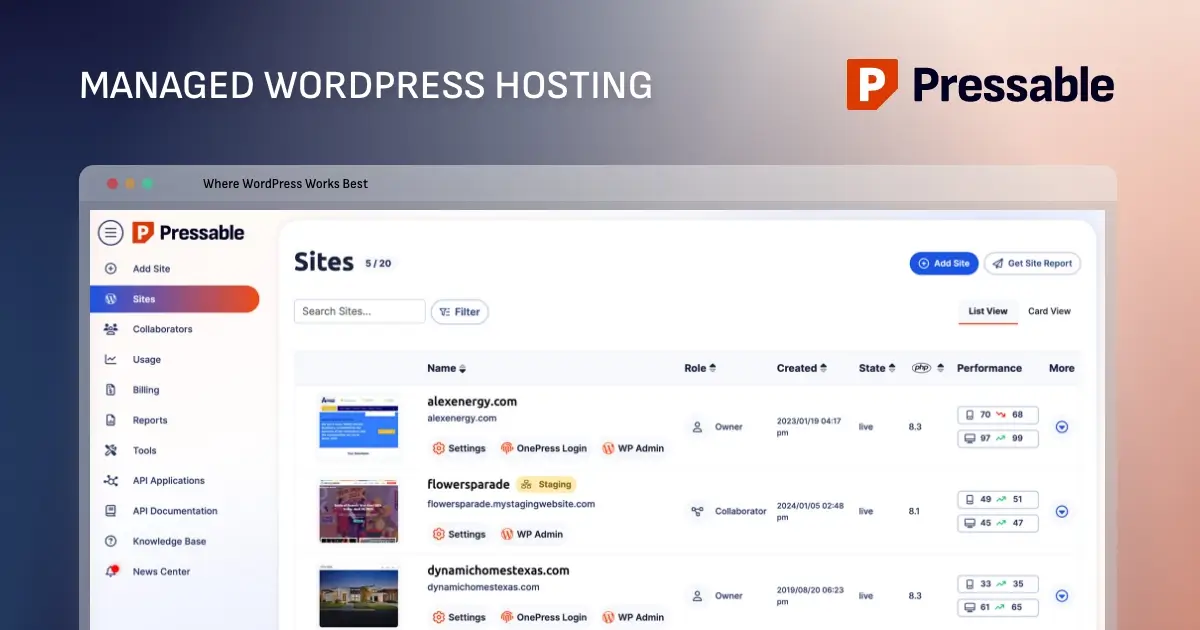
Background and Context in Managed WordPress Hosting
Managed WordPress hosting differs fundamentally from traditional shared or virtual private server (VPS) hosting. While standard servers require manual configuration for caching, security hardening, PHP version updates, and database optimization, managed environments automate these processes. Providers like Pressable optimize their server stacks specifically for the WordPress query lifecycle, typically utilizing high-performance web servers such as NGINX alongside advanced PHP-FPM handlers.
The industry demand for specialized hosting has accelerated as cyber threats grow increasingly sophisticated and web performance directly impacts search engine rankings and conversion rates. According to digital infrastructure benchmarks, slow-loading pages lead to immediate user abandonment, prompting site operators to seek out platforms that guarantee optimized Time to First Byte (TTFB) and robust uptime guarantees. Pressable positions itself within this competitive market by catering primarily to small and medium-sized enterprises, digital agencies, and independent freelancers who manage multiple client portfolios.

Evaluating Pressable Infrastructure and Target Suitability
When analyzing the utility of Pressable for a web deployment, technical decision-makers must weigh the platform’s constraints against their specific operational requirements. Pressable’s infrastructure is strictly bound to the WordPress ecosystem; it does not support legacy applications, non-WordPress content management systems, or generic custom server scripts that fall outside standard WordPress parameters.
Furthermore, the platform enforces specific limits regarding monthly visitor thresholds, storage allocations, and low-level server edits. For instance, developers accustomed to editing NGINX configuration files directly, implementing custom firewall rules, or utilizing legacy extensions like ionCube will find the environment restrictive. Additionally, Pressable does not provide native email hosting, necessitating third-party mail exchange (MX) record configurations for domain-associated email addresses.
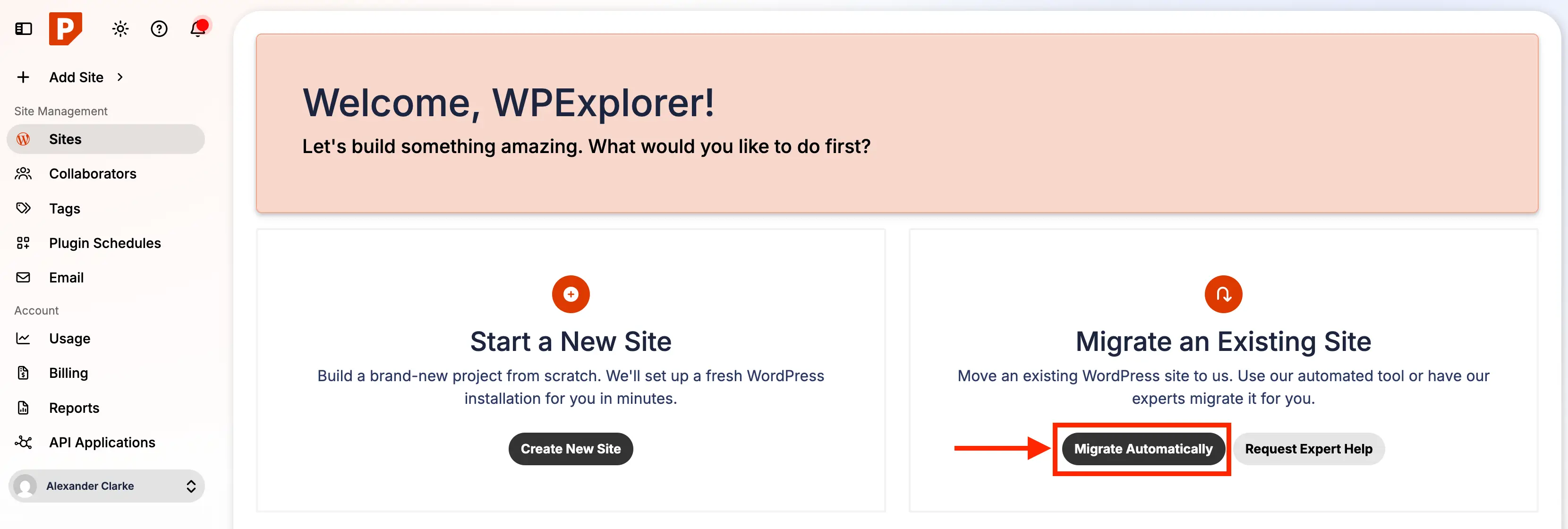
Despite these limitations, the platform offers significant advantages for its target demographic. By abstracting away the complexities of server maintenance, automated daily backups, and security patching, development teams can reallocate resources toward core product development and content generation. Agencies managing dozens of client instances benefit from centralized dashboards that simplify staging deployment, version control, and multi-site management.
Selecting the Appropriate Infrastructure Tier
Pressable structures its service offerings through a tiered model ranging from entry-level single-site configurations—such as the Signature 1 plan designed for lower traffic thresholds—up to enterprise-grade packages capable of supporting millions of monthly visitors across dozens of installations. The primary metrics determining plan selection include active WordPress installations, anticipated monthly unique visitors, and total required disk storage.
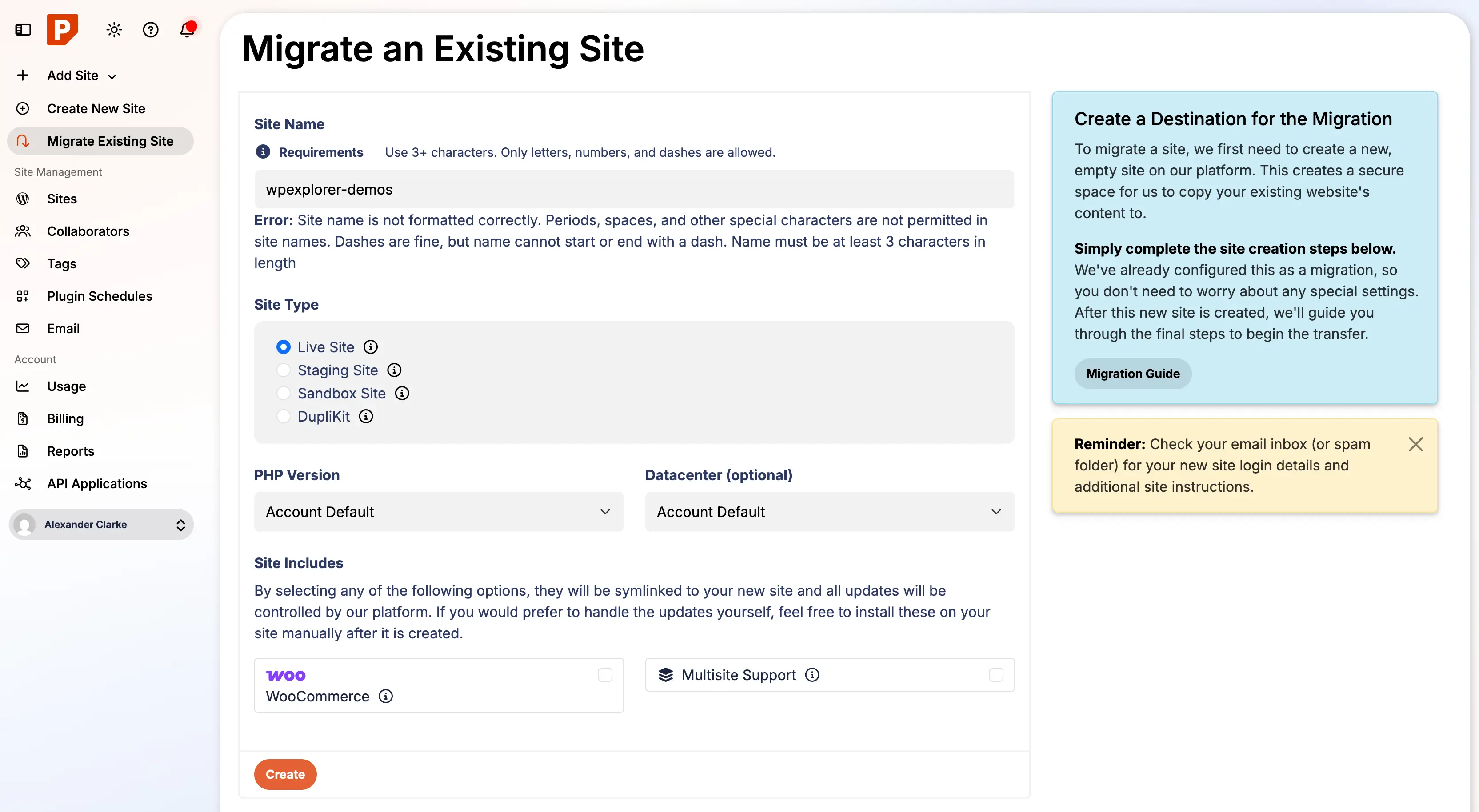
For organizations managing mission-critical operations requiring dedicated CPU allocations and vertical scalability, premium site plans offer tailored resource provisioning. Users who prefer to bypass manual technical transitions entirely can leverage Pressable’s white-glove migration service. This complimentary concierge option utilizes internal engineering teams to handle the entire transfer process, eliminating technical friction for non-technical stakeholders.
Step-by-Step Migration Methodology
For developers and site administrators executing manual migrations, a structured chronological approach minimizes downtime and prevents data loss. The migration workflow requires precise execution across eight distinct phases: pre-migration auditing, environment preparation, automated data transfer, and post-migration validation.
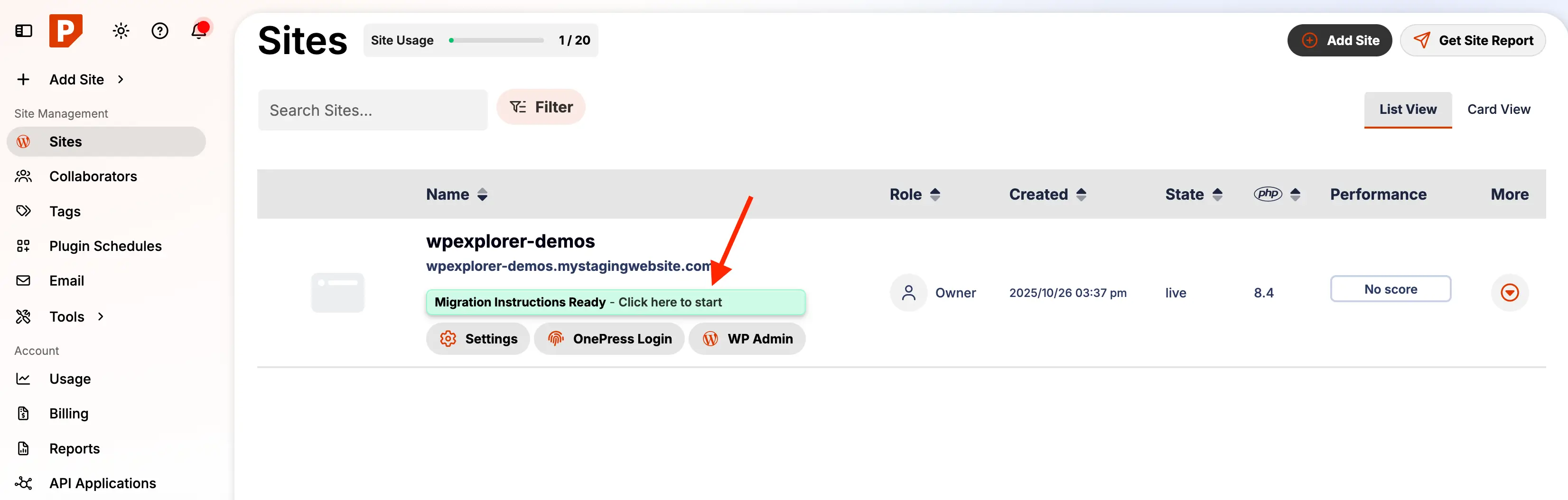
Phase 1: Environment Audit and System Preparation
Before initiating any data transfer, the source environment must be fully updated. Running migrations from outdated WordPress cores, themes, or plugins introduces compatibility risks, particularly when transitioning to modern PHP environments on the target host. Administrators must ensure all software components are current to prevent fatal errors caused by deprecated functions.
Phase 2: Comprehensive Backup Generation
Risk mitigation is critical during web infrastructure shifts. Administrators are advised to generate comprehensive, point-in-time backups covering both the MySQL/MariaDB database and the complete directory structure, including the wp-content upload repositories. These backups should be stored externally on local drives or secure cloud storage providers such as Dropbox to ensure rapid recovery capabilities if unforeseen anomalies occur during transport.
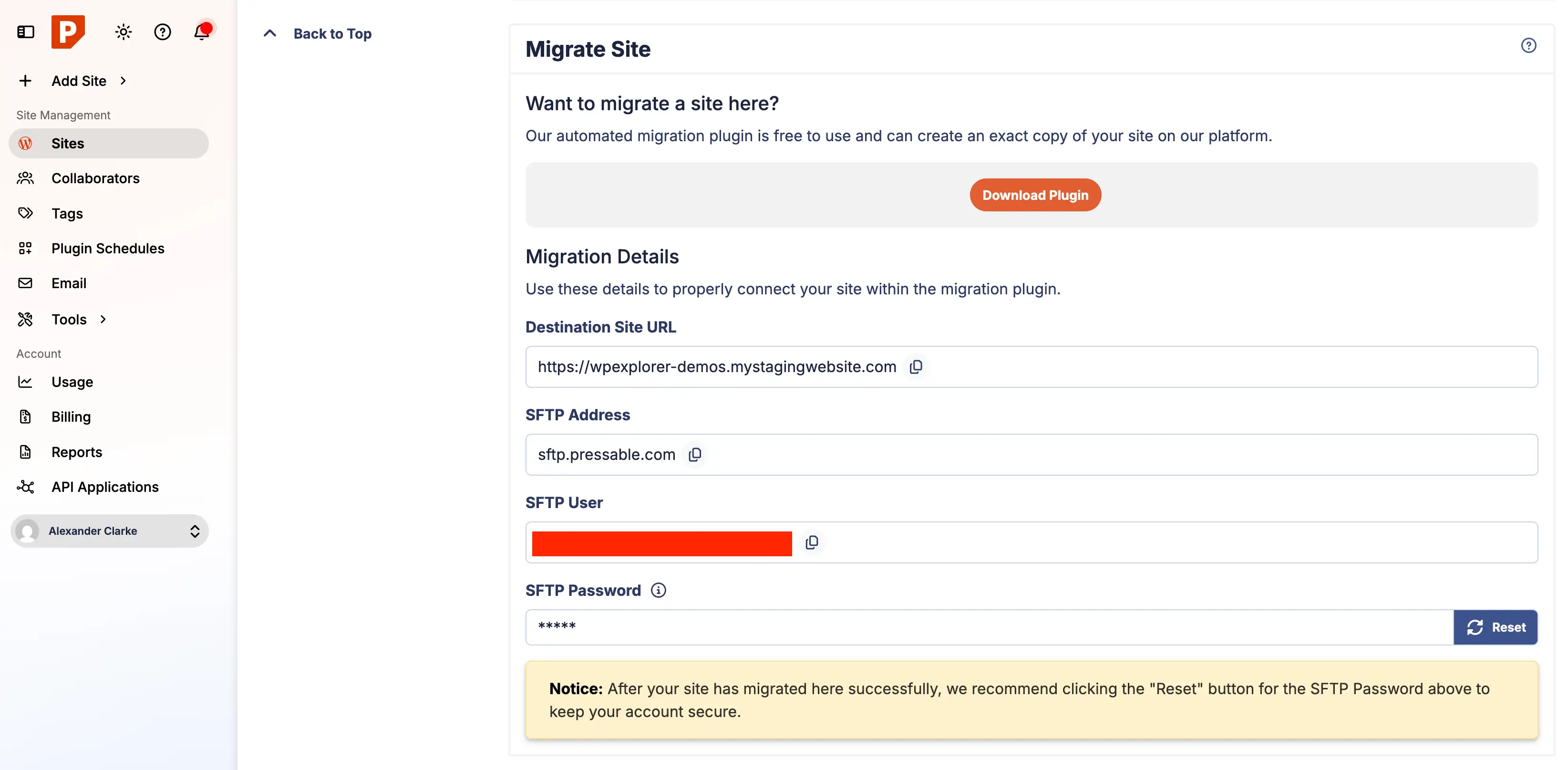
Phase 3: Automated Migration Initiation via Dashboard
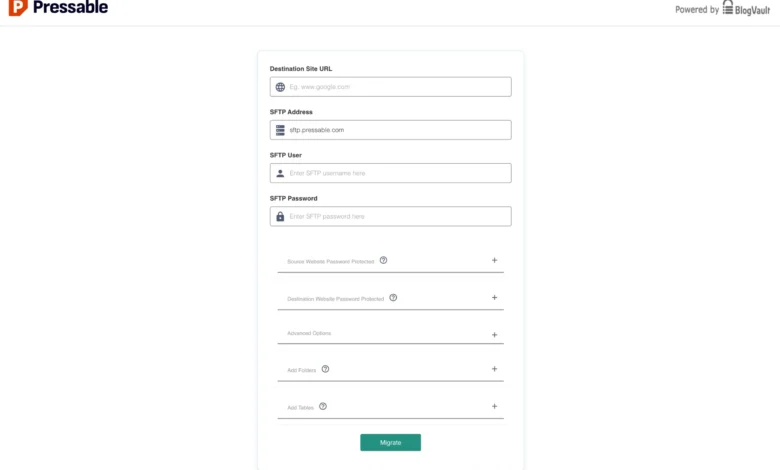
The migration process leverages integrated automation tools designed to interface securely with the target host. Administrators initiate the process by logging into the Pressable control panel, generating a new site instance, and activating the automated migration protocol. This step establishes the necessary server-side endpoints required for data ingestion.
Phase 4: Deployment of the Migration Plugin
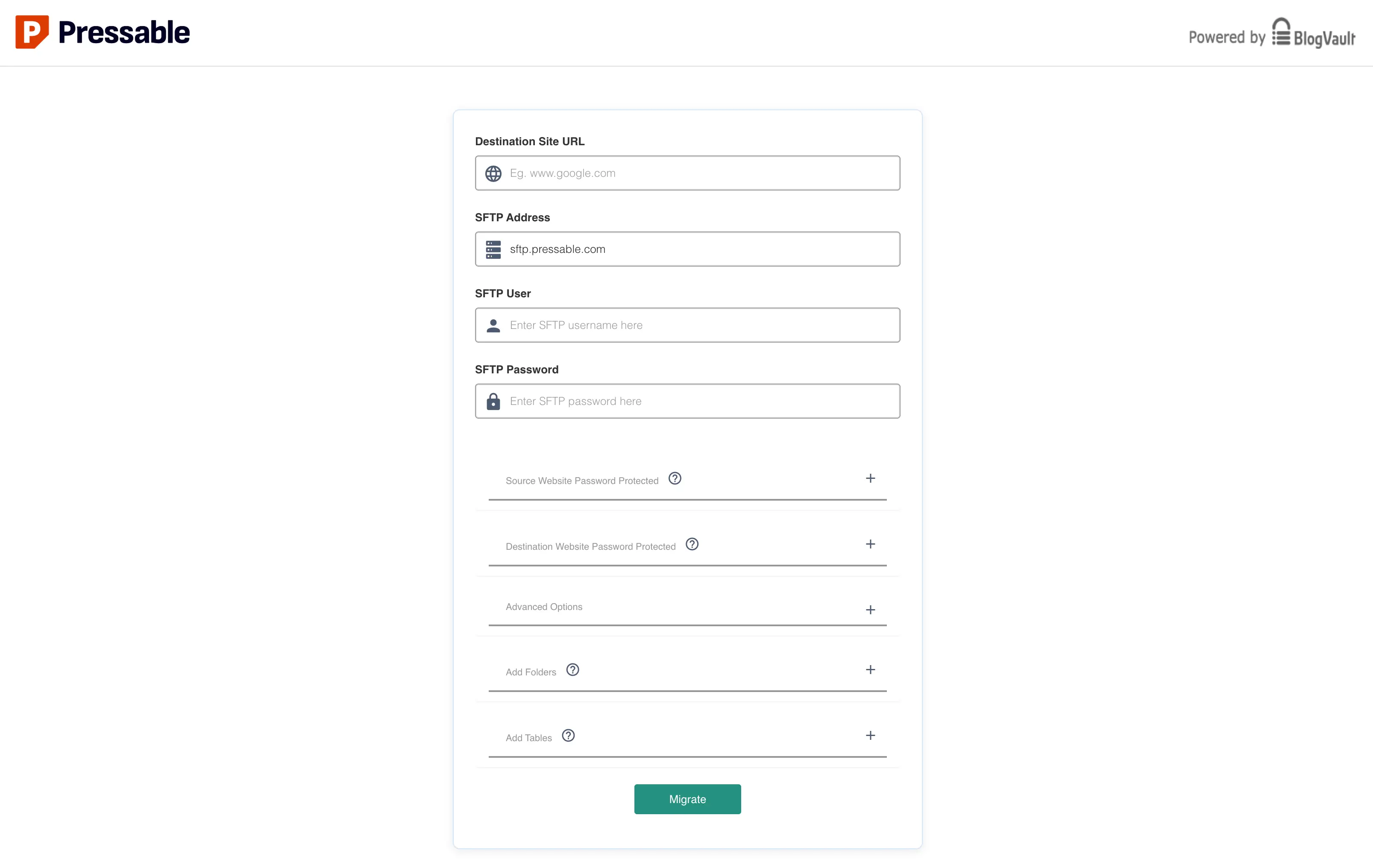
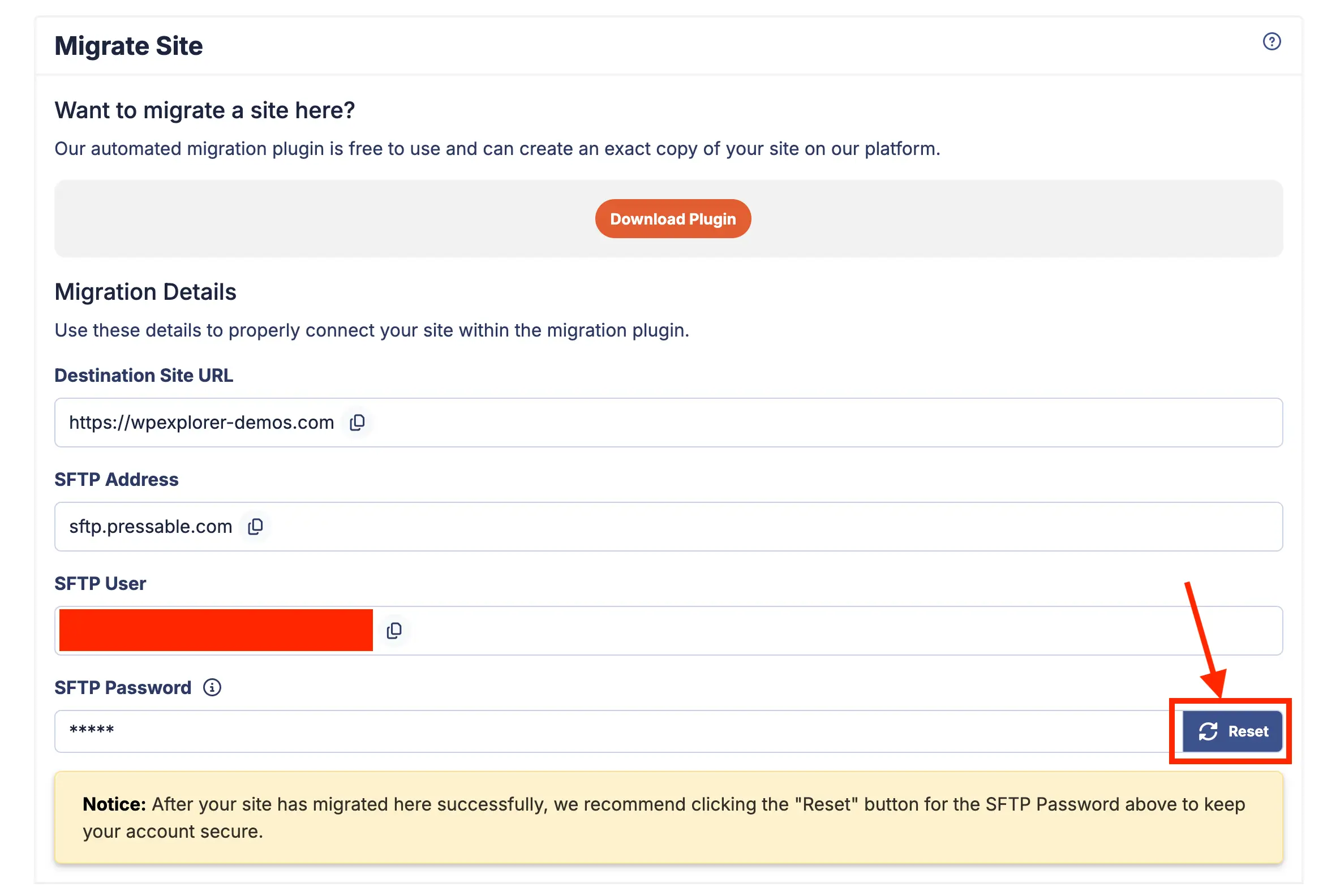
To facilitate secure data transit, administrators deploy the Pressable Automated Migration plugin on the source WordPress environment. Authentication credentials—specifically Secure File Transfer Protocol (SFTP) parameters generated within the Pressable dashboard—are supplied to the plugin interface to establish an encrypted tunnel between the legacy server and the new managed infrastructure.
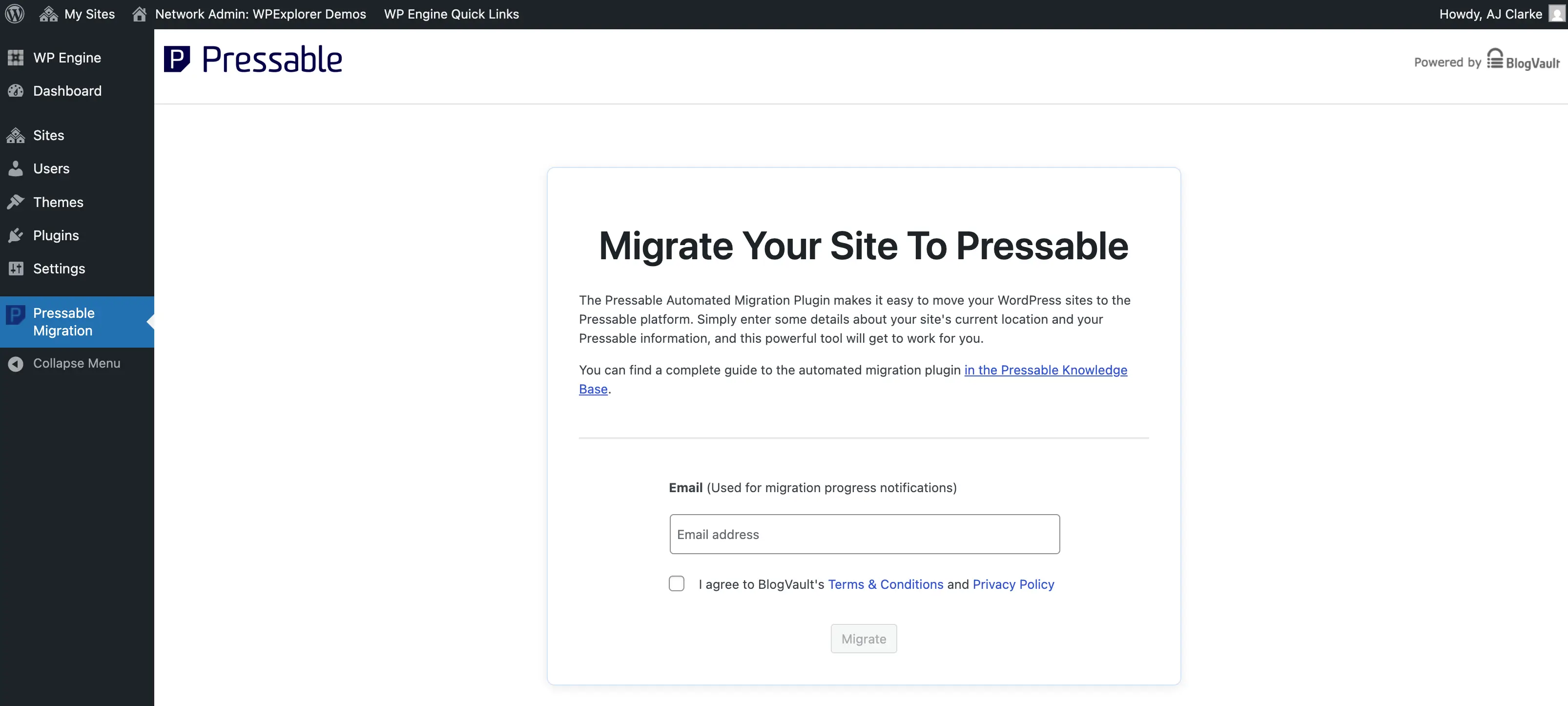
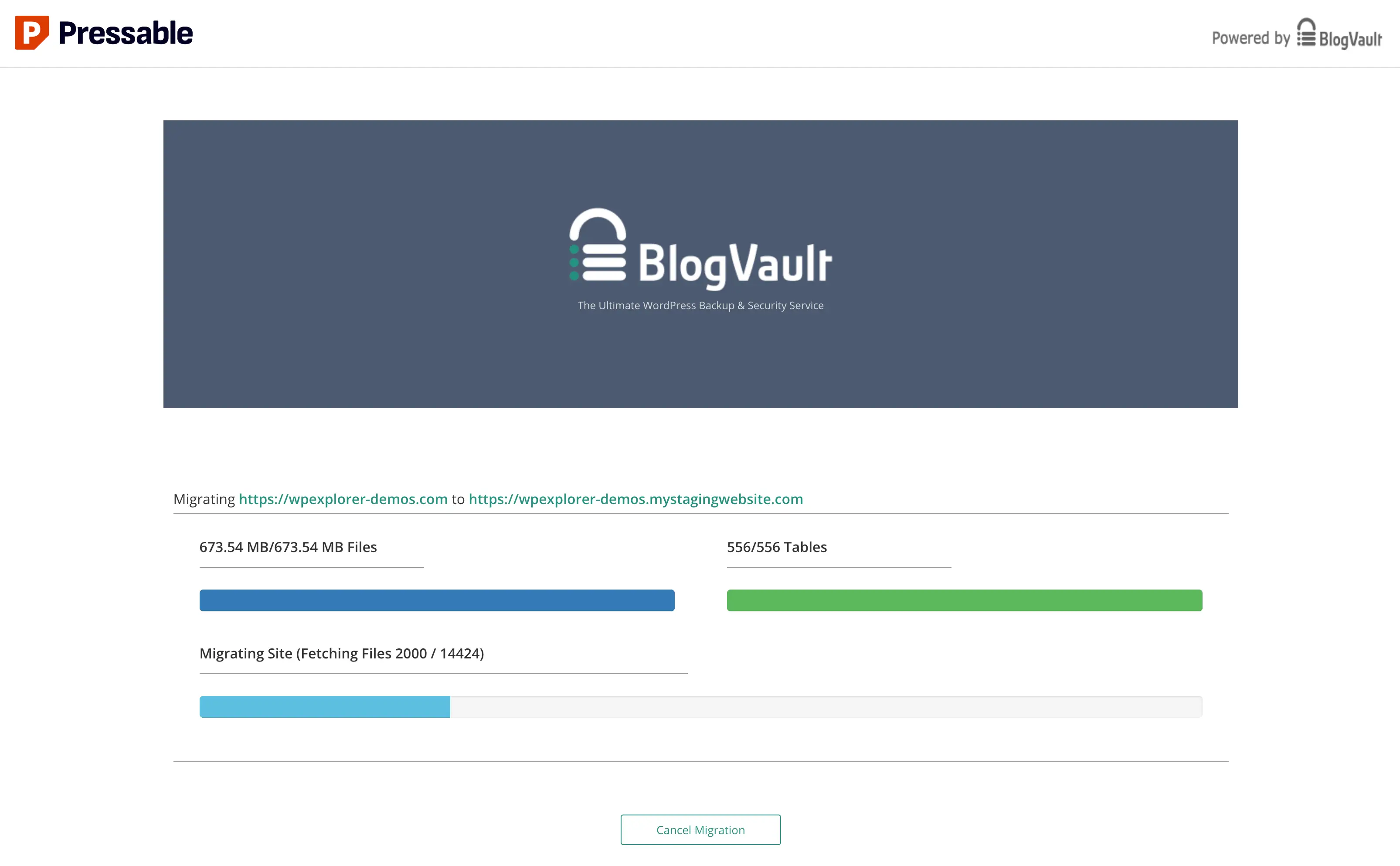
Phase 5: Executing the Data Transfer and Monitoring
Once authenticated, the migration engine initiates file synchronization and database import procedures. Industry best practices recommend maintaining a stable network connection and disabling system sleep modes on the host workstation while the synchronization processes. Large multisite installations or media-heavy repositories may require extended processing intervals, during which progress indicators may occasionally stall while background database transactions complete.
Phase 6: Post-Migration File Hygiene and Security Hardening
Upon successful completion of the automated transfer, administrators must perform a thorough audit of the newly populated directory structure. Legacy files associated with previous hosting environments—such as host-specific must-use (mu) plugins or proprietary caching configurations—should be systematically purged. For instance, remnants of previous hosting platforms, such as update source selectors or server-specific cron configurations, must be removed to prevent software conflicts and reduce the attack surface.
Furthermore, security posture can be significantly enhanced by implementing recommended HTTP response headers. Because Pressable utilizes NGINX and PHP-FPM architecture rather than Apache, legacy .htaccess directives are rendered non-functional. Consequently, administrators must configure custom server rules via a custom-redirects.php file to enforce essential security headers, including:
- X-XSS-Protection: Mitigates cross-site scripting attacks by enforcing browser-side filtering.
- X-Content-Type-Options: Prevents MIME-type sniffing vulnerabilities.
- X-Frame-Options: Guards against clickjacking by restricting framing of web content.
- Referrer-Policy: Controls the transmission of referrer information across network boundaries.
Phase 7: Functional Validation on Staging Environments
Before modifying global Domain Name System (DNS) pointers, administrators must thoroughly test the migrated instance utilizing Pressable’s staging domain URL. Quality assurance checklists should verify database integrity, internal link structures, SSL certificate validity, e-commerce checkout flows, and form submission endpoints. Identifying anomalies at this stage prevents public-facing service disruptions.
Phase 8: DNS Propagation and Global Cutover
The final phase involves updating DNS records at the domain registrar level to point incoming traffic toward the new Pressable infrastructure. Administrators can utilize manual record updates (A records) or automated DNS wizard tools provided within the hosting dashboard. Because DNS propagation is subject to global network caching intervals, full resolution can range from several minutes up to 48 hours. During this interim window, continuous monitoring of the dashboard’s health indicators ensures that SSL handshakes and routing tables function as intended.
Security Enhancements and Ecosystem Integration
Beyond core hosting infrastructure, modern managed environments frequently bundle auxiliary security layers to protect against brute-force attacks, distributed denial-of-service (DDoS) attempts, and malicious code injections. Pressable integrates Jetpack Security across all deployment tiers at no additional cost. This inclusion provides automated malware scanning, downtime monitoring, and real-time cloud backups.
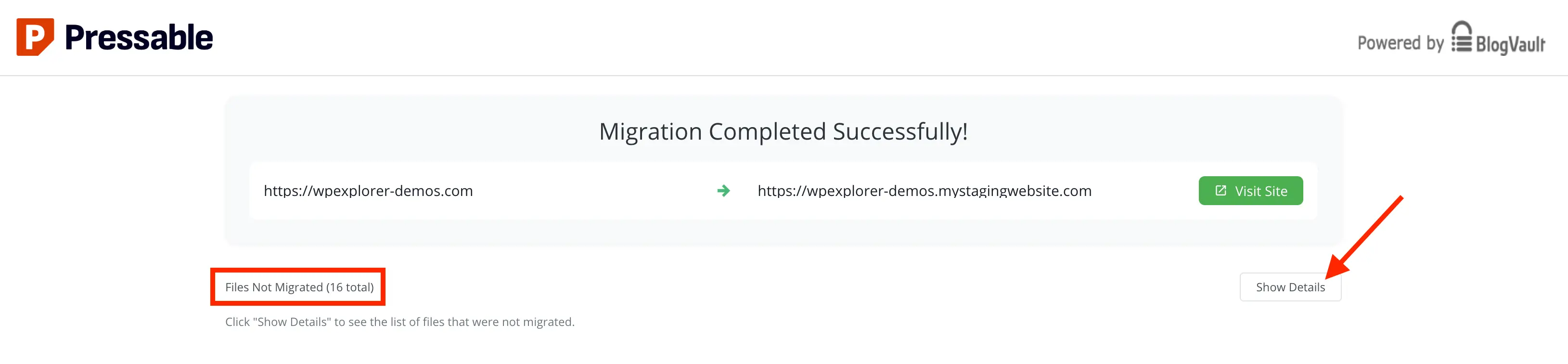
While comprehensive security suites provide critical defensive barriers, administrators must balance resource consumption by disabling non-essential module features that do not align with operational priorities. Retaining core defensive utilities while pruning redundant interface features preserves system performance and optimizes server response metrics.
Broader Implications and Market Outlook
The widespread adoption of managed WordPress hosting reflects a broader maturation within the digital publishing and enterprise web development sectors. As security vulnerabilities and performance expectations increase, organizations are progressively moving away from self-administered virtual servers in favor of specialized, turnkey ecosystems. Platforms that automate migration workflows while maintaining strict performance standards are well-positioned to capture market share among agencies and enterprises seeking operational efficiency.
Ultimately, transitioning to a managed architecture like Pressable eliminates the administrative friction traditionally associated with web infrastructure management. By standardizing security protocols, automating backup routines, and optimizing server stacks exclusively for WordPress, organizations can dedicate their technical capital to strategic growth, content delivery, and user experience enhancement.