How to Clean Up Your WordPress Dashboard by Removing Yoast SEO Upsells and Promotional Clutter

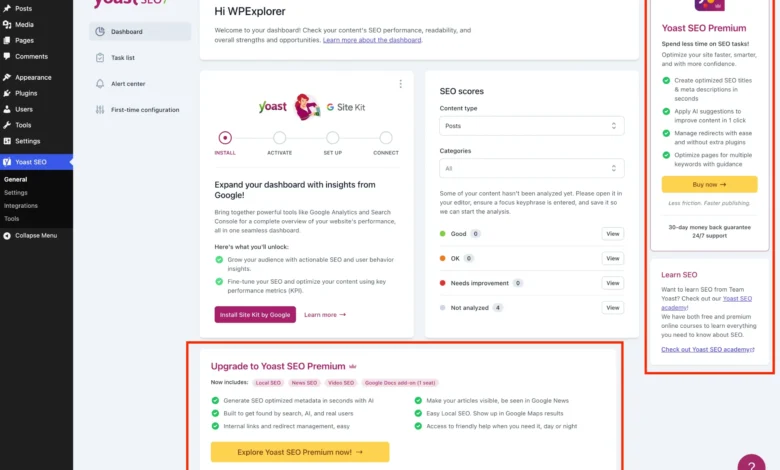
The debate surrounding software monetization models in the open-source community has intensified as commercial plugins increasingly integrate promotional materials into free editions. Yoast SEO, deployed on millions of WordPress websites globally, offers a robust suite of optimization tools within its free tier. However, the inclusion of persistent upgrade banners, auxiliary administrative menus, dashboard widgets, and sidebar notifications has drawn criticism from web developers, system administrators, and agency owners seeking a streamlined user interface. For professionals managing multiple client environments, this promotional noise introduces unnecessary visual friction into the WordPress administration dashboard.
Background Context and Monetization Evolution in WordPress Plugins
The freemium business model has long served as the bedrock of the WordPress plugin ecosystem. Developers release a core version of software at no cost to build a vast user base, subsequently funding ongoing development, security patches, and support through premium tiers. Yoast SEO, acquired by Newfold Digital, represents a prime example of this strategy. While the core plugin provides essential functionalities such as sitemap management, readability checks, and basic metadata optimization, the administrative interface has progressively expanded to incorporate upsell vectors.

These vectors include dedicated submenu pages for premium features like redirects and content workouts, promotional sidebars, AI feature highlights, and interactive upgrade banners rendered via modern JavaScript frameworks. While these elements are crucial for conversion metrics and enterprise revenue generation, they often compromise the minimalist aesthetic traditionally associated with the WordPress content management system. Agency administrators frequently report that clients become confused by locked features and promotional prompts, leading to support tickets regarding software functionality that is intentionally restricted to the paid tier.
Chronology of Administrative Clutter and Interface Expansion
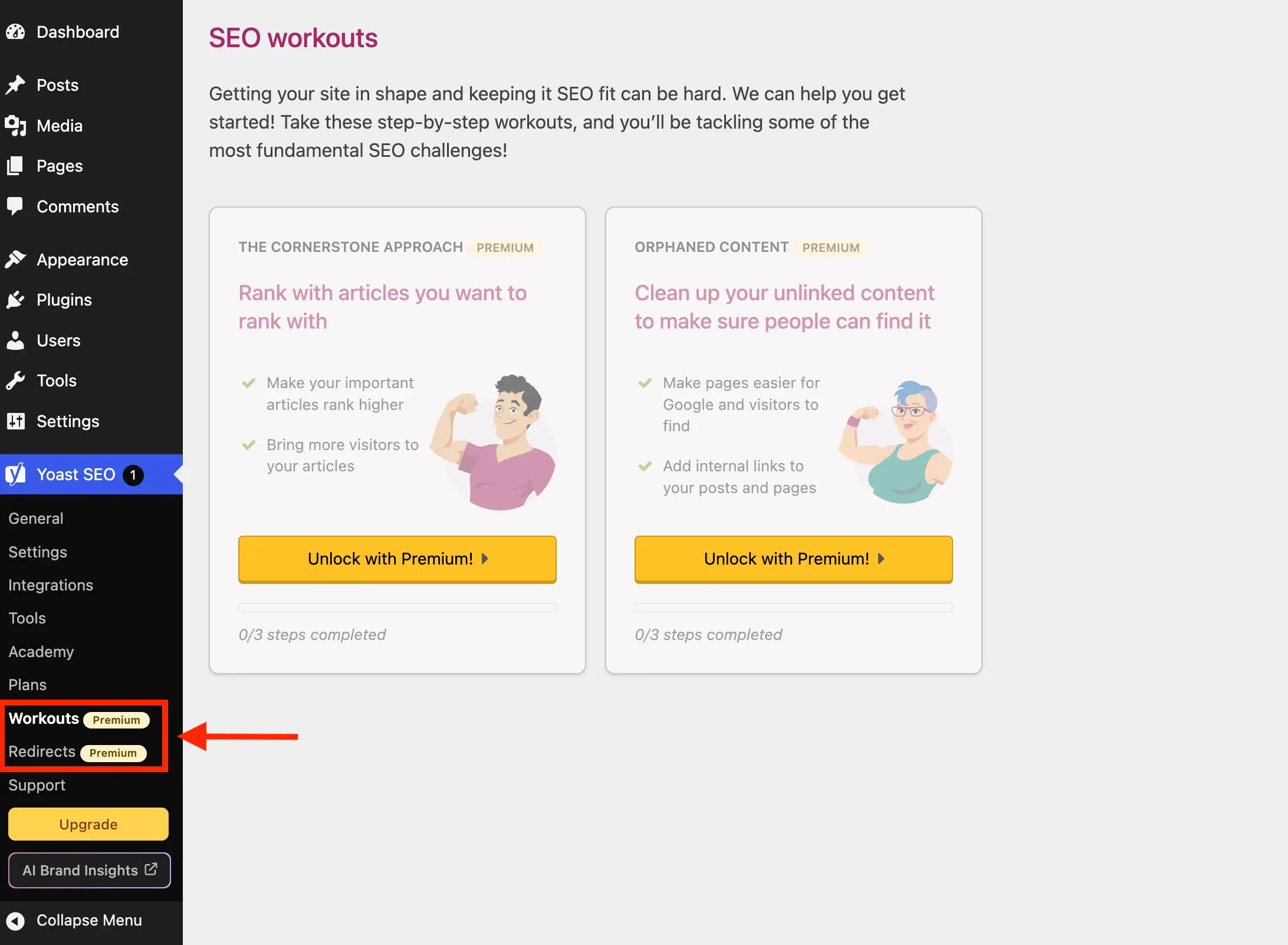
The accumulation of promotional interfaces within Yoast SEO has evolved alongside broader shifts in WordPress dashboard design. Historically, plugin advertisements were restricted to static banner notices at the top of settings screens. Over successive release cycles, developers have transitioned toward dynamic, JavaScript-driven components that integrate directly into the Gutenberg block editor sidebar, meta boxes, and network administration panels.
The introduction of features powered by artificial intelligence, such as AI brand insights and automated metadata suggestions, further expanded the footprint of promotional components within the administrative backend. Because these elements render dynamically on specific screens—such as the post editor, general settings, and third-party integration hubs—they bypass traditional PHP-based menu registration hooks, requiring more sophisticated administrative filtering and styling overrides to manage effectively.

Technical Implementation: Structuring the PHP Class for Interface Optimization
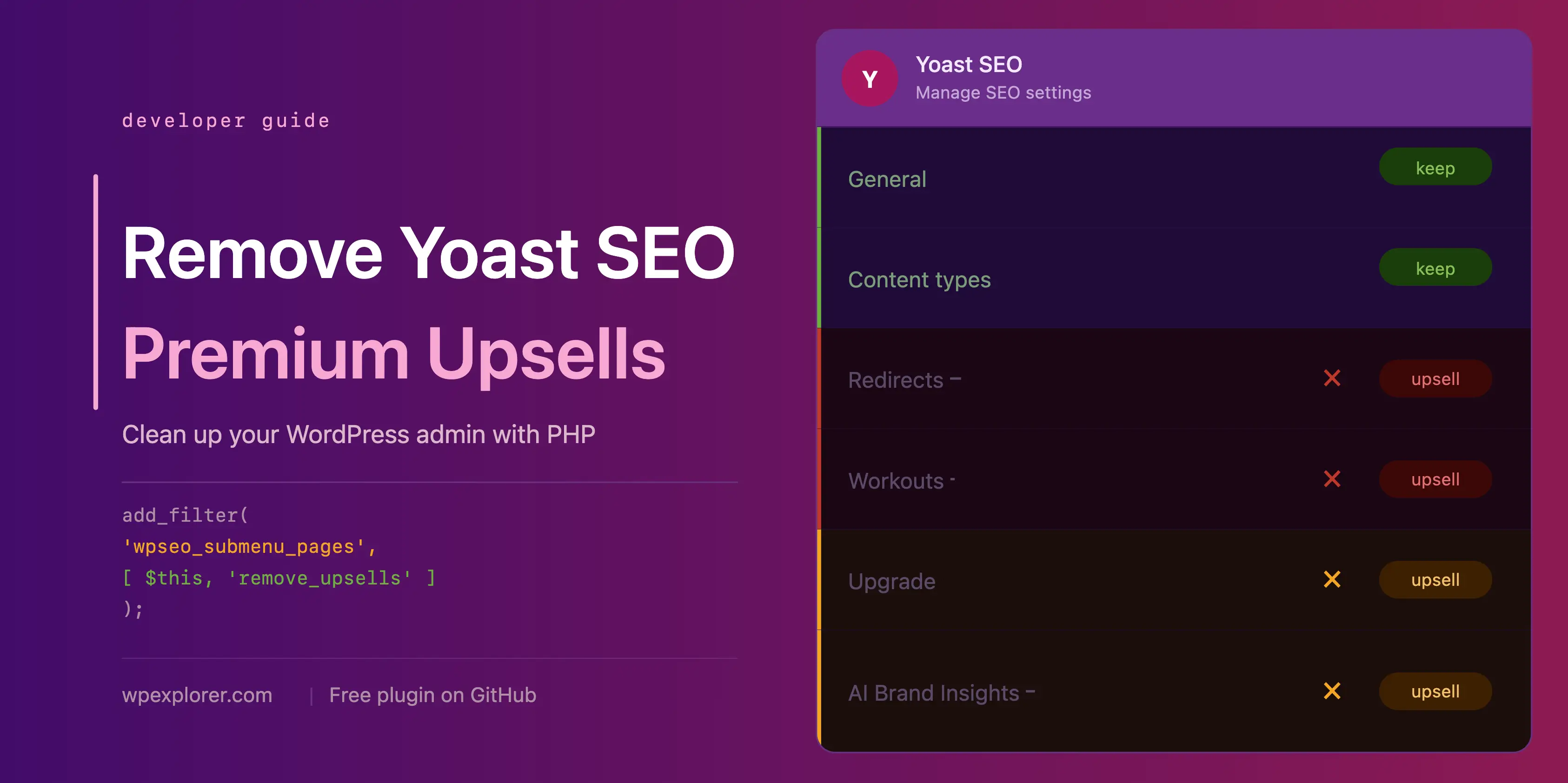
System administrators seeking to maintain a pristine operational environment can deploy custom PHP code snippets to programmatically suppress these interface elements. The industry-standard approach involves encapsulating the modification logic within an object-oriented PHP class executed via a child theme’s functions.php file, a custom functionality plugin, or a Must-Use (MU) plugin.

if ( ! class_exists( 'WPEX_Remove_Yoast_SEO_Upsells' ) )

    class WPEX_Remove_Yoast_SEO_Upsells

        public function __construct()

        public function remove_premium_admin_pages( array $pages ): array
            $pages_to_remove = [
                'wpseo_upgrade_sidebar',
                'wpseo_licenses',
                'wpseo_page_academy',
                'wpseo_page_support',
                'wpseo_redirects',
                'wpseo_workouts',
            ];
            return array_filter( $pages, function( $page ) use ( $pages_to_remove )
                if ( isset( $page[2] ) && str_contains( $page[2], 'yoast-premium-badge' ) )
                    return false;

                if ( isset( $page[4] ) && in_array( $page[4], $pages_to_remove, true ) )
                    return false;

                return true;
             );


        public function remove_admin_bar_links( WP_Admin_Bar $wp_admin_bar ): void
            $wp_admin_bar->remove_node( 'wpseo-get-premium' );
            $wp_admin_bar->remove_node( 'wpseo_brand_insights' );


        public function remove_dashboard_widget(): void
            remove_meta_box( 'wpseo-dashboard-overview', 'dashboard', 'normal' );


        public function remove_dashboard_widget_assets(): void
            $current_screen = get_current_screen();
            if ( ! ( $current_screen instanceof WP_Screen && $current_screen->id === 'dashboard' ) )
                return;

            wp_dequeue_script( 'yoast-seo-dashboard-widget' );
            wp_dequeue_style( 'yoast-seo-wp-dashboard' );
            wp_dequeue_style( 'yoast-seo-monorepo' );


        public function remove_upsells_from_admin_pages(): void
            $current_screen = get_current_screen();
            if ( ! ( $current_screen instanceof WP_Screen && str_contains( $current_screen->id, 'wpseo' ) ) )
                return;

            $css = '
                #yoast-seo-general .yst-@container > div:last-child:has([data-action=load-nfd-ctb]),
                #yoast-seo-general .yst-min-w-[16rem]:has(>.yst-sticky),
                #yoast-seo-settings main + div:has([data-action=load-nfd-ctb]),
                #yoast-seo-settings .yst-root div[class*=yst-fixed],
                #yoast-seo-settings main section .yst-feature-upsell,
                #yoast-seo-settings main form fieldset > .yst-flex > .yst-divide-y > .yst-py-4:has(.yst-button--upsell),
                #wpseo-integrations .yst-root section > .yst-grid > div:has([data-action=load-nfd-ctb]),
                .yst-root .yst-table-row:has(.yst-button--upsell),
                .seo_page_wpseo_tools .wpseo_content_cell .yoast_premium_upsell  display: none !important;
            ';
            wp_register_style( 'wpex-remove-yoast-upsells', false );
            wp_enqueue_style( 'wpex-remove-yoast-upsells' );
            wp_add_inline_style( 'wpex-remove-yoast-upsells', $css );


        public function remove_upsells_from_metaboxes(): void
            $current_screen = get_current_screen();
            if ( ! ( $current_screen instanceof WP_Screen && in_array( $current_screen->base, [ 'post', 'term' ], true ) ) )
                return;

            $css = '
                .wpseo-metabox-content div:has(> button > .yst-badge--upsell),
                :is(.wpseo-metabox-content,#yoast-seo:seo-sidebar) .yst-root > div > button[data-id*=AIFixes],
                #yoast-seo:seo-sidebar .components-panel > div:has(.yst-badge--upsell),
                #premium-seo-analysis-upsell-ad-sidebar,
                #premium-seo-analysis-upsell-ad-metabox  display: none !important;
            ';
            wp_register_style( 'wpex-remove-yoast-metabox-upsells', false );
            wp_enqueue_style( 'wpex-remove-yoast-metabox-upsells' );
            wp_add_inline_style( 'wpex-remove-yoast-metabox-upsells', $css );


    new WPEX_Remove_Yoast_SEO_Upsells;
Analysis of Performance Implications and Resource Overhead
Beyond aesthetic considerations, administrative interface clutter carries tangible performance and privacy implications. The default Yoast SEO dashboard widget initiates an uncached HTTP request to external servers (yoast.com/feed/widget/) upon every dashboard load. This telemetry exchange transmits environmental data, including underlying WordPress and PHP version identifiers, to third-party endpoints.

Disabling this widget via programmatic hooks eliminates external HTTP requests during administrative sessions, thereby reducing page generation latency and mitigating potential information exposure risks. Similarly, dequeuing unused stylesheet and script assets associated with promotional widgets lightens the resource payload transferred during backend navigation.
Developer Community Perspectives and Official Responses

Reactions from the broader WordPress development community regarding plugin upsells remain divided. Proponents of monetization argue that sustainable software maintenance requires continuous revenue generation, and visual prompts are a standard commercial practice across the SaaS and enterprise software sectors. Developers who rely on Yoast SEO for client projects frequently emphasize that enterprise clients expect a bespoke administrative experience free from external marketing intrusions.
Representatives from plugin development firms maintain that core functionalities must remain accessible while sustaining the financial model required to support large engineering teams. However, the absence of native toggle switches within free software editions to disable promotional interfaces has fostered a robust sub-ecosystem of open-source scripts, child-theme adaptations, and community-driven helper plugins designed specifically to filter out administrative noise.
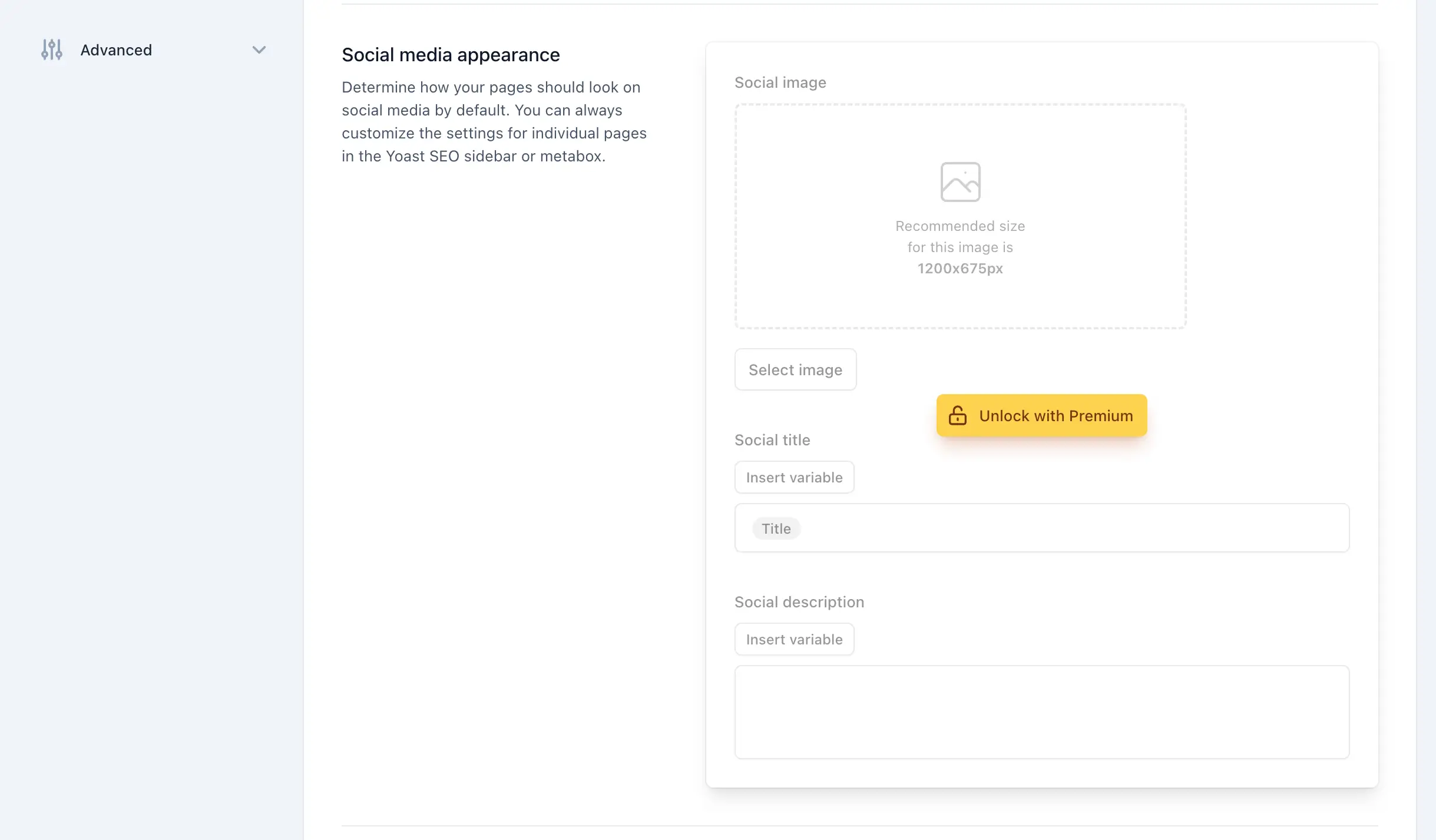
Broader Impact and Strategic Recommendations for Agency Management
For digital agencies and multi-site administrators, implementing systematic interface cleanup protocols ensures a standardized user experience across diverse client deployments. Standardizing administrative views minimizes training friction, reduces client distraction, and maintains the perceived professionalism of bespoke WordPress implementations.
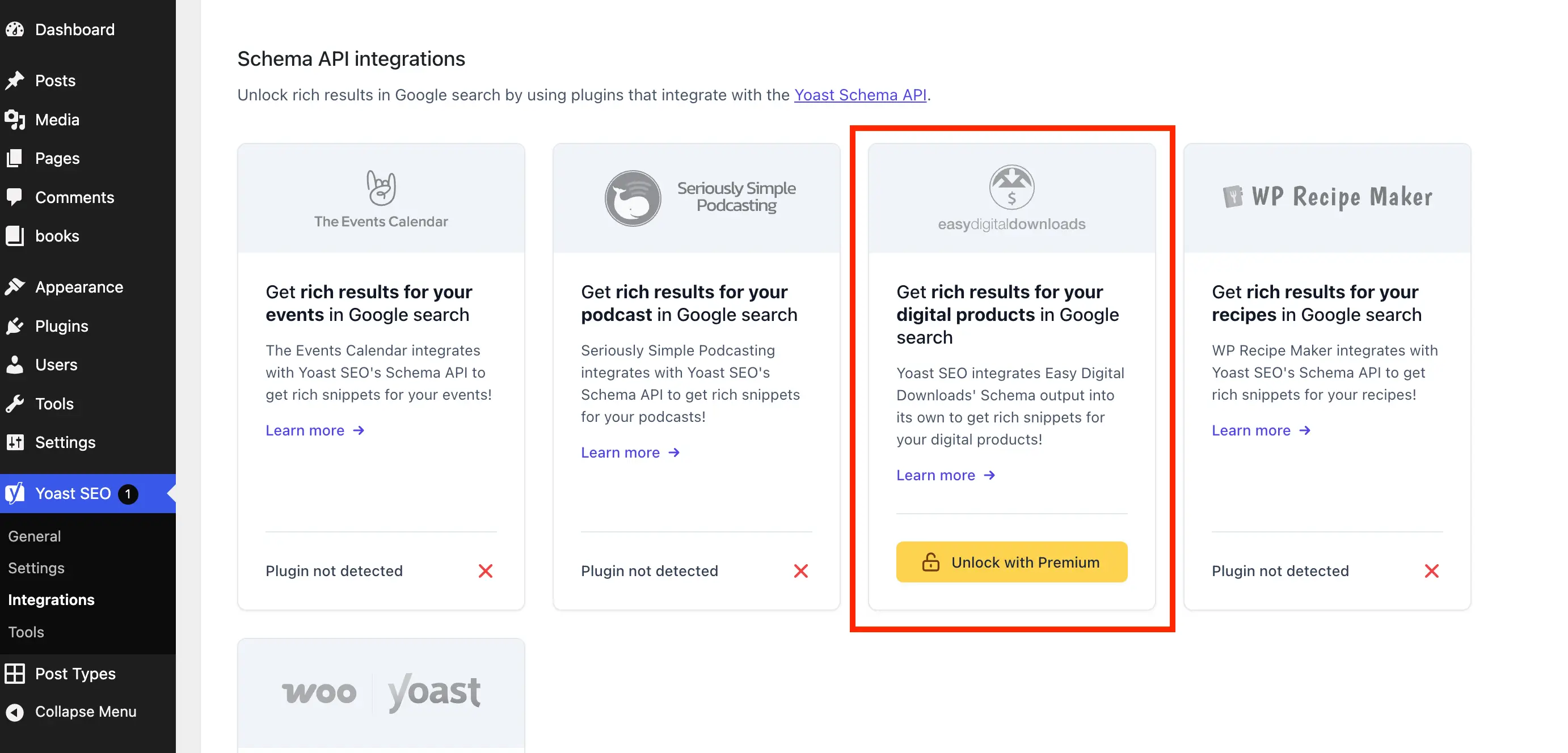
Administrators executing custom PHP filtering solutions must establish maintenance protocols to review code compatibility following major plugin releases. Because modern WordPress plugins frequently update their underlying DOM structures, CSS selectors targeting dynamic interface elements may require periodic calibration to sustain optimal performance. Organizations evaluating long-term infrastructure stability should weigh the maintenance overhead of custom cleanup scripts against the alternative of licensing premium software tiers or transitioning to alternative search engine optimization solutions that provide streamlined administrative interfaces out of the box.