The Ultimate Guide to 24 Free Instagram Tools for Creators, Marketers, and Small Businesses in 2026

Keeping up with Instagram in 2026 feels akin to managing a high-pressure live newsroom. The platform is in a perpetual state of flux, with trends emerging and dissipating at breakneck speed. Maintaining a consistent and impactful presence can be an exhausting endeavor for creators, marketers, and small businesses alike. Fortunately, the era of solo struggle and exorbitant costs is waning. The right suite of tools can dramatically reduce weekly time investment and foster consistent output without succumbing to burnout. This comprehensive guide explores 24 indispensable free Instagram tools, each offering a robust free plan or trial genuinely beneficial for optimizing your social media strategy without straining your budget. We’ll also delve into the burgeoning landscape of AI-powered solutions designed to streamline your workflow.
Navigating the Instagram Content Creation Gauntlet
The consistent production of polished posts, engaging Reels, and captivating Stories can feel like an insurmountable task. Fortunately, a plethora of free content creation tools are available to simplify this process and reclaim valuable hours. Before diving in, it’s crucial to identify your primary bottleneck: is it graphic design, video editing, or caption writing? Targeting the tool that addresses your most significant challenge first, and then layering in others, will yield the most efficient results.
Pro Tip: The Instagram app itself offers powerful built-in functionalities. By linking your profile to a website, you can leverage shoppable galleries, product tagging, and native analytics, providing a more integrated approach to tracking campaign performance and user engagement.
Canva: The Visual Content Powerhouse
Best for: All-round visual content creation.
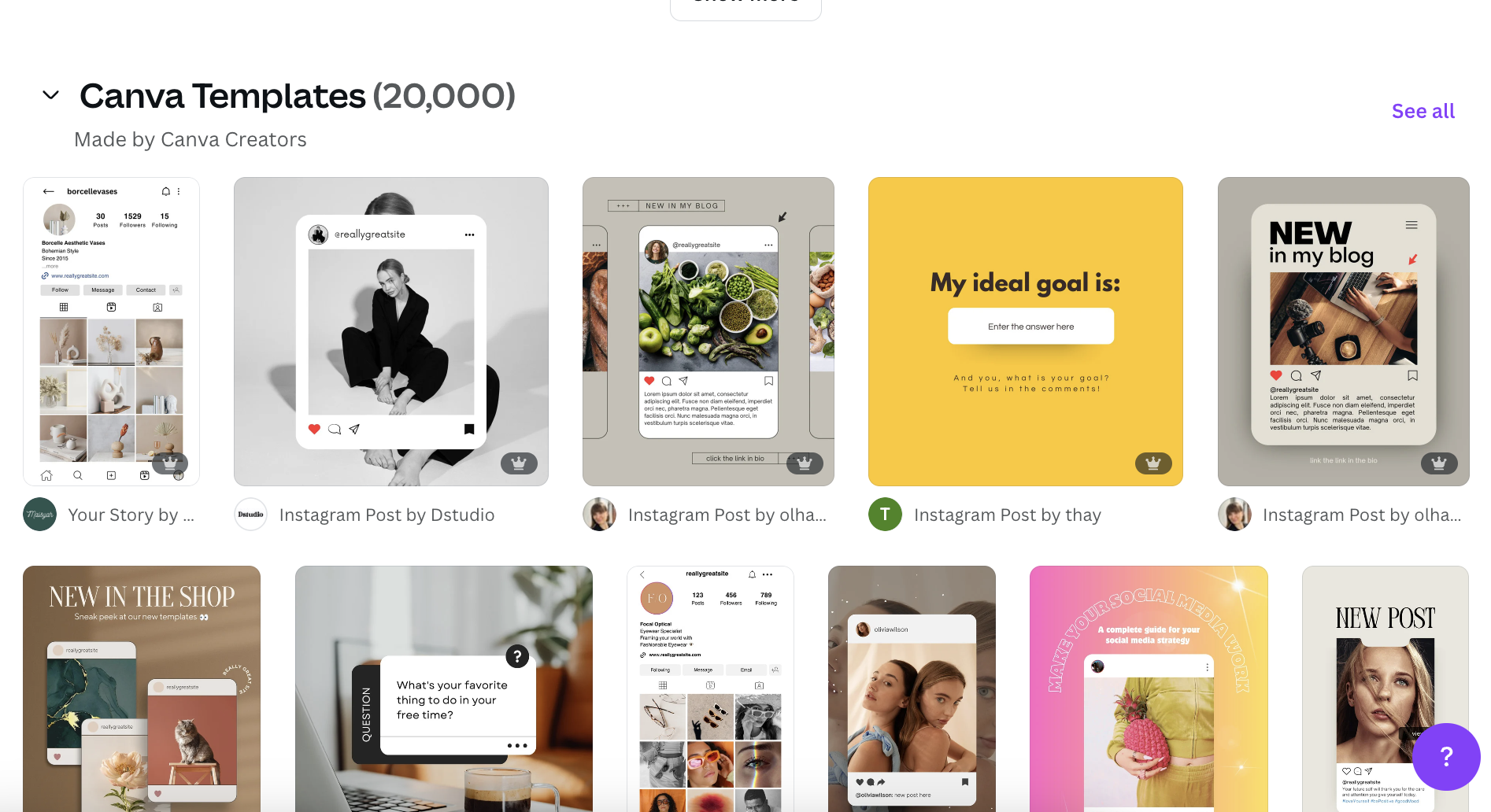
Canva has solidified its position as a go-to platform for creators, small businesses, and marketers, particularly for those who don’t consider themselves design mavens. Its extensive library boasts thousands of free Instagram templates across all formats—Reels, carousels, Stories, and feed posts—all pre-sized and optimized for the platform. The intuitive drag-and-drop interface democratizes design, enabling users to customize visuals with ease, regardless of prior design experience.

Standout Free Features:
- Vast Template Library: Access to thousands of professionally designed templates for every Instagram format.
- User-Friendly Interface: Simple drag-and-drop functionality for easy customization.
- Extensive Asset Library: A generous selection of free stock photos, elements, and fonts.
- Brand Kit (Limited Free): Ability to save brand colors and fonts for consistent visual identity.
- Collaboration Features: Free plan allows for team collaboration on designs.
If Canva doesn’t perfectly align with your aesthetic, consider these alternatives:
- Adobe Express (formerly Adobe Spark): Offers a robust free tier with a wide array of templates, design assets, and video editing capabilities, leveraging Adobe’s powerful creative suite.
- VistaCreate (formerly Crello): Provides a substantial collection of free templates, animations, and design tools, making it a strong competitor to Canva.
CapCut: The Mobile Video Editing Champion
Best for: Desktop and mobile video editing.
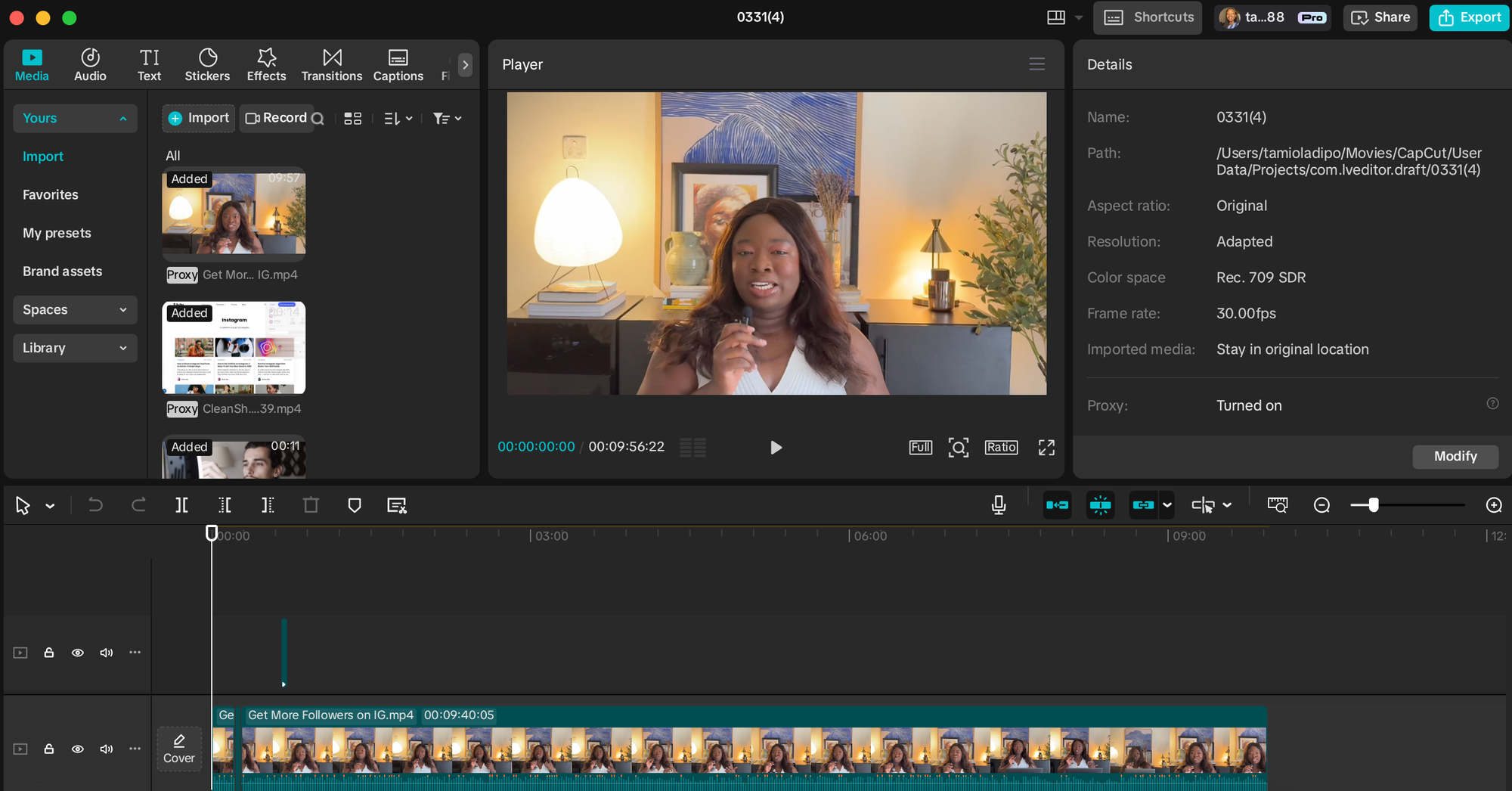
CapCut has emerged as a dominant free video editor, empowering creators to produce professional-grade Reels and Stories directly from their mobile devices. Developed by ByteDance, the parent company of TikTok, this app offers a comprehensive suite of editing tools, including precise cutting, dynamic transitions, automatic caption generation, a wide range of effects, and stylistic filters—all completely free and without watermarks.
Standout Free Features:
- Advanced Editing Tools: Full suite of video editing features, including trimming, splitting, merging, and speed adjustments.
- Auto Captions: AI-powered tool to automatically generate accurate captions for videos.
- Extensive Effects & Filters: A vast library of creative effects and filters to enhance video aesthetics.
- Royalty-Free Music & Sound Effects: Access to a library of audio assets to elevate video production.
- No Watermarks: Content exported from CapCut is free of any branding.
For those seeking alternative video editing solutions, explore:
- InShot: A popular mobile video editor offering a user-friendly interface, essential editing tools, and a good selection of effects and music.
- VN Video Editor: A free, powerful, and versatile video editing app with multi-track editing, advanced color correction, and a wealth of creative features.
Dupe: Curated Aesthetic Stock Imagery
Best for: Sourcing natural-looking, aesthetic stock images.
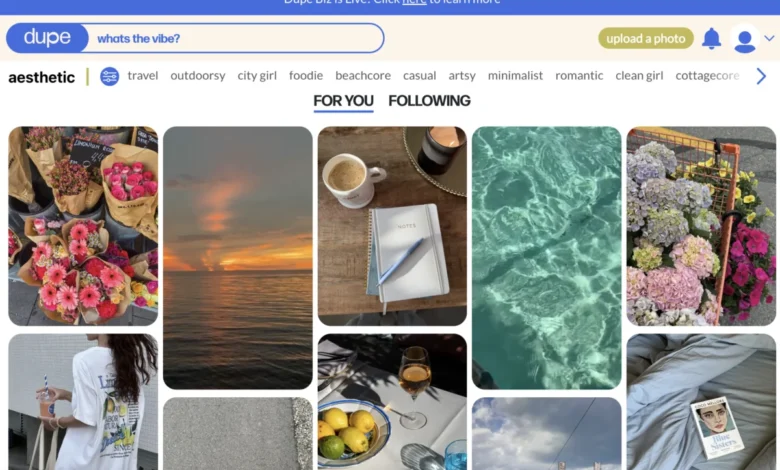
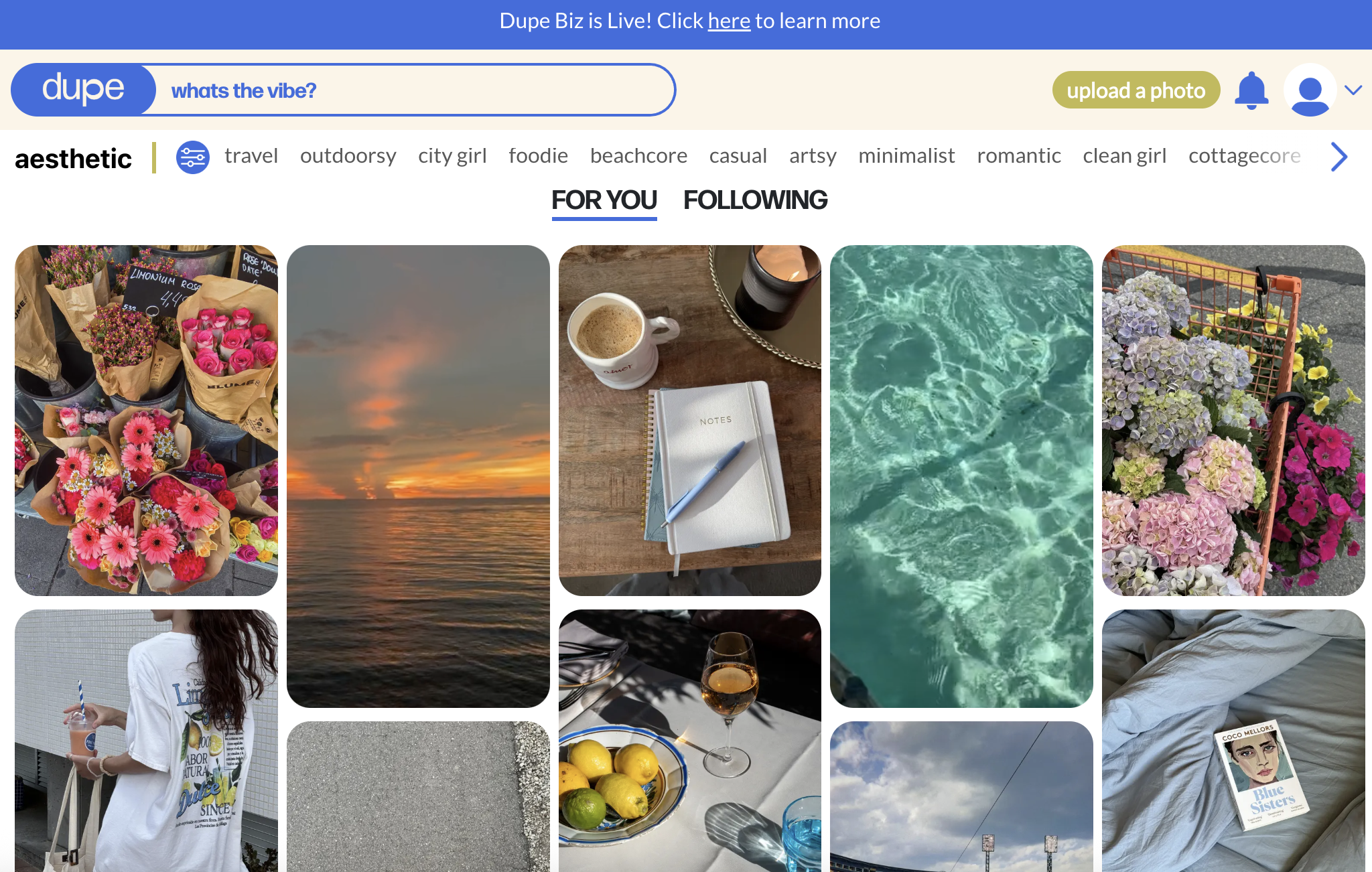
Dupe distinguishes itself by offering high-quality, natural-looking images that transcend the often-stiff aesthetic of traditional stock photography. It provides a curated selection of premium imagery tailored for modern brands and visually driven feeds, all available for free use without requiring attribution. The library leans heavily into lifestyle, fashion, technology, and minimalist aesthetics, making it an ideal resource for crafting contemporary and visually cohesive Instagram grids. Dupe is particularly valuable for filling content gaps or when access to original photography is limited.
Standout Free Features:
- Curated, Natural Aesthetics: Focus on authentic and visually appealing imagery.
- No Attribution Required: Freedom to use images without crediting the source.
- Diverse Categories: A range of themes suitable for various modern brands and niches.
- High-Resolution Downloads: Access to high-quality images for professional use.
Complementary resources for stock imagery include:
- Unsplash: A vast platform offering a massive collection of high-resolution, royalty-free images contributed by photographers worldwide.
- Pexels: Similar to Unsplash, Pexels provides a diverse library of free stock photos and videos, categorized for easy discovery.
Pro Tip: Canva also integrates a stock image library, offering a convenient way to source visuals directly within your design workflow.
Grammarly’s AI Instagram Caption Generator: Conquering Creative Blocks
Best for: Rapidly generating caption ideas and overcoming writer’s block.
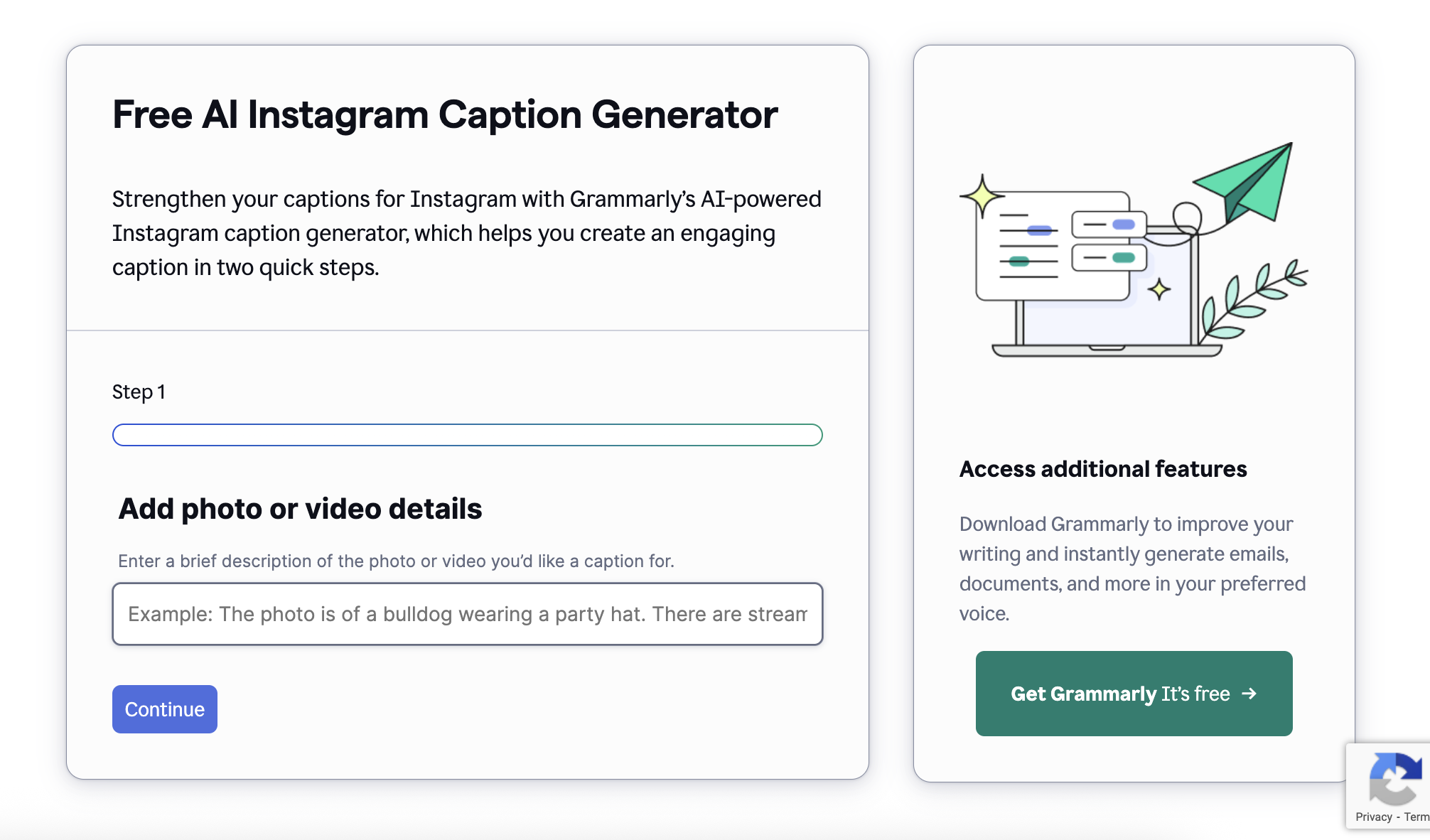
Struggling to craft compelling captions? Grammarly’s free AI Instagram Caption Generator offers a swift solution. By simply describing your post and selecting a desired tone—such as witty, confident, or friendly—the tool generates multiple caption options that can be refined or used as-is. This AI-powered assistant significantly reduces the time spent on caption ideation and writing.
Standout Free Features:
- AI-Powered Generation: Quickly produces multiple caption variations based on user input.
- Tone Selection: Allows users to tailor the caption’s voice to match their brand.
- Idea Spark: Excellent for overcoming creative blocks and generating starting points.
- Concise and Engaging Outputs: Generates captions that are typically short, punchy, and audience-focused.
Explore these additional free caption generators:
- Jasper AI (Limited Free Trial): While primarily a paid tool, Jasper often offers free trials that can be utilized for extensive caption generation.
- Copy.ai (Free Plan): Provides a generous free plan that includes tools for generating social media captions, ad copy, and other marketing content.
Streamlining Your Posting Schedule with Free Scheduling Tools
Consistent posting is a cornerstone of Instagram growth, but maintaining a regular cadence can be challenging without an efficient system. Scheduling tools are indispensable for planning ahead, visualizing your feed’s aesthetic, and publishing content when your audience is most active, eliminating the need for manual posting or setting constant reminders.
Buffer: The All-in-One Scheduling Solution
Best for: Managing and scheduling posts across multiple accounts from a single dashboard.
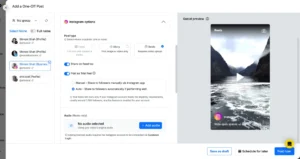
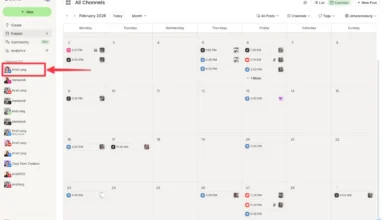
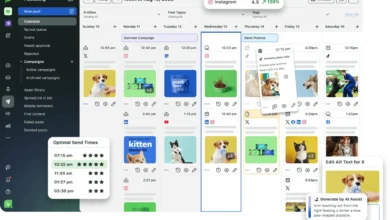
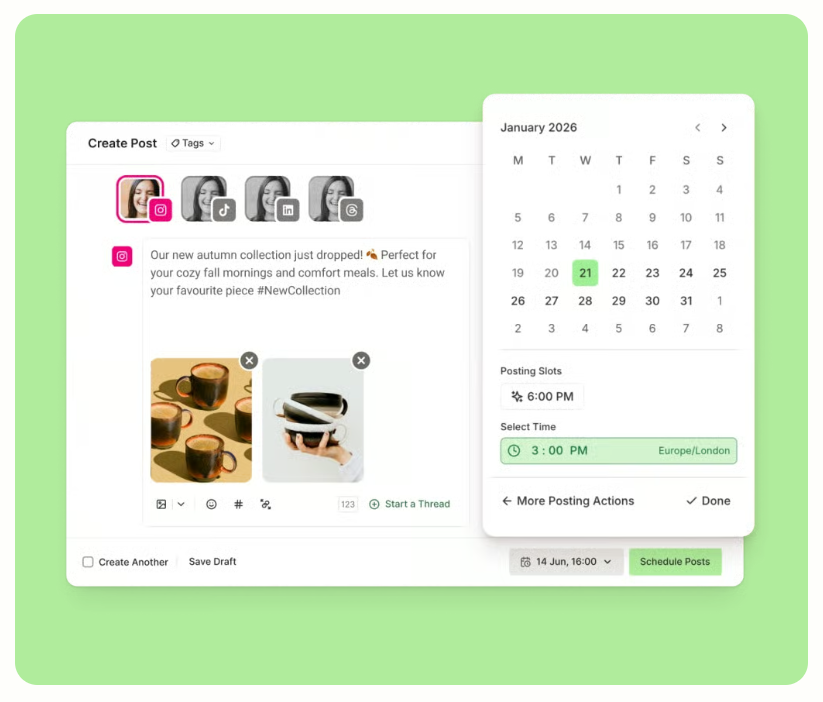
Buffer has become a trusted platform for creators and small businesses seeking to maintain Instagram consistency without the daily grind. Its generous free plan allows users to schedule up to 10 posts per Instagram profile, enabling comprehensive content planning weeks in advance. The platform also facilitates the saving of hashtag groups and the scheduling of first comments to maintain caption tidiness, contributing to a cleaner and more organized feed.
Standout Free Features:
- Up to 10 Scheduled Posts: Ample capacity for planning a week’s worth of content.
- Single Instagram Profile Connection: Ideal for individuals or small businesses managing one account.
- Hashtag Groups: Saves time by allowing pre-saved sets of relevant hashtags.
- First Comment Scheduling: Keeps captions clean by allowing comments to be posted immediately after the main post.
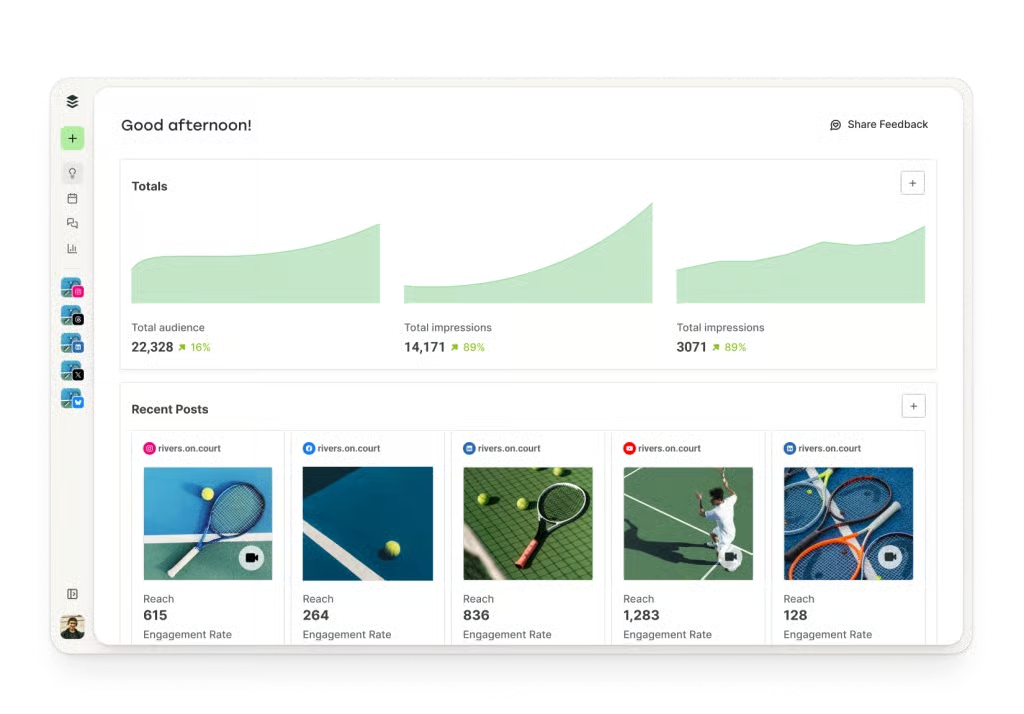
- Basic Analytics: Provides insights into post performance.
An alternative native scheduling option is:
- Meta Business Suite (formerly Meta Creator Studio): This official tool from Meta offers direct-to-Instagram scheduling for posts, Reels, carousels, and Stories. It’s ad-free, fully integrated, and provides built-in analytics, making it a seamless choice for users already within the Meta ecosystem. Its primary advantage lies in its direct integration and the peace of mind that comes with using a native platform.
Unlocking Insights: Free Instagram Analytics Tools
Creating compelling content is only half the battle; understanding what resonates with your audience is the key to sustained growth. Instagram analytics tools provide crucial data, revealing which posts garner the most engagement, when your followers are most active, and the overall health of your account. Whether you aim to track engagement rates, audit follower quality, or identify top-performing Reels, free tools are readily available.
Instagram’s Native Insights: The Foundation of Data
Best for: Accessing built-in analytics directly from the Instagram platform.
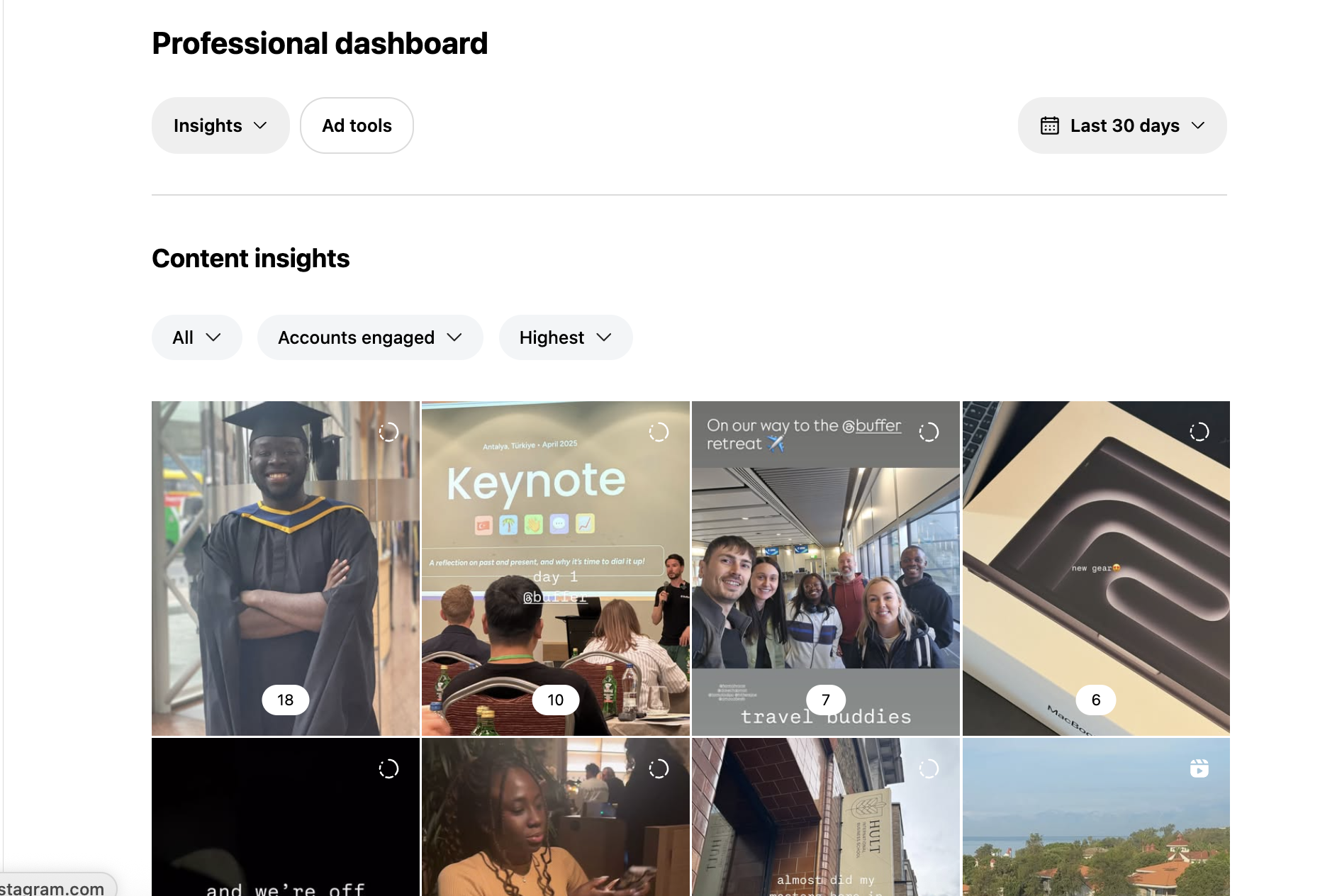
Instagram’s native Insights tool is the essential starting point for any creator or business account. Automatically available upon conversion to a creator or business profile, it offers comprehensive data on post reach, follower demographics, content engagement, and performance breakdowns by format (Reels, carousels, Stories). This foundational data is critical for understanding your audience and content effectiveness.
Standout Free Features:
- Comprehensive Overview: Provides essential metrics like reach, impressions, profile visits, and follower growth.
- Audience Demographics: Insights into age, gender, location, and peak activity times of your followers.
- Content Performance: Detailed analysis of individual post, Story, and Reel performance.
- Directly Integrated: No external tools or setup required for business and creator accounts.
For integrated analytics within your scheduling workflow, consider:
- Buffer Analytics: As mentioned, Buffer offers integrated analytics within its platform, providing a clear view of Instagram performance without the need to switch between applications. This consolidated approach simplifies performance monitoring.
Audience Research and Hashtag Discovery: Reaching the Right People
Effective audience research and hashtag strategy are paramount for ensuring your content reaches its intended viewers. These tools help you understand your followers’ interests, identify relevant topics, and leverage the right keywords, tags, and trends to enhance discoverability. By taking the guesswork out of reach and discovery, you can ensure your high-quality content connects with the right audience.
SparkToro: Deep Audience Understanding
Best for: Discovering what your audience reads, watches, and follows.
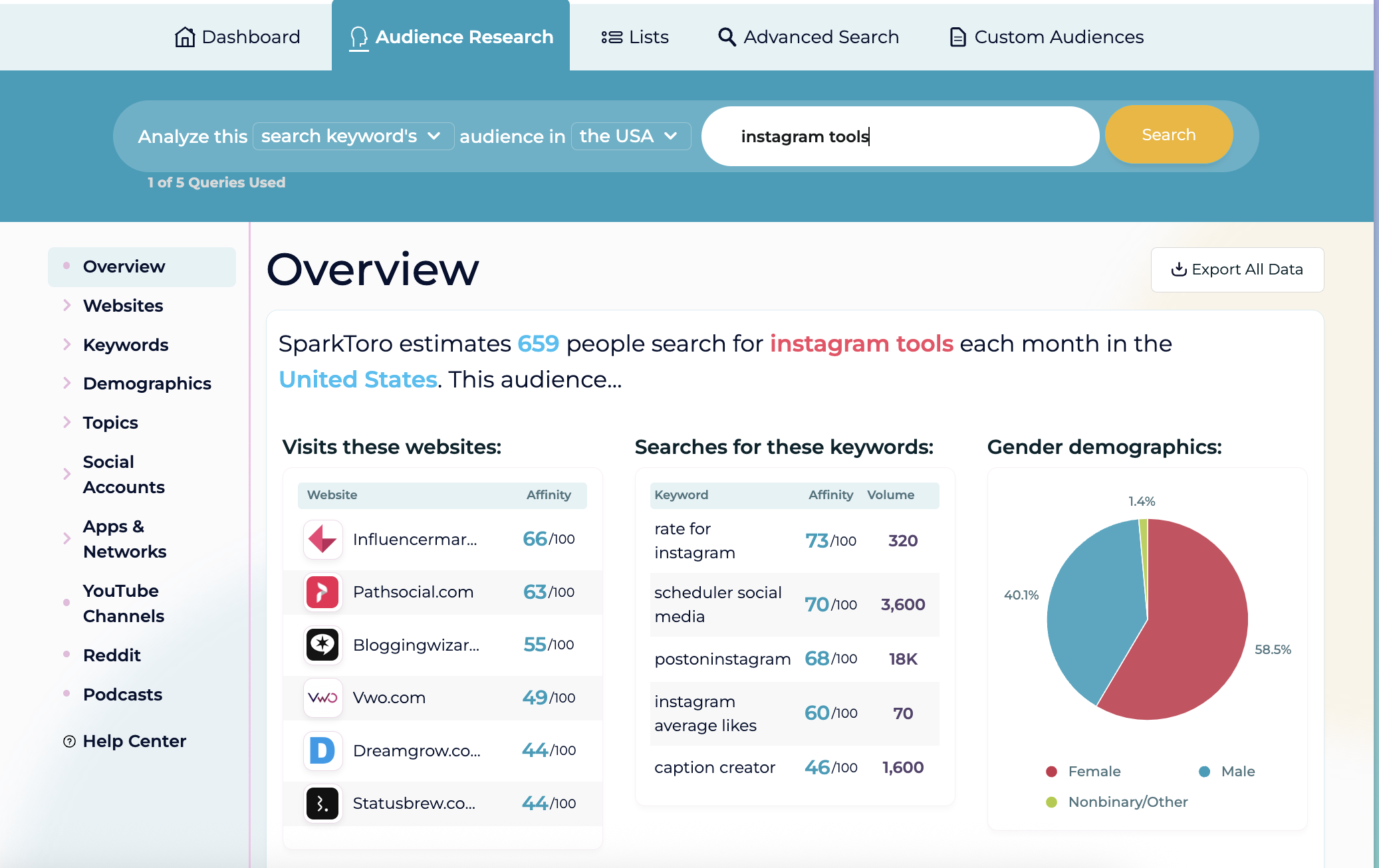
SparkToro offers unparalleled depth in understanding your target audience. By inputting keywords, topics, or Instagram handles, you can uncover what your audience consumes, who they follow, and what they discuss. This intelligence is invaluable for identifying collaboration opportunities, relevant hashtags, and content angles that already resonate with your audience.
Standout Free Features:
- Audience Intelligence: Uncovers audience interests, preferred platforms, and content consumption habits.
- Competitor Analysis: Provides insights into what successful accounts in your niche are doing.
- Content Strategy Fuel: Generates ideas for content that directly addresses audience interests.
- Limited Free Searches: Offers a set number of free searches per month, allowing for valuable exploratory research.
For broader competitive analysis and growth tracking, explore:
- Social Blade: This platform provides detailed statistics on follower growth, engagement rates, and overall performance for any public Instagram account. It’s an excellent tool for benchmarking your progress against competitors or influencers in your niche.
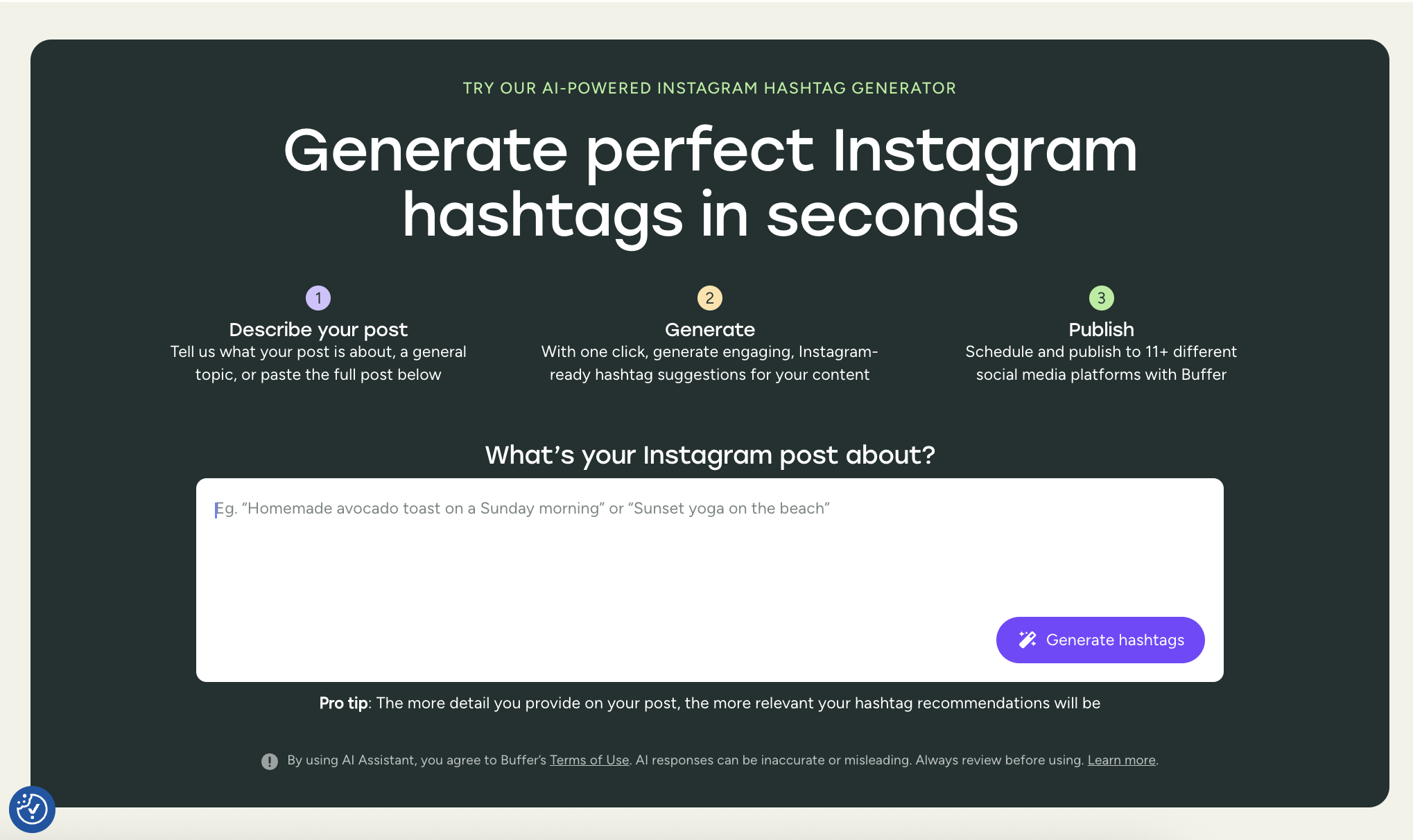
Buffer’s Free Hashtag Generator: Instant Hashtag Optimization
Best for: Quickly generating relevant Instagram hashtags from a simple prompt.
For an AI-powered solution to hashtag generation, Buffer’s free hashtag generator is an excellent starting point. Simply describe your post in a few keywords—such as "Sunday beach yoga" or "remote work tips"—and the tool will instantly provide a list of relevant hashtags tailored to your niche and target audience. This simplifies the process of creating an effective hashtag strategy.
Standout Free Features:
- AI-Driven Suggestions: Generates hashtags based on the described content.
- Niche Relevance: Provides tags that are specific to your industry or topic.
- Audience Targeting: Aims to suggest hashtags that your target audience is likely to follow.
- Time-Saving: Eliminates the manual process of brainstorming and researching hashtags.
This tool is particularly beneficial for creators, marketers, and small businesses seeking to maintain content consistency without over-analyzing their hashtag strategy. When integrated with Buffer’s scheduling capabilities, it creates a seamless content workflow.
Boosting Engagement and Managing Your Community
Building a thriving audience on Instagram requires more than just excellent content; it necessitates genuine connection with your followers. The following tools assist in managing comments, DMs, and fostering community engagement, ensuring that as your account grows, you maintain that crucial personal touch.
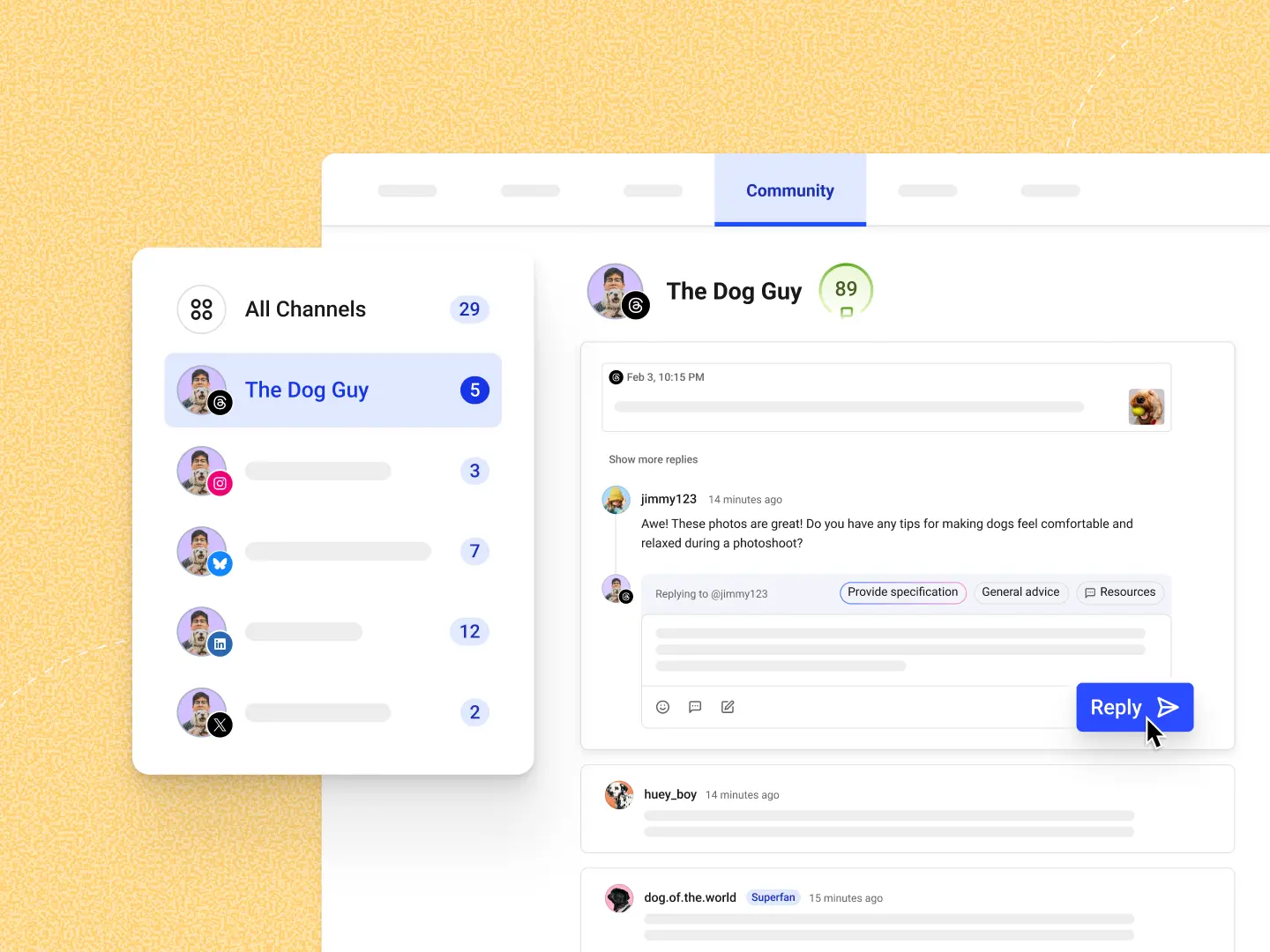
Buffer Community: A Unified Inbox for Engagement
Best for: Managing comments and DMs without app-switching.
Engaging with your audience through comments can significantly boost engagement rates, as research suggests it can increase interaction by as much as 21%. As your account expands, managing a growing volume of DMs and comments can become overwhelming. Buffer’s Community feature consolidates all your Instagram comments (and those from other platforms) into a single, streamlined dashboard, allowing for efficient response and management.
Standout Free Features:
- Unified Inbox: Consolidates comments from multiple platforms into one view.
- Efficient Repliers: Allows for quick and easy responses to comments and messages.
- Comment Tracking: Helps monitor and manage all interactions.
- Reduced Distractions: Minimizes the need to switch between multiple applications.
ManyChat: Automating Your Inbox
Best for: Automating responses to comments and DMs.
ManyChat empowers users to automate Instagram inbox interactions. This includes sending welcome DMs upon specific comment triggers or instantly delivering links to resources. It is an exceptionally effective tool for lead generation and robust community building, automating repetitive tasks and ensuring timely communication.
Standout Free Features:
- Comment-to-DM Automation: Automatically sends direct messages when users comment with specific keywords.
- Flow Builder: Intuitive visual interface for designing automated message sequences.
- Lead Qualification: Can be used to gather information from potential leads.
- Basic Bot Functionality: Automates initial customer service or engagement.
For smaller accounts, Instagram’s native Quick Replies feature offers a simpler, manual method for creating shortcuts for frequently sent responses in DMs, enhancing efficiency without full automation.
CommentGuard: Intelligent Comment Moderation
Best for: Managing comment volume and filtering spam or toxic content.
CommentGuard offers automated solutions for comment moderation, effectively hiding spam, filtering out toxic replies, and flagging potential customer inquiries. This tool provides creators and brands with greater control over their comment sections, significantly reducing the manual effort required for moderation.
Standout Free Features:
- Spam and Troll Filtering: Automatically hides or removes unwanted comments.
- Toxicity Detection: Identifies and flags negative or abusive language.
- Inquiry Flagging: Highlights potential customer service or sales leads.
- Automated Moderation: Reduces the need for constant manual oversight.
For managing Instagram giveaways fairly and efficiently, a random comment picker is essential. Tools like CreatorFlow’s Giveaway Picker allow for the random selection of winners directly from post comments, eliminating manual counting and ensuring transparency.
Maximizing Your Bio Link: Directing Traffic Effectively
Instagram’s allowance of up to five links in the bio presents an opportunity to direct traffic strategically. However, managing these links can lead to clutter. Link-in-bio tools transform these individual links into a well-designed, branded microsite or content hub, simplifying navigation for your audience and providing a centralized point of control for your online presence.
Buffer Start Page: Your Customizable Link Hub
Best for: Sharing multiple links in a single, organized page.
Buffer Start Page offers a clean, customizable, and entirely free solution for managing your Instagram bio link. It allows for the creation of a mobile-optimized page in minutes, featuring your branding, unlimited links, social media embeds, and even email signup blocks. For those without a comprehensive website, Start Page serves as an excellent foundation for establishing a professional online presence.
Standout Free Features:
- Unlimited Links: Share as many links as needed without restriction.
- Customizable Design: Tailor the page’s appearance to match your brand.
- Social Media Embeds: Integrate feeds from other social platforms.
- Email Signup Blocks: Collect email addresses for newsletter subscriptions or lead generation.
- Mobile-Optimized: Ensures a seamless user experience across all devices.
Other valuable link-in-bio tools include:
- Linktree (Free Plan): A popular and user-friendly option for creating a consolidated list of links.
- Campsite.bio (Free Plan): Offers a visually appealing and customizable link-in-bio solution.
Integrating Tools for Sustainable Growth
While the temptation to adopt every available tool is understandable, a more strategic approach involves selecting those that genuinely align with your workflow and objectives. The most effective strategy is to start with one or two tools, integrate them consistently for a few weeks, and then gradually add more as your needs evolve.
Recommended Integration Steps:
- Identify Your Top Priority: Determine which aspect of your Instagram strategy requires the most immediate improvement (e.g., content creation, scheduling, analytics).
- Select a Core Tool: Choose one primary tool that addresses this priority (e.g., Canva for design, Buffer for scheduling).
- Implement and Test: Use the selected tool consistently for a defined period, assessing its impact on your workflow and results.
- Expand Strategically: Based on your experience, identify secondary needs and select complementary tools to fill those gaps.
Whether your posting frequency is weekly or daily, the right tools can transform Instagram management from a burdensome chore into an enjoyable and productive activity. By leveraging these free resources, creators, marketers, and small businesses can enhance their efficiency, maintain consistency, and ultimately achieve greater success on the platform.
Frequently Asked Questions about Free Instagram Tools
Are free Instagram tools genuinely free?
Yes. Each tool featured in this guide offers a legitimate no-cost plan that encompasses its core functionalities. Costs are incurred only if users opt for premium features, such as expanded quotas or exclusive templates.
Is it safe to connect my Instagram account to third-party tools?
Generally, yes. Reputable tools utilize Instagram’s official API, meaning they do not require or store your password. You can revoke access at any time through your Instagram settings under "Apps and websites."
Can I schedule Instagram posts for free?
Absolutely. Buffer’s free plan allows for one Instagram account connection and scheduling up to 10 posts in advance, facilitating approximately a week of daily content planning without charge. Meta Business Suite is another robust free option for native scheduling.
Can using these tools negatively impact my reach or lead to account bans?
No, provided the tools adhere to Instagram’s guidelines. It is crucial to avoid services that promise instant followers or likes, as such shortcuts can violate Instagram’s terms of service and harm your account’s reach and reputation.
Do I need a business or creator account to use these tools?
This varies by tool. Some necessitate a creator or business account for full functionality, while others are compatible with any account type. Converting to a creator or business account is free and provides access to native analytics and enhanced scheduling capabilities, making it a beneficial step for most users.