WhatsApp Marketing: A Direct Line to Customer Engagement for Small Businesses

WhatsApp marketing for small businesses offers a direct and highly effective communication channel to audiences on a platform they already use and trust. A significant trend is emerging, with 46% of marketers indicating an increase in their investment in WhatsApp this year, according to The 2026 Social Media Content Strategy Report. This strategic shift is driven by the platform’s ability to reach high-intent users, moving beyond its perception as solely a customer service tool to become a driver of the entire customer journey, from initial product discovery to final sales. This comprehensive guide explores how small businesses can transform WhatsApp into a powerful marketing channel, covering setup, campaign execution, and strategies for repeat purchases and measurable return on investment (ROI).
Understanding WhatsApp Marketing for Small Businesses
At its core, WhatsApp marketing involves leveraging the WhatsApp Business app or Platform to promote products, provide customer support, and facilitate sales through direct messaging. As a text-centric platform, WhatsApp stands as the second most popular network for text-driven social media, accounting for 26% of usage. This makes it an ideal environment for conversational marketing formats that demonstrably influence consumer behavior. By utilizing one-on-one chats, broadcast lists, and automated responses, businesses can deliver a personalized, high-quality customer experience, even as they scale their operations.
The platform offers two primary solutions tailored for businesses:
- WhatsApp Business App: A free, user-friendly application designed for small businesses. It allows for basic business profile setup, catalog creation, quick replies, and automated messages, supporting up to five devices.
- WhatsApp Business Platform (API): A more robust solution for larger businesses or those with significant growth aspirations. It enables multi-user access, advanced automation through chatbots, and seamless integration with CRM systems. Pricing is usage-based, varying with message volume and type.
The Strategic Advantages of WhatsApp Marketing for Small Businesses
WhatsApp marketing fundamentally elevates standard business communication into a high-trust, conversion-ready channel by meeting customers in their most personal digital space. For small teams, a key advantage is its ability to cut through the noise of crowded social media feeds and overflowing email inboxes, delivering messages directly to a customer’s mobile device with near-guaranteed visibility.
Unparalleled Reach and Engagement Rates
WhatsApp is the fourth most utilized social platform globally, and in certain key markets, it reigns supreme. The Q2 2025 Consumer Pulse Survey Analysis highlights its dominance in the UK, where it is the number one social platform with an 81% usage rate. Furthermore, The 2026 Social Media Content Strategy Report indicates that 52% of all social media users possess WhatsApp accounts, presenting a substantial, low-friction opportunity for small businesses to connect with their target audience where they are most active.
| Market | Usage Rate | Weekly Interaction | Key Insight |
|---|---|---|---|
| United Kingdom | 81% | 60% | Ranked #1 social platform in the UK. |
| United States | 52% | 85% | Highest weekly brand interaction frequency. |
| Australia | N/A | 36% | Emerging market for brand engagement. |
| Global | 2B+ Users | 49% | 4th most used social platform worldwide. |
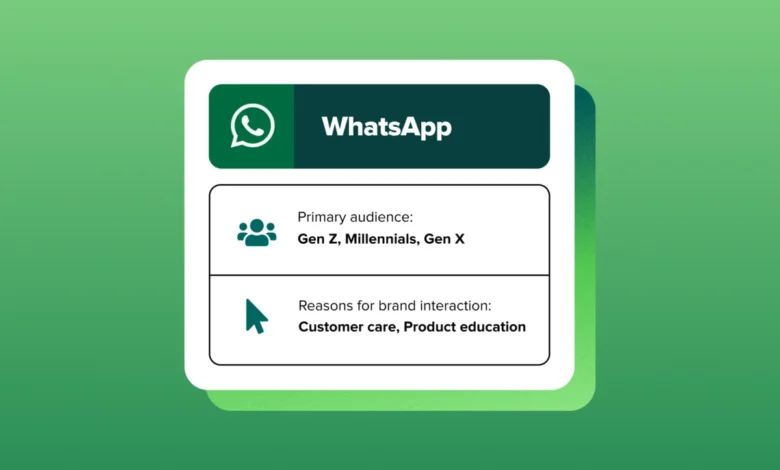
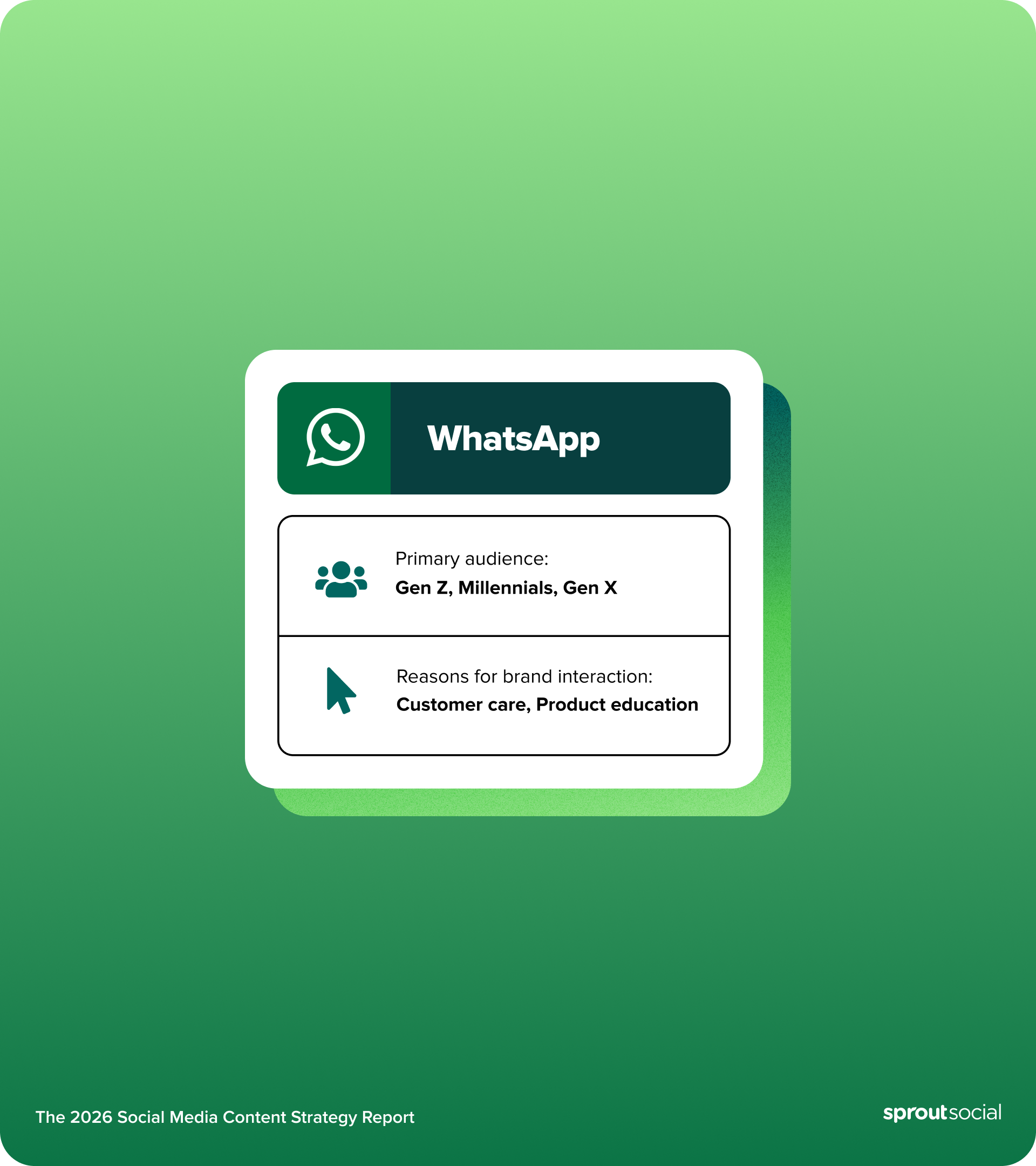
Crucially, businesses must understand their target audience’s presence on WhatsApp. The 2026 Social Media Content Strategy Report reveals that WhatsApp’s primary user base comprises Gen Z, Millennials, and Gen X, demonstrating its broad appeal across the most active consumer demographics.
Beyond sheer reach, WhatsApp messages consistently achieve significantly higher open rates than email, with a substantial portion being read shortly after delivery. This immediacy provides an unmatched channel for getting messages in front of customers. Globally, WhatsApp is used by billions across more than 180 countries, making it a primary communication channel for both personal and business interactions in markets like India, Brazil, and Indonesia.
High-Frequency, "Sticky" Engagement
Engagement on WhatsApp is not only high but also remarkably "sticky." Data from The 2026 Social Media Content Strategy Report shows that 49% of users interact with brands on the platform multiple times per week. In the UK, this frequency is even more pronounced, with 31% of consumers contacting brands on the app multiple times daily. This consistent interaction fosters a deeper connection between brands and their customers.
Enhanced Customer Convenience and Expectation
Customers are not just receptive to brands on WhatsApp; they actively expect it. The 2026 Social Media Content Strategy Report underscores that 40% of users specifically want companies to engage with them on the platform for customer service and support. This utility extends across the entire customer journey. Consumers are most likely to use WhatsApp for order-related queries, followed by inquiries about a company’s products or services.
The inherent convenience of WhatsApp is a significant draw. Customers do not need to download new applications, create accounts, or remember passwords; they can message a brand with the same ease as messaging a friend. The platform’s multimedia capabilities further enhance this, allowing customers to share product photos, send voice messages, and receive documents like PDF invoices or catalogs, accommodating diverse communication preferences.
Scalable Personalization
WhatsApp empowers businesses to deliver personalized conversations even as their customer base expands. Features like customer labels enable audience segmentation, message templates ensure consistent responses, and quick replies preserve the personal touch customers expect. For teams managing high message volumes across campaigns, integrated social media management platforms like Sprout Social’s Smart Inbox can unify WhatsApp conversations with messages from other social channels, providing a comprehensive customer context in a single interface.
Cost Efficiency
The WhatsApp Business app is free to use. For the WhatsApp Business Platform (API), a usage-based pricing model applies, with costs fluctuating based on the number and type of messages exchanged. The ability for a single agent to manage multiple conversations simultaneously, coupled with automated responses for common queries, frees up human agents to handle more complex issues, significantly improving the overall social media customer experience and reducing operational costs.
Key WhatsApp Business Features for Small Businesses
Small businesses can effectively bridge the gap between product discovery and personalized customer care using WhatsApp. Features such as automated greeting messages, quick replies, and catalogs transform the messaging app into a dynamic storefront that drives meaningful engagement.
Quick Replies
Quick replies are pre-saved responses that can be triggered by typing a forward slash (/) followed by a keyword. For instance, typing /hours instantly inserts a full business hours message. Small teams can save considerable time weekly by standardizing responses without sacrificing a conversational tone. Common uses for quick replies include:
- Frequently Asked Questions (FAQs)
- Business hours and location
- Payment and shipping information
- Return and refund policies
- Links to relevant website pages
Away Messages
Away messages automatically inform customers when the business is unavailable and when they can expect a response. These messages can be customized for after-hours, weekends, and holidays. Including an alternative contact for urgent issues provides transparency and maintains a professional brand image around the clock.
Labels and Tags
Labels are instrumental in organizing conversations by status (e.g., new, pending, resolved), customer type (e.g., VIP, wholesale, retail), or inquiry category (e.g., support, sales, feedback). Color-coded labels offer a visual and efficient method for inbox management. Multiple labels can be applied to track conversation progress, allowing businesses to quickly identify recurring operational issues, such as a surge in "shipping delay" messages.
Catalog and Collections
WhatsApp’s integrated catalog feature allows businesses to showcase a wide range of products with images, descriptions, prices, and direct links. Items can be organized into collections like "New Arrivals" or "Best Sellers." Customers can browse the catalog without leaving WhatsApp, and businesses can share individual products or entire collections within conversations, making recommendations feel natural and timely.
Broadcast Lists
Broadcast lists enable businesses to send a single message to multiple contacts, with each recipient receiving it as an individual chat. Unlike group messages, no recipient sees who else has received the communication. Broadcast lists are ideal for:
- Announcing new products or services
- Promoting special offers and discounts
- Sharing company updates and news
- Sending event invitations
- Providing seasonal greetings
It is crucial to only send broadcasts to customers who have explicitly opted in and saved the business’s number. WhatsApp enforces this to protect both businesses and users from unsolicited messages.
WhatsApp Ads
Directly integrating social media advertising with the WhatsApp inbox is a highly effective strategy for generating high-intent leads. WhatsApp ads, displayed on platforms like Facebook and Instagram, feature a "Message on WhatsApp" button. These click-to-WhatsApp ads guide customers from social media discovery directly into a private conversation with the brand. Businesses can target ads based on demographics, interests, and behaviors, and pre-fill opening messages to streamline lead qualification from the initial interaction.
WhatsApp Business vs. API for Small Business Growth
The choice between the WhatsApp Business app and the API depends on a business’s team size and growth objectives. The free WhatsApp Business app is ideal for teams of fewer than five individuals, requiring no technical setup and serving as an excellent starting point for local businesses, freelancers, and startups.
The WhatsApp Business Platform (API) is designed for scalability. It unlocks multi-user access, advanced chatbot automation, and CRM integration. Businesses should consider upgrading to the API when they encounter any of the following:
- Team Growth Beyond Five Users: When multiple team members need to manage WhatsApp conversations simultaneously.
- Need for Advanced Automation: Implementing chatbots for customer service, lead qualification, or automated workflows.
- CRM Integration Requirements: Connecting WhatsApp conversations with customer relationship management systems for a unified view of customer data.
- High Message Volume: Handling a substantial number of daily conversations that exceed the capacity of the Business app.
The transition from the app to the API is typically seamless, allowing for the migration of existing WhatsApp Business numbers and conversation history.
Essential Preparations for Launching WhatsApp Marketing
Before initiating marketing campaigns on WhatsApp, small teams must establish a robust foundation that balances professional branding with strict compliance. Securing explicit customer permissions and organizing assets are crucial for creating a high-trust environment where every customer interaction feels seamless and intentional.
Business Profile and Brand Assets
Completing every field in the WhatsApp Business profile is essential. This includes a clear business description, category, email, website, and address. A professional profile photo, legible at small sizes, should be uploaded. The business description, though limited in character count, should succinctly articulate the business’s offerings and unique selling propositions, as it is often the first point of contact for customers.
Businesses should prepare the following assets before launch:
- Profile Picture: A high-resolution logo or brand image.
- Business Description: A concise summary of services and products.
- Contact Information: Email, website, and physical address (if applicable).
- Catalog Items: High-quality images, descriptions, and prices for products.
- Branded Media: Images and videos that align with brand aesthetics.
Opt-In Collection Flow
WhatsApp mandates explicit customer consent before sending promotional messages. Businesses must integrate opt-in touchpoints across all customer interactions:
- Website Forms: Include a checkbox on website forms for users to opt into WhatsApp communications.
- Point-of-Sale (POS) Systems: Collect opt-ins during in-person transactions.
- Email Newsletters: Add a WhatsApp opt-in option to email sign-up processes.
- Social Media Posts: Create posts encouraging users to message for updates and promotions via WhatsApp.
- QR Codes: Display QR codes on marketing materials or in-store for easy opt-in.
Each opt-in should be meticulously documented, including the date, method, and the specific terms the customer agreed to. This documentation is vital for business protection and maintaining compliance with WhatsApp policies.
Audience Segmentation Plan
Segmenting contacts ensures that messages are perceived as valuable service rather than an intrusive interruption. Segments can be built based on a customer’s journey stage:
- New Customers: Those who have recently made their first purchase.
- Repeat Customers: Individuals who have purchased multiple times.
- Loyalty Program Members: High-value customers identified through loyalty programs.
- Inactive Customers: Those who haven’t engaged or purchased recently.
- Specific Product Interest: Customers who have shown interest in particular product categories.
Beyond purchase history, regional behavior should inform strategy. The 2026 Social Media Content Strategy Report indicates significant regional variations in brand interaction frequency. For example, 85% of UK users interact with brands on WhatsApp weekly, followed by 60% in Australia and 36% in the US. These benchmarks from the report can guide broadcast frequency and ensure alignment with unique regional engagement expectations.
Clear Campaign Goals and KPIs
Defining success metrics before launching is paramount. Key performance indicators (KPIs) should be established for various objectives:
Sales Goals:
- Conversion Rate: Percentage of WhatsApp conversations leading to a purchase.
- Revenue Attributed to WhatsApp: Total sales generated through WhatsApp campaigns.
- Average Order Value (AOV): The average amount spent by customers acquired through WhatsApp.
- Cost Per Acquisition (CPA): The cost incurred to acquire a new customer via WhatsApp.
Service Goals:
- Customer Satisfaction (CSAT) Score: Measured through post-interaction surveys.
- First Contact Resolution Rate: Percentage of issues resolved in the initial interaction.
- Response Time: Average time taken to respond to customer inquiries.
- Support Ticket Reduction: Decrease in support tickets across other channels attributed to WhatsApp.
Engagement Goals:
- Open Rate: Percentage of messages successfully delivered and opened.
- Reply Rate: Percentage of messages that receive a response.
- Click-Through Rate (CTR): Percentage of users who click on links within messages.
- Message Volume: Total number of messages sent and received.
Establishing baseline metrics and tracking them weekly provides a clear picture of campaign performance and areas for optimization.
A Step-by-Step WhatsApp Marketing Plan for Small Businesses
Transitioning from reactive messaging to a strategic marketing engine requires a documented approach to engaging different customer groups. This plan aims to automate repetitive touch-points while preserving the personal connection that makes WhatsApp a high-conversion channel for small businesses.
Segment Your Audience
Leverage customer data from POS systems, CRMs, or email platforms to identify patterns in purchase frequency, order value, and product preferences. Build segments using three core frameworks:
- Demographic Segmentation: Based on age, location, gender, etc.
- Behavioral Segmentation: Based on purchase history, engagement levels, website activity.
- Psychographic Segmentation: Based on interests, values, and lifestyle.
Apply WhatsApp labels to each contact as they join your list and conduct monthly reviews and updates of these segments.
Draft Message Templates
Message templates are pre-approved messages used outside the 24-hour customer service window. For WhatsApp Business Platform users, these templates require submission for approval before use. Essential templates to create first include:
- Welcome Message: "Hi [Name]! Thanks for connecting with [Business Name] on WhatsApp. You’ll receive exclusive offers, order updates, and quick support here. Reply STOP anytime to unsubscribe."
- Order Confirmation: "Your order #[Number] is confirmed! We’ll prepare it for [delivery/pickup] on [Date]. Track progress here: [Link]"
- Abandoned Cart Reminder: "Hi [Name], you left [Product] in your cart. Complete your purchase in the next 2 hours for 10% off with code SAVE10: [Link]"
- Feedback Request: "How was your recent experience with [Product/Service]? Rate us 1-5 stars or share your thoughts."
Automate Journeys
Automation handles repetitive workflows, allowing your team to focus on conversations requiring human intervention. Map out three core customer journeys:
| Journey Stage | Timeline | Goal & Content |
|---|---|---|
| Welcome Journey | Days 1–7 | Introduce the brand and incentivize the first purchase with a discount. |
| Post-Purchase | Immediate–Day 14 | Build trust with tracking updates and gather reviews or feedback. |
| Abandoned Cart | 2–72 Hours | Recover lost sales through urgency, discounts, and scarcity alerts. |
| Re-engagement | Weeks 1–4 | Win back inactive customers with "miss you" offers and product updates. |
Welcome Journey (Days 1–7): Send a series of messages introducing brand values, highlighting popular products, and offering a first-purchase discount.
Post-Purchase Journey: Immediately send an order confirmation and tracking link. Follow up within a week with a request for a product review or feedback, reinforcing customer satisfaction.
Re-engagement Journey: For customers who haven’t engaged recently, send a "we miss you" message with a special offer or a curated selection of new arrivals tailored to their past preferences.
Connect Sales and Service
Train all team members to handle both sales inquiries and support issues within the same conversation thread, eliminating the need for customers to repeat themselves. Implement clear handoffs between functions:
- Sales to Support: If a sales inquiry leads to a technical issue, seamlessly transfer the conversation to a support specialist.
- Support to Sales: If a support interaction reveals an opportunity for an upsell or cross-sell, guide the customer to a sales representative.
Platforms like Sprout Social’s Smart Inbox keep all conversations in one view, ensuring no message is missed, even when managing WhatsApp alongside other social media channels.
Measure and Iterate
Regularly track key metrics:
- Message Delivery and Read Rates: Aim for above 95% delivery and 90% read rates.
- Reply Rates: Monitor engagement levels to gauge message relevance.
- Click-Through Rates (CTR): Track the effectiveness of calls to action.
- Conversion Rates: Measure how many conversations lead to desired outcomes (e.g., purchases).
Conduct monthly analyses of revenue attribution, customer lifetime value, and segment performance. Test one variable at a time—message timing, content format, or CTA wording—and document learnings to continuously refine strategies.
Best Practices for WhatsApp Small Business Communication
Prioritizing high-value interactions over mass broadcasting is key. Successful brands leverage WhatsApp for high-intent moments, such as answering order questions or providing expert product education. Maintaining a casual yet authoritative tone fosters authentic, human-centric community trust.
Write Clear CTAs
Every message should have a single, specific next step. Replace vague language with direct instructions:
-
Instead of: "Check out our new collection."
-
Use: "Shop the new collection here: [Link]"
-
Instead of: "Let us know if you have questions."
-
Use: "Have questions about this product? Reply YES for more details."
Place the CTA at the end of the message, after providing context. Limit CTAs to one per message to avoid customer hesitation.
Personalize with Data
Reference existing customer knowledge, such as their name, last purchase, or purchase history, to suggest relevant products. Pull personalization data from CRMs or past WhatsApp conversations. Even basic name personalization can significantly increase reply rates compared to generic messages.
Time Sends for Response
Send messages when customers are most likely to read them. Consult WhatsApp Business analytics to identify peak engagement windows for your audience. General timing guidelines by business type include:
- E-commerce: Weekday afternoons and early evenings.
- Service-Based Businesses: Mid-morning or late afternoon on weekdays.
- B2B: Early to mid-morning on weekdays.
Tools like Sprout Social’s ViralPost® can help identify optimal send times across social channels, offering directional insights into audience activity.
Use Media and Quick Replies
Rich media communicates faster than text alone. Match the format to the message:
- Images: Showcase products, before-and-after results, or visual guides.
- Videos: Demonstrate product usage, share customer testimonials, or provide behind-the-scenes content.
- Voice Notes: Offer a personal touch for complex explanations or empathetic communication.
- PDFs: Share invoices, catalogs, or detailed product specifications.
Combine media with quick reply buttons (an API feature) for interactive experiences. A product image paired with "Order Now" and "See More Options" buttons transforms a passive view into an active decision.
WhatsApp Campaign Ideas That Drive Conversions
Effective WhatsApp campaigns go beyond simple announcements to provide timely, high-value solutions to customer needs. Leveraging automation for moments like cart recovery or VIP drops can transform private conversations into a reliable source of measurable revenue and long-term loyalty.
Recover Abandoned Carts
Send the first cart recovery message within two to four hours of abandonment, while purchase intent is still high. A three-message sequence is effective:
- Reminder with Discount: "Hi [Name], you left [Product] in your cart. Complete your purchase in the next 2 hours for 10% off with code SAVE10: [Link]"
- Urgency and Scarcity: "This offer expires soon! Don’t miss out on your [Product]. Limited stock available: [Link]"
- Final Call/Alternative: "Last chance to grab your [Product]! If you have any questions, just reply here."
Include a product image in each message. Most recoveries occur within 24 hours, so prioritize the second message.
Trigger Post-Purchase Upsells
Suggest complementary products after a purchase, timed to match natural usage patterns:
- For a coffee maker: Suggest coffee beans or filters a week after purchase.
- For a skincare product: Recommend complementary serums or moisturizers.
Frame every upsell as a helpful suggestion, not an aggressive sales push.
Send Back-in-Stock Alerts
Collect opt-ins on product pages with a "Notify me when available" prompt. Send the alert the moment inventory updates. Structure the alert message clearly: confirm the product is back, remind them they requested the notification, include a direct purchase link, and mention limited availability honestly. Many back-in-stock purchases happen shortly after the notification is sent, making timing and clarity critical.
Run VIP and Loyalty Drops
Create VIP broadcast lists based on purchase frequency or total spend. Grant your best customers exclusive access:
- Early access to new products: Offer a sneak peek before public release.
- Exclusive discounts: Provide special pricing for loyal customers.
- Limited-edition items: Offer unique products available only to VIPs.
Build anticipation with teaser messages before the drop. Make VIP customers feel valued beyond discounts by sharing behind-the-scenes content and soliciting product feedback.
Measuring WhatsApp Marketing ROI
Quantifying the return on investment for WhatsApp marketing involves tracking key metrics that demonstrate both direct revenue generation and indirect business impact.
Track Delivery and Read Rates
WhatsApp’s blue checkmarks confirm individual message delivery, but aggregate data is needed for campaign evaluation. Aim for delivery rates above 95% and read rates above 90%. If read rates drop below 85%, review message frequency and relevance, as customers experiencing message fatigue may stop opening messages before unsubscribing.
Monitor Replies and CTR
Response rates indicate message relevance. While these vary by industry, audience, and message type, higher engagement generally signals strong relevance and timely delivery. For messages containing links, monitor click-through rates (CTRs). Product links typically see 20-30% CTRs. If rates are below benchmark, test more specific questions, tighter urgency, or clearer instructions.
Attribute Conversions and Revenue
Connect WhatsApp conversations to actual sales using these attribution methods:
- Direct Link Tracking: Use UTM parameters in links shared via WhatsApp.
- Promo Codes: Assign unique discount codes for WhatsApp campaigns.
- Customer Surveys: Ask customers how they heard about your product or service.
- CRM Integration: Track leads generated from WhatsApp through your CRM.
Track revenue per conversation, average order value, and cost per acquisition. Recognize influenced sales, as many customers research on WhatsApp but purchase on your website or in-store.
Report Sentiment and Care Impact
Sales metrics provide only part of the picture. Customer satisfaction and support efficiency tell the rest. Track customer satisfaction (CSAT) scores after support interactions, escalation rates to phone support, and first-contact resolution rates. Calculate the cost per WhatsApp support interaction and compare it to phone and email channels. Reduced support costs, higher retention, and stronger reviews all contribute to your WhatsApp ROI.
Transforming WhatsApp into Your Most Valuable Marketing Channel
WhatsApp marketing provides small businesses with direct access to customers where they already spend their time, boasting open rates that outperform every other digital channel. Begin by establishing a complete Business profile, building an opted-in contact list, and creating message templates for common scenarios. Segment your audience, set clear KPIs, and test one variable at a time. Brands that excel on WhatsApp treat every conversation as an opportunity to build a relationship, not merely a transaction.
WhatsApp for Small Businesses FAQs
What are the best WhatsApp tools for small business customer support?
The most effective support relies on integrated social management platforms that centralize messages. These WhatsApp tools allow teams to manage high volumes efficiently, ensuring you meet the 40% of users who expect direct, white-glove service through the platform.
What is the 24-hour messaging window on WhatsApp?
The 24-hour messaging window is the period after a customer’s last message during which you can send any free-form reply. Once it closes, you must use a pre-approved message template or wait for the customer to message you again.
Do small businesses need the WhatsApp Business app or the API?
Most small businesses start with the free WhatsApp Business app, which supports up to five devices and includes catalogs, labels, and automated messages. Upgrade to the WhatsApp Business Platform (API) when you need multi-agent access, CRM integration, or advanced automation.
How do small teams send bulk messages without getting flagged as spam?
Use WhatsApp’s broadcast list feature, which sends individual-looking messages to multiple opted-in contacts at once. Space out your sends, focus on valuable content rather than promotions, and only message contacts who’ve saved your number.
Which metrics best prove WhatsApp marketing ROI for a small team?
Focus on conversion rate from WhatsApp conversations, average order value, cost per acquisition, and support ticket reduction. Pair hard revenue metrics with customer satisfaction scores to show the full business impact.
Related posts: