The Essential Guide to WordPress Must-Use Plugins: Streamlining Performance, Security, and Administration

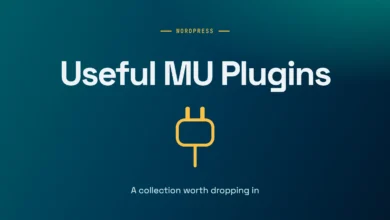
As the WordPress ecosystem continues to mature, developers and site administrators increasingly seek robust, lightweight solutions to streamline site management without relying on bloated third-party plugins. Among the most effective yet underutilized mechanisms in the WordPress architecture is the Must-Use (MU) plugins directory. Situated within the wp-content directory, MU-plugins offer an automated execution framework that bypasses the traditional dashboard activation step, making them an indispensable tool for agency developers, systems administrators, and power users alike.
Understanding the Mechanics of Must-Use Plugins
The nomenclature surrounding must-use plugins dates back to the legacy WordPress MU (Multi-User) era, which eventually evolved into modern WordPress multisite functionality. Despite the name, files placed within the wp-content/mu-plugins/ directory are not inherently mandatory for WordPress to function; rather, the platform treats them as mandatory to execute on every single page request, loading them before standard plugins are initialized.
Unlike standard plugins, MU-plugins do not appear in the primary plugins dashboard for activation or deactivation, though they are visible under a dedicated "Must-Use" tab in the administrative interface provided they contain standard plugin headers. This architecture provides a distinct advantage over appending custom code snippets to a theme’s functions.php file. When a theme is updated, switched, or modified, code residing within the theme directory is frequently lost or broken. Conversely, MU-plugins persist independently of the active theme, ensuring that performance tweaks, security hardening rules, and administrative customizations remain intact across theme lifecycles.
Performance Optimization and Asset Reduction
Modern web performance standards demand the aggressive elimination of unnecessary HTTP requests, extraneous markup, and unused background processes. Out-of-the-box installations of WordPress routinely generate a variety of legacy elements within the document head, including Really Simple Discovery (RSD) links, Windows Live Writer manifests, shortlinks, oEmbed discovery endpoints, and generator tags that expose the exact software version currently deployed. While individual elements consume minimal bandwidth, their cumulative impact affects server response metrics and provides automated vulnerability scanners with unnecessary system information.
Deploying a clean head MU-plugin effectively strips out these redundant output actions. Similarly, native WordPress emoji support—which injects external JavaScript, stylesheets, and DNS prefetch links pointing to s.w.org on every page load—can be entirely disabled for modern browsers that natively render graphical emojis. Further performance gains can be achieved by intercepting attachment pages. By default, every uploaded media asset generates a thin-content standalone URL that search engines often penalize; an automated 301 redirection script can seamlessly funnel these attachment requests directly to their parent posts or the site homepage.
Additionally, fine-tuning intermediate image generation and post revision caps prevents database bloat. Unrestricted post revisions accumulate rows rapidly within the wp-posts table, escalating backup sizes and migration times. Implementing a programmatic revision limit ensures that database hygiene is maintained without sacrificing editorial rollback capabilities.
Security Hardening and Third-Party Request Mitigation
Security in WordPress is rarely a matter of a single comprehensive fix; rather, it relies on a layered defense strategy that minimizes the overall attack surface. Many compromised sites stem from neglected features that remain active simply because they are built into core functionality.
User enumeration represents a critical vector through which malicious actors harvest valid administrative and editorial usernames. By default, WordPress leaks user identities across multiple endpoints, including sitemaps, REST API user routes, author archives, and explicit login error messages. A comprehensive security MU-plugin can systematically neutralize these vectors by disabling user sitemaps, restricting REST API user endpoints for unauthenticated requests, intercepting author archive queries to return explicit 404 status codes before canonical redirects can execute, and standardizing login error notifications.
Similarly, legacy protocols such as XML-RPC—originally designed for remote publishing clients—frequently become targets for brute-force amplification attacks and pingback abuse. While disabling xmlrpc_enabled halts authenticated methods, unauthenticated pingback vectors often remain open unless explicitly unset via filter hooks. Disabling XML-RPC entirely, alongside deprecating unused application passwords and restricting file editing capabilities within the dashboard, significantly fortifies the installation against unauthorized code execution and privilege escalation.
Administrative Efficiency and Staging Environment Controls
For client-facing projects, the administrative experience dictates long-term platform adoption and satisfaction. Out-of-the-box WordPress dashboards are frequently cluttered with promotional banners, automated update notices, external news feeds, and onboarding wizards generated by third-party plugins. Implementing targeted hooks to suppress non-critical administrative notices for non-administrative roles ensures that editors and content creators interact with a clean, focused interface.
Furthermore, environment-specific configurations require strict separation between production and staging servers. Accidental transactional emails dispatched from a staging clone to live customers represent a critical operational failure. Deploying a dedicated staging MU-plugin that short-circuits wp_mail() or disables password reset functionalities prevents accidental data leakage and mitigates security probes during development phases.
Industry Implications and Best Practices
The systematic adoption of must-use plugins reflects a broader industry shift toward bespoke, performance-oriented WordPress engineering. Rather than relying on monolithic optimization plugins that introduce their own overhead, developers increasingly favor modular, single-file solutions that execute deterministically at the system level.
Industry analysts emphasize that while MU-plugins offer unparalleled control and persistence, they require disciplined version control and deployment practices. Because these files execute automatically on every request, poorly written code can induce fatal errors across the entire site, locking administrators out of the dashboard. Consequently, rigorous testing within local staging environments remains an essential prerequisite before deploying any MU-plugin collection to a live production server.
By leveraging the must-use plugin architecture, web professionals can establish a standardized baseline of performance, security, and administrative refinement that transcends individual themes and plugin updates, ensuring long-term stability across enterprise WordPress deployments.