The Complete Guide to Removing Elementor Upsells and Streamlining Your WordPress Dashboard

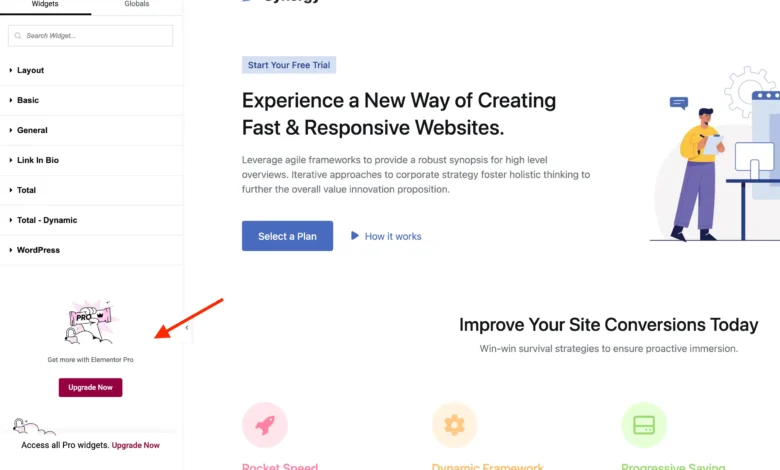
As the WordPress ecosystem continues to mature, website administrators frequently grapple with dashboard clutter caused by promotional material embedded within freemium plugins. Among the most widely adopted site-building tools in the market is Elementor, a page builder boasting millions of active installations worldwide. While its core free plugin offers robust design capabilities, the interface often incorporates prominent notices, promotional panels, and locked features designed to encourage users to transition to the paid iteration, Elementor Pro. For developers, agency owners, and minimalists seeking a focused backend workspace, these promotional overlays can reduce operational efficiency. Consequently, a comprehensive methodology has emerged to clean the Elementor user interface using custom PHP implementation and targeted Cascading Style Sheets (CSS).
Background and Context of Freemium Monetization Models
The freemium business model is a cornerstone of the modern WordPress plugin marketplace. Developers release a functional core product under the General Public License (GPL), allowing users to download, modify, and distribute the software freely. To sustain ongoing development, customer support, and security updates, companies rely on tiered upgrade paths. Elementor utilizes this strategy extensively, integrating promotional elements directly into the WordPress administrative dashboard, the top administrative bar, the Elementor editing canvas, and standard widget selection menus.

While this approach generates vital revenue for the parent company, it often creates friction for administrators who have deliberately chosen to utilize only the free tier for specific projects, or for agencies managing client sites where simplified dashboards are paramount. The inclusion of promotional items has occasionally sparked debate within the open-source community regarding the boundaries of dashboard advertising and adherence to official WordPress repository guidelines, which traditionally discourage intrusive promotional messaging inside administrative areas.
Chronology of Interface Elements and Promotional Integration
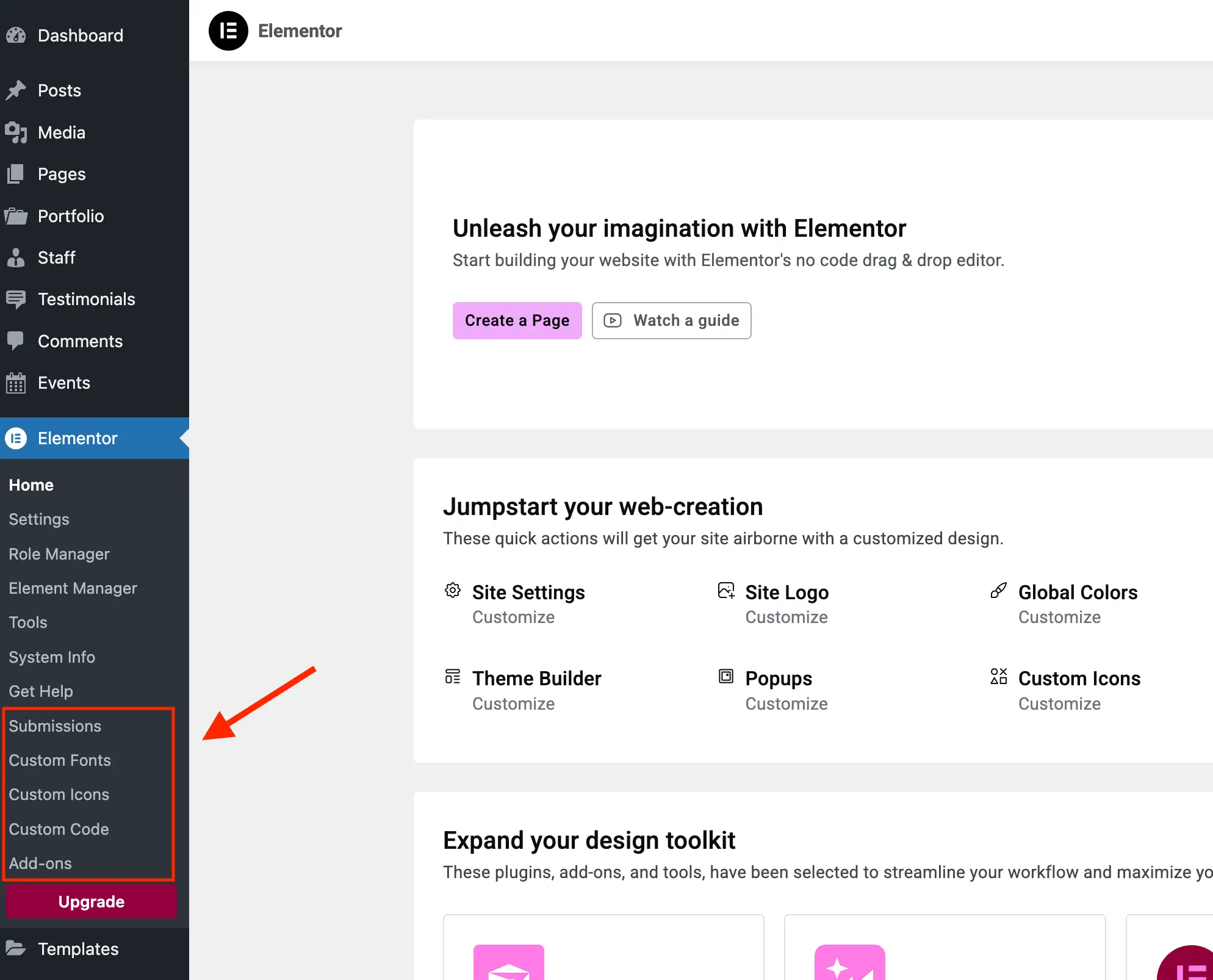
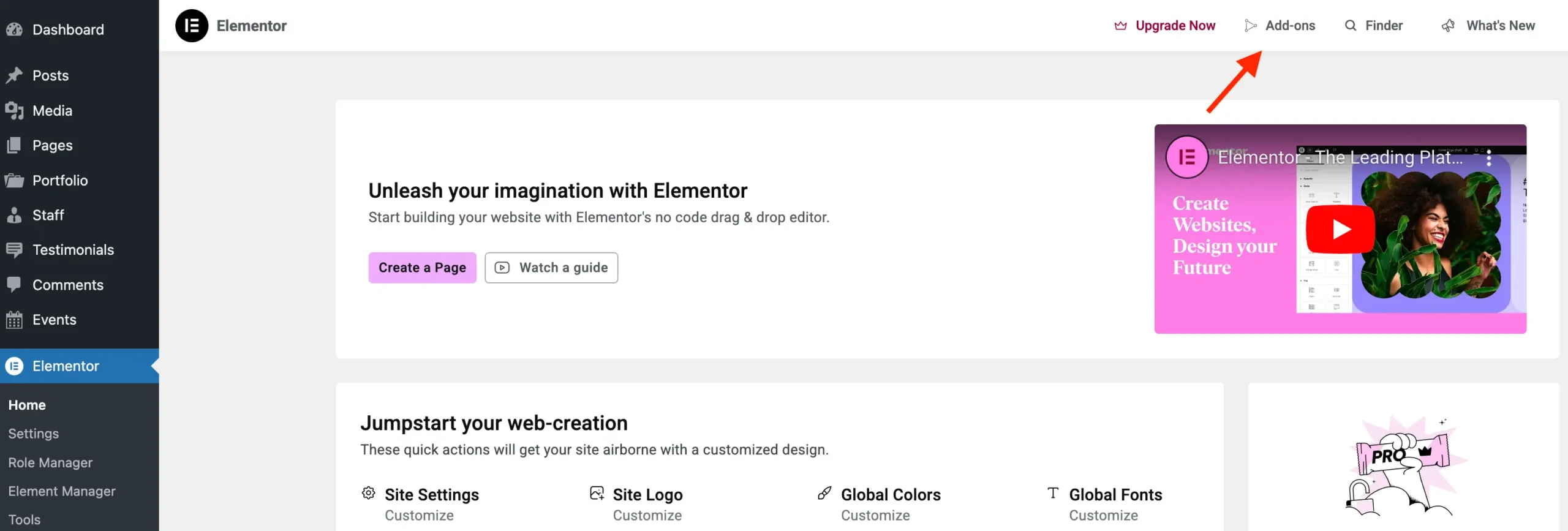
The accumulation of promotional prompts across the WordPress interface has evolved alongside Elementor’s feature expansion. Over successive software updates, promotional touchpoints expanded from simple sidebar banners to include dedicated administrative landing pages, top-bar links to add-on marketplaces, locked widget categories, and dynamic content indicators.
When a user installs the free version of Elementor, the software registers various auxiliary admin pages that serve primarily as landing pages for Elementor Pro. These include links to the add-ons directory, the theme builder interface, and knowledge base shortcuts. Additionally, within the visual editor itself, unavailable features such as global styles, custom CSS panels, attribute settings, and the sticky bottom notice bar remain visible but inaccessible, acting as continuous conversion prompts.
Technical Implementation: The WPEX_Remove_Elementor_Upsells Class
To systematically address interface clutter without disrupting core functionality, developers can implement a structured PHP class designed to hook into WordPress and Elementor’s native action hooks and filters. This programmatic approach ensures that if a site administrator subsequently installs Elementor Pro, the modification scripts gracefully terminate execution to prevent interference with legitimate premium features.
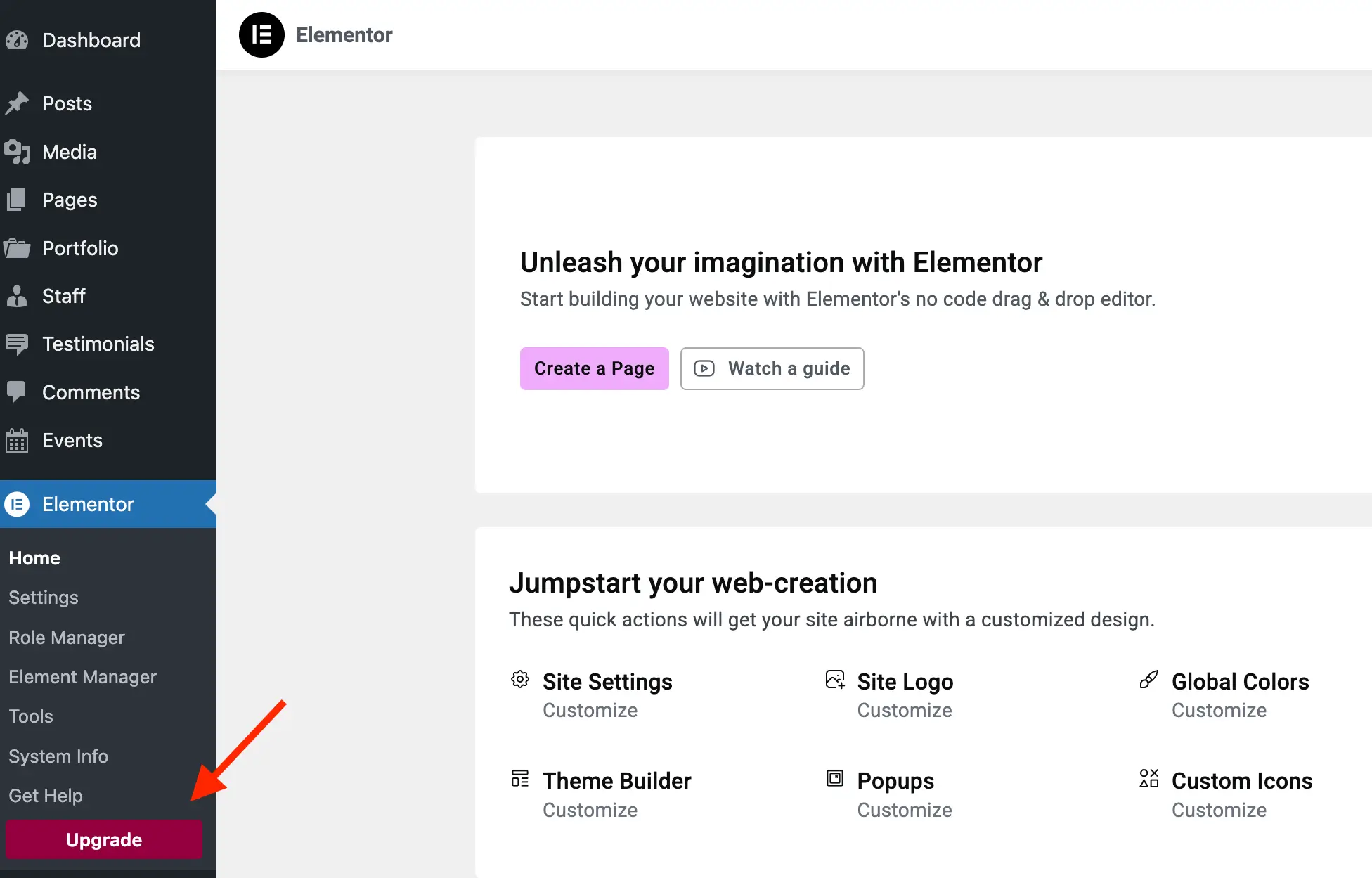
The foundational architecture relies on a class named WPEX_Remove_Elementor_Upsells. This class checks whether the Elementor plugin has been fully loaded before registering its primary actions. Within the initialization sequence, the code evaluates the existence of ElementorUtils::has_pro(). If the pro version is detected, the script terminates immediately, preserving all native upsells and premium capabilities.
/**
 * Remove Elementor Upsells.
 */
class WPEX_Remove_Elementor_Upsells

    /**
     * Constructor.
     */
    public function __construct()
        if ( did_action( 'elementor/loaded' ) )
            $this->register_actions();
         else
            add_action( 'elementor/loaded', [ $this, 'register_actions' ] );


    /**
     * Register our main class actions.
     */
    public function register_actions(): void
        if ( is_callable( 'ElementorUtils::has_pro' ) && ElementorUtils::has_pro() )
            return; // bail early if we are using Elementor Pro.


        add_action( 'elementor/admin/menu/after_register', [ $this, 'remove_admin_pages' ], PHP_INT_MAX, 2 );
        add_action( 'elementor/admin_top_bar/before_enqueue_scripts', [ $this, 'admin_top_bar_css' ] );
        add_filter( 'elementor/frontend/admin_bar/settings', [ $this, 'modify_admin_bar' ], PHP_INT_MAX );
        add_action( 'elementor/editor/after_enqueue_styles', [ $this, 'editor_css' ] );
        add_action( 'wp_dashboard_setup', [ $this, 'remove_dashboard_widget' ], PHP_INT_MAX );


    // Additional methods follow...


new WPEX_Remove_Elementor_Upsells;
Purging Promotional Admin Pages and Subpages
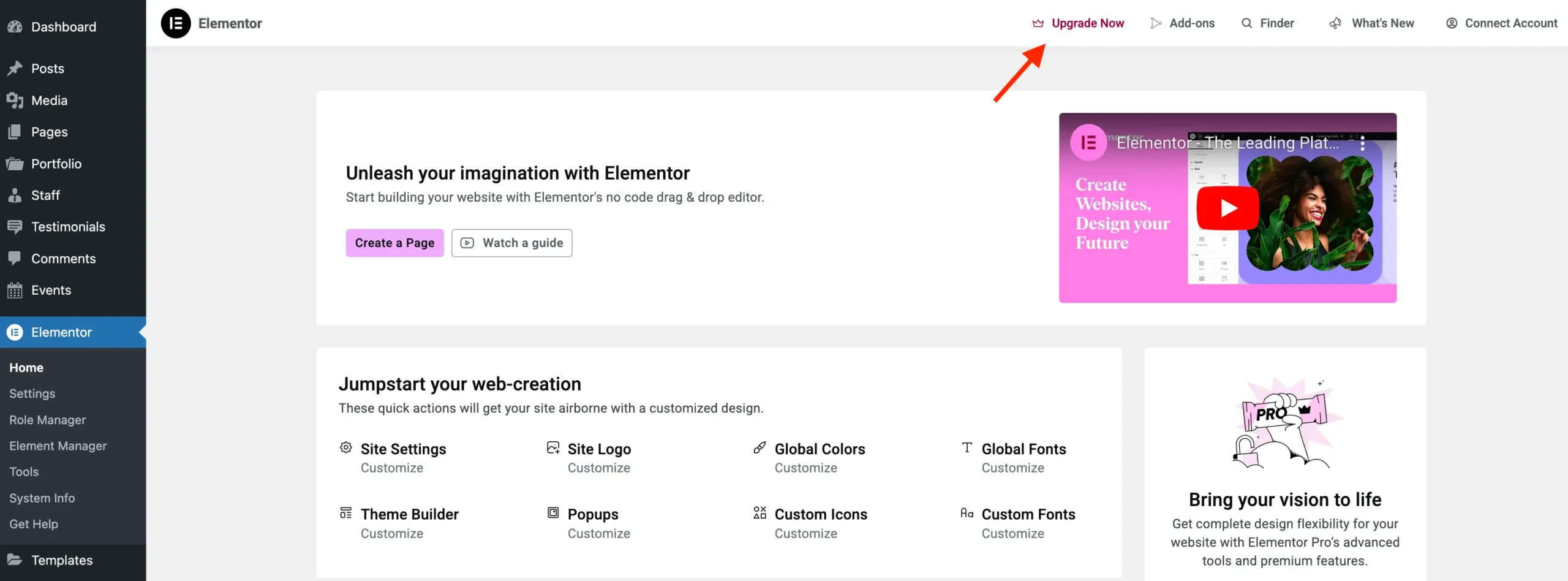
Elementor registers several administrative menu items that direct users toward purchasing premium upgrades. Using the elementor/admin/menu/after_register hook, administrators can dynamically identify and remove promotional menu items and subpages. The following method iterates through the menu manager’s registered items, checking against Elementor’s base promotion classes:
    /**
     * Remove admin pages.
     */
    public function remove_admin_pages( $menu_manager, $hooks ): void
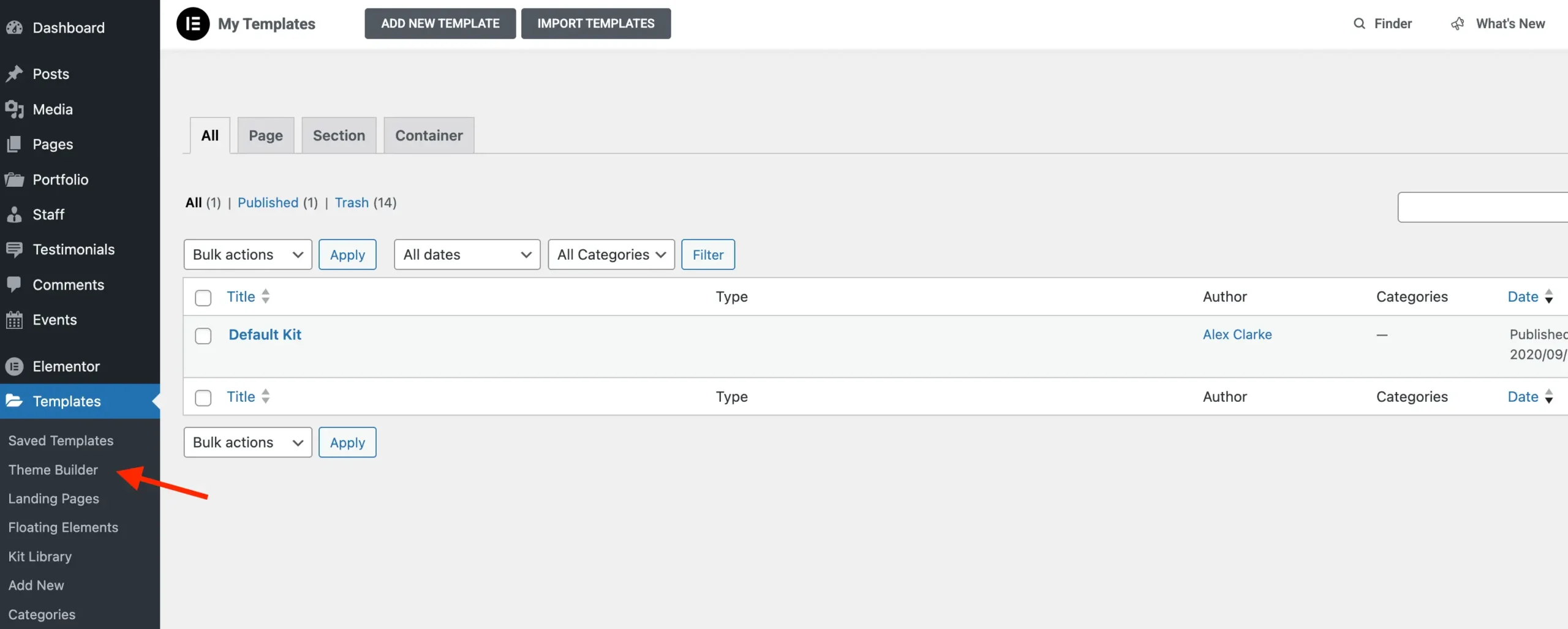
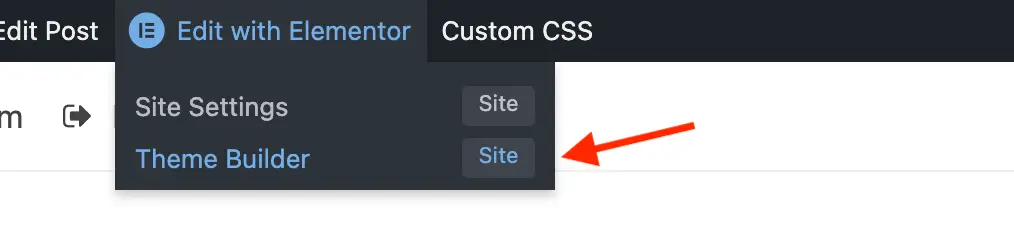
This routine effectively strips out redundant subpages such as the Knowledge Base redirect, the Elementor Pro purchase page, and the Theme Builder app link, which otherwise display permission error warnings or redirect loops when accessed by users of the free tier.
Targeting Editor Visuals and Sidebar Elements via CSS
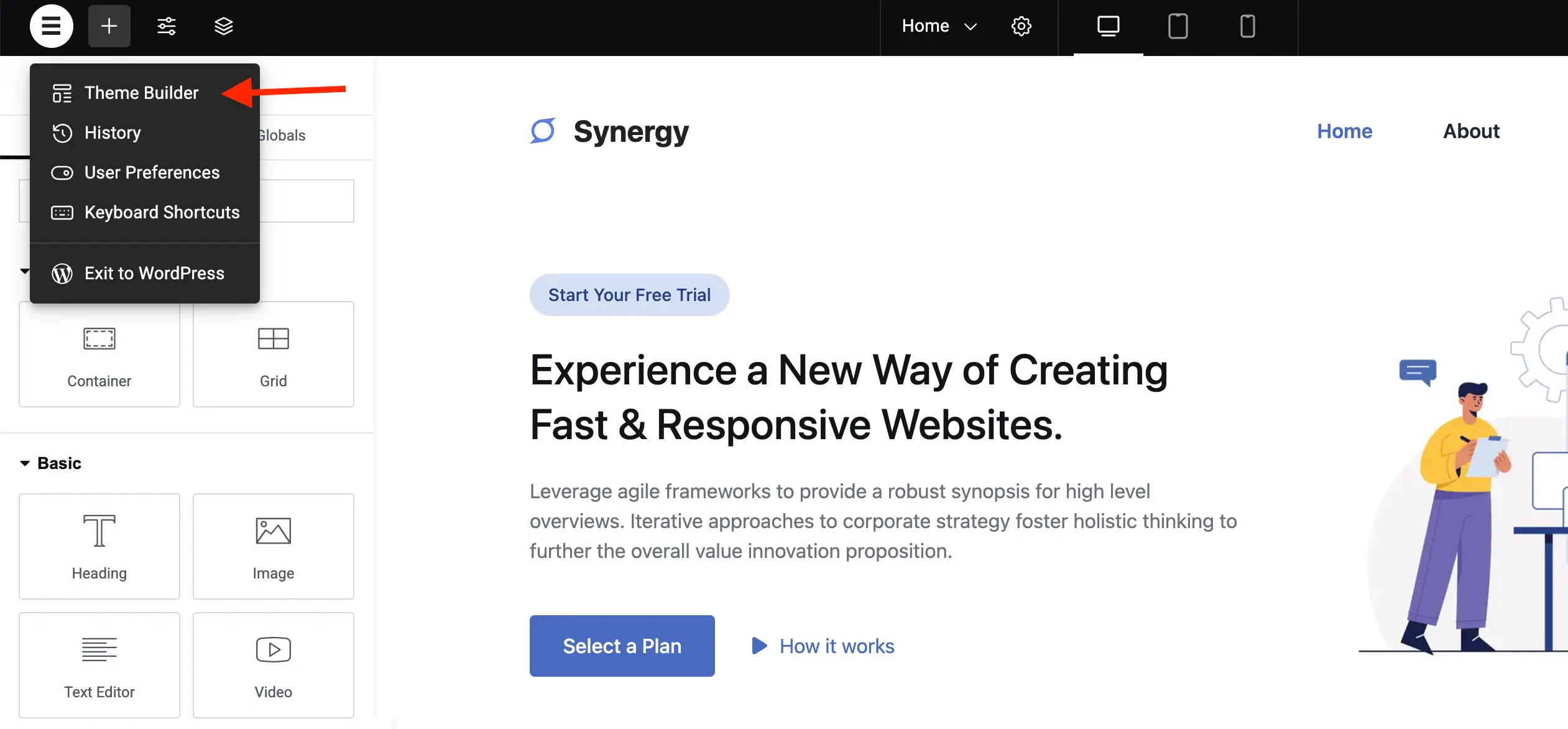
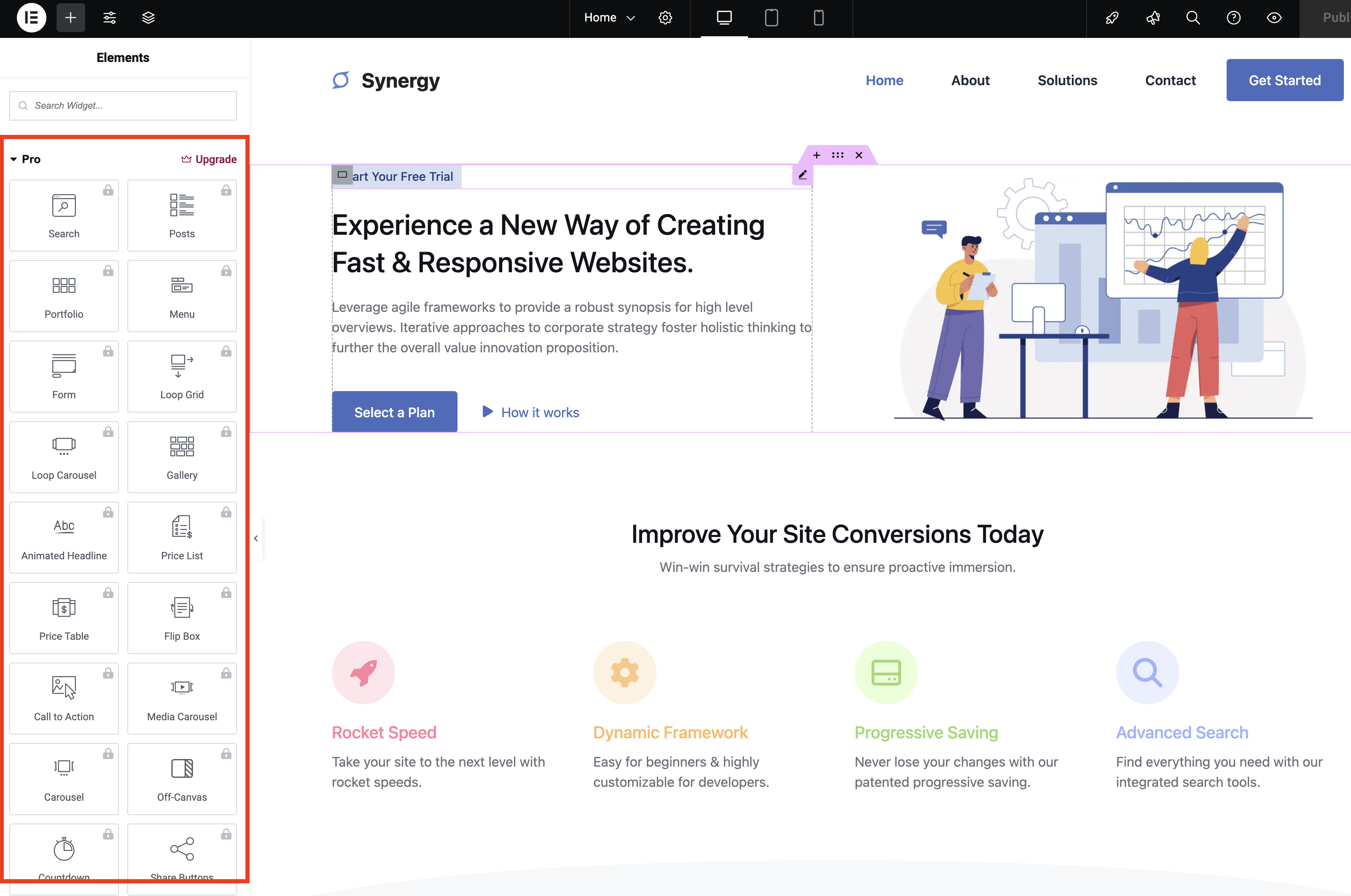
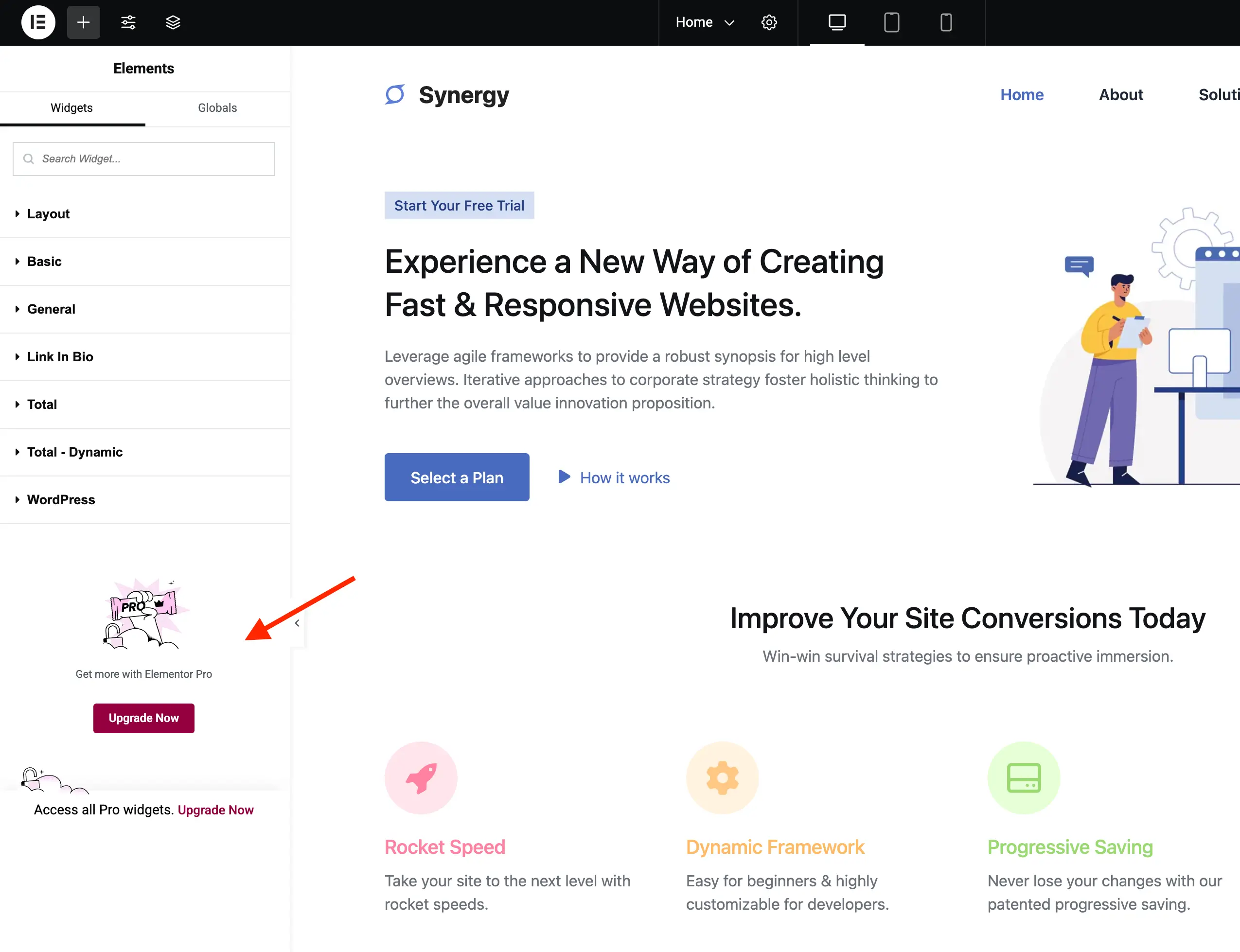
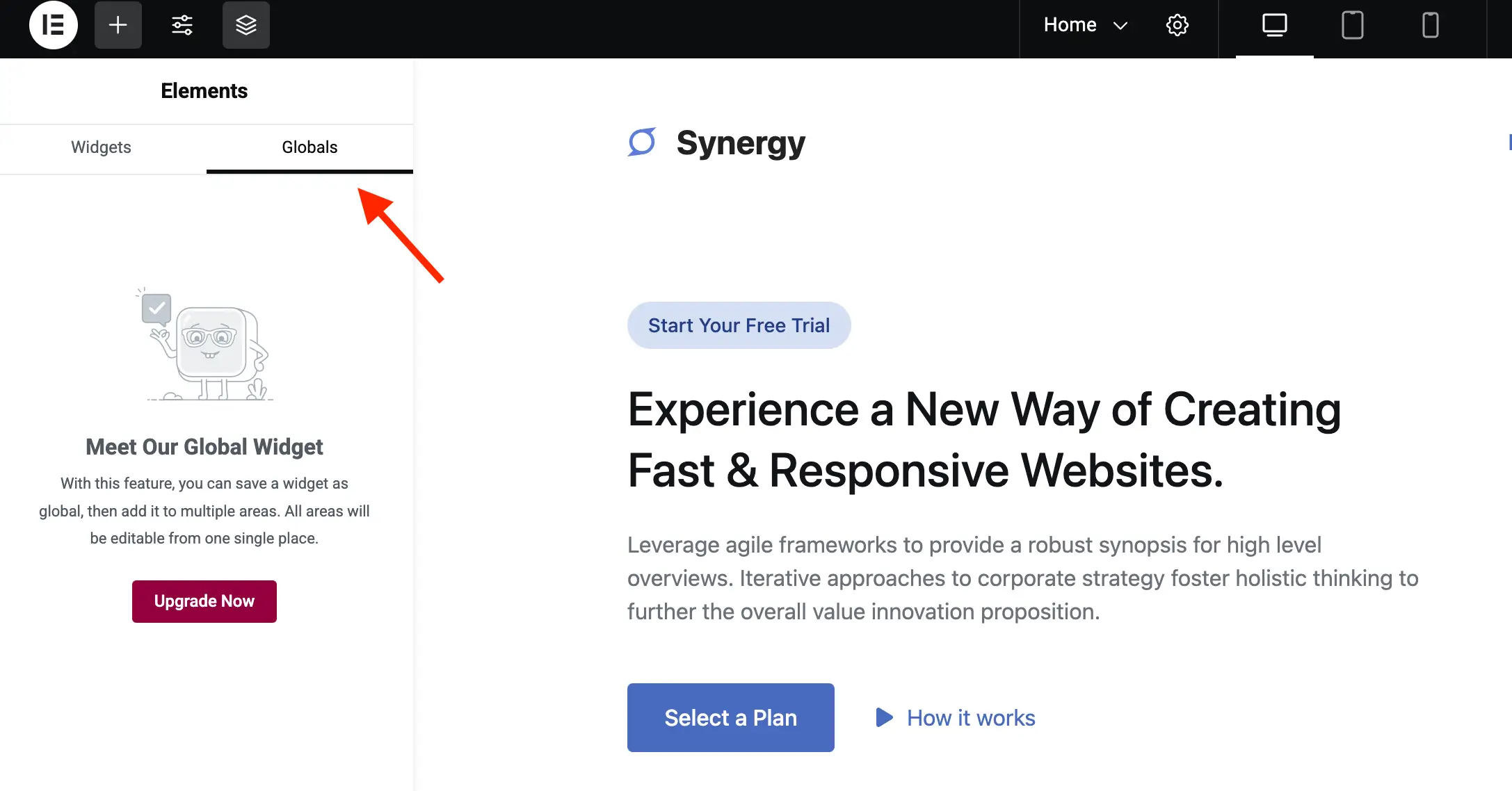
Because certain promotional elements within the visual builder interface are rendered dynamically via JavaScript or lack dedicated PHP removal hooks, CSS injection represents the most efficient mitigation strategy. Utilizing WordPress’s wp_add_inline_style function linked to the elementor/editor/after_enqueue_styles action, administrators can target specific classes and identifiers to hide promotional widget categories, global tabs, sticky banners, and locked attributes.
    /**
     * Hide elements in the editor.
     */
    public function editor_css(): void
        wp_add_inline_style(
            'elementor-editor',
            '.elementor-element-wrapper.elementor-element--promotion,#elementor-panel-category-pro-elements,#elementor-panel-category-theme-elements,#elementor-panel-category-theme-elements-single,#elementor-panel-category-woocommerce-elements,#elementor-panel-get-pro-elements,#elementor-panel-get-pro-elements-sticky,.elementor-panel-navigation-tab[data-tab=global],#elementor-navigator__footer__promotion,.e-notice-bar,.elementor-control-dynamic-switcher,.elementor-control:has([class*="promotion__lock-wrapper"]),.elementor-control-section_custom_css_prodisplay:none!important;.elementor-control-type-wysiwyg .tmce-active .switch-htmlborder-inline-end:0;'
        );
This rule set suppresses the display of locked pro widgets, promotional footer areas within the navigator modal, the persistent bottom notice bar, dynamic content switchers, and specific locked parameter rows within the advanced settings tabs.
Cleaning the WordPress Dashboard and Admin Bar
Beyond the builder interface, Elementor injects overview widgets into the primary WordPress dashboard and adds shortcut items to the top administrative bar. The dashboard overview widget can be unregistered through standard WordPress meta box removal functions:
    /**
     * Remove dashboard widget.
     */
    public function remove_dashboard_widget(): void
        remove_meta_box( 'e-dashboard-overview', 'dashboard', 'normal' );
Similarly, top-bar shortcuts linked to integrations and upgrade prompts can be hidden using inline styles injected into the admin top-bar asset queue:
    /**
     * Add inline CSS to modify the Elementor admin top bar.
     */
    public function admin_top_bar_css(): void
        $target_icon_classes = [
            '.eicon-integration', // Add-ons
            '.eicon-upgrade-crown', // Upgrade now
        ];
        wp_add_inline_style(
            'elementor-admin-top-bar',
            '.e-admin-top-bar__bar-button:has(' . implode( ',', $target_icon_classes . ')display:none!important;'
        );
Broader Impact and Policy Considerations
The debate surrounding administrative dashboard promotions touches upon broader usability and governance discussions within the WordPress community. Proponents of interface customization argue that cluttered dashboards diminish client satisfaction, increase training overhead, and detract from the core objective of content creation. By streamlining the workspace, developers can deliver a more tailored and professional experience, particularly on managed websites where end-users do not require exposure to commercial upgrade paths.
Conversely, software developers rely heavily on integrated conversion mechanisms to support continuous product research and development. While community-led modifications offer a technical workaround for interface customization, industry analysts note that purchasing commercial licenses remains the most secure method for ensuring long-term software compatibility, receiving dedicated technical support, and contributing directly to the sustainability of open-source and freemium projects.
Deployment Options: Custom Functions vs. Standalone Plugins
Site administrators seeking to implement these modifications have two primary deployment vectors. The code can be placed within a site-specific functionality plugin or appended to a custom theme’s functions.php file. Alternatively, packaged implementations are available through community repositories, such as GitHub, enabling automated inclusion across multiple development projects. Regardless of the chosen deployment method, maintaining awareness of upstream updates from the primary plugin vendor is essential, as structural modifications to Elementor’s DOM or hook architecture in future releases may require corresponding maintenance of custom administrative scripts.