How to Clean Up Your WordPress Admin by Removing Yoast SEO Upsells and Promotional Clutter

As the digital landscape continues to evolve, search engine optimization remains a critical cornerstone for website owners, developers, and digital agencies alike. Within the expansive ecosystem of content management systems, Yoast SEO has long stood as one of the most downloaded and widely utilized tools for optimizing web pages, managing XML sitemaps, and enhancing search engine visibility. However, the widespread adoption of its free tier has historically introduced a persistent friction point for administrators: the prevalence of aggressive monetization tactics within the WordPress dashboard.
For developers managing multiple client websites, or for administrators who prioritize a minimalist, distraction-free working environment, the native interface of the free Yoast SEO plugin can become cluttered with promotional banners, upsell notifications, and non-essential menu items. While purchasing the full Yoast SEO Premium license remains the most straightforward and officially supported method to unlock advanced features—such as AI-driven title generation, automated redirect management, and multiple focus keywords—budget constraints or specialized site requirements often necessitate staying on the free tier. Consequently, developers have increasingly sought out programmatic solutions to streamline the administrative experience.
Understanding the Scope of Dashboard Noise in Freemium Plugins
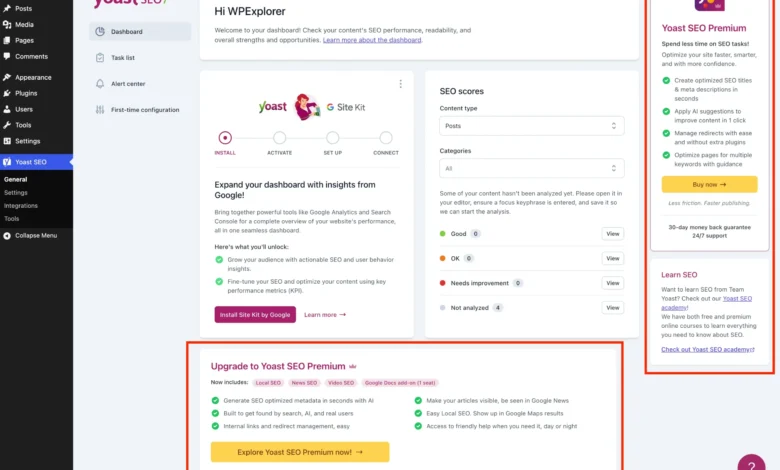
The freemium business model is a staple of the modern WordPress plugin marketplace. It allows developers to offer robust foundational tools to millions of users while reserving advanced automation and specialized capabilities for paying subscribers. Yet, the execution of this model often leads to significant interface bloat. In the case of Yoast SEO, free users frequently encounter persistent upgrade banners across general settings pages, sticky sidebars promoting paid educational academies, dedicated administrative menus for tools that require a license to function, and promotional widgets embedded directly within the main WordPress dashboard.
Beyond visual distraction, certain elements, such as the default Yoast SEO dashboard widget, execute external HTTP requests to external servers upon every page load. These requests not only introduce slight performance overheads but also transmit server environment telemetry—such as WordPress and PHP version identifiers—back to external domains with every administrative login. For enterprise environments and security-conscious developers, mitigating unnecessary external calls and reducing visual noise is not merely a matter of aesthetic preference, but a practical step toward optimizing administrative workflows.

Establishing a Modular PHP Framework for Administrative Customization
To systematically address interface bloat without altering core plugin files—which is strongly discouraged as updates will overwrite custom modifications—developers can implement targeted PHP snippets utilizing WordPress hooks and filters. Organizing these modifications into a unified, object-oriented class ensures code maintainability, prevents function naming collisions, and allows for conditional execution based on active plugin states.
The foundational implementation requires checking whether the Yoast SEO plugin is currently active while ensuring the code gracefully exits if the premium version is already installed. By wrapping the logic within a dedicated class structure, administrators can safely deploy the code via a child theme’s functions.php file, an independent site-specific utility plugin, or a must-use (MU) plugin directory.
if ( ! class_exists( 'WPEX_Remove_Yoast_SEO_Upsells' ) )
    class WPEX_Remove_Yoast_SEO_Upsells
        public function __construct()  defined( 'WPSEO_PREMIUM_VERSION' ) )
                return;


    new WPEX_Remove_Yoast_SEO_Upsells;
This conditional initialization guarantees that the resource-light customization script only operates in environments where the free version of Yoast SEO is active, thereby preventing unnecessary processing cycles on sites utilizing the premium variant or alternative optimization suites.
Targeting Premium Submenu Pages and Non-Essential Administrative Links
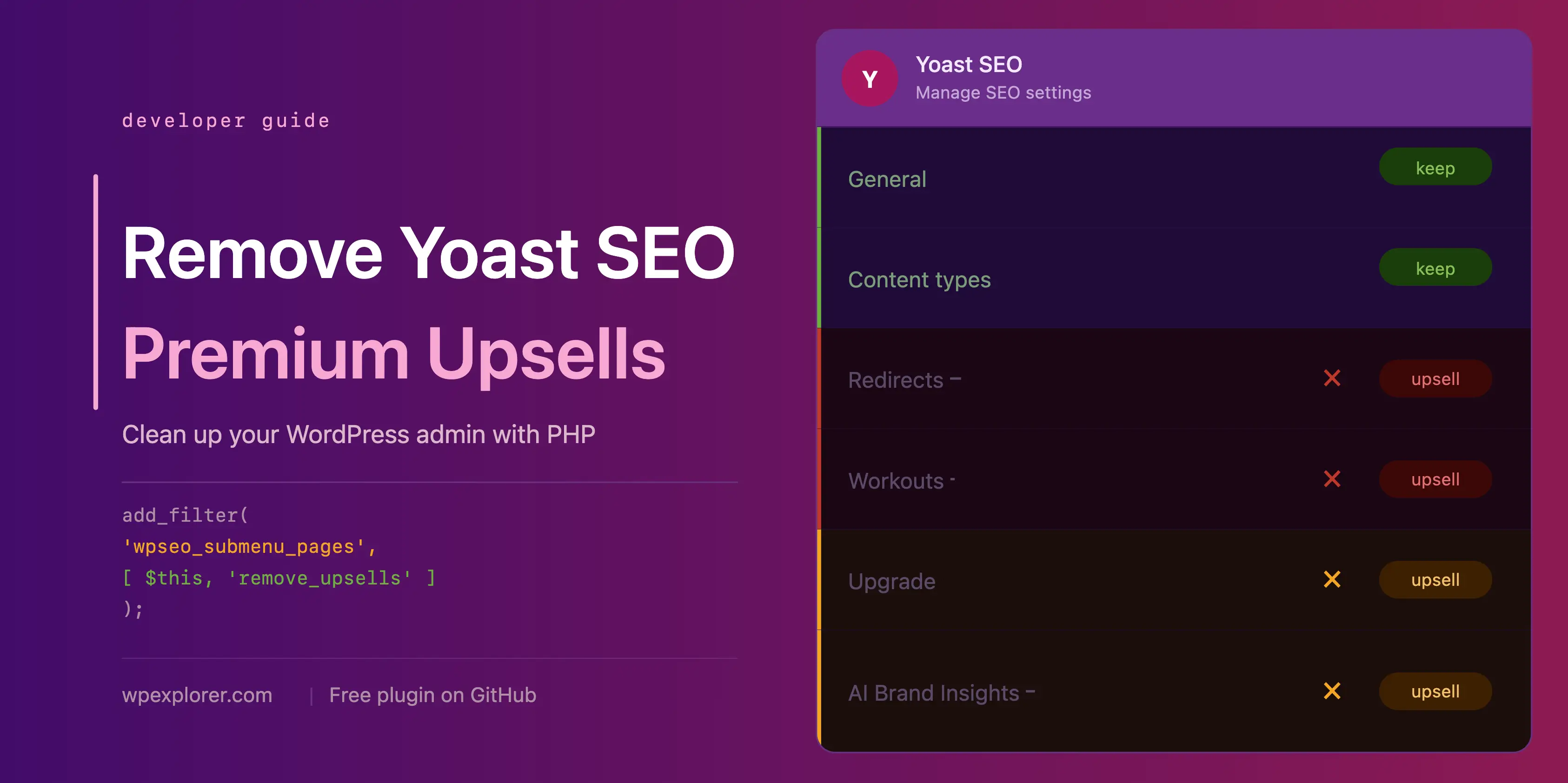
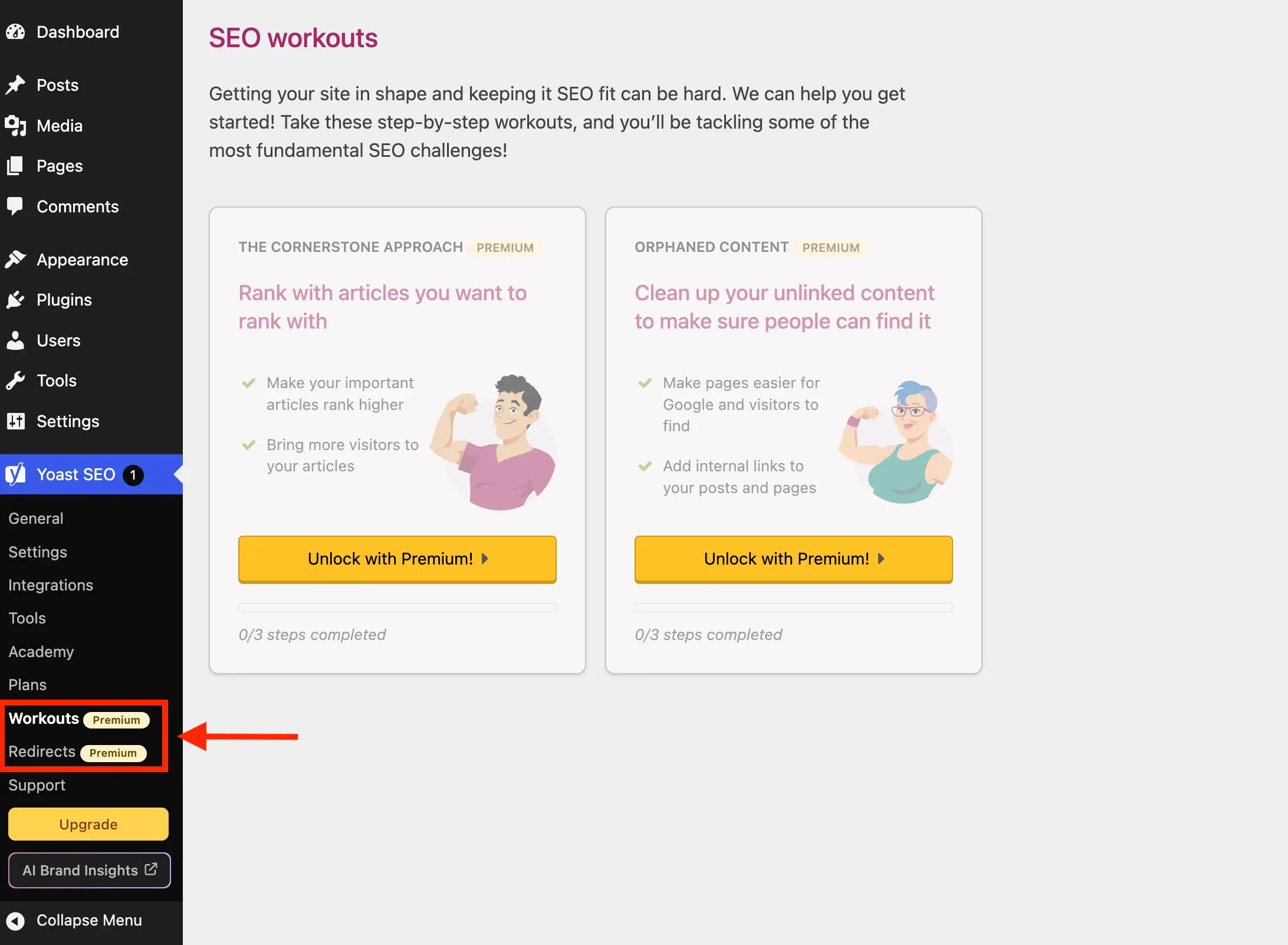
The Yoast SEO administrative menu structure frequently registers pages that serve as gateways to paid functionality, such as redirect managers and workout tutorials, or function primarily as sales funnels for training academies and support portals. Because these pages redirect users to upgrade prompts upon selection, their presence in the sidebar offers negligible utility for administrators operating on the free tier.

Developers can leverage the wpseo_submenu_pages and wpseo_network_submenu_pages filters, executing at maximum integer priority (PHP_INT_MAX), to intercept the menu registration array. By analyzing page parameters or checking for specific CSS classes injected by the plugin—such as the premium badge identifier—scripts can dynamically filter out redundant endpoints.
public function remove_premium_admin_pages( array $pages ): array
    $pages_to_remove = [
        'wpseo_upgrade_sidebar',
        'wpseo_licenses',
        'wpseo_page_academy',
        'wpseo_page_support',
        'wpseo_redirects',
        'wpseo_workouts',
    ];
    return array_filter( $pages, function( $page ) use ( $pages_to_remove )
        if ( isset( $page[2] ) && str_contains( $page[2], 'yoast-premium-badge' ) )
            return false;

        if ( isset( $page[4] ) && in_array( $page[4], $pages_to_remove, true ) )
            return false;

        return true;
     );
This filtration method systematically removes links pointing toward upgrade sidebars, license management screens, external academy portals, and documentation hubs, leaving a streamlined menu focused exclusively on core optimization settings.
Cleaning Up Toolbar Integration and Dashboard Widgets

In addition to sidebar menu clutter, promotional buttons often appear within the WordPress top-level admin toolbar and the primary dashboard overview. Elements such as upgrade prompts and AI brand insights shortcuts occupy valuable real estate in administrative navigation bars.
To eliminate these toolbar nodes, developers utilize the admin_bar_menu action hook combined with the WordPress administration bar API.
public function remove_admin_bar_links( WP_Admin_Bar $wp_admin_bar ): void
    $wp_admin_bar->remove_node( 'wpseo-get-premium' );
    $wp_admin_bar->remove_node( 'wpseo_brand_insights' );
Simultaneously, addressing the default dashboard overview widget requires interacting with the WordPress meta box API. The Yoast dashboard widget routinely pings external RSS feeds to display company blog updates and site scoring metrics. Removing this meta box via the wp_dashboard_setup hook, paired with dequeuing associated JavaScript and CSS assets on the dashboard screen, prevents unnecessary external HTTP handshakes during administrative logins.

public function remove_dashboard_widget(): void
    remove_meta_box( 'wpseo-dashboard-overview', 'dashboard', 'normal' );


public function remove_dashboard_widget_assets(): void
    $current_screen = get_current_screen();
    if ( ! ( $current_screen instanceof WP_Screen && $current_screen->id === 'dashboard' ) )
        return;

    wp_dequeue_script( 'yoast-seo-dashboard-widget' );
    wp_dequeue_style( 'yoast-seo-wp-dashboard' );
    wp_dequeue_style( 'yoast-seo-monorepo' );
Managing JavaScript-Rendered Banners and Locked Meta Boxes
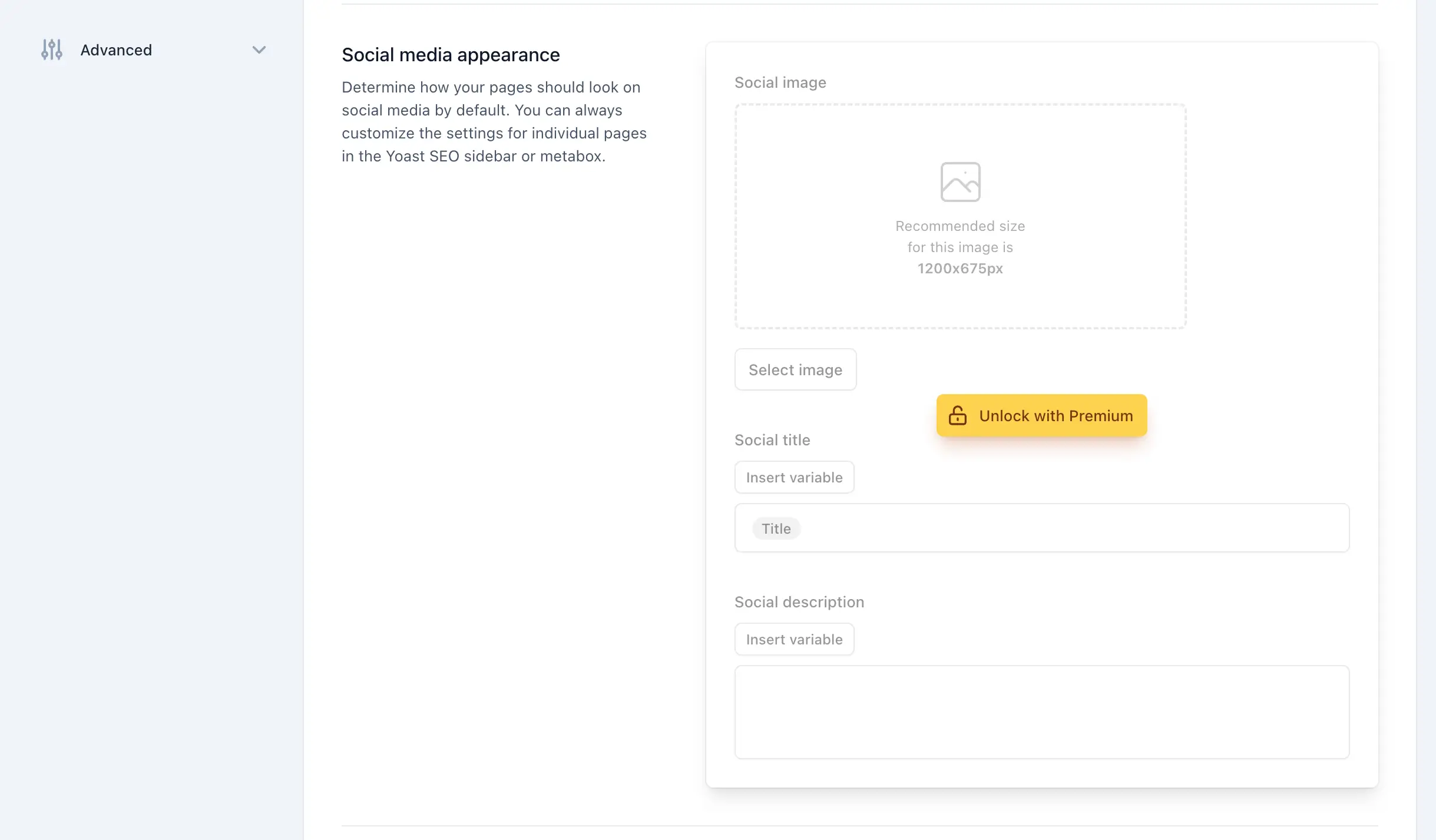
A significant portion of modern plugin interfaces relies heavily on dynamic JavaScript components rather than traditional server-rendered HTML markup. Banners injected into general settings, sticky sidebars on administrative screens, locked feature fieldsets, and upsell prompts within the post editor meta boxes often lack unique server-side identifiers or standard PHP hook integrations.
To address these dynamic elements effectively, administrators can inject targeted inline CSS via the admin_enqueue_scripts hook, restricting the stylesheet generation strictly to relevant screen IDs. By utilizing advanced CSS pseudo-classes such as :has() and precise structural selectors, developers can cleanly hide upgrade buttons, feature upsell cards, and promotional containers without disrupting core functionality.

public function remove_upsells_from_admin_pages(): void
    $current_screen = get_current_screen();
    if ( ! ( $current_screen instanceof WP_Screen && str_contains( $current_screen->id, 'wpseo_' ) ) )
        return;

    $css = '
        #yoast-seo-general .yst-@container > div:last-child:has([data-action=load-nfd-ctb]),
        #yoast-seo-general .yst-min-w-[16rem]:has(&>.yst-sticky),
        #yoast-seo-settings main + div:has([data-action=load-nfd-ctb]),
        #yoast-seo-settings .yst-root div[class*=yst-fixed],
        #yoast-seo-settings main section .yst-feature-upsell,
        #wpseo-integrations .yst-root section > .yst-grid > div:has([data-action=load-nfd-ctb]),
        .yst-root .yst-table-row:has(.yst-button--upsell),
        .seo_page_wpseo_tools .wpseo_content_cell .yoast_premium_upsell  display: none !important;
    ';
    wp_register_style( 'wpex-remove-yoast-upsells', false );
    wp_enqueue_style( 'wpex-remove-yoast-upsells' );
    wp_add_inline_style( 'wpex-remove-yoast-upsells', $css );
Similar CSS isolation techniques can be applied to the post editor and Gutenberg sidebar panels where content editors spend the majority of their time. By targeting specific attribute selectors and upsell badge classes on post and term editing screens, editors are presented with a clean, focused writing environment free of recurring commercial prompts.
Implications, Maintenance, and Industry Best Practices
Implementing interface modifications of this nature requires careful consideration of long-term maintenance workflows. Because freemium plugins frequently update their user interfaces, class naming conventions, and DOM structures during major version releases, custom CSS selectors and filter methods must be periodically audited. If Yoast SEO alters its underlying framework in future updates, inline styling rules may require adjustment to ensure that elements remain hidden or that core settings are not inadvertently obscured.
Furthermore, site administrators must weigh the benefits of a streamlined interface against the official support and feature roadmap provided by the plugin developers. Utilizing commercial software without contributing to its financial ecosystem through licensing fees is a common practice in open-source administration, yet relying heavily on third-party overrides underscores the ongoing tension between monetization strategies in software-as-a-service (SaaS) models and the demand for clean, distraction-free enterprise user experiences.
For agencies and solo developers managing large portfolios of WordPress properties, packaging these customization snippets into a standalone utility plugin or maintaining a version-controlled repository offers a scalable solution. By automating the removal of promotional friction across multiple installations, professionals can ensure consistent administrative usability while preserving the core analytical power that makes foundational SEO tooling indispensable to modern web publishing.
Related posts: