Comprehensive Guide to Seamlessly Migrating Your WordPress Website to Pressable Managed Hosting

The landscape of web infrastructure has shifted dramatically, with site owners increasingly abandoning traditional, resource-intensive shared servers in favor of specialized, managed environments. For businesses, developers, and publishers relying on the world’s most popular content management system, managed WordPress hosting has emerged as the definitive standard for balancing security, uptime, and speed. Among the prominent players in this sector, Pressable—an Automattic-backed managed hosting provider—has solidified its reputation as a reliable destination for small to medium-sized digital properties. Transitioning a production website to a new host often triggers operational anxiety, but structured migration pathways have simplified the technical undertaking significantly.
Understanding the Mechanics of Managed WordPress Hosting
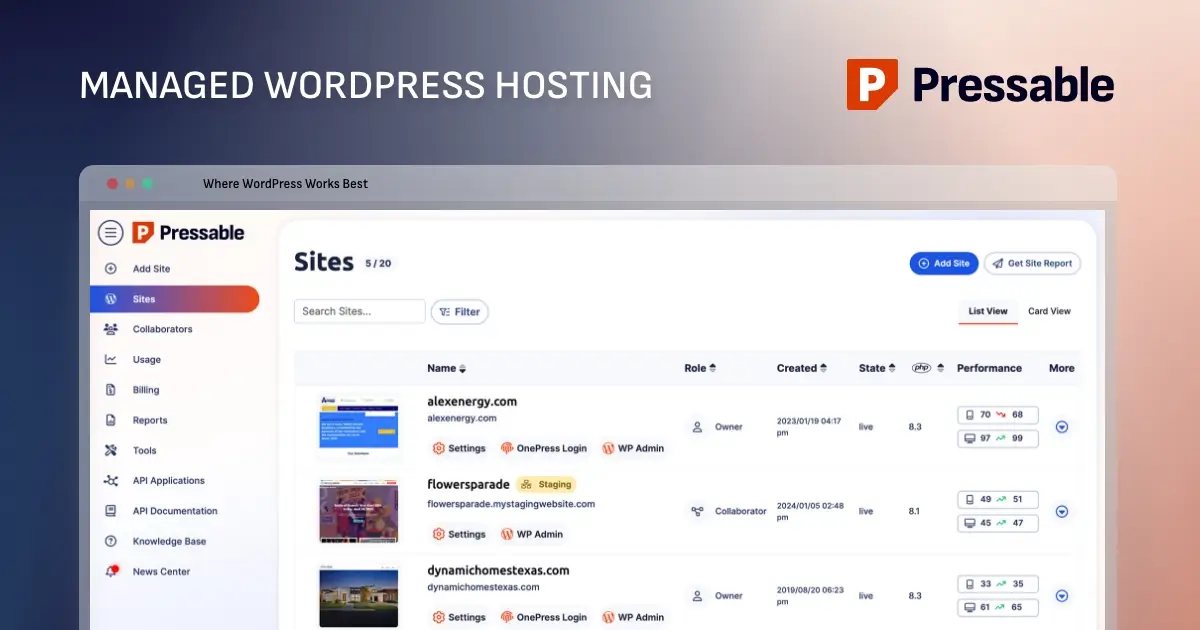
Managed WordPress hosting differs fundamentally from standard web hosting by restricting its architecture exclusively to the WordPress software ecosystem. Unlike generic cPanel environments that support diverse scripts and applications, managed platforms optimize server-level caching, PHP execution, and database performance specifically for WordPress.
Industry data underscores the value of these optimizations. Studies consistently demonstrate that a one-second delay in page load times can reduce user conversions by up to seven percent and significantly increase bounce rates. Managed providers mitigate these risks by handling core updates, automated daily backups, and brute-force mitigation at the server level, thereby reducing the administrative burden on site operators.
For agencies and freelancers juggling dozens of client deployments, offloading server maintenance yields measurable financial efficiency. Instead of dedicating billable hours to troubleshooting plugin conflicts or patching security vulnerabilities, technical teams can concentrate on design, content strategy, and client acquisition.

Evaluating Platform Fit and Plan Selection
Before initiating any data transfer, organizations must evaluate whether a specific managed host aligns with their operational requirements. Pressable’s infrastructure is engineered primarily for blogs, corporate portfolios, and eCommerce stores operating within standard resource thresholds. Plans scale from single-install entry tiers to enterprise-grade configurations capable of supporting millions of monthly visitors through dedicated CPU allocations and vertical scaling.
However, managed hosting inherently involves operational trade-offs. Platforms like Pressable do not support low-level server customizations, such as custom NGINX configurations, ionCube loaders, or bespoke email hosting. Larger enterprises requiring dedicated hardware or specialized firewall rules typically necessitate custom cloud instances or dedicated server environments. Consequently, conducting a preliminary resource audit—analyzing monthly traffic volumes, database sizes, and storage usage—remains a critical prerequisite for selecting the appropriate subscription tier.
Phase One: Pre-Migration Site Preparation and Auditing
A successful website migration relies on meticulous preparation to prevent data loss or post-transfer downtime. The process begins on the legacy hosting environment, where administrators must ensure that the core WordPress software, active themes, and all installed plugins are updated to their latest stable releases.
Running outdated software during a migration introduces compatibility risks, particularly when transitioning to modern PHP environments enforced by managed hosts. Following updates, administrators must generate a comprehensive, full-site backup encompassing both the MySQL database and all file directories. Storing this archive securely on a local machine or external cloud storage guarantees a reliable rollback point if unforeseen errors occur during the data transfer.
Additionally, site operators must audit their existing directory structures to identify legacy files tied exclusively to previous hosting providers. For instance, sites migrating from WPEngine frequently retain machine-specific mu-plugins or server-side configuration files that serve no functional purpose on a new infrastructure and can trigger performance or security conflicts if left in place.
Phase Two: Initiating the Automated Migration Workflow
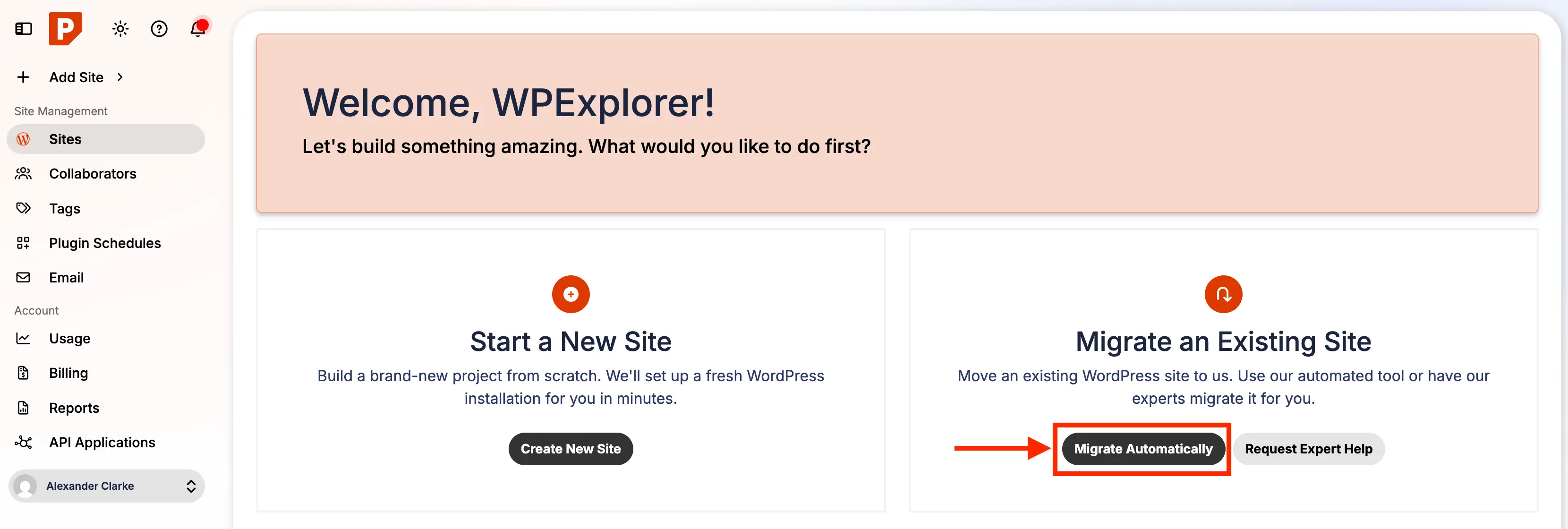
Once the source site is prepared and backed up, the migration sequence transitions to the destination host’s dashboard. Modern hosting providers typically offer automated migration plugins designed to bridge legacy environments with new server architectures securely.
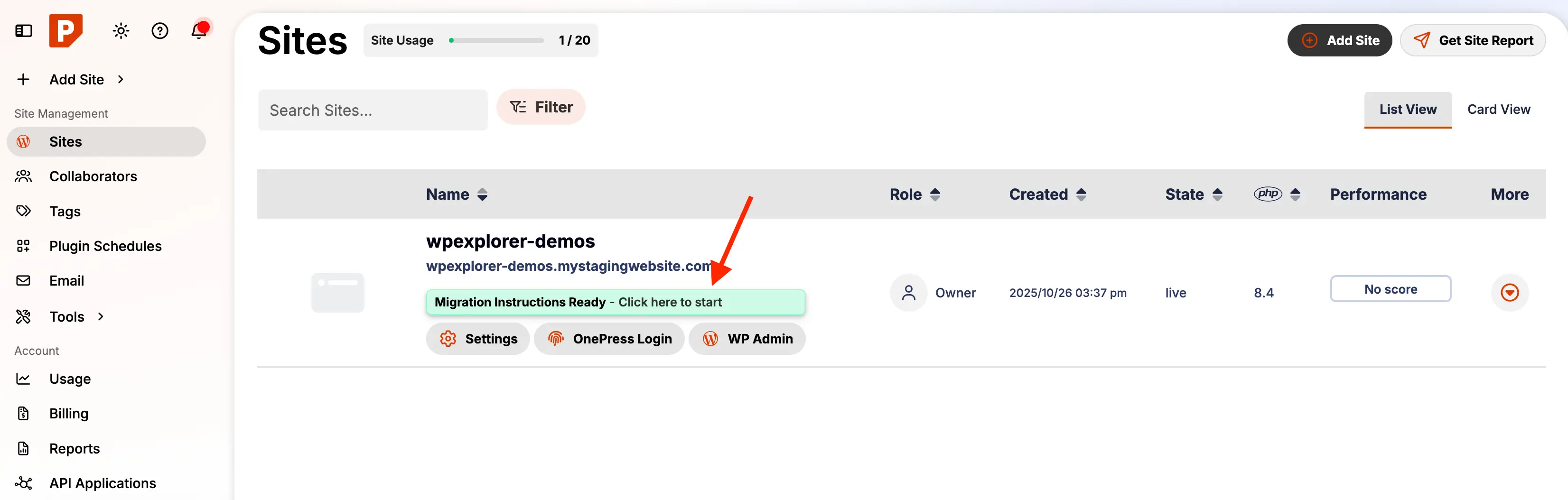
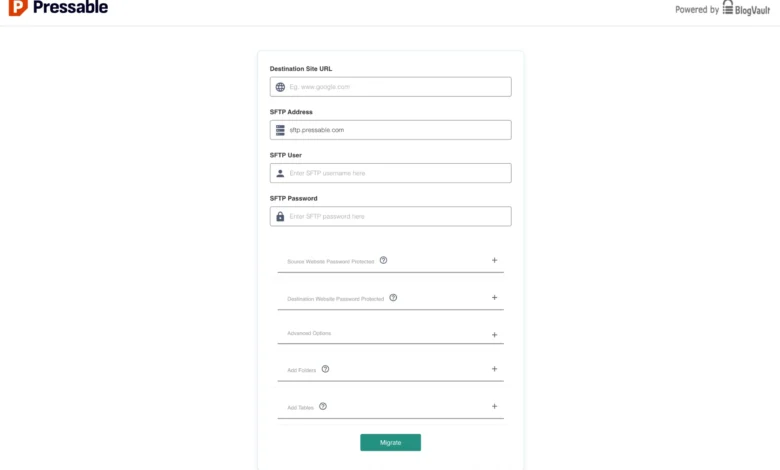
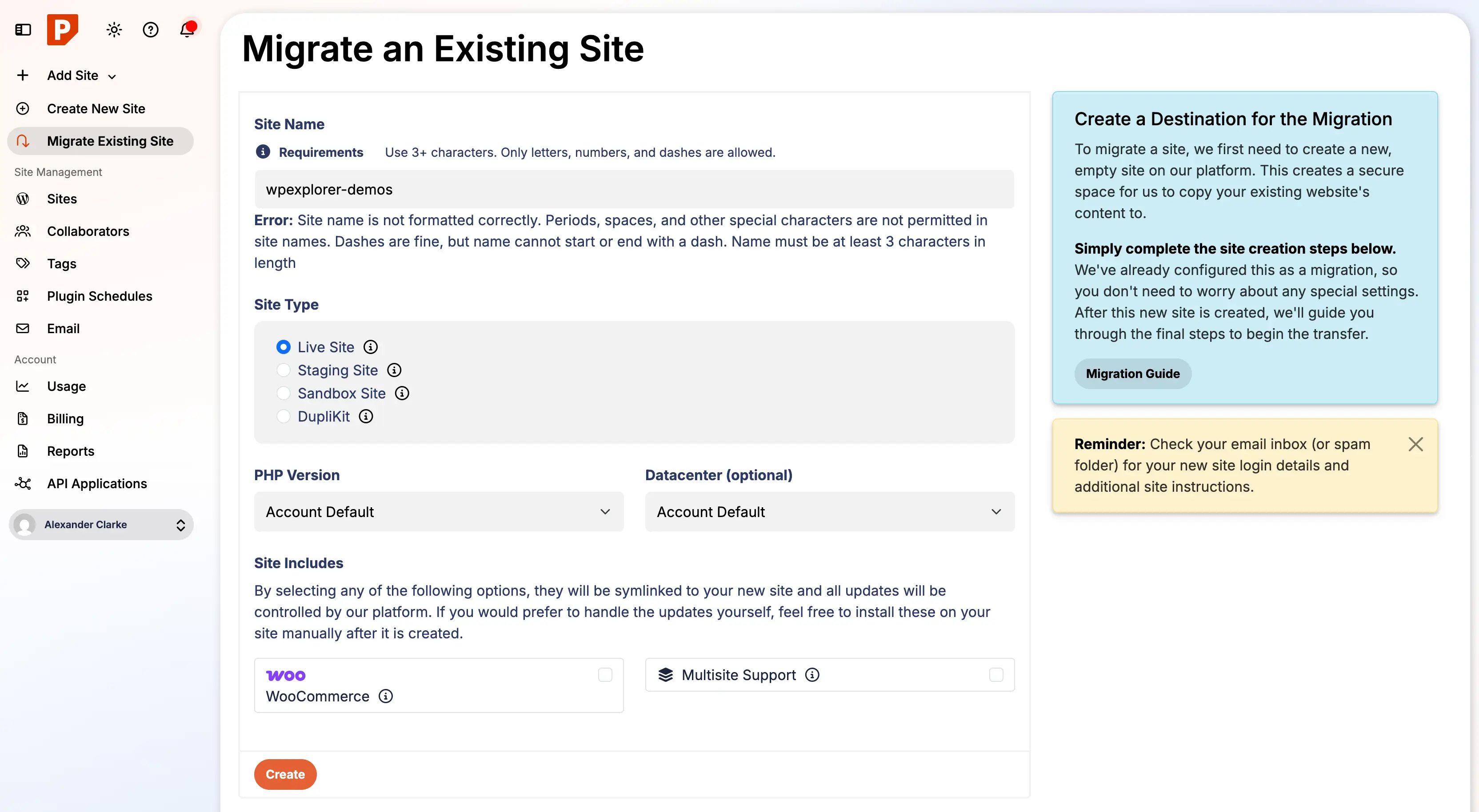
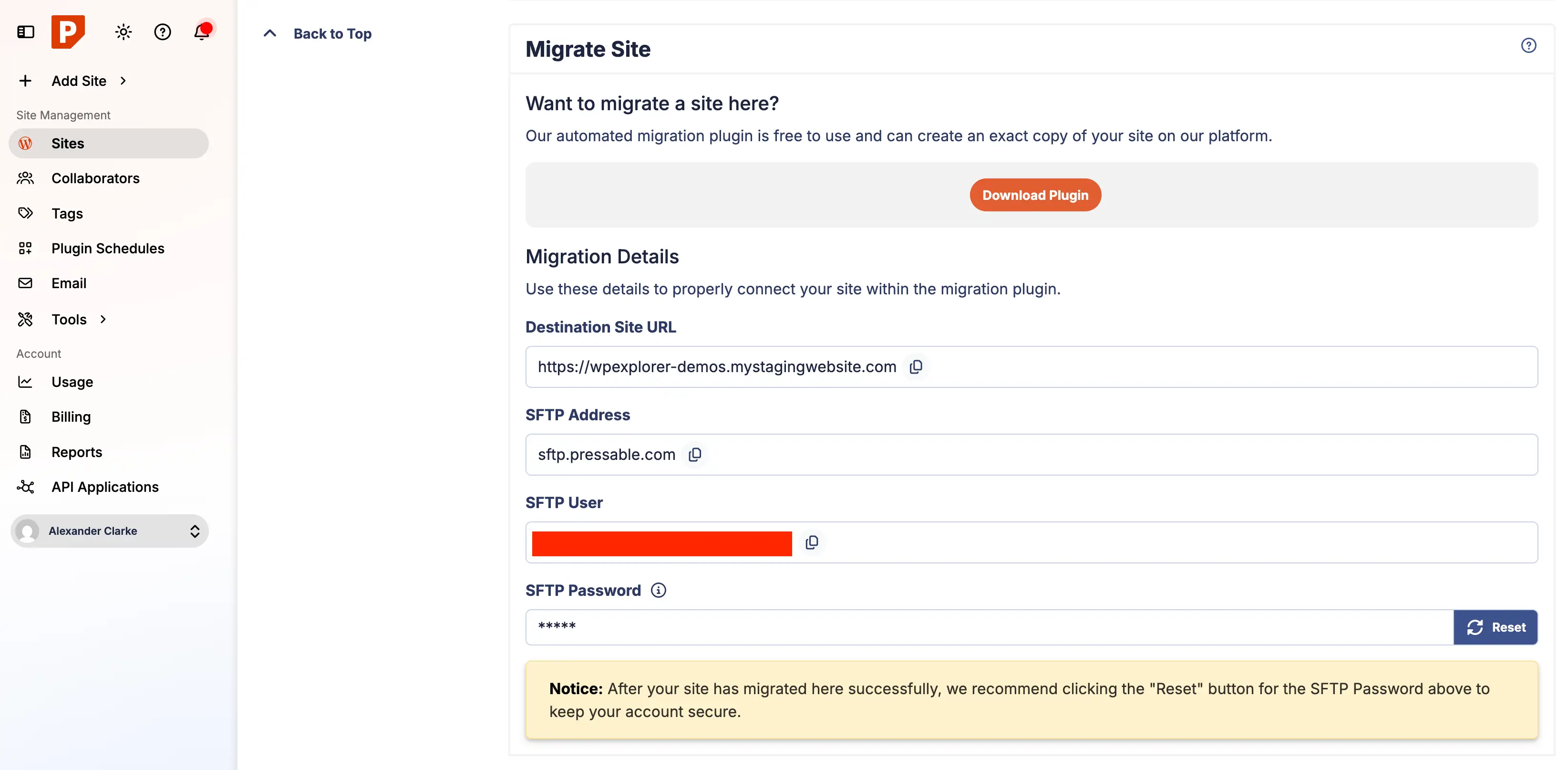
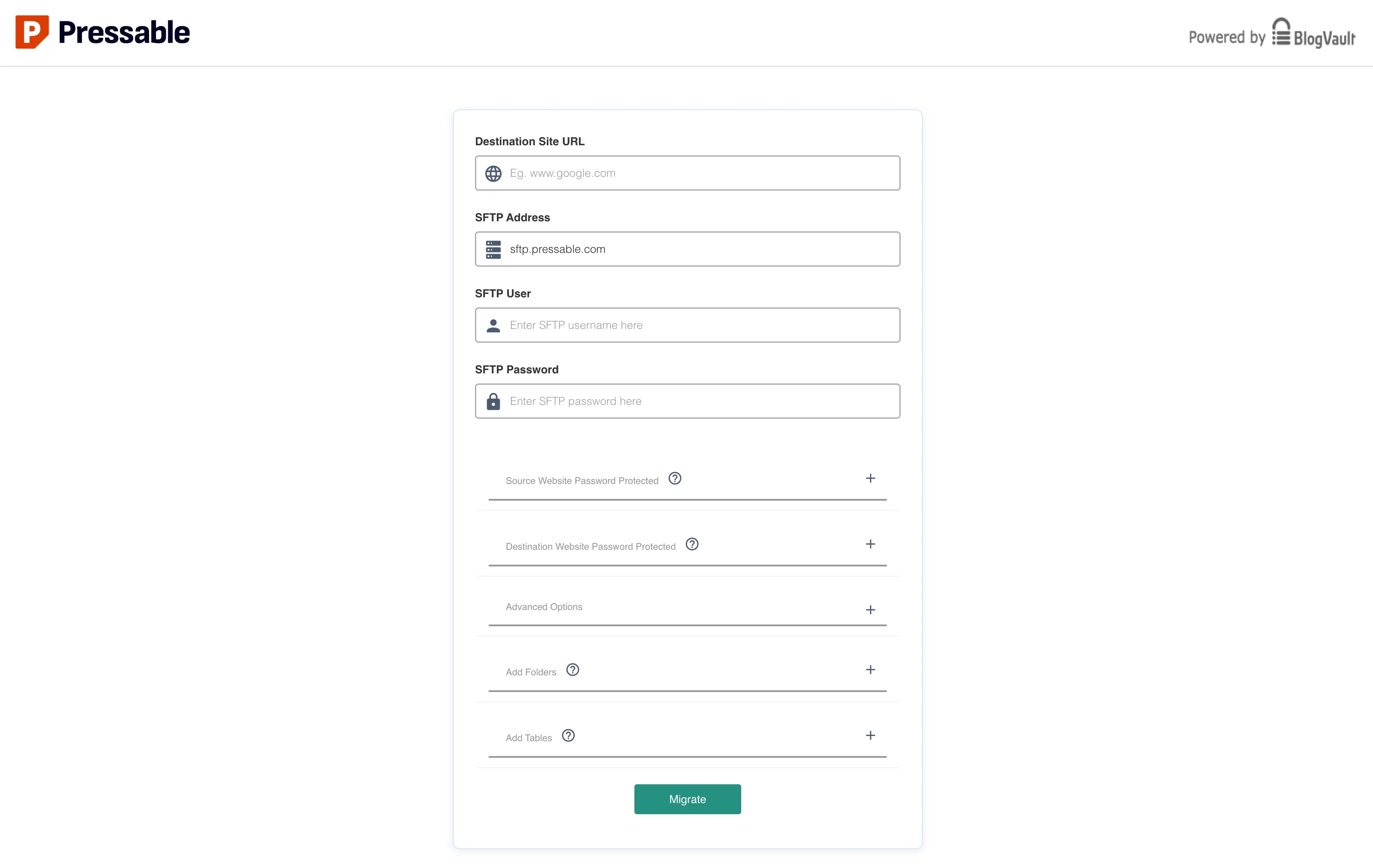
Upon creating a new site container within the Pressable dashboard, administrators are provided with specific migration credentials, including a designated SFTP username and a cryptographically secure SFTP password. The standard workflow requires installing the official Pressable Automated Migration plugin onto the legacy WordPress installation.
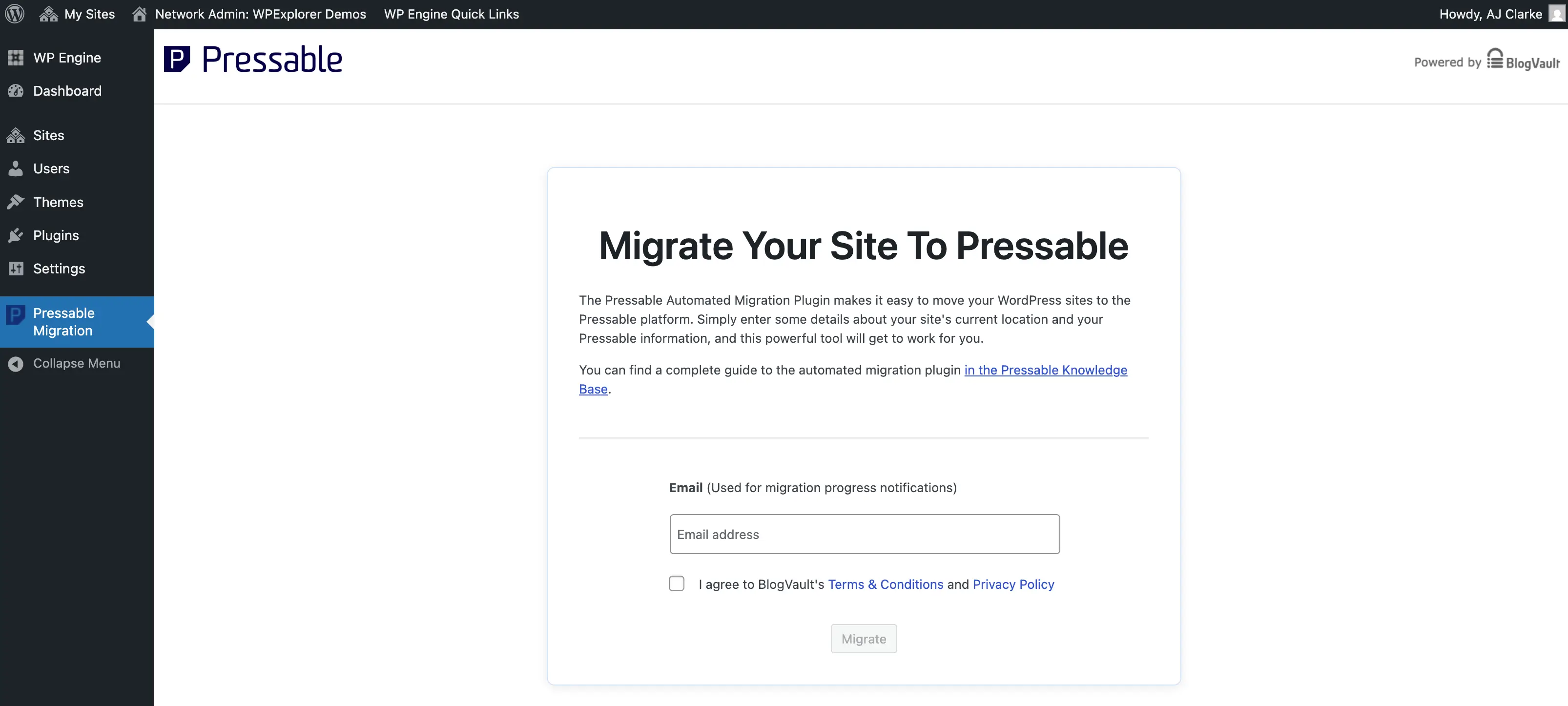
Entering the provided migration credentials into the plugin interface establishes a secure data tunnel. The transfer process is then executed, moving database tables, media uploads, themes, and plugins to the new staging environment. During this phase, maintaining an uninterrupted network connection is essential, as large databases or media-heavy uploads can extend transfer durations significantly. Progress indicators may occasionally appear static during large file transfers; however, background execution typically continues uninterrupted until completion.
Phase Three: Post-Migration Validation and Security Hardening
Immediately following a migration, verification steps must be executed within the staging environment before routing public traffic to the new server. Administrators should systematically review the migrated site to confirm database integrity, proper media rendering, and functional forms.
Because managed hosts like Pressable operate on NGINX and PHP-FPM architectures rather than Apache, legacy .htaccess configuration files cease to function. Consequently, any custom URL redirects, security rules, or access controls previously housed in .htaccess must be manually translated into PHP-based redirect files, such as custom-redirects.php.
Furthermore, security hardening requires the implementation of recommended HTTP security headers. Industry standards dictate the inclusion of headers such as X-Content-Type-Options: nosniff, X-Frame-Options: SAMEORIGIN, and strict X-XSS-Protection policies to protect visitors against common browser-based vulnerabilities. Once these configurations are verified, administrators must reset their SFTP migration passwords to invalidate temporary access credentials.
Phase Four: DNS Propagation and Domain Pointing
The final operational phase involves redirecting the domain name system (DNS) records from the legacy hosting provider to the new managed infrastructure. This transition can be executed via manual DNS updates—modifying standard A records and CNAME pointers at the domain registrar—or through automated DNS wizard tools provided by the hosting platform.
When DNS records are updated, global propagation typically requires anywhere from a few minutes up to 24 hours, depending on regional network caching and TTL (Time-To-Live) configurations set by the domain registrar. During this propagation window, traffic is gradually routed to the new servers. Monitoring dashboard health indicators allows administrators to confirm when the domain is successfully resolving to the new environment.
Broader Implications for Website Infrastructure Management
The migration of digital properties to managed ecosystems reflects a broader maturation in web development operations. As cyber threats evolve and performance expectations among consumers rise, organizations face mounting pressure to eliminate vulnerabilities stemming from unpatched servers and sluggish response times.
While managed hosting solutions introduce recurring subscription costs compared to self-managed virtual private servers, the reduction in administrative overhead and downtime risk provides a compelling return on investment for most commercial websites. By standardizing deployment, backup, and security protocols, providers like Pressable represent an increasingly vital component of the modern web publishing ecosystem, enabling content creators and businesses to focus entirely on core operational growth.
Related posts: