The landscape of web accessibility and international user experience is set to undergo a significant shift on October 1, 2026, when Google officially terminates support for its legacy Website Translator Widget. For nearly two decades, this tool served as a ubiquitous, low-friction solution for website owners seeking to provide basic, client-side translation capabilities to their international visitors. By embedding a simple snippet of JavaScript, administrators could instantly provide a language-switching dropdown menu without the overhead of complex infrastructure or specialized multilingual plugins. As the sunset date approaches, site owners and developers are now tasked with auditing their digital assets to ensure a seamless transition to modern alternatives.
A Chronology of the Google Translate Sunset
The impending retirement of the widget is the final chapter in a long-standing transition toward more robust, cloud-based translation technologies. The deprecation process began in earnest in May 2020, when Google initially signaled its intent to pivot away from the legacy widget model. At the time, the search giant encouraged developers to migrate toward the Google Cloud Translation API—a sophisticated, scalable interface designed for professional-grade application integration.
Following the 2020 announcement, many site owners opted to keep the legacy widget in place, as it continued to function despite the lack of active development or feature updates. However, as of October 2026, the widget will cease to receive critical security patches and technical maintenance, effectively rendering it an obsolete dependency. This timeline reflects Google’s broader strategy of deprecating client-side convenience tools in favor of enterprise-grade APIs that require authentication and offer greater control over data processing and translation quality.

The Technical Landscape and Current Alternatives
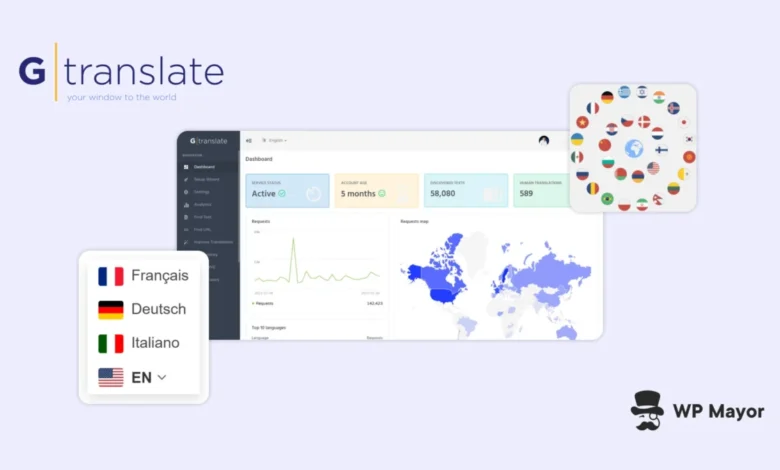
The removal of the Google widget creates a vacuum for thousands of websites—particularly non-commercial, educational, and community-based projects—that relied on the free, "set-it-and-forget-it" nature of the tool. In response to this shift, GTranslate has emerged as a primary alternative, offering a drop-in replacement that mimics the functionality of the original Google widget while adding modern customization features.
For organizations requiring a direct substitute, GTranslate provides a free tier for non-commercial entities, including government agencies, non-profits, and educational institutions. This free version supports a wide array of languages and imposes no arbitrary limitations on word counts or pageviews, mirroring the utility that the Google widget once provided. Beyond mere utility, these modern alternatives offer significantly improved visual integration, allowing for custom selector styles, flag icons, and native-language script displays, which were notably absent from the rigid Google interface.
Data-Driven Implications for Web Accessibility
The prevalence of these widgets is substantial. While exact figures are difficult to verify, a significant portion of the "long tail" of the internet—millions of small-to-medium-sized websites—still hosts the legacy Google script. The reliance on this tool has historically been driven by the high barrier to entry for professional multilingual site architecture.
Professional multilingual SEO requires a sophisticated approach: translating content at the server level, utilizing hreflang tags, and ensuring that translated pages are crawled and indexed by search engines. In contrast, the legacy Google widget relied on client-side DOM manipulation. When a user selected a language, the browser would translate the text on the fly, but the underlying source code remained in the original language. Consequently, search engines were unable to discover or index these translations. This meant that while a visitor might be able to read the site, the site owner gained no visibility in international search queries, effectively neutralizing the SEO benefits that a true multilingual strategy provides.

Strategic Considerations for Commercial Entities
For commercial enterprises and e-commerce platforms, the retirement of the Google widget represents an opportunity to reassess their international growth strategies. The limitations of client-side translation often lead to poor user experiences, including broken layouts and inaccurate, non-contextual terminology.
Modern translation platforms, such as the paid tiers offered by GTranslate or competitors in the localization space, utilize Neural Machine Translation (NMT). Unlike older statistical models, NMT understands the context of a sentence, leading to more natural phrasing. Furthermore, these platforms provide:
- SEO Indexing: By serving translated content from dedicated URLs (e.g., subdirectories like /es/ or subdomains like es.example.com), businesses can ensure their localized content is indexed by search engines, driving organic traffic from international markets.
- Manual Oversight: Advanced tools allow for human-in-the-loop editing, ensuring that brand-specific terminology and marketing nuances are preserved.
- URL and Metadata Localization: Professional tools translate not just the page text, but also metadata, slug structures, and alt-text, which are essential for global search visibility.
Implementation and Migration Procedures
For developers looking to replace the Google script, the transition is relatively straightforward. If the widget was hard-coded into a theme or template, the process involves locating the google_translate_element script, removing it, and replacing it with the GTranslate snippet.
The integration process is designed for flexibility. Developers can define a wrapper_selector to ensure the new language picker occupies the exact same real estate as the old one, preventing the need for site-wide design overhauls. Because these modern tools operate via JavaScript, the implementation remains platform-agnostic, working seamlessly across WordPress, Drupal, Joomla, and custom HTML/CSS environments.

The Risk of Inaction
Failure to remove the deprecated script after the October 1, 2026, deadline poses several operational risks. As browser vendors continue to update security standards, legacy scripts that rely on outdated methods of fetching data or manipulating the DOM may begin to trigger console errors or, worse, break the front-end display of the website.
Furthermore, "zombie" code—third-party scripts that are no longer supported—can become a vector for security vulnerabilities. While the Google widget itself is relatively contained, relying on external, unmaintained libraries is a violation of basic web maintenance hygiene.
Conclusion: Moving Beyond the Widget Era
The retirement of the Google Website Translator Widget marks the end of an era in which simple, browser-based translation was the standard for the web. As the global digital economy continues to expand, the demand for high-quality, indexable, and contextually accurate localization is higher than ever.
For the vast majority of web administrators, the transition away from Google’s legacy tool should not be viewed merely as a compliance chore, but as a catalyst for growth. Whether an organization moves to a simple free widget for accessibility or invests in a full-scale neural translation suite for global SEO, the objective remains the same: providing a localized, professional, and reliable experience for the global user base. With the clock ticking toward October 2026, the priority for site owners must be a thorough audit of their existing footer and header scripts to ensure that their international presence remains intact, functional, and optimized for the future of the web.
Related posts: