Streamlining WordPress: A Comprehensive Guide to Removing Yoast SEO Upsells for a Cleaner Admin Experience

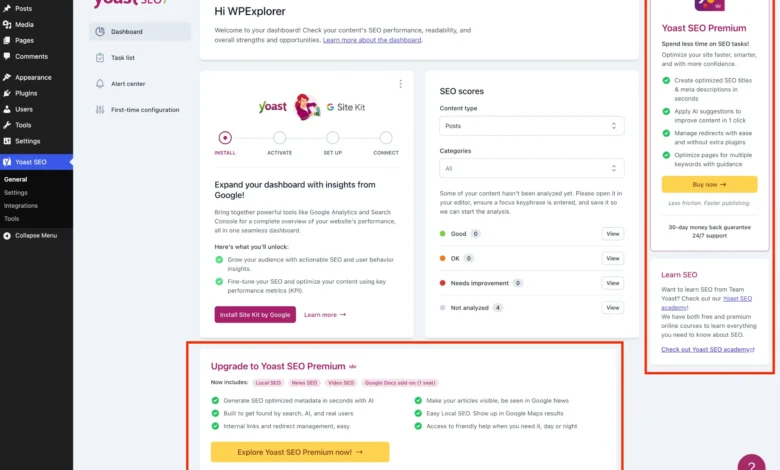
Yoast SEO, a cornerstone plugin within the WordPress ecosystem, boasts millions of active installations and is celebrated for its robust free features, which include content optimization, sitemap management, and enhanced search engine visibility. However, its widespread adoption has also highlighted a recurring point of contention for many users: the pervasive presence of premium upgrade banners, additional administrative menu pages, dashboard widgets, and sidebar advertisements, collectively termed "upsells." These promotional elements, while a legitimate part of Yoast’s freemium business model, can introduce significant visual clutter and distraction, particularly for developers managing multiple client sites or site owners who prioritize a streamlined, distraction-free administrative interface.
The proliferation of freemium models across the WordPress plugin landscape has become a standard strategy for developers to monetize their creations while still offering significant value in a free tier. This approach allows users to experience core functionalities before committing to a paid subscription for advanced features. Yoast SEO Premium, for instance, offers compelling enhancements such as AI-generated titles and descriptions, a redirect manager, and support for multiple focus keywords. For those whose budgets allow or whose needs demand these advanced functionalities, purchasing the premium version is often the simplest and most recommended method to eliminate the upsells, as it unlocks the full suite of features and naturally removes the promotional prompts for an upgrade.
However, a substantial segment of the user base finds the free version perfectly adequate for their requirements and is not inclined to invest in the premium offering. For these users, the persistent upsells detract from the user experience, complicate client demonstrations, and can even contribute to perceived performance overhead due to additional scripts and HTTP requests. This article delves into a systematic, code-based approach to meticulously remove these promotional elements, offering a cleaner, more efficient WordPress admin environment without compromising the core SEO functionalities provided by the free Yoast plugin.
The Evolution of Plugin Monetization and User Response
The journey of WordPress plugins, including giants like Yoast SEO, reflects a broader trend in software development towards sustainable monetization. Early plugins often relied on donations or purely free distribution. As the ecosystem matured, freemium emerged as a dominant model, offering a balance between accessibility and revenue generation. Yoast, established in 2010, has evolved its product and marketing strategies over the years, continually refining how it presents its premium offerings. This has led to a natural tension between the plugin developer’s need to promote their paid products and the user’s desire for an uncluttered, focused workspace. The continuous feedback from the user community, particularly from professional developers and agencies, underscores a persistent demand for greater control over the administrative interface, leading to solutions like the one presented here.

A Systematic Approach: Setting Up the PHP Class
The method outlined for removing Yoast SEO upsells centers around encapsulating all the necessary code within a single, well-organized PHP class. This approach promotes modularity, prevents naming conflicts, and ensures that the modifications are applied consistently. To begin, users are instructed to add an empty class to their WordPress installation, either by placing it in their child theme’s functions.php file, utilizing a code snippets plugin, or creating a new Must-Use (MU) plugin file.
if ( ! class_exists( 'WPEX_Remove_Yoast_SEO_Upsells' ) )
    class WPEX_Remove_Yoast_SEO_Upsells
        public function __construct()  defined( 'WPSEO_PREMIUM_VERSION' ) )
                return;

            // All action and filter hooks will be added here

        // All methods for removing upsells will be added here

    new WPEX_Remove_Yoast_SEO_Upsells;
This foundational class includes critical checks: class_exists prevents conflicts if the code is inadvertently loaded multiple times, WPSEO_VERSION ensures the code only executes when Yoast SEO is active, and WPSEO_PREMIUM_VERSION gracefully exits if Yoast SEO Premium is already installed, rendering the upsell removal code unnecessary. This robust setup ensures that the modifications are applied only when and where they are required, minimizing potential conflicts and maximizing efficiency.
Targeting and Eliminating Admin Interface Clutter
The guide systematically addresses various locations where Yoast SEO injects promotional content, categorizing them for clear understanding and targeted removal.
1. Removing Premium and Unnecessary Admin Pages:
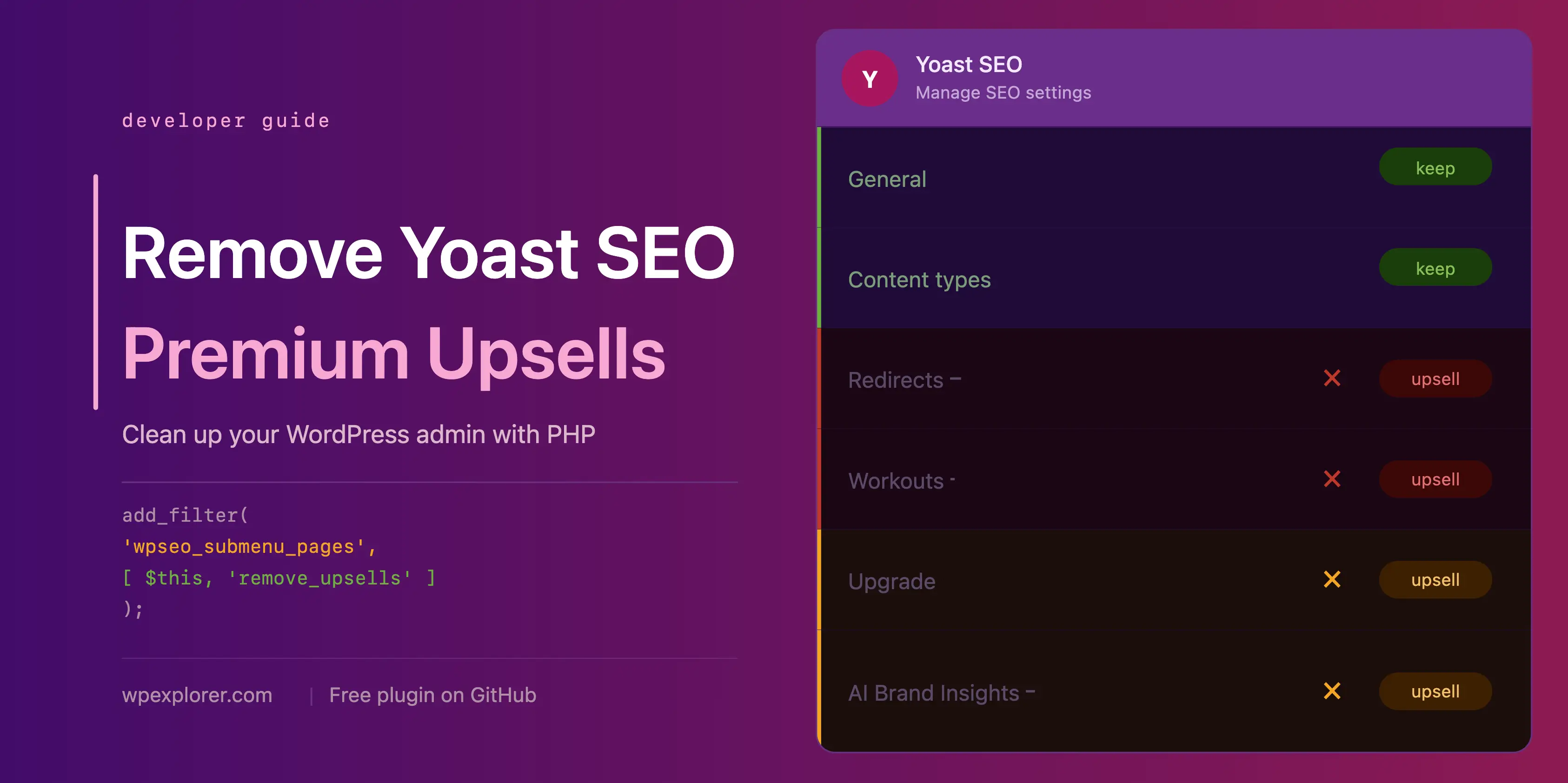
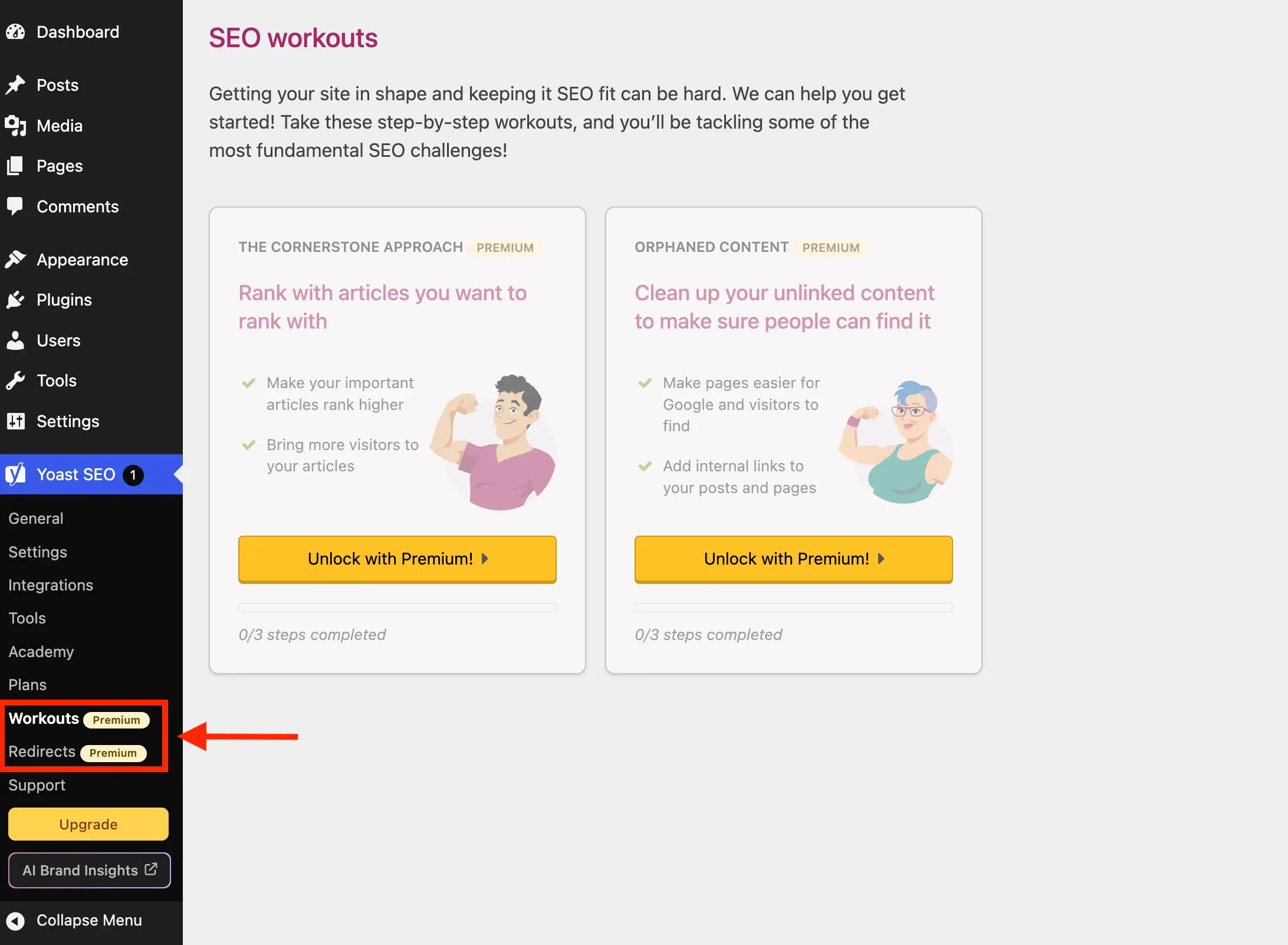
Yoast SEO registers several administrative pages that are exclusively relevant to its premium version, such as "Redirects" and "Workouts." In the free version, these pages serve merely as upgrade prompts, adding unnecessary entries to the WordPress sidebar menu. The proposed solution leverages the wpseo_submenu_pages filter, which allows for dynamic manipulation of Yoast’s submenu items. By checking for the presence of a "premium badge" HTML snippet within the menu title, the code intelligently identifies and removes these premium-only pages. This approach offers flexibility, automatically adapting if Yoast introduces new premium pages in the future, although it requires vigilance for potential changes in how Yoast marks premium items. An alternative, more explicit method involves defining a specific list of page slugs to remove, providing a predictable but less adaptive solution.

Beyond premium-locked pages, Yoast also includes pages like "Plans," "Academy," and "Support" in its free version menu. While not strictly premium-locked, these pages primarily function as sales funnels or links to external resources that can be easily bookmarked. The "Plans" page, for instance, is dedicated to comparing and purchasing Yoast’s offerings, while "Academy" links to their online learning platform (mostly premium content). The "Support" page is a collection of external links. These pages contribute to menu clutter without offering day-to-day utility for most users. The provided code extends the remove_premium_admin_pages method to include the slugs for these pages, offering a comprehensive cleanup of the Yoast submenu.
2. Eliminating Upsell Buttons from Sidebar and Admin Toolbar:
Yoast strategically places "Upgrade" and "AI Brand Insights" buttons in two prominent locations: the WordPress admin sidebar navigation and the top-level admin toolbar. These buttons, again, serve no functional purpose in the free version. The "Upgrade" button is removed via the same wpseo_submenu_pages filter used for admin pages. The "AI Brand Insights" button, however, presents a unique challenge due to its high priority registration. To overcome this, the guide suggests using WordPress’s remove_submenu_page function, hooked into the admin_menu action with a high priority, ensuring it runs after all menu items have been registered. For the admin toolbar, a separate method hooked into admin_bar_menu is employed, directly targeting and removing the nodes associated with these upsell buttons.
3. Disabling the Yoast SEO Dashboard Widget:
The Yoast SEO dashboard widget, split between an SEO score overview and recent blog posts from Yoast.com, is another common target for removal. Beyond its promotional aspect, this widget makes an uncached HTTP request to yoast.com/feed/widget/ every time the dashboard loads. This not only adds unnecessary overhead but also transmits sensitive data like WordPress and PHP versions to Yoast with each request. For performance-conscious users and those concerned about data privacy, its removal is highly beneficial. The solution involves hooking into wp_dashboard_setup to remove the meta box entirely and admin_enqueue_scripts to dequeue associated scripts and styles, preventing any remnants from loading.

4. Suppressing Upsell Banners and Locked Fields on Admin Pages:
Yoast SEO integrates various promotional banners and locked premium fields directly into its administrative settings pages using JavaScript components. These include a bottom-page upgrade advertisement and a sticky sidebar with upgrade prompts. Because these are JS-rendered, they cannot be removed using standard PHP hooks. The guide provides specific, albeit potentially fragile, CSS selectors to hide these elements. These selectors target their position and structure within the Yoast admin layout, making them effective but susceptible to breakage if Yoast significantly redesigns its interface. The CSS also extends to hide locked premium fields and entire sections within settings pages, identified by classes like yst-button--upsell and yst-feature-upsell, ensuring that only functional elements are visible.
5. Cleaning Up the Integrations Page:
The Yoast SEO integrations page lists various third-party tools. While many are free, some display an "Unlock with Premium" button. Similar to other JS-rendered elements, these are targeted and hidden using precise CSS selectors. The code adds a specific selector for the integrations page, minimizing the risk of accidentally hiding free integration cards. A minor caveat is noted: hiding all upsells in a section might leave an empty section heading visible.
6. Removing Premium Upsells from Metaboxes and the Block Editor:
Perhaps the most intrusive upsells are those found within the WordPress editor itself—both the classic metabox and the Gutenberg block editor sidebar. These sections, only available in the premium version, appear every time a post or page is edited, constantly reminding users of the premium upgrade. As these are also JS components, the solution again relies on targeted CSS. The provided CSS is carefully crafted to hide specific elements like premium analysis sections, AI-related features, and prominent words features, ensuring that the editor remains focused on the free version’s functionalities. The styles are conditionally loaded only on post editor screens to maintain efficiency.

Implementation and Maintenance Considerations
The full PHP class integrating all these snippets offers a comprehensive solution for a cleaner Yoast SEO experience. Users can either copy and paste this complete block into their preferred location (child theme’s functions.php, code snippets plugin, or MU plugin) or opt for a ready-made plugin provided by WPExplorer on GitHub. The latter offers convenience but requires manual updates, as it’s not hosted on WordPress.org.
A crucial aspect of this solution is ongoing maintenance. Yoast SEO is actively developed, and future updates may introduce changes to its administrative interface, class names, or JavaScript rendering methods. Such changes could potentially break the CSS selectors or PHP hooks used in this guide. Users are advised to monitor the GitHub repository for updates and test their WordPress admin thoroughly after major Yoast SEO releases. The collaborative nature of open-source projects allows users to contribute by reporting issues or submitting pull requests if they encounter breakage.

Broader Implications: User Control and the Plugin Ecosystem
This comprehensive guide to removing Yoast SEO upsells highlights a significant dynamic within the WordPress ecosystem: the constant negotiation between plugin developers’ monetization strategies and users’ desire for an optimized, distraction-free experience. While developers like Yoast provide immense value, the aggressive promotion of premium features can sometimes alienate a segment of their user base. Solutions like the one presented empower users and developers to tailor their WordPress environment precisely to their needs, fostering greater control and efficiency. It underscores the open-source spirit of WordPress, where users are not merely consumers but active participants who can modify and adapt software to better suit their workflows. For those who find the premium upsells irreconcilable with their preferences, this guide provides a powerful means to reclaim their administrative interface, ensuring that Yoast SEO remains a powerful, yet unobtrusive, tool for their SEO efforts. For others contemplating a complete change, exploring alternative SEO plugins also remains a viable path to achieving a desired administrative experience.