
In the rapidly evolving digital landscape of 2026, spam remains a pervasive and increasingly sophisticated threat, particularly for websites powered by WordPress, the world’s most popular content management system. What began as a mere annoyance has escalated into a complex challenge, impacting everything from user experience and data integrity to site security and search engine rankings. Whether manifesting as unsolicited comments, fraudulent contact form submissions, or malicious user registrations, spam represents a relentless assault on legitimate online activity. This comprehensive guide delves into the multi-faceted strategies and cutting-edge technologies required to safeguard WordPress sites against this persistent digital menace, drawing on over 16 years of hands-on experience in testing anti-spam solutions and refining protective measures.

The Evolving Landscape of Digital Spam
The nature of spam has undergone a dramatic transformation over the past two decades. Early spam efforts were often crude, relying on simple scripts to flood comment sections with irrelevant links and keywords, primarily for rudimentary SEO manipulation. However, the advent of artificial intelligence (AI) and machine learning has empowered spammers with tools capable of generating highly convincing, contextually relevant, and human-like content at scale. Bots can now mimic human browsing patterns, bypass basic security checks, and even engage in credential stuffing attacks, making their detection significantly more challenging.

Globally, spam constitutes a substantial portion of internet traffic. Reports from various cybersecurity firms consistently indicate that email spam alone accounts for over 45% of all email traffic, while web spam, though harder to quantify precisely, is equally rampant across forums, blogs, and social platforms. For WordPress, with its estimated 43% market share of all websites, this makes it an exceptionally attractive target. The platform’s open-source nature and vast plugin ecosystem, while fostering innovation, also present numerous entry points for malicious actors. The economic incentives are clear: spammers aim to drive traffic to illicit sites, spread malware, phish for personal data, or simply disrupt legitimate online businesses. The cost of managing and mitigating spam, including server resources, employee time for moderation, and potential loss of customer trust, runs into billions annually for businesses worldwide.
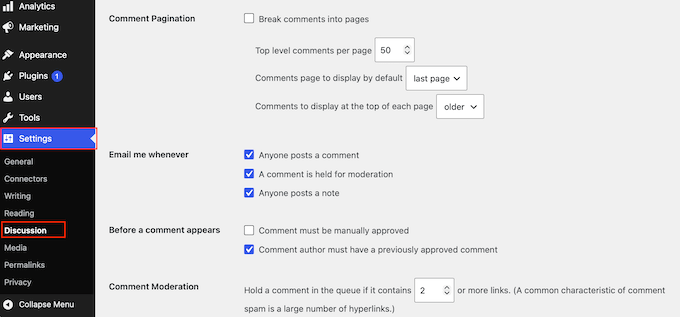
Foundation First: Leveraging WordPress’s Native Defenses
Before deploying advanced solutions, a robust first line of defense can be established using WordPress’s own built-in settings. These fundamental configurations, though seemingly simple, can effectively deter the easiest targets and significantly reduce the overall spam volume.
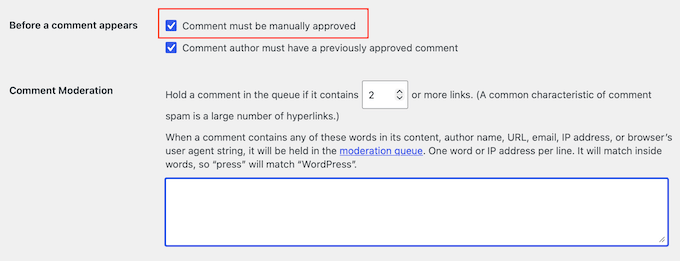
Comment Moderation and Control
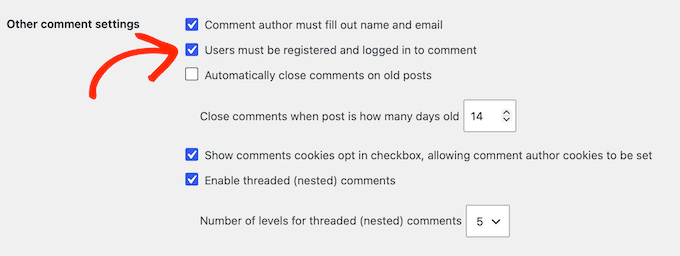
The comment section is often the primary battleground for spam. WordPress offers several options under Settings » Discussion to fortify this area. The most critical tool is the comment moderation queue. By checking "Comment must be manually approved" in the "Before a comment appears" section, site administrators ensure that no comment goes live without human review. This acts as an indispensable safeguard, preventing any unwanted content from reaching visitors, even if it bypasses other filters. An additional layer of control can be activated by enabling "Comment author must have a previously approved comment," allowing trusted commenters to bypass the queue while new users remain subject to moderation. However, administrators should regularly review published comments to catch any anomalies in this scenario.
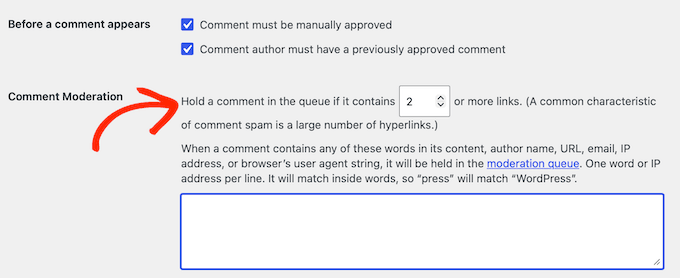
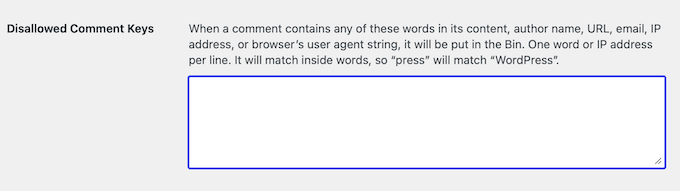
Proactive content filtering is further enhanced by link limits and keyword blocklists. Spam comments almost invariably contain web addresses. The "Hold a comment in the queue if it contains [X] or more links" setting, which defaults to two, can be lowered to one to catch virtually all link-based spam. Complementing this, the "Disallowed Comment Keys" box allows administrators to specify trigger words, phrases, email addresses, or URLs. Any comment containing these blocked elements is automatically moved to the trash, providing a customizable filter against evolving spam trends.
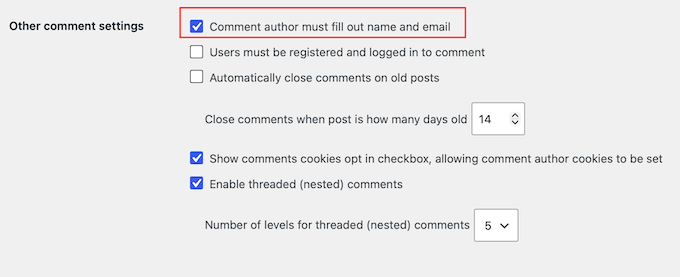
Finally, requiring a name and email for commenters promotes more thoughtful and genuine discussions. While not a foolproof spam deterrent, it discourages anonymous drive-by spam and encourages accountability, contributing to a more welcoming community environment. Most legitimate visitors are accustomed to providing these details, making it a low-friction barrier for human interaction.
Disabling Unnecessary Features
Sometimes, the most effective defense is to eliminate the attack surface entirely.
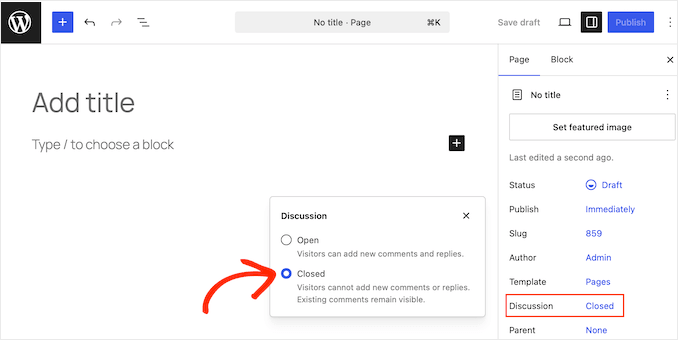
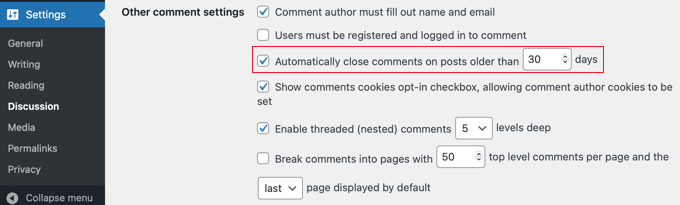
Strategic comment deactivation can drastically reduce spam. For websites where comments are not central to the user experience, such as static business pages or informational sites, completely disabling comments site-wide is a definitive solution. This can be achieved through a code snippet (preferably via a plugin like WPCode to prevent theme update conflicts) that removes all comment-related functionality. Alternatively, comments can be disabled on individual pages (e.g., Contact or About pages) that rarely warrant discussion. For content with a limited shelf life, WordPress also allows automatic closure of comments on posts older than a specified number of days (e.g., 30 or 90 days), thereby preventing spambots from targeting archived content.
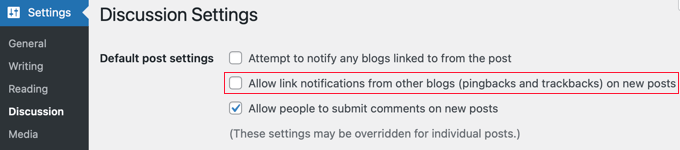
Another crucial step is eliminating trackbacks and pingbacks. These features, originally designed to notify site owners when their content was linked elsewhere, have become a notorious vector for spam. Disabling them under Settings » Discussion by unchecking "Allow link notifications from other blogs (pingbacks and trackbacks) on new posts" immediately removes an entire category of junk notifications from the dashboard. It’s important to remember that this setting only applies to future posts, and existing content may require a separate cleanup.
The Rise of Intelligent Protection: AI and Automated Filtering
While WordPress’s built-in settings provide a solid foundation, the increasing sophistication of AI-powered spam bots necessitates more advanced, automated solutions. These modern tools offer superior detection capabilities without compromising user experience, a critical factor in today’s conversion-driven web.
The Imperative for Modern Solutions
Traditional anti-spam methods, such as basic honeypots or rudimentary keyword filters, struggle against bots that can dynamically generate content, simulate human interaction, and rotate IP addresses. The sheer volume of automated attacks means that manual moderation, while effective, becomes unsustainable for busy sites. This is where AI-powered spam protection steps in, leveraging machine learning algorithms to analyze vast datasets and identify malicious patterns in real-time.
Server-Side, Invisible Defense
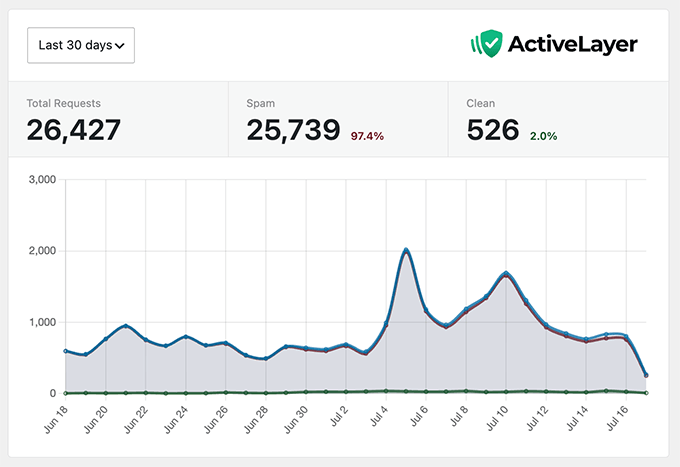
The most effective modern solutions operate server-side and invisibly, detecting and blocking spam before it even becomes visible to the site owner or impacts site performance. ActiveLayer, for instance, exemplifies this approach. As an AI-powered plugin, it integrates seamlessly with WordPress comments, contact forms, and user registrations, working in the background without requiring user interaction like CAPTCHAs. The platform boasts impressive statistics, such as blocking over 25,739 spam comments and form submissions on a single busy site in just 30 days. Its advanced logging provides not just a pass-or-fail verdict but also a confidence score and the specific reasons for flagging a submission, offering valuable insights for administrators. Furthermore, ActiveLayer is designed with GDPR compliance in mind, addressing privacy concerns associated with data processing.
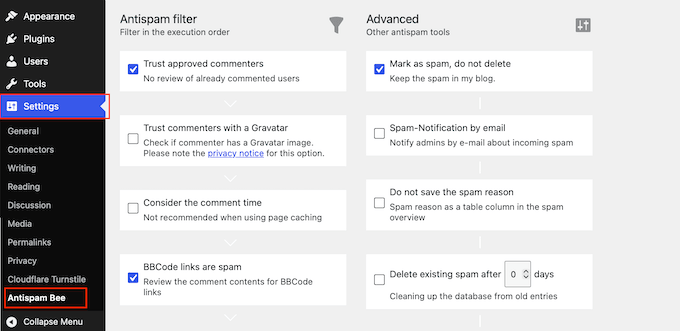
Other prominent players in this space include Akismet and CleanTalk. Akismet, a long-standing solution often bundled with WordPress, remains a viable option for personal blogs, offering a "name your price" model for non-commercial use. However, its pricing structure for commercial sites has become a point of consideration for smaller businesses, often leading them to explore alternatives like ActiveLayer or CleanTalk, which provide robust protection at competitive rates. A crucial best practice here is to use only one primary spam filtering plugin to avoid conflicts that could inadvertently block legitimate users. These plugins are typically designed to integrate with all major contact form plugins, offering comprehensive coverage.
Balancing Security and User Experience: The CAPTCHA Dilemma
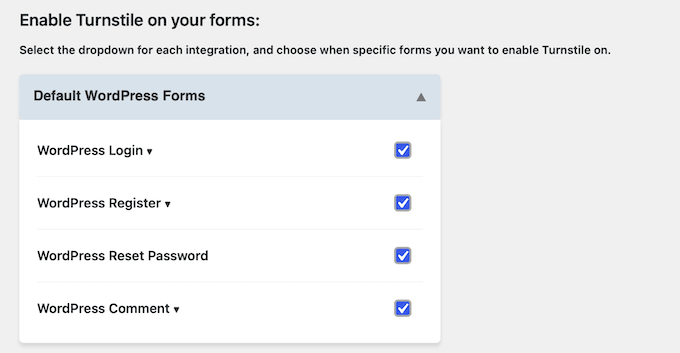
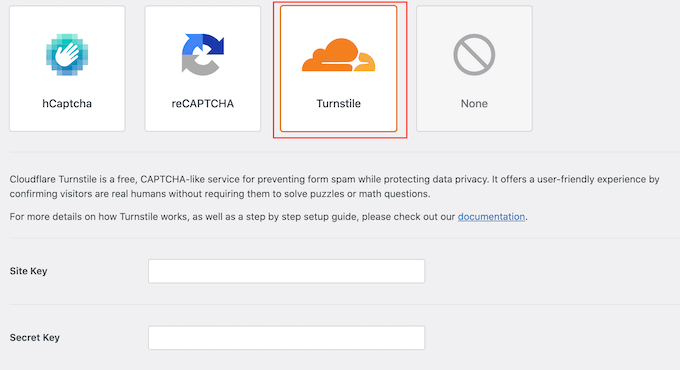
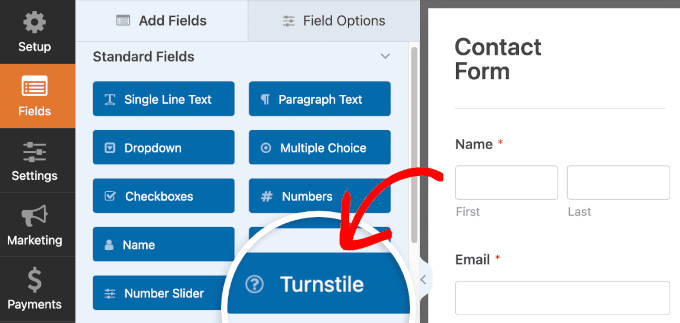
CAPTCHAs (Completely Automated Public Turing test to tell Computers and Humans Apart) have long been a common tool against bots. While effective, traditional CAPTCHAs (e.g., distorted text, image puzzles) introduce friction for users, potentially hurting conversion rates. The modern approach favors invisible CAPTCHAs or those with minimal user interaction. Cloudflare Turnstile stands out as an excellent, free solution in this regard. It conducts non-interactive challenges in the background, allowing most legitimate users to pass without solving a puzzle. Integration is straightforward via plugins like Simple Cloudflare Turnstile, requiring only API keys from a free Cloudflare account.
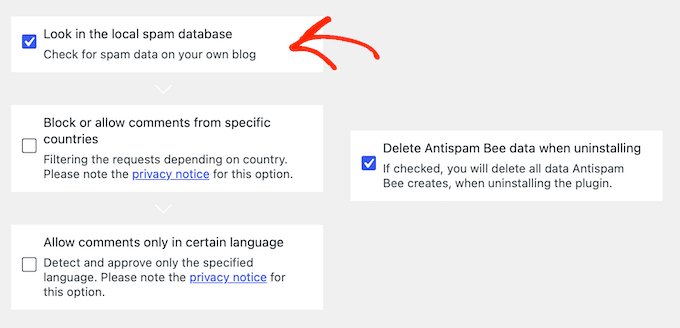
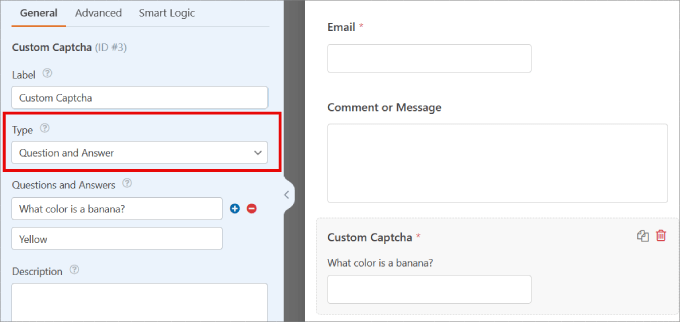
Google reCAPTCHA, once the dominant player, has seen its popularity wane for some users due to its data collection practices and recent limitations on its free tier (capped at 10,000 assessments per month for an organization). Cloudflare Turnstile, with its unlimited free usage, presents a compelling, privacy-conscious alternative. For those who prefer complete control over user data and prefer not to send it to third-party services, custom CAPTCHA fields (e.g., simple math problems or Q&A) offered by form builders like WPForms provide an on-server solution.
Fortifying Entry Points: Forms and Registrations
Contact forms and user registration portals are critical interaction points, but also highly vulnerable to spam attacks. Securing these gateways is paramount for maintaining data integrity and fostering genuine user engagement.
Combatting Contact Form Spam
Contact and lead forms are frequently targeted, sometimes receiving tens of thousands of spam entries daily, as evidenced by major platforms like WPBeginner. Form builder plugins like WPForms, a popular choice for over 5 million websites, incorporate several layers of defense.
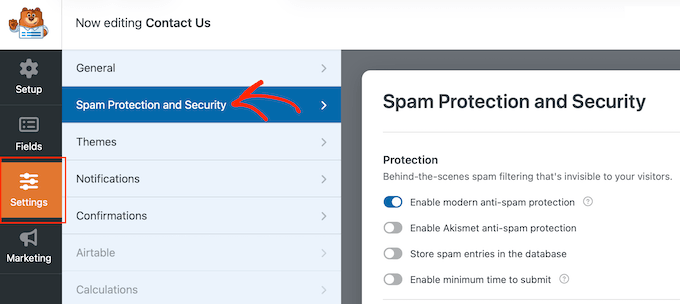
A fundamental defense is the honeypot technique, often implemented as an anti-spam token. WPForms, for example, silently embeds a unique, time-sensitive token into forms. Automated scripts, which typically fill all fields indiscriminately, trigger this hidden field, causing the submission to be blocked before it reaches the inbox. This invisible method is highly effective against basic bots and is a standard feature in most reputable form builders.
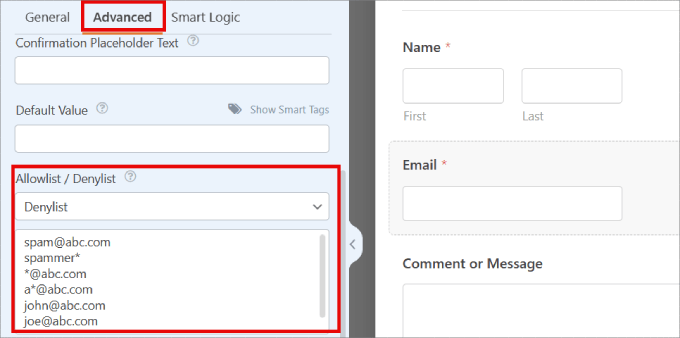
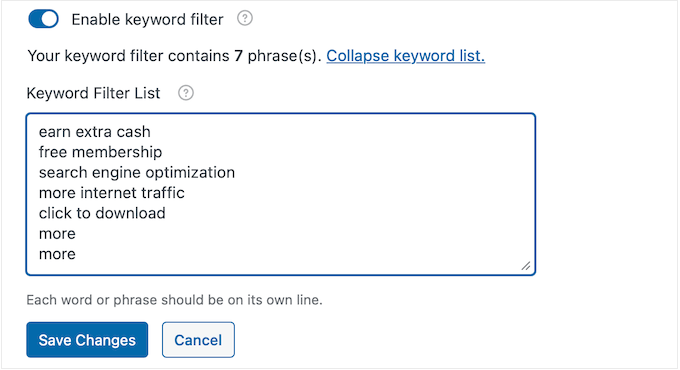
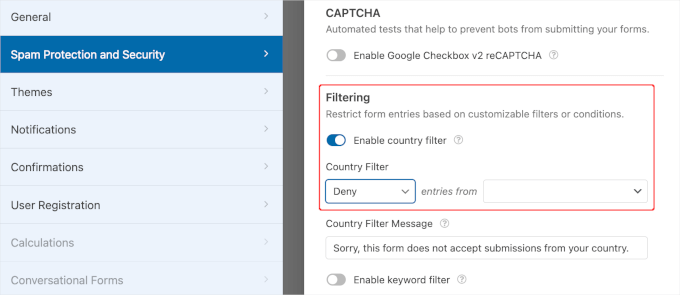
For more aggressive bots that mimic human browsing, advanced filtering becomes necessary. Premium versions of form builders like WPForms offer sophisticated controls to block submissions by specific criteria. This includes email denylists (allowing administrators to ban specific email addresses or entire domains using wildcards like *@example.com), keyword filters (to flag and block submissions containing spammy phrases or undesirable terms), and geo-blocking or IP blocking (to restrict submissions from known spam origins or regions irrelevant to the business). If a form solution lacks these features, blocking IP addresses directly at the WordPress level remains an option.
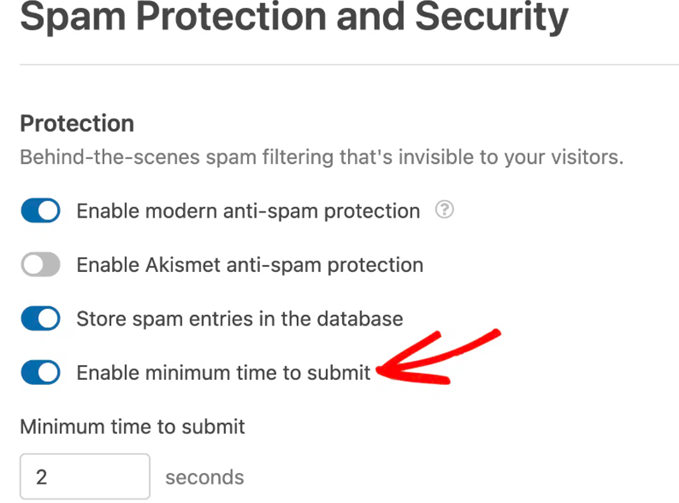
Furthermore, time-based behavioral checks exploit a key difference between humans and bots. While a human user takes several seconds to read, comprehend, and fill out a form, bots complete this process in milliseconds. Features like WPForms’ "Enable minimum time to submit" (defaulting to 2 seconds) flag impossibly fast submissions, stopping bots without any visible impact on legitimate users.
Securing User Registrations
Spam user registrations pose a significant threat to membership sites, online communities, and e-commerce stores. Fake accounts inflate user databases, skew analytics, and can even be exploited for malicious activities.
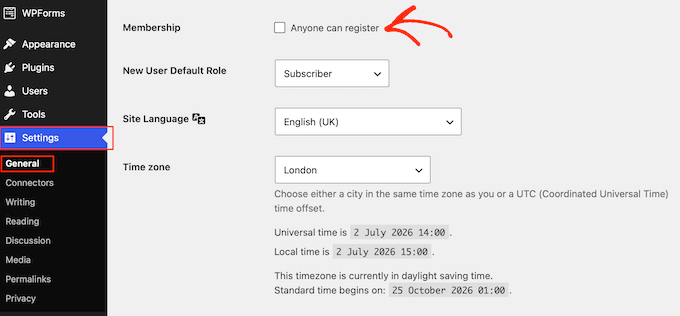
The simplest and most effective measure, if applicable, is to turn off user registration when not needed. For websites not operating as membership sites or e-commerce platforms, disabling "Anyone can register" under Settings » General immediately eliminates this spam vector.
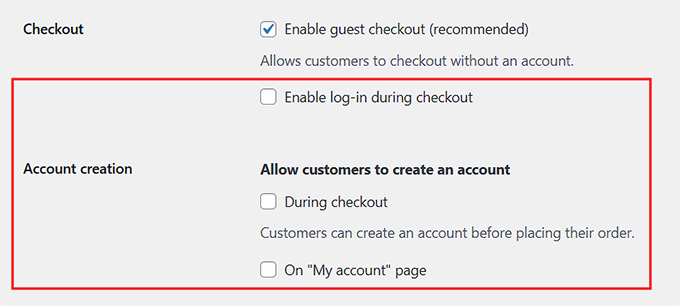
When open registration is necessary, the goal shifts to verifying genuine human intent. Requiring email confirmation or manual review before an account activates is a powerful deterrent. This forces new users to click a link in their inbox (something bots cannot easily do) or await administrative approval. The implementation varies by platform: WooCommerce users may require a custom email verification extension, while dedicated membership plugins (e.g., MemberPress, LearnDash, BuddyPress) typically offer these controls within their own settings. For custom registration forms built with tools like WPForms’ User Registration addon, email activation or manual admin approval options are readily available.
Integrating CAPTCHA and honeypots into registration forms further strengthens this defense. As discussed, Cloudflare Turnstile can be easily deployed to protect registration forms. For the default WordPress registration page, free plugins like WP Armour can add invisible honeypot fields to catch bots. Additionally, leveraging AI-powered tools for registration fraud detection, such as ActiveLayer or CleanTalk, provides an extra layer of scrutiny by screening new signups against live reputation data and blocking fraudulent attempts based on behavioral analysis and known malicious patterns.
Perimeter Defense: The Role of Site-Wide Firewalls
A Web Application Firewall (WAF) acts as a crucial perimeter defense, screening all incoming traffic to a website and blocking malicious requests before they even reach the server. For WordPress sites,