How to Clean Up Your WordPress Admin by Removing Yoast SEO Upsells and Promotional Clutter

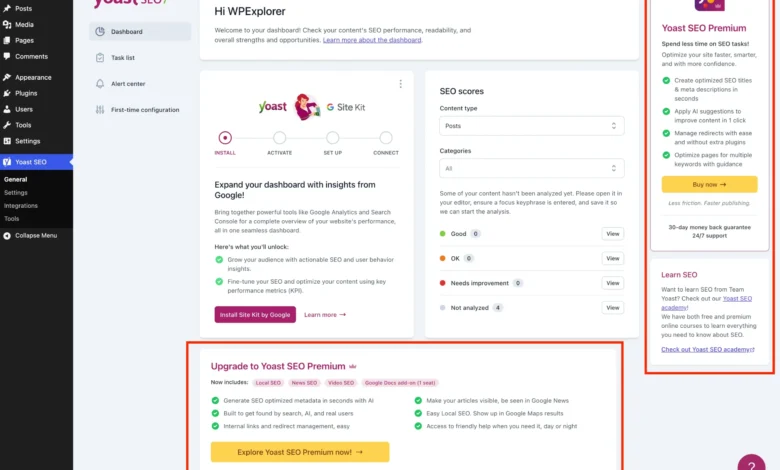
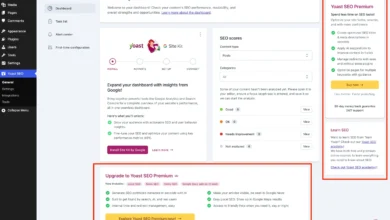
As Yoast SEO has grown to become one of the most widely deployed search engine optimization plugins in the WordPress ecosystem, powering millions of active installations globally, its developers have increasingly integrated promotional content directly into the core user interface. While the free tier remains a robust foundation for managing XML sitemaps, readability checks, and basic on-page optimization, the inclusion of persistent upgrade banners, premium submenus, dashboard widgets, and sidebar advertisements has become a notable friction point for site administrators and developers managing client portfolios.
The proliferation of monetization prompts within open-source enterprise software reflects a broader industry trend where freemium models rely heavily on contextual upselling to drive conversion rates toward paid tiers. For solo bloggers, agencies, and enterprise web development teams, however, navigating a cluttered administrative dashboard can degrade overall productivity. This comprehensive technical guide examines the mechanics of Yoast SEO’s promotional elements, provides an architectural breakdown of a PHP-based cleanup solution, and offers actionable strategies for maintaining a streamlined, distraction-free WordPress environment.
Background Context and the Evolution of Freemium Software Monetization
The freemium business model has dominated the WordPress plugin repository for over a decade. By offering a functional core plugin for free, developers can scale their user base rapidly, leveraging network effects to gather telemetry, user feedback, and market share. Premium tiers are subsequently introduced to monetize advanced features—such as multi-keyword analysis, automated redirect management, artificial intelligence-driven title generation, and dedicated customer support.
In the case of Yoast SEO, the free iteration provides essential search engine optimization capabilities, while Yoast SEO Premium commands an annual subscription fee to unlock advanced automated tools. To encourage upgrades, the development team embeds prompts across nearly every touchpoint of the administrative user interface:

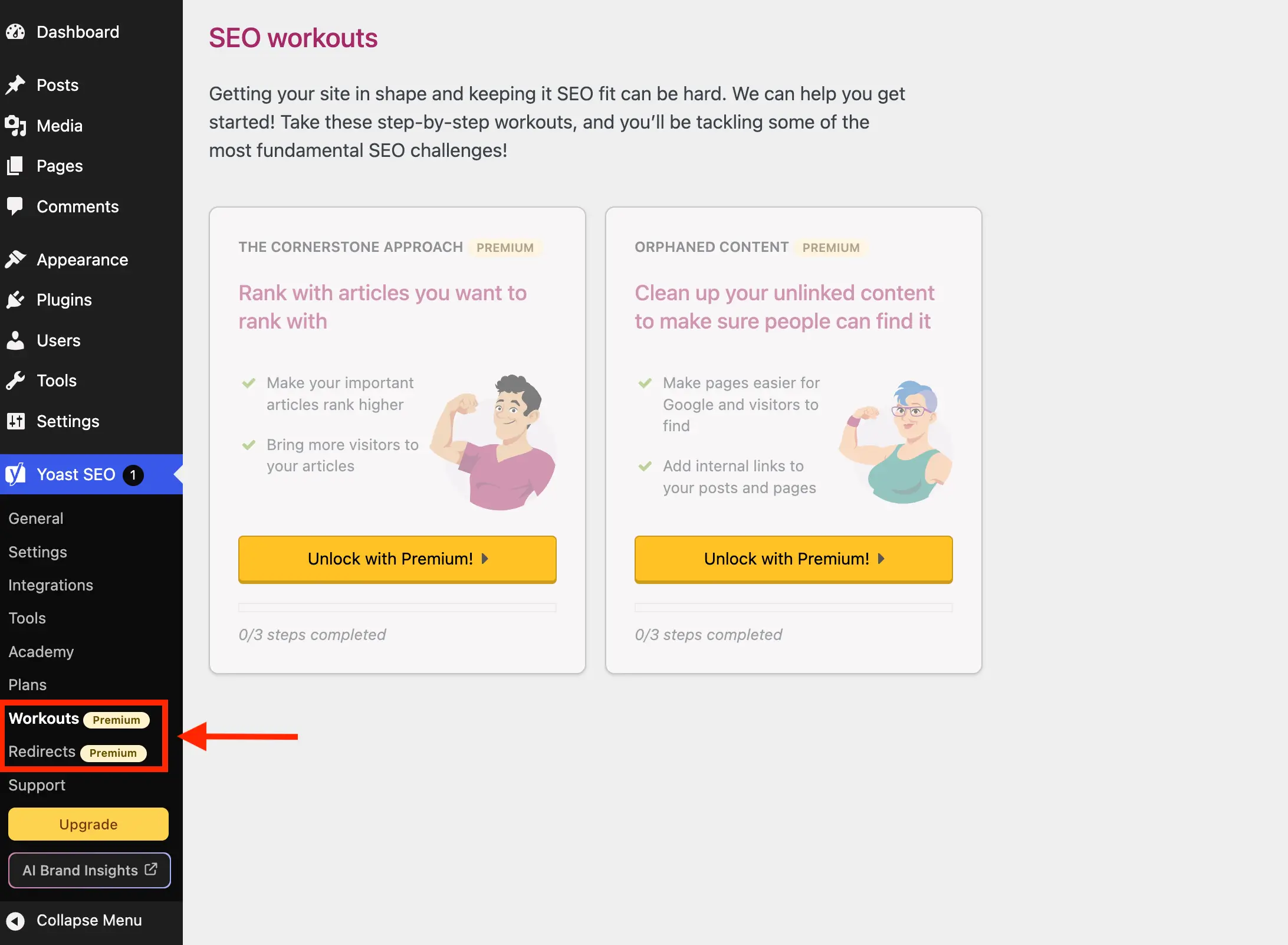
- Sidebar navigation menus displaying locked subpages (such as Redirects and Workouts).
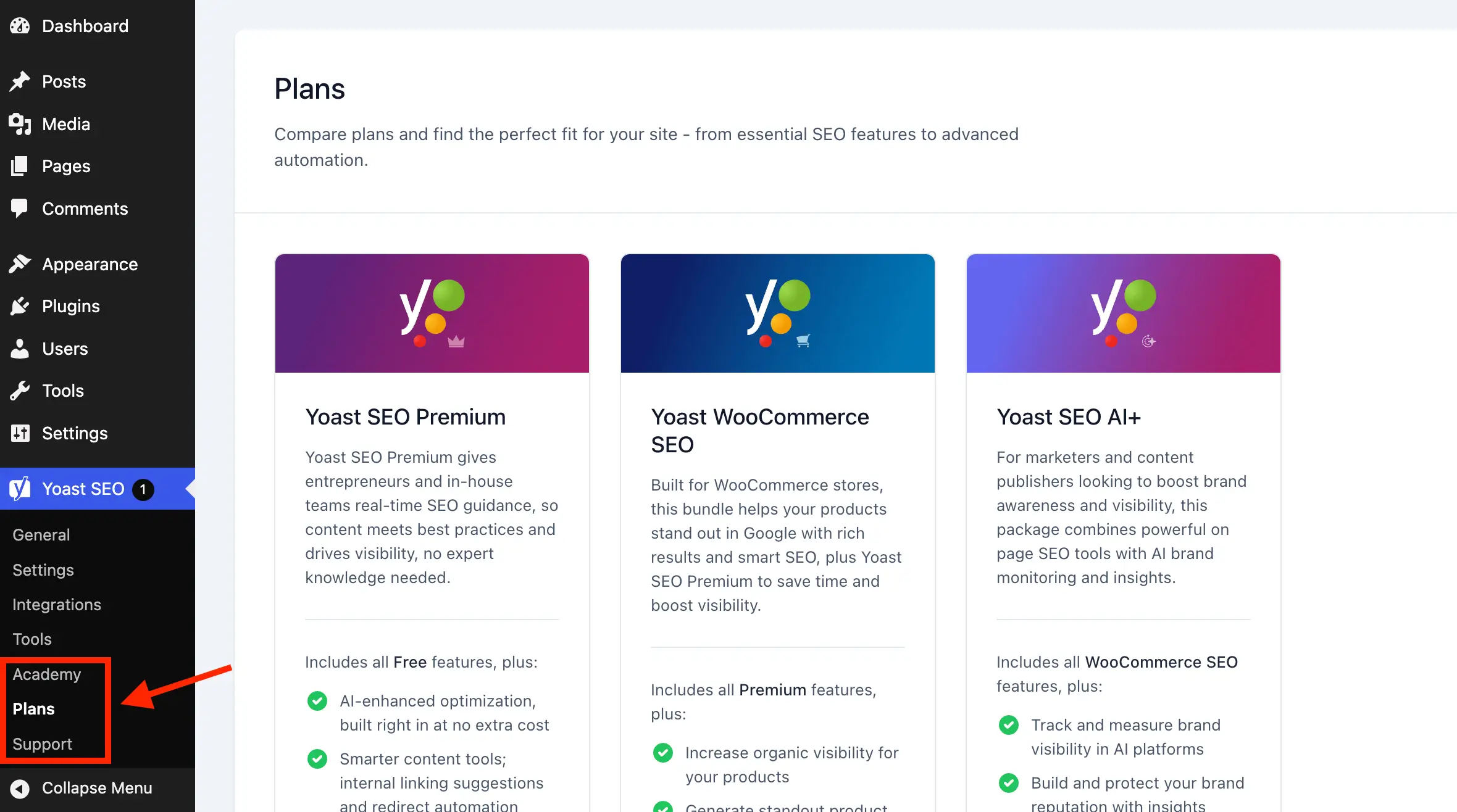
- Dedicated administrative pages focused entirely on plan comparisons and academy courses.
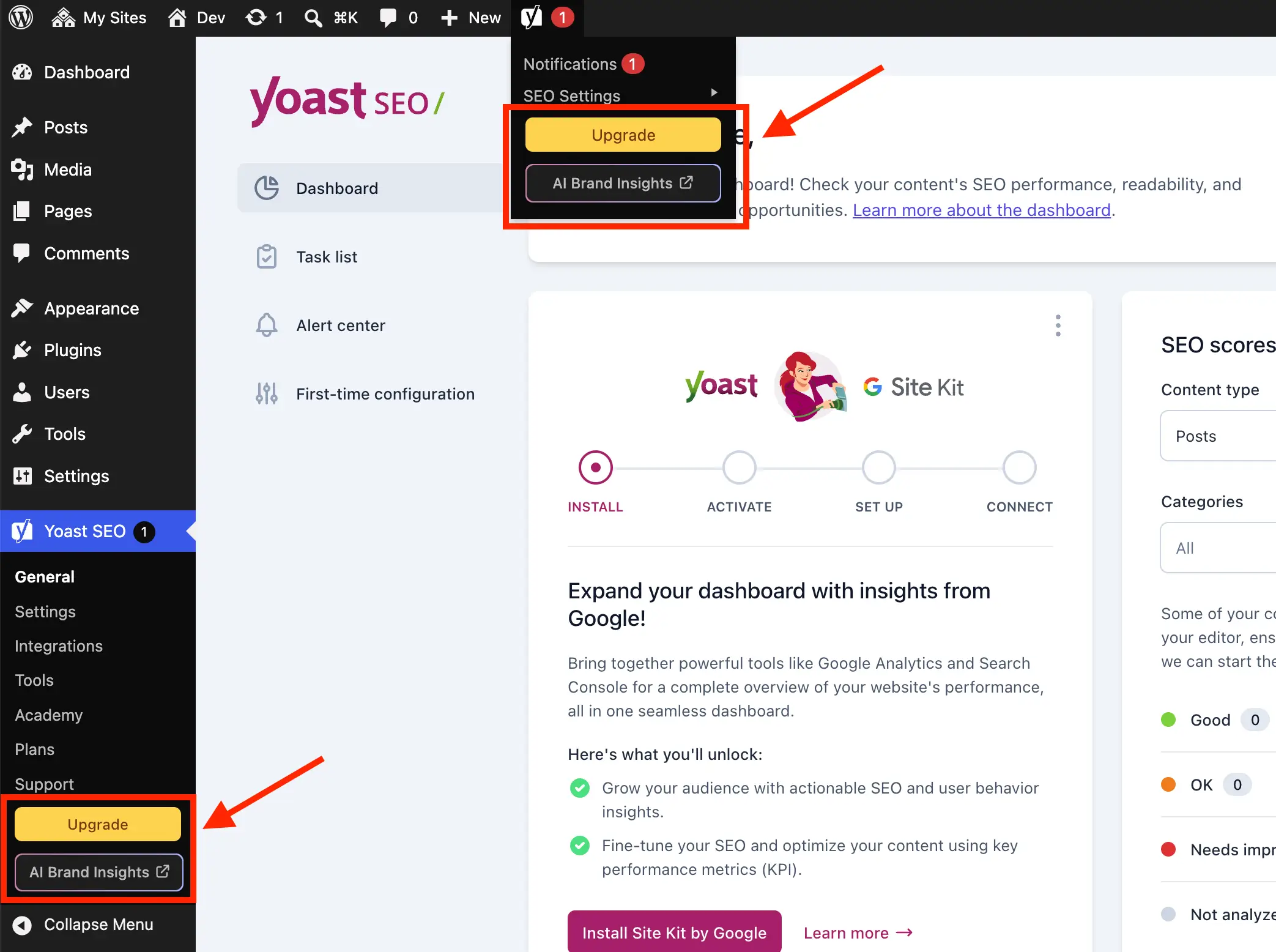
- Top-level toolbar shortcuts promoting premium features and AI integrations.
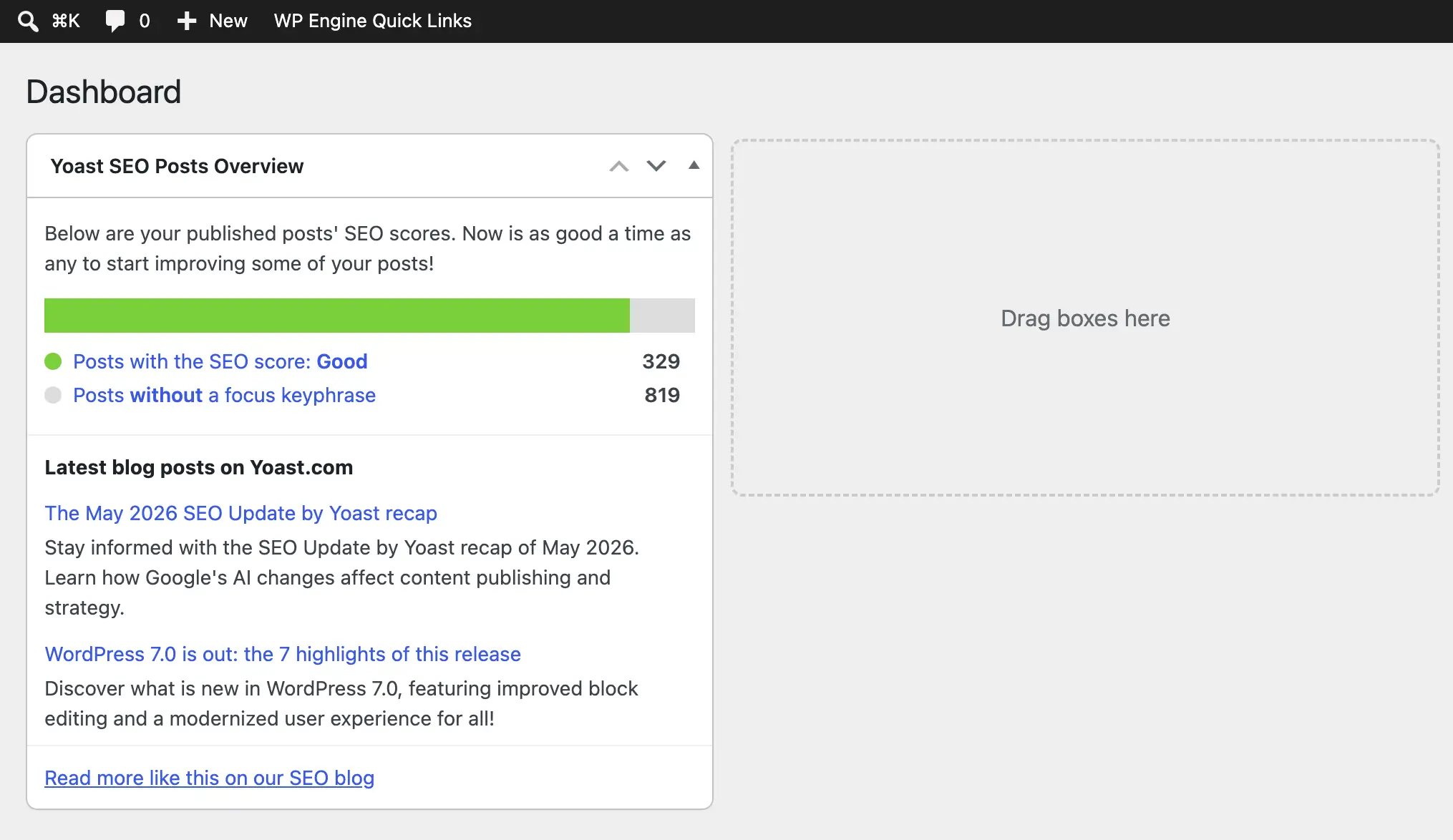
- Dashboard widgets executing uncached external HTTP requests to remote servers.
- Dynamic JavaScript-rendered promotional banners within settings pages and post editing screens.
While these features serve a clear commercial purpose for the plugin vendor, they often create visual noise in professional development environments where clean, intuitive interfaces are prioritized for client onboarding.
Chronology of Interface Changes and Administrative Clutter
Over successive major releases, Yoast SEO has transitioned its administrative panels from traditional server-rendered PHP tables to modern JavaScript-driven component architectures, heavily utilizing React-based layouts. This architectural shift altered how plugins interact with the WordPress dashboard.
Historically, hiding promotional notices required simple CSS display rules or basic submenu removal hooks. However, the introduction of dynamic JavaScript components meant that upsell banners, sticky sidebars, and locked feature fieldsets were rendered asynchronously after the initial page load. Consequently, traditional PHP hook-based element removals frequently failed, necessitating a hybrid approach combining administrative filters, direct menu manipulation, and targeted CSS injection via WordPress queue systems.
Furthermore, the introduction of artificial intelligence add-ons and specialized workflow tools expanded the surface area of promotional touchpoints. Features like AI Brand Insights and advanced content analysis upsells began appearing directly within the Gutenberg block editor sidebar and post metaboxes, increasing the frequency with which content creators encounter commercial prompts during everyday publishing workflows.
Technical Architecture of the Solution: Setting Up the PHP Class
To systematically eliminate these administrative distractions without compromising the core functionality of the Yoast SEO plugin, developers can implement a centralized object-oriented PHP solution. By organizing the cleanup logic within a dedicated class, developers ensure code maintainability, prevent global namespace pollution, and establish strict conditional execution parameters.
The foundational class structure relies on verifying active dependencies before executing any filtering or dequeuing operations:
if ( ! class_exists( 'WPEX_Remove_Yoast_SEO_Upsells' ) )

    class WPEX_Remove_Yoast_SEO_Upsells

        public function __construct()
            if ( ! defined( 'WPSEO_VERSION' )


    new WPEX_Remove_Yoast_SEO_Upsells;
This structural safeguard verifies two critical conditions: first, that the free version of Yoast SEO (WPSEO_VERSION) is actively installed and running; and second, that the premium version (WPSEO_PREMIUM_VERSION) is absent. If Yoast SEO Premium is already present on the installation, the class exits early, as premium subscribers naturally retain access to built-in configuration settings that manage these elements natively.
Targeted Removal of Premium and Unnecessary Submenu Pages
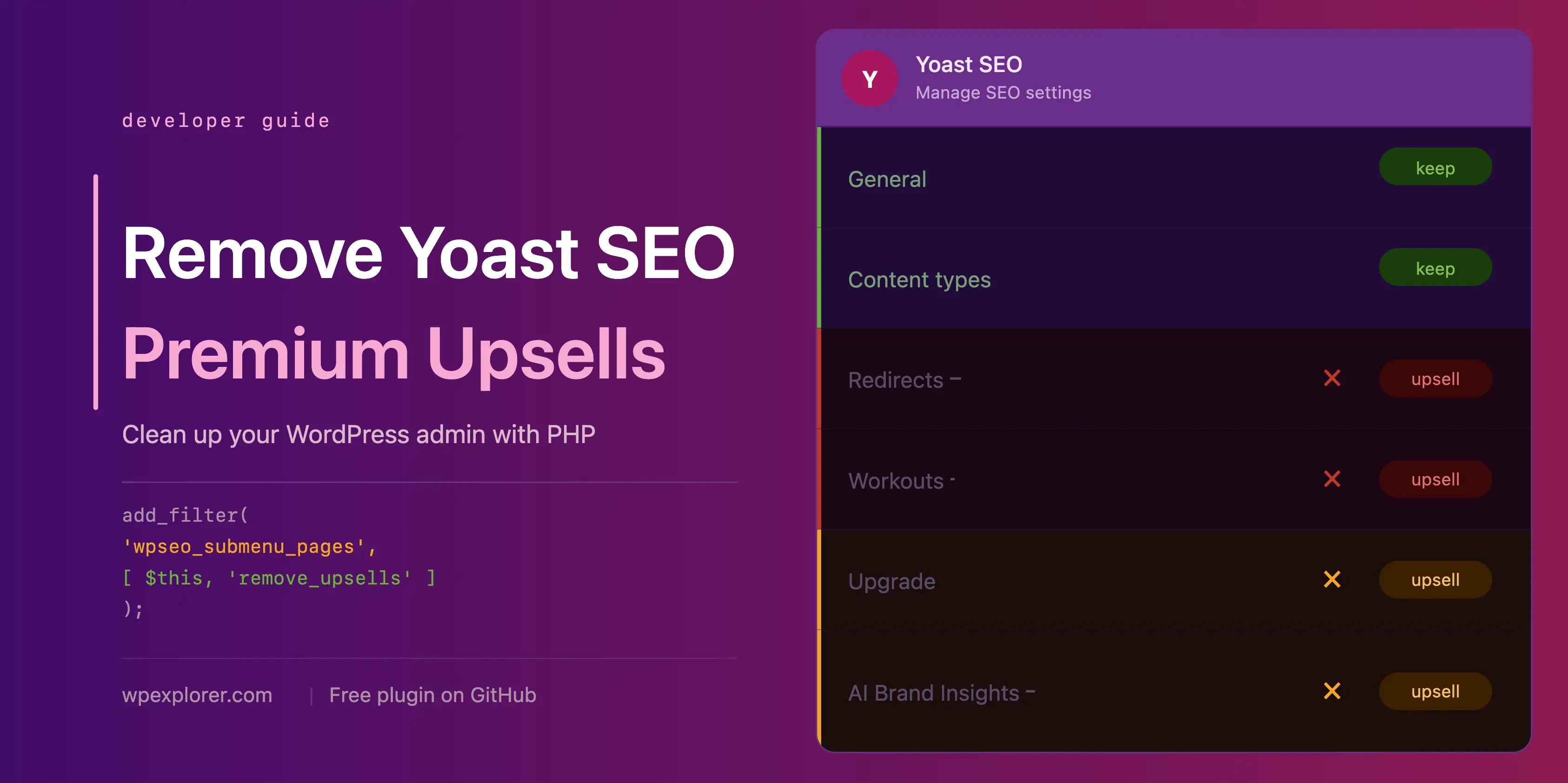
Yoast SEO registers several administrative subpages that direct users exclusively to upgrade screens or external sales funnels. These include dedicated pages for managing redirects, conducting SEO workouts, exploring academy training modules, purchasing licenses, and viewing support documentation.
By hooking into the wpseo_submenu_pages and wpseo_network_submenu_pages filters at maximum integer priority (PHP_INT_MAX), developers can intercept the menu registration array after Yoast has completed its internal setup routines. The filtering mechanism evaluates submenu parameters to isolate items containing premium badge markup or specific administrative slugs:
public function remove_premium_admin_pages( array $pages ): array
    $pages_to_remove = [
        'wpseo_upgrade_sidebar',
        'wpseo_licenses',
        'wpseo_page_academy',
        'wpseo_page_support',
        'wpseo_redirects',
        'wpseo_workouts',
    ];
    return array_filter( $pages, function( $page ) use ( $pages_to_remove )
        if ( isset( $page[2] ) && str_contains( $page[2], 'yoast-premium-badge' ) )
            return false;

        if ( isset( $page[4] ) && in_array( $page[4], $pages_to_remove, true ) )
            return false;

        return true;
     );
This approach removes the visual clutter from the WordPress dashboard navigation, ensuring that content editors and site administrators only interact with actionable optimization tools.
Eliminating Toolbar Prompts and External Dashboard Requests
Beyond the sidebar navigation, promotional elements frequently appear in the WordPress admin bar and the default dashboard overview widget.
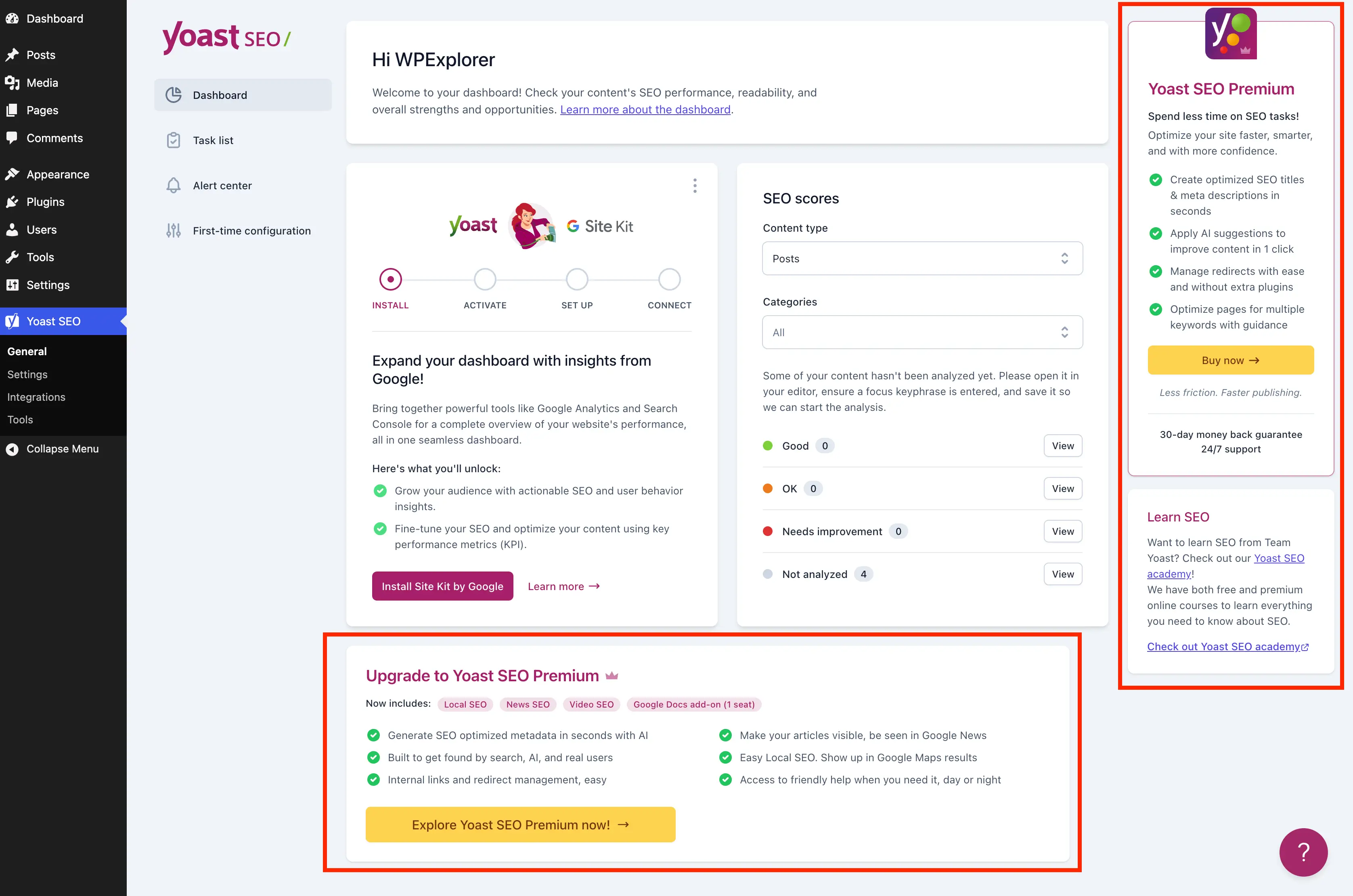
The Yoast SEO dashboard widget traditionally initiates an uncached HTTP request to external feeds hosted on yoast.com upon every dashboard load. This external dependency not only introduces minor latency into administrative page rendering but also transmits environment metadata—such as WordPress and PHP version strings—with every request. Disabling the widget via the wp_dashboard_setup hook and dequeuing its associated scripts and stylesheets optimizes server performance and enhances administrative privacy:
public function remove_dashboard_widget(): void
    remove_meta_box( 'wpseo-dashboard-overview', 'dashboard', 'normal' );


public function remove_dashboard_widget_assets(): void
    $current_screen = get_current_screen();
    if ( ! ( $current_screen instanceof WP_Screen && $current_screen->id === 'dashboard' ) )
        return;

    wp_dequeue_script( 'yoast-seo-dashboard-widget' );
    wp_dequeue_style( 'yoast-seo-wp-dashboard' );
    wp_dequeue_style( 'yoast-seo-monorepo' );
Similarly, shortcuts embedded within the top-level admin bar, such as the direct upgrade button and AI Brand Insights triggers, can be systematically removed using the admin_bar_menu action hook combined with node-removal methods:
public function remove_admin_bar_links( WP_Admin_Bar $wp_admin_bar ): void
    $wp_admin_bar->remove_node( 'wpseo-get-premium' );
    $wp_admin_bar->remove_node( 'wpseo_brand_insights' );
Managing JavaScript-Rendered Banners and Locked Settings Fields
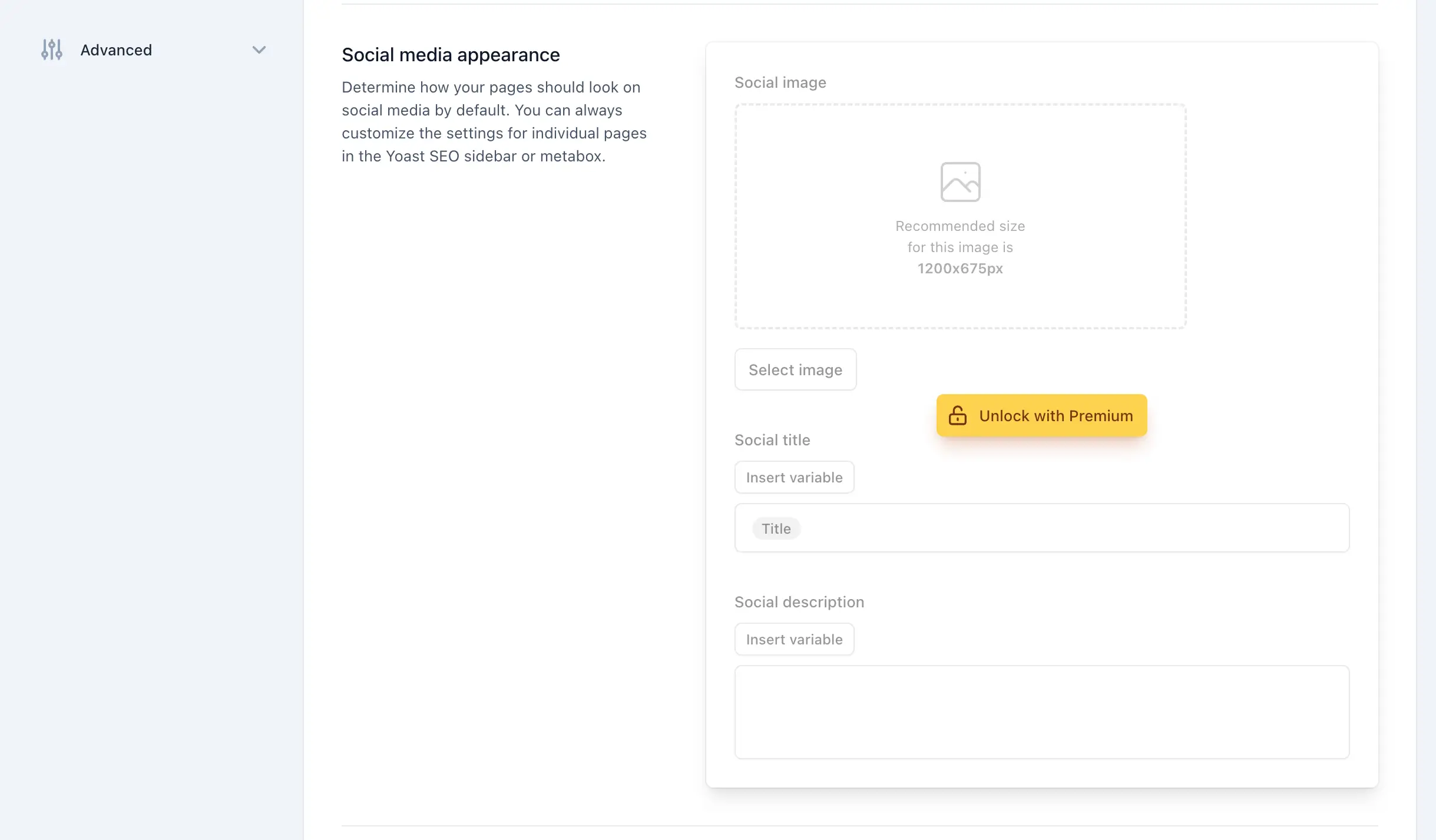
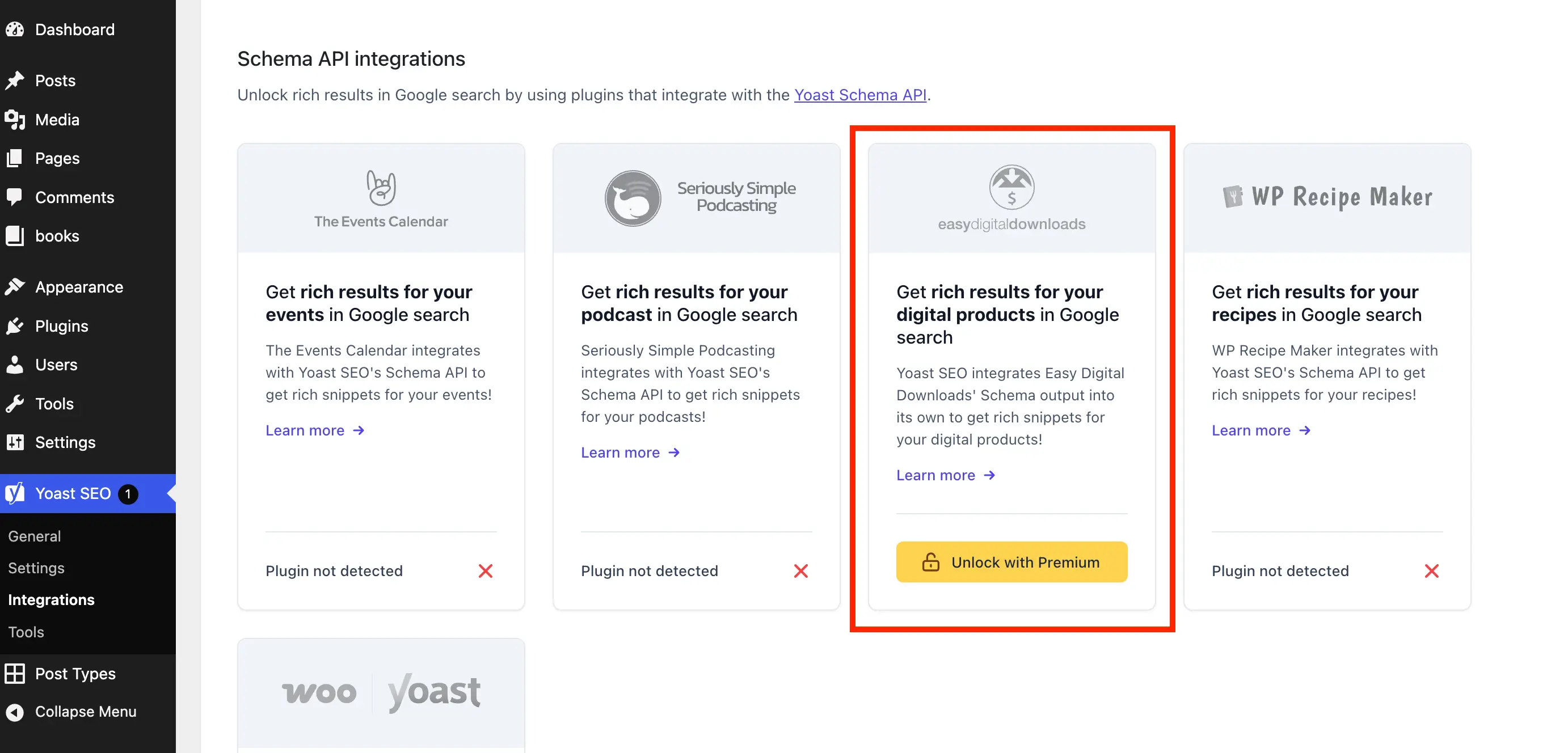
Because many modern settings panels and editor metaboxes within Yoast SEO rely on client-side JavaScript components, PHP hooks alone cannot suppress every promotional banner. To address this, developers can safely enqueue inline administrative stylesheets targeting specific structural classes associated with upgrade cards, locked fieldsets, and integration upsells.
By restricting these CSS rules strictly to screens prefixed with wpseo_ or active post/term editor screens, the scope remains contained and efficient:
public function remove_upsells_from_admin_pages(): void
    $current_screen = get_current_screen();
    if ( ! ( $current_screen instanceof WP_Screen && str_contains( $current_screen->id, 'wpseo_' ) ) )
        return;

    $css = '
        #yoast-seo-general .yst-@container > div:last-child:has([data-action=load-nfd-ctb]),
        #yoast-seo-general .yst-min-w-[16rem]:has(>.yst-sticky),
        #yoast-seo-settings main + div:has([data-action=load-nfd-ctb]),
        #yoast-seo-settings .yst-root div[class*=yst-fixed],
        #yoast-seo-settings main section .yst-feature-upsell,
        #wpseo-integrations .yst-root section > .yst-grid > div:has([data-action=load-nfd-ctb]),
        .yst-root .yst-table-row:has(.yst-button--upsell),
        .seo_page_wpseo_tools .wpseo_content_cell .yoast_premium_upsell  display: none !important;
    ';
    wp_register_style( 'wpex-remove-yoast-upsells', false );
    wp_enqueue_style( 'wpex-remove-yoast-upsells' );
    wp_add_inline_style( 'wpex-remove-yoast-upsells', $css );
Broader Impact, Maintenance, and Industry Implications
The implementation of administrative cleanup routines highlights an ongoing discussion within the open-source community regarding user experience standards for freemium plugins. While software developers retain the commercial right to market paid upgrades to free-tier users, enterprise deployment standards often necessitate clean interfaces to minimize user error, reduce cognitive load during client training, and streamline maintenance workflows.
Implementing custom PHP solutions or lightweight drop-in plugins provides web professionals with granular control over their hosting environments. However, site administrators must remain vigilant. Because these customization techniques rely on hooks, screen IDs, and CSS selectors tied to the current architecture of Yoast SEO, major plugin updates may occasionally require minor adjustments to the underlying selectors.
For organizations managing large portfolios of WordPress sites, establishing a standardized custom Must-Use (MU) plugin containing these optimization routines ensures consistent administration panels across all deployed environments. Ultimately, balancing commercial plugin monetization with administrative efficiency remains a key consideration for modern WordPress architecture and scalable web development.