A Curated Collection of Essential WordPress Must-Use Plugins for Streamlined Site Management and Performance

The management of WordPress infrastructure across multiple client websites often reveals a repetitive cycle of foundational adjustments. Developers frequently find themselves relying on an established archive of custom code snippets, manually injected into new projects to clean header outputs, deactivate unused native features, enforce stricter baseline security, and minimize administrative friction points. While these localized fixes require minimal development time individually, repeating the configuration process across dozens of disparate environments introduces inefficiencies and points of potential human error. Traditionally, tutorials recommend inserting these blocks of code into a theme’s functions.php file. However, this approach exposes the modifications to accidental deletion during theme transitions, child theme updates, or client-initiated template replacements. A more resilient architectural alternative is the implementation of must-use plugins, commonly referred to as mu-plugins.
Understanding Must-Use Plugins Architecture
Must-use plugins occupy a specialized tier within the WordPress ecosystem. Positioned in the wp-content/mu-plugins/ directory, any PHP file placed within this folder is automatically executed on every system request before standard plugins are loaded. Crucially, mu-plugins require no manual activation steps via the WordPress administration dashboard, eliminating the risk of a user inadvertently deactivating critical security or performance patches.
While these files execute automatically, incorporating a standard plugin header—declaring parameters such as the plugin name, description, and author—ensures proper identification within the administration panel under the Plugins and Must-Use navigation menu. Without a formal header, the underlying code functions identically, though it renders as an unnamed entry in the administrative index. According to official documentation in the WordPress Advanced Administration Handbook, administrators can modify the default directory path using the WPMU_PLUGIN_DIR constant. The nomenclature itself is a historical artifact originating from the legacy WordPress MU (Multi-User) platform, though its current function applies equally to standard single-site and multisite architectures.
Optimizing Frontend Performance and Asset Management
A primary objective of deploying systematic mu-plugins involves the reduction of unnecessary payload weight and background database queries. Standard WordPress installations inherently generate various markup elements within the document head, including Really Simple Discovery (RSD) links designed for obsolete remote publishing clients, Windows Live Writer manifests, shortlinks, and generator tags that broadcast the exact software version to automated web scanners. By leveraging a targeted clean-head script, developers can strip away these extraneous assets to optimize byte delivery on every page request.
Similarly, native support for emoji rendering introduces asynchronous JavaScript files, dedicated stylesheets, and resource hints pointing to external domains such as s.w.org on every page load. Modern web browsers natively render emojis without supplementary scripts, rendering the WordPress conversion utility redundant. Deploying a dedicated optimization snippet removes these scripts globally across front-end outputs, feeds, and email notifications, while pruning associated DNS prefetch requests to enhance loading metrics.
Addressing structural bloat extends to media management. Every uploaded image natively generates a dedicated attachment page, which search engine indexing often categorizes as thin content when distributed across thousands of media items. Implementing a 301 redirection script directs these attachment URLs securely to their parent post or directly to the homepage in the absence of a parent association. Furthermore, controlling the automatic generation of intermediate image sizes prevents media libraries from exhausting server disk space, though administrators must ensure alternative mechanisms—such as external image CDNs—are active to prevent mobile devices from downloading oversized full-resolution assets.
Enforcing Privacy Compliance and Mitigating Third-Party Dependencies
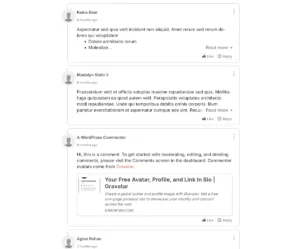
Data privacy regulations, including the General Data Protection Regulation (GDPR), require rigorous documentation of any third-party data transmission occurring without explicit user consent. Standard WordPress configurations frequently initiate automated outbound requests that can complicate compliance protocols. For instance, default avatar handling routes visitor email hashes and IP addresses to external Gravatar servers managed by Automattic for every comment rendered on a page. Intercepting the option_show_avatars filter disables this behavior entirely, severing the external dependency and removing the need to disclose the tracking mechanism in site privacy policies.
Recent core updates introducing artificial intelligence capabilities present similar compliance challenges. The integration of core AI clients and supported plugins can inadvertently transmit site content to external machine learning models if left enabled by default. Given that corporate nondisclosure agreements and strict regulatory frameworks prohibit unauthorized data sharing, implementing structural filters—such as targeting wp_supports_ai alongside vendor-specific hooks for tools like Jetpack and Elementor—ensures that AI features remain deactivated until formally authorized.
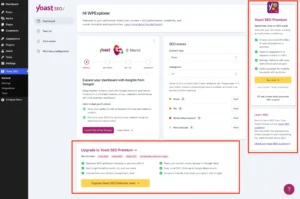
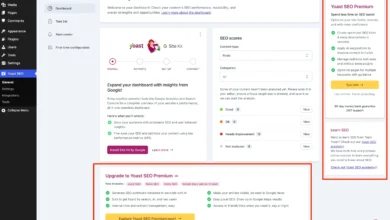
Similar operational risks exist within administrative dashboards. Analytical widgets provided by SEO plugins frequently report server configurations, including WordPress and PHP versions, back to third-party servers via uncached HTTP requests every time an administrator logs in. Neutralizing these dashboard elements through targeted asset deactivation safeguards system telemetry and reduces unnecessary external network traffic.
Hardening Security and Eliminating Attack Vectors
Security optimization within the mu-plugins framework focuses on disabling dormant features that expand the potential attack surface. XML-RPC interfaces, originally developed to facilitate remote publishing protocols, represent a frequent target for automated brute-force attacks via multi-call methods and pingback exploitation. While disabling core XML-RPC filters restricts authenticated methods, unauthenticated pingback functions often remain active unless explicitly unset through specialized hook manipulations.
User enumeration practices also present notable vulnerabilities. Default WordPress installations expose valid usernames across multiple vectors, including author archives, REST API user endpoints, XML-RPC responses, and sitemaps. Restricting these endpoints collectively requires a multi-layered approach: returning 404 status headers for author archives prior to canonical redirection, stripping user endpoints from unauthenticated REST responses, and standardizing login error messages to prevent attackers from confirming account existence through trial and error.
Additional hardening measures involve application passwords and file editing permissions. Unless an environment explicitly relies on external REST API authentication via application tokens, disabling the feature mitigates unauthorized credential utilization. Similarly, disabling the built-in file editor prevents malicious actors from executing arbitrary PHP code directly through the administration panel in the event of an administrative account compromise.
Refining the Administrative Experience
Administrative interfaces often suffer from notification fatigue, characterized by stacked promotional banners, update prompts, and review requests generated by third-party plugins. For non-administrative roles such as editors and authors, these visual distractions degrade usability. Deploying conditional checks to suppress administrative notices for users lacking the capability to manage options establishes a cleaner, more professional workspace.
Concurrently, enhancing native management tools improves operational oversight. Integrating file size metrics directly into the WordPress Media Library list view allows site administrators to audit storage consumption efficiently. By leveraging attachment metadata generated during the upload process, developers can display precise file dimensions without executing additional database queries, streamlining media library maintenance and identifying oversized assets rapidly.
Conclusion and Deployment Best Practices
Implementing custom must-use plugins offers a sustainable, theme-agnostic methodology for maintaining WordPress installations. By centralizing performance optimizations, privacy enhancements, and security hardening into lightweight, standalone files within the wp-content/mu-plugins/ directory, developers ensure that foundational configurations persist independently of theme upgrades or administrative modifications. However, deployment strategies must align with the specific operational context of each environment. While performance and security refinements are universally beneficial on production platforms, specialized scripts—such as outgoing email suppression or password reset restrictions—are strictly intended for staging environments, local development copies, or controlled demonstration platforms. Careful evaluation of each snippet ensures that infrastructure remains robust, secure, and precisely tailored to project requirements.