Decluttering Your WordPress Admin: A Comprehensive Guide to Removing Yoast SEO Upsells

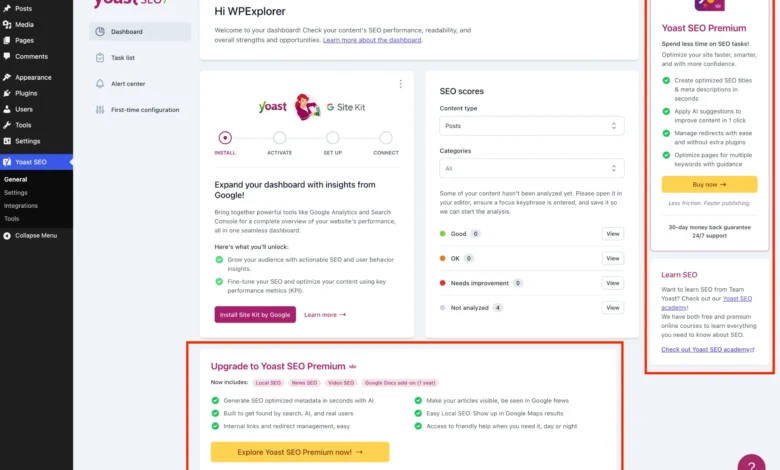
Published on May 24, 2026, a detailed guide has emerged addressing a persistent challenge for millions of WordPress users: the pervasive presence of upsells and promotional content within the free version of the Yoast SEO plugin. While Yoast SEO remains an indispensable tool for search engine optimization, its aggressive marketing tactics within the WordPress administration interface have long been a source of frustration for developers, agencies, and users striving for a clean, distraction-free working environment. This article outlines a systematic approach, leveraging PHP and CSS, to meticulously eliminate these unsolicited advertisements and premium feature prompts, thereby enhancing productivity and maintaining a professional backend experience.
The Freemium Model and Yoast SEO’s Ubiquitous Presence
Yoast SEO stands as one of the most widely adopted WordPress plugins globally, boasting over five million active installations. Since its inception, it has revolutionized how website owners manage their on-page SEO, offering a suite of powerful features even in its free iteration, including content optimization, XML sitemap generation, and enhanced search result snippets. Its success is a testament to the efficacy of the freemium business model, wherein a core product is offered for free to attract a vast user base, with premium versions or add-ons providing advanced functionalities for a fee.
This model, while commercially viable for plugin developers, inherently relies on converting free users into paying customers. For Yoast SEO, this translates into a consistent stream of in-dashboard advertisements promoting its premium version, various add-ons, and associated services like its Academy. This strategy, common across many popular WordPress plugins, often leads to a cluttered administrative interface, directly impacting user experience and workflow efficiency. For web development agencies managing numerous client sites, these constant prompts can undermine their brand image and create unnecessary support queries regarding the "paid features" clients might inadvertently encounter.
The Pervasive Nature of Yoast’s In-Admin Marketing

The promotional elements integrated into the free Yoast SEO plugin are multifaceted, appearing in various forms across the WordPress admin:
- Premium Upgrade Banners: These are often prominently displayed, urging users to upgrade.
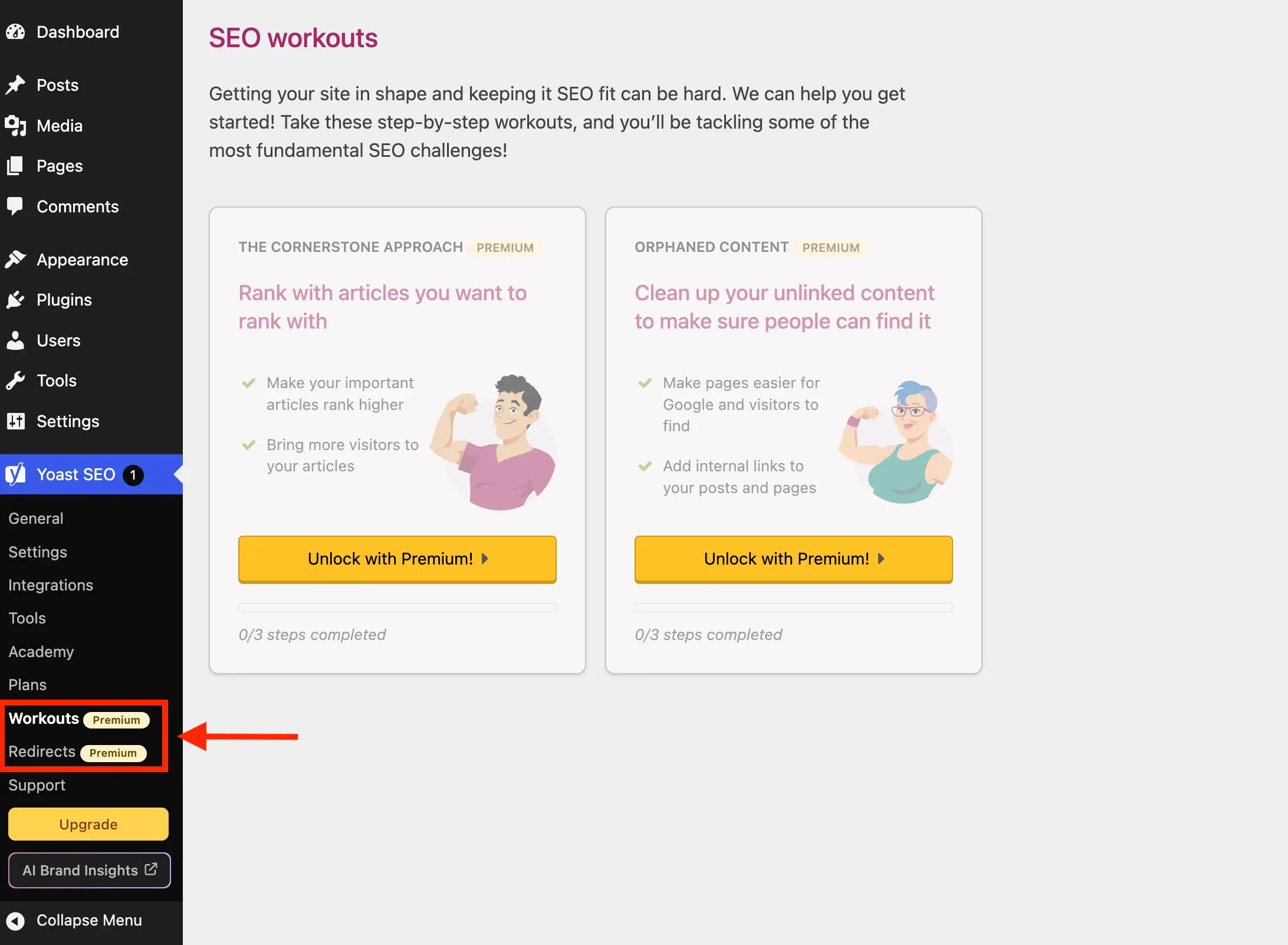
- Extra Admin Menu Pages: Submenu items like "Redirects" or "Workouts" exist solely to showcase premium features, leading to an upgrade screen when clicked.
- Dashboard Widgets: A dedicated widget on the main WordPress dashboard provides SEO overviews but also features promotional content from Yoast.com.
- Sidebar Ads and Locked Fields: Within various Yoast settings pages, sticky sidebars promote upgrades, and specific fields or sections are visibly "locked" behind a premium paywall.
- Admin Toolbar Buttons: Quick access buttons in the top admin bar often include "Upgrade" or "AI Brand Insights" prompts.
- Editor Metaboxes: Even within the critical post and page editing interfaces, premium upsells appear, distracting content creators.
While the purchase of Yoast SEO Premium inherently removes these upsells, granting access to advanced features like AI-generated titles, a redirect manager, and multiple focus keywords, this option is not always feasible or necessary for every user. The comprehensive guide published on WPExplorer provides an alternative for those committed to the free version but desirous of a streamlined backend.
Establishing a Cleanliness Protocol: The PHP Class Approach
To systematically address the issue, the proposed solution centralizes all removal logic within a single, well-organized PHP class named WPEX_Remove_Yoast_SEO_Upsells. This methodological approach ensures maintainability and prevents code conflicts. The class is designed with initial conditional checks to ensure its logic only executes when Yoast SEO is active and, crucially, when the premium version is not installed. This prevents unnecessary processing and avoids interference with paid installations.
The class can be integrated into a WordPress installation through several standard methods:
- Child Theme’s
functions.phpfile: A common practice for site-specific customizations. - Code Snippets Plugin: Tools like Code Snippets allow for adding and managing custom PHP without direct file editing.
- Must-Use (MU) Plugin: For more robust, site-wide application, especially in multi-site environments, an MU plugin ensures the code is always active.
The core of the class leverages WordPress’s action and filter hooks, specifically targeting Yoast SEO’s internal mechanisms for registering admin elements. This allows for precise interception and modification of the plugin’s behavior before it renders the promotional content.

Systematic Elimination of Upsell Elements
The guide meticulously details the removal of each type of upsell, employing a combination of WordPress hooks and targeted CSS.
I. Menu and Submenu Page De-cluttering:

Yoast SEO registers several menu items within the WordPress sidebar that are exclusively for premium features or serve as direct sales pages.
- Premium Admin Pages: Submenu entries like "Redirects" and "Workouts" are only functional in the premium version. The solution intelligently hooks into the
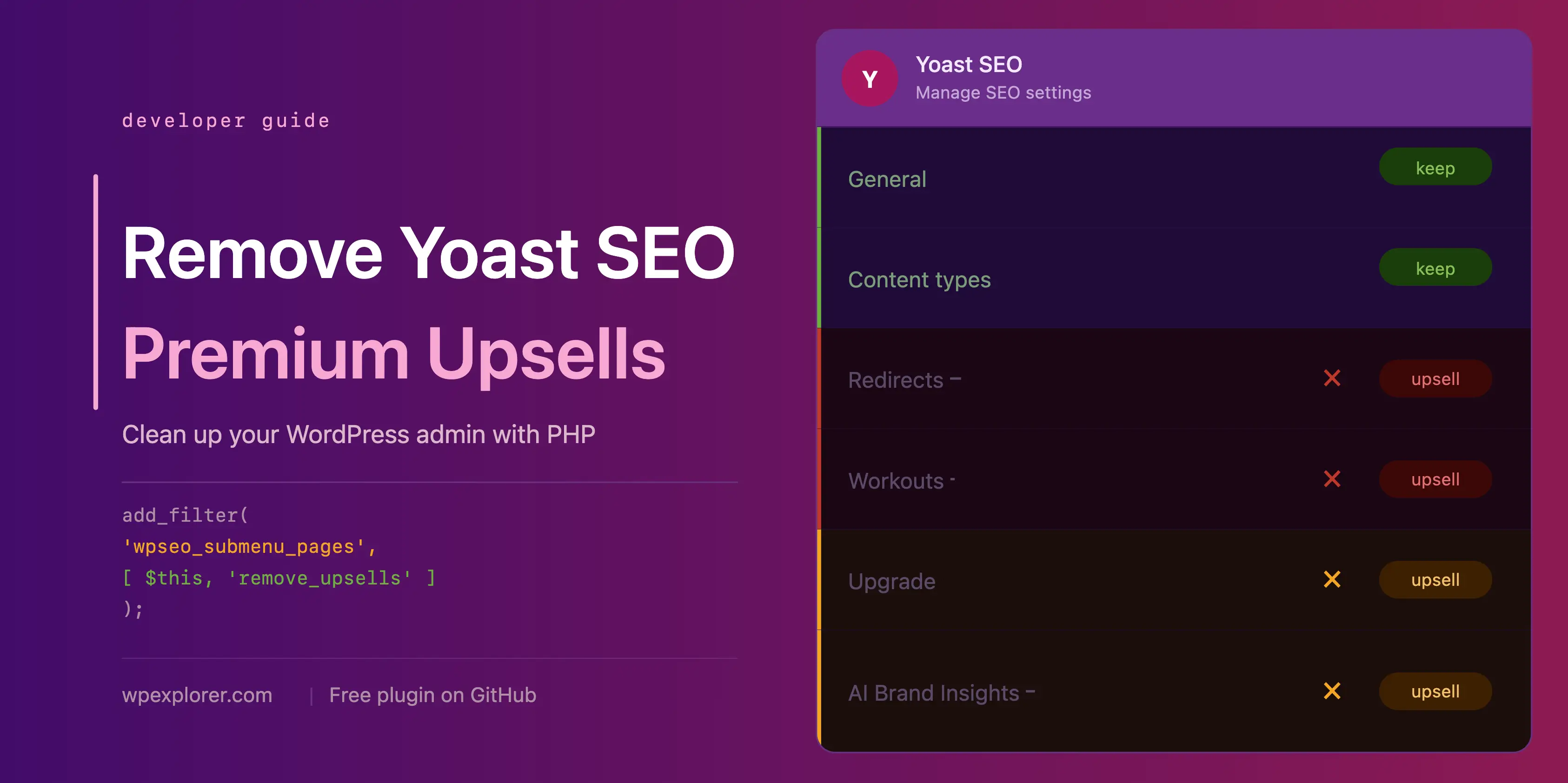
wpseo_submenu_pagesfilter (andwpseo_network_submenu_pagesfor multisite) to detect and remove pages flagged with a "premium badge" in their title HTML. An alternative, more explicit method involves defining a list of specific page slugs (wpseo_redirects,wpseo_workouts) to remove, though this requires manual updates if Yoast introduces new premium pages. - Unnecessary Admin Pages: Beyond premium-locked pages, Yoast includes informational or sales-oriented pages that offer little day-to-day utility. These include "Plans" (comparing premium offerings), "Academy" (linking to external learning platforms, mostly premium), and "Support" (a collection of external links). These are removed by adding their respective slugs (
wpseo_upgrade_sidebar,wpseo_licenses,wpseo_page_academy,wpseo_page_support) to the exclusion list within theremove_premium_admin_pagesmethod. - Admin Toolbar and Sidebar Buttons: The "Upgrade" and "AI Brand Insights" buttons, appearing both in the sidebar navigation and the top admin toolbar, are also targeted. The "Upgrade" button is handled through the existing
wpseo_submenu_pagesfilter. However, the "AI Brand Insights" button requires a direct approach using WordPress’sremove_submenu_pagefunction within theadmin_menuhook due to its high registration priority. For the admin toolbar, theadmin_bar_menuaction is utilized withremove_nodeto eliminatewpseo-get-premiumandwpseo_brand_insightsnodes.
II. Eliminating the Dashboard Widget:
The Yoast SEO dashboard widget, which displays site SEO scores and recent blog posts from Yoast.com, is often deemed redundant and even problematic. It performs an uncached HTTP request to yoast.com/feed/widget/ upon every dashboard load, introducing unnecessary overhead and potentially exposing server environment details (WordPress and PHP versions) via query string parameters. The solution removes this widget using remove_meta_box hooked to wp_dashboard_setup and dequeues its associated scripts and styles (yoast-seo-dashboard-widget, yoast-seo-wp-dashboard, yoast-seo-monorepo) on the admin_enqueue_scripts hook, but only when on the dashboard screen.

III. Concealing In-Page Promotional Banners and Ads:
Yoast SEO injects promotional banners and sticky sidebars as JavaScript components directly into its admin settings pages. These components lack unique IDs or class names that would allow for straightforward removal via PHP hooks. Consequently, the guide employs a CSS-based strategy to hide them. This involves enqueueing inline CSS that targets their structural position within the Yoast admin layout. While effective, this method is acknowledged as potentially fragile, requiring updates if Yoast significantly modifies its admin page structure or design in future releases.
IV. Removing Locked Premium Admin Fields and Integration Cards:

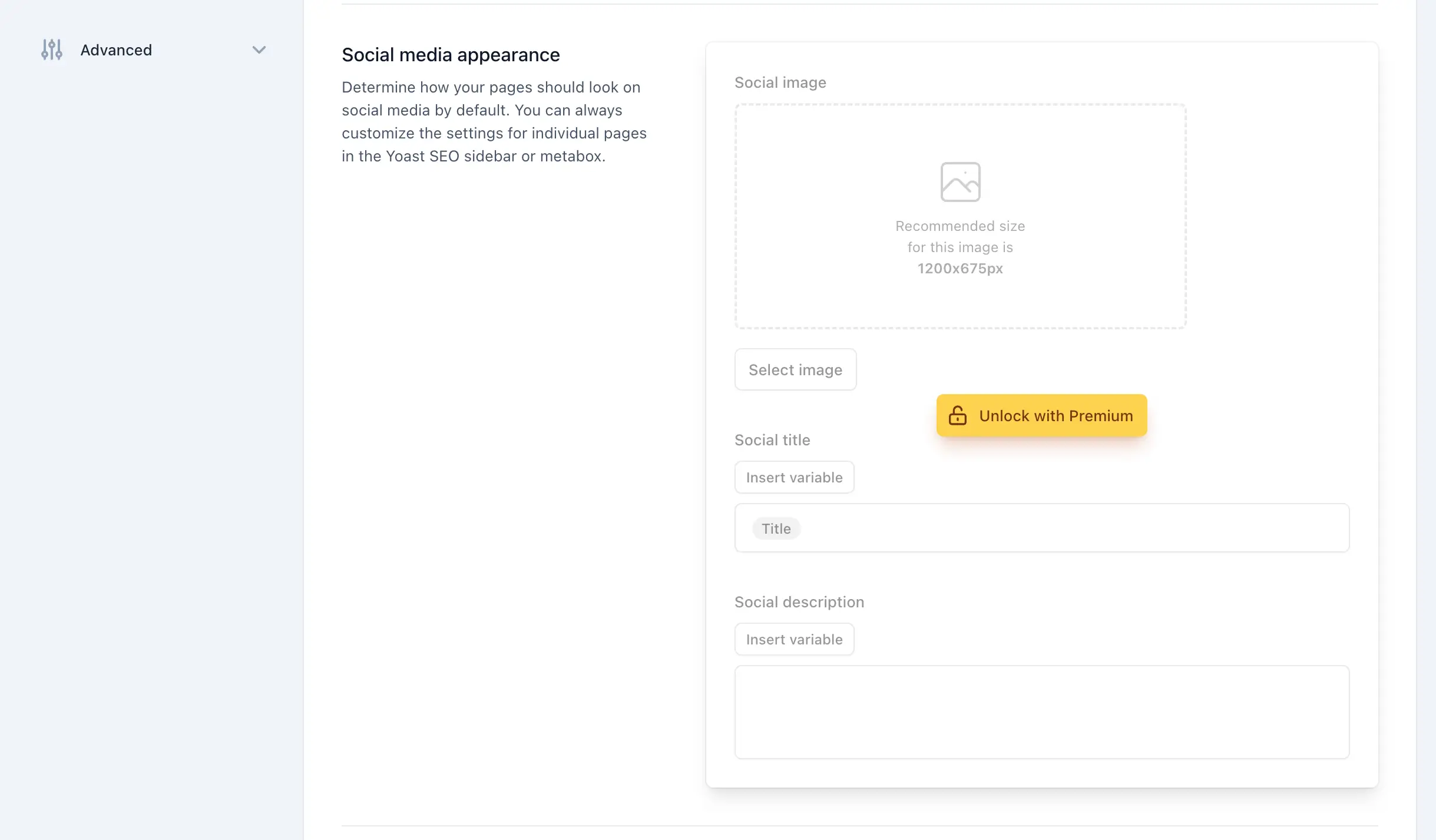
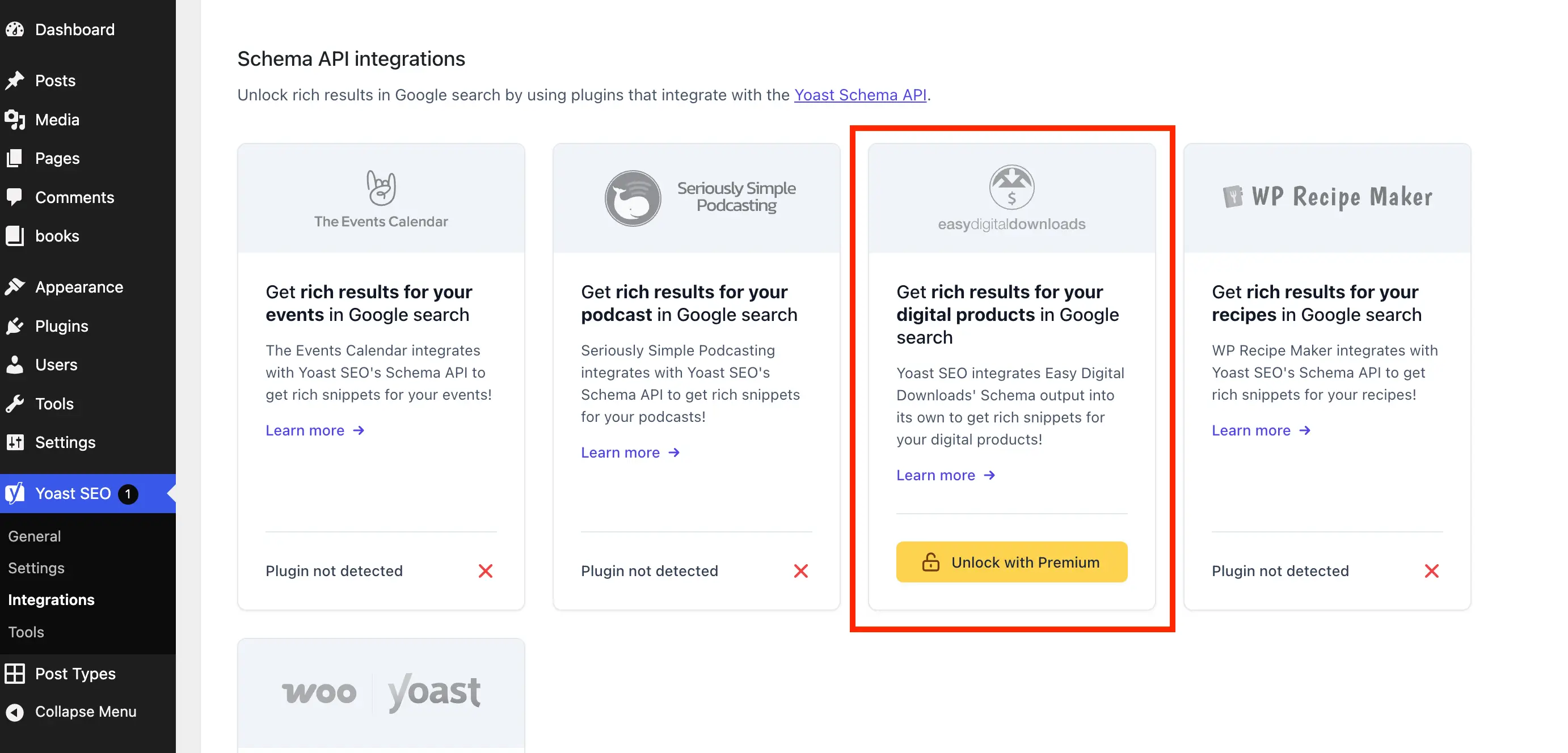
Throughout Yoast’s settings, various fields and entire sections are visibly locked, serving as constant reminders of premium features. The solution targets these elements using specific CSS classes provided by Yoast, such as yst-button--upsell for individual locked fields and yst-feature-upsell for entire locked sections. This allows for precise hiding without relying on potentially brittle structural selectors. Similarly, "Unlock with Premium" cards on the Integrations page are hidden with specific CSS tailored to the wpseo-integrations screen ID, ensuring free integration cards remain visible. The CSS is registered and enqueued via admin_enqueue_scripts, with a check to ensure it only loads on relevant Yoast admin pages.
V. Suppressing Editor Metabox and Sidebar Upsells:
The post and page editor interfaces are crucial for content creation, and Yoast SEO integrates several premium sections within its metabox and Gutenberg sidebar panels. These are particularly intrusive due to their direct impact on the writing workflow. Again, as these are JS components, the solution utilizes inline CSS, carefully scoped to post and term editing screens. The CSS targets elements like yst-badge--upsell, yoast-prominent-words, yst-feature-upsell--card, and specific ad IDs (premium-seo-analysis-upsell-ad-sidebar, premium-seo-analysis-upsell-ad-metabox) to ensure only the promotional content is hidden, preserving essential free features.
The Consolidated Solution and Its Distribution
The article concludes by presenting the complete, unified PHP class that encapsulates all the aforementioned snippets. This provides a convenient, copy-and-paste solution for users. Recognizing that not all users are comfortable with manual code implementation, the author has also developed a dedicated, free plugin named wpex-remove-upsells-for-yoast-seo. This plugin, available for download on GitHub, packages the entire solution, offering an easy installation process for a wider audience. It is important to note that, being a GitHub-hosted plugin, it does not receive automatic updates through the WordPress dashboard, necessitating manual checks for new releases after major Yoast SEO updates.
Implications and Future Outlook
The publication of this comprehensive guide underscores a growing demand within the WordPress community for greater control over the administrative interface, particularly concerning promotional content from widely used plugins.
- For Developers and Agencies: This solution offers a vital tool for maintaining professional client sites, eliminating visual clutter that can distract clients or lead to unnecessary inquiries. It streamlines workflows and enhances the perceived professionalism of the backend.
- For End-Users: A cleaner admin interface allows users to focus on their core SEO tasks without constant marketing interruptions, improving productivity and reducing cognitive load.
- For the WordPress Ecosystem: This scenario highlights the ongoing tension between a plugin’s commercial imperatives and the user’s desire for a pristine, functional experience. As freemium models continue to evolve, so too will the methods users employ to tailor their environments. Community-driven solutions like this reflect the collaborative spirit of WordPress, where users often develop fixes for perceived shortcomings.
- Maintenance Challenges: A key implication is the ongoing need for vigilance. Yoast SEO is a continuously developed plugin, and any significant redesigns of its admin interface or changes to its class naming conventions will likely necessitate updates to the provided PHP and CSS selectors. The open-source nature of the GitHub repository allows for community contributions to keep the solution current.
While Yoast SEO remains a powerful and recommended tool, for those prioritizing an unblemished administrative experience without upgrading, this guide provides a robust and well-documented pathway to achieving just that. It also subtly encourages users, if the complexity of managing upsells becomes too great, to explore the robust landscape of Yoast SEO alternatives available in the market.