A Comprehensive Guide to Managed WordPress Hosting Migrations: Evaluating and Transitioning Your Website to Pressable


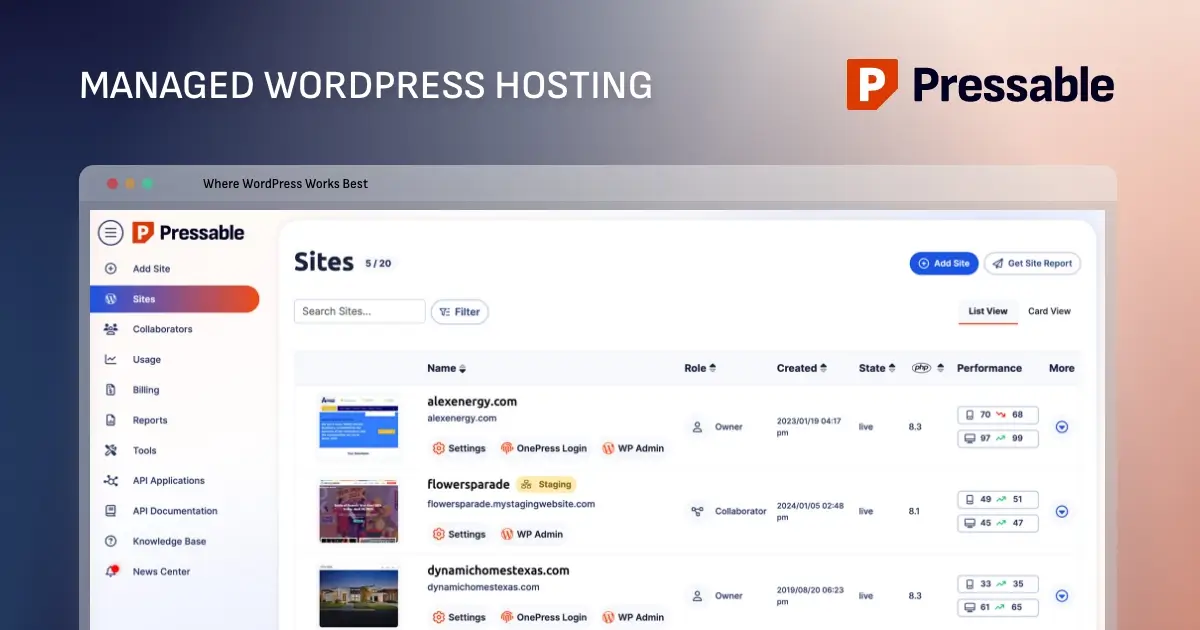
The modern digital landscape demands rigorous website performance, unwavering security, and streamlined administrative workflows, pushing many site owners and digital agencies away from unmanaged servers toward specialized hosting infrastructure. For organizations running on the world’s most popular content management system, transitioning to a dedicated managed WordPress environment offers a proven pathway to reducing technical overhead. Platforms like Pressable have emerged as prominent players in this sector, providing automated migration tools, specialized server configurations, and robust security integrations designed specifically for WordPress architecture.
Understanding the operational framework of managed hosting, evaluating appropriate tier levels, and executing a technically sound migration are critical steps for any website administrator looking to optimize digital assets. This comprehensive review and migration manual examines the structural benefits of Pressable, the criteria for selecting proper infrastructure tiers, and a detailed chronological walkthrough of the migration process.
The Operational Evolution of Managed WordPress Hosting
Historically, web administrators faced the complex challenge of manually configuring Linux environments, NGINX or Apache web servers, PHP modules, and database structures to achieve optimal website speed and security. Unmanaged hosting providers typically supply raw server resources, leaving the burden of security patches, software updates, and vulnerability mitigation entirely to the site owner. This model often results in compromised sites, unexpected downtime, and significant resource diversion away from core business objectives.
Managed WordPress hosting redefines this relationship by centralizing server maintenance, automated backups, and performance optimization within a unified ecosystem. Platforms operating under this paradigm restrict their infrastructure exclusively to WordPress installations, allowing engineers to fine-tune server-side caching, database query handling, and PHP execution parameters specifically for the platform’s core code and plugin architecture.

Industry analysts note that the global shift toward managed hosting solutions has accelerated among small-to-medium enterprises, digital marketing agencies, and independent freelancers. By outsourcing server administration, organizations report a notable decrease in emergency technical intervention and improved uptime consistency. However, this convenience often comes with architectural limitations. Unlike traditional Virtual Private Servers (VPS) or dedicated hardware configurations, managed platforms frequently prohibit low-level server modifications, custom firewall implementations, and third-party email hosting. Consequently, performing a thorough needs assessment before committing to a provider remains a fundamental prerequisite for long-term digital success.
Evaluating Infrastructure Requirements and Plan Selection
Selecting the appropriate hosting tier requires a precise calculation of monthly traffic volume, database size, storage utilization, and overall site complexity. Pressable structures its service offerings across multiple tiers, beginning with single-site entry packages and scaling upward to multi-site configurations capable of handling millions of monthly visitors.
When evaluating potential hosting plans, administrators must analyze three primary metrics:
- Active Site Installations: The total number of distinct WordPress domains or multisite networks hosted under a single account.
- Monthly Visitor Volume: Estimated unique or total traffic thresholds set by the hosting provider to maintain performance guarantees.
- Storage Allocation: Total disk space required for core files, media uploads, database backups, and cached data.
For resource-intensive applications experiencing high transactional volume or complex database queries, specialized enterprise solutions—often categorized as premium site plans—provide dedicated CPU allocations and vertical scaling options. Conversely, lightweight corporate blogs, informational portfolios, and regional e-commerce storefronts generally find optimal balance within standard signature tiers.
For administrators hesitant to perform manual transitions, managed providers frequently absorb the migration workload through dedicated professional services. Pressable, for instance, offers a white-glove migration service managed directly by internal support engineering teams at no additional cost for new subscribers, mitigating the technical risks associated with data transfer.
Chronological Migration Methodology: Step-by-Step Execution
For developers and technical site owners opting to execute migrations independently, establishing a structured, chronological workflow ensures data integrity and minimizes service interruption. The migration lifecycle follows eight distinct operational phases.
Phase One: Source Environment Preparation
Before initiating any data transfer, the live source environment must be brought to a stable, current state. This involves executing comprehensive updates for the WordPress core software, active and inactive themes, and all installed plugins. Failing to update software prior to migration risks introducing PHP version incompatibilities or security vulnerabilities onto the destination server.
Phase Two: Comprehensive Data Backup
Mitigating operational risk requires generating a complete, verified backup of all website files and the associated MySQL database. Industry-standard backup solutions, such as UpdraftPlus, BlogVault, or Duplicator, allow administrators to archive the complete site structure. These archives should be downloaded and stored securely on local hardware or within an isolated cloud repository to facilitate immediate disaster recovery if unforeseen errors occur during transit.
Phase Three: Destination Account Initialization
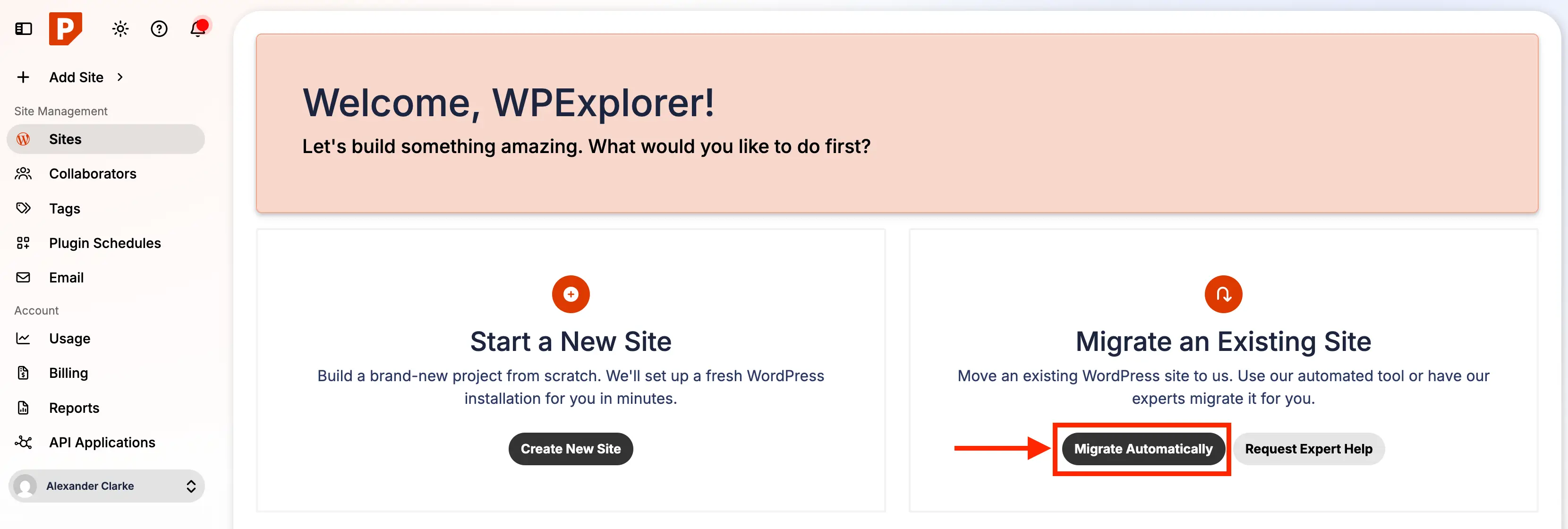
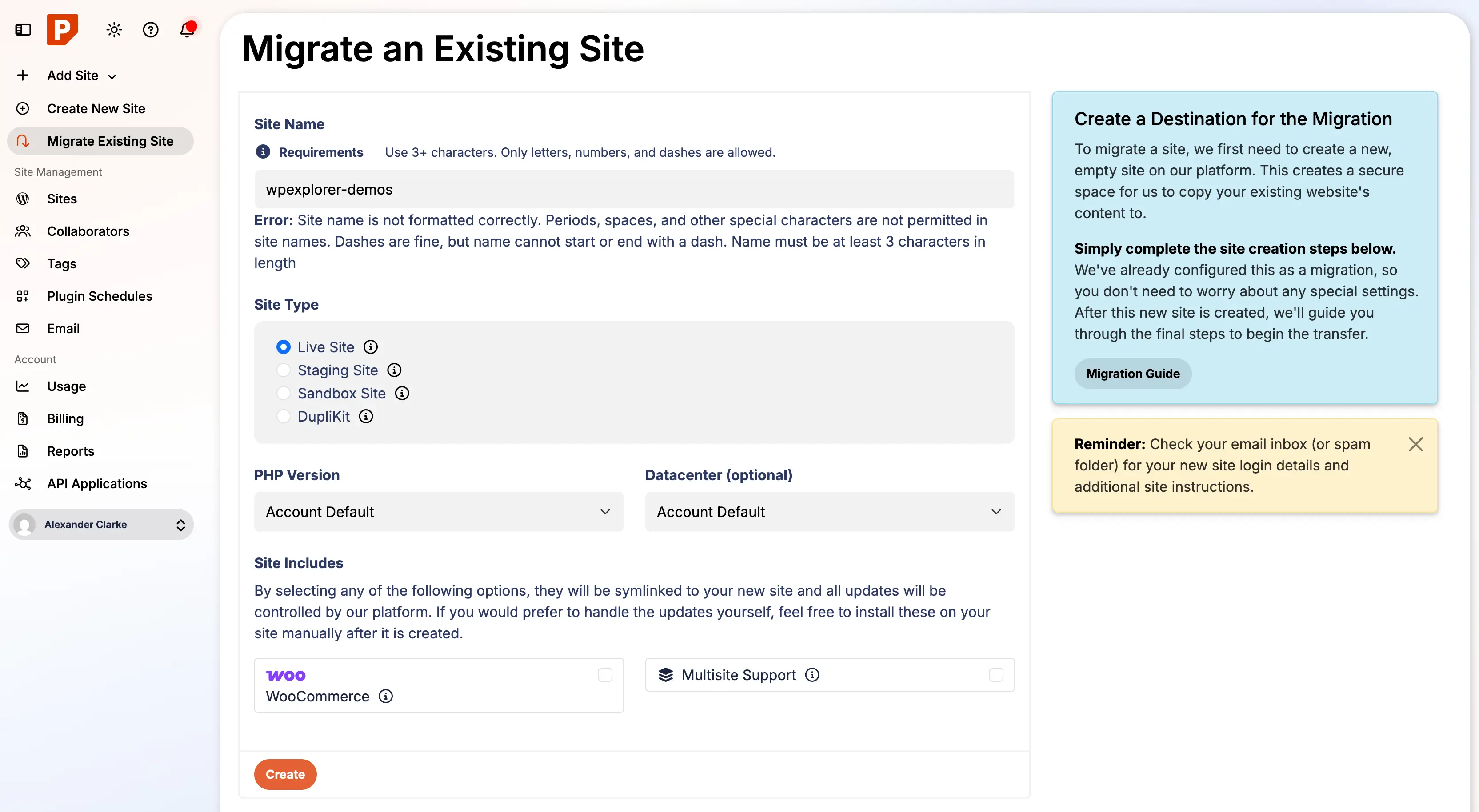
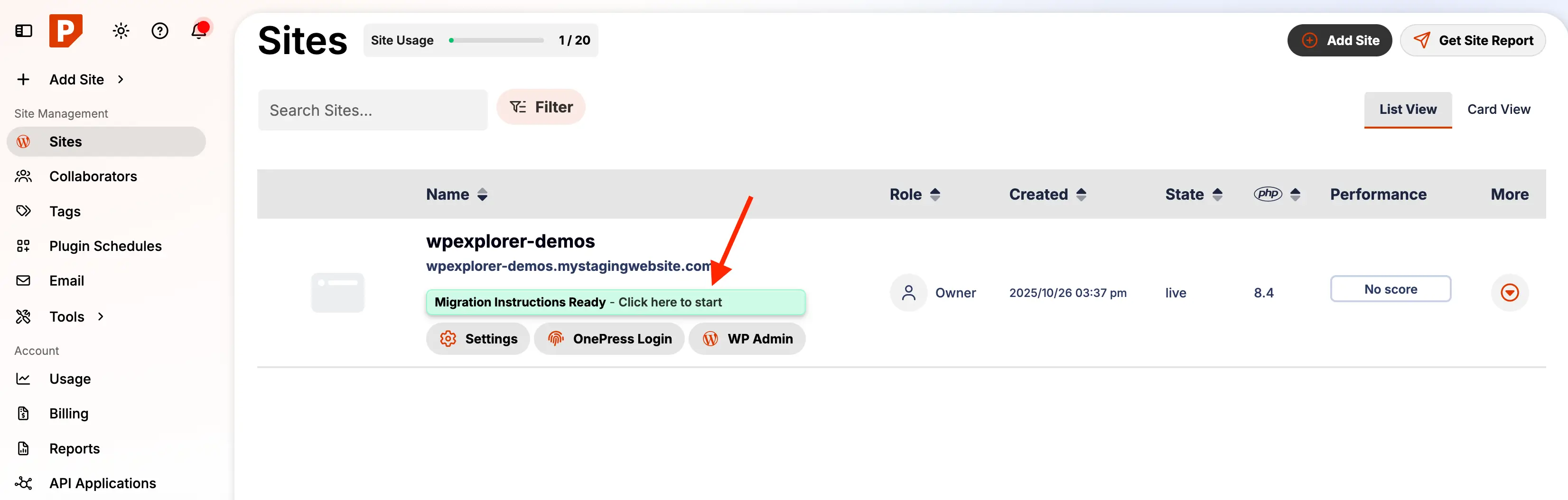
Administrators log into the Pressable management dashboard to initiate a new automated migration request. This step requires defining basic site parameters, including the temporary staging URL, administrative credentials, and targeted PHP configurations. Completing this initialization provisions the isolated container on the destination network infrastructure.
Phase Four: Plugin Deployment and Configuration
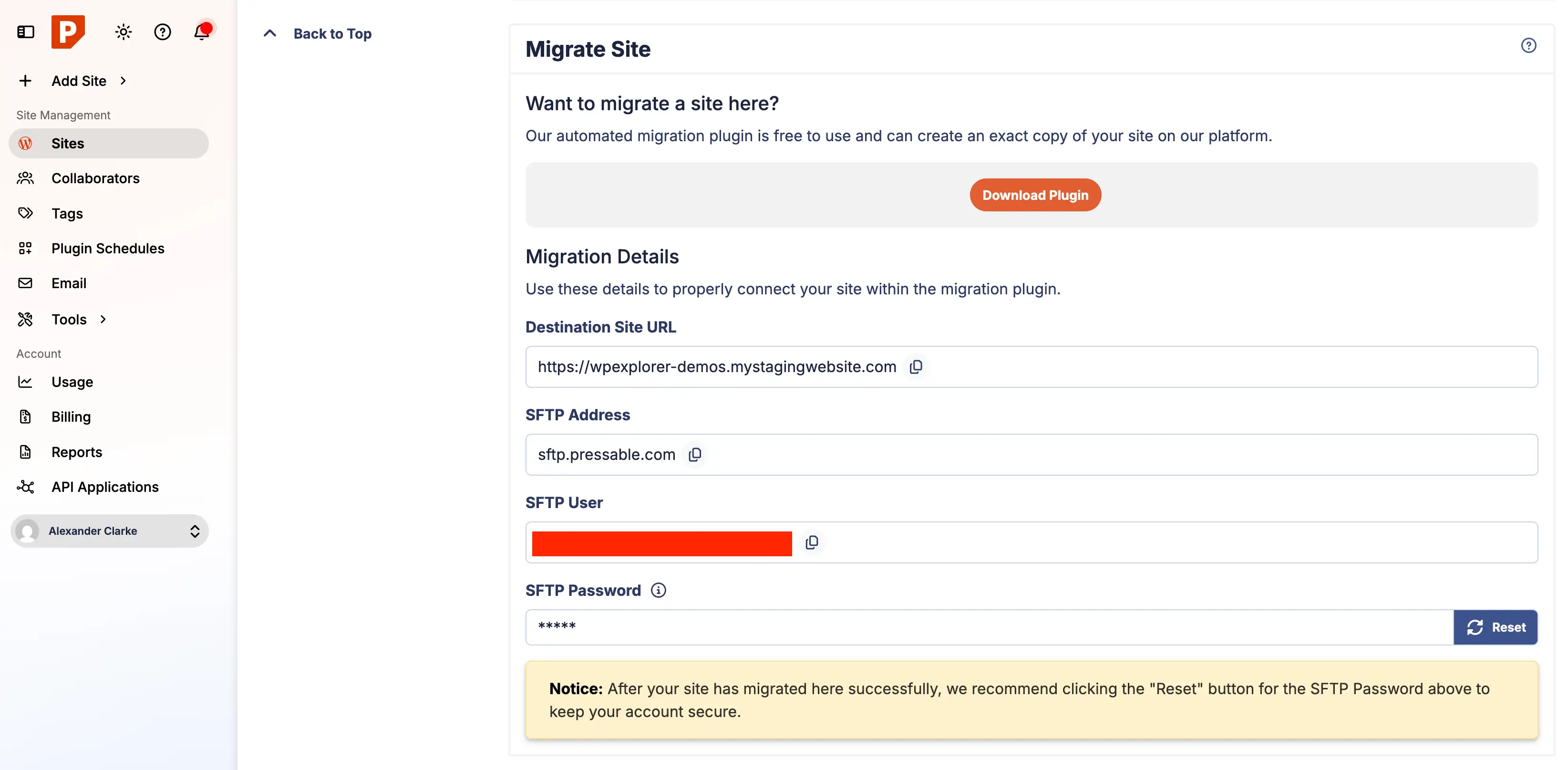
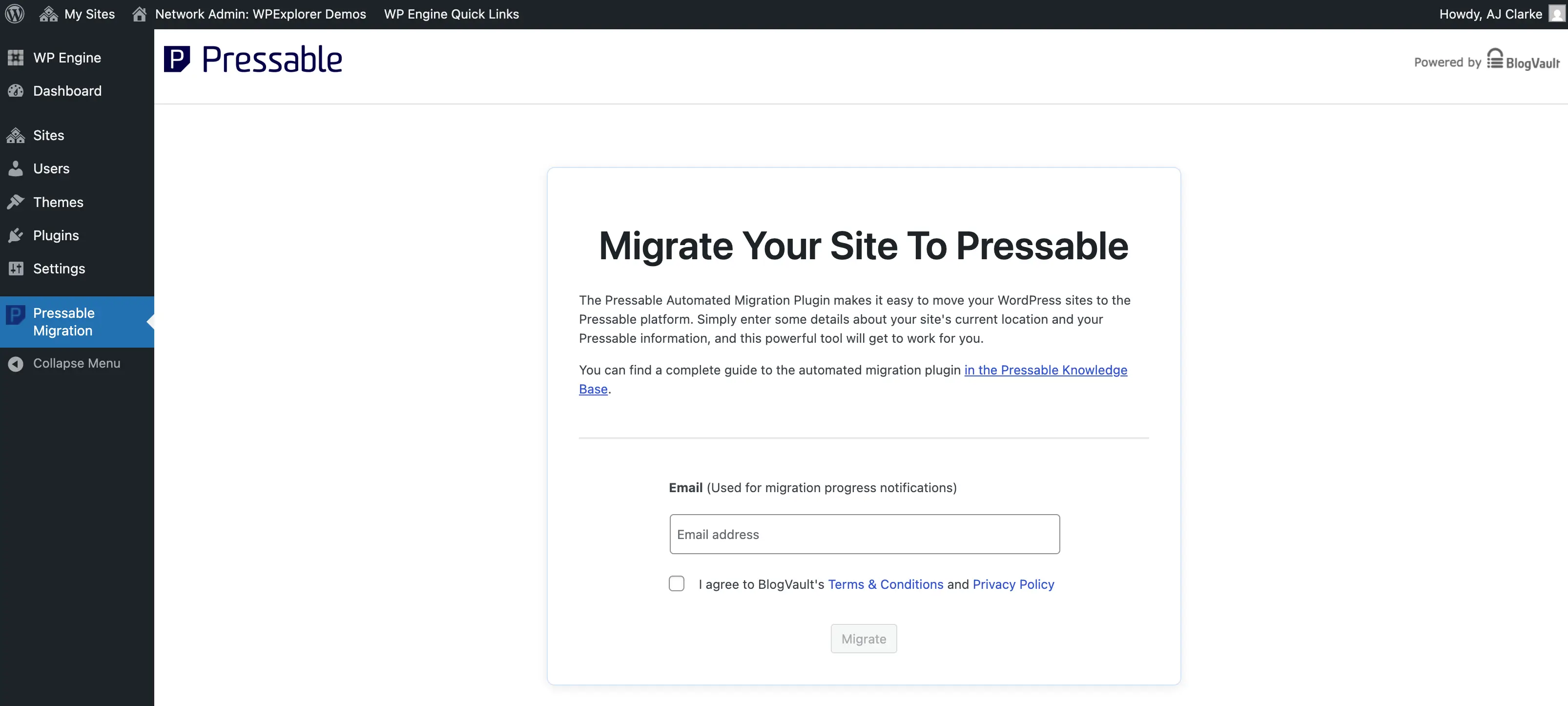
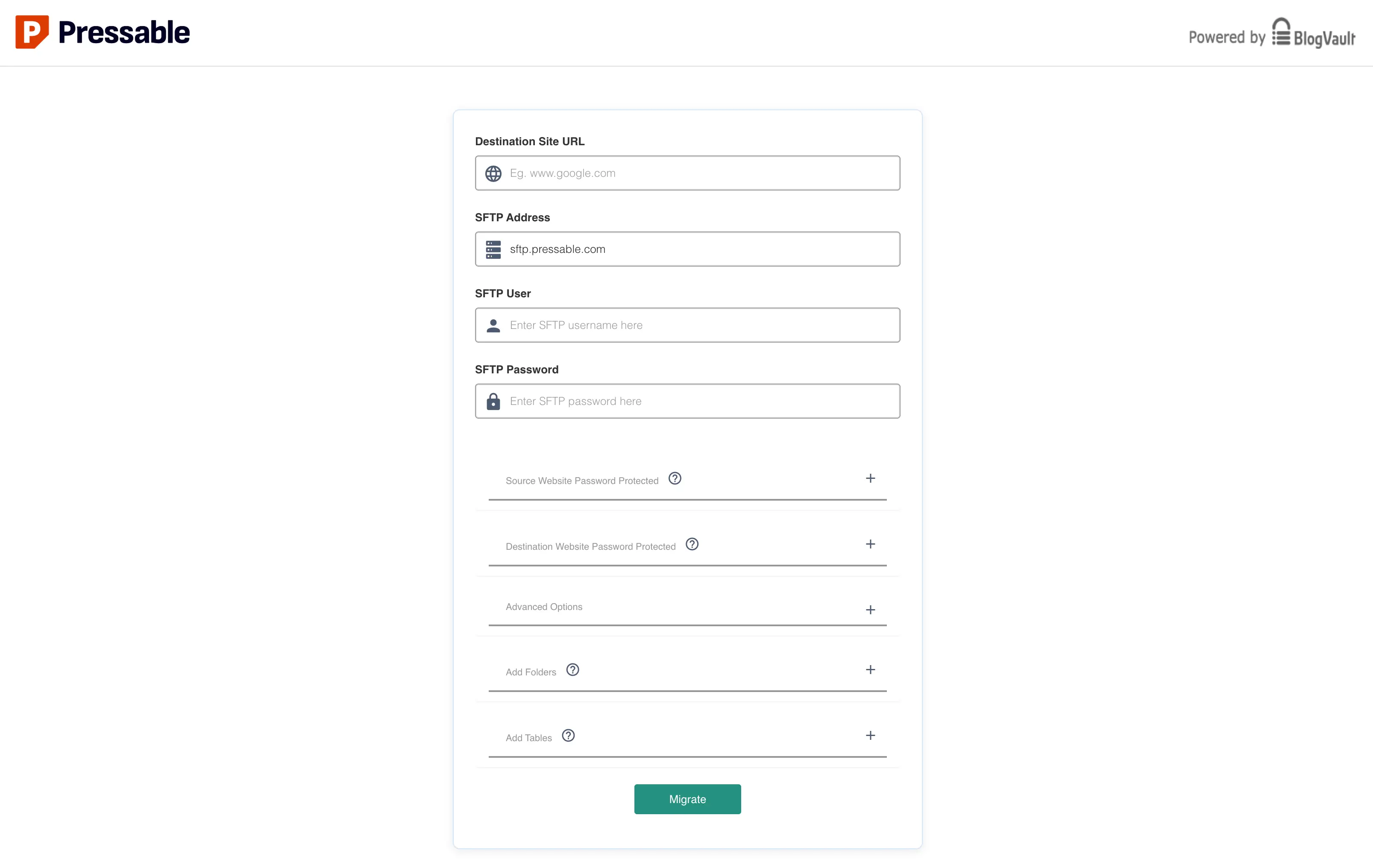
Rather than relying on automated redirects that may route through external third-party domains, administrators are advised to manually access their existing WordPress dashboard, navigate to the plugin installation interface, and deploy the official Pressable Automated Migration plugin. Once activated, the plugin interface prompts the user for authentication credentials generated within the destination hosting dashboard, specifically utilizing Secure File Transfer Protocol (SFTP) parameters and securely reset access keys.
Phase Five: Data Transfer and Progress Monitoring
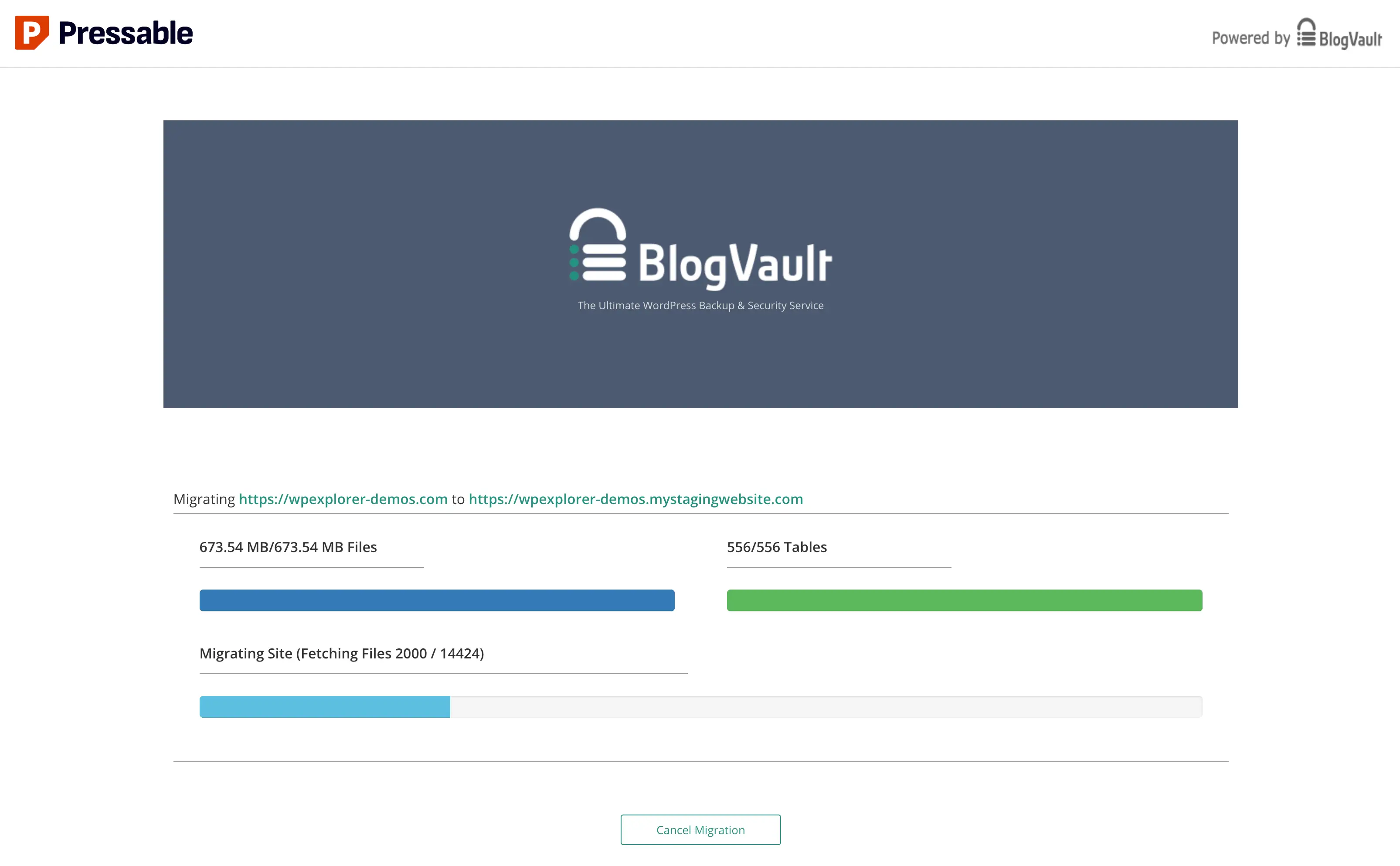
Executing the migration script initiates the secure transmission of database tables, media libraries, and theme directories to the new server environment. During this phase, maintaining an uninterrupted network connection is vital. Large-scale database architectures or extensive media repositories may require extended processing periods; progress indicators occasionally appear static during heavy cryptographic hashing or large file compression cycles. Administrators must allow the routine to run to completion without manual intervention.
Phase Six: Post-Migration Audit and Sanitization
Upon completion of the data transfer protocol, administrators must review the generated migration logs to identify any uncopied files. Certain hosting environments utilize proprietary micro-plugins or server-specific drop-ins—such as legacy caching scripts or platform-dependent update managers—that are intentionally excluded from cross-platform transfers. Removing these obsolete files prevents internal server conflicts and optimizes resource utilization. Furthermore, administrators must verify that all legacy hosting administrative accounts, obsolete scheduled cron jobs, and redundant security tokens are systematically purged from the database.
Phase Seven: Server-Level Rule Adaptation
Because managed WordPress environments typically utilize NGINX web servers rather than Apache architectures, traditional .htaccess redirection rules are rendered ineffective. Administrators must translate legacy URL redirection rules, custom rewrite parameters, and security headers into NGINX-compatible formats or manage them via dedicated PHP configuration files. Industry standards strongly recommend implementing baseline security headers—including X-XSS-Protection, X-Content-Type-Options, X-Frame-Options, and Referrer-Policy—within custom redirect scripts to harden the application layer against common web vulnerabilities.
Phase الثامن (Phase Eight): Domain Pointer Reconfiguration and DNS Propagation
Following rigorous testing of the site functionality on the platform-provided staging URL, the final operational hurdle involves updating the domain name system (DNS) records at the domain registrar level. Administrators can utilize manual A-record updates or automated DNS wizard utilities provided by the host. Once domain pointers are modified, global DNS propagation typically requires between several minutes and 48 hours to complete. Monitoring tools within the hosting dashboard confirm when secure SSL certificates are successfully provisioned and traffic is stably routed to the new infrastructure.
Security Integration and Platform Optimization
Transitioning to a managed hosting provider often includes bundled security suites designed to fortify applications against unauthorized access and malicious payloads. Platforms utilizing Jetpack integrations, for instance, gain automated real-time malware scanning, brute-force login protection, and distributed infrastructure monitoring.
However, optimal site performance requires careful resource management. Security suites can introduce software bloat if all optional modules remain active by default. Site administrators are encouraged to audit activated modules, retaining essential core security protocols while disabling redundant marketing tools, unnecessary social sharing utilities, and overlapping backup routines that might duplicate native server-side processes. Activating included security licenses manually ensures full feature parity and contractual support coverage from platform engineers.
Implications and Strategic Outlook
Migrating mission-critical web properties to specialized managed environments represents a fundamental shift from reactive troubleshooting to proactive digital management. By offloading server maintenance, security patching, and core performance tuning to specialized engineers, organizations can reallocate internal capital and human resources toward product development, content creation, and market expansion.
While platforms like Pressable present structural limitations—such as restrictions on low-level server file modifications and the exclusion of native email hosting—their specialized focus on WordPress architecture yields measurable gains in speed, stability, and operational resilience. For small-to-medium enterprises, digital agencies, and independent publishers navigating an increasingly complex threat landscape, adopting managed infrastructure remains a strategically sound investment in digital longevity.