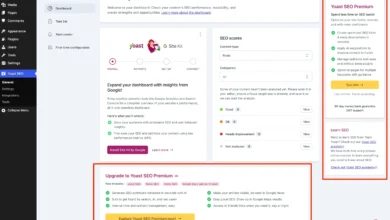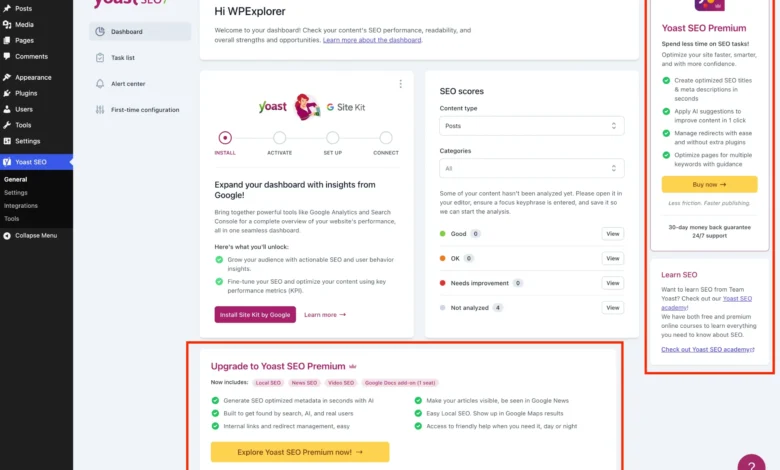
As the WordPress ecosystem continues to mature, plugins have increasingly adopted freemium business models to sustain ongoing development, support, and feature expansion. Yoast SEO, utilized by millions of websites worldwide as a primary search engine optimization tool, exemplifies this strategy. While its core free plugin remains a foundational element for content optimization, sitemap generation, and search engine preview management, the user interface has grown densely packed with promotional material. For developers, agency owners, and independent publishers managing multiple client installations, these persistent upgrade banners, auxiliary dashboard widgets, and administrative sidebar advertisements introduce unnecessary visual clutter and operational distraction.
Background Context of the Freemium Monetization Model
The tension between functional software utility and commercial promotion is a long-standing challenge within open-source content management systems. Yoast SEO, originally launched over a decade ago, built its reputation on simplifying technical search engine optimization for everyday users. However, as the competitive landscape shifted to include alternative solutions such as Rank Math, All in One SEO, and SEOPress, monetization pressures intensified.
To bridge the gap between free users and paid subscribers, development teams frequently integrate cross-promotional interfaces directly into the core administrative panels. In the case of Yoast SEO, these commercial touchpoints manifest as dedicated submenu items leading to upgrade screens, inline feature upsell boxes, administrative toolbar shortcuts for artificial intelligence tools, and resource-heavy dashboard widgets that ping external servers. While purchasing Yoast SEO Premium legally removes these distractions and unlocks advanced utilities—such as automated internal linking suggestions, redirect managers, and AI-driven title generation—budget constraints or specialized site requirements often necessitate staying with the free tier. Consequently, technical administrators have increasingly sought reliable programmatic methods to streamline the dashboard environment.
Technical Implementation and Code Architecture

To achieve a pristine administrative interface without compromising plugin functionality, developers rely on custom PHP classes integrated through child themes, custom code snippets, or Must-Use (MU) plugins. Establishing a secure execution foundation requires verifying that the target software environment actually contains the software in question while avoiding execution loops if the premium edition is already present.
The initial structural framework relies on checking for the constant defining the standard version while ensuring the premium identifier is absent:
if ( ! class_exists( 'WPEX_Remove_Yoast_SEO_Upsells' ) )
    class WPEX_Remove_Yoast_SEO_Upsells
        public function __construct()
            if ( ! defined( 'WPSEO_VERSION' )

    new WPEX_Remove_Yoast_SEO_Upsells;
By leveraging object-oriented programming principles, developers can methodically intercept WordPress hooks, submenu arrays, and style queues to surgically excise promotional elements without triggering fatal errors or breaking core search engine optimization workflows.
Chronological Breakdown of Administrative Reductions
The process of sanitizing the Yoast SEO interface involves addressing several distinct layers of the WordPress dashboard, ranging from backend menu hierarchies to frontend JavaScript-rendered components.
Submenu Pages and Administrative Navigation

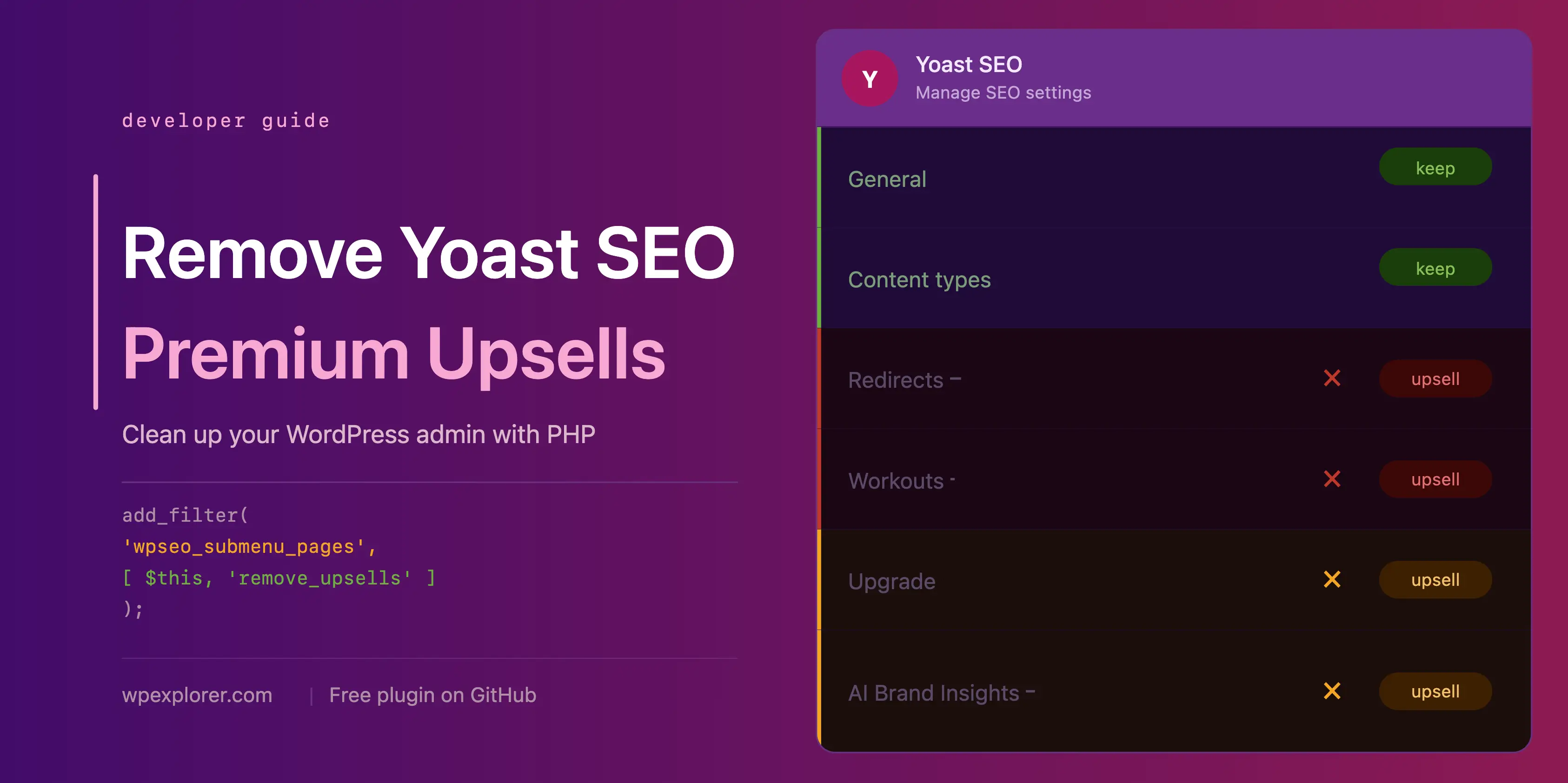
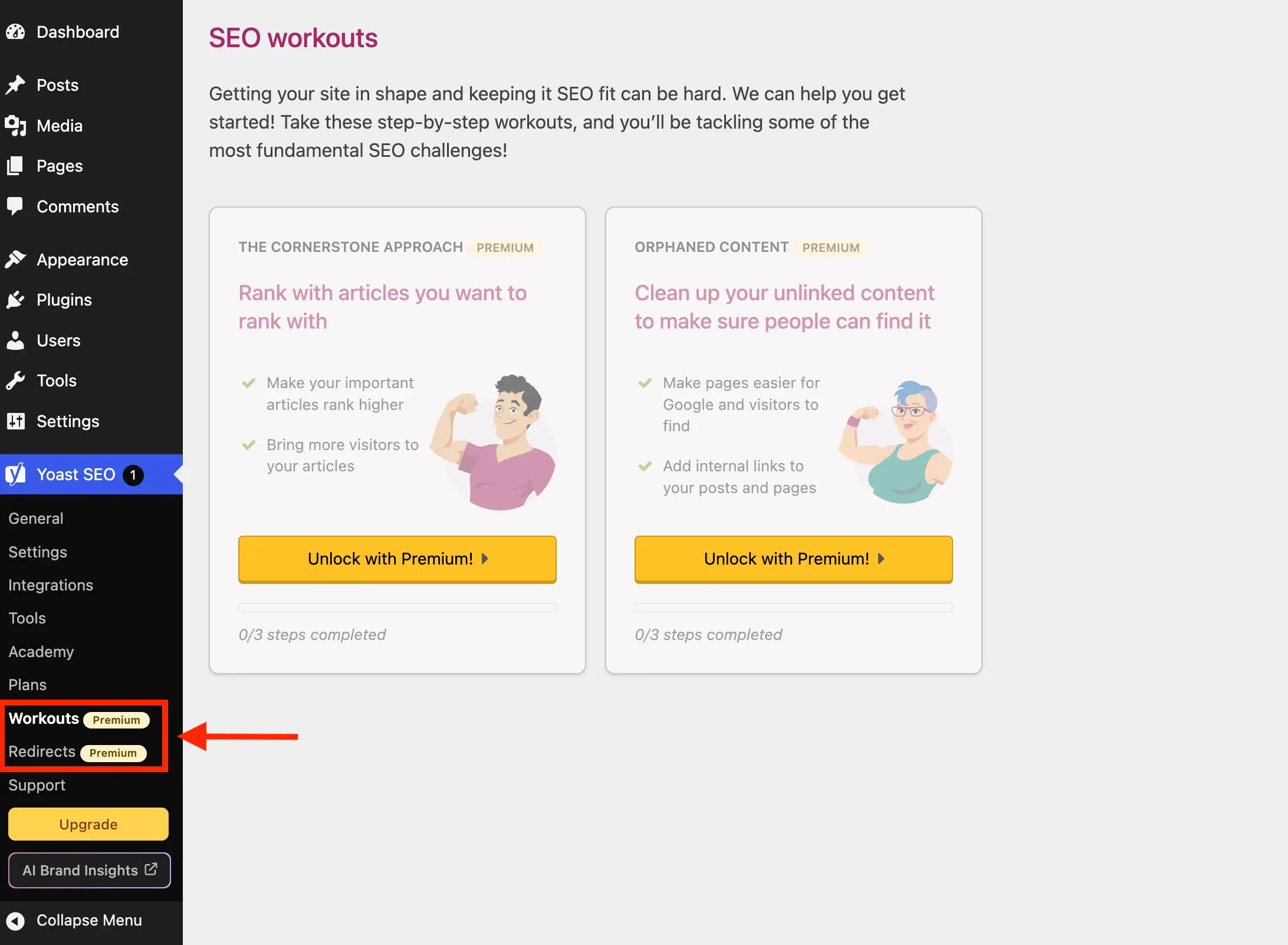
Yoast SEO registers various utility pages that function primarily as gateways to upgrade screens in the free edition, including redirect managers and content workouts. Furthermore, auxiliary pages focusing on academy courses, premium pricing plans, and external support hubs occupy valuable administrative screen real estate.
By filtering the wpseo_submenu_pages and wpseo_network_submenu_pages hooks with a maximum integer priority (PHP_INT_MAX), administrators can intercept the menu generation cycle. The script evaluates incoming arrays for specific page slugs—such as wpseo_upgrade_sidebar, wpseo_licenses, wpseo_page_academy, and wpseo_page_support—or checks for embedded premium badge markup, automatically stripping them from the navigation tree before rendering.
Toolbar and Sidebar Shortcuts

Beyond the primary settings submenus, commercial prompts frequently appear in high-visibility zones, including the top administrative toolbar and sidebar navigation panels. Items such as the primary upgrade button and AI Brand Insights shortcuts demand distinct removal strategies. While standard submenu filters manage certain sidebar elements, toolbar nodes require targeted removal using the admin_bar_menu action alongside methods like $wp_admin_bar->remove_node( 'wpseo-get-premium' );.
Dashboard Widget Optimization and Performance Implications
A critical consideration beyond visual aesthetics is server performance and data privacy. Out of the box, Yoast SEO injects a dashboard widget divided into site optimization scores and an external RSS feed pulling the latest blog posts directly from yoast.com.

Each time an administrator accesses the WordPress dashboard, this widget triggers an uncached HTTP request to external endpoints. These network calls transmit server environment variables, including exact WordPress and PHP version strings, with every single administrative page load. Disabling this widget via remove_meta_box( 'wpseo-dashboard-overview', 'dashboard', 'normal' ); and dequeuing associated widget assets (yoast-seo-dashboard-widget, yoast-seo-wp-dashboard, yoast-seo-monorepo) immediately halts these external data transmissions, improving dashboard load times and tightening security hygiene.
Targeting JavaScript-Rendered Prompts and Locked Fields
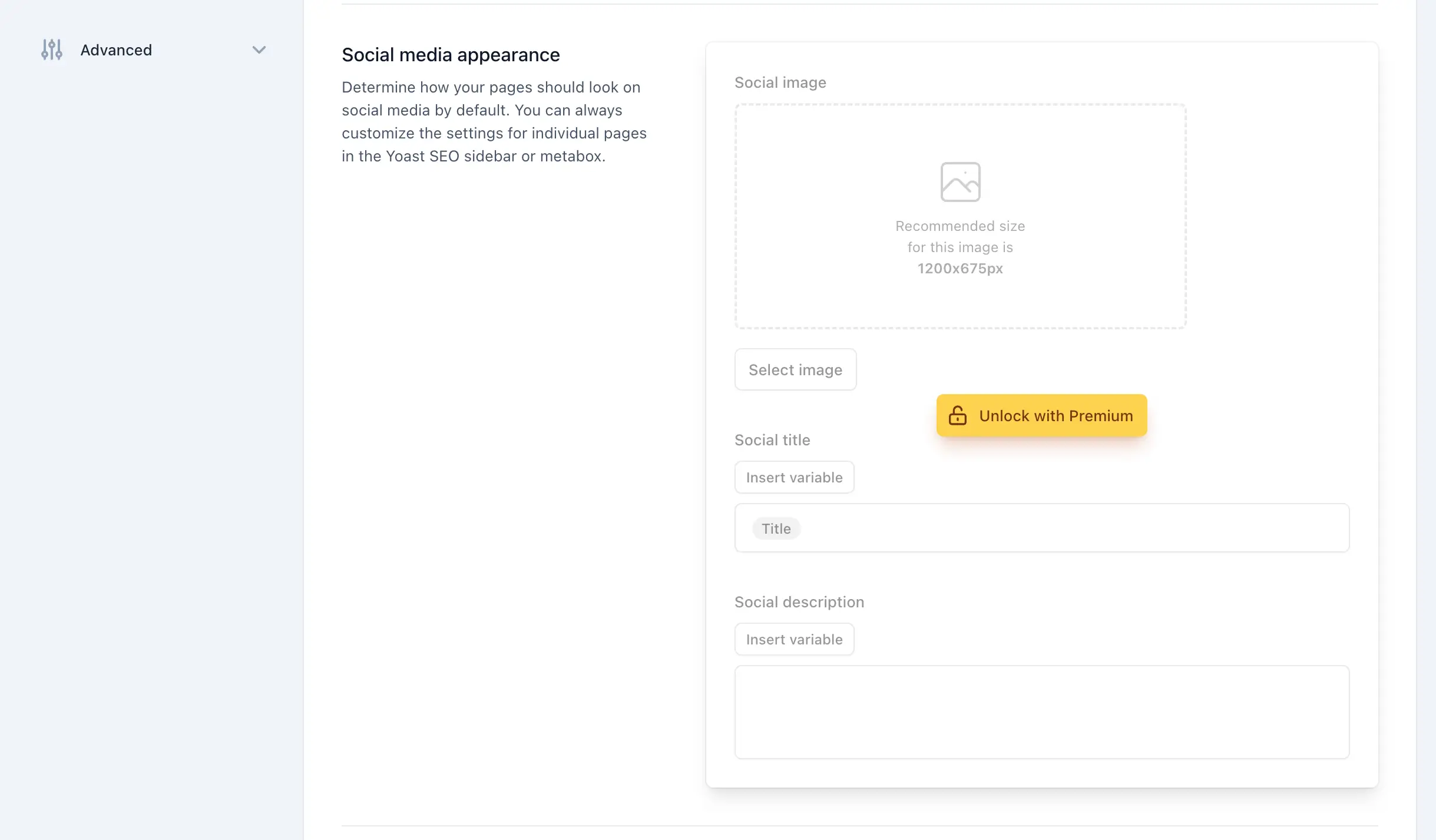
Modern iterations of Yoast SEO utilize dynamic JavaScript components to render upsell banners, sticky sidebars, locked settings fieldsets, and integration upgrade cards. Because these elements lack static HTML server-side generation hooks, traditional PHP filtering methods prove insufficient.

To overcome this structural limitation, developers utilize targeted administrative CSS injected inline via wp_add_inline_style(). By identifying specific container attributes, data action attributes, and CSS class structures—such as .yst-feature-upsell and .yst-button--upsell—administrators can apply display: none !important; rules safely across general settings screens, tool panels, third-party integration grids, and Gutenberg block editor sidebars.
Complete Integration Codebase
For site administrators seeking an integrated solution, combining all administrative filters, action removals, and CSS injection methods into a single class provides an efficient deployment mechanism:
if ( ! class_exists( 'WPEX_Remove_Yoast_SEO_Upsells' ) )
    class WPEX_Remove_Yoast_SEO_Upsells
        public function __construct()  defined( 'WPSEO_PREMIUM_VERSION' ) )
                return;

            add_filter( 'wpseo_submenu_pages', [ $this, 'remove_premium_admin_pages' ], PHP_INT_MAX );
            add_filter( 'wpseo_network_submenu_pages', [ $this, 'remove_premium_admin_pages' ], PHP_INT_MAX );
            add_action( 'admin_bar_menu', [ $this, 'remove_admin_bar_links' ], PHP_INT_MAX );
            add_action( 'admin_menu', [ $this, 'remove_upsell_submenu_pages' ], PHP_INT_MAX );
            add_action( 'wp_dashboard_setup', [ $this, 'remove_dashboard_widget' ], PHP_INT_MAX );
            add_action( 'admin_enqueue_scripts', [ $this, 'remove_dashboard_widget_assets' ], PHP_INT_MAX );
            add_action( 'admin_enqueue_scripts', [ $this, 'remove_upsells_from_admin_pages' ], PHP_INT_MAX );
            add_action( 'admin_enqueue_scripts', [ $this, 'remove_upsells_from_metaboxes' ], PHP_INT_MAX );


        public function remove_premium_admin_pages( array $pages ): array
            $pages_to_remove = [
                'wpseo_upgrade_sidebar',
                'wpseo_licenses',
                'wpseo_page_academy',
                'wpseo_page_support',
                'wpseo_redirects',
                'wpseo_workouts',
            ];
            return array_filter( $pages, function( $page ) use ( $pages_to_remove )
                if ( isset( $page[2] ) && str_contains( $page[2], 'yoast-premium-badge' ) )
                    return false;

                if ( isset( $page[4] ) && in_array( $page[4], $pages_to_remove, true ) )
                    return false;

                return true;
             );


        public function remove_admin_bar_links( WP_Admin_Bar $wp_admin_bar ): void
            $wp_admin_bar->remove_node( 'wpseo-get-premium' );
            $wp_admin_bar->remove_node( 'wpseo_brand_insights' );


        public function remove_upsell_submenu_pages(): void
            remove_submenu_page( 'wpseo_dashboard', 'wpseo_brand_insights' );


        public function remove_dashboard_widget(): void
            remove_meta_box( 'wpseo-dashboard-overview', 'dashboard', 'normal' );


        public function remove_dashboard_widget_assets(): void
            $current_screen = get_current_screen();
            if ( ! ( $current_screen instanceof WP_Screen && $current_screen->id === 'dashboard' ) )
                return;

            wp_dequeue_script( 'yoast-seo-dashboard-widget' );
            wp_dequeue_style( 'yoast-seo-wp-dashboard' );
            wp_dequeue_style( 'yoast-seo-monorepo' );


        public function remove_upsells_from_admin_pages(): void
            $current_screen = get_current_screen();
            if ( ! ( $current_screen instanceof WP_Screen && str_contains( $current_screen->id, 'wpseo_' ) ) )
                return;

            $css = '
                #yoast-seo-general .yst-@container > div:last-child:has([data-action=load-nfd-ctb]),
                #yoast-seo-general .yst-min-w-[16rem]:has(>.yst-sticky),
                #yoast-seo-settings main + div:has([data-action=load-nfd-ctb]),
                #yoast-seo-settings .yst-root div[class*=yst-fixed],
                #yoast-seo-settings main section .yst-feature-upsell,
                #yoast-seo-settings main section.yst-grid:has(fieldset > .yst-space-y-8 > .yst-feature-upsell:only-child),
                #yoast-seo-settings main section.yst-grid:has(fieldset > .yst-space-y-8 > .yst-feature-upsell:only-child) + hr,
                #yoast-seo-settings main form fieldset > .yst-flex > .yst-divide-y > .yst-py-4:has(.yst-button--upsell),
                #yoast-seo-settings main fieldset.yst-group > ul > li:has([data-action=load-nfd-ctb]),
                #wpseo-integrations .yst-root section > .yst-grid > div:has([data-action=load-nfd-ctb]),
                .yst-root .yst-table-row:has(.yst-button--upsell),
                .seo_page_wpseo_tools .wpseo_content_cell .yoast_premium_upsell,
                .seo_page_wpseo_tools #sidebar-container.wpseo_content_cell  display: none !important;
            ';
            wp_register_style( 'wpex-remove-yoast-upsells', false );
            wp_enqueue_style( 'wpex-remove-yoast-upsells' );
            wp_add_inline_style( 'wpex-remove-yoast-upsells', $css );


        public function remove_upsells_from_metaboxes(): void
            $current_screen = get_current_screen();
            if ( ! ( $current_screen instanceof WP_Screen && in_array( $current_screen->base, [ 'post', 'term' ], true ) ) )
                return;

            $css = '
                .wpseo-metabox-content div:has(> button > .yst-badge--upsell),
                :is(.wpseo-metabox-content,.yoast-modal-content) .yoast-prominent-words,
                :is(.wpseo-metabox-content,#yoast-seo:seo-sidebar) .yst-root > div > button[data-id*=AIFixes],
                .wpseo-metabox-content .collapsible_content > .yst-flex:has(.yst-badge--upsell),
                .wpseo-metabox-content .collapsible_content > .yst-flex:has(.yst-badge--upsell) + hr,
                :is(.wpseo-metabox-content,.yoast-modal-content) .yst-feature-upsell--card,
                #yoast-seo:seo-sidebar .components-panel > div:has(.yst-badge--upsell),
                #premium-seo-analysis-upsell-ad-sidebar,
                #premium-seo-analysis-upsell-ad-metabox  display: none !important;
            ';
            wp_register_style( 'wpex-remove-yoast-metabox-upsells', false );
            wp_enqueue_style( 'wpex-remove-yoast-metabox-upsells' );
            wp_add_inline_style( 'wpex-remove-yoast-metabox-upsells', $css );


    new WPEX_Remove_Yoast_SEO_Upsells;
Broader Implications and Industry Analysis
The practice of modifying commercial plugin interfaces through custom code underscores the ongoing autonomy demanded by WordPress administrators, developers, and digital agencies. While software developers rely on monetization channels to fund product security and feature innovation, end-users frequently prioritize operational efficiency, client presentation standards, and interface minimalism.
Implementing programmatic cleanup solutions offers a viable middle ground, allowing publishers to utilize robust core optimization utilities while maintaining a distraction-free administrative environment. However, because these methods depend on current DOM structures, class selectors, and filter availability, publishers must maintain vigilance. Subsequent software updates released by plugin vendors can alter markup patterns, requiring periodic code reviews and adjustments to ensure uninterrupted administrative performance across production environments.
Related posts: