WordPress 7.0 Unveils Groundbreaking Native AI Architecture, Revolutionizing Plugin Development and Site Management


The digital landscape for web development has been profoundly reshaped with the advent of artificial intelligence, and WordPress, the world’s most popular content management system, has just taken a monumental leap forward. With the release of WordPress 7.0, the platform has introduced a native AI integration that fundamentally alters how plugins incorporate AI features, moving from a fragmented, resource-intensive approach to a streamlined, secure, and highly efficient ecosystem. This pivotal update marks a new era for both site administrators and plugin developers, promising enhanced capabilities, reduced technical overhead, and a robust foundation for future AI innovation.
The Pre-7.0 Landscape: A Fragmented Frontier for AI Integration
Before the advent of WordPress 7.0, the integration of AI capabilities into WordPress sites was a complex and often cumbersome endeavor. Plugins designed to add AI features, such as content generation, image manipulation, or advanced analytics, were compelled to manage their own API key requests and communications with various AI providers. This fragmented scenario presented a myriad of challenges, severely impacting code efficiency, maintainability, and overall site performance.

Developers frequently found themselves bundling heavy, proprietary Software Development Kits (SDKs) into their plugins. These SDKs, often specific to individual AI providers like OpenAI or Anthropic, added significant weight to plugin codebases, leading to increased load times and potential compatibility conflicts. Furthermore, each plugin had to implement its own provider-specific cURL requests and network logic, requiring extensive boilerplate code that was both time-consuming to write and difficult to maintain. The constant monitoring of library versions and the need to rewrite substantial portions of code when switching AI providers contributed significantly to technical debt. Security was another pressing concern, as sensitive API keys were often stored and managed in disparate ways across multiple plugins, increasing the risk of exposure due to poorly coded or untrustworthy third-party solutions.
For site administrators, the experience was equally challenging. Configuring AI settings meant navigating through numerous plugin-specific interfaces, each demanding separate API key entries and often offering inconsistent control over AI usage. Monitoring costs, switching models, or revoking access from a particular provider became a tedious, multi-step process, undermining the very efficiency AI was meant to provide. Industry reports consistently highlighted the growing frustration among WordPress users regarding the complexity and lack of standardization in AI plugin management, indicating a clear need for a unified solution.
WordPress 7.0: A Unified AI Ecosystem Emerges
The release of WordPress 7.0, following months of extensive development and beta testing, has decisively addressed these issues by introducing a native AI integration that acts as a central nervous system for AI operations. This update provides a centralized interface for configuring credentials across various AI providers, coupled with a powerful new PHP API. This architectural shift enables seamless communication with AI models, allowing plugins to send commands, instructions, media files, and complex data structures, while the WordPress Core intelligently handles the underlying requests.
This groundbreaking architecture is structured across three distinct layers: the AI Connector, the AI Client, and the AI Provider, each playing a crucial role in establishing a cohesive and efficient AI ecosystem within WordPress.
1. The AI Connector: Centralized Control and Enhanced Security
At the foundational layer, the AI Connector revolutionizes how AI service providers are managed. Prior to WordPress 7.0, every AI-powered plugin necessitated its own system for storing and managing API keys, often involving hardcoding credentials or custom settings pages—practices far from ideal for sensitive data handling.
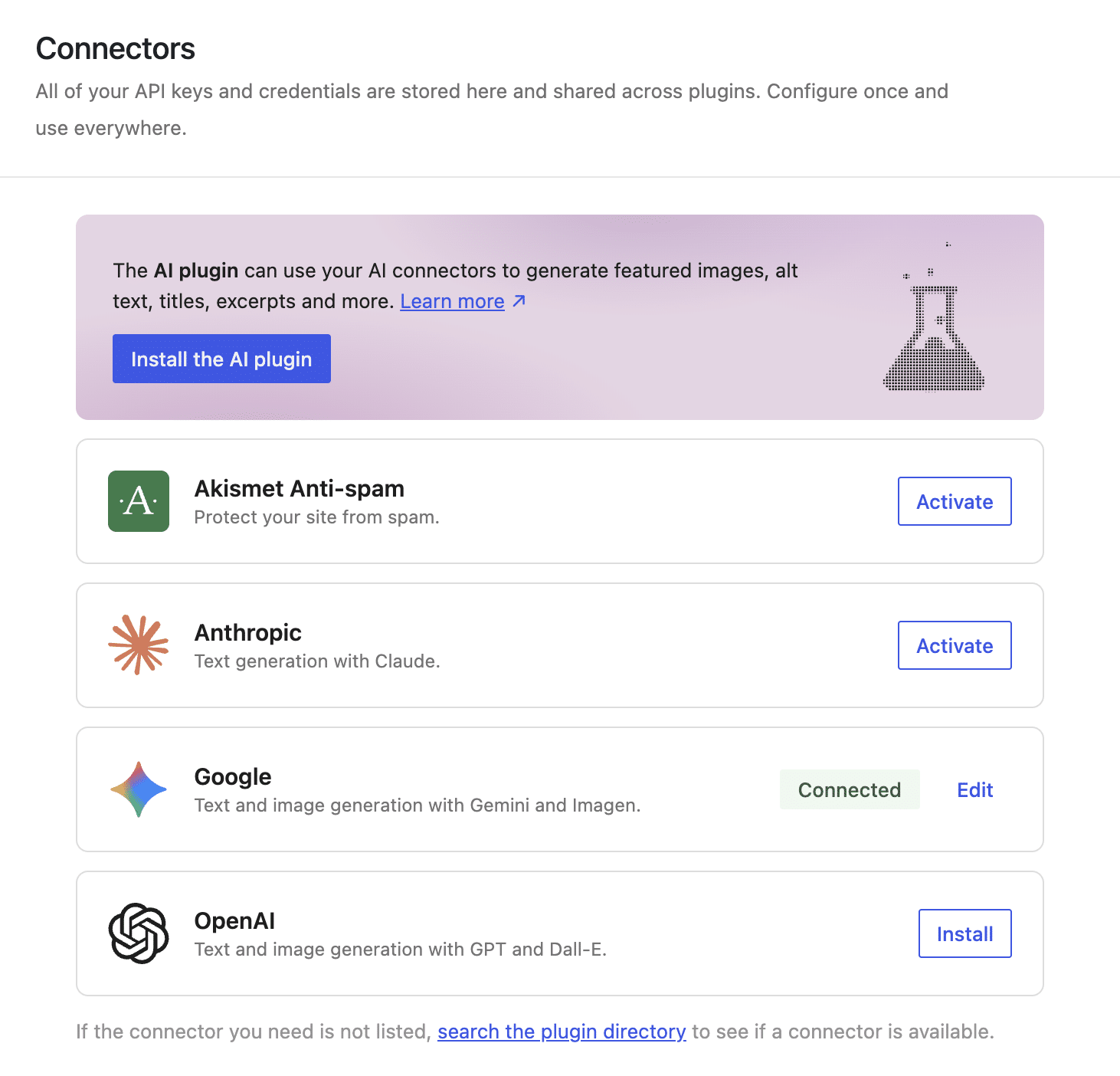
With WordPress 7.0, site administrators gain access to a unified "Connectors" interface within the WordPress admin dashboard. This centralized hub allows for the configuration of all AI service providers in one location, transforming the management of AI credentials. Once API keys are entered into this unified interface, they become instantly available to all AI-powered plugins on the site. This not only simplifies setup but also dramatically enhances security by mitigating the risk of exposing sensitive data through fragmented or poorly secured plugin implementations. Administrators can now easily monitor AI usage, switch preferred models, or revoke a provider’s access for all plugins with a single click, providing unprecedented control and oversight. Analysts suggest this streamlined approach could reduce AI configuration time for site administrators by up to 70%, freeing up valuable resources.
A significant breakthrough of the AI Connector is its contribution to code portability. Plugins no longer need to possess explicit knowledge of the specific AI provider in use, as the new architecture expertly decouples authentication from plugin logic. This means that if an administrator decides to switch AI providers, plugins will continue to function without requiring any code changes. Furthermore, the ability to configure multiple connectors simultaneously allows WordPress to automatically select the most suitable AI Provider and model for a given request, based on both the plugin’s configuration and the capabilities of available models, ensuring optimal performance and flexibility.
2. The AI Client: Empowering Developers and Reducing Technical Debt
While the Connectors screen provides the administrative UI, the AI Client serves as the operational toolkit for developers, standardizing interaction with AI models. This native software interface, primarily accessed through the global wp_ai_client_prompt() function and a unified set of PHP methods, is a game-changer for plugin development.
A major advantage for developers is the drastic reduction in technical debt and external dependencies. Before WordPress 7.0, integrating AI meant bundling third-party proprietary SDKs (e.g., official libraries for OpenAI or Anthropic) and constantly monitoring their versions, leading to heavy plugin codebases and potential compatibility issues. Developers also had to write extensive code for network logic and response parsing, often vendor-specific. Switching AI providers previously entailed rewriting entire network architectures within plugins.
The AI Client eradicates this burden by offloading all complex communication to the WordPress Core. Plugin code becomes entirely AI-provider agnostic; developers write instructions once, and WordPress translates them into the model’s specific "dialect." This abstraction allows developers to focus on core plugin functionality and innovative features rather than underlying AI communication protocols. "The AI Client is a game-changer for developer efficiency, allowing us to focus on innovation rather than boilerplate code," commented a lead engineer from a prominent WordPress agency, highlighting the immediate impact on development cycles.
A powerful feature of the AI Client’s Fluent Interface is its "intelligent model selection." Through methods like using_model_preference(), developers can declare an ordered list of preferred models for specific tasks. WordPress then checks the active providers in the Connectors screen and the plugin’s preferences, selecting the best available option. If none of the preferred models are available, WordPress gracefully falls back to the first compatible model configured on the site, ensuring plugin functionality and robustness regardless of the administrator’s provider choices.
3. The AI Provider: The Engines Behind the Intelligence
The third layer, the AI Provider, refers to the companies that own, train, and host the Large Language Models (LLMs) powering these capabilities. OpenAI, Google Gemini, and Anthropic are among the most common AI providers supported natively in WordPress 7.0, with provisions for developers to register additional custom providers.
When a plugin calls a generation method (e.g., generate_text()) via the AI Client, WordPress compiles and dispatches a data payload to the selected AI Provider through the endpoint established by the Connector. This sequence of operations, happening seamlessly behind the scenes, ensures that the most appropriate model is engaged. AI providers offer a diverse range of models, varying in capabilities, speed, and pricing—from specialized text processors to multimodal models handling audio, images, and video, or those engineered for specific tasks like image generation or speech-to-text conversion. The models available to a WordPress site are dictated by the AI providers configured in the Connectors screen, reinforcing the principle that the plugin does not dictate the specific provider, maintaining flexibility for the site administrator.
A Deep Dive into the wp_ai_client_prompt() Function: Developer’s New Best Friend
The wp_ai_client_prompt() function stands as the cornerstone of this new architecture, offering plugins a standardized, streamlined method to communicate with AI models. This function eliminates the need for external libraries, provider-specific configurations, or manual HTTP requests, liberating developers from significant technical burdens.
It returns an instance of the WP_AI_Client_Prompt_Builder class, which provides a fluent interface of over 50 chainable methods designed to customize AI prompts. This design philosophy prioritizes readability and ease of use, allowing developers to construct complex AI interactions with elegant and intuitive code. Key methods include:
with_content(): Adds primary text content to the prompt.with_file(): Attaches media files (e.g., audio, images) to the prompt.using_temperature(): Controls the randomness of the AI’s output.using_max_tokens(): Sets the maximum length of the AI’s response.using_system_instruction(): Provides guiding context for the AI.as_json_response(): Instructs the AI to return a JSON-formatted response with a specified schema.generate_text(),generate_image(),generate_audio(): Executes the AI request to produce text, image, or audio output.
For example, to transcribe an audio file, a developer might use:
$transcription_builder = wp_ai_client_prompt( 'Transcribe this voice note accurately.' )
    ->with_file( $audio_base64, $mime_type )
    ->using_temperature( 0.1 );

if ( ! $transcription_builder->is_supported_for_text_generation() )
    return new WP_Error(
        'no_supported_model',
        'No configured AI model can process this request. Configure a provider in Settings > Connectors.',
        array( 'status' => 400 )
    );


$transcript = $transcription_builder->generate_text();
This code snippet demonstrates passing a text prompt and an attached audio file, setting a low temperature for deterministic results, verifying model support, and executing speech-to-text transcription. The beauty lies in the abstraction: the developer doesn’t worry about the specific AI provider’s API endpoint or authentication details; WordPress handles it.
Further, the raw transcript can be fed back to the AI to generate structured content, leveraging as_json_response() with a defined schema, using_system_instruction() for contextual guidance, and using_temperature() to control creativity. This allows for outputs that can be directly mapped to native Gutenberg blocks, streamlining content creation workflows.
Real-World Application: The AI Content Builder Plugin
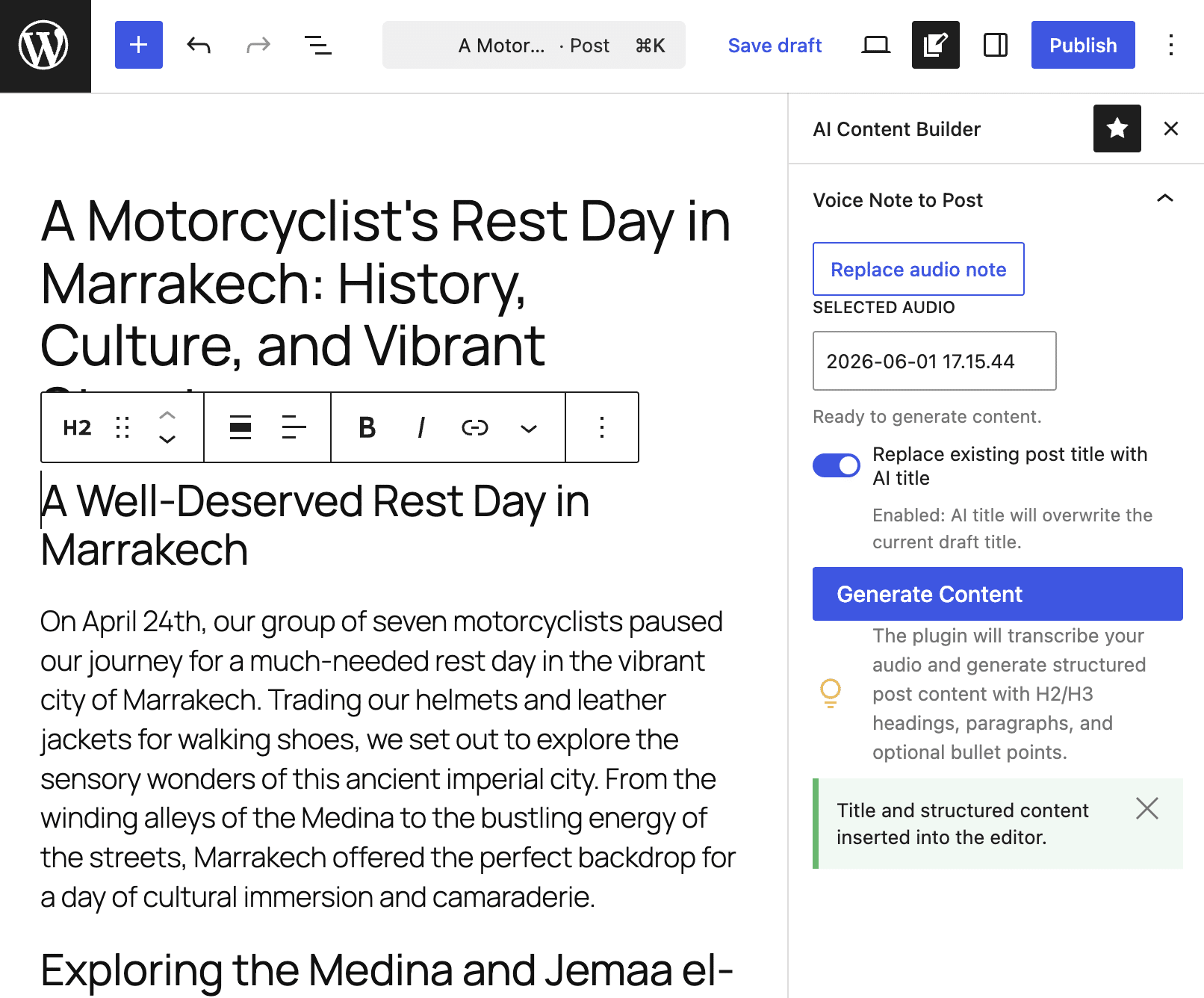
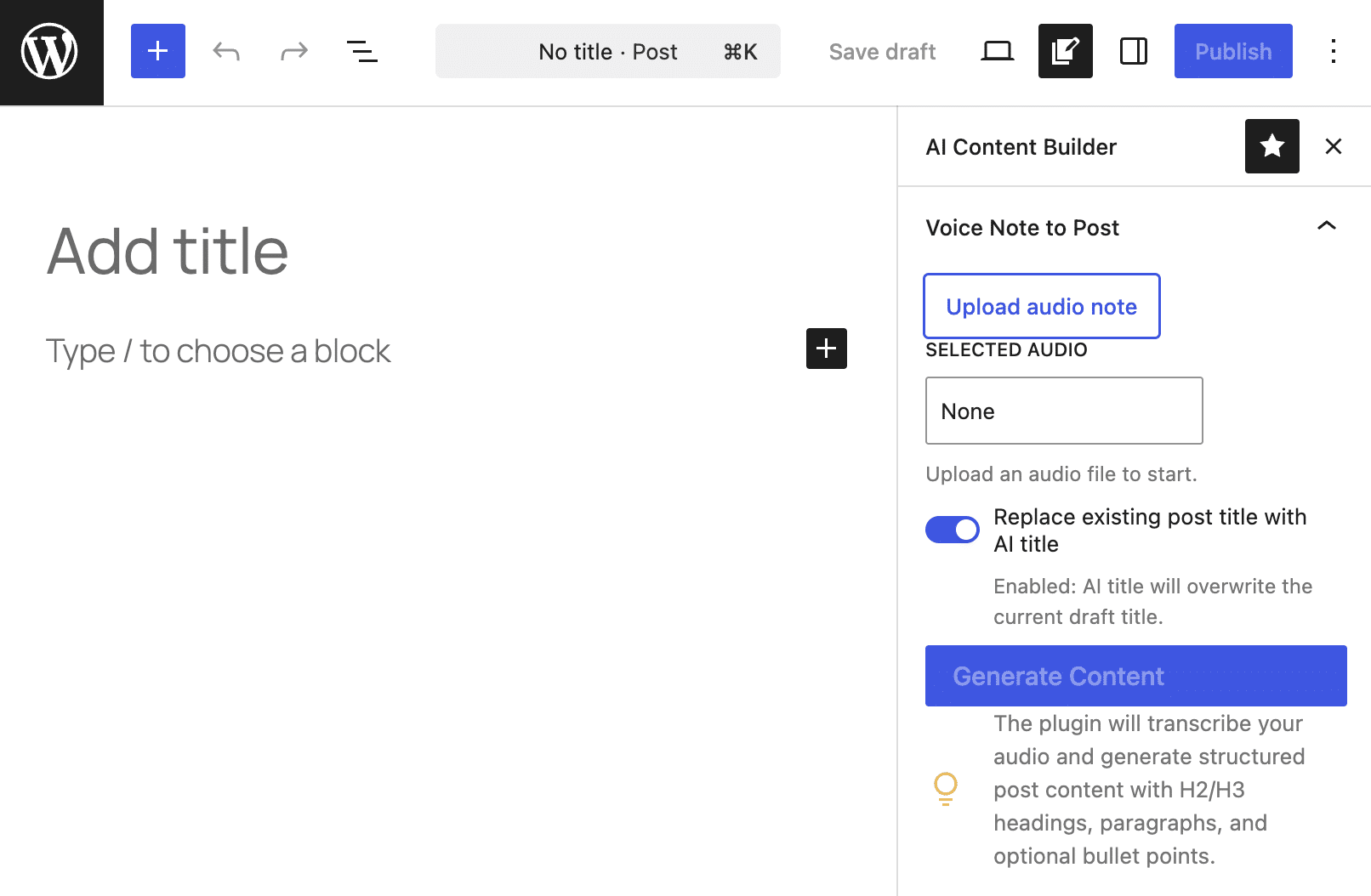
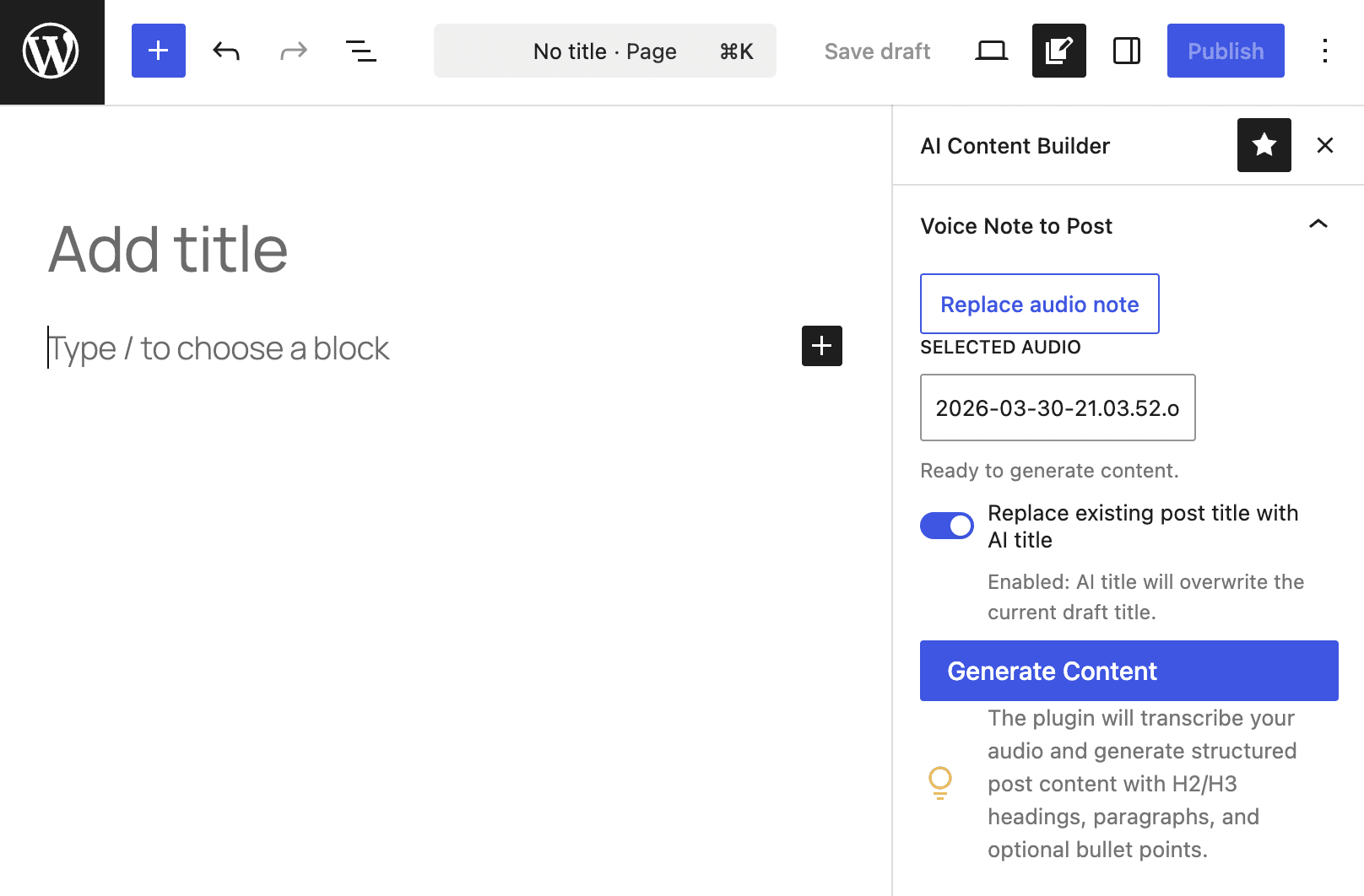
To illustrate the practical power of this new architecture, consider the "AI Content Builder" plugin. This plugin showcases how to generate a well-crafted post draft directly from an audio file, demonstrating a significant leap in automating editorial workflows. Imagine transforming a voice note or an audio interview into a comprehensive blog post with minimal effort.
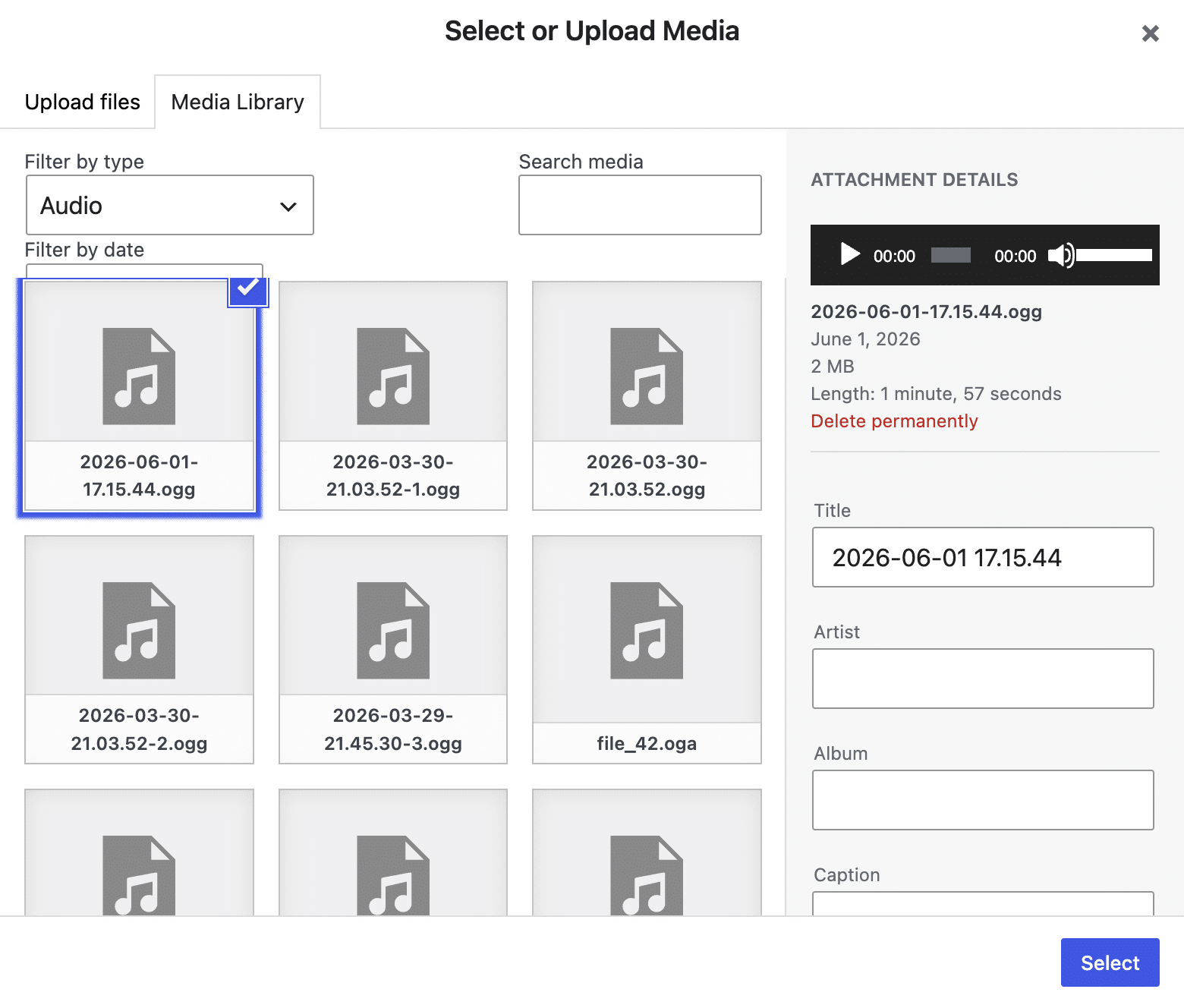
The plugin, available on GitHub, generates a custom settings sidebar within the Block Editor. Users can upload an audio file and, with a click of the "Generate Content" button, trigger an asynchronous request to the active AI Provider. The AI then transcribes the audio, structures the content into a JSON object (complete with a title, headings, paragraphs, and bullet points), and the plugin subsequently maps this structured data into native Gutenberg blocks. The resulting output is a fully formatted blog post draft, ready for minor edits.
The plugin’s simplicity underscores the benefits of WordPress 7.0’s AI integration. It consists of just two files (ai-content-builder.php and editor.js), relies entirely on native WordPress core APIs, and requires no Node.js, build processes, or external libraries. This results in a lightweight, secure plugin with virtually zero technical debt.
The data flow within the plugin exemplifies the new architecture:
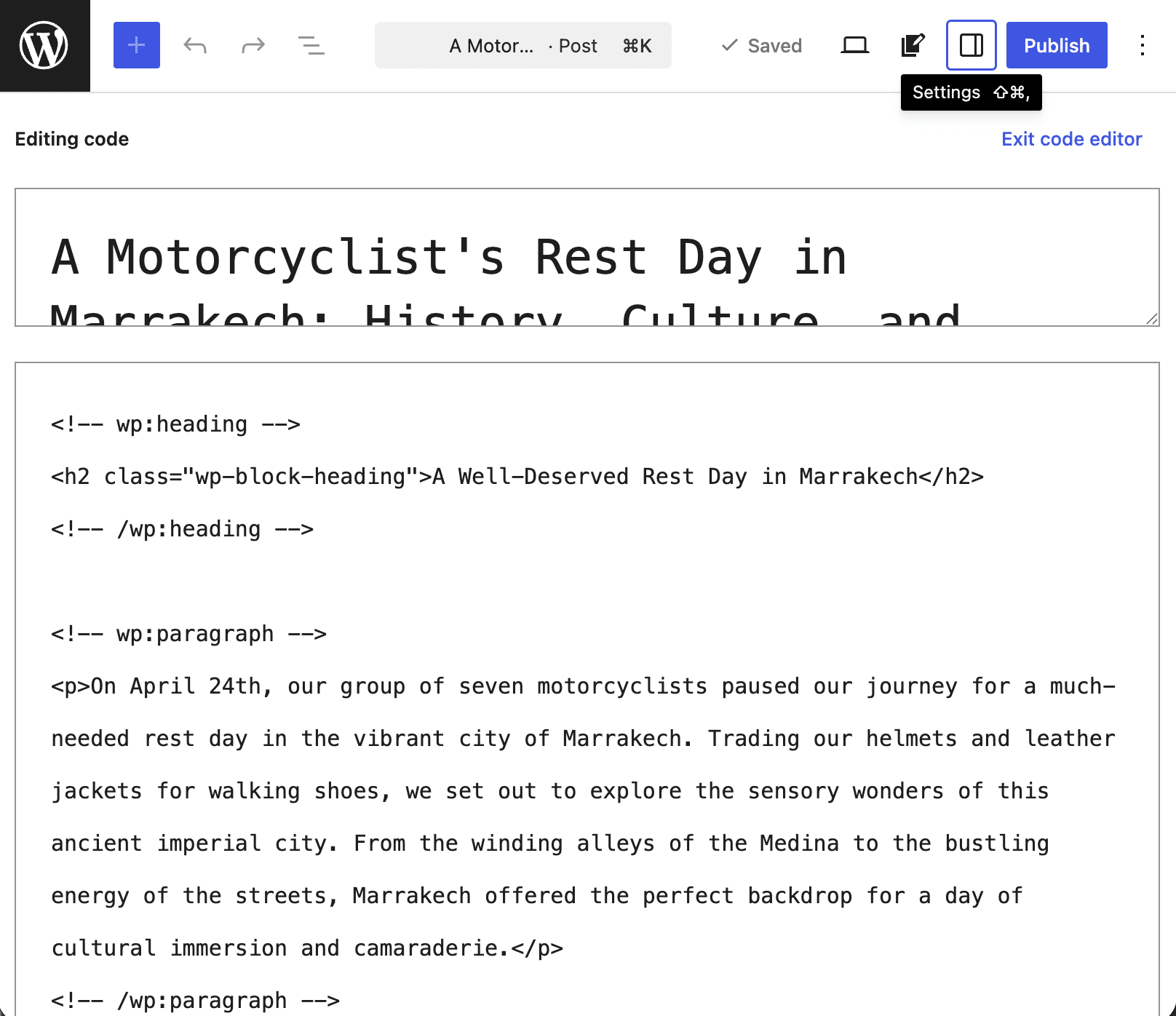
- Asynchronous REST Call: The browser sends the audio ID to a custom REST endpoint registered by the plugin, preventing UI freezes during processing.
- First AI Pass (Speech-to-Text): The server retrieves the audio, converts it to base64, and uses
wp_ai_client_prompt()withwith_file()to obtain a raw text transcription from the AI. - Second AI Pass (Content Structuring): The server sends the transcript back to the AI, requesting it to be formatted as a structured JSON object based on a predefined schema, using
as_json_response(). - Data Hydration and Block Generation: The JavaScript on the client side receives the structured JSON, normalizes it, and uses
createBlock()functions to map the data fields directly into native Gutenberg blocks (headings, paragraphs, lists).
This elegant workflow, from audio input to structured, Gutenberg-ready content, was previously a complex undertaking. Now, it’s an achievable feature for developers, leveraging the efficiency and power of the native AI architecture.
Broader Implications and Future Outlook
The introduction of native AI integration in WordPress 7.0 is more than just an update; it’s a strategic pivot that solidifies WordPress’s position as a future-proof content management system, capable of driving the next wave of web innovation.
- Developer Productivity: By abstracting complex AI communication, the architecture significantly reduces development cycles, allowing plugin developers to innovate faster and bring more sophisticated AI-powered tools to market. Experts estimate that this could reduce the time to implement AI features by up to 50-60%.
- Enhanced User Experience: Site administrators and content creators benefit from streamlined workflows, centralized control, and access to a broader array of powerful, integrated AI tools. The ease of switching AI providers without affecting plugin functionality offers unprecedented flexibility.
- Robust Security: Centralized API key management and WordPress Core’s handling of AI requests drastically improve the security posture of AI integrations, minimizing risks associated with disparate, potentially vulnerable plugin implementations.
- Explosive Ecosystem Growth: This foundation is expected to spur a massive wave of innovation within the WordPress plugin ecosystem, leading to a proliferation of advanced AI-powered tools that automate tasks, enhance content quality, and personalize user experiences across millions of websites.
- Improved Performance: By offloading heavy processing and SDK management to the core, plugins remain lightweight, contributing to better overall site performance and faster load times.
As artificial intelligence continues its rapid evolution, WordPress 7.0 ensures that the platform remains at the forefront, ready to integrate and leverage new advancements. "This native AI layer empowers millions of users and thousands of developers to harness artificial intelligence responsibly and efficiently, ensuring WordPress remains at the forefront of digital publishing," stated a representative from the WordPress Foundation. The possibilities for automating editorial workflows, personalizing content, enhancing accessibility, and driving engagement are now virtually limitless. This marks not just an update, but a transformative moment for WordPress, paving the way for a more intelligent and efficient web.