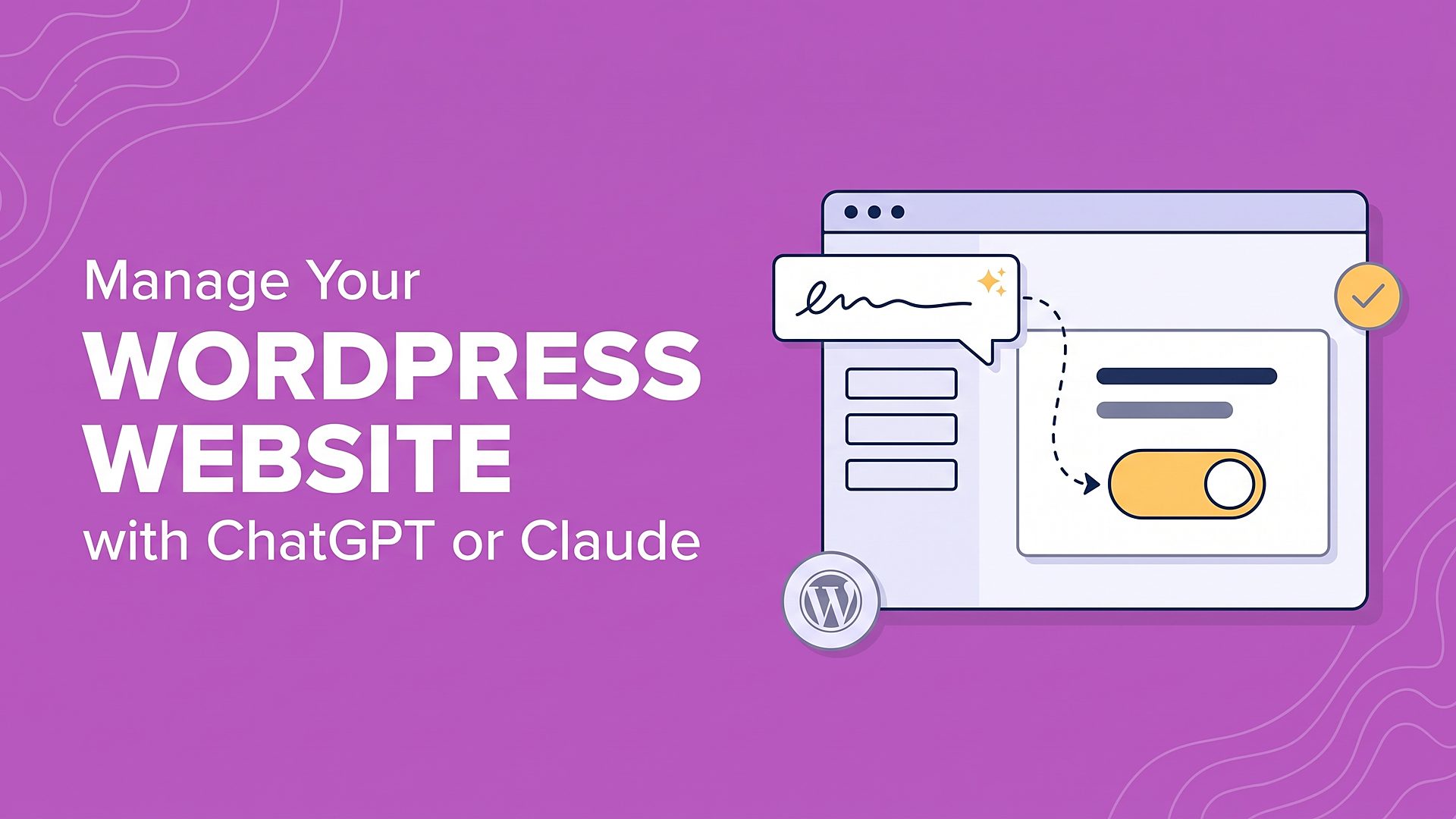
The landscape of website administration is undergoing a fundamental shift as artificial intelligence moves away from isolated chat interfaces and into direct, administrative integration with content management systems. Recent advancements in Model Context Protocol (MCP) technology have enabled mainstream AI assistants, including OpenAI’s ChatGPT and Anthropic’s Claude, to securely interact with backend website environments. Through utility plugins like WPVibe, administrators can now execute complex tasks—ranging from site-wide content generation and SEO auditing to broken link detection and plugin maintenance—directly through familiar conversational chat prompts. This development marks a transition from manual copy-and-paste workflows to agent-driven web management, offering unprecedented operational efficiency for individual bloggers, digital agencies, and enterprise web teams alike.
Background Context of AI Integration in Content Management Systems
To understand the significance of direct AI integration via MCP, it is helpful to examine the evolution of artificial intelligence within WordPress. Historically, the incorporation of AI into web development occurred in three distinct phases, each with significant limitations.
In the earliest phase, administrators relied on an external-internal copy-and-paste method. Website managers would prompt tools like ChatGPT or Claude in a separate browser tab, generate blog posts or product descriptions, and then manually copy the text into the WordPress admin dashboard. While functional for single pages, this approach proved entirely impractical for managing large inventories, such as e-commerce catalogs with hundreds of products or multi-author digital publications.
The second phase saw the introduction of specialized AI plugins embedded directly within the WordPress dashboard. These tools typically added a localized "Generate" button to specific screens, such as the post editor or a designated SEO metadata box. Although these plugins streamlined content creation, they remained rigidly locked to narrow tasks. They could not install auxiliary plugins, adjust site-wide templates, manage user permissions, or interact seamlessly with database-heavy extensions like WooCommerce.
The third and current phase introduces universal connection protocols like Model Context Protocol (MCP). Developed as an open standard, MCP functions much like a universal power adapter, allowing an AI assistant to communicate safely with a variety of external applications, including local file systems, development environments, and content management platforms. By leveraging an MCP server such as WPVibe, administrators can bridge the gap between conversational AI agents and their live WordPress infrastructure, granting the assistant contextual awareness of the entire site architecture.
Step-by-Step Implementation and Configuration
Deploying a secure connection between an AI assistant and a WordPress website requires a structured setup process. The primary conduit for this integration is the WPVibe plugin, which acts as the designated MCP server for WordPress.
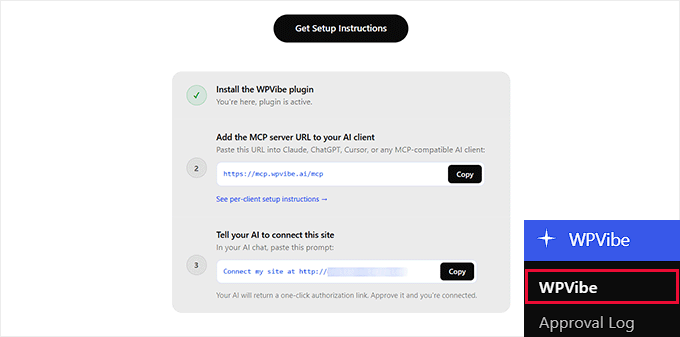
The installation process begins within the standard WordPress administrative dashboard. Administrators navigate to the Plugins section, install and activate the WPVibe plugin, and access the newly created configuration menu. This interface generates a specific remote server URL and an authorization prompt tailored to the site’s secure parameters.
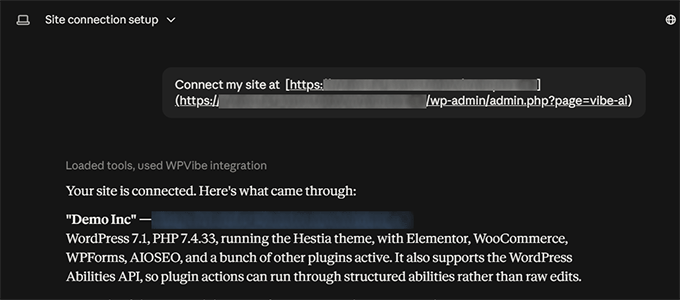
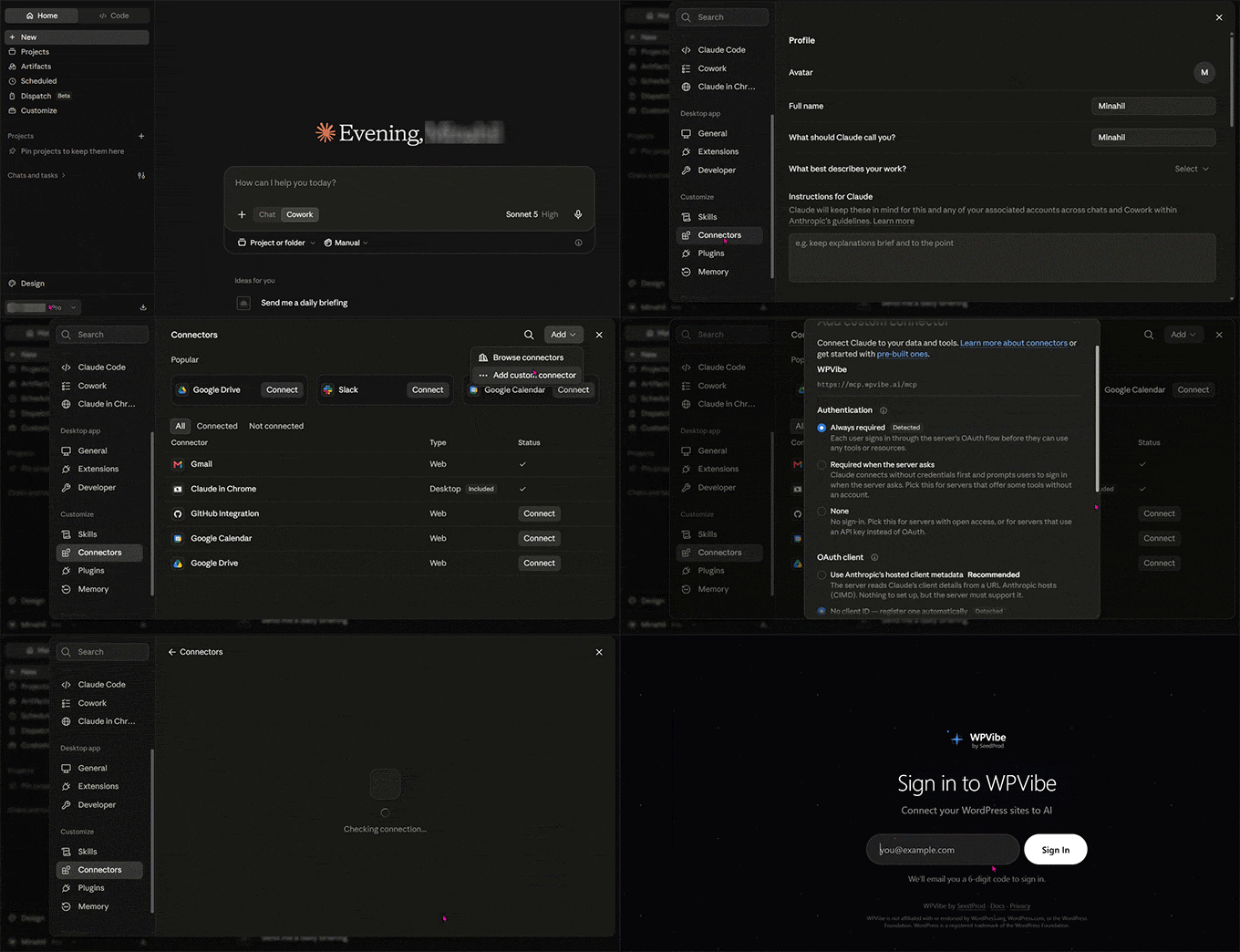
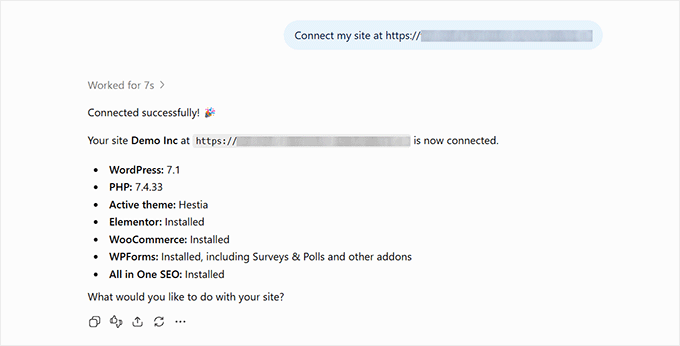
For users leveraging Anthropic’s Claude, the connection is established by accessing the settings menu, navigating to connectors, and adding a custom remote MCP server URL. After pasting the designated address and completing a multi-factor authentication step—typically verified via a secure email confirmation code—the user pastes the WordPress-generated authorization prompt into a new chat session. Claude then responds with a one-click authorization link, finalizing the secure handshake.
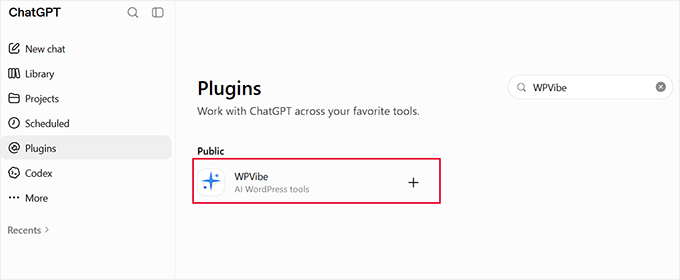
For OpenAI’s ChatGPT, the workflow differs slightly due to platform architecture. Administrators access the integration directory within the ChatGPT interface, locate the WPVibe tool, and initiate connection. Following a similar email verification process, the user inputs the authorization prompt into an active chat thread. Because ChatGPT attaches integrations on a per-conversation basis rather than maintaining a permanent background connection, users must ensure the WPVibe tool is explicitly selected in the message box for subsequent site management queries.
Technical Implications and Operational Use Cases
The integration of LLMs into WordPress management yields several immediate operational applications, fundamentally altering how routine maintenance and content optimization are handled.
Content Creation and Bulk Editing
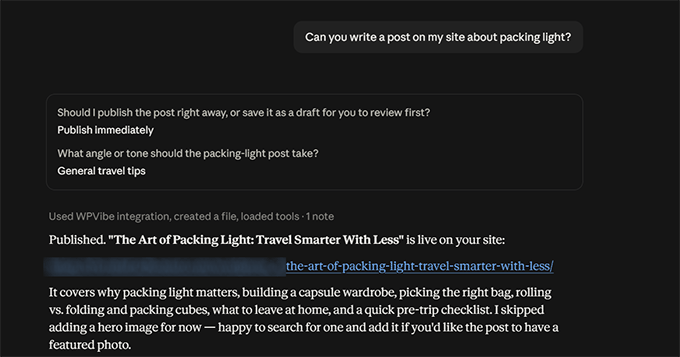
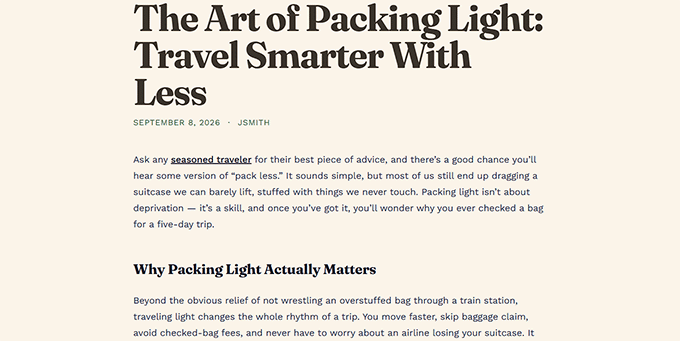
Maintaining a dynamic publishing schedule requires continuous output of blog posts, landing pages, and product descriptions. When connected via WPVibe, an AI assistant can draft, format, categorize, and publish content directly to the database. In testing environments, assistants have successfully generated multi-section articles complete with native block formatting, assigned appropriate categories, and executed bulk image alt-text additions across media libraries containing dozens of unoptimized assets. Furthermore, administrators can reference live URLs, instructing the assistant to refine introductions, restructure headings, or update outdated paragraphs directly on the published post rather than editing offline drafts.
Site Maintenance and Diagnostic Audits
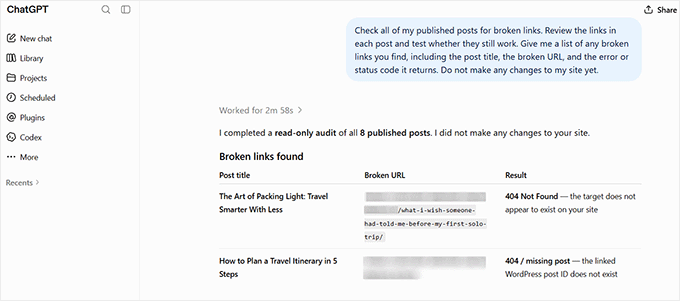
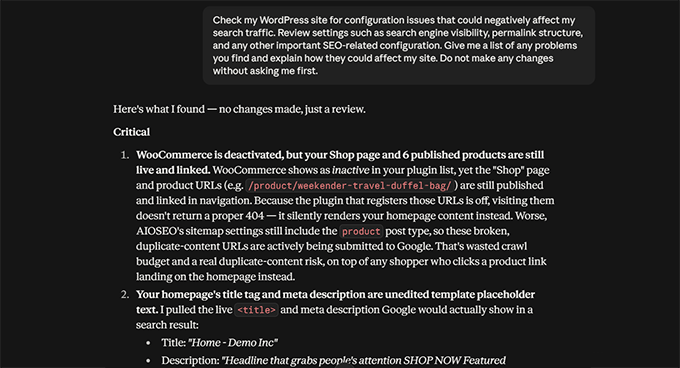
Website upkeep—such as identifying broken links, monitoring core software updates, and tracking plugin compatibility—often suffers from neglect in fast-paced digital environments. A connected AI agent can perform comprehensive diagnostic sweeps upon request. For instance, when tasked with finding broken links, the assistant scans published content, extracts uniform resource locators, and programmatically verifies HTTP response codes to confirm whether a link returns a functional page or a "404 Not Found" error. Similar protocols apply to software maintenance; administrators can prompt the assistant to evaluate the status of installed plugins and themes across multiple connected sites, ensuring core security vulnerabilities are addressed promptly.
Automated Search Engine Optimization (SEO)
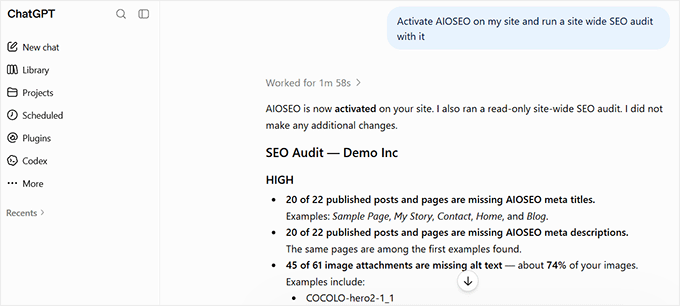
Search engine optimization represents one of the most resource-intensive aspects of digital publishing. By integrating the AI agent with a comprehensive SEO extension such as All in One SEO (AIOSEO), the assistant gains access to granular metadata and site analytics. During a routine SEO audit, the assistant evaluates homepage optimization scores, sitemap configurations, and search engine visibility settings. More importantly, it can identify content gaps at scale—listing every published post missing an SEO title, meta description, or focus keyphrase. The assistant can then generate and save optimized metadata across multiple pages simultaneously, dramatically reducing the manual labor required for large-scale content optimization.
Security Guardrails and Risk Mitigation
Granting an external artificial intelligence assistant administrative access to a live website naturally introduces security considerations. Industry experts emphasize that while MCP architectures operate under strict user-defined permission boundaries, proactive safeguards must be implemented to prevent unintended modifications or catastrophic data loss.
First, administrators should establish a comprehensive staging environment. Before executing bulk updates, database queries, or structural template modifications via an AI chat prompt, all instructions should be tested on a cloned staging site. This ensures that any misinterpretation of a prompt by the language model remains isolated from the production environment.
Second, strict backup protocols are essential. Automated, real-time database and file backups should be active prior to initiating any AI-driven administrative sessions.
Third, administrators must leverage the permission frameworks inherent to MCP servers. WPVibe incorporates confirmation checkpoints for critical actions, requiring explicit human approval before a change is committed to the database. Maintaining user-level restrictions and treating the AI assistant with the same caution applied to human administrative accounts ensures that site integrity is preserved.
Industry Analysis and Future Implications
The convergence of generative artificial intelligence and content management systems signals a broader trend toward autonomous web administration. Analysts suggest that as MCP standards mature, the role of website managers will shift away from mechanical data entry and routine maintenance toward higher-level editorial direction and system supervision.
While the current utility is bounded by the daily action limits of free plugin tiers and the necessity of human oversight, paid enterprise iterations—such as WPVibe Pro and advanced developer environments like Cursor and Windsurf—are expanding these thresholds. As these technologies scale, the ability of AI agents to interact natively with complex ecosystems like WooCommerce, Elementor, and custom-coded themes will likely become an industry standard. Consequently, organizations adopting these integration protocols early are positioned to achieve significant operational efficiencies, reducing overhead while accelerating their digital publishing capabilities.