Web Platform Evolution March 2026 Progress Report on Baseline Interoperability and Global Browser Standards

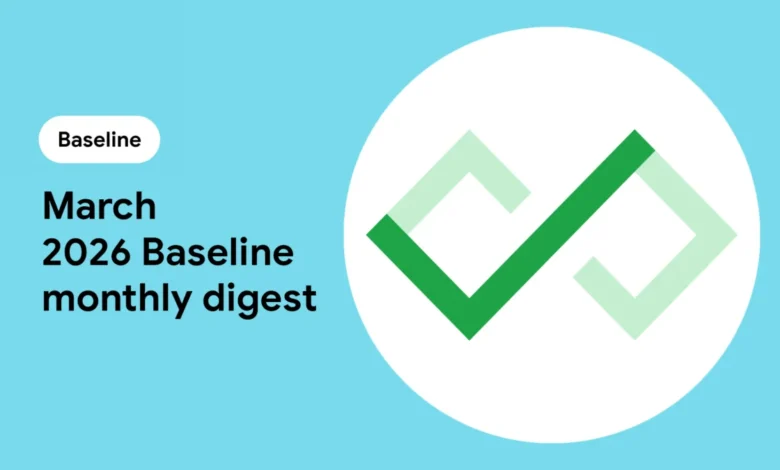
The global web ecosystem experienced a significant surge in cross-browser compatibility during March 2026, marking a pivotal moment for developers seeking to build high-performance, accessible, and resilient applications. As the industry moves further away from the era of browser fragmentation, the Baseline initiative—a collaborative effort between major browser vendors including Google, Mozilla, Apple, and Microsoft—has provided a clearer roadmap for feature adoption. In the latest monthly update, a suite of sophisticated tools, ranging from low-latency networking protocols to advanced CSS layout controls, reached critical interoperability milestones. These updates are categorized into two tiers: "Newly available," representing features that have just achieved support across all major engines, and "Widely available," representing features that have maintained stability for 30 months and are now considered safe for nearly all production environments without the need for complex polyfills.
The Strategic Framework of Baseline Interoperability
To understand the significance of the March 2026 updates, it is essential to contextualize the "Baseline" project. Launched by the WebDX Community Group, Baseline aims to solve the historical "Can I Use" dilemma that has plagued web development for decades. By establishing a clear set of criteria, Baseline provides developers with the confidence to use modern web features knowing they will function consistently across Chrome, Edge, Firefox, and Safari.
The "Newly available" status is triggered the moment a feature is supported in the latest stable versions of all core browser engines. However, the "Widely available" status is the true gold standard for enterprise-level development. This 30-month "settling" period ensures that the vast majority of users have updated their browsers to versions that support the feature, effectively minimizing the risk of breaking the user experience for those on slightly older hardware or software cycles.
Analysis of Newly Available Features: March 2026
The features that entered the "Newly available" tier in March 2026 represent a diverse array of improvements across the web stack, focusing on performance, data handling, and specialized typography.
Networking and Data Efficiency: WebTransport and Readable Byte Streams
Perhaps the most significant technical advancement this month is the full interoperability of WebTransport. Built on top of HTTP/3 and the QUIC protocol, WebTransport offers a modern alternative to WebSockets. Unlike its predecessor, WebTransport supports both reliable and unreliable data transmission, as well as bidirectional streams. This is particularly transformative for the gaming and live-streaming industries. Developers can now send non-critical data, such as player movement in a multiplayer game, via "datagrams" that do not require the overhead of retransmission if a packet is lost, while simultaneously using reliable streams for critical game state updates.
Complementing this is the finalized support for Readable Byte Streams within the Streams API. This update allows for "zero-copy" operations where data is read directly into a developer-provided buffer. By bypassing unnecessary memory copies, applications handling massive datasets or high-definition video files can significantly reduce their memory footprint and CPU usage, leading to smoother performance on mobile devices.
JavaScript Evolution: Iterator.concat()
In the realm of logic and data manipulation, the introduction of Iterator.concat() simplifies the handling of complex data sequences. Previously, combining multiple iterables—such as arrays, sets, or generator outputs—often required manual iteration or the creation of intermediate arrays, which could be memory-intensive. This new static method allows developers to chain sequences together seamlessly. This improvement reflects a broader trend in JavaScript toward functional programming patterns that prioritize code readability and efficiency.
Advanced Typographic Control and Technical Rendering
March 2026 also saw a major leap in how the web handles specialized text. The math value for the font-family property is a direct response to the needs of the scientific and academic communities. It ensures that MathML (Mathematical Markup Language) elements are rendered using fonts specifically designed for the unique spacing and glyph requirements of complex equations.
Furthermore, CSS layout controls were bolstered by the text-indent: each-line and text-indent: hanging declarations. These features provide the granular control previously reserved for desktop publishing software. The hanging keyword, which keeps the first line at the margin while indenting subsequent lines, is a staple of bibliographies and legal documents, while each-line ensures consistent indentation following hard line breaks.
The Transition to Widely Available: A 30-Month Chronology
While "Newly available" features represent the cutting edge, the "Widely available" tier reflects the features that have successfully integrated into the fabric of the web. Several heavy hitters reached this milestone in March 2026, having first achieved interoperability in late 2023.
The Impact of CSS Subgrid
The most anticipated entry into the "Widely available" category is CSS Subgrid. For years, one of the primary limitations of CSS Grid was that grid items could not easily share the row and column definitions of their parent container. Subgrid solved this by allowing nested grids to align perfectly with the parent’s tracks. Its transition to "Widely available" means that developers can now build complex, multi-level layouts with perfect alignment across different components without relying on fragile hacks or manual calculations.
Enhanced Media Queries and Device Awareness
The update media query and overflow media queries have also reached the 30-month maturity mark. These tools allow developers to adapt their styles based on the hardware’s refresh rate—essential for optimizing experiences on e-ink devices versus high-refresh OLED screens—and how the device handles content that exceeds the viewport. Additionally, Device Orientation events, which provide access to gyroscope and accelerometer data, are now considered stable enough for mainstream interactive experiences, such as augmented reality (AR) previews in e-commerce.
Performance and Resource Management
The <link rel="modulepreload"> attribute is now a standard tool for performance optimization. By allowing browsers to fetch and process JavaScript modules and their dependencies earlier in the page load lifecycle, it effectively shortens the "Time to Interactive" (TTI). This is joined by navigator.storage, which gives web applications better transparency and control over their local storage quotas, allowing for more robust "offline-first" application designs.
Industry Reactions and Practical Implementations
The momentum of the Baseline initiative has sparked significant discussion within the web development community. Rachel Andrew, a prominent advocate for web standards and a member of the Chrome team, recently addressed the pragmatic side of these updates at the Web Day Out conference. Her presentation, "A Pragmatic Guide to Browser Support," emphasized that Baseline is not just a list of features but a decision-making tool.
Industry analysts suggest that the "Baseline" mindset encourages a shift in how companies approach technical debt. By aligning project launch dates with Baseline targets, teams can avoid the overhead of maintaining polyfills that will become obsolete within months. "Choosing a Baseline target is about balancing the desire for innovation with the necessity of reach," Andrew noted. Her analysis suggests that for most consumer-facing projects, targeting "Widely available" features ensures maximum market penetration, while "Newly available" features are often suitable for internal tools or tech-forward audiences.
On the implementation front, the community is already building tools to surface this data. Developer Stu Robson recently documented his process of integrating the "Baseline Status" web component into his Eleventy-based website. This open-source component provides a live visual indicator of a feature’s support status, pulled directly from the WebDX data feeds. This type of transparent documentation is becoming a standard practice for developers who write about the web, as it provides readers with immediate context on whether a code snippet is ready for production.
Broader Implications for the Future of the Web
The progress made in March 2026 signals a fundamental change in the lifecycle of web standards. The speed at which features like WebTransport and Iterator.concat() moved from proposal to "Newly available" interoperability demonstrates a level of cooperation between browser vendors that was previously unseen.
This synchronization has several long-term implications:
- Reduced Bundle Sizes: As more features become "Widely available," the necessity for large polyfill libraries diminishes, leading to faster load times for users globally.
- Lower Barrier to Entry: Developers no longer need to be experts in browser-specific quirks. They can focus on standard-compliant code that "just works."
- Hardware-Software Synergy: With features like the
updatemedia query and Device Orientation events reaching maturity, the web is becoming increasingly capable of delivering experiences that were once the exclusive domain of native applications.
As we look toward the remainder of 2026, the focus of the WebDX community remains on "Interop 2026," a set of specific focus areas aimed at further closing the gaps in CSS, privacy APIs, and performance metrics. The March 2026 update serves as a testament to the success of this collaborative model, proving that when browser engines align, the entire digital economy benefits from a more capable and unified platform. For developers, the message is clear: the web platform is evolving faster than ever, and the tools to track that evolution are finally catching up.