Iterators and Generators for Memory-Efficient Processing: A Guide to Building Scalable Data Pipelines

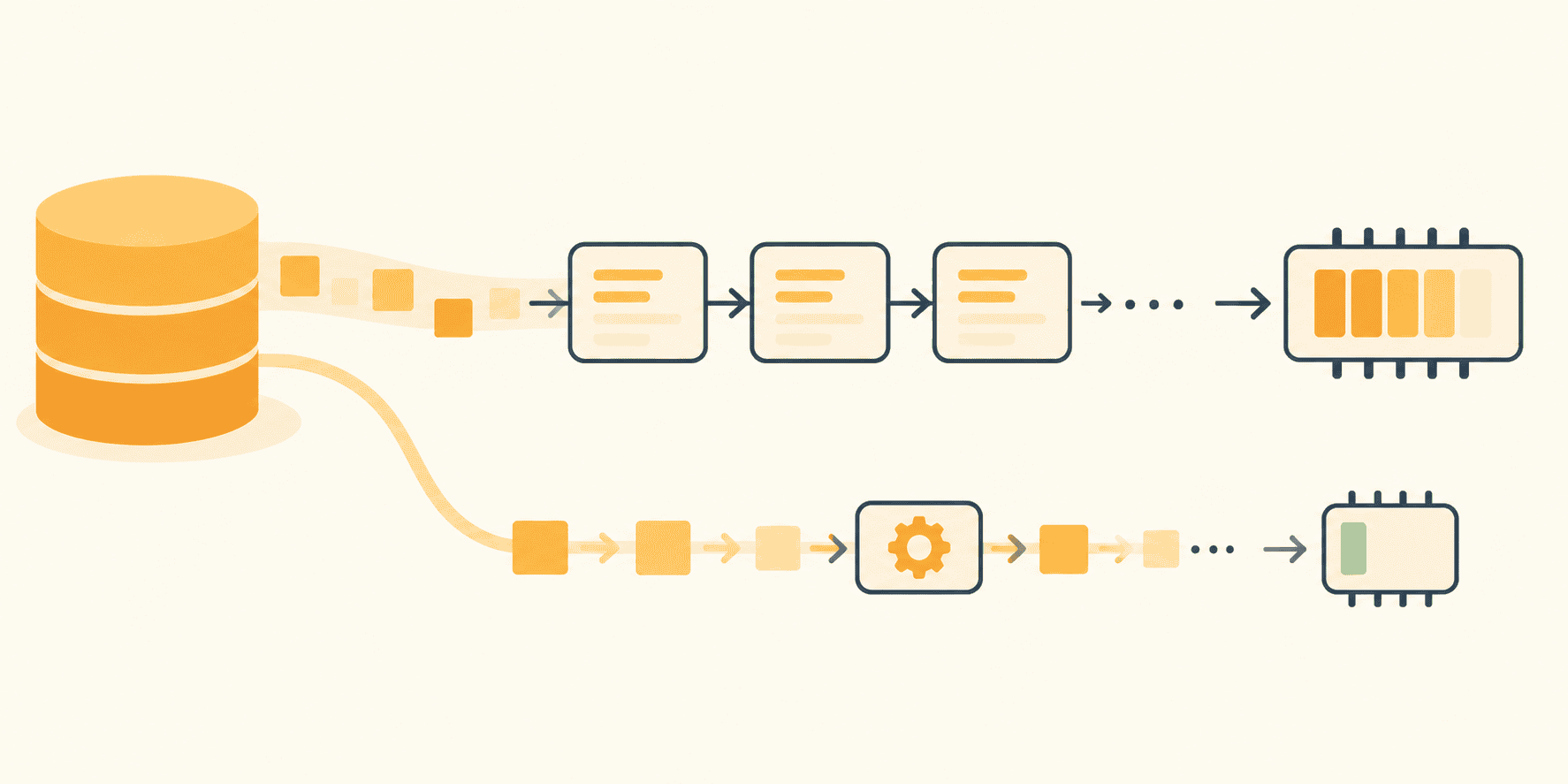
The architecture of modern data processing is frequently challenged by the transition from development-scale testing to production-scale operations. A common failure point in software engineering occurs when scripts designed to handle manageable log files suddenly encounter massive data volumes—often exceeding 9 GB in a single session—resulting in catastrophic MemoryError exceptions. This failure is rarely a flaw in the underlying logic but rather a consequence of eager evaluation, where developers inadvertently force entire datasets into RAM. By leveraging Python’s built-in iterator and generator protocols, engineers can build memory-efficient pipelines that process data in a continuous stream, ensuring that memory usage remains constant regardless of the total file size.
The Problem of Eager Evaluation
In typical data processing workflows, the standard approach involves loading entire files into memory using functions such as readlines() or list comprehensions. For instance, a script parsing payment logs might open a file, build a list of records, filter them for errors, and finally extract high-latency entries. While this approach is intuitive and works efficiently for small datasets, it is fundamentally non-scalable.
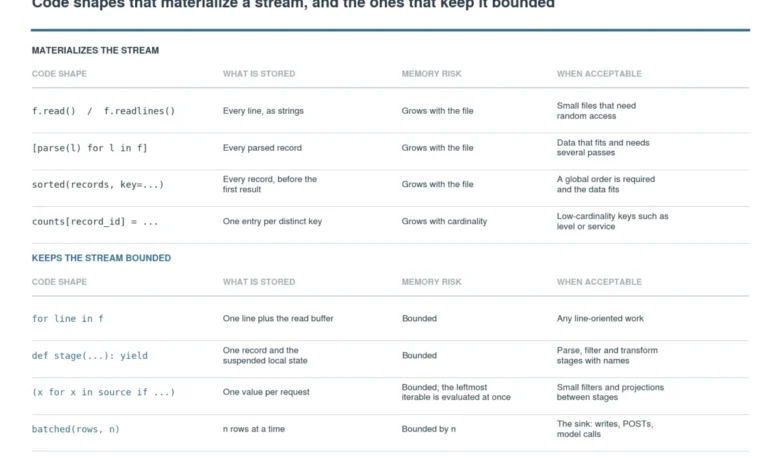
The primary issue is the creation of intermediate lists. When a developer writes [parse(line) for line in f], Python allocates sufficient memory to store every single record simultaneously. If a log file contains millions of lines, the memory footprint expands linearly with the number of records, eventually exhausting system resources. This phenomenon, known as eager evaluation, is the silent killer of many production pipelines that perform reliably during the initial development cycle but fail as soon as log rotation policies change or data ingestion spikes.
The Mechanics of the Iterator Protocol
To solve this, Python provides an abstraction known as the iterator protocol. An iterable is an object capable of returning its members one at a time, while an iterator is the object that manages the state of the iteration. The contract is straightforward: the __iter__() method returns the iterator itself, and the __next__() method provides the next item in the sequence or raises a StopIteration exception when the sequence is exhausted.
This mechanism is the cornerstone of streaming. When using a standard for loop on a file object, Python does not load the entire file. Instead, it maintains a small read buffer and advances a cursor. This forward-only motion is critical; because the program does not need to store the previous lines once they have been processed, the memory footprint remains tied only to the size of the current record being processed. Understanding this distinction is vital for developers: once an iterator is exhausted, it cannot be rewound. Attempting to iterate over it a second time without re-instantiating the source will result in an empty sequence, a common pitfall that often leads developers to prematurely call list() on an iterator, thereby reintroducing the very memory issues they sought to avoid.
Building a Streamed Pipeline
The most effective way to manage memory is to ensure that every stage of the data pipeline is lazy. This means that data should only be pulled through the pipeline when requested, rather than pushed through in bulk.
A generator function, defined by the use of the yield keyword, allows for the creation of memory-efficient stages. When a function hits a yield statement, its state—including local variables and the instruction pointer—is frozen. It waits for the caller to request the next value before resuming. This suspension capability is the secret to handling gigabyte-scale logs. By constructing a series of chained generators, a developer can create a pipeline consisting of a reader, a parser, a filter, and a formatter, where only a single record exists in memory at any given point in time.
For example, a pipeline might look like this:
- File Iterator: Reads the raw file line by line.
- Parser Generator: Transforms strings into structured dictionaries.
- Filter Generator: Discards records that do not match specific criteria.
- Sink: Writes the final output to a database or file in controlled batches.
This architecture is not only memory-efficient but also highly modular. Each stage can be tested independently, which drastically improves code maintainability and allows for easier debugging.
Strategies for Managing Data Sinks
While the processing stages should be lazy, data must eventually be written to a persistent medium, such as a file or a database. This is where the concept of "batching" becomes essential. Since many APIs and databases prefer bulk operations over individual row insertions, developers should implement a boundary at the end of the pipeline.
The itertools.batched() function, introduced in Python 3.12, serves as the standard for this purpose. It pulls a defined number of records—for example, 1,000—into a temporary container before flushing them to the output. This approach ensures that while a small portion of the data is held in memory, the volume is strictly bounded by the developer. Even if the total dataset grows from 10 GB to 100 GB, the memory usage remains constant, limited only by the size of the chosen batch.

Measuring Performance and Memory Stability
Professional-grade software requires empirical validation. The tracemalloc module in the Python standard library allows engineers to measure the peak memory usage of their scripts. By comparing the memory footprint of an eager implementation versus a streaming implementation, the advantages become statistically undeniable.
In controlled benchmarks, an eager script processing a 200,000-line log might peak at nearly 200 MB of RAM usage, scaling proportionately with file size. Conversely, a streaming implementation typically peaks at less than 1 MB, regardless of whether the file contains 200,000 lines or 20 million. This predictability is essential for deploying applications within memory-constrained environments, such as Docker containers or cloud-based serverless functions, where exceeding memory limits triggers immediate termination by the system’s OOM (Out-of-Memory) killer.
Broader Implications and Best Practices
The transition to streaming pipelines has implications far beyond log processing. This methodology is applicable to CSV exports, event streams from message queues, and the preprocessing of massive datasets used in machine learning. As datasets for model training continue to grow, the ability to stream, normalize, and batch data becomes a core competency for data engineers and machine learning practitioners alike.
To maintain a robust pipeline, developers should adhere to the following principles:
- Avoid Materialization: Never convert an entire iterator to a list unless strictly necessary for algorithms that require a full global view, such as sorting.
- Identify Boundaries: Explicitly define where the stream ends and where the "sink" (the output batching) begins.
- Use Standard Library Tools: Prioritize
itertoolsand built-in file iterators over complex, custom-built memory management logic. - Continuous Monitoring: Use
tracemallocduring the testing phase to identify unintended memory growth or "leaks" caused by accidental materialization of the stream.
Ultimately, the goal is to write code that is as readable as it is scalable. By treating data processing as a continuous flow rather than a collection of static containers, engineers can ensure their applications remain resilient, predictable, and ready to handle the increasing data demands of modern enterprise environments. A well-constructed streaming pipeline is the difference between a system that crashes under the weight of its own data and one that handles it with grace and efficiency.