HubSpot Service Hub vs. Zendesk: A Comprehensive Analysis for E-commerce Support Success

In today’s competitive e-commerce landscape, providing seamless and efficient customer support is no longer a differentiator but a fundamental requirement for business survival and growth. As businesses grapple with increasing customer expectations and the complexity of multi-channel interactions, the choice of customer service software becomes paramount. Two leading contenders in this space, HubSpot Service Hub and Zendesk, offer distinct approaches to customer support management. While both aim to streamline operations and enhance customer satisfaction, their core strengths and ideal use cases differ significantly. For e-commerce teams, understanding these nuances is crucial for selecting a platform that aligns with their specific needs, operational scale, and growth objectives.
HubSpot Service Hub emerges as the more integrated solution for e-commerce businesses prioritizing a unified view of their customer journey. Its strength lies in its seamless integration with CRM, marketing, and sales functionalities, creating a holistic ecosystem that empowers teams to understand and engage with customers across all touchpoints. Conversely, Zendesk excels in high-volume contact center environments, offering robust tools for pure ticket management and voice support, making it a preferred choice for organizations where efficient handling of a large influx of customer inquiries is the primary concern. The decision between these two platforms ultimately hinges on a business’s unique challenges and strategic priorities.
The Evolution of Customer Support Software
The necessity for dedicated customer support software has become a universal truth across industries. Even nascent e-commerce ventures recognize the critical importance of tracking customer inquiries, managing order histories, and ensuring timely issue resolution. This widespread adoption reflects a broader trend: the growing realization that customer service is a pivotal component of brand loyalty and business success. However, as businesses experiment with various service tools, a discernible difference in their understanding of intricate support workflows becomes apparent. HubSpot and Zendesk, two companies with established reputations, have earned their prominence for good reason, each offering a distinct philosophy on managing customer interactions.
HubSpot, once primarily recognized as an "inbound marketing company," has dramatically expanded its capabilities. Its integrated platform, comprising HubSpot CRM and the Service Hub, augmented by an expanding suite of AI-powered tools, is demonstrably driving significant results for enterprises. A compelling case in point is Liquidity Services, which reported a 50% reduction in support costs by consolidating its operations onto HubSpot’s interconnected platform, illustrating the tangible benefits of a unified approach.
Zendesk, on the other hand, presents a different operational paradigm. It is engineered as a mature ticket management system, specifically designed for high-volume service teams. For organizations operating contact centers or facing a perpetually growing ticket backlog, Zendesk can feel like an indispensable extension of their team, providing the much-needed capacity and structure to manage intense demand.
The Fundamental Question: What Problem Are You Solving?
The divergence in capabilities between HubSpot and Zendesk underscores a fundamental truth: the optimal choice is dictated by the specific problems a business seeks to address. HubSpot’s origins in pioneering inbound marketing principles—focusing on empowering and delighting customers rather than simply inundating them with messages—have seamlessly translated into its customer service offerings. This customer-centric ethos is deeply embedded in its product design.
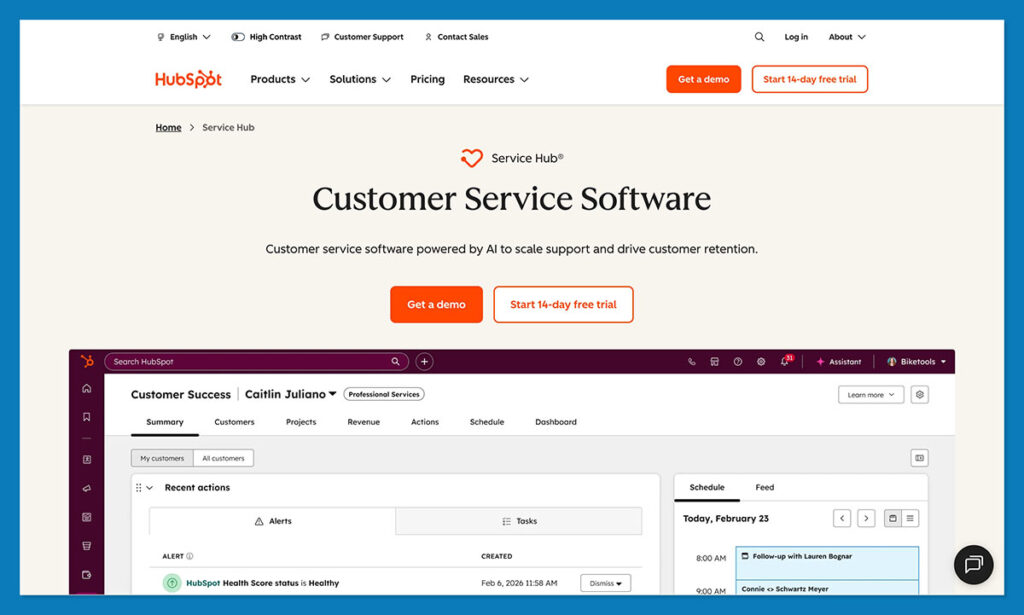
The HubSpot CRM, powered by its advanced Breeze AI, serves as the central data repository that fuels all of HubSpot’s associated hubs. For support teams, the Service Hub is the critical component, unifying every stage of the customer journey and facilitating sophisticated task automation. The AI tools HubSpot has been progressively introducing, such as its customer agent, intelligent reply suggestions, and sophisticated routing logic, are particularly noteworthy. These tools are trained on the CRM data itself, resulting in AI assistants and generated text that authentically reflect the brand’s voice and tone.
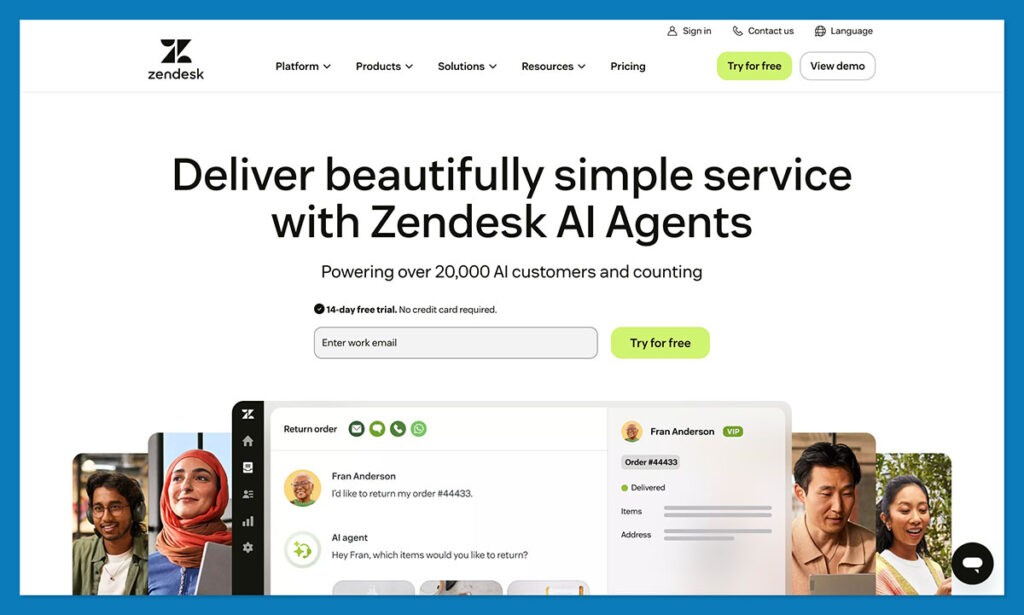
Zendesk, conversely, is often perceived as the go-to platform for teams that manage sheer volume. Long-standing support managers frequently attest to its reliability, describing its workspace as clean, fast, and predictable—precisely what is needed by professionals who spend their days immersed in service queues. The Zendesk Suite consolidates various communication channels, including email, chat, SMS, social media messages, and phone calls. Its voice support capabilities are particularly robust, offering one of the most refined experiences for teams heavily reliant on phone interactions.
A Deep Dive into Capabilities: HubSpot Service Hub vs. Zendesk
To truly appreciate the distinctions, a granular examination of their features and operational philosophies is necessary.
Ease of Use, Onboarding, and Support
Both HubSpot and Zendesk are frequently lauded for their ease of use, a key factor that attracts businesses, particularly smaller ones, to their platforms. Zendesk offers an intuitive, workshop-like experience. Its interface is logically organized, with tools readily accessible, ensuring efficient operation even during peak periods. New agents can quickly acclimate to the system, and its mobile application is surprisingly comprehensive, allowing for responses, reassignments, customer information checks, and even voice actions on the go. Zendesk provides access to all support channels—email, chat, and phone—across all its paid plans, ensuring immediate human interaction capabilities.
HubSpot, while perhaps appearing more feature-rich and thus potentially busier, also prioritizes ease of onboarding. Its learning curve is notably shorter than many comparable platforms, as its consistent design logic—a single CRM, timeline, and record—makes it accessible even to users less comfortable with technology. However, HubSpot’s support model leans towards a more self-service approach for its free users, who lack one-to-one support and phone assistance until they reach the Professional tier. Fortunately, the extensive HubSpot Academy offers a wealth of resources, enabling many teams to resolve issues independently and efficiently through its comprehensive video tutorials and documentation.
AI and Automation: HubSpot Breeze AI vs. Zendesk Service AI
The contemporary customer support landscape is inextricably linked with artificial intelligence and automation. Both HubSpot and Zendesk have significantly enhanced their AI capabilities. HubSpot’s AI initiative, Breeze, functions as a comprehensive intelligent system integrated across its entire platform. The Breeze Assistant aids in information retrieval and response generation, while HubSpot Agents, such as the customer agent, automate end-to-end customer service tasks. HubSpot claims that its customer agent can autonomously resolve up to 65% of conversations for many businesses.
Breeze Intelligence stands out for its ability to unify and cleanse data, simplify forms, and extract insights that would otherwise require substantial manual effort. Zendesk’s AI is more focused on traditional service functions: suggested replies, automated ticket triage, call summaries, quality assurance scoring, and workforce management tools designed to optimize large teams. Its AI is particularly effective for businesses handling high volumes, and its phone support features are exceptional for teams spending significant time on calls.
The fundamental difference lies in their focus: Zendesk concentrates on optimizing the support queue, whereas HubSpot aims to manage the entire customer lifecycle, providing AI tools that bridge sales, marketing, and customer support.
Omnichannel Support and Ticket Management
The concept of a shared inbox might seem basic, but its effectiveness is profoundly felt in daily operations. HubSpot consolidates email, chat, WhatsApp, Messenger, and form submissions into a singular view within the CRM. This unified approach allows agents to seamlessly transition between inquiries about shipping status and product sizing without losing critical context. Ticket pipelines are easily managed, enabling teams to categorize and prioritize returns, complaints, VIP messages, and general inquiries.
Zendesk boasts a broader range of supported channels, including SMS, in-app messaging, and a wider array of social media platforms. For e-commerce stores that leverage multiple communication fronts—chat, email, Instagram DMs, and phone—Zendesk’s workspace can feel more comprehensive. However, Zendesk’s workspace does not inherently pull full CRM history unless integrated, meaning that while channel coverage is extensive, the necessary customer context might not always be readily available without additional integration efforts.
CRM Strength and Product Extras
The underlying CRM capabilities represent a significant point of divergence. HubSpot’s CRM is the central engine of its operations, with all functionalities feeding into it. Upon receiving a ticket, an agent can instantly access the customer’s complete history, including purchase records, abandoned carts, email engagement, past service interactions, and notes from the sales team.
Zendesk Sell, while functional as a CRM, is not as deeply integrated into the support experience. Its history as Base CRM before acquisition means it can sometimes feel like a separate entity. Agents requiring customer history often find themselves switching between the support workspace and the CRM, which can be time-consuming during busy shifts.
Beyond core features, HubSpot offers supplementary tools that foster a more connected business experience. These include the customer success workspace for proactive engagement, health scoring to gauge customer satisfaction, NPS tracking for feedback collection, and playbooks that guide teams through complex scenarios. Zendesk’s extra features are more operationally oriented, focusing on workforce management, quality assurance, and analytics designed for contact center managers who prioritize metrics like response times and agent performance.
Reporting and Analytics

HubSpot’s reporting capabilities are particularly robust due to the interconnected nature of its platform. Tickets are viewed alongside deals, marketing campaigns, order histories, and subscription data, allowing for a holistic understanding of how service impacts revenue and customer retention. The customer success workspace, health scoring, NPS tracking, and playbooks provide smaller teams with sophisticated tools typically found in enterprise-level solutions.
Zendesk’s reporting is more akin to a traditional support analytics suite. Its Explore feature provides detailed ticket metrics, queue trends, QA scoring, and staffing insights, which are invaluable for contact center managers. However, without additional integrations, Zendesk does not inherently connect support data with the broader customer lifecycle.
Pricing and Scalability: HubSpot vs. Zendesk
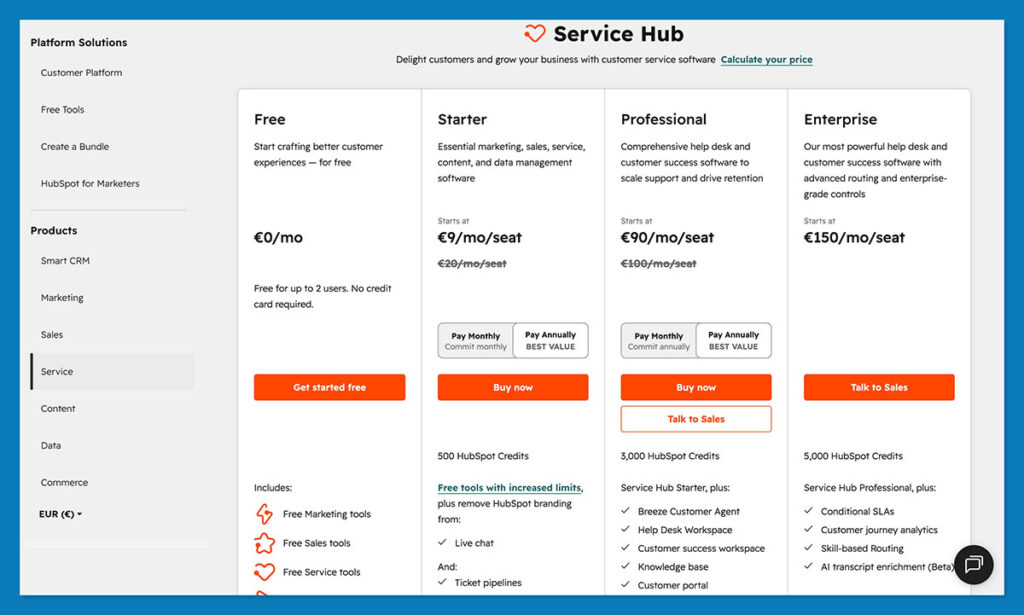
The cost and scalability of a platform are critical considerations for businesses of all sizes. HubSpot offers a tiered pricing structure. Its free CRM is a genuinely useful starting point, providing contact management and basic ticketing for up to two users. Free service-focused tools like knowledge base, help desk automation, and customer feedback surveys are also available. Paid tiers for Service Hub include Starter, Professional, and Enterprise, with costs increasing as advanced features are adopted. While there can be a significant jump between tiers, HubSpot can potentially lead to cost savings by consolidating disparate tools.
Zendesk does not offer a free tier, though demos are available. Entry-level pricing starts at approximately $19 per agent per month for basic plans, with smaller increments between subsequent tiers. While Zendesk may appear cheaper initially, the cost can escalate when factoring in Zendesk Sell (its CRM) and necessary integrations, potentially reaching enterprise-level pricing for mid-sized businesses.
Scalability is another area where their approaches diverge. HubSpot scales well when built around a unified customer record. Adding seats, workflows, and data is generally straightforward, as its CRM is designed for expansion. The primary cost consideration arises at higher tiers, especially if a business adopts multiple HubSpot hubs. Zendesk excels in handling high ticket volumes, demonstrating resilience even under extreme demand. However, as businesses grow, the need for tools beyond core support increases, and Zendesk’s "service-first" architecture can reveal limitations. While scaling a support team might be seamless, other business functions may continue to rely on disconnected tools.
Integrations and App Ecosystems
For e-commerce businesses, robust integrations are non-negotiable. HubSpot’s app ecosystem is substantial, featuring the HubSpot App Marketplace, the Data Hub sync engine, and numerous connectors for popular e-commerce platforms like Shopify and WooCommerce. The Data Hub facilitates true two-way syncing, ensuring that updates made in one system are reflected in others, such as customer email changes in Shopify being recognized by HubSpot. Because Service Hub resides within the HubSpot CRM, any integration automatically benefits sales, marketing, and support simultaneously.
Zendesk’s marketplace is also extensive, offering connectivity to a wide range of applications. However, integration quality can vary, and many apps are optimized for the support workspace rather than Zendesk Sell. Since Sell operates separately from Zendesk Suite, integrations can feel fragmented. Many businesses using Zendesk often rely on a combination of Zendesk, a separate CRM, a distinct marketing stack, and custom scripts, which can become complex and fragile during peak operational periods. While connectors exist, some rely on intermediary services like Zapier, introducing potential delays and anomalies during high order volumes.
The Verdict: Choosing the Right Platform
The choice between HubSpot Service Hub and Zendesk ultimately depends on a business’s specific needs and priorities. Both are highly capable platforms, but HubSpot consistently leads in areas that are critical for comprehensive customer-centric businesses. It excels at keeping all facets of a customer-focused operation connected in a way that other tools struggle to replicate.
Zendesk remains a formidable choice for traditional support operations. If a team’s daily life is consumed by managing ticket queues and SLAs, Zendesk’s robustness and efficiency are undeniable. However, for e-commerce businesses that rely on more than just sheer ticket volume—those that value a holistic customer view and integrated workflows—HubSpot presents a more natural, manageable, and time-efficient solution.
For e-commerce teams seeking to unify their CRM, marketing, and support efforts, HubSpot Service Hub offers a compelling integrated experience. Its strength lies in providing a single source of truth for customer data, enabling proactive engagement and a deeper understanding of the customer journey. Conversely, for high-volume contact centers prioritizing efficient ticket management and robust voice support, Zendesk remains a powerful and specialized solution. The decision hinges on whether the business prioritizes a unified customer journey or specialized high-volume ticket resolution.