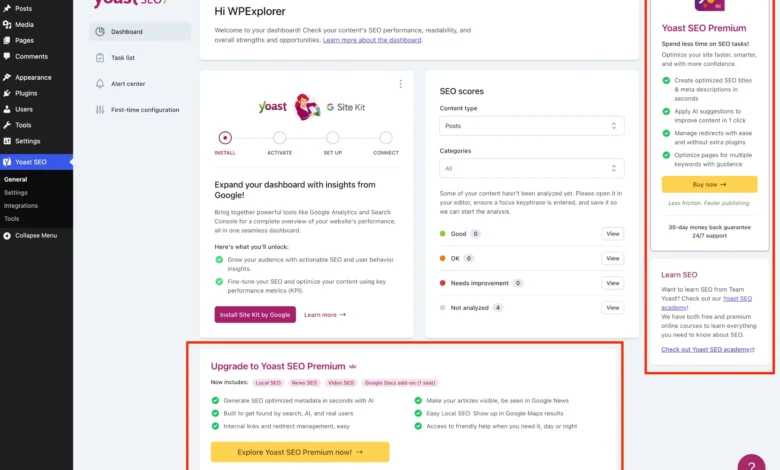
The Yoast SEO plugin remains one of the most widely deployed content optimization utilities in the WordPress ecosystem, powering millions of websites globally. While its core free iteration provides essential search engine optimization infrastructure, including sitemap management, readability analysis, and basic content evaluations, it is increasingly characterized by aggressive commercial promotion. Site administrators, developers, and digital agencies managing client installations frequently encounter an array of monetization artifacts within the WordPress dashboard. These commercial distractions include recurring upgrade banners, standalone administrative pages dedicated to premium features, dashboard widgets generating external HTTP requests, and locked interface elements designed to encourage transitions to Yoast SEO Premium.
For solo content creators, maintaining a pristine and focused operational environment is a matter of workflow efficiency. For professionals managing multi-site enterprise environments or client-facing digital portfolios, unmanaged commercial noise introduces unnecessary cognitive load and visual clutter. While acquiring a commercial license for Yoast SEO Premium represents the officially supported pathway to unlock advanced capabilities—such as automated artificial intelligence title generation, robust redirect managers, and multiple focus keywords—budget constraints or specialized functional requirements often necessitate sticking with the free version. Consequently, technical administrators have increasingly turned to programmatic methods to streamline the user interface, utilizing custom PHP implementations, action hooks, and targeted cascading style sheets to neutralize promotional overlays without compromising underlying plugin functionality.
Understanding the Mechanics of WordPress Plugin Interventions
To systematically address interface clutter within the WordPress administration panel, developers rely on the platform’s extensible architecture, which leverages action hooks, filters, and conditional logic. Before deploying optimization scripts, industry standards dictate the implementation of strict validation checks to prevent runtime errors and ensure compatibility across diverse server configurations. Initializing a dedicated object-oriented PHP class allows administrators to encapsulate all modification logic securely within a single, modular file. This methodology ensures that scripts execute only when the target environment meets specific criteria, verifying that the core Yoast SEO plugin is actively running while confirming that the commercial premium version is absent, thereby preventing redundant code execution.
Within this structural framework, conditional evaluations utilize constants such as WPSEO_VERSION to confirm the operational status of the base plugin. If the system detects the presence of WPSEO_PREMIUM_VERSION, the script gracefully terminates execution, acknowledging that commercial installations natively suppress basic tier upsells. Furthermore, leveraging object-oriented programming practices safeguards global variable spaces from pollution and minimizes potential conflicts with third-party themes or complex plugin suites. Code of this nature can be deployed through several standard WordPress methodologies, including integration within a child theme functions.php file, deployment via a dedicated code snippet management utility, or configuration as a Must-Use plugin (MU-plugin) to ensure execution priority across the entire network architecture.

Targeting and Eliminating Extraneous Administrative Submenus
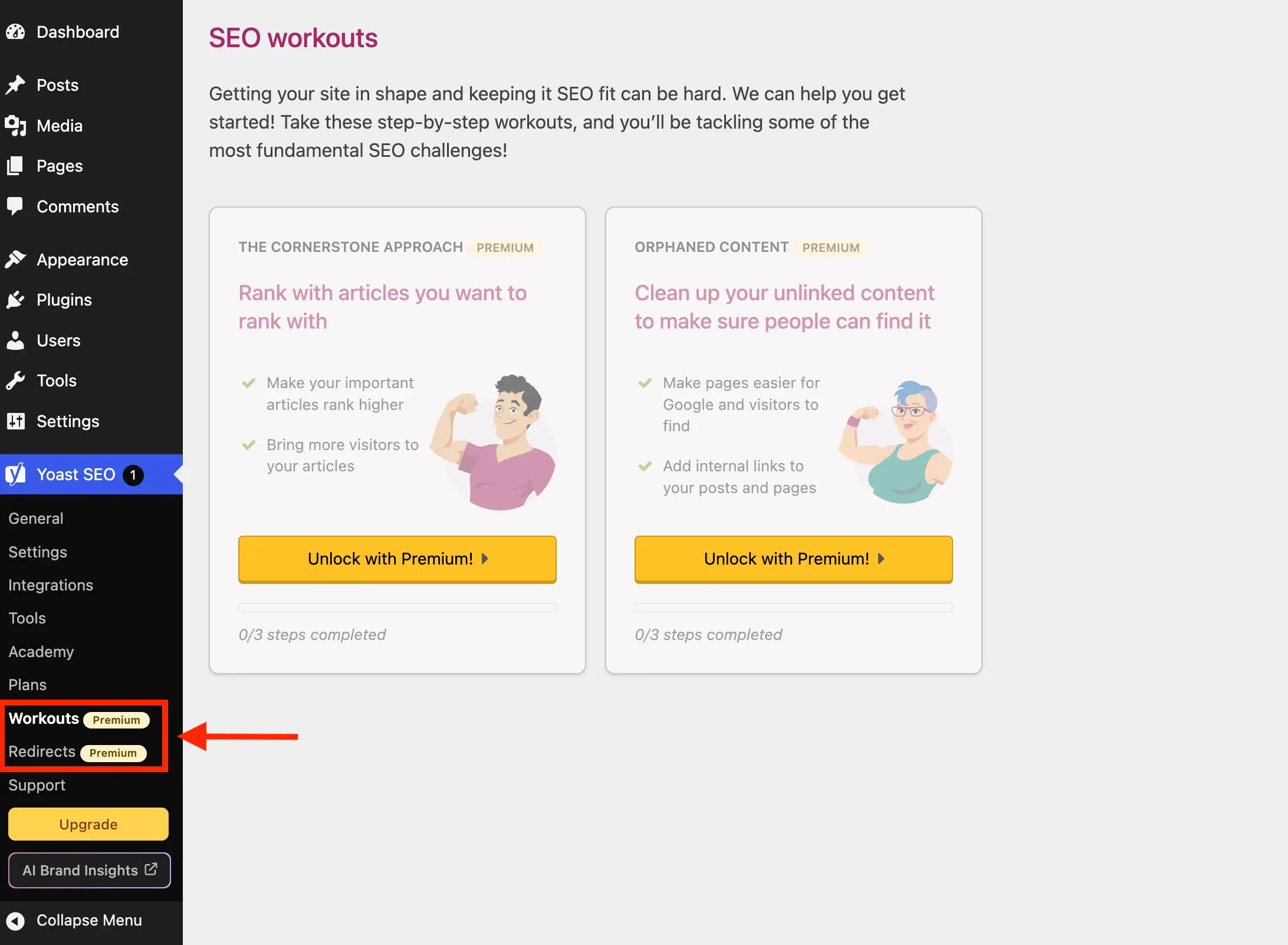
The native installation of Yoast SEO registers a variety of administrative submenu pages that serve strictly promotional or educational functions rather than direct optimization tasks. Pages designated for upgrade workflows, product licensing, academy portals, and support documentation routinely occupy valuable real estate within the WordPress dashboard navigation menu. For instance, the Plans administrative page functions primarily as an interactive sales catalog for commercial add-ons, while the Academy interface directs users toward gated external learning management portals. Similarly, the Support screen compiles standard external documentation links that can easily be bookmarked directly within a standard web browser, rendering their constant presence in the administrative navigation redundant.
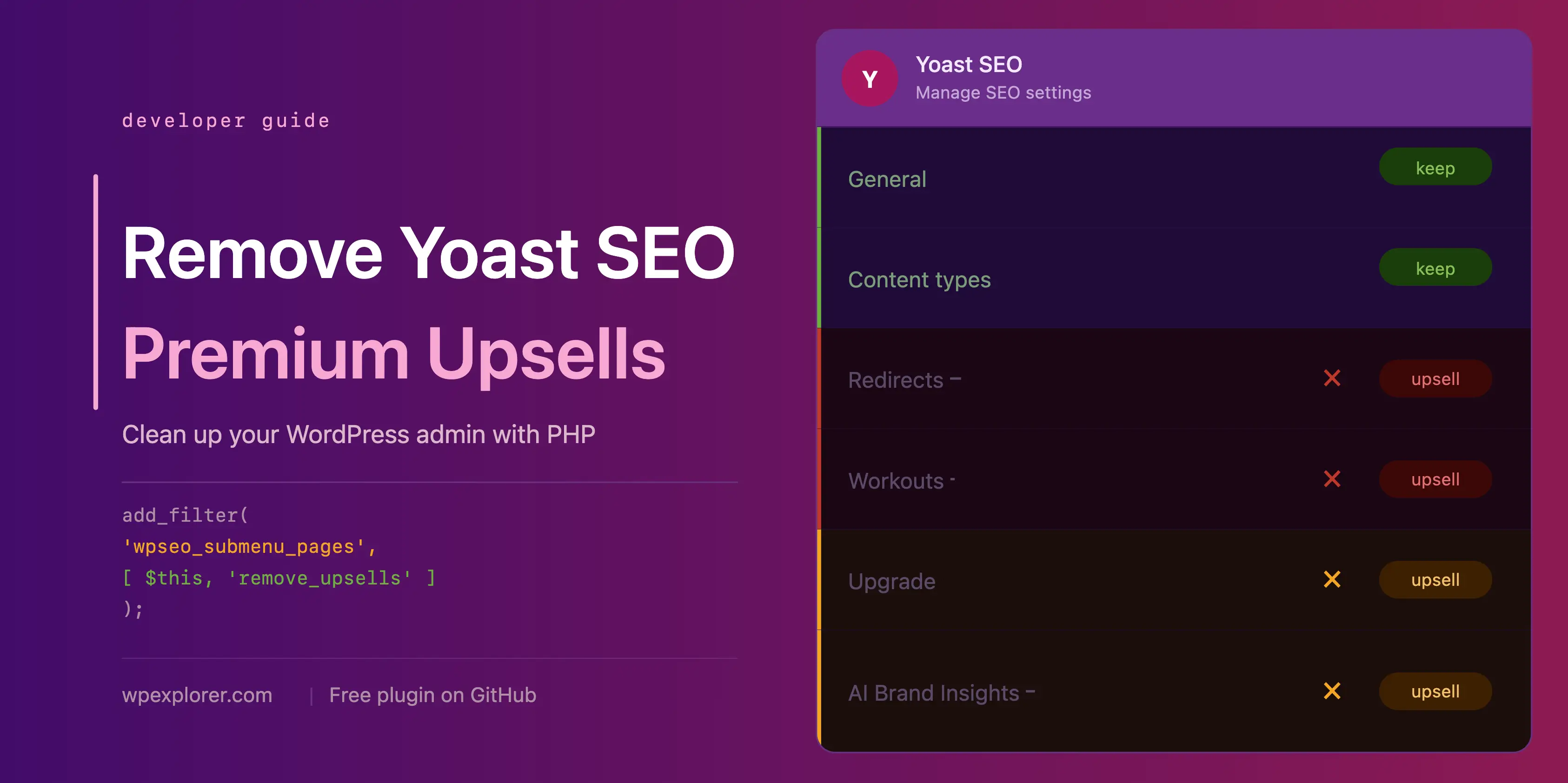
Mitigating these navigational distractions involves intercepting the wpseo_submenu_pages and wpseo_network_submenu_pages filters at maximum priority levels. By applying array filtering algorithms, developers can dynamically evaluate registered submenu items for specific administrative slugs or scan for structural markers, such as the premium badge hypertext markup injected into specific menu titles by the plugin core. This dynamic detection approach ensures resilience against minor updates, automatically identifying new promotional entries without requiring manual maintenance of exclusion lists. For administrators preferring rigid control, explicit slug targeting provides an alternative mechanism to strip out specific commercial screens, ensuring that the WordPress dashboard retains only the utilities necessary for daily content management and search engine configuration.
Neutralizing Top-Level Navigation and Toolbar Enhancements
Beyond the primary dashboard sidebar, commercial promotion extends into the WordPress admin toolbar—the persistent horizontal navigation bar located at the top of the screen for logged-in administrators. Yoast SEO traditionally injects prominent graphical elements into this toolbar, including direct upgrade pathways and links to emerging features such as artificial intelligence brand insights. Because these elements operate independently of standard submenu registration queues, specialized programmatic interventions are required to excise them cleanly from the user interface.
To effectively remove toolbar nodes, developers hook into the admin_bar_menu action using the WP_Admin_Bar instance, systematically executing removal methods against specific node identifiers such as wpseo-get-premium and wpseo_brand_insights. Similarly, submenu components registered dynamically during late execution cycles—such as specialized AI insight panels—are addressed via the admin_menu action hook, utilizing core WordPress functions like remove_submenu_page. This multi-layered approach ensures that promotional triggers are intercepted across every potential vector of the administrative interface, preserving a cohesive and professional visual standard for all users interacting with the backend architecture.

Optimizing Dashboard Performance by Removing External Widgets
The inclusion of administrative dashboard widgets by third-party plugins frequently introduces unintended performance overhead and privacy considerations. Yoast SEO traditionally deploys a prominent dashboard widget divided into dual sections: an upper overview of site search engine optimization metrics and a lower feed displaying recent editorial content directly from external servers. While seemingly innocuous, this widget triggers an unmasked, uncached hypertext transfer protocol request to external content feeds upon every single dashboard load.
This continuous background communication transmits environment telemetry, including precise WordPress core versions and underlying PHP software iterations, to external endpoints with every administrative login. For enterprise network managers and performance-conscious developers, eliminating this continuous external polling is critical for reducing server latency and mitigating unnecessary data exposure. Programmers achieve this by unhooking the dashboard setup routines via the wp_dashboard_setup action, utilizing remove_meta_box to dismantle the overview container. Simultaneously, administrative asset loading routines are modified via the admin_enqueue_scripts action to dequeue associated stylesheets and JavaScript bundles specifically on the dashboard screen, ensuring that unused graphical assets do not consume browser rendering resources.

Suppressing On-Page Promotional Banners and Sticky Sidebars
Administrative settings pages within the Yoast SEO interface frequently incorporate dynamic JavaScript-rendered components designed to display sticky sidebars, upgrade advertisements, and commercial prompts. Because these promotional elements are injected dynamically via client-side scripts rather than traditional server-side template generation, conventional PHP filtering hooks cannot directly prevent their initial render. Furthermore, these components often lack unique, persistent semantic identifiers or standardized class nomenclature, complicating traditional styling interventions.
To overcome these structural limitations, developers deploy targeted inline administrative stylesheets injected specifically when viewing designated Yoast administration screens. By utilizing advanced CSS selectors—such as relational pseudo-classes and attribute matching—administrators can effectively target the positional hierarchy of these promotional containers and apply strict display suppression rules. This methodology successfully conceals sticky upgrade sidebars, general promotional banners, and contextual feature upsell cards across configuration pages. While dependent on the structural integrity of the plugin’s markup layout, this approach provides a reliable visual cleanup method that maintains administrative interface stability across routine software updates.

Managing Locked Feature Fields and Integration Overlays
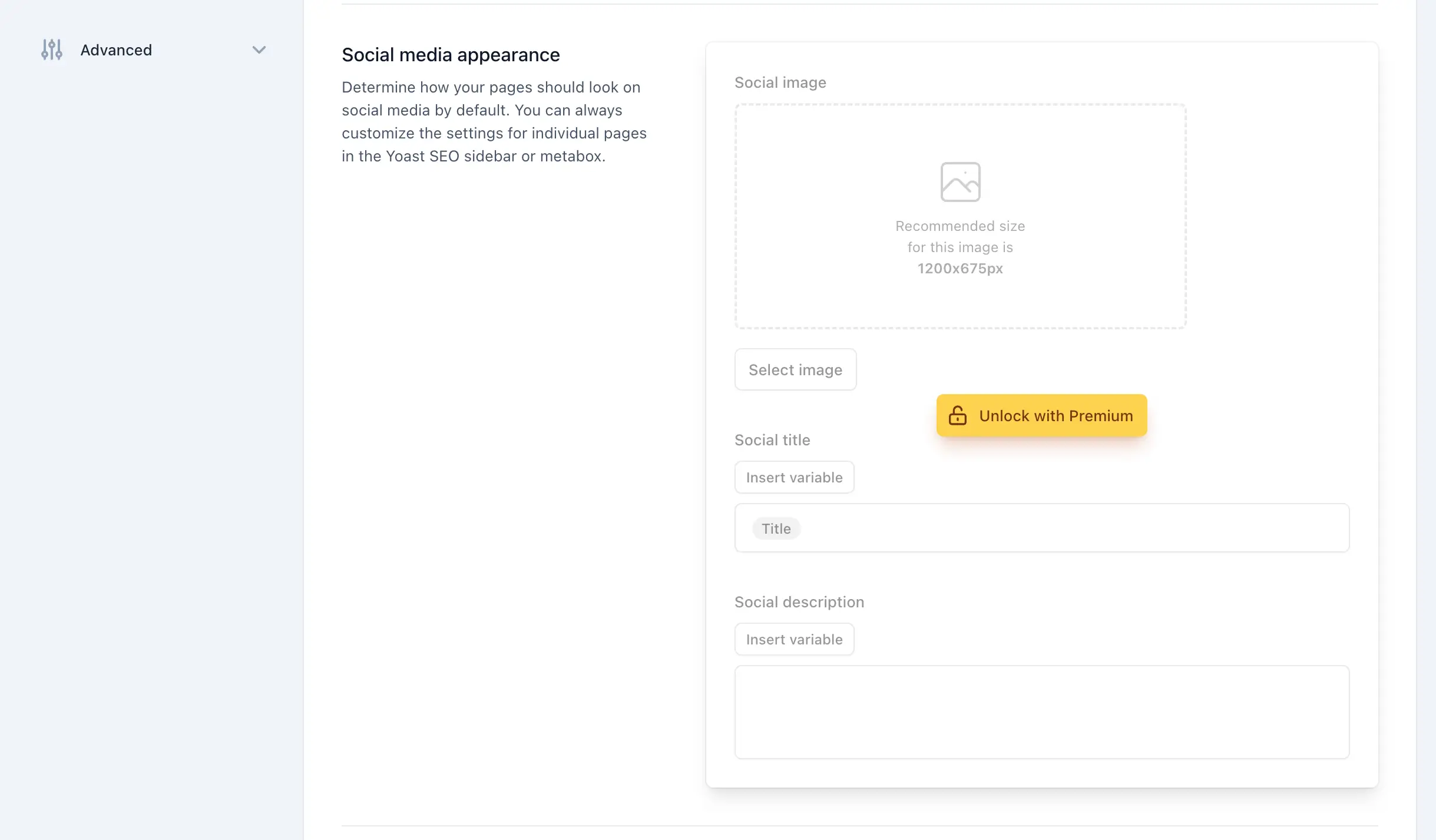
Deep within the core configuration panels of Yoast SEO, users frequently encounter advanced settings fields and complete structural sections rendered completely inaccessible behind an upgrade overlay. These locked fieldsets display promotional badges and prompt administrative actions that disrupt the workflow of users who have intentionally chosen to rely exclusively on the free version of the software. Their continuous presence introduces visual noise that obscures functional configuration options.
Advanced stylesheet optimization strategies utilize specific structural classes injected by the plugin—such as specific feature upsell identifiers and button classes—to selectively hide locked fieldsets, table rows, and entire grid sections across general settings and third-party integration panels. For example, the integrations page, which lists both available free connections and locked premium extensions, can be precisely targeted to remove commercial cards without disrupting operational software bridges. Comprehensive testing across multiple administrative roles ensures that these targeted visual suppressions remain strictly confined to promotional elements, preserving access to all core optimization settings.

Streamlining the Content Editor and Gutenberg Sidebar
For content creators, the most frequent point of interaction with Yoast SEO occurs within the WordPress block editor and classic post editing metaboxes. Within these writing environments, the plugin generates specialized analytical sections and sidebar panels dedicated to premium capabilities, such as advanced readability scoring enhancements, prominent word analysis, and automated optimization fixes. Because editors spend the majority of their operational hours within these writing interfaces, the persistent presence of editorial upsells represents a significant distraction.
Applying targeted administrative styling exclusively to post, page, and taxonomy editing screens allows developers to purge these editorial sidebars of commercial distractions. By identifying specific DOM containers associated with premium meta-boxes and collapsible upsell modules, developers can enforce clean presentation standards within the Gutenberg environment. This ensures that content authors are presented with an uncluttered writing workspace focused entirely on metadata optimization, keyword entry, and content composition, free from recurring commercial prompts.
Consolidating Solutions into a Modular PHP Class
For practical implementation across production websites, fragmenting code snippets across multiple files introduces maintenance overhead and potential points of failure. Consolidating all necessary filters, actions, and inline stylesheet injections into a single, cohesive object-oriented PHP class provides a streamlined, professional deployment mechanism. This unified class structure systematically evaluates environmental preconditions, registers administrative filters at maximum execution priority to ensure supremacy over native plugin declarations, and applies targeted visual cleanups across submenus, toolbars, dashboards, settings panels, and editing screens.
Site administrators may integrate this consolidated class directly into custom development frameworks or package the routine into a lightweight, standalone utility plugin for rapid deployment across multi-site networks. By centralizing these maintenance tasks, technical teams ensure long-term interface consistency, reducing administrative fatigue and establishing a professional, distraction-free environment for content management operations.
Related posts: