The Ultimate Collection of Must-Use WordPress Plugins for Advanced Site Optimization and Security


The management of professional WordPress architecture requires a systematic approach to administrative overhead, core performance tuning, and defensive security measures. Experienced developers frequently maintain modular code libraries to eliminate redundant configuration tasks across new deployments. Rather than relying on traditional placement within theme-specific functions files—which risks data loss during template modifications or updates—industry standards increasingly point toward the utilization of must-use plugins. By leveraging the automated execution layer of the mu-plugins directory, developers can ensure persistent functionality independent of active theme states.
Chronology and Evolution of the Must-Use Plugin Architecture
The conceptual framework of must-use plugins originates from the legacy WordPress Multi-Site (WPMU) environment, where specific administrative functionalities needed to operate network-wide without manual activation by individual site administrators. Over successive core iterations, the utility of the wp-content/mu-plugins directory expanded beyond multi-site networks, becoming a foundational asset for single-site developers seeking granular control over execution order and plugin autonomy.
Historically, developers relied heavily on the active theme’s functions.php file for custom hooks and performance patches. However, market analyses of site migration failures and theme swap errors demonstrate that theme-dependent code is inherently volatile. The transition toward standalone single-file must-use plugins gained significant momentum as agencies and enterprise consultants sought to decouple performance optimization from visual presentation layers. Recent updates to core infrastructure have further streamlined this approach, allowing custom operational files to execute automatically on every HTTP request prior to standard plugin initialization.
Performance Optimization and Resource Reduction
Unoptimized WordPress installations frequently generate extraneous network overhead through default core features that remain underutilized by the majority of commercial websites. Industry benchmark data indicates that removing redundant markup, tracking scripts, and legacy discovery links from the HTML document header can measurably reduce Time to First Byte (TTFB) and overall payload weight.
Eliminating Non-Essential Document Head Assets
Standard WordPress configurations inject various metadata tags into the document header, including Really Simple Discovery (RSD) endpoints, Windows Live Writer manifests, generator version stamps, and REST API discovery links. Automated vulnerability scanners frequently leverage generator tags to identify outdated core versions, presenting an unnecessary reconnaissance vector for malicious actors.
Implementing a dedicated cleanup script via the mu-plugins directory safely strips these non-essential components:
<?php
/**
 * Plugin Name: Clean Head
 * Description: Removes unnecessary WordPress head output.
 * Author: WPExplorer
 * Version: 1.0.0
 */

defined( 'ABSPATH' ) || exit;

remove_action( 'wp_head', 'rsd_link' );
remove_action( 'wp_head', 'wp_generator' );
remove_action( 'wp_head', 'feed_links', 2 );
remove_action( 'wp_head', 'feed_links_extra', 3 );
remove_action( 'wp_head', 'wlwmanifest_link' );
remove_action( 'wp_head', 'adjacent_posts_rel_link', 10 );
remove_action( 'wp_head', 'adjacent_posts_rel_link_wp_head', 10 );
remove_action( 'wp_head', 'wp_shortlink_wp_head', 10 );
remove_action( 'template_redirect', 'wp_shortlink_header', 11 );
remove_action( 'wp_head', 'print_emoji_detection_script', 7 );
remove_action( 'wp_print_styles', 'print_emoji_styles' );
remove_action( 'wp_head', 'rest_output_link_wp_head' );
remove_action( 'wp_head', 'wp_oembed_add_discovery_links' );
remove_action( 'wp_head', 'wp_oembed_add_host_js' );
add_filter( 'the_generator', '__return_empty_string' );
Managing Image Generation and Media Libraries
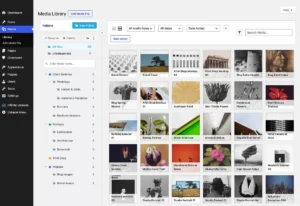
Media management represents a critical consumption point for server storage and backup processing times. By default, core generates multiple intermediate image sizes for every uploaded asset, frequently resulting in dozens of derivative files per upload. Furthermore, legacy attachment pages create thin-content indexation issues flagged by major search engines.
To mitigate server bloat, administrators can deploy targeted restrictions on intermediate size generation and redirect orphan attachment views directly to their parent posts:

<?php
/**
 * Plugin Name: Disable Image Sizes
 * Description: Disables WordPress from generating intermediate image sizes.
 * Author: WPExplorer
 * Version: 1.0.0
 */

defined( 'ABSPATH' ) || exit;

add_filter( 'big_image_size_threshold', '__return_false' );
add_filter( 'intermediate_image_sizes_advanced', '__return_empty_array' );
Data Privacy and Third-Party Request Mitigations
Compliance frameworks, including the European Union’s General Data Protection Regulation (GDPR), mandate strict oversight regarding data transmission to third-party servers. Out-of-the-box WordPress behaviors frequently initiate external HTTP requests without explicit consent mechanisms, introducing regulatory exposure and potential performance latency.
Disabling Gravatar and External Avatar Lookups
The default comment system automatically dispatches hashed email queries to Gravatar servers to retrieve user profile imagery. This process shares visitor IP addresses and browsing contexts with Automattic infrastructure. Disabling native avatar generation entirely eliminates these external dependencies:
<?php
/**
 * Plugin Name: Disable Avatars
 * Description: Turns off avatars so no requests are made to Gravatar.
 * Author: WPExplorer
 * Version: 1.0.0
 */

defined( 'ABSPATH' ) || exit;

add_filter( 'option_show_avatars', '__return_false' );

add_action( 'admin_init', function ()
    global $wp_settings_fields;
    unset( $wp_settings_fields['discussion']['avatars'] );
 );
Restricting Automated Artificial Intelligence Hooks
Recent core architectures integrate native artificial intelligence support functions designed to interface with cloud-based language models. Enterprise security policies, corporate non-disclosure agreements, and regulatory compliance standards often prohibit the transmission of unencrypted editorial content to external machine learning providers. Enforcing a global restriction at the core level prevents unauthorized third-party integrations:
<?php
/**
 * Plugin Name: Disable AI
 * Description: Disables AI features in WordPress and supported plugins.
 * Author: WPExplorer
 * Version: 1.0.0
 */

defined( 'ABSPATH' ) || exit;

add_filter( 'wp_supports_ai', '__return_false', 99 );
add_filter( 'jetpack_ai_enabled', '__return_false', 99 );
add_filter( 'get_user_option_elementor_enable_ai', '__return_zero' );
Infrastructure Hardening and Defensive Security Protocols
Securing a content management system requires minimizing attack surfaces by deprecating legacy communication interfaces and enforcing strict administrative boundaries. Standard mitigation strategies involve neutralizing automated brute-force vectors and preventing user enumeration.
Neutralizing XML-RPC and Legacy Endpoints
The XML-RPC protocol predates the modern WordPress REST API and remains a primary target for distributed brute-force attacks via credential stuffing methods, particularly through multi-call batch requests. Because standard core configurations often leave pingback methods active even when authentication-required features are disabled, explicit unsetting of protocol methods is mandatory:
<?php
/**
 * Plugin Name: Disable XML-RPC
 * Description: Disables the XML-RPC interface, the pingback methods and the pingback advertising header.
 * Author: WPExplorer
 * Version: 1.0.0
 */

defined( 'ABSPATH' ) || exit;

add_filter( 'xmlrpc_enabled', '__return_false' );

add_filter( 'xmlrpc_methods', function ( $methods )
    unset(
        $methods['pingback.ping'],
        $methods['pingback.extensions.getPingbacks']
    );
    return $methods;
 );

add_filter( 'wp_headers', function ( $headers )
    unset( $headers['X-Pingback'] );
    return $headers;
 );

add_filter( 'bloginfo_url', function ( $output, $show )
    if ( 'pingback_url' === $show )
        return '';

    return $output;
, 10, 2 );
Mitigating User Enumeration Vulnerabilities
Automated threat actors routinely harvest author archives, REST endpoints, sitemaps, and login error responses to discover valid system usernames. Comprehensive hardening requires systematic occlusion across all vectors:
<?php
/**
 * Plugin Name: Disable User Enumeration
 * Description: Prevents WordPress from exposing usernames via sitemaps, the REST API, author archives and login errors.
 * Author: WPExplorer
 * Version: 1.0.0
 */

defined( 'ABSPATH' ) || exit;

add_filter( 'wp_sitemaps_add_provider', function ( $provider, $name )
    if ( 'users' === $name )
        return false;

    return $provider;
, 10, 2 );

add_filter( 'rest_endpoints', function ( $endpoints )
    if ( is_user_logged_in() )
        return $endpoints;


    unset(
        $endpoints['/wp/v2/users'],
        $endpoints['/wp/v2/users/(?P<id>[d]+)']
    );

    return $endpoints;
 );

add_action( 'template_redirect', function ()
    if ( ! is_author() )
        return;


    global $wp_query;

    $wp_query->set_404();
    status_header( 404 );
    nocache_headers();
, 0 );

add_filter( 'login_errors', function ()
    return __( 'Login failed. Please check your credentials and try again.' );
 );
Analysis of Implications and Operational Deployment
The strategic adoption of must-use plugins offers measurable architectural benefits for digital agencies, freelance developers, and enterprise IT teams. By centralizing core adjustments into independent, single-file scripts within the wp-content/mu-plugins/ directory, development workflows achieve higher levels of maintainability and environmental resilience.
Security audits consistently demonstrate that reducing third-party data dependencies and closing legacy communication channels (such as XML-RPC and unmanaged REST endpoints) substantially lowers the risk profile of standard web deployments. Furthermore, eliminating non-essential background requests directly contributes to improved core web vitals metrics, enhancing overall search engine optimization performance.
Developers deploying these modular assets must exercise appropriate change management protocols, particularly regarding environment-specific configurations. Tools designed for staging architectures—such as absolute email suppression or credential reset restrictions—must be strictly audited prior to production deployment to prevent critical functional interruptions. Through disciplined implementation, must-use plugins provide a lightweight, highly efficient framework for long-term site stability.