The convergence of artificial intelligence and content management systems has long been a sought-after frontier for digital creators and website administrators. AI assistants such as Claude Code, Cowork, and ChatGPT have revolutionized productivity across various sectors, leading to an increasing demand for their direct integration with widely used platforms like WordPress. This integration, once a complex endeavor requiring bespoke development, is now becoming standardized and accessible through the Model Context Protocol (MCP), an open standard designed to bridge AI tools with external services. WPVibe, a solution developed by WPVibe, is at the forefront of enabling this seamless connection, empowering AI assistants to manage WordPress websites through simple conversational prompts, thereby promising significant time savings and operational efficiencies.
The Dawn of Intelligent Website Management: Bridging AI and WordPress
The digital landscape has witnessed an exponential growth in the capabilities of AI, transforming how individuals and businesses interact with information and automate tasks. For millions of WordPress users, the vision of an AI assistant autonomously handling routine website management—from drafting blog posts and uploading images to managing administrative duties—has long been a powerful, yet elusive, aspiration. Historically, connecting sophisticated AI models to a dynamic content management system like WordPress involved intricate custom integrations, often requiring deep technical expertise and considerable development resources. This presented a significant barrier for many, limiting the widespread adoption of AI-powered website automation.
The introduction of the Model Context Protocol (MCP) marks a pivotal moment in overcoming these challenges. Envisioned as a universal adapter, MCP provides a common language that allows any AI tool and any service supporting the protocol to communicate effortlessly. This eliminates the need for individual AI developers to build custom integrations for every single service, fostering a more interconnected and interoperable digital ecosystem. For WordPress, this means AI assistants can now leverage the platform’s robust REST API, a built-in feature that facilitates communication, without requiring any additional, complex installations. This fundamental shift simplifies the integration process dramatically, making advanced AI capabilities accessible to a broader audience of WordPress users.
Understanding the Model Context Protocol (MCP): A Universal Translator for AI
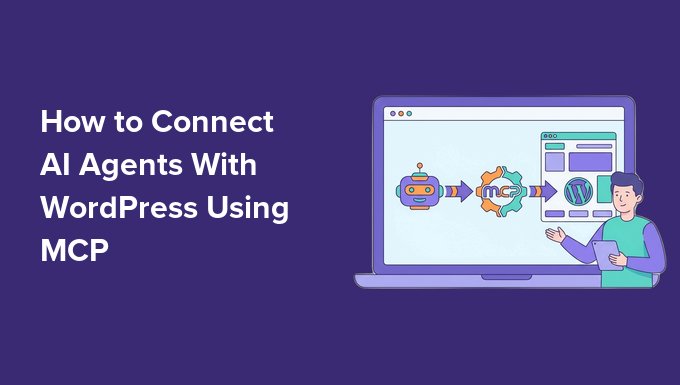
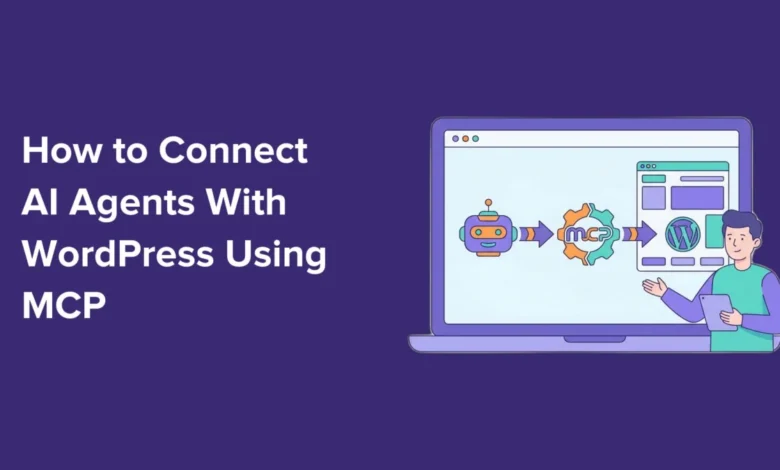
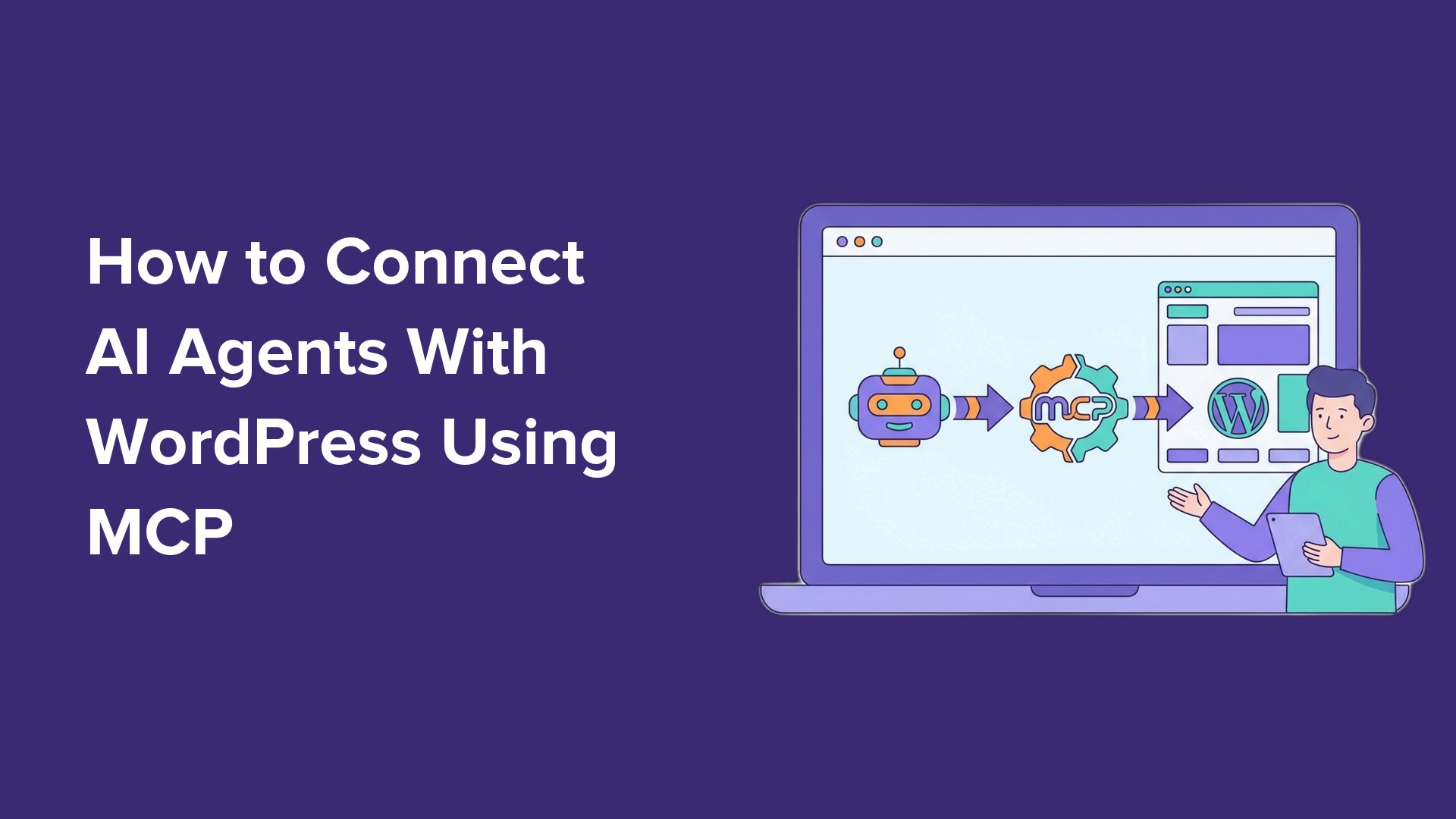
At its core, the Model Context Protocol (MCP) is an open standard designed to enable AI assistants to discover, understand, and interact with the capabilities of external tools and services. It acts as an intermediary layer, translating human-like instructions given to an AI into actionable commands that a connected service, such as a WordPress website, can execute. This protocol establishes a standardized way for AI models to query what a service can do (its "abilities") and then invoke those actions with appropriate parameters.
The genius of MCP lies in its universality. Instead of a fragmented landscape where each AI model or service requires a proprietary integration, MCP proposes a unified approach. This is akin to the adoption of USB standards for hardware connectivity; a single port can connect a multitude of devices, reducing complexity and increasing compatibility. For AI and WordPress, this means that once a website supports MCP, any AI assistant that also supports the protocol can instantly connect and begin managing tasks. This interoperability is a game-changer for developers, who can now focus on enhancing AI abilities rather than wrestling with bespoke API integrations, and for users, who gain the flexibility to choose their preferred AI tools.
The connection to WordPress is facilitated through its existing REST API. This API has been a cornerstone of WordPress’s extensibility, allowing external applications to interact with its content and functionality programmatically. MCP leverages this foundation, meaning that WordPress websites do not require a radical overhaul to become AI-ready. This backward compatibility ensures that even sites running on older, yet supported, WordPress versions can benefit from AI integration, though newer versions, particularly WordPress 6.9 and beyond, introduce an "Abilities API" that further enhances MCP’s power by allowing plugins to register their own AI-discoverable actions. This future-proofing ensures that as AI capabilities evolve, WordPress will remain a fertile ground for innovation.
WPVibe: Streamlining AI Integration for Self-Hosted WordPress
WPVibe.ai emerges as a leading solution for implementing MCP on self-hosted WordPress websites, offering a user-friendly pathway to connect AI agents without the need for intricate technical configurations. Its hosted server architecture means users are spared the complexities of managing server infrastructure, making it an ideal choice for a wide range of users, from individual bloggers to small businesses. WPVibe’s commitment to accessibility is evident in its free tier, which supports all core functionalities outlined in this guide, allowing users to experience the benefits of AI-powered WordPress management without initial financial investment. A paid Pro plan offers higher daily usage limits and priority support, catering to more demanding use cases, but without locking essential features behind a paywall.
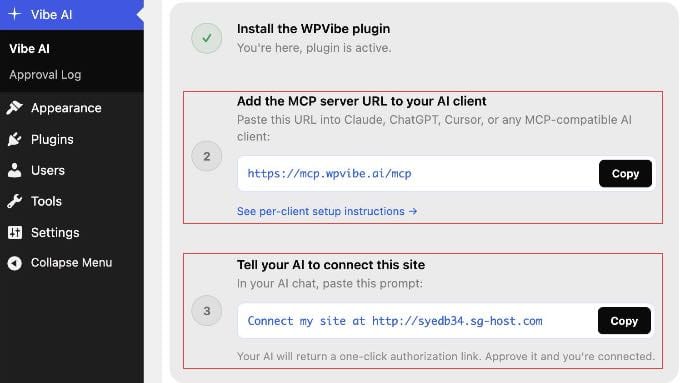
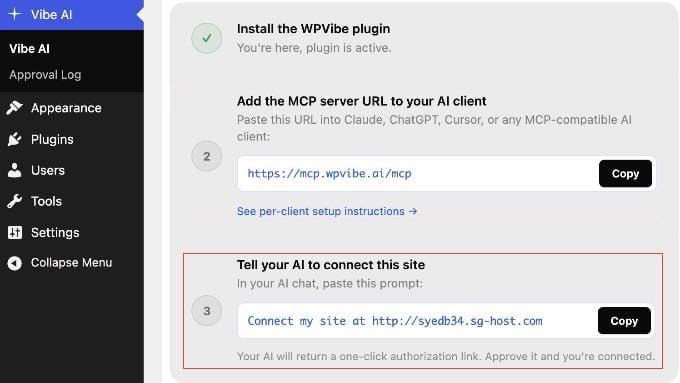
The setup process with WPVibe is designed for simplicity, typically involving three main steps:
- Installation of the Vibe AI Plugin: Users begin by installing the free WPVibe plugin on their WordPress site. This plugin acts as the bridge between the WordPress core and the WPVibe MCP server. Beyond facilitating AI connections, the Vibe AI plugin also unlocks additional capabilities, such as WP-CLI commands and theme file editing, directly from the AI interface.
- Retrieving the MCP Server URL: Once activated, the Vibe AI plugin dashboard displays a unique MCP server URL. This URL is the crucial identifier that AI clients use to locate and connect to the WPVibe service.
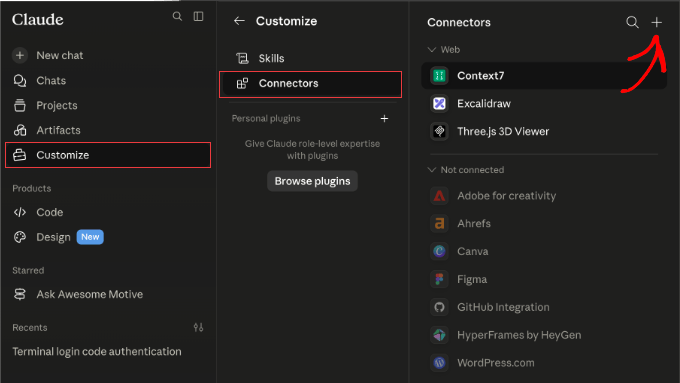
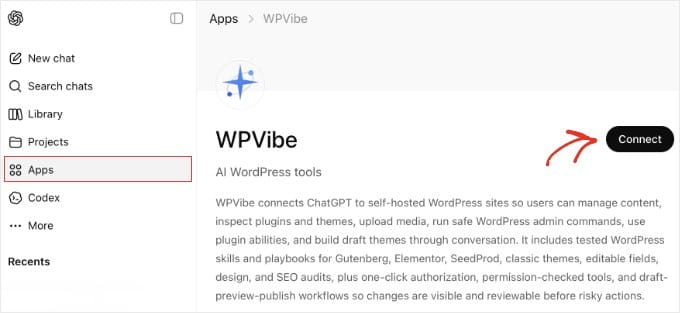
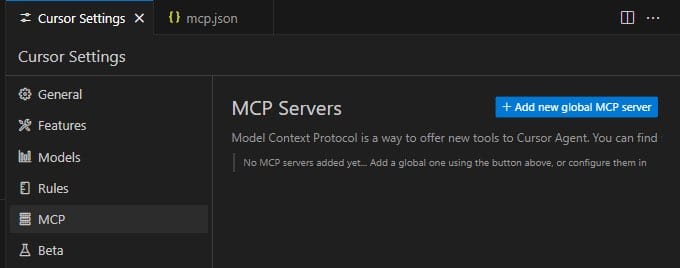
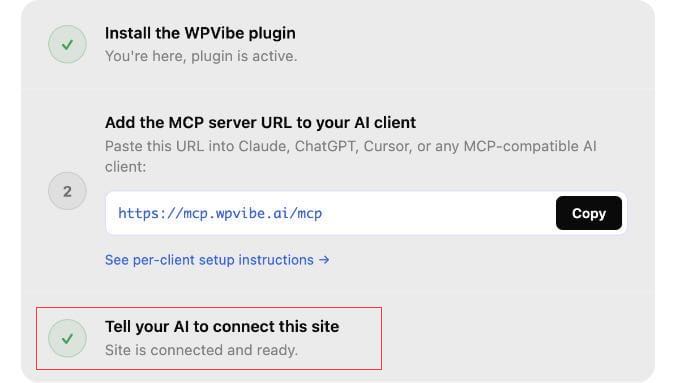
- Connecting AI Tools and Authorization: The final step involves adding this server URL to the user’s preferred AI client (e.g., Claude, ChatGPT, Cursor, Windsurf) and then authorizing the WordPress site. WPVibe supports a variety of popular AI platforms, each with its own specific connection method, ranging from direct marketplace integrations (like ChatGPT) to manual configuration via JSON files (like Cursor and Windsurf) or web-based connectors (like Claude).
The authorization process itself is a testament to WPVibe’s focus on security and user convenience. Instead of requiring users to manually input sensitive login credentials, WPVibe leverages WordPress’s built-in application passwords. After the AI client is configured with the WPVibe URL, the AI assistant generates a one-click authorization link. Clicking this link securely approves the connection between the AI and the WordPress site, with WordPress and WPVibe handling the credential exchange in the background. This method ensures that sensitive passwords are never directly exposed to the user or the AI client, enhancing overall security.
Expanded Horizons: AI Capabilities on WordPress
Once successfully connected, the range of tasks an AI agent can perform on a WordPress site expands significantly, moving beyond simple content creation to encompass complex administrative and e-commerce operations. This empowers users to delegate a substantial portion of their website management, freeing up valuable time and resources.
Content Creation and Management:
The most immediate benefit is in content generation. An AI assistant can:
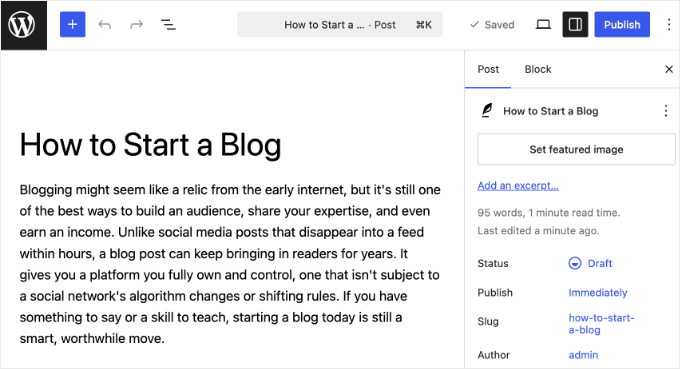
- Draft Blog Posts: Users can prompt the AI to create a draft WordPress post with a specific title, an introductory paragraph, or even a complete article outline. For instance, "Create a draft WordPress post titled ‘The Future of AI in Web Development’ with an intro explaining its current impact and a section on predictive trends." The AI then uses the WordPress REST API to create the post as a draft, ensuring human oversight before publication.
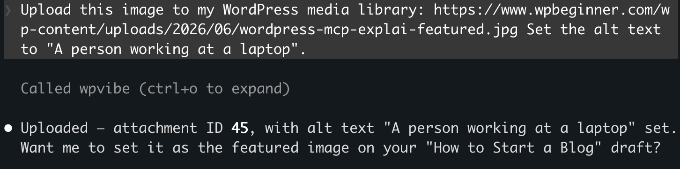
- Upload and Manage Media: Images and other media files can be uploaded directly to the WordPress media library using a public URL or even a local file via a browser upload link generated by WPVibe. The AI can also set alt text and other metadata, improving SEO and accessibility.
- Edit Existing Content: Beyond creation, AI can be tasked with reviewing and refining existing posts, such as "Rephrase the second paragraph of ‘Our Latest Product Launch’ to be more concise and highlight key benefits."
E-commerce Operations (with WooCommerce):
For WooCommerce store owners, the integration with MCP, especially since WooCommerce 10.9 ships with native MCP support, unlocks powerful automation:
- Product Management: AI can draft new products with descriptions, pricing, and even categorize them. A prompt like "Draft a new product called ‘Eco-Friendly Yoga Mat’ with a description emphasizing sustainability and a price of $49.99" can be executed instantly.
- Order Management: Querying order statuses, updating them, and adding internal order notes become conversational tasks. "Check the status of order #12345" or "Mark order #67890 as ‘Shipped’ and add a note about the tracking number" are now feasible.
- Customer Service Support: While not directly managing customers, AI can draft responses to common customer queries based on order data or product information, streamlining support workflows.
SEO Optimization (with AIOSEO):
Plugins like All in One SEO (AIOSEO) can register their "abilities" with MCP, allowing AI to perform critical SEO tasks:
- Meta Description and Title Generation: "Find all posts missing meta descriptions and write and apply them in one go," or "Generate an SEO-optimized title for the post ‘Advanced WordPress Security Tips’."
- SEO Audits: AI can be prompted to run quick SEO checks, identify missing elements, and even suggest improvements based on AIOSEO’s TruSEO scores.
Site Utilities (with SeedProd):
For users of SeedProd, managing landing pages, coming soon pages, and maintenance modes becomes effortless:
- Mode Toggling: "Check if maintenance mode is currently active" or "Enable the coming soon page with the ‘Under Construction’ template."
- Landing Page Configuration: AI could potentially adjust basic settings for landing pages created with SeedProd, such as updating text elements or call-to-action buttons.
Form Building (with WPForms):
WPForms integration allows AI to construct forms from natural language descriptions:
- Form Creation: "Create a contact form with name, email, and a message field," or "Build a registration form with fields for username, password, and a checkbox for newsletter subscription." Users would then configure and embed the form.
Broader Administrative Tasks:
While the article focuses on specific examples, the potential extends to other administrative areas, especially with future plugin integrations and the Abilities API:
- Plugin and Theme Management: Hypothetically, AI could be tasked with activating/deactivating plugins, initiating updates, or even troubleshooting conflicts, assuming plugins expose these abilities via MCP.
- User Management: Creating new user accounts with specific roles (e.g., "Create a new editor user named ‘AI_Content_Editor’") could streamline team workflows.
- Site Health Checks: AI could query site health status, identify critical issues, and even suggest commands to resolve them, making proactive site maintenance more accessible.
The "Abilities API" introduced in WordPress 6.9 is crucial for this expansion. It provides a standardized framework for plugin developers to register their functionalities as AI-discoverable "abilities." This means that as more plugins adopt this standard, the scope of what an AI can manage on a WordPress site will continue to grow organically, driven by the innovation within the vast WordPress ecosystem. Users can simply ask their connected AI, "What can you do on my WordPress site?" and receive an up-to-date list of available actions based on their installed and configured plugins.
Security and Best Practices in an AI-Driven WordPress Environment
The integration of AI with a website naturally raises significant security concerns. WPVibe and WordPress have implemented several layers of security to ensure that this powerful automation does not compromise site integrity.
-
WordPress Application Passwords: The foundation of the secure connection lies in WordPress’s built-in application passwords. These are unique, non-human-readable passwords generated for each external application or service connecting to the site. Crucially, the AI assistant only inherits the permissions of the specific WordPress user account associated with the application password. This leads to a critical best practice: always connect your AI with a limited, non-admin user account. For instance, creating a dedicated "Editor" role user for the AI ensures that it can only perform tasks an editor can, such as drafting posts or uploading media, but cannot modify core site settings, install plugins, or delete critical content without authorization. This principle of least privilege is fundamental to cybersecurity.
-
WPVibe’s Security Architecture: WPVibe itself employs robust security measures:
- Encryption of Credentials: Application passwords are encrypted before storage using a separate, unique key for each connected site. This prevents a single compromise from exposing credentials across multiple sites.
- Secure Hosting: WPVibe’s servers are hosted on Cloudflare’s secure infrastructure, benefiting from advanced security protocols and DDoS protection.
- End-to-End Encryption: All communication between the AI client, WPVibe, and the WordPress site is encrypted (HTTPS), safeguarding data in transit.
- Privacy of Conversations: WPVibe does not store the content of user conversations with the AI. This data remains within the AI client itself, ensuring user privacy.
-
WordPress-Side Safeguards: Even with an authorized AI, WordPress maintains internal safeguards:
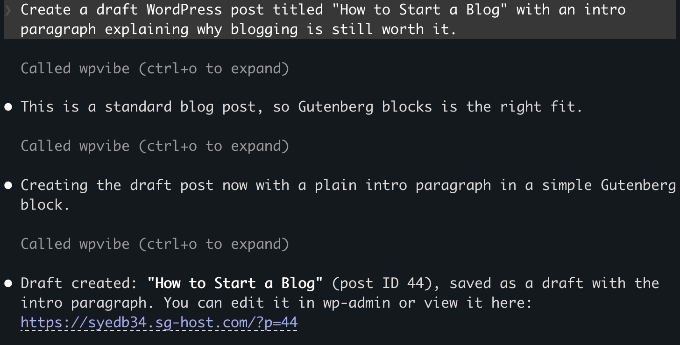
- Drafts by Default: New posts created by AI are always saved as drafts, requiring manual review and publication by a human administrator.
- Trash for Deletions: Any deletion initiated by AI typically sends content to the trash, allowing for recovery rather than permanent removal.
-
Revoking Access: Users retain full control over AI access. At any time, access can be revoked by navigating to
Users > Profilein the WordPress dashboard and deleting the relevant application password. This immediately severs the connection between the AI and the WordPress site.
A spokesperson for WPVibe, when discussing their security posture, emphasized, "Our primary commitment is to empower users with cutting-edge AI integration without compromising the robust security WordPress is known for. We’ve built WPVibe with a ‘security-first’ mindset, leveraging WordPress’s native capabilities and industry best practices to ensure a safe and reliable experience for all our users." This proactive approach underscores the importance placed on trust and data protection in this evolving technological landscape.
Implications and Future Outlook
The seamless integration of AI agents with WordPress via MCP and solutions like WPVibe carries profound implications for the digital ecosystem.
For Website Owners and Managers:
The most immediate impact is a dramatic increase in productivity. Routine, time-consuming tasks can now be automated, freeing up individuals to focus on strategic initiatives, creative content development, and community engagement. This democratizes access to advanced site management, making sophisticated operations manageable even for those with limited technical skills. Small businesses and individual bloggers, in particular, stand to gain significantly, effectively having a virtual assistant managing their digital presence 24/7. This could lead to faster content deployment, more agile e-commerce operations, and better-maintained websites.
For Developers and the WordPress Ecosystem:
MCP provides a standardized framework, shifting the developer’s focus from building bespoke connectors to creating powerful "abilities" within their plugins. This fosters innovation, as developers can concentrate on what their plugins do best, knowing that AI can seamlessly interact with them. The Abilities API in WordPress 6.9 is a strategic move by the WordPress core team, signaling a clear direction towards deeper AI integration at a foundational level. This could attract more developers to the WordPress platform, creating a new wave of AI-powered plugins that redefine website functionality.
Broader Industry Impact:
This development positions WordPress even more strongly against proprietary CMS platforms that might struggle to offer the same level of open, flexible AI integration. It reinforces WordPress’s reputation as a highly adaptable and future-proof platform. The success of MCP could also encourage other CMS platforms and software services to adopt similar open protocols, leading to a more interconnected and AI-enhanced digital world.
Challenges and Considerations:
Despite the immense potential, certain challenges and considerations remain. Users will need to develop effective prompting strategies to get the most out of their AI assistants. Human oversight remains crucial; AI-generated content or actions should always be reviewed for accuracy, tone, and adherence to brand guidelines. There’s also the ongoing ethical discussion around AI-generated content, copyright, and the potential for over-reliance on automation. However, these are challenges that the community is actively addressing, and the continuous evolution of both AI and MCP is expected to refine these integrations further.
In conclusion, the ability to connect AI agents with WordPress using the Model Context Protocol, facilitated by tools like WPVibe, represents a significant leap forward in website management. It ushers in an era where intelligent automation is not just a luxury but an accessible reality, promising to transform how we build, manage, and interact with our digital presence. As AI continues to evolve, this integration will undoubtedly become even more sophisticated, making WordPress an increasingly powerful and intuitive platform for the future.