How to Clean Up the WordPress Admin by Removing Yoast SEO Upsells and Promotional Clutter

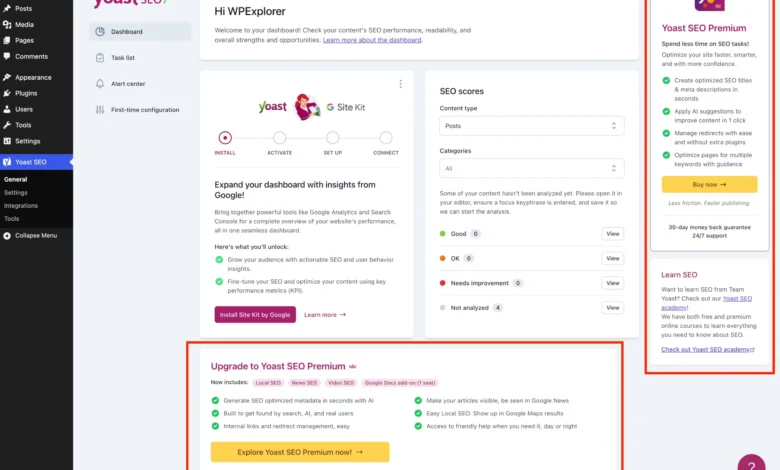
Yoast SEO remains one of the most widely deployed search engine optimization plugins within the global WordPress ecosystem, active on millions of live websites. While the core, free iteration of the software delivers vital functionality—including foundational content analysis tools, XML sitemap generation, and readability metrics—it has concurrently evolved to feature an aggressive promotional architecture. Administrators navigating the WordPress dashboard frequently encounter recurring friction points, ranging from premium upgrade banners and dedicated sales pages to sidebar widgets and intrusive admin toolbar elements. For digital agencies, freelance developers, and enterprise system administrators managing complex client architectures, this promotional noise introduces unnecessary visual distraction and potential administrative confusion.
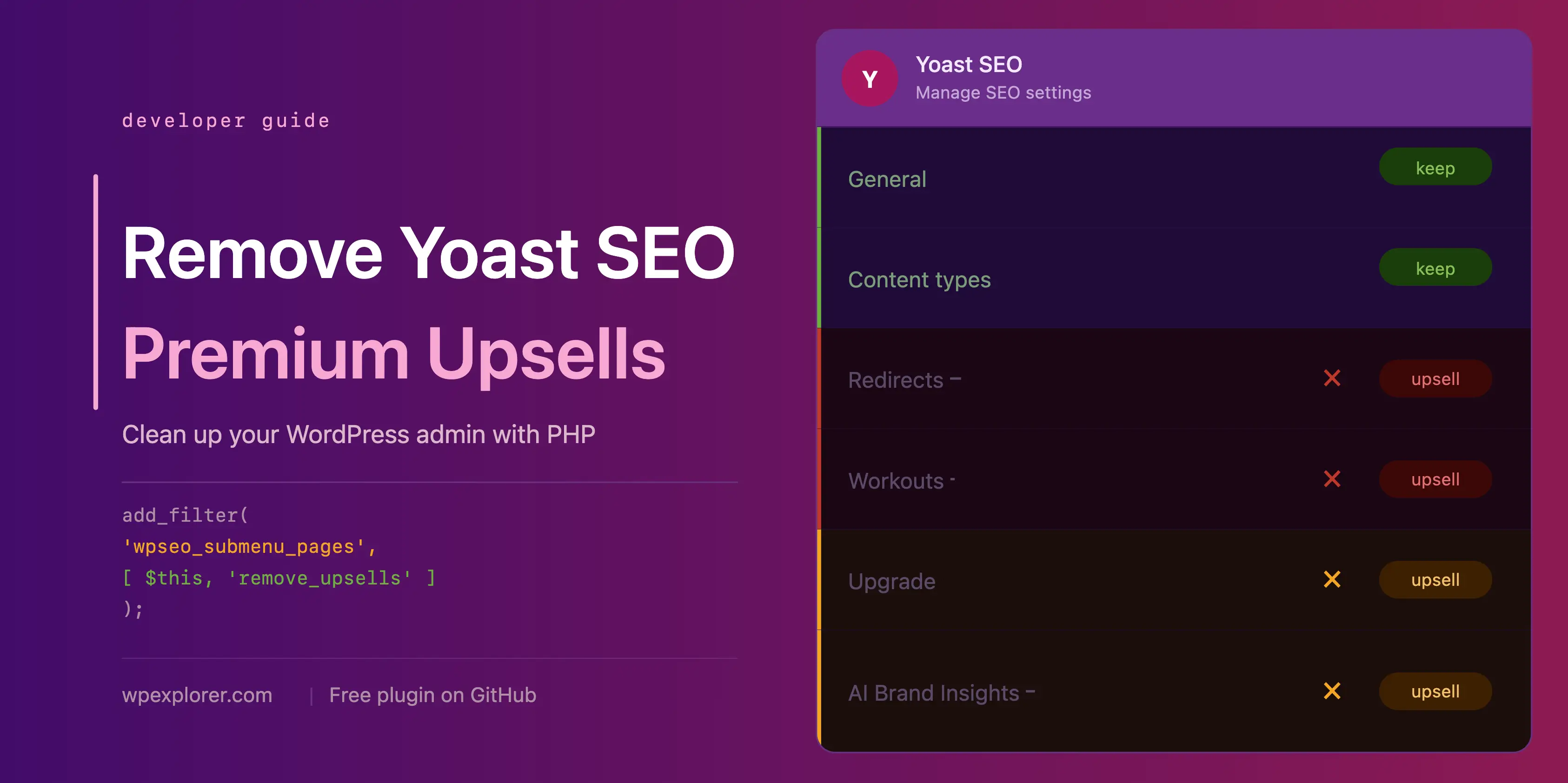
The integration of monetization prompts within open-source and freemium software models has long been a subject of debate among WordPress developers. Proponents of the freemium model argue that continuous software updates, security patches, and ongoing feature development require robust revenue streams to support dedicated engineering teams. Conversely, systems architects prioritize minimal, high-efficiency backend environments to streamline operational workflows and reduce cognitive load for non-technical clients. When administrative interfaces are crowded with third-party advertisements and upsell funnels, the likelihood of user error increases, necessitating custom programmatic interventions to restore a clean, focused user experience.
Comprehensive Technical Strategy for Administrative Streamlining

While purchasing the commercial tier of the plugin—Yoast SEO Premium—represents the official and most direct method to eliminate promotional elements while unlocking advanced features such as AI-driven metadata generation, automated redirect management, and multi-keyword tracking, budget constraints or project specifications often dictate remaining on the free edition. To achieve a streamlined administrative dashboard without altering core plugin files, developers can implement custom PHP classes and targeted CSS injection techniques via child themes, bespoke site-specific plugins (MU-plugins), or dedicated code snippet managers.
Establishing a robust programmatic foundation requires executing conditional checks to ensure code executes safely and efficiently. By verifying the presence of the core plugin constant while simultaneously checking for the absence of the premium version, developers can prevent fatal runtime errors and avoid redundant processing overhead. Encapsulating these functions within a dedicated object-oriented class structure ensures proper namespacing and prevents variable pollution within the global WordPress scope.
if ( ! class_exists( 'WPEX_Remove_Yoast_SEO_Upsells' ) )
    class WPEX_Remove_Yoast_SEO_Upsells
        public function __construct()

    new WPEX_Remove_Yoast_SEO_Upsells;
Systematic Elimination of Premium Submenu Pages
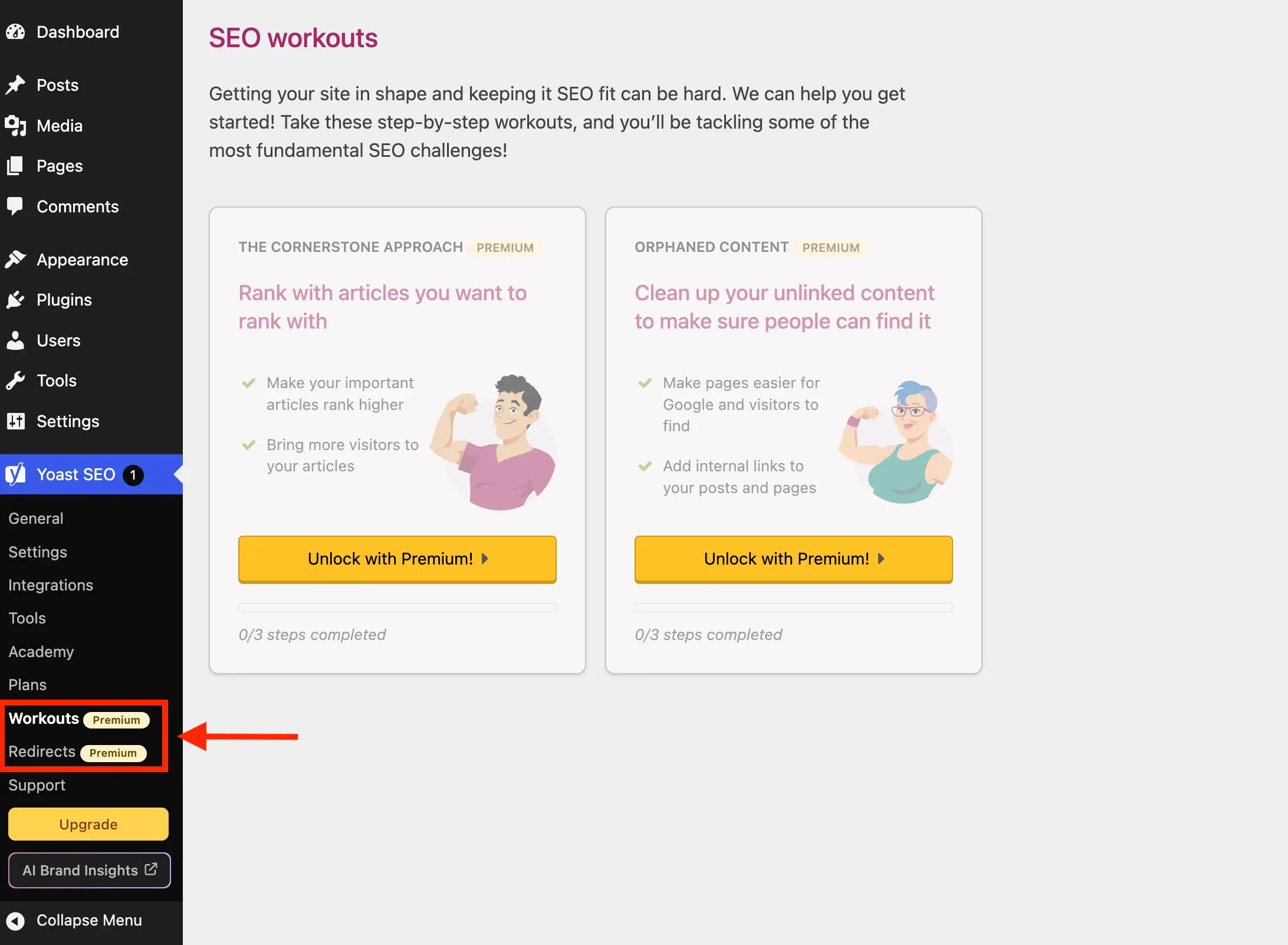
The free distribution of the optimization suite registers several administrative submenus dedicated exclusively to commercial features, such as advanced redirect builders and interactive configuration workouts. Selecting these items routes the user directly to a paywall overlay, providing no functional utility for operators running the standard edition. Automating the detection and removal of these nodes prevents dead-end navigation paths.

Utilizing WordPress filter hooks such as wpseo_submenu_pages and its network-wide multisite counterpart wpseo_network_submenu_pages enables dynamic inspection of registered menu arrays. By executing a strict comparison against the unique HTML identifiers or slug parameters generated by the software, developers can systematically filter out promotional items at maximum filter priority (PHP_INT_MAX), ensuring execution occurs after all core registration procedures conclude.
public function remove_premium_admin_pages( array $pages ): array
    $pages_to_remove = [
        'wpseo_upgrade_sidebar',
        'wpseo_licenses',
        'wpseo_page_academy',
        'wpseo_page_support',
        'wpseo_redirects',
        'wpseo_workouts',
    ];
    return array_filter( $pages, function( $page ) use ( $pages_to_remove )
        if ( isset( $page[2] ) && str_contains( $page[2], 'yoast-premium-badge' ) )
            return false;

        if ( isset( $page[4] ) && in_array( $page[4], $pages_to_remove, true ) )
            return false;

        return true;
     );
Mitigating External HTTP Overhead from Dashboard Widgets

Beyond backend menu clutter, the default installation introduces a prominent dashboard widget featuring site optimization metrics alongside a live RSS feed originating from external servers. Every time an administrator accesses the primary WordPress dashboard, this widget initiates an uncached HTTP request to external endpoints, transmitting sensitive server environment data—including precise PHP and core CMS version numbers—with every query string parameter payload.
Disabling this widget not only improves dashboard rendering speeds by eliminating extraneous external network requests but also enhances system security by restricting unnecessary data transmission. Removing the meta-box registration via the wpdashboard_setup action combined with script and style dequeueing protocols ensures a fully sanitized administrative homepage.

public function remove_dashboard_widget(): void
    remove_meta_box( 'wpseo-dashboard-overview', 'dashboard', 'normal' );


public function remove_dashboard_widget_assets(): void
    $current_screen = get_current_screen();
    if ( ! ( $current_screen instanceof WP_Screen && $current_screen->id === 'dashboard' ) )
        return;

    wp_dequeue_script( 'yoast-seo-dashboard-widget' );
    wp_dequeue_style( 'yoast-seo-wp-dashboard' );
    wp_dequeue_style( 'yoast-seo-monorepo' );
Targeted CSS Interventions for JavaScript-Rendered Components
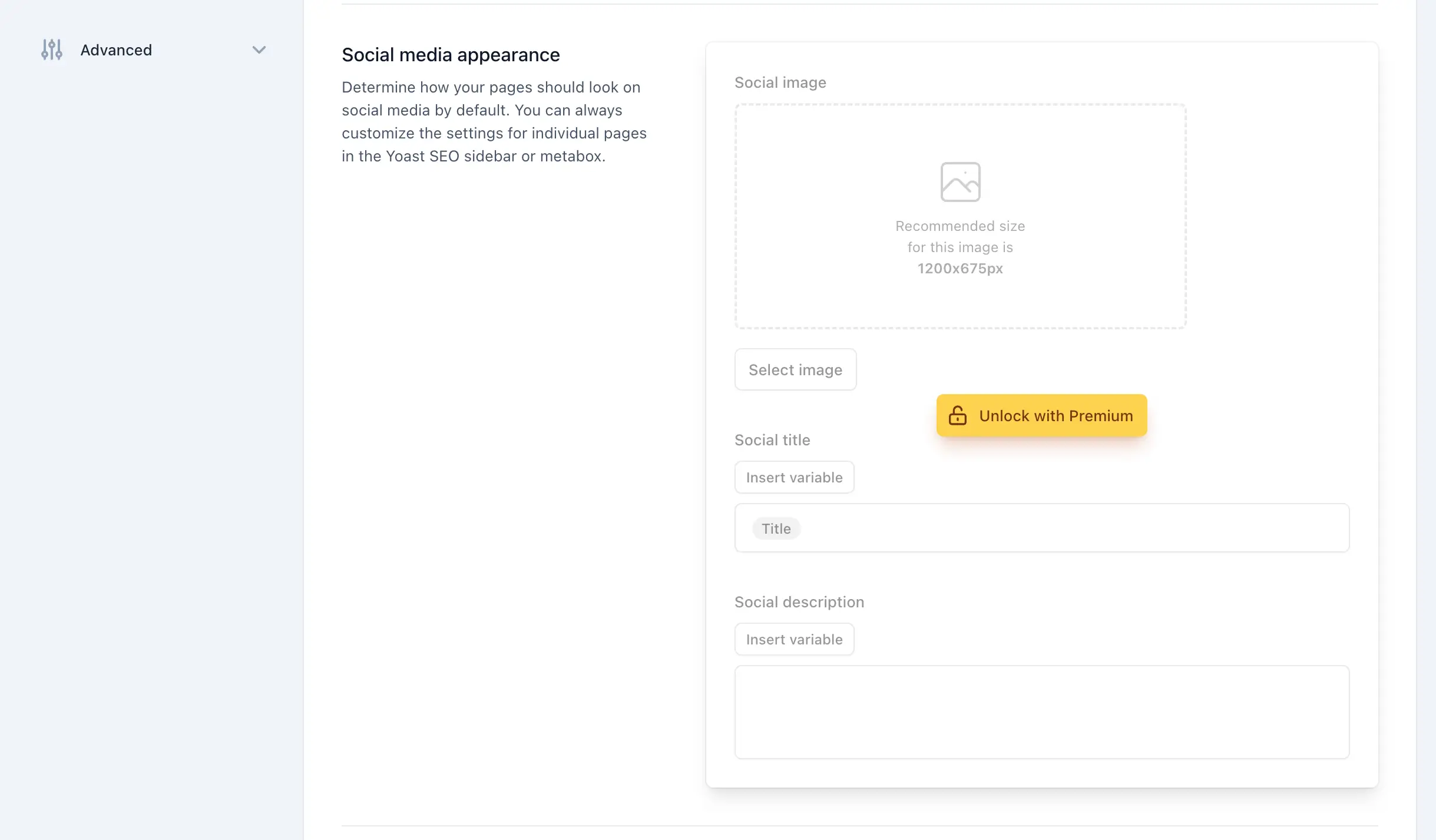
Modern iterations of popular WordPress optimization suites increasingly rely on decoupled JavaScript components and complex CSS grid architectures to render settings pages, feature integrations, and post-editor sidebars. Because these promotional banners and locked fieldsets are injected dynamically via client-side scripts rather than traditional server-side PHP hooks, traditional backend removal functions prove insufficient.

To suppress these elements reliably without risking core application stability, system administrators can deploy inline cascading style sheets targeting specific layout classes, attribute selectors, and structural positioning rules. Scoping these style sheets exclusively to relevant administrative screens—such as post editing environments or specific settings panels—maintains optimal front-end performance and prevents global style leakage.
public function remove_upsells_from_admin_pages(): void
    $current_screen = get_current_screen();
    if ( ! ( $current_screen instanceof WP_Screen && str_contains( $current_screen->id, 'wpseo_' ) ) )
        return;

    $css = '
        #yoast-seo-general .yst-@container > div:last-child:has([data-action=load-nfd-ctb]),
        #yoast-seo-general .yst-min-w-[16rem]:has(>.yst-sticky),
        #yoast-seo-settings main + div:has([data-action=load-nfd-ctb]),
        #yoast-seo-settings .yst-root div[class*=yst-fixed],
        #yoast-seo-settings main section .yst-feature-upsell,
        #wpseo-integrations .yst-root section > .yst-grid > div:has([data-action=load-nfd-ctb]),
        .yst-root .yst-table-row:has(.yst-button--upsell),
        .seo_page_wpseo_tools .wpseo_content_cell .yoast_premium_upsell  display: none !important;
    ';
    wp_register_style( 'wpex-remove-yoast-upsells', false );
    wp_enqueue_style( 'wpex-remove-yoast-upsells' );
    wp_add_inline_style( 'wpex-remove-yoast-upsells', $css );
Broader Implications for CMS Maintenance and Customization
The necessity of implementing custom code snippets to manage administrative user interfaces highlights a broader architectural challenge within the modern WordPress ecosystem. As commercial plugins scale to support millions of active installations, balancing monetization requirements with user experience design remains a persistent tension point. For digital professionals managing multi-site enterprise environments, maintaining modular, well-documented codebases for interface sanitization is critical to long-term project viability.
Periodic updates released by core software vendors frequently alter DOM structures, class naming conventions, and script registration handles. Consequently, automated administrative cleanups require ongoing maintenance protocols and thorough regression testing following major plugin updates. Developers deploying these solutions are strongly advised to maintain staging environments for verification prior to pushing updates to production systems, ensuring seamless operational continuity across all deployed web properties.