WordPress 7.1 has officially launched on August 19, 2026, coinciding with the annual WordCamp US gathering. As the latest major iteration of the world’s most popular Content Management System (CMS)—which currently powers over forty percent of all websites on the internet—this release targets persistent user friction points by introducing refined collaboration workflows, native responsive styling controls, and modernized media management systems. Developed through an intensive community-driven release cycle, WordPress 7.1 successfully bridges the gap between novice creators and advanced enterprise developers, introducing changes that reshape everyday editorial routines across small-scale blogs and large multi-author networks alike.
Chronology and Development Background
The development timeline for WordPress 7.1 began immediately following the rollout of version 7.0, with core contributors prioritizing features that address long-standing usability demands from the community. Throughout the beta and release candidate phases, the core development team evaluated numerous high-profile experimental features, including real-time Google Docs-style collaboration and a centralized dashboard widget entitled "On This Day." While these features underwent rigorous testing, leadership ultimately decided to defer their inclusion to ensure optimal platform stability and conflict resolution protocols.
Timed deliberately to debut at WordCamp US, the arrival of version 7.1 underscores the open-source project’s commitment to predictable, iterative release schedules. By focusing heavily on collaborative feedback loops and eliminating the necessity for third-party layout plugins, the core team has steered the platform further into a cohesive, block-based native environment.
Core Collaborative Enhancements and Editorial Workflows
For multi-author publications, digital agencies, and enterprise editorial teams, WordPress 7.1 marks a significant evolution in native content governance. Building upon the foundational block-level commenting introduced in version 6.9, the Notes feature has graduated into a robust feedback ecosystem.
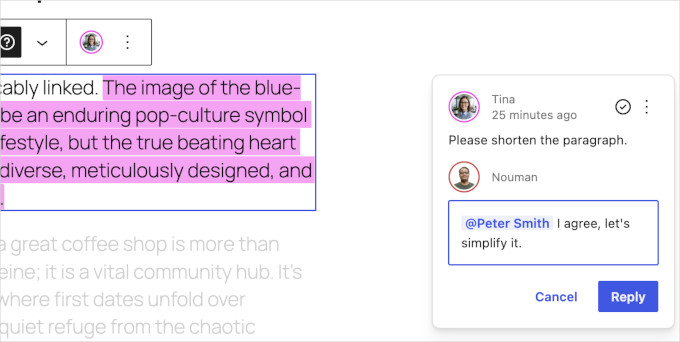
Most notably, the integration of "@mentions" allows users to type the "@" symbol within a note to summon a searchable directory of site collaborators. Tagging a contributor now triggers an automated email notification, bridging the gap between asynchronous communication and active editing. Team members no longer need to keep the editor window open to monitor review statuses; the notification directs them straight to the precise article segment.
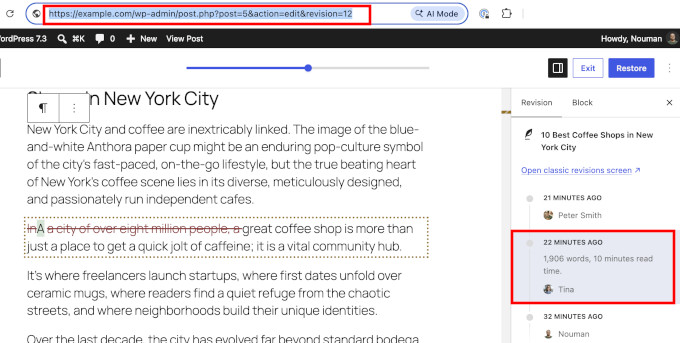
Furthermore, editors can now apply inline notes to specific sentences or phrases rather than entire blocks. The selected text remains highlighted, providing granular visual context that eliminates ambiguity in editorial critique. This functionality is paired with expanded visual revision capabilities inherited and refined from WordPress 7.0. Users can now generate shareable links to specific historical revisions. When a stakeholder opens the link, the editor loads the exact historical iteration with color-coded modifications prominently highlighted, streamlining the approval process for corporate publishing pipelines.
Native Responsive Styling and Interaction States
Perhaps the most technically anticipated addition in WordPress 7.1 is the debut of native responsive styling. Historically, adjusting block dimensions, typographies, or spacing across varying screen sizes required either specialized theme features or custom Cascading Style Sheets (CSS). Version 7.1 introduces viewport-specific styling directly within the block editor interface.
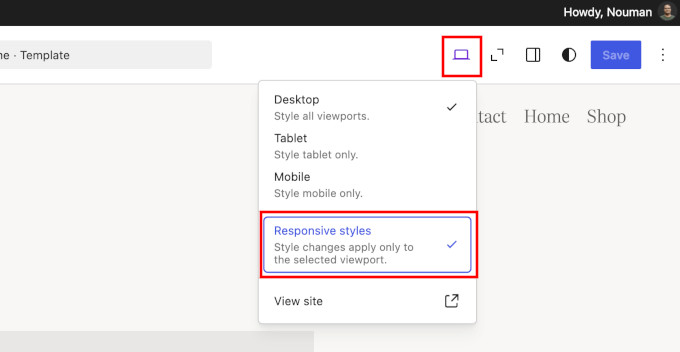
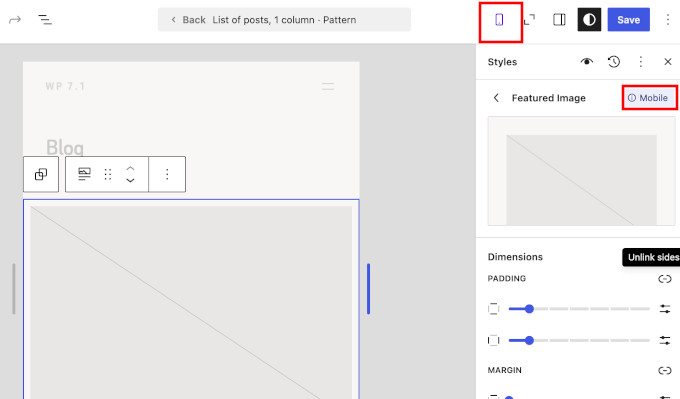
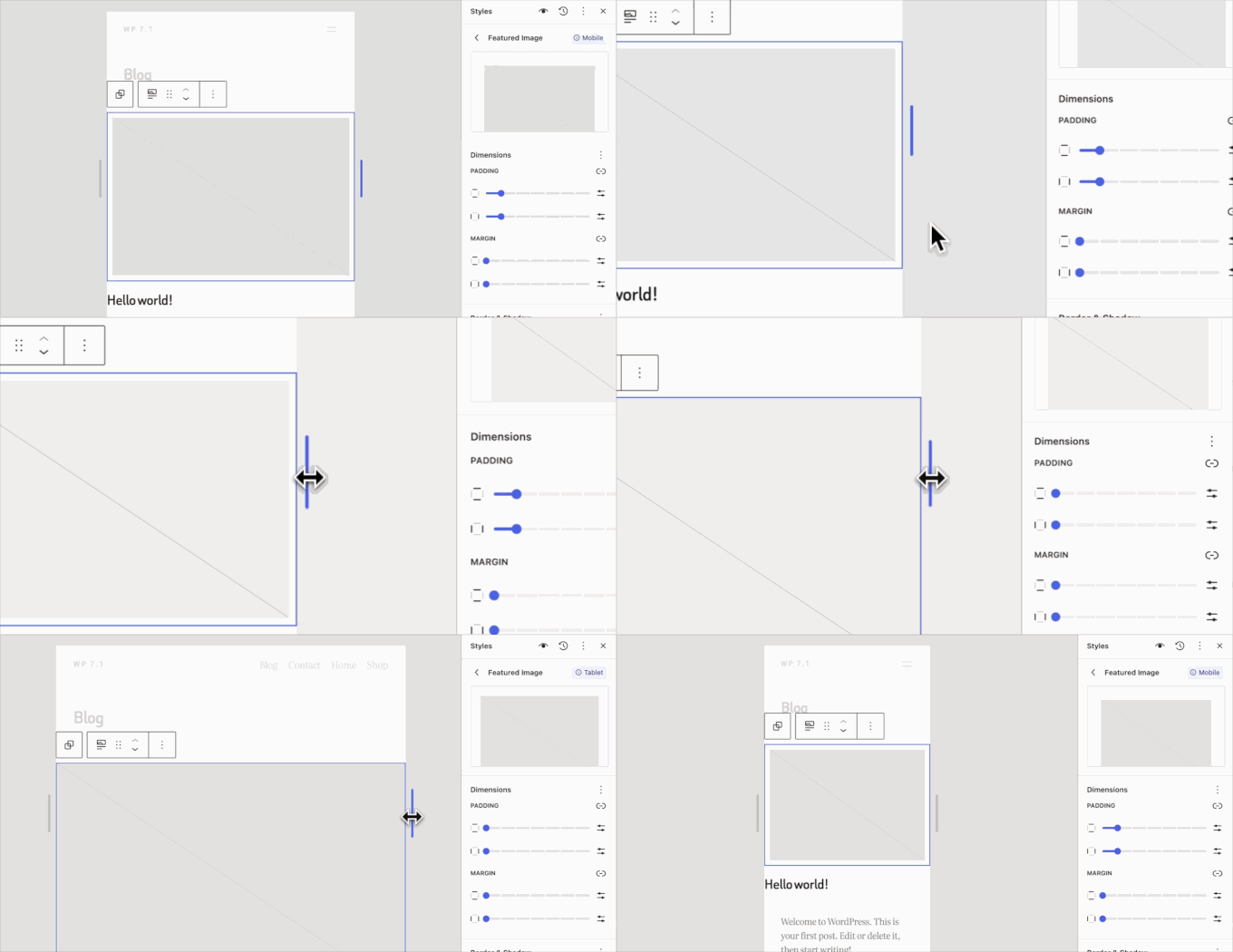
By toggling the responsive styles option via the device preview toolbar, content creators can define distinct visual parameters for tablet and mobile viewports without altering desktop presentation. When a modification is made under a specific device view, WordPress applies style indicators to the settings panel for clarity. These adjustments can be deployed globally via Global Styles to govern entire site architectures or restricted locally to individual pages.
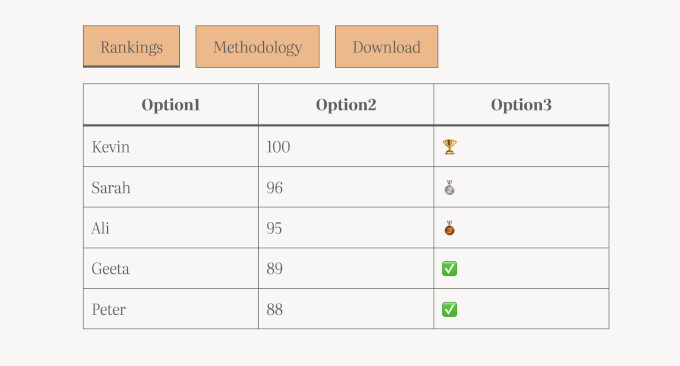
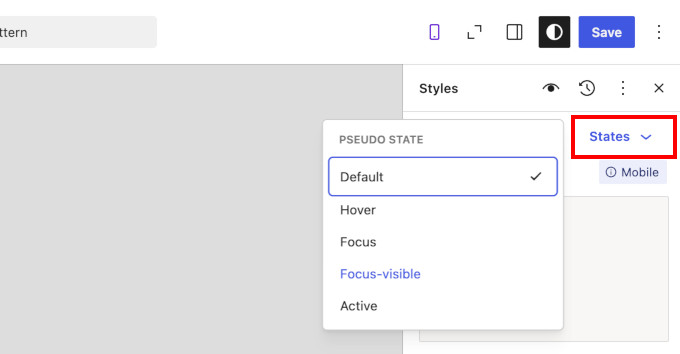
Complementing responsive controls is the new interactive state styling engine. A dedicated "State" dropdown empowers designers to visually configure hover, focus, and active parameters for interactive components like buttons. Modifying a button’s background color upon mouse hover no longer necessitates custom code snippets; live previews render directly within the canvas. Moreover, when localized style changes are applied globally, the platform introduces a verification review step, giving administrators precise control over inheritance.
Advanced Media Processing and Format Support
Media handling receives a substantial performance upgrade in WordPress 7.1, continuing the client-side media processing architecture initiated in version 7.0. By shifting computational overhead to the user’s web browser prior to server ingestion, the CMS reduces bandwidth strain and accelerates deployment times—a critical advantage for sites operating on budget-conscious hosting tiers.
Format support has been substantially broadened to natively process next-generation image standards. WordPress 7.1 handles HEIC files—the default photographic format captured by modern Apple iOS devices—alongside UltraHDR, AVIF, and WebP images. This native compatibility eliminates the historical reliance on specialized conversion plugins. Additionally, file uploads feature enhanced resilience; network interruptions temporarily pause upload queues, automatically resuming once connectivity is restored.
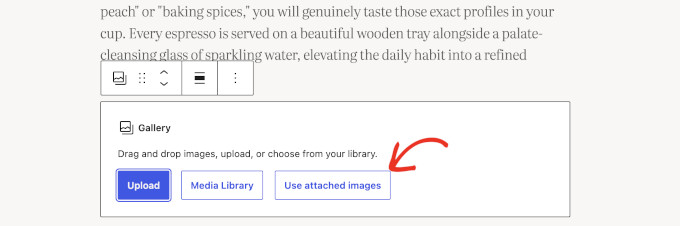
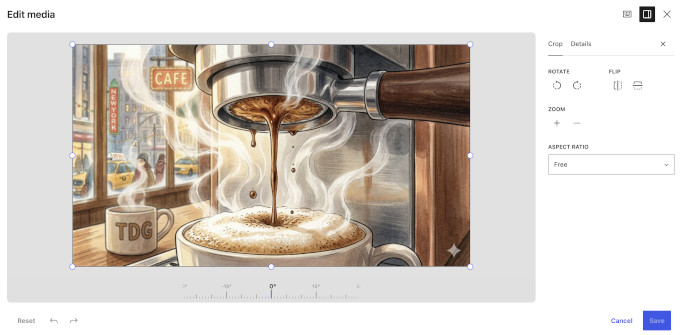
To complement these backend enhancements, the inline cropping tool has been replaced by a comprehensive Media Editor modal. Accessible via standard image and cover blocks, the modal provides freeform cropping, aspect-ratio presets, rotation tools, and integrated metadata editing supported by a magnified pixel-snap view.
Administrative Refinements and Site Navigation
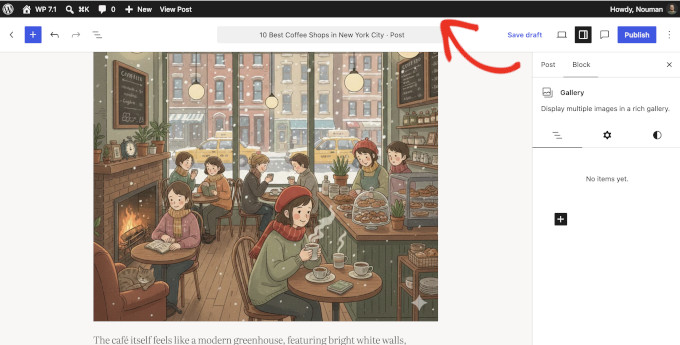
Navigation across the WordPress administration dashboard and Site Editor has undergone structural cleanup. The administrative toolbar is now persistent, remaining visible during active editing sessions within both the Site and Block Editors to ensure consistent navigational feedback.
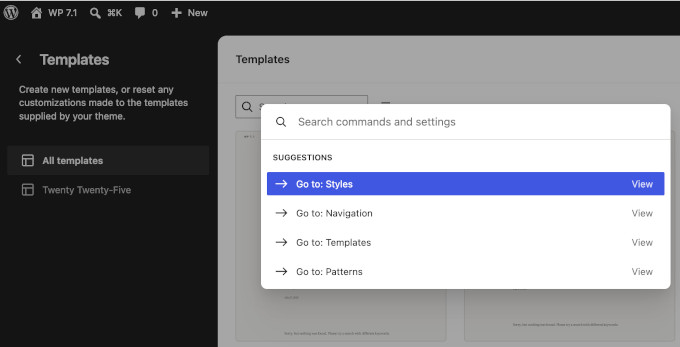
The Command Palette (accessible via Ctrl+K on Windows or Command+K on Mac) now utilizes contextual categorization, grouping queries into Recent, Matching, and Suggestions segments while remembering user search histories across sessions. Additionally, the Site Editor interface dynamically adopts the user’s chosen administrative color scheme rather than enforcing a rigid dark sidebar, promoting visual continuity.
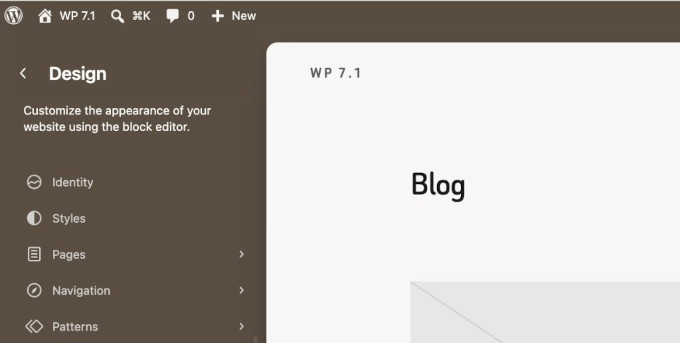
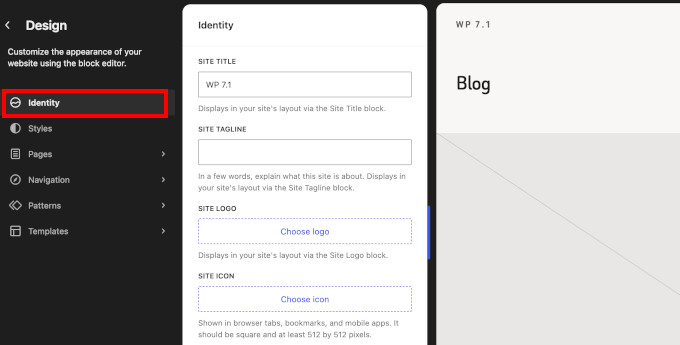
Site identity elements—including titles, taglines, logos, and icons—have been consolidated into a dedicated Design and Identity subsection within the Site Editor, removing the need to navigate fragmented settings screens. Productivity is further enhanced through multi-item range selection in list views (via Shift-click) and the ability to modify comment parent relationships directly within the comment management screen.
Under-the-Hood Architecture and Developer Considerations
For developers and systems administrators managing complex infrastructure, WordPress 7.1 introduces critical under-the-hood modifications. The block editor canvas is now universally iframed, segregating editing scripts and styles from the surrounding administration architecture to guarantee rendering stability. While this standardizes block behavior, third-party plugins utilizing legacy meta boxes or deprecated block APIs may require auditing to ensure compatibility.
Furthermore, the platform updates its internal jQuery UI library to version 1.14.2, and enforces strict multisite upload storage quotas universally—closing a loophole where media sideloaded via URL previously bypassed network-level space restrictions.
Implications and Outlook
WordPress 7.1 represents a pragmatic milestone for the platform, favoring workflow optimization, structural stabilization, and everyday quality-of-life improvements over flashy, disruptive overhauls. By embedding responsive design capabilities, advanced collaborative tools, and expanded media format support directly into the core software, WordPress continues to lower the barrier to entry for creators while offering developers a more predictable, secure, and performant framework. As standard practice for major version deployments, site administrators are strongly advised to perform complete system backups prior to initiating updates across production environments.