The Complete Guide to Migrating Your WordPress Website to Pressable Managed Hosting

The landscape of web hosting has shifted dramatically over the past decade, moving away from generic shared servers toward specialized, managed environments. For organizations and individuals running WordPress—which powers over forty percent of all websites on the internet—server maintenance, security vulnerabilities, and traffic scalability have become critical operational concerns. In response to these demands, managed WordPress hosting providers like Pressable have emerged as preferred solutions for streamlining technical administration, allowing webmasters to focus entirely on content creation and business growth.
Background and Context of Managed WordPress Hosting
Managed WordPress hosting differs fundamentally from traditional shared or unmanaged virtual private servers (VPS). While standard hosting provides raw server space and leaves configuration, patching, and security monitoring to the user, managed platforms build an infrastructure optimized exclusively for the WordPress architecture. This specialization includes server-level caching, automated daily backups, proactive malware scanning, and immediate responses to core software vulnerabilities.

Pressable, operating as an automated and managed hosting subsidiary under Automattic—the commercial entity behind WordPress.com and WooCommerce—occupies a unique position in this market segment. Founded to provide enterprise-grade infrastructure to smaller operations, agencies, and independent publishers, the platform leverages Automattic’s deep familiarity with the WordPress codebase. Industry data consistently indicates that websites transitioning from standard unmanaged environments to specialized managed platforms experience noticeable improvements in Time to First Byte (TTFB), overall page load speeds, and resilience against distributed denial-of-service (DDoS) attacks.
Evaluating Pressable: Target Audience and Plan Structure
When analyzing whether to transition a digital property to Pressable, developers and business owners must evaluate their specific resource requirements and traffic thresholds. The platform caters primarily to small-to-medium-sized enterprises, high-traffic blogs, digital agencies, and freelance developers managing multiple client portfolios.
Pressable structures its service tiers around three core metrics: the number of active WordPress installations (or installs), estimated monthly visitors, and required storage allocation. Standard offerings scale from entry-level single-site packages, such as the Signature 1 tier designed for up to 30,000 monthly visitors, up to enterprise-grade plans supporting dozens of installations and millions of page views. For mission-critical web applications requiring dedicated resources, custom storage limits, and advanced CPU allocations, the provider offers dedicated Premium Site Plans.
However, industry analysts note that managed hosting involves inherent trade-offs. Because Pressable strictly limits its architecture to self-hosted WordPress deployments, it does not support legacy configurations such as native email hosting, custom low-level NGINX adjustments, ionCube loaders, or Apache .htaccess rule integration. Organizations reliant on complex, bespoke server-side modifications or specific non-WordPress applications typically find unmanaged VPS environments more accommodating. Conversely, non-technical users and agencies prioritizing zero-maintenance server upkeep generally realize significant operational efficiencies by adopting managed infrastructure.
Step-by-Step Migration Protocol
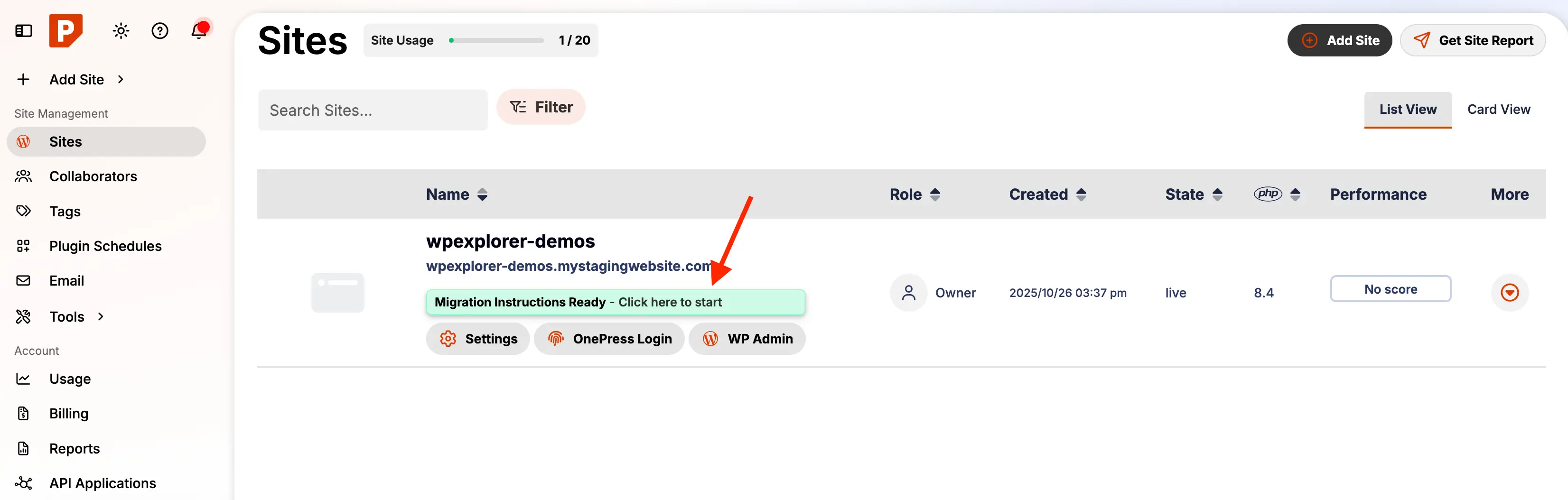
Transitioning a live web property between hosting providers traditionally carried a high risk of downtime, data loss, and broken routing links. Modern platforms have mitigated these risks through automated migration plugins and white-glove migration services. Pressable provides two primary pathways for onboarding new sites: a complimentary concierge migration managed entirely by their support engineering team, or a self-service automated migration utilizing proprietary tools.
For administrators choosing the self-service route, the migration sequence follows a rigorous protocol designed to ensure data integrity.
Phase 1: Pre-Migration Hygiene and Backups
Before initiating any server transfer, the source website must undergo comprehensive maintenance. This entails updating the WordPress core, active themes, and all installed plugins to their most recent versions. Outdated software frequently introduces PHP version compatibility conflicts when moving to modern, hardened server stacks. Following updates, administrators must generate a complete, uncorrupted backup of both the site files and the MySQL database using established plugins like UpdraftPlus, BlogVault, or Duplicator, securing the archive off-site via cloud storage.
Phase 2: Automated Provisioning on Pressable
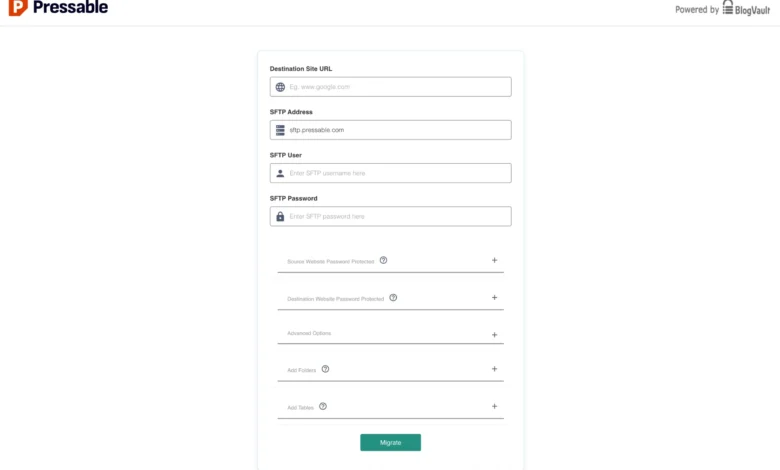
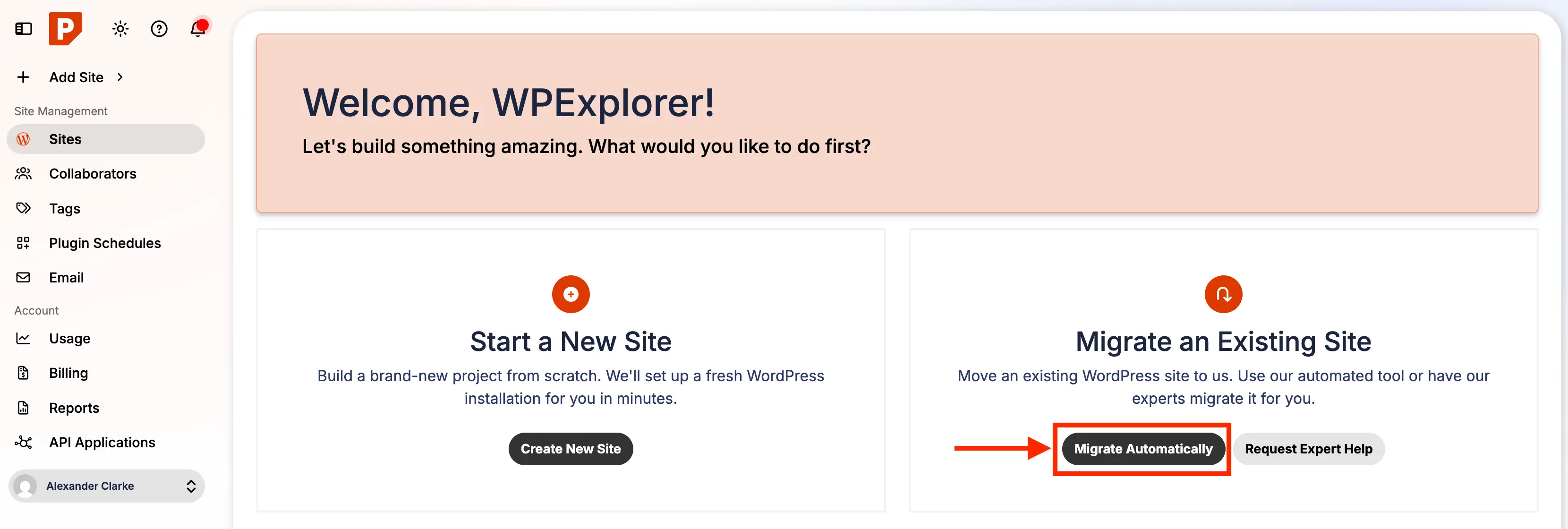
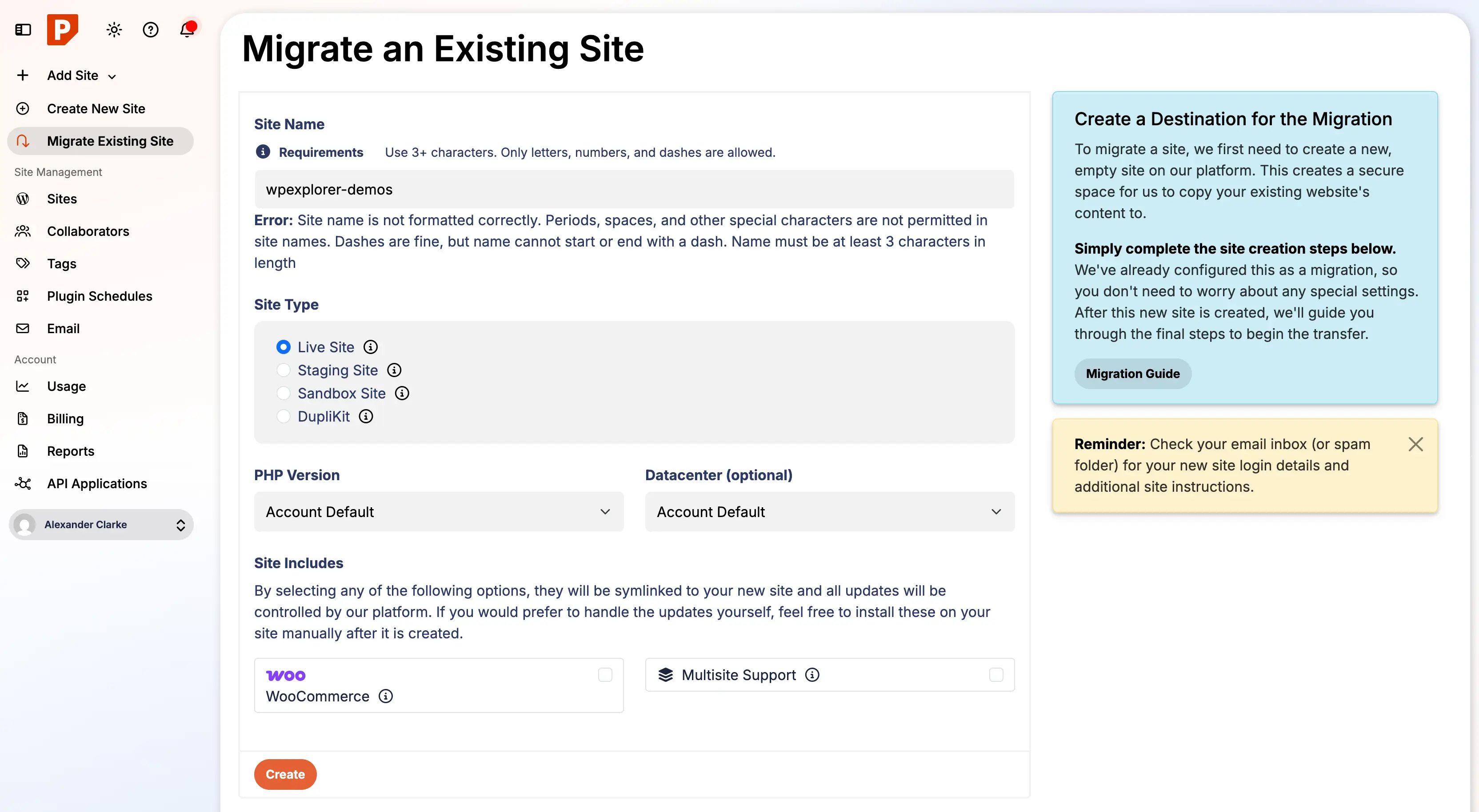
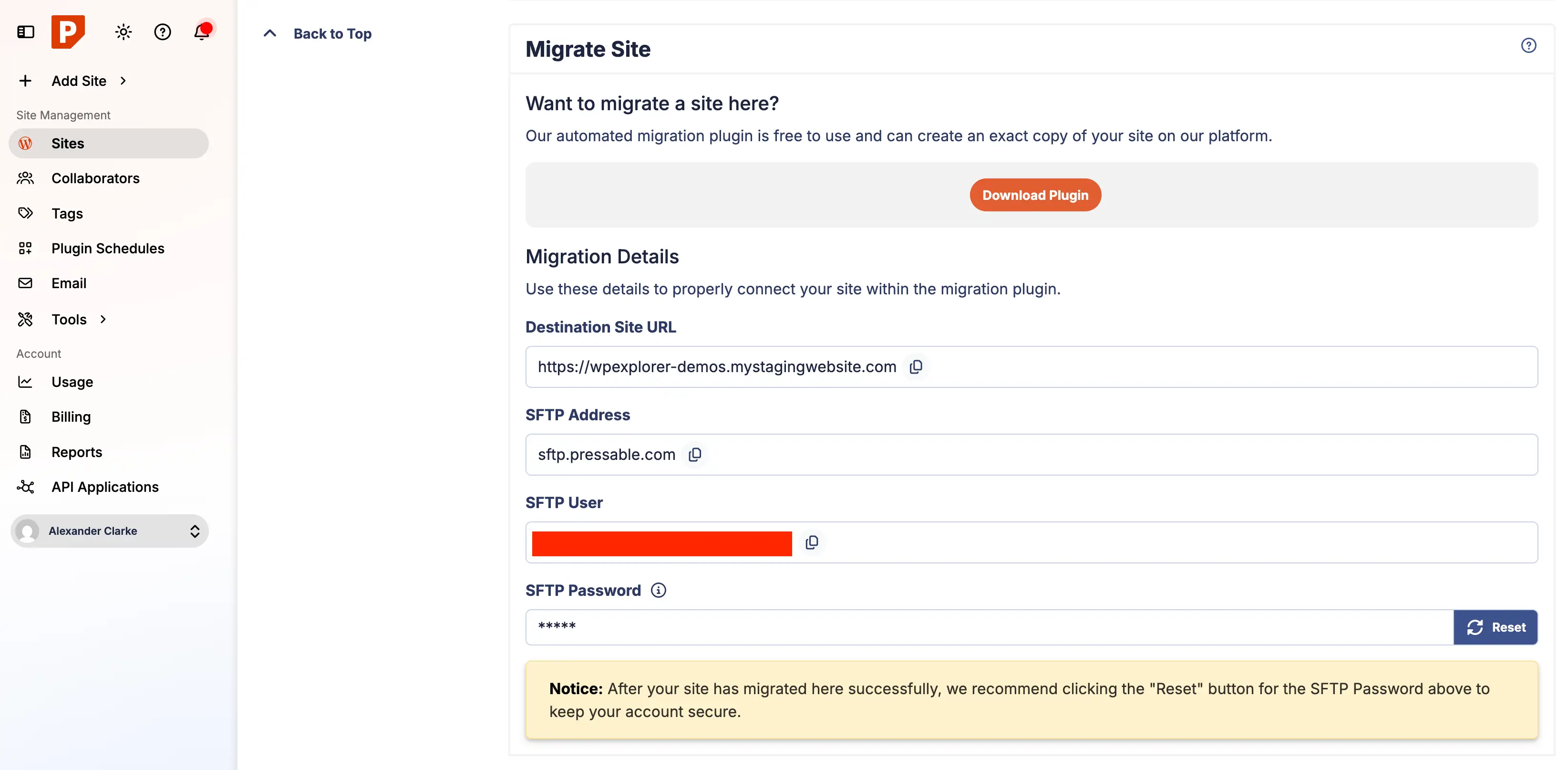
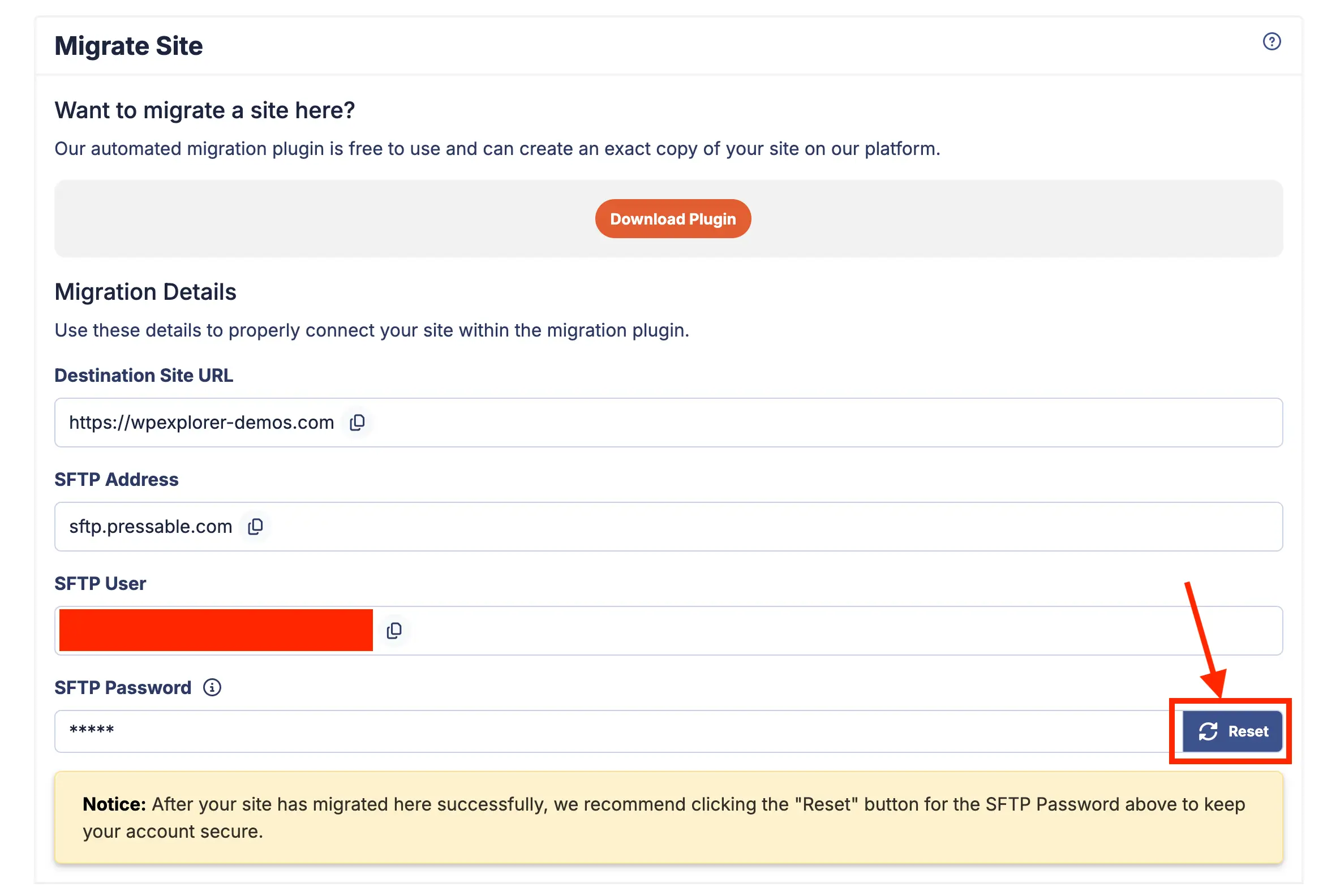
The migration sequence begins within the Pressable user dashboard by executing an automated site creation request. Administrators input basic parameters, including the temporary staging URL, site title, and target data center location. Once the destination container is generated, the system issues unique SFTP credentials and migration endpoints required to link the source environment with the destination server.
Phase 3: Executing the Transfer via Migration Plugin
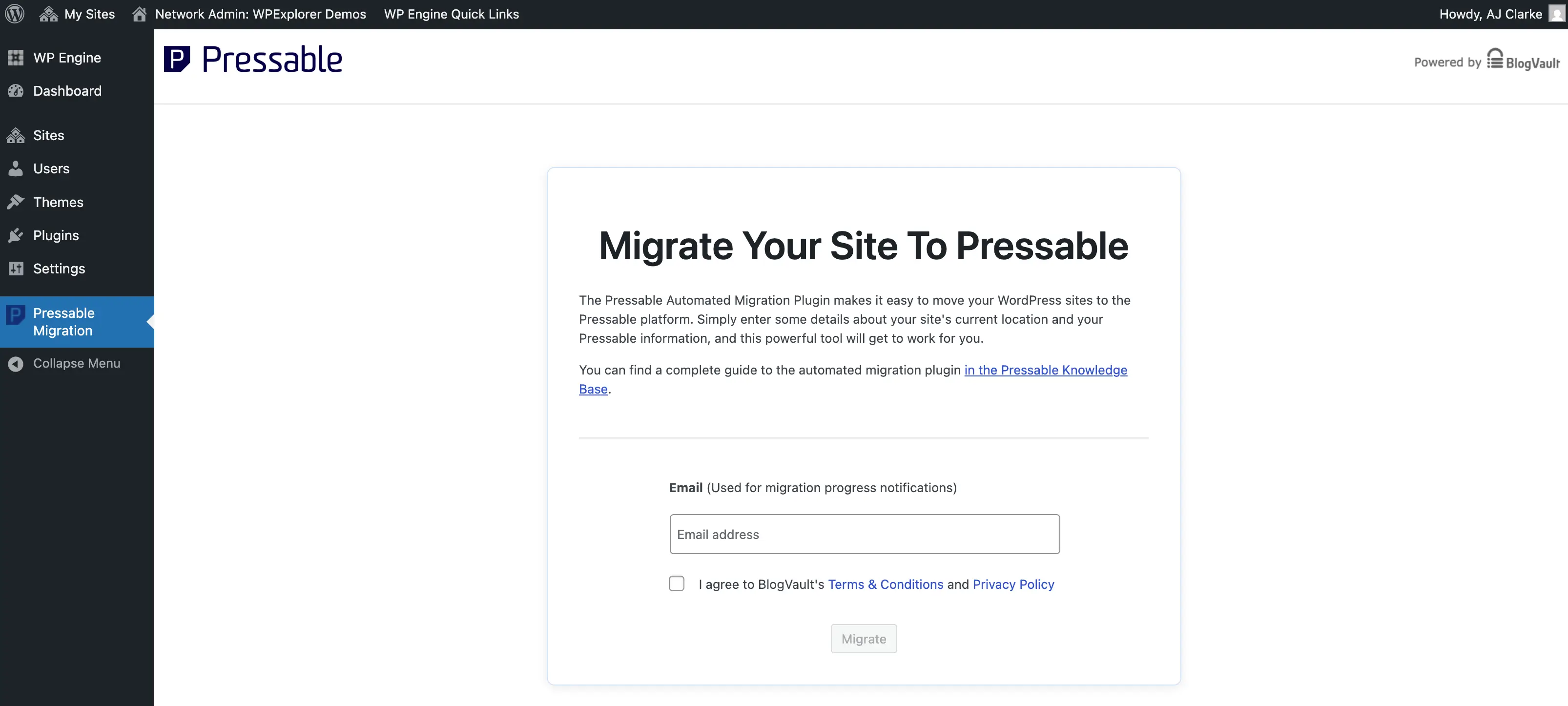
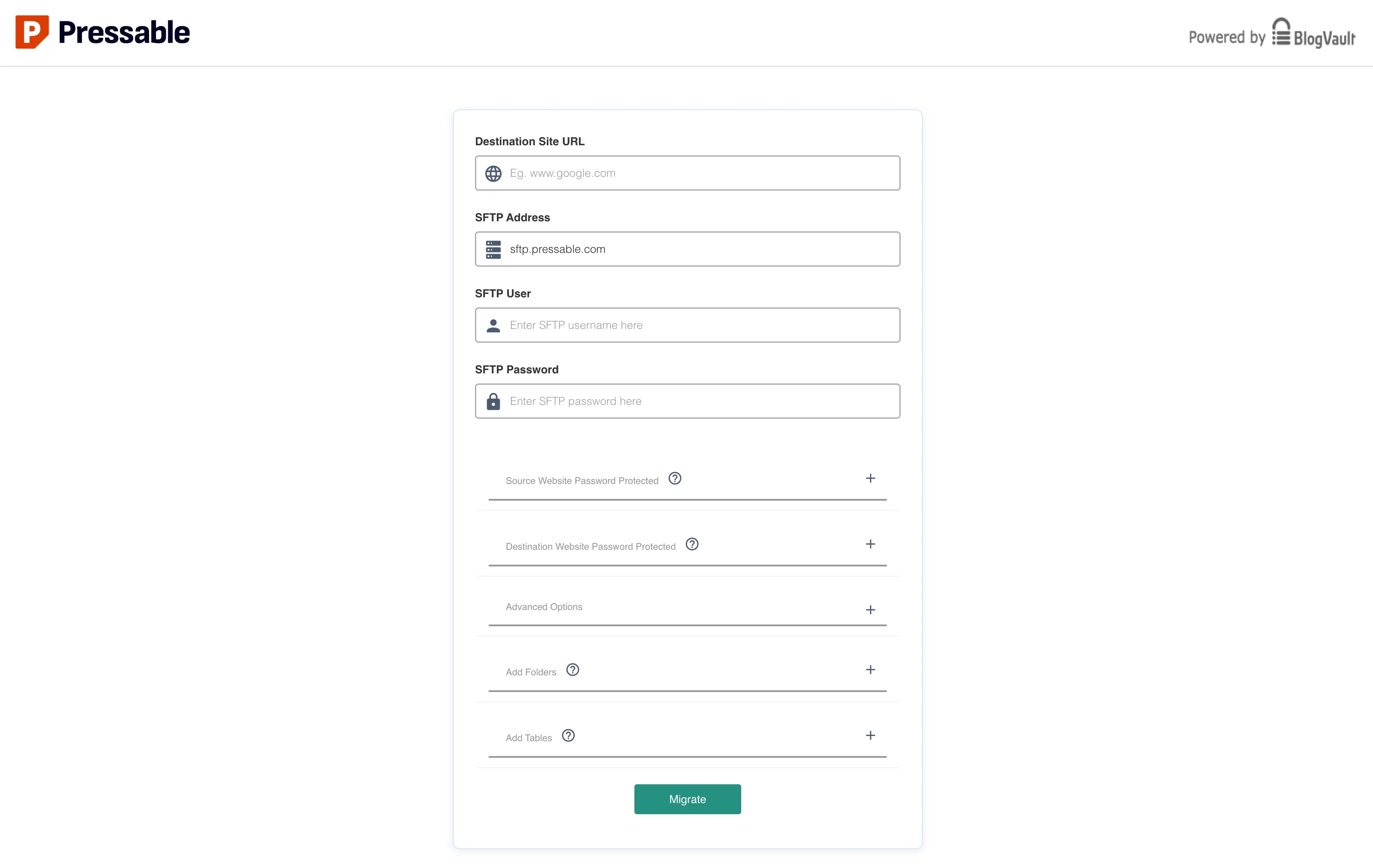
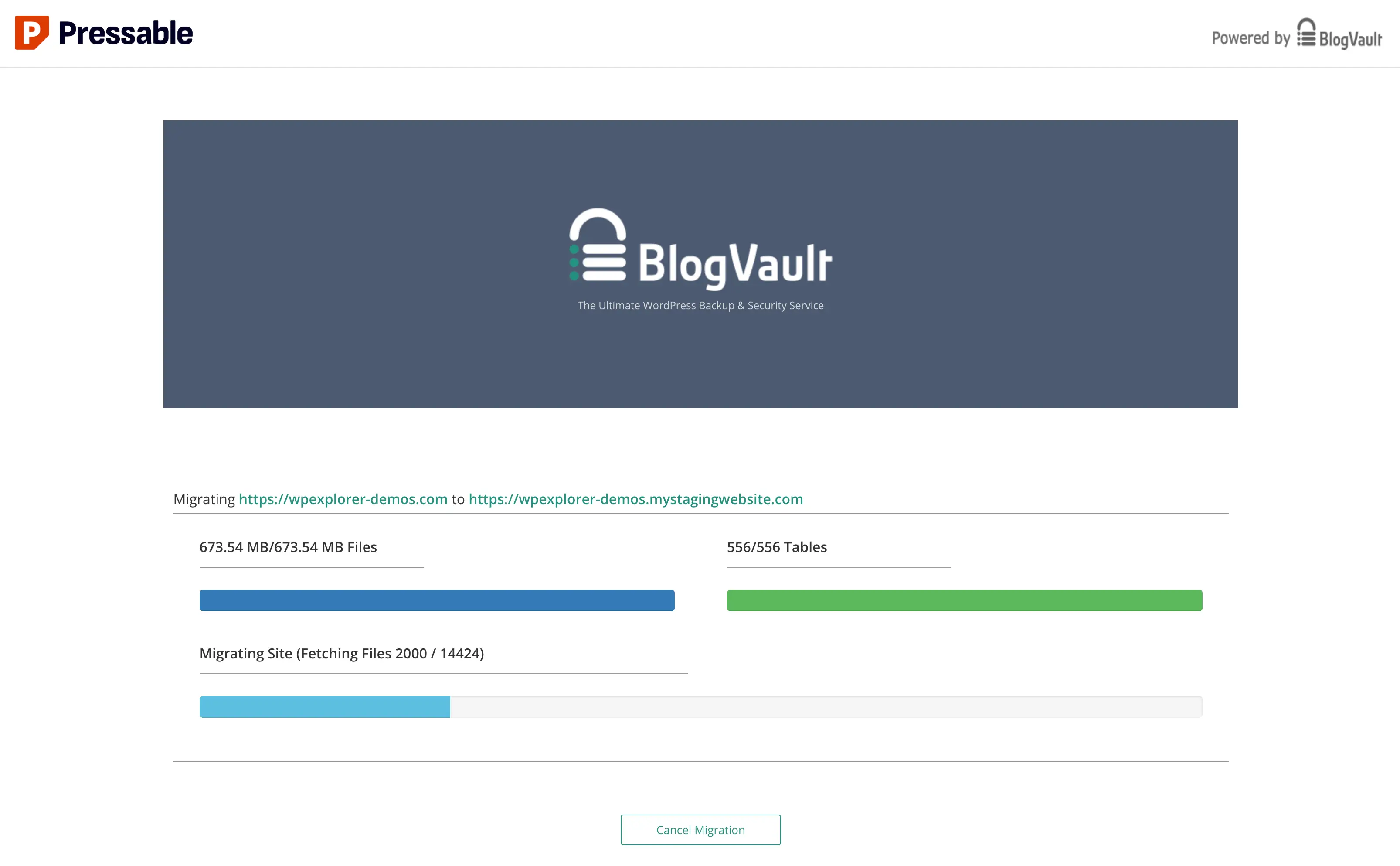
Administrators then access the live, legacy WordPress dashboard, locate the official Pressable Automated Migration plugin, and input the SFTP parameters provided by the new host. Initiating the transfer hands off the process to a secure background migration protocol. During this phase, database tables, media uploads, themes, and plugins are copied synchronously to the new server. Industry best practices dictate that this transfer should remain uninterrupted, with browser tabs held open to prevent sleep states or network timeouts.
Phase 4: Post-Migration Validation and File Cleanup
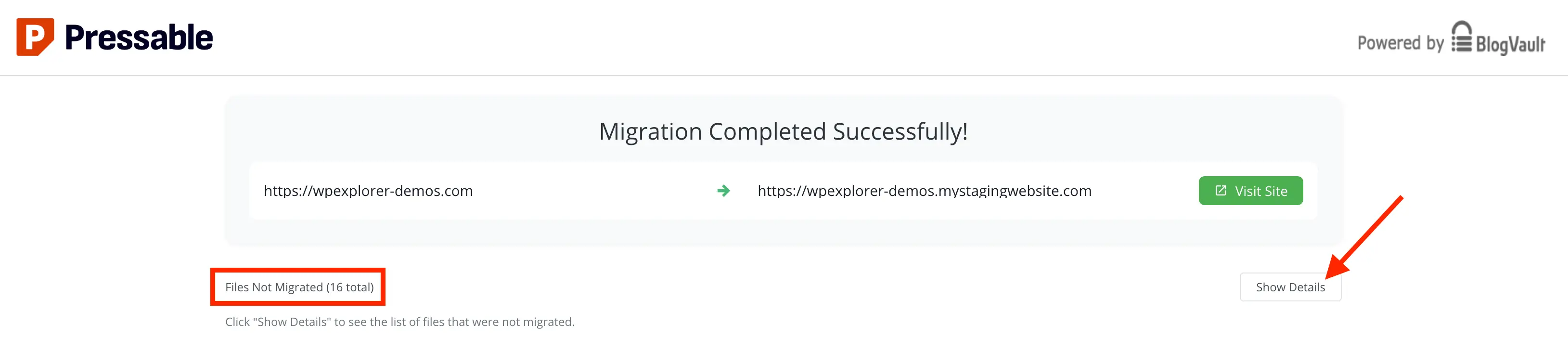
Upon completion of the automated transfer, the system generates a migration log detailing any skipped files. In most migrations—particularly those originating from competitors like WPSite or WP Engine—certain host-specific MU-plugins (must-use plugins) or server configuration files are intentionally excluded because they are incompatible with Pressable’s infrastructure.
Administrators must then purge legacy server artifacts from the newly populated root and wp-content directories. This includes removing defunct cron jobs, extraneous admin user accounts established by previous hosting providers, and host-specific caching utilities. Furthermore, because Pressable operates exclusively on an NGINX and PHP-FPM architecture rather than Apache, any legacy .htaccess routing rules must be manually translated into PHP-based equivalent directives, typically managed via a custom-redirects.php configuration file.
Domain DNS Propagation and Security Hardening
With the site successfully replicated on the Pressable staging environment, the final operational hurdle involves pointing the public domain name to the new server infrastructure. Webmasters can execute this transition either through manual DNS record adjustments—updating A-records and CNAME entries at the domain registrar level—or by utilizing Pressable’s automated DNS Wizard tool.
DNS propagation is subject to global network caching, a process that typically ranges from several minutes up to 48 hours. During this propagation window, traffic may intermittently resolve to either the legacy server or the new Pressable environment. To verify complete migration success, administrators monitor the health indicator status within the Pressable dashboard until global verification turns green.
Security hardening represents a final, critical post-migration step. Pressable integrates native Jetpack Security subscriptions into all standard plans at no additional cost. This inclusion provides automated brute-force attack mitigation, real-time malware scanning, and downtime monitoring. However, because newly migrated sites often require manual synchronization of security licenses, administrators must verify activation via the WordPress admin panel. Additionally, security experts strongly advise appending recommended security headers—such as X-XSS-Protection, X-Content-Type-Options, and X-Frame-Options—to the site’s configuration files to establish robust defense mechanisms against cross-site scripting and clickjacking vulnerabilities.
Implications and Market Outlook
The widespread adoption of managed WordPress hosting platforms reflects a broader enterprise trend toward operational outsourcing. By removing the burden of manual security patching, database optimization, and server tuning, platforms like Pressable enable small businesses and development agencies to redirect capital and human resources toward core competencies such as marketing, content creation, and software development.
While migration projects invariably introduce temporary technical overhead, the long-term gains in uptime reliability, security posture, and page performance substantiate the shift away from legacy shared hosting architectures. As web standards evolve and security threats grow increasingly sophisticated, the reliance on specialized, vertically integrated hosting ecosystems is projected to accelerate across the digital publishing sector.