The Complete Guide to Streamlining Your WordPress Dashboard by Removing Elementor Upsells and Promotional Interface Elements

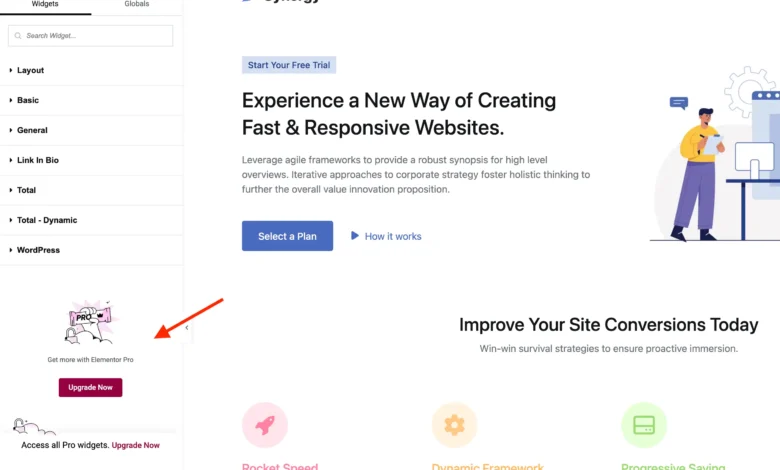
The Elementor page builder remains one of the most widely utilized site-building tools within the WordPress ecosystem, powering millions of active installations worldwide. However, the free iteration of the plugin incorporates a dense array of promotional prompts, marketing banners, and locked interface elements designed to encourage users to transition to Elementor Pro. While these promotional features serve a vital revenue-generation purpose for the software’s developers, they frequently introduce visual clutter into the administrative and editing workflows for web developers, designers, and site administrators who rely solely on the core free edition.

Understanding the WordPress Freemium Model and Interface Bloat
The freemium business model is a foundational pillar of the WordPress plugin repository. Developers offer a robust core product under the GNU General Public License (GPL) to build large user bases, subsequently offering advanced features, dedicated support, and specialized integrations through paid premium tiers. In the case of Elementor, the free version provides an intuitive visual layout engine, while the Pro version unlocks dynamic content capabilities, theme-building tools, custom CSS injections, and specialized widgets.
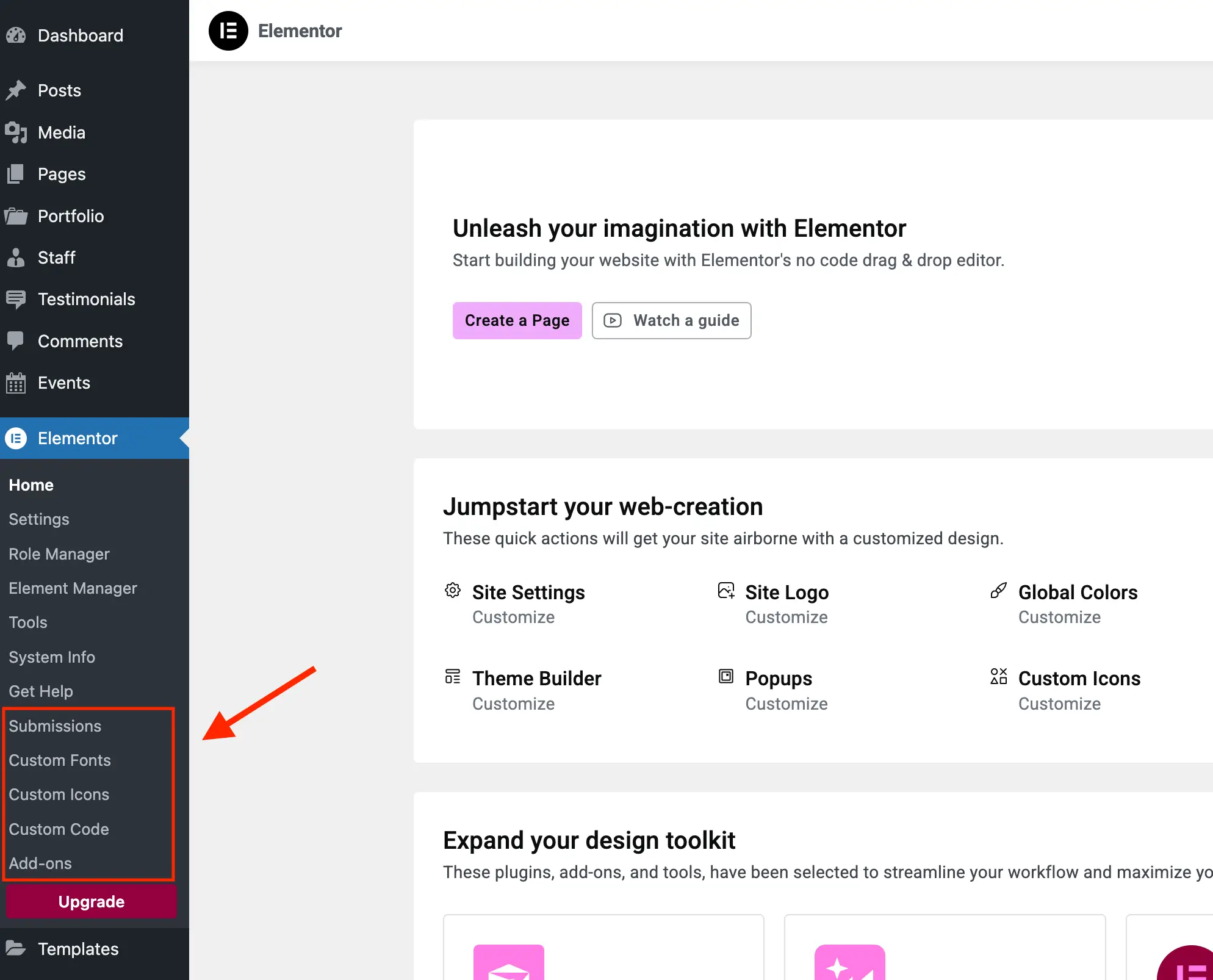
Nevertheless, the implementation of administrative advertising—often referred to as "dashboard marketing"—has been a subject of ongoing discussion within the broader WordPress community. When free plugins introduce persistent banners, locked settings menus that trigger pop-up overlays, and administrative subpages dedicated entirely to upgrade pitches, the user experience can degrade. Furthermore, certain promotional components utilize redirected URLs or referral-tracking structures that have prompted debates regarding compliance with official WordPress plugin directory guidelines concerning user consent and dashboard cleanliness.
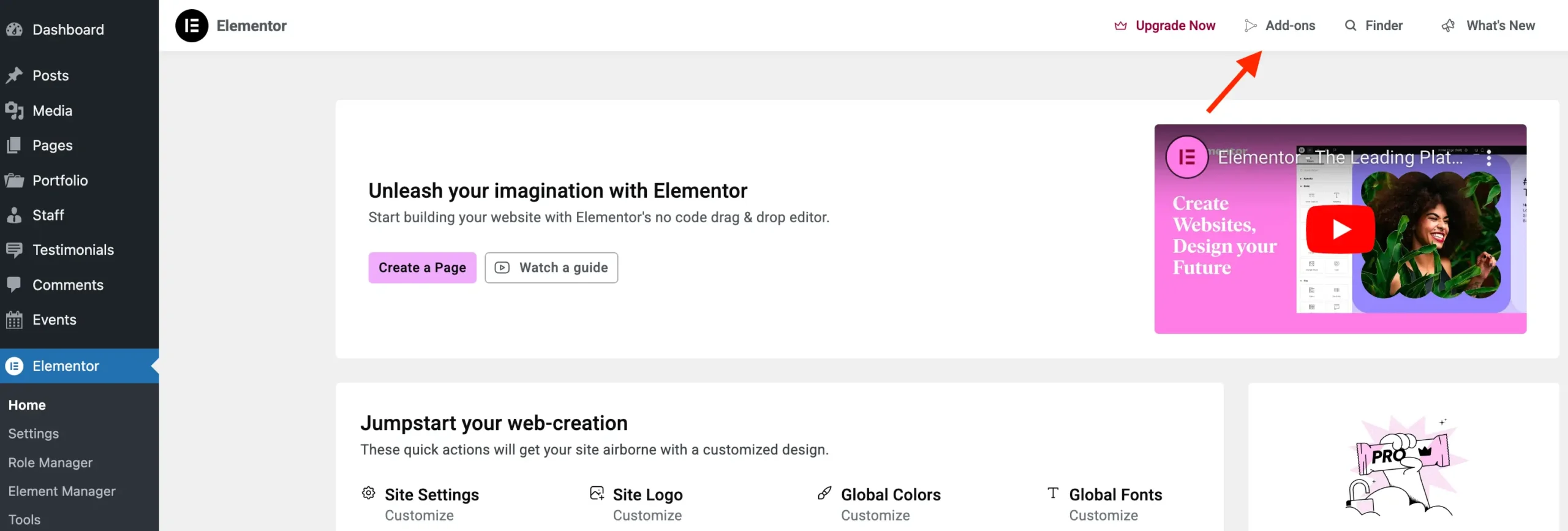
Site administrators managing client websites often seek a pristine, focused environment. Presenting clients with a dashboard cluttered by locked features and constant upgrade prompts can create confusion, frequently leading to accidental clicks on promotional links or unwarranted support inquiries regarding unavailable functionality. Consequently, a segment of the developer community employs custom code snippets, hooks, and administrative filters to curate a streamlined, white-labeled interface.
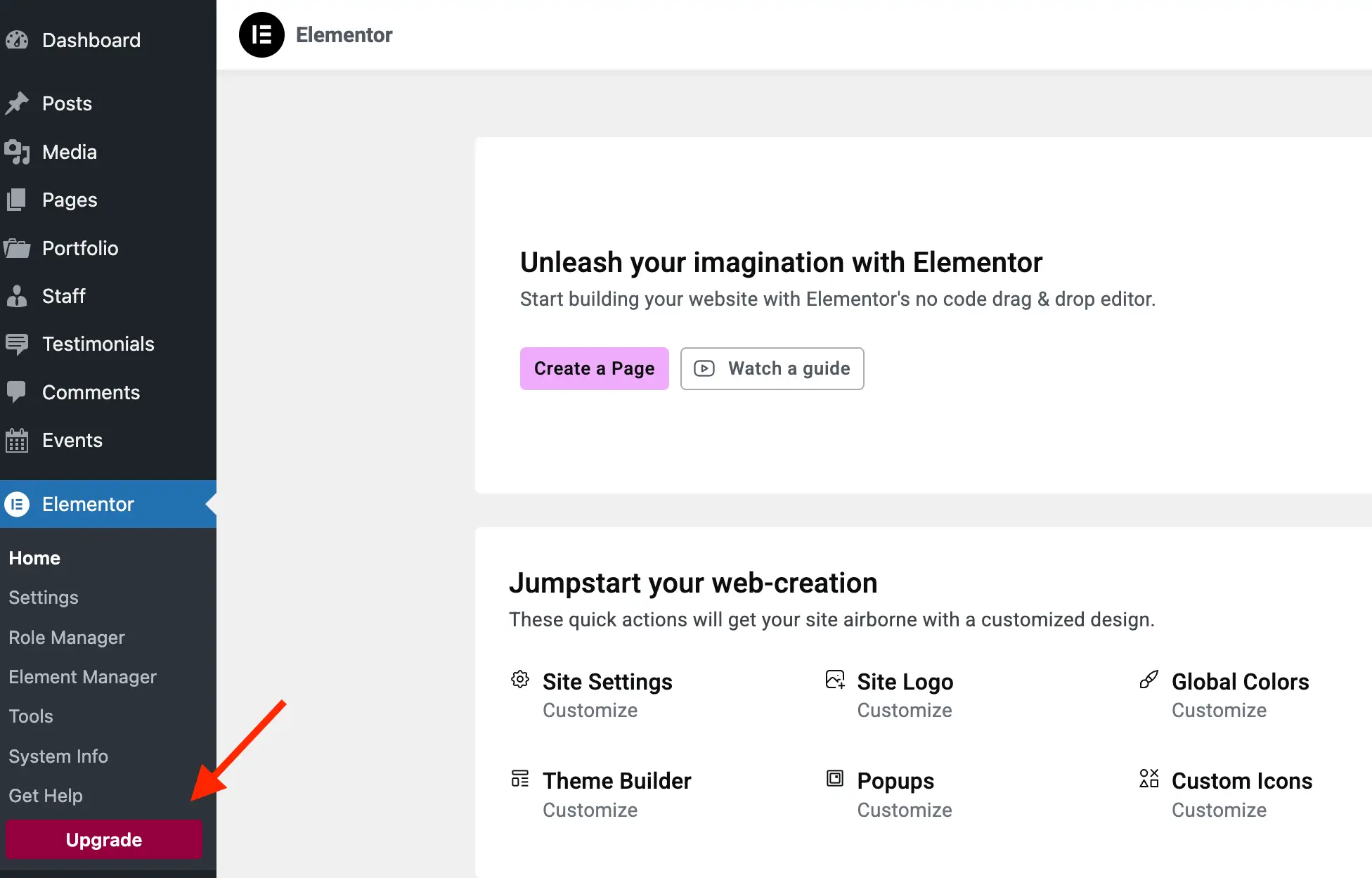
Technical Foundations for Administrative Customization
To achieve a streamlined Elementor interface without compromising the core functionality of the website, developers can implement a structured object-oriented PHP solution. By leveraging WordPress action hooks, filter applications, and targeted CSS injections, administrators can systematically disable promotional admin menus, hide locked widget categories, and eliminate top-bar upgrade triggers.
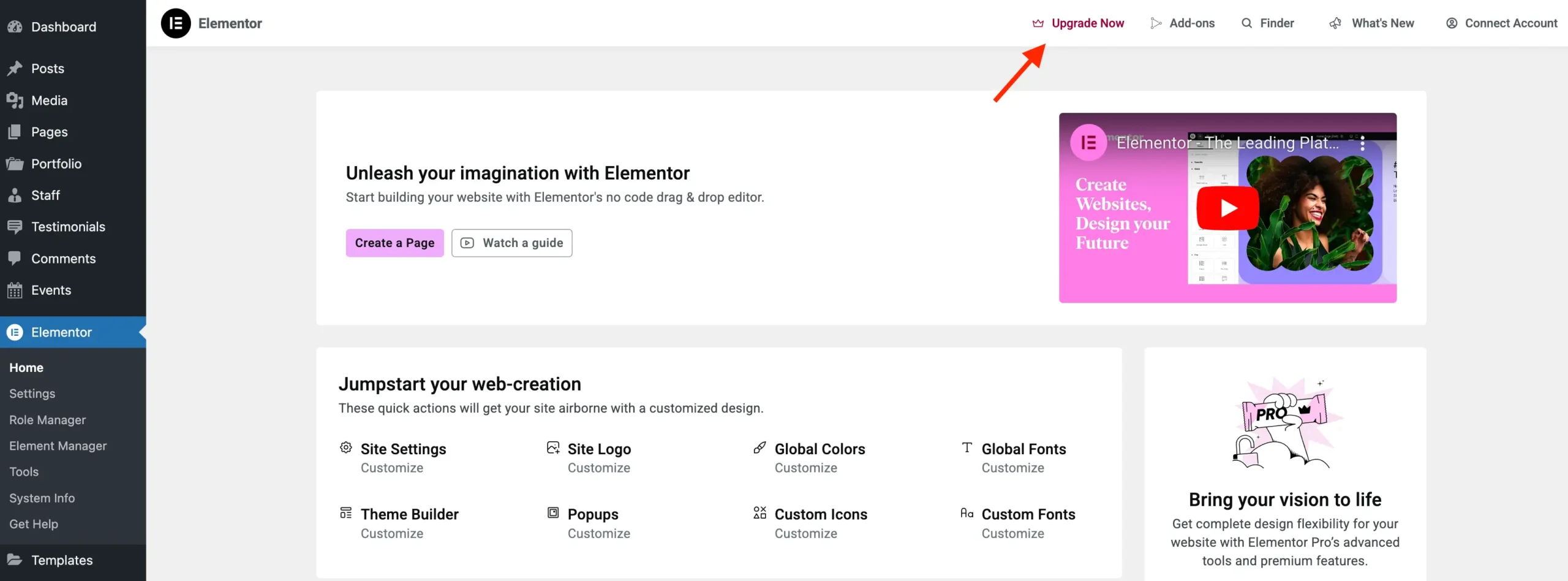
Crucially, any implementation of custom cleanup scripts must account for future scalability. A properly constructed solution incorporates conditional checks—such as verifying whether Elementor Pro is active—to ensure that the modifications automatically stand down if an administrator subsequently purchases and installs the premium license.
Below is the comprehensive, production-ready PHP class designed to neutralize promotional elements while preserving full compatibility with the core free version of Elementor:
/**
 * Remove Elementor Upsells.
 */
class WPEX_Remove_Elementor_Upsells

    /**
     * Constructor.
     */
    public function __construct()
        if ( did_action( 'elementor/loaded' ) )
            $this->register_actions();
         else
            add_action( 'elementor/loaded', [ $this, 'register_actions' ] );


    /**
     * Register our main class actions.
     */
    public function register_actions(): void
        if ( is_callable( 'ElementorUtils::has_pro' ) && ElementorUtils::has_pro() )
            return; // bail early if we are using Elementor Pro.


        add_action( 'elementor/admin/menu/after_register', [ $this, 'remove_admin_pages' ], PHP_INT_MAX, 2 );
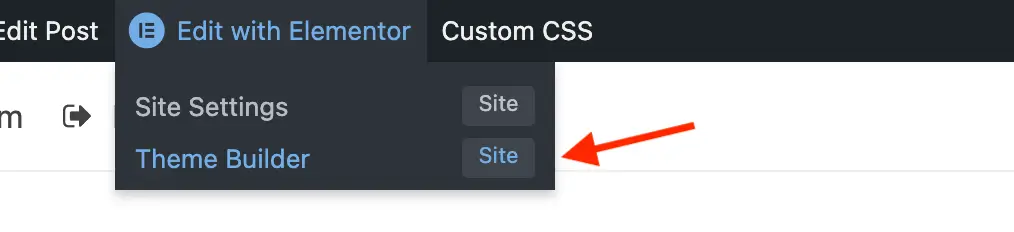
        add_action( 'elementor/admin_top_bar/before_enqueue_scripts', [ $this, 'admin_top_bar_css' ] );
        add_filter( 'elementor/frontend/admin_bar/settings', [ $this, 'modify_admin_bar' ], PHP_INT_MAX );
        add_action( 'elementor/editor/after_enqueue_styles', [ $this, 'editor_css' ] );
        add_action( 'wp_dashboard_setup', [ $this, 'remove_dashboard_widget' ], PHP_INT_MAX );


    /**
     * Remove admin pages.
     */
    public function remove_admin_pages( $menu_manager, $hooks ): void
        $pages_to_remove = [];
        $subpages_to_remove = [];
        if ( is_callable( [ $menu_manager, 'get_all' ] ) )
            foreach ( (array) $menu_manager->get_all() as $item_slug => $item )
                if ( isset( $hooks[ $item_slug ] )
                    && is_object( $item )
                    && ( is_subclass_of( $item, 'ElementorModulesPromotionsAdminMenuItemsBase_Promotion_Item' )


        foreach ( $pages_to_remove as $menu_slug )
            remove_menu_page( $menu_slug );

        foreach ( $subpages_to_remove as $subpage )
            remove_submenu_page( $subpage[0], $subpage[1] );

        remove_submenu_page( 'elementor', 'go_knowledge_base_site' );
        remove_submenu_page( 'elementor', 'go_elementor_pro' );
        if ( ! isset( $_GET['page'] )

    /**
     * Add inline CSS to modify the Elementor admin top bar.
     */
    public function admin_top_bar_css(): void
        $target_icon_classes = [
            '.eicon-integration', // Add-ons
            '.eicon-upgrade-crown', // Upgrade now
        ];
        wp_add_inline_style(
            'elementor-admin-top-bar',
            '.e-admin-top-bar__bar-button:has(' . implode( ',', $target_icon_classes ) . ')display:none!important;'
        );


    /**
     * Modify the admin bar links.
     */
    public function modify_admin_bar( $admin_bar_config )
        if ( isset( $admin_bar_config['elementor_edit_page']['children'] )
            && is_array( $admin_bar_config['elementor_edit_page']['children'] )
        )
            foreach ( $admin_bar_config['elementor_edit_page']['children'] as $k => $item )
                if ( isset( $item['id'] ) && 'elementor_app_site_editor' === $item['id'] )
                    unset( $admin_bar_config['elementor_edit_page']['children'][ $k ] );
                    break;


        return $admin_bar_config;


    /**
     * Hide elements in the editor.
     */
    public function editor_css(): void
        wp_add_inline_style(
            'elementor-editor',
            '.elementor-element-wrapper.elementor-element--promotion,#elementor-panel-category-pro-elements,#elementor-panel-category-theme-elements,#elementor-panel-category-theme-elements-single,#elementor-panel-category-woocommerce-elements,#elementor-panel-get-pro-elements,#elementor-panel-get-pro-elements-sticky,.elementor-panel-navigation-tab[data-tab=global],#elementor-navigator__footer__promotion,.e-notice-bar,.elementor-control-dynamic-switcher,.elementor-control:has([class*="promotion__lock-wrapper"]),.elementor-control-section_custom_css_prodisplay:none!important;.elementor-control-type-wysiwyg .tmce-active .switch-htmlborder-inline-end:0;'
        );


    /**
     * Remove dashboard widget.
     */
    public function remove_dashboard_widget(): void
        remove_meta_box( 'e-dashboard-overview', 'dashboard', 'normal' );


new WPEX_Remove_Elementor_Upsells;
Eliminating Redundant Admin Panels and Submenus
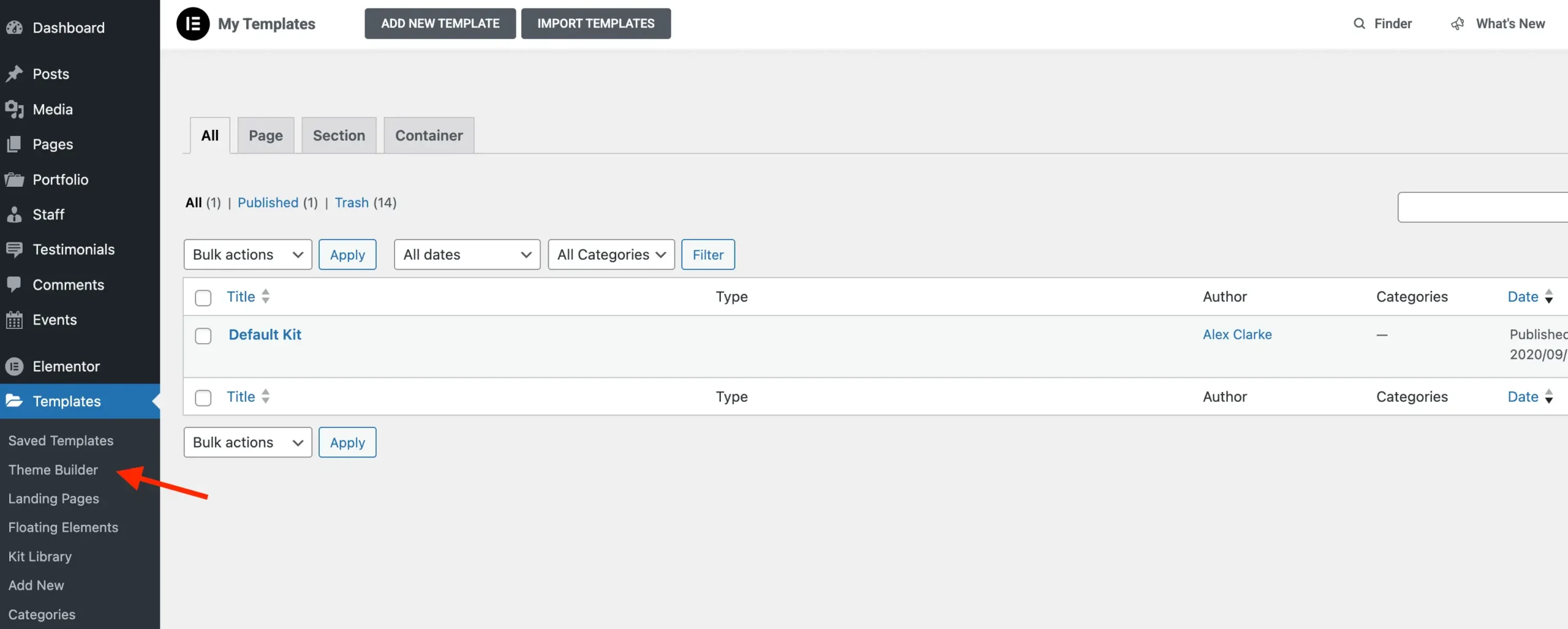
The default installation of Elementor registers several administrative subpages that do not provide functional site-building controls. Instead, these pages act as promotional landing spaces designed to showcase the capabilities of the Pro edition. By hooking into the elementor/admin/menu/after_register action, the script evaluates registered menu items against Elementor’s promotion management classes (Base_Promotion_Item and Base_Promotion_Template).
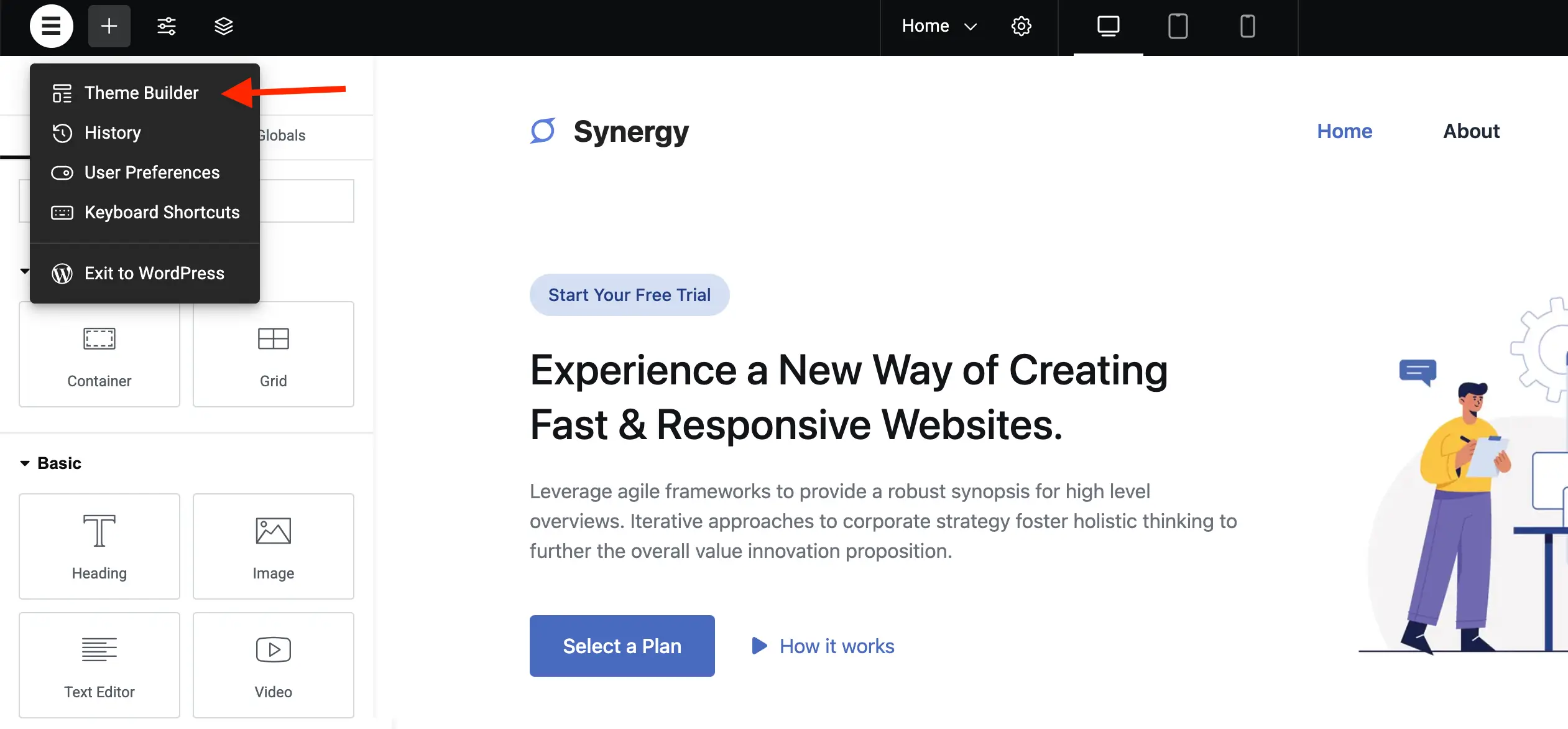
When matches are identified, standard WordPress functions such as remove_menu_page() and remove_submenu_page() systematically strip away the Add-ons page, the Kit Library integrations that redirect to commercial templates, the "Get Help" knowledge base links, and the prominent pink "Upgrade Now" navigation items. Furthermore, the custom dashboard widget (e-dashboard-overview) injected into the primary WordPress welcome screen is deregistered via remove_meta_box(), ensuring that blog feeds and promotional announcements do not clutter the initial login view.
Curating the Visual Editor Interface
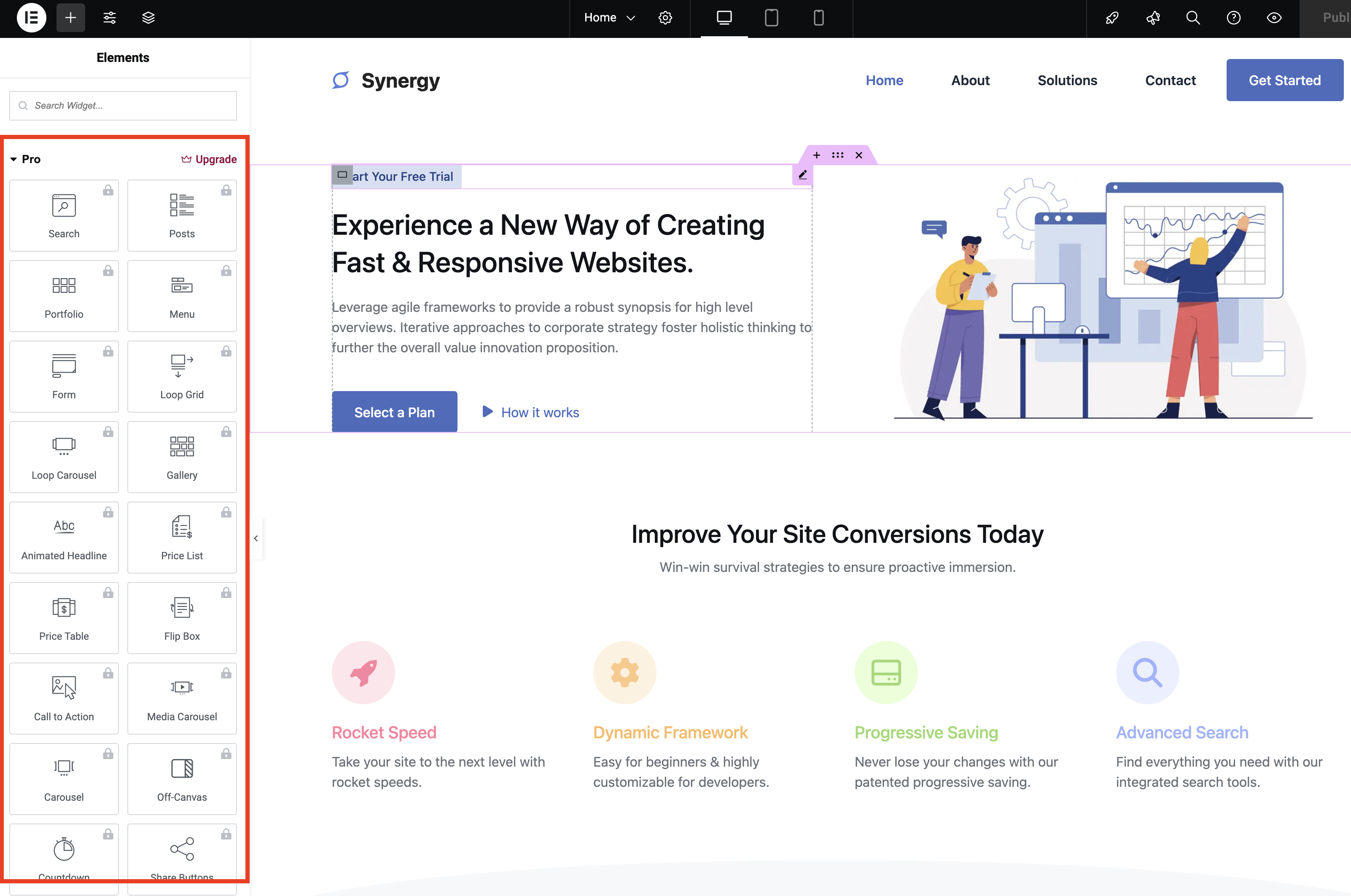
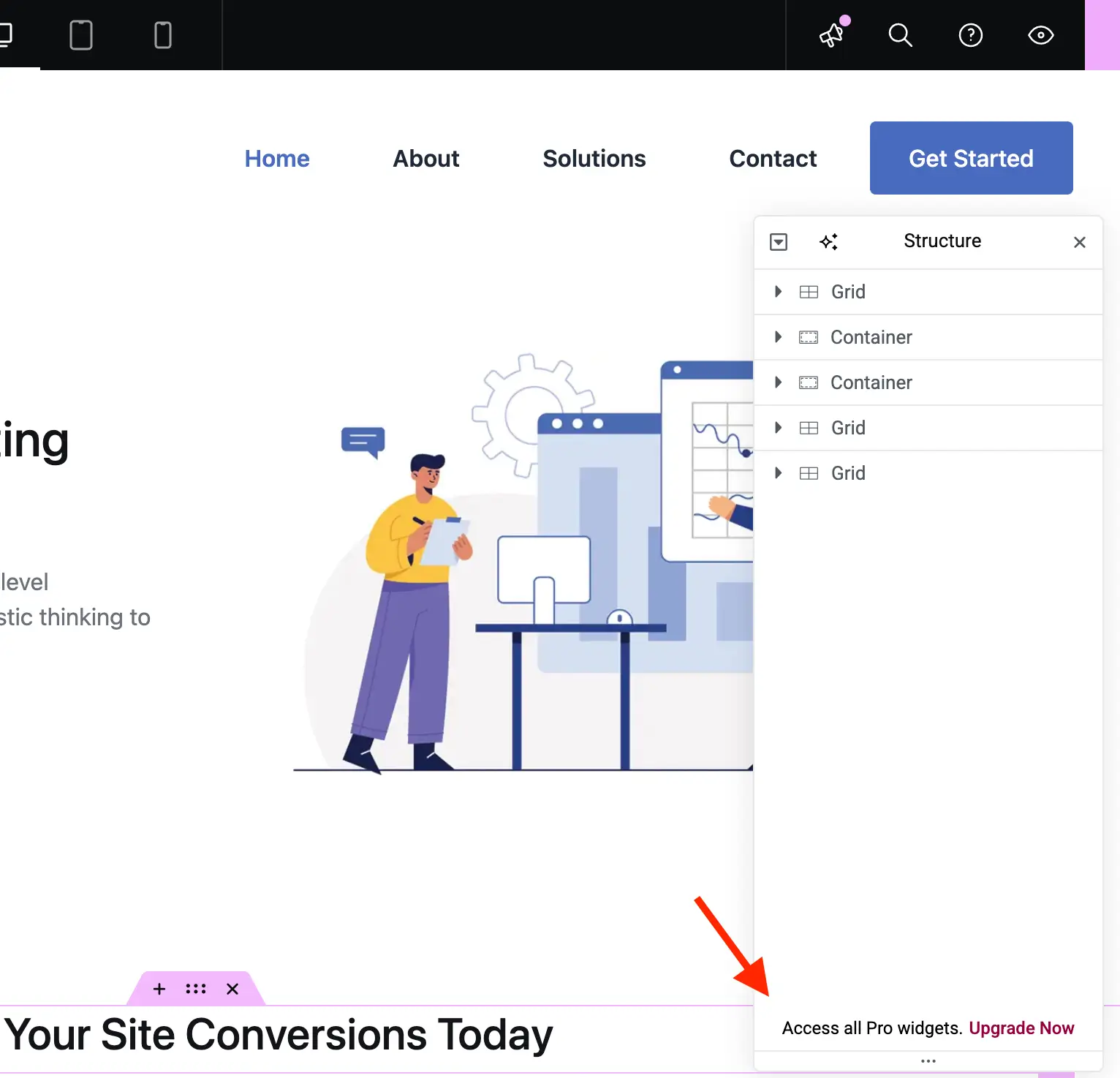
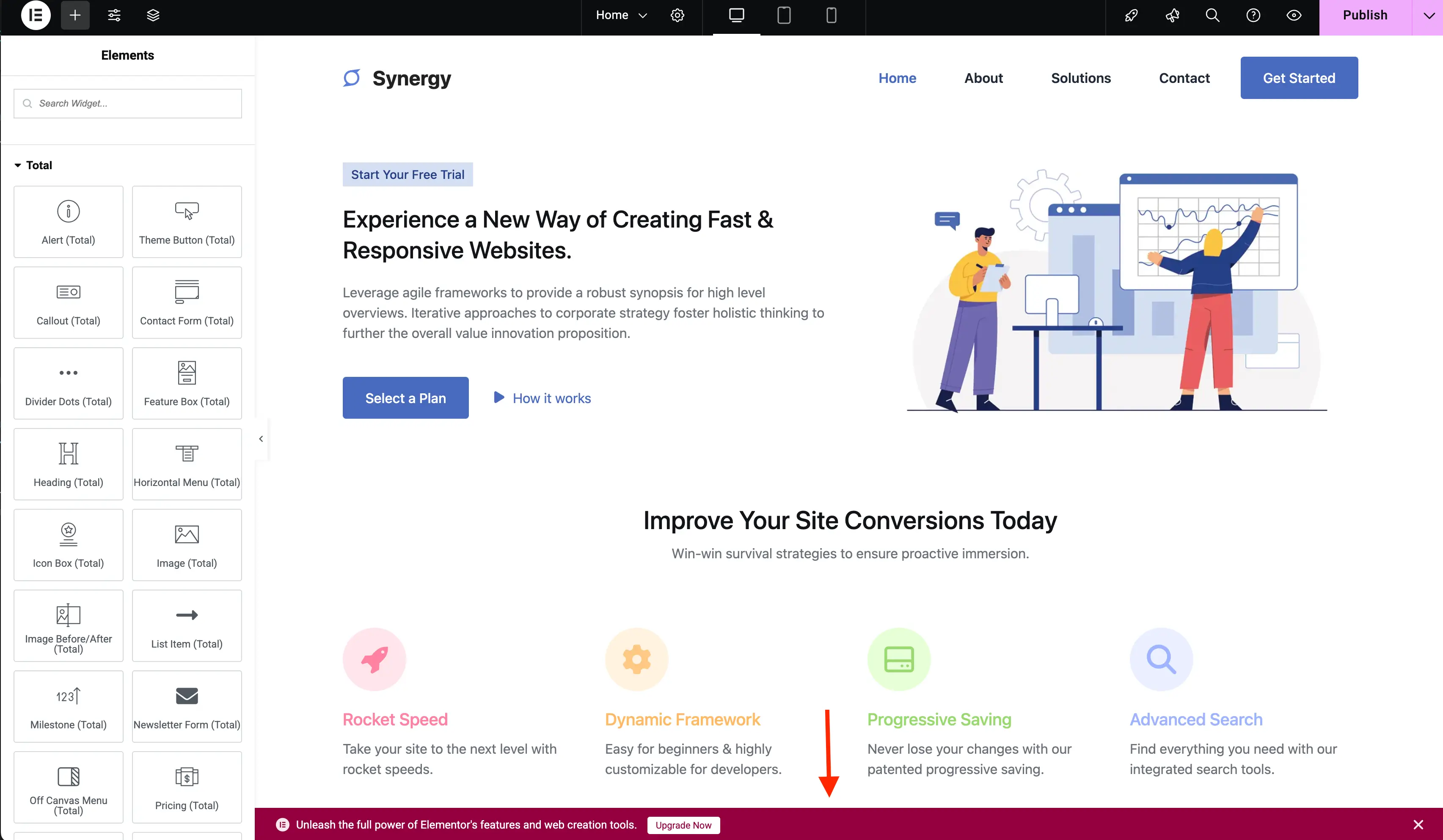
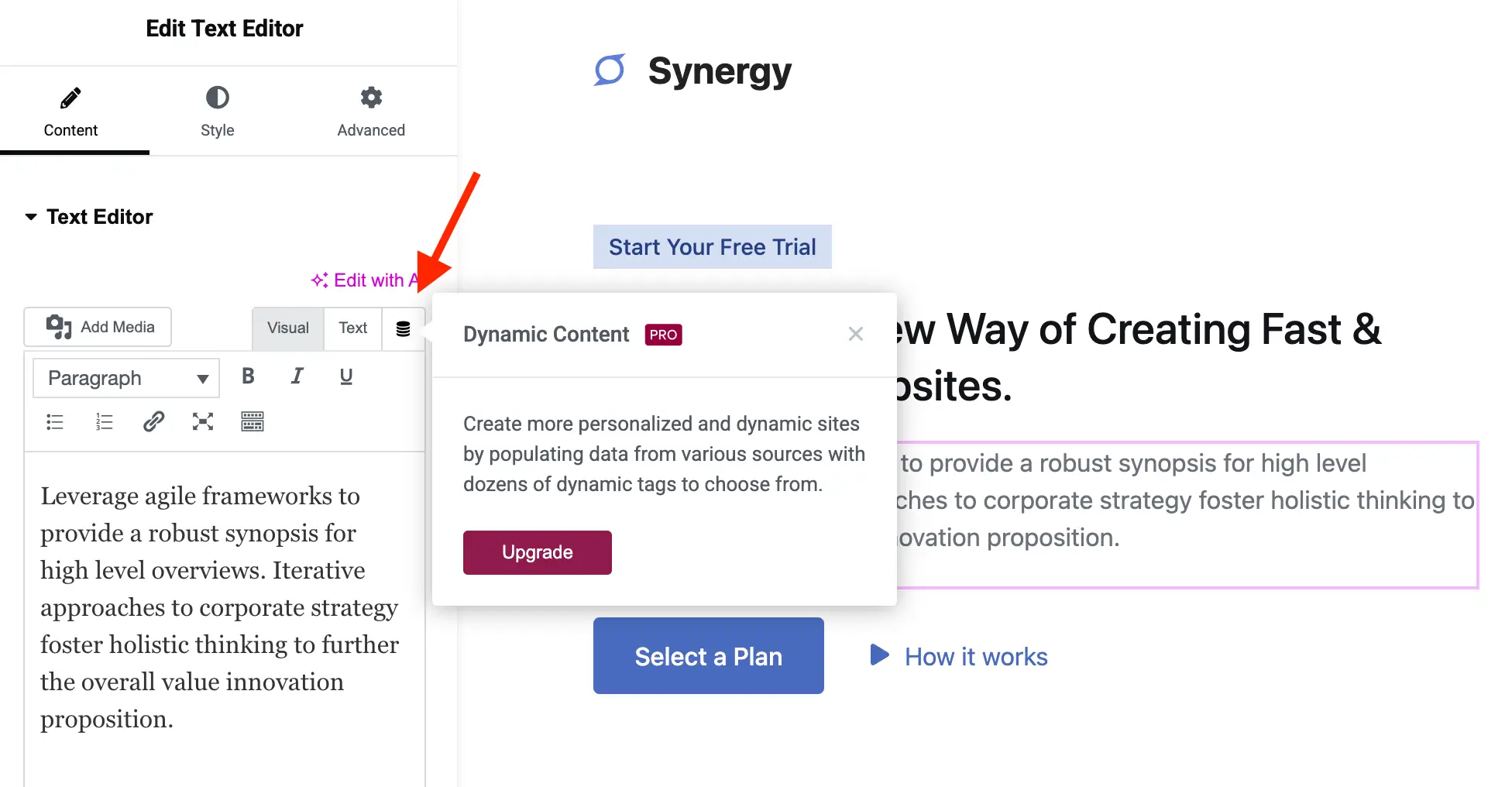
Beyond the WordPress dashboard, the visual editing canvas incorporates numerous elements intended to highlight premium functionality. Free users encounter locked widget categories (such as Pro Elements, Theme Builder elements, and WooCommerce blocks), sticky upgrade banners, global style tabs, dynamic content toggle buttons, and locked attribute settings.
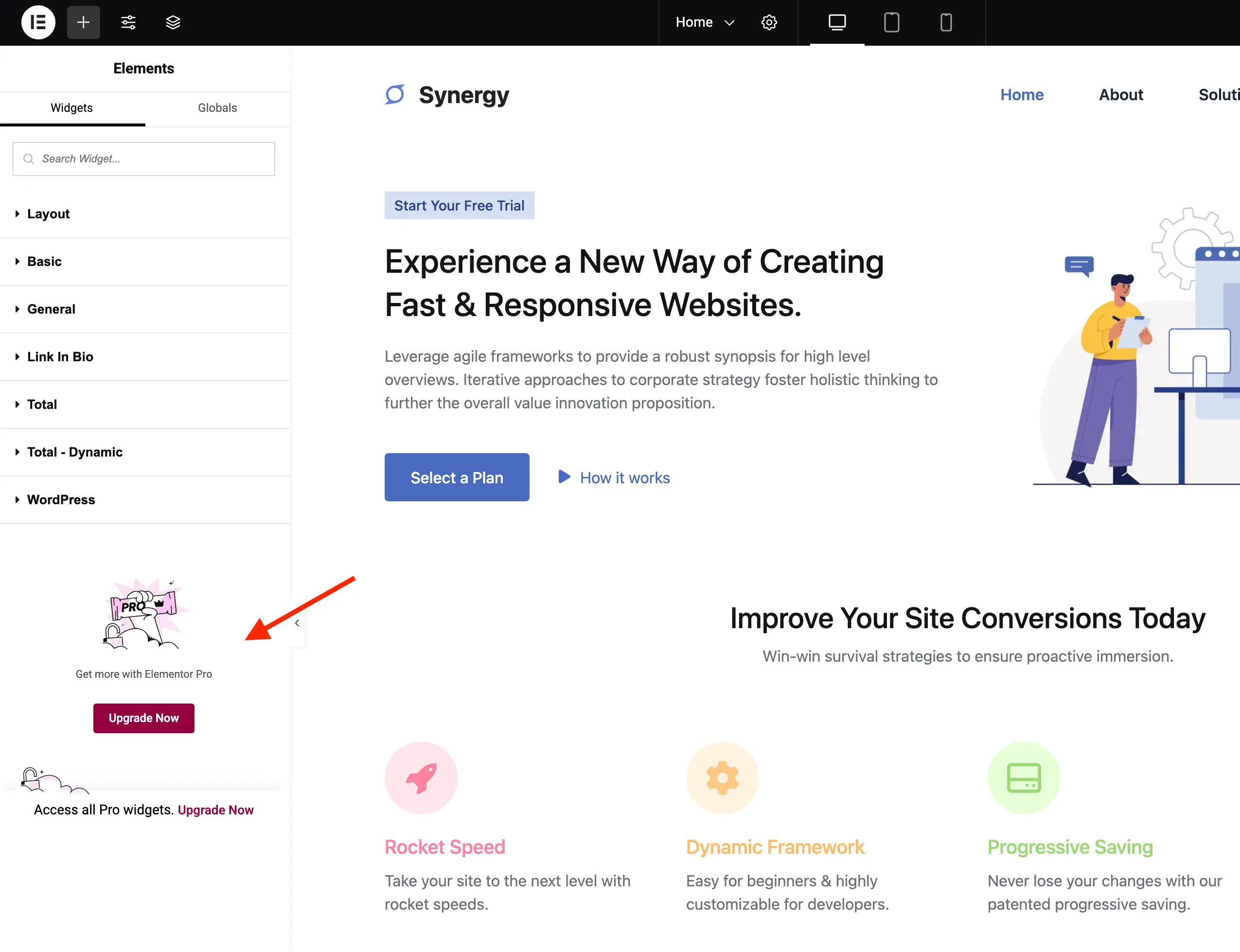
Because Elementor renders much of its editor interface dynamically via JavaScript frameworks, direct removal of these nodes through backend PHP filters can be complex and prone to breaking updates. The most efficient and stable countermeasure involves targeted, scoped CSS injection via wp_add_inline_style() attached to the elementor/editor/after_enqueue_styles action.
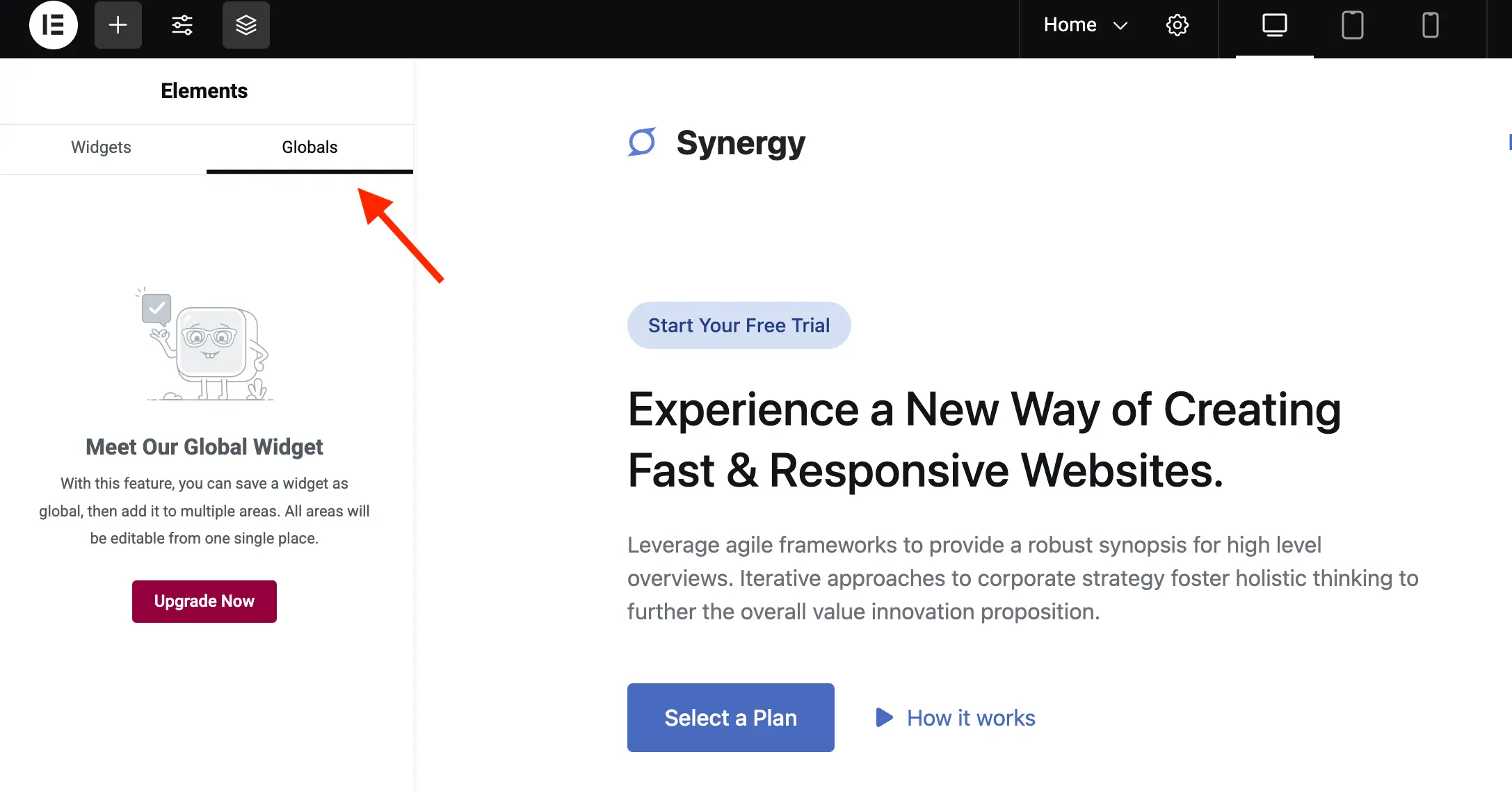
Utilizing modern CSS pseudo-classes such as :has(), the stylesheet identifies containers holding promotion lock wrappers, custom CSS sections designated for pro tiers, and persistent notification bars (.e-notice-bar), rendering them hidden via display: none !important;. This structural refinement significantly reduces visual noise, allowing site builders to locate functional, free-tier widgets rapidly without scanning past rows of promotional placeholders.
Deployment and Implementation Best Practices
Web professionals deploying customization scripts of this nature should adhere to established WordPress development protocols:
- Environment Testing: Always deploy and verify custom PHP classes within a staging environment prior to pushing updates to live production sites.
- Theme Integration vs. Must-Use Plugins: While code can be appended to a child theme’s
functions.phpfile, encapsulating the logic within a dedicated custom plugin or a "Must-Use" (MU) plugin ensures that the modifications remain active regardless of active theme switches. - Software Updates: Core updates to the Elementor plugin can occasionally alter DOM classes, React component hierarchies, or administrative menu slugs. Administrators utilizing custom removal scripts should monitor update logs and re-verify interface stability following major plugin version releases.
Broader Industry Implications and Ethical Considerations
The proliferation of dashboard advertising within the WordPress ecosystem underscores an ongoing tension between commercial sustainability for software creators and interface purity for end users. Independent developers invest substantial resources into maintaining complex plugins like Elementor, and monetization through upsells remains a standard industry mechanism to fund ongoing security patches, feature development, and customer support infrastructure.
At the same time, the demand for clean, uncompromised administrative interfaces reflects a growing professionalization of WordPress site management, particularly within agency environments where client handoffs require intuitive, distraction-free dashboards. Whether administrators choose to preserve promotional prompts as a reminder of available platform upgrades or implement systematic cleanup scripts to enforce a streamlined working environment, understanding the underlying code architecture empowers web professionals to tailor their toolsets precisely to their operational requirements.