MicroLighter offers a modern approach to syntax highlighting by leveraging the CSS Custom Highlight API to eliminate bloated dependencies.

The landscape of web development has long been defined by a tension between feature richness and performance. For years, syntax highlighting—the practice of color-coding source code within a browser to improve readability—has relied heavily on robust, JavaScript-intensive libraries. Tools such as Prism.js, Highlight.js, and Shiki have become the industry standard, providing comprehensive support for hundreds of programming languages. However, these libraries often introduce significant overhead, requiring complex DOM manipulation, extensive span-based markup, and substantial JavaScript payloads that can negatively impact Core Web Vitals and page load times.
A new development from developer Dave Rupert, known as MicroLighter, aims to challenge this status quo. By shifting the burden of rendering from heavy JavaScript execution to the browser’s native rendering engine via the CSS Custom Highlight API, MicroLighter provides a lightweight alternative that maintains functional parity with legacy solutions while drastically reducing file size and complexity.
The Evolution of Syntax Highlighting
To understand the significance of MicroLighter, one must look at the evolution of code presentation on the web. In the early days, syntax highlighting was often achieved through static server-side processing, where code was pre-rendered into HTML spans. While fast, this approach lacked flexibility and made dynamic editing or theme switching cumbersome.
The rise of client-side libraries in the mid-2010s solved the dynamic problem but introduced a new one: the "bloat" factor. Libraries like Prism.js were engineered to be modular, but as developer requirements grew to include features like line numbering, diff-view support, and multi-language parsing, the cumulative weight of these dependencies often reached tens of kilobytes. For performance-conscious developers, particularly those operating content-heavy platforms like CSS-Tricks, this represented a persistent technical debt.
Technical Architecture and the CSS Custom Highlight API
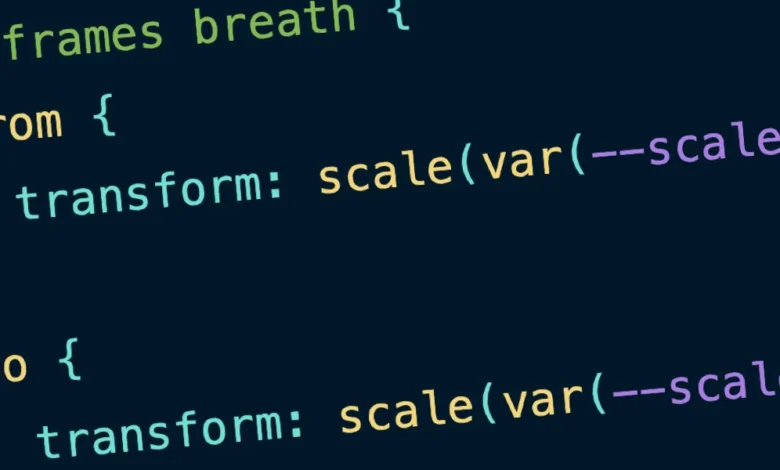
MicroLighter operates on a fundamental shift in strategy: it utilizes the CSS Custom Highlight API, which reached Baseline status in 2024. This browser-native feature allows developers to style arbitrary ranges of text within an element using CSS pseudo-elements, specifically ::highlight().
Instead of wrapping every keyword or variable in a unique <span> tag—a process that creates massive, deeply nested DOM trees—MicroLighter allows the developer to apply styles directly to the text nodes based on ranges defined by a lightweight parser. This transition from "markup-heavy" to "style-heavy" syntax highlighting is the cornerstone of the library’s efficiency.
Furthermore, by utilizing modern CSS features such as the light-dark() function, MicroLighter natively supports system-level theme switching. This means that developers no longer need to write complex JavaScript observers to toggle between light and dark modes; the browser handles the transition based on the user’s OS preferences, applying predefined custom properties for syntax colors seamlessly.
Chronology of Implementation
The transition to this new paradigm was not instantaneous. The development of MicroLighter followed a specific path of refinement:
- Early 2020s: Growing awareness in the performance community regarding the impact of heavy JavaScript bundles on LCP (Largest Contentful Paint) metrics.
- 2024: The CSS Custom Highlight API achieves widespread browser support, providing the technical foundation required for native-speed highlighting.
- August 2026: Full-scale integration of MicroLighter into production environments, replacing legacy Prism.js blocks.
- Post-Implementation: Initial benchmarking reveals a significant reduction in payload size, dropping from approximately 35 KB (9.3 KB gzipped) to 13.9 KB (5.2 KB gzipped).
This transition demonstrates a clear trend: developers are increasingly prioritizing "native-first" solutions that offload logic to the browser engine rather than relying on third-party abstractions.
Comparative Performance Analysis
The performance metrics observed during the transition are statistically significant. In a high-traffic environment, a reduction of over 50% in gzipped payload size for a core functional component has immediate benefits.
| Metric | Prism.js (Legacy) | MicroLighter (Modern) |
|---|---|---|
| Raw Size | 35.0 KB | 13.9 KB |
| Gzipped Size | 9.3 KB | 5.2 KB |
| DOM Impact | High (Span-heavy) | Low (Text node ranges) |
| Theme Handling | JS-driven | CSS-native |
While these figures do not account for every edge case, they illustrate the efficiency gains achieved by moving logic from the JavaScript thread to the CSS engine. The reduction in DOM nodes also contributes to a lower memory footprint for the browser, which is particularly beneficial for mobile devices with limited processing power.
Implications for Web Standards and CMS Integration
The modular nature of MicroLighter serves as a case study for the "a la carte" development model. By decoupling language support, theme configurations, and core utility, the library allows developers to include only the assets they require. This is particularly valuable for WordPress and other Content Management Systems (CMS) where plugin bloat is a frequent point of failure.
Integrating MicroLighter into a WordPress environment requires a shift from traditional shortcode-based rendering to a more modern, web-component-based approach. By utilizing a <micro-lighter> web component, developers can encapsulate the logic within a standard HTML tag, maintaining semantic markup while enabling features like copy-to-clipboard functionality and line numbering without additional external dependencies.
Broader Industry Impact
The shift toward CSS-driven highlighting mirrors a broader trend in the web development ecosystem: the migration of features from JavaScript libraries to native browser APIs. Just as the Intl object replaced large localization libraries and native Dialog elements replaced custom modal scripts, the CSS Custom Highlight API is positioned to render complex syntax-highlighting scripts obsolete.
This movement has significant implications for accessibility and maintainability. Because the highlighting is handled by the browser, screen readers are less likely to be confused by thousands of extraneous <span> tags, which can sometimes interfere with the accessibility tree. Furthermore, because the syntax definitions are now driven by CSS variables, maintaining a design system across a large codebase becomes a task of updating a single stylesheet rather than modifying JavaScript configuration objects.
Conclusion and Future Outlook
As the web matures, the reliance on heavy JavaScript frameworks for basic UI functionality is increasingly being questioned. MicroLighter serves as an effective demonstration that even complex tasks like code-text processing can be optimized through a sophisticated understanding of modern browser capabilities.
While legacy libraries like Prism.js remain relevant for environments requiring support for an exhaustive list of obscure programming languages or legacy browser compatibility, the trajectory of web development clearly favors the approach adopted by MicroLighter. By embracing native CSS features, developers can build faster, more resilient, and more maintainable interfaces, ultimately providing a superior experience for the end-user. The success of this transition highlights the ongoing importance of monitoring Baseline support for new APIs, as these advancements offer the most effective path toward a more efficient and performant web.